
In the ever-evolving landscape of technology, efficiency and accessibility are paramount. For users of the Arch Linux distribution, a powerful package manager known as Pacman forms the backbone of software installation and management. However, the Arch User Repository (AUR) offers a vast ocean of community-maintained packages that often extend beyond what’s readily available in the official repositories. Navigating this treasure trove of software can be a manual and sometimes tedious process. This is where YAY, an AUR helper, steps in to revolutionize your workflow, streamlining the installation, updating, and removal of packages from the AUR.
This comprehensive guide will walk you through the process of installing YAY, assuming you are an Arch Linux user. We’ll delve into why YAY is an indispensable tool for Arch users, explore its core functionalities, and provide step-by-step instructions to get it up and running on your system. Furthermore, we’ll touch upon how the principles behind tools like YAY, while specific to Linux package management, resonate with broader themes of efficiency and resourcefulness found across technology, branding, and finance.
Understanding the Need for YAY: Bridging the Gap
Arch Linux prides itself on its simplicity and user-centric approach, empowering users with granular control over their system. Pacman, its package manager, is a testament to this philosophy, offering speed, efficiency, and a robust dependency resolution system. However, the Arch User Repository (AUR) represents a significant expansion of software availability, housing a plethora of packages that are not officially maintained but are invaluable to many users. These can range from the latest development versions of popular software to niche applications and system utilities.
The AUR functions by providing build scripts, known as PKGBUILDs, which detail how to compile and install a package from its source code. While this system offers immense flexibility, manually downloading, verifying, building, and installing each AUR package can be time-consuming and prone to errors, especially when dealing with multiple dependencies or frequent updates.
This is precisely where YAY (Yet Another Yogurt) enters the picture. YAY acts as an AUR helper, automating many of the manual steps involved in interacting with the AUR. It seamlessly integrates with Pacman, allowing you to search, install, update, and remove AUR packages using a familiar command-line interface, often indistinguishable from native Pacman commands. This not only saves significant time but also enhances the security and reliability of your AUR package management.
The Advantages of Using an AUR Helper like YAY:
- Streamlined Installation: Instead of manually cloning Git repositories, editing PKGBUILD files, and running makepkg, YAY handles the entire process with a single command.
- Simplified Updates: YAY can check for updates for both official repository packages and AUR packages simultaneously, allowing you to keep your entire system up-to-date with minimal effort.
- Dependency Management: YAY intelligently handles dependencies required for building AUR packages, resolving them and ensuring a smooth build process.
- Search Functionality: YAY allows you to search for packages directly from the AUR, making it easy to discover and find the software you need.
- Interactivity and Safety: YAY offers interactive prompts for reviewing PKGBUILDs and build logs, providing an added layer of security and control. You can choose to review or skip these steps, but the option is always there.
- Pacman Integration: YAY is designed to work harmoniously with Pacman, ensuring that your system’s package database remains consistent and well-managed.
While YAY is a powerful tool for Arch Linux, its underlying principles of automation and efficiency resonate across various domains. In the realm of Tech, YAY exemplifies the ongoing pursuit of simplifying complex processes through software. The development of AUR helpers mirrors the creation of AI tools that automate repetitive tasks, intelligent apps that streamline our digital lives, and even advancements in digital security that automate threat detection and response.
Installing YAY: A Step-by-Step Process
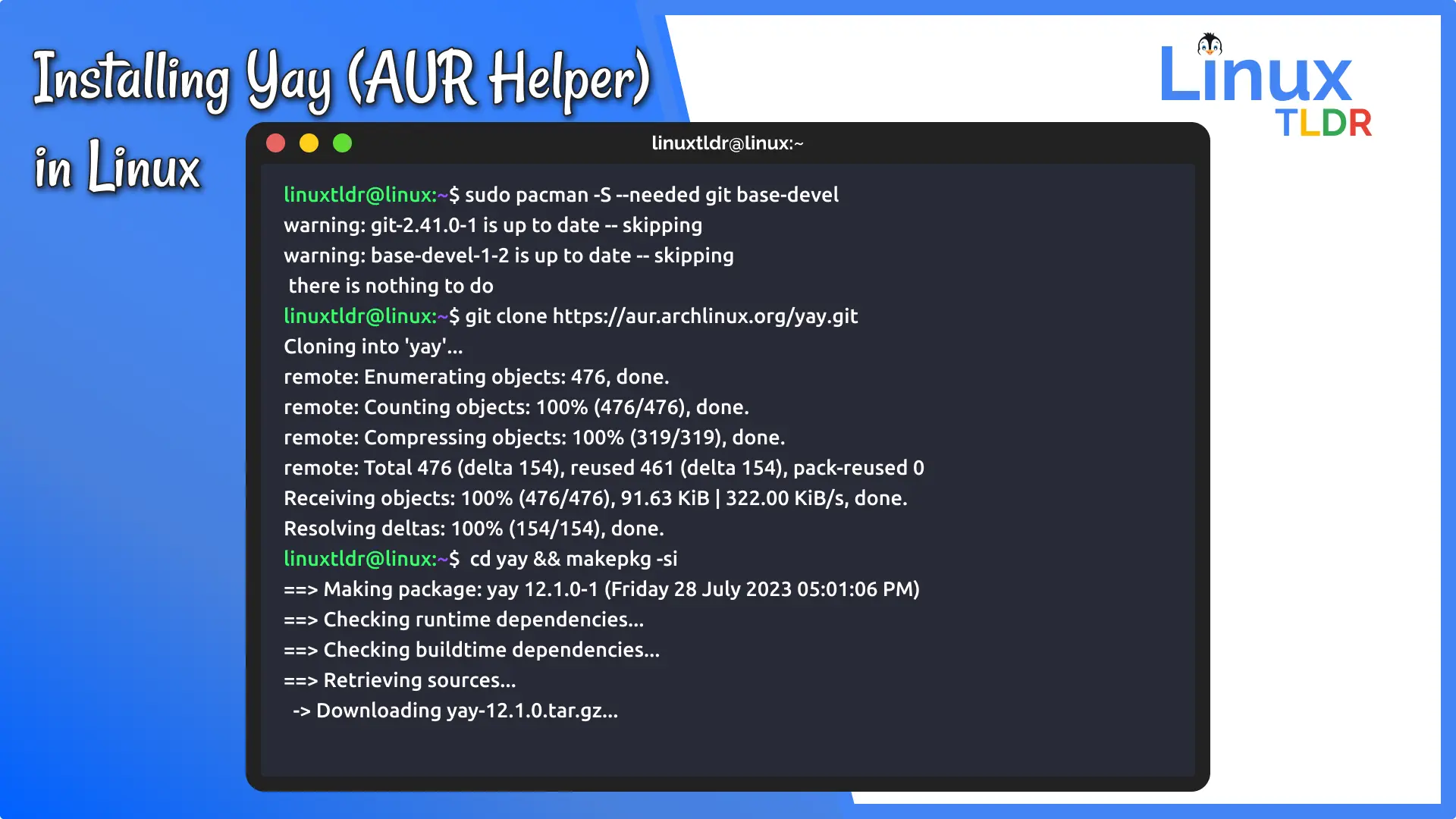
Since YAY itself is an AUR package, you cannot install it directly using Pacman. You’ll need to install it from source, typically by cloning its Git repository and building it manually. This is a one-time process that, once completed, allows you to manage all your subsequent AUR packages with YAY.
Prerequisites:
- An Arch Linux installation.
- Basic familiarity with the Arch Linux command line.
- The
base-develpackage group installed, which includes essential build tools likegcc,make, andgit. If you don’t have it, you can install it with:
bash

sudo pacman -S --needed base-devel git
Step 1: Clone the YAY Git Repository
The first step is to obtain the source code for YAY. You can do this using Git. It’s generally recommended to clone AUR repositories into a dedicated directory, such as a build directory within your home folder.
cd ~
git clone https://aur.archlinux.org/yay.git
This command will create a new directory named yay in your home directory and download the YAY source files into it.
Step 2: Navigate to the YAY Directory
Once the repository is cloned, change your current directory to the newly created yay directory.
cd yay
Step 3: Build and Install YAY
Now that you are inside the yay directory, you can proceed to build and install the package. YAY provides a convenient PKGBUILD file that automates this process. You will use the makepkg command, which is part of the base-devel package group, to build the package.
makepkg -si
Let’s break down this command:
makepkg: This is the command that builds Arch Linux packages.-s(or--syncdeps): This option tellsmakepkgto automatically resolve and install any missing dependencies required to build the package by using Pacman.-i(or--install): This option tellsmakepkgto install the package after it has been successfully built.
When you run this command, you will be prompted for your password for sudo to install the dependencies and the final package. makepkg will:
- Fetch Source: Download the source code for YAY.
- Check Dependencies: Identify and install any required build dependencies using Pacman.
- Build Package: Compile the source code and create a package file.
- Install Package: Install the newly created package onto your system.
Step 4: Verify the Installation
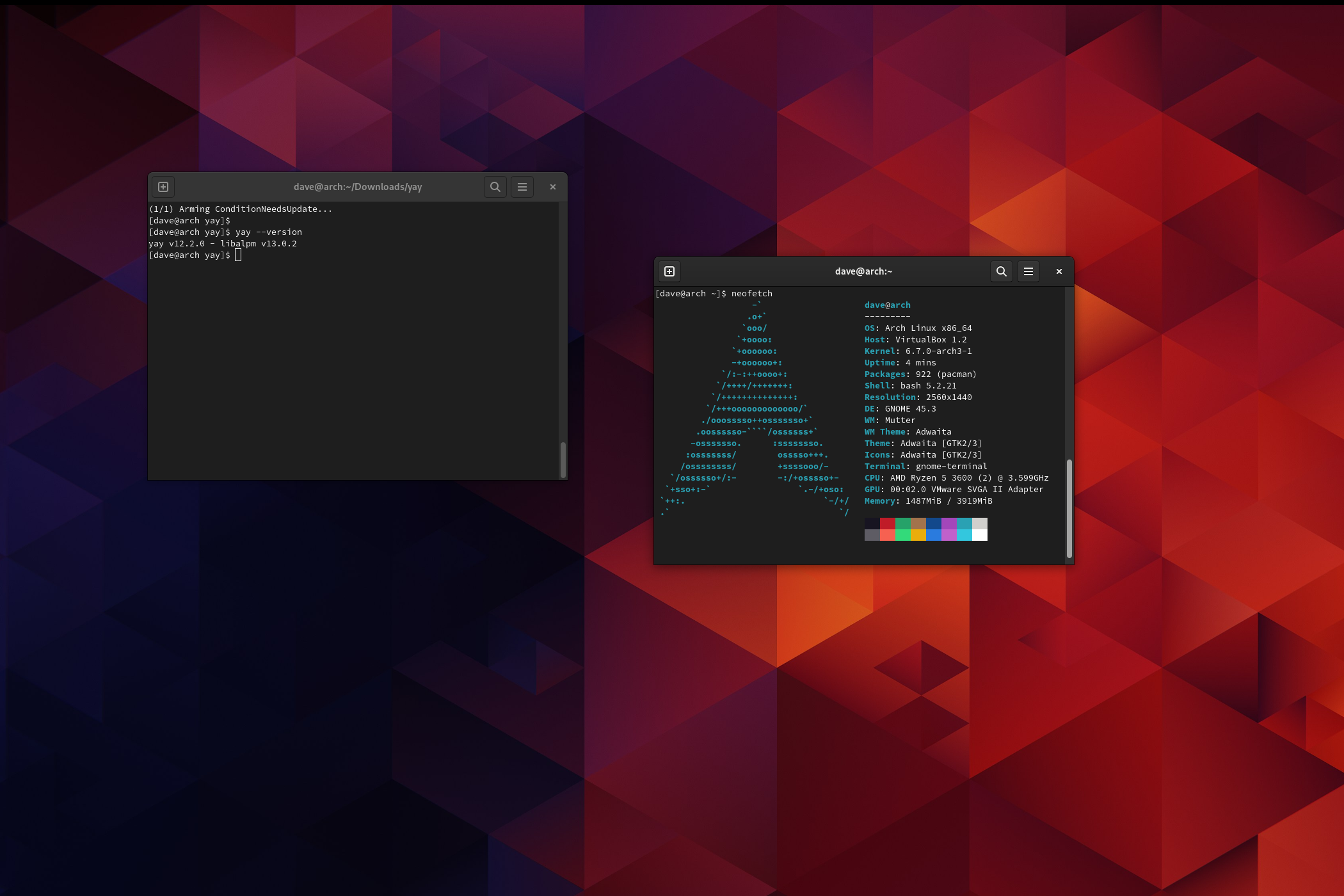
After the makepkg -si command completes without errors, YAY should be successfully installed on your system. You can verify this by trying to search for a package using YAY. For example, let’s try to search for htop:
yay htop
If YAY is installed correctly, it will search both the official repositories and the AUR and display the results.
Using YAY: Everyday Package Management
With YAY installed, your workflow for managing packages on Arch Linux will become significantly more efficient. You can now use YAY almost interchangeably with Pacman for many common tasks, with the added benefit of AUR access.
Searching for Packages
To search for packages in both official repositories and the AUR:
yay <package_name>
For example: yay firefox
YAY will list packages that match your search query, indicating whether they are from the official repositories or the AUR.
Installing Packages
Installing packages, whether from official repositories or the AUR, is as simple as using Pacman:
yay -S <package_name>
For example, to install the vlc player: yay -S vlc
If the package is in the AUR, YAY will download the PKGBUILD, prompt you to review it (which is highly recommended for security), build it, and then install it.
Updating Your System
This is where YAY truly shines. It can update your entire system, including both official packages and AUR packages, in one go.
yay -Syu
-S: Syncs packages.-y: Refreshes the package databases.-u: Updates installed packages.
This command will first update the package lists, then check for updates for all installed packages, and finally prompt you to install the available updates from both official repositories and the AUR.
Removing Packages
Removing packages is also straightforward:
yay -R <package_name>
For example, to remove vlc: yay -R vlc
You can also use options like -Rs to remove packages and their unneeded dependencies, or -Rns to remove them along with configuration files.
Reviewing PKGBUILDs
One of the most crucial aspects of using the AUR is reviewing the PKGBUILD files before building and installing packages. YAY provides a convenient way to do this. When you install or update an AUR package, YAY will typically prompt you to review the PKGBUILD and any associated files. It’s a good practice to say ‘y’ to this prompt, examine the files for any suspicious commands, and then proceed with the installation.
In the broader context of Money, the efficiency gained from YAY can be seen as a form of maximizing resources. Just as sound personal finance involves optimizing spending and investing, using tools that automate tedious tasks frees up your time and mental energy for more impactful activities. This can translate into more time for side hustles, learning new investment strategies, or simply enjoying more leisure time, all contributing to a better financial well-being.
Beyond Installation: YAY’s Role in System Maintenance
The benefits of YAY extend beyond its initial installation. Its continuous integration into your system maintenance routine can significantly improve your overall Arch Linux experience.
Keeping Your System Secure
While Arch Linux is known for its stability, the AUR is a community-driven resource. By using YAY to update your AUR packages regularly, you ensure that you are running the latest, most secure versions of the software. Many AUR packages are actively maintained, and updates often include critical security patches. The practice of reviewing PKGBUILD files, as facilitated by YAY, is a crucial step in maintaining digital security, akin to regularly updating your antivirus software or practicing good password hygiene.
Enhancing Productivity
For developers, researchers, and power users, access to a wider range of software is essential. YAY allows you to quickly and easily install specialized tools, libraries, and development environments that might not be available in the official repositories. This rapid access to necessary software directly contributes to increased productivity, allowing you to focus on your core tasks rather than spending excessive time on package management. This mirrors the impact of productivity apps in the Tech domain, designed to streamline workflows and optimize output.
The Philosophy of Self-Sufficiency
Arch Linux itself embodies a philosophy of user control and self-sufficiency. YAY amplifies this by empowering users to effortlessly access and manage a vast array of community-contributed software. It fosters a sense of ownership over your system and its software ecosystem. This resonates with the concept of Personal Branding, where individuals cultivate a unique identity and control their narrative. Similarly, in Brand Strategy, companies strive to build strong, recognizable identities by carefully curating their offerings and how they are perceived. YAY allows Arch users to curate their software environment with a similar level of control and intentionality.

Conclusion
Installing YAY on your Arch Linux system is a straightforward process that yields significant benefits in terms of efficiency, convenience, and access to a wider range of software. By automating the complexities of AUR package management, YAY frees you from manual labor and reduces the risk of errors. It seamlessly integrates with Pacman, making it an indispensable tool for any Arch Linux user who wants to harness the full potential of the Arch User Repository.
As we’ve explored, the principles of YAY – automation, efficiency, and resourcefulness – are not confined to the world of Linux package management. They are fundamental concepts that drive innovation and success across technology, business, and personal development. By mastering tools like YAY, Arch Linux users not only enhance their computing experience but also embrace a mindset that is crucial for navigating and thriving in our increasingly complex and interconnected world. So, if you’re an Arch user looking to streamline your workflow and unlock a universe of software, installing YAY is a logical and highly rewarding next step.
aViewFromTheCave is a participant in the Amazon Services LLC Associates Program, an affiliate advertising program designed to provide a means for sites to earn advertising fees by advertising and linking to Amazon.com. Amazon, the Amazon logo, AmazonSupply, and the AmazonSupply logo are trademarks of Amazon.com, Inc. or its affiliates. As an Amazon Associate we earn affiliate commissions from qualifying purchases.