
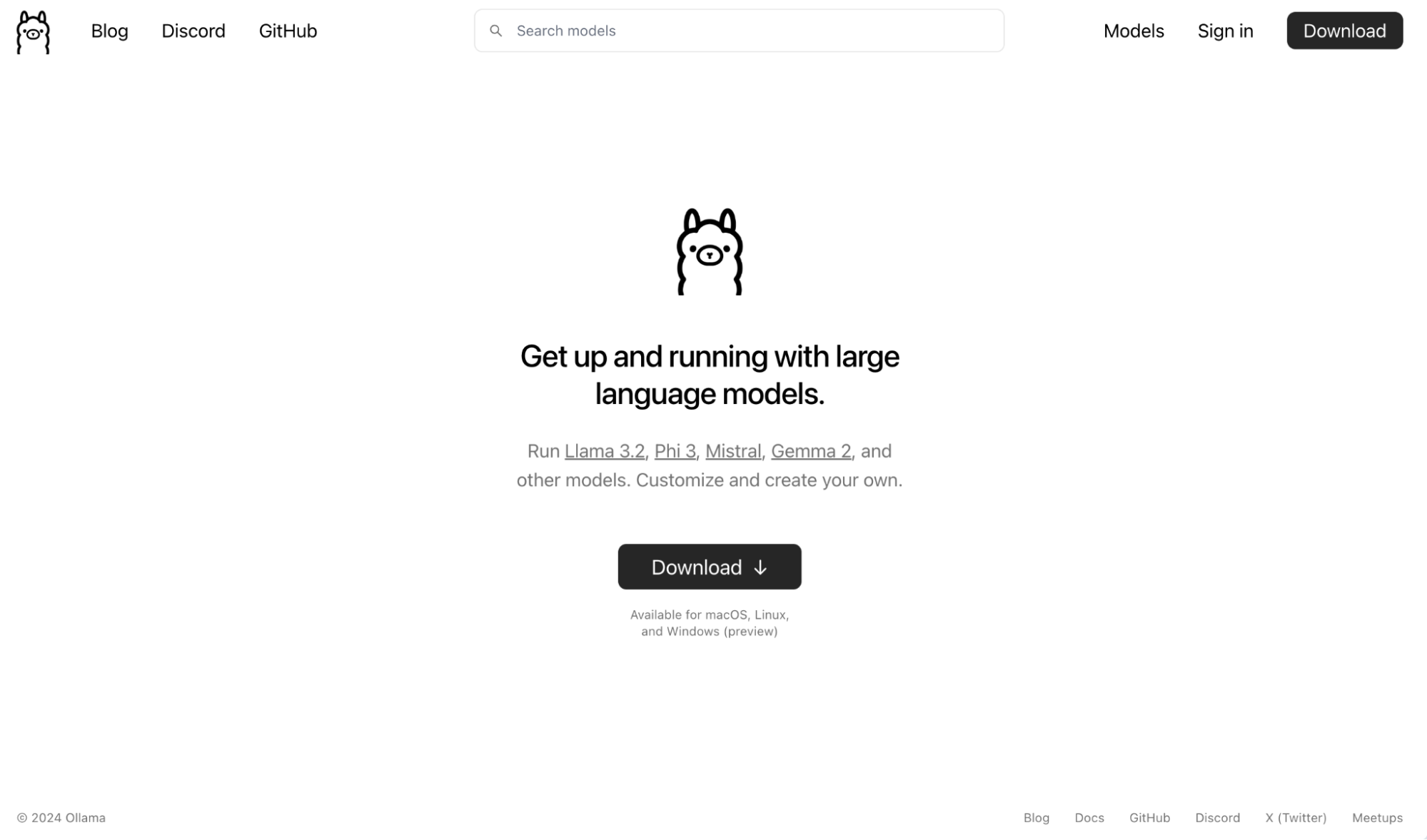
The rapid evolution of Artificial Intelligence has brought powerful Large Language Models (LLMs) into the mainstream. While many envision interacting with these intelligent systems through cloud-based platforms, a growing segment of the tech-savvy population is looking for more control, privacy, and cost-efficiency. This is where tools like Ollama shine. Ollama provides a streamlined way to download, run, and manage LLMs directly on your local machine, offering an unparalleled level of accessibility and customization.
This comprehensive guide will walk you through the process of installing Ollama, from understanding its core benefits to the practical steps involved, and finally, how to leverage its capabilities to integrate LLMs into your personal workflow and even your business endeavors. Whether you’re a developer exploring the frontiers of AI, a creative seeking a personal AI assistant, or a business owner looking to implement cutting-edge technology without hefty cloud fees, this article will equip you with the knowledge to get started.
Understanding Ollama: Why Run LLMs Locally?
Before diving into the installation process, it’s crucial to grasp why you’d want to run LLMs locally with Ollama. The traditional approach often involves accessing LLMs through APIs provided by companies like OpenAI or Google. While convenient, this method comes with inherent limitations and considerations.
The Advantages of Local LLM Deployment
Running LLMs on your own hardware through Ollama unlocks a suite of compelling benefits, aligning perfectly with the “Tech” and “Money” pillars of our website.
Enhanced Privacy and Security
One of the most significant advantages of local LLMs is privacy. When you use cloud-based LLMs, your prompts and the data they generate are processed on remote servers. This raises concerns for individuals and businesses handling sensitive information. With Ollama, your data never leaves your machine. This is particularly important in fields like legal, medical, or personal finance, where confidentiality is paramount. Digital security is no longer a secondary consideration; it’s built into the very architecture of your AI interactions.
Cost-Effectiveness and Predictability
Cloud-based LLM services often operate on a pay-per-use model, which can become surprisingly expensive, especially for frequent or intensive usage. For individuals and businesses, these fluctuating costs can make budgeting difficult. Ollama eliminates these recurring API fees. Once you have the necessary hardware, running LLMs locally incurs only the cost of electricity. This makes it a significantly more cost-effective solution for developers, researchers, and anyone looking to experiment extensively with AI without a continuous financial drain. This directly taps into the “Money” aspect, offering a path to free up budget for other investments or side hustles.
Unparalleled Customization and Control
Ollama empowers you with unparalleled customization. You can choose from a vast and growing library of open-source LLMs, each with its unique strengths and characteristics. This allows you to select the model that best suits your specific needs, whether it’s for creative writing, code generation, data analysis, or conversational AI. Furthermore, you have complete control over the models you run, how they are configured, and how they are integrated into your applications. This level of control is essential for developers and tinkerers who want to push the boundaries of AI and build bespoke solutions. This aligns with the “Tech” pillar by providing advanced tools for innovation.
Offline Accessibility and Reduced Latency
For users in areas with unstable internet connections or for those who require absolute reliability, running LLMs locally via Ollama means offline accessibility. You are no longer dependent on a constant internet connection to interact with your AI. Moreover, by processing requests on your local hardware, Ollama significantly reduces latency. This leads to a more responsive and fluid user experience, which is critical for real-time applications and interactive tools.
The Role of Ollama in the AI Ecosystem
Ollama acts as a crucial bridge between the powerful, often complex, world of LLMs and the everyday user or developer. It abstracts away much of the intricate setup and management required to run these models, making advanced AI technology accessible to a broader audience. This democratization of AI is a key trend in the “Tech” landscape, fostering innovation and empowering individuals to leverage AI in new and exciting ways.
Installing Ollama: A Step-by-Step Guide
The installation process for Ollama is designed to be as straightforward as possible, catering to users across different operating systems. We will cover the installation for Windows, macOS, and Linux.
Getting Started: System Requirements
Before you begin, ensure your system meets the basic requirements. While LLMs can be resource-intensive, Ollama itself has relatively modest installation requirements. However, the performance of the LLMs you run will depend heavily on your hardware, particularly your CPU, RAM, and crucially, your GPU if you have one.
- Operating System: Windows, macOS, or Linux.
- Hardware: Sufficient RAM and storage for the models you intend to download. A GPU is highly recommended for optimal performance, especially for larger models.
Installation on Different Platforms
Installing Ollama on macOS
For macOS users, Ollama offers a simple, graphical installer.
- Download the Installer: Navigate to the official Ollama website (ollama.ai) and click on the “Download” button. Select the macOS version.
- Run the Installer: Once the download is complete, open the
.dmgfile. Drag the Ollama application icon into your Applications folder. - Launch Ollama: You can now launch Ollama from your Applications folder. The first time you run it, it may prompt you for necessary permissions. Ollama will then run in the background as a menu bar application.
Installing Ollama on Windows
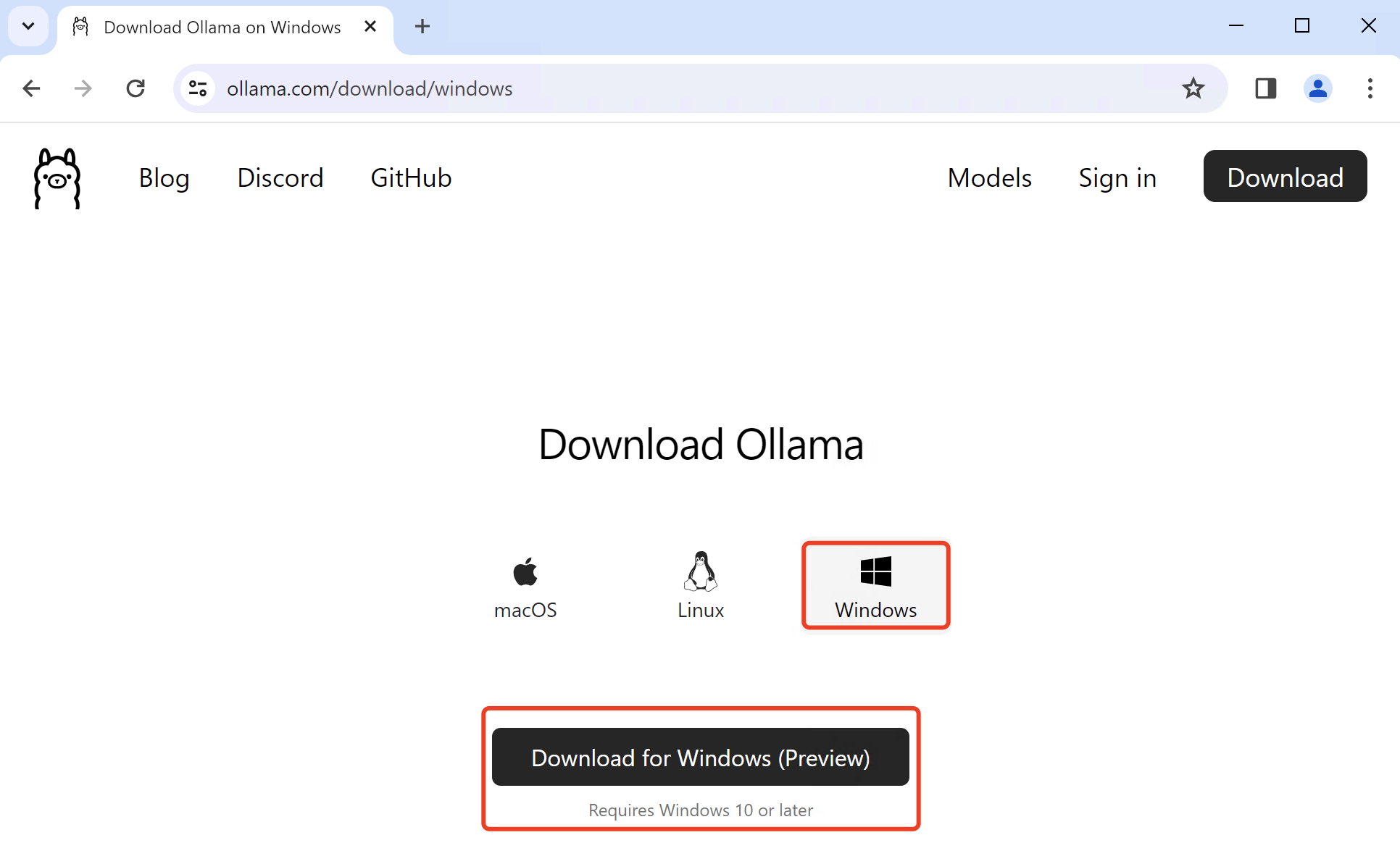
Windows users can also benefit from an easy-to-use installer.
- Download the Installer: Visit the official Ollama website and download the Windows installer (
.exe). - Run the Installer: Execute the downloaded
.exefile. Follow the on-screen prompts to complete the installation. Ollama will be installed as a system service and will run in the background. You can manage its status through the system tray icon.
Installing Ollama on Linux
Linux users can install Ollama using a simple curl command, which is a common and efficient method for package installation on Linux distributions.
-
Open a Terminal: Launch your terminal application.
-
Execute the Installation Command: Run the following command:
curl -fsSL https://ollama.com/install.sh | shThis command downloads the installation script and executes it. The script will detect your system and install Ollama accordingly. It will typically install Ollama as a system service, ensuring it runs automatically on boot.
Verifying the Installation
After installation, it’s a good practice to verify that Ollama is running correctly.
-
Open your Terminal or Command Prompt:
-
Run the
ollama versioncommand:ollama versionIf Ollama is installed and running, this command will display the installed version number.
Downloading and Running Your First LLM
With Ollama installed, you’re ready to download and interact with your first Large Language Model. Ollama makes this process incredibly intuitive.
Exploring Available Models
Ollama hosts a curated library of popular open-source LLMs. You can explore these models on the Ollama website or directly through the command line.
Downloading a Model
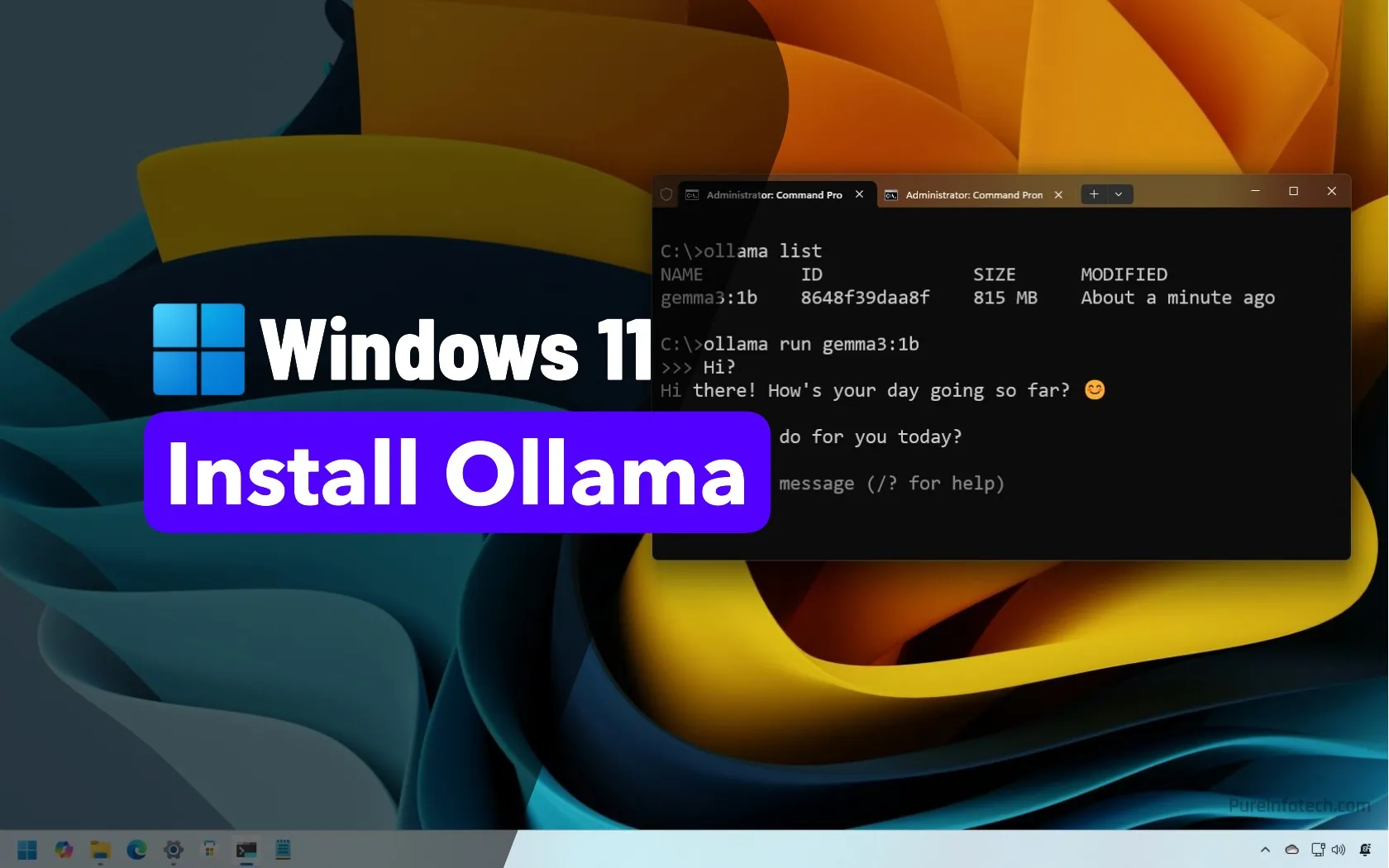
To download a model, you’ll use the ollama run command followed by the model name. For example, to download and run the popular Llama 2 model (a 7B parameter version):
ollama run llama2
The first time you run this command, Ollama will download the specified model. This may take some time depending on your internet connection and the size of the model. Once downloaded, Ollama will automatically launch an interactive session with the model.
Interacting with LLMs
Once a model is running, you’ll be presented with a prompt in your terminal. You can now type your questions or requests, and the LLM will respond.
Example Interaction:
>>> What is the capital of France?
The capital of France is Paris.
>>> Tell me a short story about a space explorer.
... (The LLM will generate a story)
To exit the interactive session, type /bye and press Enter.
Managing Your Models
Ollama allows you to manage the models you have downloaded.
-
Listing downloaded models:
ollama listThis command will show you all the models currently stored on your system.
-
Removing a model:
ollama rm <model_name>For example,
ollama rm llama2would remove the Llama 2 model from your system, freeing up disk space.
Integrating Ollama into Your Workflow and Business
The real power of Ollama lies in its ability to seamlessly integrate into your existing workflows, both personal and professional. This section explores how you can leverage local LLMs for enhanced productivity and innovative business solutions, touching upon the “Tech,” “Brand,” and “Money” aspects.
Personal Productivity and Creativity
Your Personal AI Assistant
Imagine having an AI assistant that understands your preferences, works offline, and never sends your private data elsewhere. With Ollama, this is a reality.
- Writing and Content Creation: Use LLMs to brainstorm blog post ideas, draft emails, write poetry, or even generate creative story outlines. This significantly boosts your productivity and can be a fantastic tool for personal branding on social media or personal websites.
- Coding Assistance: Developers can use LLMs to generate code snippets, debug errors, explain complex code, or even refactor existing codebases. This accelerates the development process and can free up time for more strategic tasks.
- Learning and Research: Ask LLMs to summarize complex articles, explain difficult concepts, or generate study notes. This is invaluable for continuous learning and staying updated with the latest tech trends.
Digital Security and Privacy Tools
By running LLMs locally, you are inherently enhancing your digital security. You can use these models to:
- Analyze text for phishing attempts: While not a replacement for dedicated security software, an LLM can help identify suspicious language patterns in emails or messages.
- Understand privacy policies: Feed lengthy and complex privacy policies into an LLM and ask for a simplified explanation of what data is being collected and how it’s used.
Business Applications and Brand Building
Ollama opens up a world of possibilities for businesses, from enhancing customer service to building a more robust online presence.
Enhancing Customer Experience and Support
- Internal Knowledge Base: Train an LLM on your company’s documentation, FAQs, and support articles. Employees can then query this AI to quickly find answers, improving internal efficiency and customer service responsiveness.
- Customer Service Chatbots: Develop custom chatbots for your website that can answer common customer queries 24/7. By running these locally, you maintain full control over customer data and avoid per-interaction API costs, which can be a significant financial advantage for businesses. This directly impacts “Money” by reducing operational expenses.
- Content Generation for Marketing: Use LLMs to draft marketing copy, social media posts, product descriptions, and even website content. While human oversight is crucial for brand consistency, LLMs can significantly speed up the initial content creation process. This can be a powerful tool for building and refining your corporate identity and personal branding efforts.
Data Analysis and Insights
- Sentiment Analysis: Analyze customer feedback from reviews, social media, or surveys to gauge public sentiment towards your brand or products.
- Market Research: Quickly process and summarize large volumes of text-based market research data to identify trends and opportunities.
Building a Stronger Brand with AI
The adoption of AI can itself be a differentiator, signaling that your brand is innovative and forward-thinking.
- Personalized Customer Interactions: While complex, LLMs can be fine-tuned to understand your brand’s voice and provide personalized responses to customers, fostering a stronger emotional connection and enhancing brand loyalty.
- Thought Leadership: Use AI-generated content and insights in blog posts or whitepapers to position your brand as a thought leader in your industry.
Financial Considerations and ROI
From a “Money” perspective, Ollama offers a compelling return on investment.
- Reduced Operational Costs: As mentioned, eliminating per-API call fees for LLMs can lead to substantial savings, especially for businesses with high usage.
- Innovation and New Revenue Streams: By integrating LLMs into products or services, businesses can create new value propositions and potentially unlock new revenue streams.
- Empowering Side Hustles: For individuals looking to generate online income, Ollama provides the tools to build AI-powered applications or services that can be offered to clients or sold on marketplaces. This democratizes access to powerful AI tools, allowing anyone with an idea and the willingness to learn to create.
Conclusion: Embracing the Future of Local AI
Ollama represents a significant step forward in making advanced AI technology accessible and manageable for everyone. By empowering users to run powerful LLMs directly on their own hardware, it addresses critical concerns around privacy, cost, and control.
Whether you’re a tech enthusiast eager to experiment with the latest AI models, a developer looking to integrate LLMs into your applications, or a business seeking to leverage AI for competitive advantage, Ollama provides a robust and user-friendly platform. The installation is straightforward, and the ability to download and interact with a vast array of LLMs is at your fingertips.
As you explore the possibilities, remember the interconnectedness of these technologies. Enhanced digital security through local AI directly impacts personal finance by preventing costly data breaches. Innovative applications built with AI can boost personal branding and open up new avenues for online income. Ollama is not just an installation guide; it’s an invitation to embrace the future of personalized, private, and powerful artificial intelligence. Start your journey today and unlock the immense potential of local LLMs.
aViewFromTheCave is a participant in the Amazon Services LLC Associates Program, an affiliate advertising program designed to provide a means for sites to earn advertising fees by advertising and linking to Amazon.com. Amazon, the Amazon logo, AmazonSupply, and the AmazonSupply logo are trademarks of Amazon.com, Inc. or its affiliates. As an Amazon Associate we earn affiliate commissions from qualifying purchases.