
Grand Theft Auto V (GTA 5) is a titan in the open-world genre, celebrated for its sprawling Los Santos, engaging narrative, and endless replayability. Yet, for many players, the true magic of GTA 5 lies not just in its base offerings, but in the vibrant and innovative modding community that constantly breathes new life into the game. Mods, short for modifications, can range from subtle graphical enhancements and new vehicles to entirely transformative gameplay overhauls that reimagine the experience from the ground up. This guide will walk you through the essential steps to install mods on GTA 5, empowering you to customize your game and unlock a universe of new possibilities.
Our focus today is on enhancing your gaming experience through technological customization, a core tenet of the “Tech” pillar of our website. We’ll also touch upon how the brand recognition of GTA 5 as a platform for creativity aligns with the “Brand” aspect, and the potential for skill development that modding represents, fitting under the broader umbrella of “Money” through the acquisition of new technical proficiencies.
Understanding GTA 5 Modding: Potential and Precautions
Before diving into the technicalities, it’s crucial to grasp what modding entails and the important considerations that come with it.
The Allure of Modding: Why Players Mod GTA 5
The primary driver for GTA 5 modding is the desire for enhanced immersion and personalization. Players often seek to:
- Add New Content: This includes a vast array of custom vehicles, from hypercars to realistic emergency vehicles, and even outlandish creations. New weapons, character models, and even entirely new map areas can be introduced.
- Improve Visuals: Mods can significantly upgrade the game’s graphical fidelity. This can involve enhanced textures, realistic lighting effects (like Ray Tracing), improved weather systems, and sharper environmental details, making Los Santos appear more lifelike than ever before.
- Alter Gameplay Mechanics: This is where mods can truly transform the experience. Think of realistic driving physics, advanced AI for pedestrians and traffic, new mission scripts, survival mechanics, or even complete role-playing scenarios.
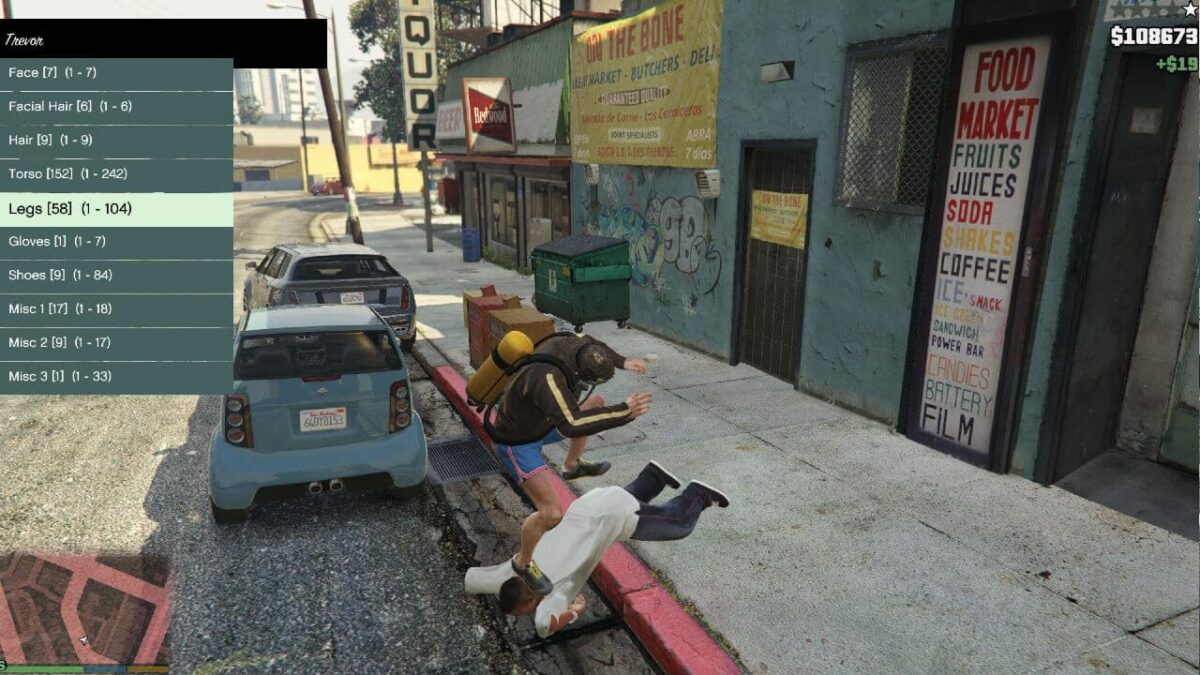
- Experience the Unexpected: The creativity of the modding community knows no bounds. Players can find mods that let them fly like Superman, spawn any object imaginable, or engage in chaotic, physics-defying fun.
Modding also fosters a strong sense of community. Players share their creations, offer support, and collectively push the boundaries of what’s possible within the game. For those interested in the “Brand” aspect, GTA 5’s enduring popularity and its open-ended nature make it a perfect canvas for user-generated content, solidifying its position as a platform for enduring engagement.
The Crucial Distinction: Single-Player vs. Online Play
It is paramount to understand and strictly adhere to the difference between modding for single-player and online gameplay.
- Single-Player Modding: This is where the vast majority of GTA 5 mods are designed for and should be used. Modifying your single-player game will not affect other players and is generally safe and accepted by Rockstar Games. You have the freedom to experiment and customize to your heart’s content.
- Online Modding (Extremely Risky!): Attempting to use mods in GTA Online is a severe violation of Rockstar’s Terms of Service. Doing so can lead to permanent bans from the game, losing all your progress and potentially any in-game purchases. Online modding can also negatively impact the experience for other legitimate players. This guide is exclusively for single-player modding.
Essential Tools for GTA 5 Modding
Before you can start installing mods, you’ll need a few essential tools:
- Script Hook V: This is the foundational piece of software for most advanced GTA 5 mods. It allows mods written in C++ to interact with the game’s scripting engine. It also includes a trainer that can be useful for testing and debugging. You can find Script Hook V on reputable GTA modding websites.
- OpenIV: This powerful tool is an open-source editor for Grand Theft Auto IV, Grand Theft Auto V and GTA: San Andreas. It allows you to browse, extract, replace, and modify game files. It’s essential for installing mods that replace game assets like vehicles, textures, or audio.
- ASI Loader: Some mods require an ASI loader to function. Script Hook V usually comes bundled with one, but it’s good to be aware of its existence.
These tools represent the fundamental “Tech” that unlocks the modding potential of GTA 5. Learning to use them effectively can also be a stepping stone to understanding game development and file management, skills that can be valuable in various professional avenues.
Preparing Your GTA 5 Installation for Modding
To ensure a smooth and safe modding experience, it’s crucial to prepare your game installation correctly. This involves backing up your files and understanding where your game is installed.
Backing Up Your GTA 5 Files: A Safety Net
This is arguably the most important step before installing any mods. Should something go wrong, or if you want to revert to a clean installation, having backups will save you a lot of trouble.
- Locate Your GTA 5 Installation Folder: This is typically found in your Steam library (if you own the game on Steam) or directly within your Epic Games Launcher or Rockstar Games Launcher folders. Common locations include:
- Steam:
C:Program Files (x86)SteamsteamappscommonGrand Theft Auto V - Epic Games Launcher:
C:Program FilesEpic GamesGrand Theft Auto V - Rockstar Games Launcher:
C:Program FilesRockstar GamesGrand Theft Auto V
- Steam:
- Create a Backup: The most straightforward method is to simply copy the entire GTA 5 game folder to another location on your hard drive or an external drive. You can also selectively back up the
updateandx64folders, which contain most of the game’s core assets, but a full backup is recommended for complete peace of mind. Name the backup folder something like “GTA5_Backup_[Date]”.
This preparatory step aligns with the “Digital Security” aspect of our “Tech” section. Understanding data backup is a fundamental digital hygiene practice that extends beyond gaming to protect all your digital assets.
Installing Script Hook V and ASI Loader
Script Hook V is the gateway to a vast array of mods. Its installation is usually straightforward.
- Download Script Hook V: Obtain the latest version of Script Hook V from a trusted source (often found on GTA modding community forums).
- Extract the Files: You’ll typically find several files and folders in the downloaded archive:
dinput8.dll,ScriptHookV.dll, and ascriptsfolder. - Copy to Game Directory: Copy
dinput8.dllandScriptHookV.dlldirectly into your main GTA 5 installation folder (the same one whereGTA5.exeis located). - Optional: Copy the
scriptsFolder: If the archive contains ascriptsfolder, copy that into your main GTA 5 installation folder as well. This folder is where many script mods will be placed later. - Verification: To verify the installation, launch GTA 5 in single-player mode. If Script Hook V is installed correctly, you should see a notification in the top-left corner of the screen shortly after the game loads, indicating that Script Hook V is active.
Installing OpenIV
OpenIV is essential for replacing game files.
- Download OpenIV: Download the latest version of OpenIV from its official website.
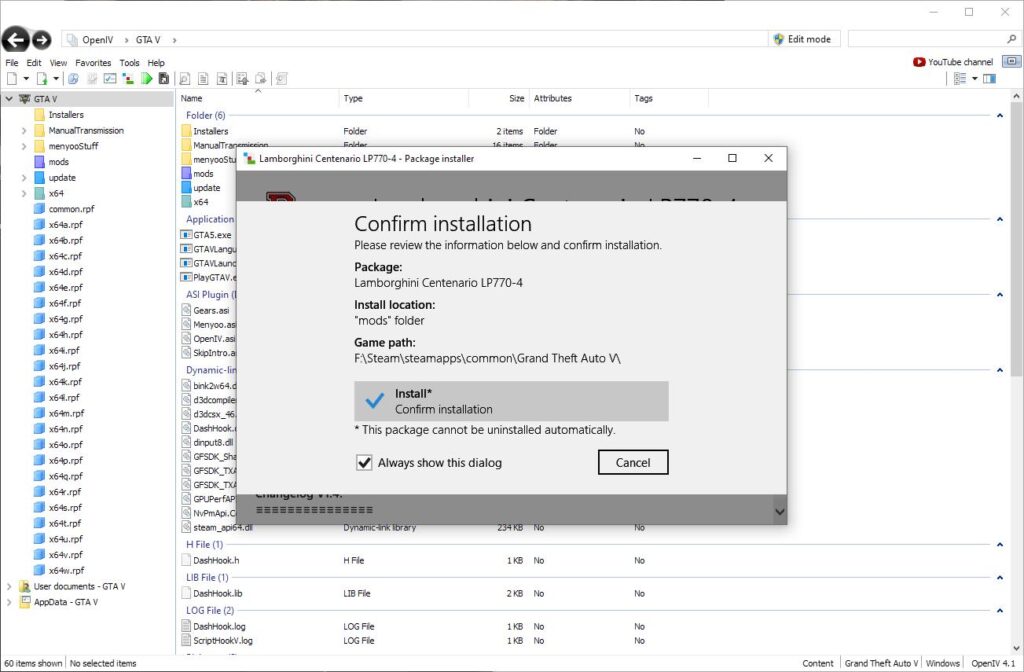
- Run the Installer: Follow the on-screen instructions to install OpenIV. During the installation, you’ll be prompted to select your GTA 5 game path. Make sure to point it to your correct GTA 5 installation directory.
- Launch OpenIV: Once installed, launch OpenIV. It will prompt you to select the game you want to edit. Choose “Grand Theft Auto V.”
- Enable Game File Updates: OpenIV might prompt you to enable “ASI Manager” and install “ASI Loader,” “OpenIV.asi,” and “Community Script Hook V .NET.” It’s highly recommended to install all of these to maximize mod compatibility.
- Edit Mode: After launching, you’ll need to enable “Edit mode” in OpenIV. This is usually a toggle button at the top of the window. This allows you to modify game files.
Mastering OpenIV is a significant technical skill. It requires careful file management and an understanding of game structures, contributing to your “Productivity” and “Tech” knowledge base.
Installing Your First Mods: A Step-by-Step Approach
With the foundational tools in place, you’re ready to install your first mods. We’ll cover two common types: script mods and vehicle mods.
Installing Script Mods
Script mods, which add new functionalities or alter gameplay mechanics, typically require Script Hook V and the ASI loader.
- Find a Mod: Browse reputable GTA 5 modding websites (like GTA5-Mods.com, Nexus Mods, etc.) for script mods you’re interested in. Read the mod descriptions carefully to ensure compatibility and understand any prerequisites.
- Download the Mod: Download the mod file. Most script mods come as a
.zipor.rararchive. - Extract the Mod Files: Extract the contents of the downloaded archive. You’ll typically find
.asi,.dll, or.inifiles, and sometimes ascriptsfolder. - Place Files in the Game Directory:
- If the mod consists of
.asior.dllfiles, copy them directly into your main GTA 5 installation folder. - If the mod includes a
scriptsfolder, copy that entire folder into your main GTA 5 installation folder.
- If the mod consists of
- Launch the Game: Start GTA 5 in single-player mode. The mod should now be active. Refer to the mod’s instructions for any specific activation keys or in-game menus.
Installing Vehicle Mods
Vehicle mods replace existing in-game vehicles with custom ones. This is where OpenIV is essential.
- Find a Vehicle Mod: Search for vehicle mods on GTA modding websites. These mods are usually presented as a set of files, often including
.ytd(texture) and.yft(model) files, along with an.inior.metafile. - Download the Mod: Download the vehicle mod.
- Open OpenIV: Launch OpenIV and navigate to your GTA 5 installation folder.
- Locate the
updateFolder: In OpenIV, go toupdate > x64 > dlcpacks. - Install the Vehicle Files:
- Method 1: Using a
dlc.rpffolder (Recommended for ease): Many vehicle mods come with instructions to create a newdlc.rpffolder withindlcpacks. This is the cleanest method as it avoids overwriting existing game files. You’ll typically create a new folder (e.g.,customcar), then within that folder create adlc.rpffile. Then, you’ll drag and drop the mod’s files into thisdlc.rpf. You’ll also need to edit thedlclist.xmlfile located inupdate > update.rpf > common > datato tell the game to load your newdlc.rpf. - Method 2: Replacing Existing Vehicles (Use with Caution): Some mods instruct you to replace existing vehicle files (e.g.,
adder.ytd,adder.yft) within the game’s originalcommon.rpflocated inupdate > x64 > levels > gta5 > vehicles.rpf. This method is more prone to issues and requires careful attention to detail. Always back up the original files before replacing them.
- Method 1: Using a
- Save and Close: After making changes in OpenIV, ensure you save your work and exit the program.
- Launch the Game: Start GTA 5 in single-player mode. You can then use a trainer mod or a vehicle spawner mod to spawn your new vehicle.
Maintaining Your Modded GTA 5 Installation
As you accumulate mods, maintaining a stable and functional game becomes increasingly important.
Managing Conflicts and Updates
- Mod Conflicts: Sometimes, two or more mods might try to modify the same game files or rely on different versions of the same script, leading to crashes or unexpected behavior. If you encounter issues, try disabling mods one by one to identify the culprit.
- Game Updates: When Rockstar Games releases an update for GTA 5, it can often break existing mods. Script Hook V and many other mods need to be updated to remain compatible with the new game version. Always check for mod updates after a game patch.
- Modding Order: For some complex mods, the order in which you install them can matter. Always follow the specific installation instructions provided by the mod author.
Uninstalling Mods
If you want to remove a mod:
- Script Mods: Simply delete the
.asi,.dll, or.inifiles you placed in your game directory. If you placed files in thescriptsfolder, remove them from there. - Vehicle Mods: If you used the
dlc.rpfmethod, you can simply delete your customdlc.rpffolder fromdlcpacksand remove the corresponding entry fromdlclist.xml. If you replaced original game files, you’ll need to restore them from your backup using OpenIV.
Keeping Up with the Modding Community
The GTA 5 modding scene is dynamic. Staying informed is key to finding the best mods and troubleshooting effectively.
- Forums and Websites: Regularly visit popular GTA modding forums and websites. They are excellent resources for new mods, tutorials, discussions, and community support.
- YouTube and Social Media: Many modders and enthusiasts share their creations and tips on YouTube and other social media platforms.
The ongoing engagement with the modding community and the process of troubleshooting and updating mods fosters problem-solving skills and adaptability, aligning with the “Productivity” and “Tech” aspects of our website’s focus. Furthermore, by learning these technical skills, you are indirectly enhancing your own personal brand as a tech-savvy individual.
By following these guidelines, you can safely and effectively install mods on your GTA 5 installation, unlocking a new dimension of gameplay. Remember to always exercise caution, prioritize backups, and enjoy the incredible creativity of the GTA 5 modding community!
aViewFromTheCave is a participant in the Amazon Services LLC Associates Program, an affiliate advertising program designed to provide a means for sites to earn advertising fees by advertising and linking to Amazon.com. Amazon, the Amazon logo, AmazonSupply, and the AmazonSupply logo are trademarks of Amazon.com, Inc. or its affiliates. As an Amazon Associate we earn affiliate commissions from qualifying purchases.