
In the dynamic world of software development, particularly within the Python ecosystem, managing project dependencies efficiently is paramount. Whether you’re a budding developer just starting your coding journey or a seasoned professional working on complex applications, understanding how to leverage requirements.txt is a fundamental skill. This file acts as the cornerstone for ensuring your projects are reproducible, shareable, and deployable across different environments.
This comprehensive guide will delve into the intricacies of requirements.txt, transforming it from a mere text file into a powerful tool for robust Python project management. We’ll explore what it is, why it’s crucial, how to create and utilize it effectively, and best practices to keep your projects running smoothly.
Understanding the Foundation: What is requirements.txt?
At its core, requirements.txt is a simple text file that lists all the Python packages (libraries and frameworks) that a specific project needs to run. Think of it as a recipe for your project’s software ingredients. Instead of manually installing each library one by one every time you set up a new environment or share your code with someone else, requirements.txt automates this process.
This file typically resides in the root directory of your Python project. Each line in the file specifies a package name, and optionally, a version constraint. This level of detail is what makes it so powerful.
Why is requirements.txt Indispensable?
The importance of requirements.txt cannot be overstated. It addresses several critical challenges faced by developers:
-
Reproducibility: This is arguably the most significant benefit. By listing exact package versions,
requirements.txtensures that anyone using your project will install the same set of dependencies. This eliminates the dreaded “it works on my machine” problem, where code behaves differently on different developer machines due to varying dependency versions. When you or a colleague can recreate the exact same environment, bugs related to version discrepancies are significantly reduced. -
Collaboration: In team environments,
requirements.txtis a lifesaver. It allows team members to quickly set up their development environments with all the necessary packages, ensuring everyone is working with the same tools and libraries. This streamlines the onboarding process for new team members and facilitates seamless code integration. -
Deployment: When you’re ready to deploy your application to a production server or a cloud platform,
requirements.txtmakes the process straightforward. You can simply instruct the deployment environment to install all the packages listed in the file, guaranteeing that your application will have the correct dependencies to run without issues. -
Version Control:
requirements.txtis a text file, which means it can and should be committed to your version control system (like Git). This allows you to track changes in your project’s dependencies over time, revert to previous dependency sets if needed, and understand the evolutionary path of your project’s requirements. -
Virtual Environments:
requirements.txtworks hand-in-hand with Python’s virtual environments (likevenvorconda). Virtual environments isolate project dependencies, preventing conflicts between different projects that might require different versions of the same library.requirements.txtthen provides the blueprint for populating these isolated environments.
Generating and Managing Your requirements.txt File
Creating and maintaining an accurate requirements.txt file is a straightforward process, but it requires a systematic approach.
1. Generating requirements.txt from an Existing Project
If you’ve already started a project and installed various packages, you can generate a requirements.txt file that captures your current environment. This is a common scenario when you inherit a project or decide to formalize dependency management for an ongoing one.
Steps:
-
Activate Your Virtual Environment: Before you begin, ensure you have activated the virtual environment associated with your project. This is crucial to capture only the dependencies relevant to that specific project, not globally installed packages.
-
Using
venv(Python 3.3+):- On Windows:
.venvScriptsactivate - On macOS/Linux:
source venv/bin/activate
- On Windows:
-
Using
conda:conda activate your_env_name
-
-
Use
pip freeze: Once your virtual environment is active, navigate to your project’s root directory in your terminal and run the following command:pip freeze > requirements.txtExplanation:
pip freeze: This command outputs a list of all installed packages in the current Python environment and their exact versions in a format suitable forrequirements.txt.>: This is a shell redirection operator. It takes the output of thepip freezecommand and writes it to a file namedrequirements.txt.
After running this command, you will find a
requirements.txtfile in your project’s root directory, populated with your project’s dependencies.
2. Installing Dependencies from requirements.txt
This is where the real power of requirements.txt comes into play, especially when setting up a project for the first time or on a new machine.
Steps:
-
Clone or Download the Project: Obtain the project’s codebase, which should include the
requirements.txtfile. -
Create and Activate a Virtual Environment: It’s best practice to create a fresh virtual environment for the project to maintain isolation.
-
Using
venv:python -m venv venv # Then activate it as shown above -
Using
conda:
bash

conda create -n your_env_name python=3.x  # Specify your desired Python version

conda activate your_env_name
-
-
Install Dependencies: With your virtual environment activated, run the following command in your terminal, ensuring you are in the project’s root directory (where
requirements.txtis located):pip install -r requirements.txtExplanation:
pip install: The standard command to install Python packages.-r: This flag tellspipto install packages from a requirements file.requirements.txt: The name of the file containing the list of packages to install.
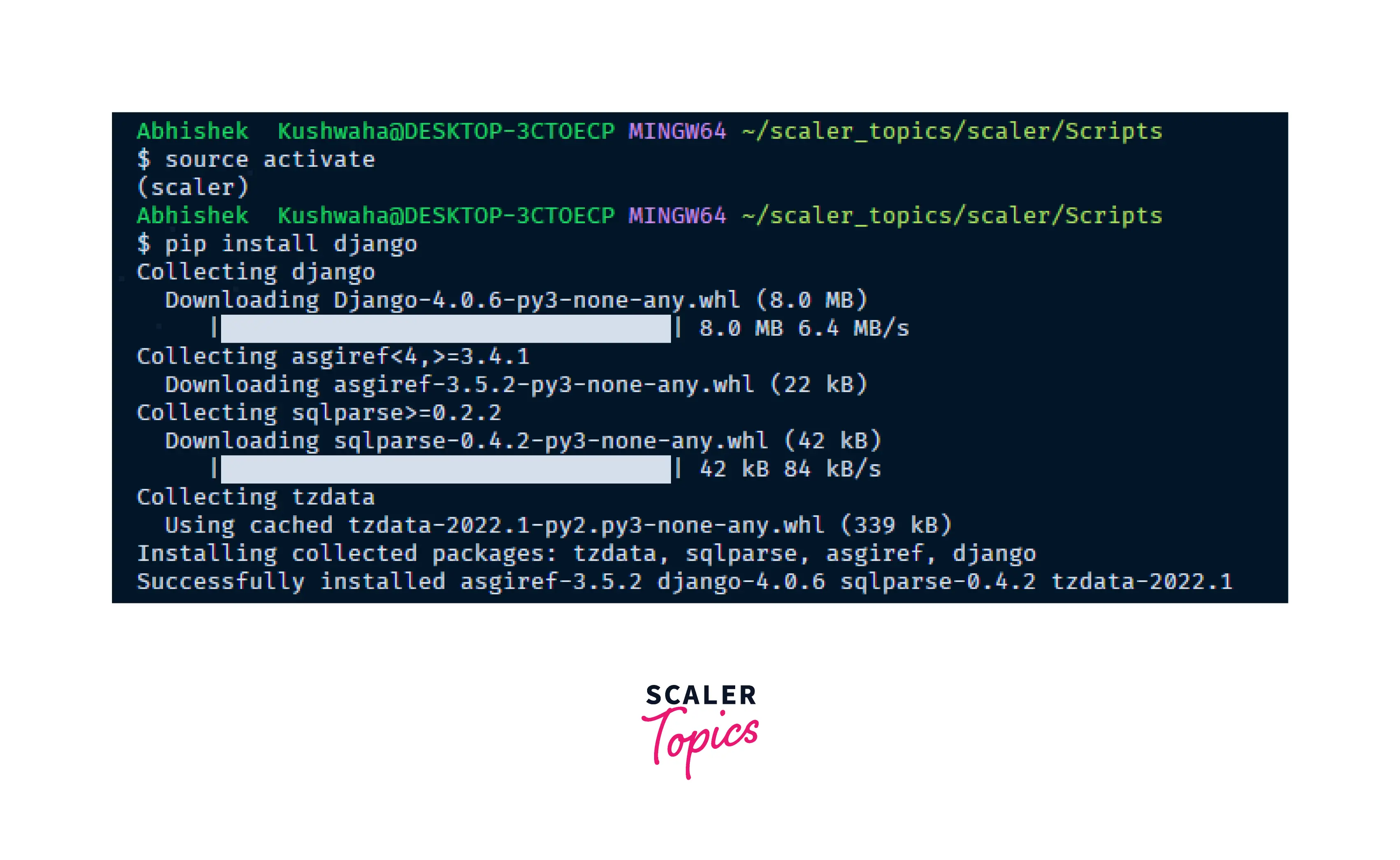
pipwill now readrequirements.txtand download and install each specified package and its dependencies, respecting the version constraints.
Version Specifiers: Precision in Dependency Management
requirements.txt allows for precise control over package versions, which is critical for preventing compatibility issues. You can specify versions in several ways:
-
Exact Version:
package_name==1.2.3- Installs precisely version 1.2.3 of
package_name. This is the most restrictive and ensures maximum reproducibility.
- Installs precisely version 1.2.3 of
-
Minimum Version:
package_name>=1.2.3- Installs version 1.2.3 or any later version.
-
Maximum Version:
package_name<2.0.0- Installs any version strictly less than 2.0.0.

-
Compatible Version (Tilde):
package_name~=1.2.3- This is equivalent to
>=1.2.3, <1.3.0. It allows for bugfix releases within the minor version (e.g., 1.2.4, 1.2.5) but prevents upgrades to the next minor version (1.3.0). This is a good balance between stability and allowing for minor improvements.
- This is equivalent to
-
Excluding a Version:
package_name!=1.2.3- Installs any version of
package_nameexcept for 1.2.3.
- Installs any version of
You can also combine these specifiers. For example: package_name>=1.2.3,<2.0.0 is equivalent to package_name~=1.2.
Example of a requirements.txt file:
Django==3.2.12
requests>=2.27.1,<2.28.0
numpy~=1.21.0
pandas!=1.4.0
Flask
Keeping Your requirements.txt Up-to-Date
As your project evolves, you’ll inevitably install new packages or update existing ones. It’s crucial to keep your requirements.txt file synchronized with your actual project environment.
-
After Installing New Packages: If you install a new package using
pip install new_package, immediately regenerate yourrequirements.txtfile usingpip freeze > requirements.txt. -
When Updating Packages: If you upgrade a package (e.g.,
pip install --upgrade existing_package), again, regeneraterequirements.txtto reflect the new version. -
Best Practice: Pinning Versions: For production environments, it’s highly recommended to “pin” your dependencies to specific versions (
==). While this might require more frequent updates torequirements.txt, it guarantees the highest level of stability and predictability. For development or less critical projects, using range specifiers (>=,<~=) can offer more flexibility.
Advanced Usage and Best Practices
Beyond the basic generation and installation, there are several advanced techniques and best practices to enhance your use of requirements.txt.
Handling Development vs. Production Dependencies
Often, a project has dependencies that are only needed during development (e.g., testing frameworks, linters, debuggers) and others that are essential for the application to run in production. You can manage this using multiple requirement files.
Example:
requirements.txt: Contains production dependencies.requirements-dev.txt: Contains development dependencies.
Generating:
pip freeze > requirements.txtpip freeze > requirements-dev.txt(after installing dev tools)
Installing:
pip install -r requirements.txt(for production)pip install -r requirements-dev.txt(for development)
You can also combine them: pip install -r requirements.txt -r requirements-dev.txt
Using pip-tools for More Robust Management
While pip freeze is simple, it can sometimes lead to overly specific or bloated requirements.txt files, especially when dealing with transitive dependencies (dependencies of your dependencies). Tools like pip-tools offer a more sophisticated approach.
pip-tools works with two files:
requirements.in: A more human-readable file where you list your direct dependencies, potentially with broader version ranges.requirements.txt: This file is generated fromrequirements.inand contains the pinned, exact versions of all direct and transitive dependencies.
Workflow:
-
Install
pip-tools:pip install pip-tools -
Create
requirements.in: List your direct dependencies.Django>=3.2 requests pandas -
Compile
requirements.txt:pip-compile requirements.inThis command will analyze
requirements.in, resolve all dependencies, and create a pinnedrequirements.txt. -
Install from
requirements.txt:
bash

pip install -r requirements.txt
Benefits of pip-tools:
- Clearer separation:
requirements.inis for you,requirements.txtis forpip. - Easier updates: When you want to update a dependency, you modify
requirements.inand re-runpip-compile. - Dependency resolution:
pip-compilehandles complex dependency trees more intelligently.
Specifying Package Sources
Sometimes, you might need to install packages from a private repository or a specific URL. requirements.txt supports this.
-
From VCS (Version Control System):
-e git+https://github.com/user/repo.git@branch#egg=package_nameThe
-eflag indicates an “editable” install, which is useful for development. -
From a local directory:
-e ../path/to/local/package -
From a specific URL:
https://example.com/packages/package_name-1.0.tar.gz
Alternatives and Evolution: pyproject.toml and Poetry
While requirements.txt remains incredibly popular and widely used, newer tools and standards are emerging. pyproject.toml is a standard configuration file for Python projects that can manage dependencies alongside build system configurations. Tools like Poetry and Pipenv use pyproject.toml (or their own lock files) to provide a more integrated dependency management experience, often combining the functionality of virtual environments, dependency declaration, and locking into a single workflow.
However, understanding requirements.txt is still a foundational skill because:
- Legacy Projects: Many existing projects rely on
requirements.txt. - Simplicity: For smaller projects or quick scripts,
requirements.txtis often the quickest and simplest solution. - Interoperability: Many tools and deployment platforms still expect or support
requirements.txt.
Conclusion
Mastering requirements.txt is an essential skill for any Python developer. It’s the key to ensuring your projects are reproducible, collaborative, and deployable. By understanding how to generate, install from, and manage this simple yet powerful file, you can significantly enhance your development workflow, reduce common frustrations, and build more robust and reliable Python applications. Whether you’re embarking on a new project or maintaining an existing one, make requirements.txt a central part of your development process.