
Bloodborne. The very name evokes shivers of dread and excitement among action RPG enthusiasts. Hailed as one of the most influential and masterfully crafted titles of its generation, FromSoftware’s gothic horror epic has captivated millions with its challenging combat, intricate lore, and unparalleled atmosphere. Yet, for a significant portion of the gaming community – PC players – this masterpiece has remained tantalizingly out of reach, confined to the PlayStation ecosystem. The dream of experiencing the hunt in Yharnam with the graphical fidelity, performance, and customization options afforded by a high-end gaming PC is a persistent one, fueling countless discussions and desperate searches for “how to install Bloodborne on PC.”

While an official, native PC port remains the fervent hope of many, the current reality offers a mix of official workarounds and unofficial explorations. This comprehensive guide aims to demystify the process, providing you with the most reliable methods to bring the harrowing beauty of Bloodborne to your desktop. From understanding the nuances of console exclusivity to leveraging cutting-edge streaming technology and even peeking into the world of fan-made endeavors, we’ll equip you with the knowledge needed to embark on your own hunt, even if it’s not quite the “install and play” experience PC gamers are accustomed to. Prepare to delve into the shadows, for Yharnam awaits, one way or another.
The Elusive Dream: Why Bloodborne Isn’t Officially on PC
Before we dive into potential solutions, it’s crucial to understand the fundamental barrier: Bloodborne is, and always has been, a PlayStation exclusive. This isn’t merely a temporary arrangement or a marketing quirk; it’s a foundational element of Sony’s console strategy, a testament to the power of unique intellectual property in driving hardware sales and fostering brand loyalty.
A PlayStation Legacy: Understanding Exclusivity
Console exclusivity is a deeply ingrained practice in the video game industry, serving as a powerful differentiator for competing platforms. For Sony, titles like Bloodborne, God of War, The Last of Us, and Spider-Man are more than just games; they are flagship experiences meticulously crafted, often with direct investment from Sony, to showcase the capabilities of their PlayStation consoles. This strategic investment ensures a competitive edge, enticing gamers to choose a PlayStation console over an Xbox or PC for access to these coveted experiences. Bloodborne, developed by FromSoftware in collaboration with Sony Interactive Entertainment, was launched exclusively for the PlayStation 4 in 2015, quickly becoming a defining title for the console and a significant driver of its early success. The concept is simple yet effective: if you want to play this game, you need this console. This model has proven incredibly successful for Sony, solidifying the PlayStation brand as a haven for critically acclaimed, high-quality exclusives.
The Demand for a PC Port: Community Voices and Expectations
Despite its PlayStation exclusivity, the clamor for a Bloodborne PC port has never diminished. The reasons are multifaceted and resonate deeply within the PC gaming community. Firstly, PC platforms offer unparalleled flexibility in terms of hardware, allowing for higher frame rates, sharper resolutions, and more sophisticated graphical settings than fixed console hardware. Imagine Bloodborne running at a buttery-smooth 60 frames per second or higher, pushing 4K textures, and benefiting from advanced anti-aliasing – a dream scenario for many. Secondly, the PC ecosystem thrives on modding, a vibrant community-driven aspect that allows players to customize, enhance, and even expand their favorite games. Fans envision everything from quality-of-life improvements and graphical overhauls to entirely new content being integrated into a PC version of Bloodborne. Lastly, the sheer accessibility of PC gaming means a wider audience, including those who may not own a PlayStation console, could finally experience a game many consider a masterpiece. The success of other former PlayStation exclusives like Horizon Zero Dawn, God of War, and Marvel’s Spider-Man on PC has only intensified these desires, demonstrating the commercial viability and technical feasibility of such ports. However, despite persistent rumors and fervent fan campaigns, Sony has yet to announce any official plans for a native PC release of Bloodborne, making alternative methods the current reality.
The Official Pathway: Streaming Bloodborne via PlayStation Plus Premium
Given the absence of a native PC port, the most legitimate and officially supported method to play Bloodborne on your PC is through Sony’s cloud gaming service, PlayStation Plus Premium (formerly PlayStation Now). This service allows you to stream a vast library of PlayStation games, including Bloodborne, directly to your computer without the need for local installation or powerful PC hardware.
What is PlayStation Plus Premium? Your Gateway to Sony’s Library
PlayStation Plus Premium is Sony’s top-tier subscription service, consolidating various benefits into one comprehensive package. Beyond online multiplayer access and monthly free games, the “Premium” tier grants subscribers access to a catalog of hundreds of PS4, PS3, and PS2 titles that can be streamed to a PlayStation console or a PC. For PC users, this is the golden ticket to Bloodborne. The service operates on cloud gaming technology: the game itself runs on Sony’s remote servers, and a live video feed of your gameplay is streamed to your PC, while your controller inputs are sent back to the server. It’s essentially like watching a high-quality video game stream that you’re actively controlling. While it bypasses the need for a powerful local gaming rig, it introduces new dependencies, primarily a stable and fast internet connection. From a “Money” perspective, it’s an ongoing subscription cost, but it offers access to a large library beyond just Bloodborne, potentially making it a worthwhile investment for those looking to explore Sony’s back catalog on PC.
System Requirements for a Seamless Streaming Experience
While you don’t need a beastly gaming PC to stream Bloodborne, certain specifications are necessary to ensure a smooth, enjoyable experience. Since the game is running on Sony’s servers, your PC primarily needs to be capable of efficiently receiving and decoding a high-definition video stream and sending your controller inputs with minimal latency.
- Operating System: Windows 10 (64-bit) or Windows 11.
- Processor: Intel Core i3 2.0 GHz or AMD equivalent (Intel Core i5 2.0 GHz+ or AMD equivalent recommended).
- RAM: 2 GB or more (4 GB recommended).
- Hard Drive Space: At least 300 MB for the PlayStation Plus app.
- Sound Card: Required.
- USB Port: Essential for connecting a compatible controller.
- Internet Connection: This is the most critical component. A minimum of 5 Mbps broadband connection is required, but 15 Mbps or higher is strongly recommended for a stable, high-quality stream. A wired Ethernet connection is vastly superior to Wi-Fi for reducing latency and preventing drops.
- Controller: A PlayStation DualShock 4 wireless controller is highly recommended for the best experience. While some third-party controllers may work, compatibility and functionality are guaranteed with official PlayStation controllers.
Failure to meet these recommendations, especially concerning internet speed and stability, can lead to noticeable input lag, pixelated visuals, and frequent disconnections, severely detracting from Bloodborne’s famously precise combat.
Step-by-Step Guide: Setting Up PlayStation Plus Premium on Your PC
Getting Bloodborne up and running via PlayStation Plus Premium involves a few straightforward steps. Follow this guide carefully to begin your hunt.
Subscription and Account Setup
- Create a PlayStation Network (PSN) Account: If you don’t already have one, visit the official PlayStation website and sign up for a free PSN account. This account is your digital identity within the PlayStation ecosystem.
- Purchase PlayStation Plus Premium: On the PlayStation website or directly through a PlayStation console (if you have one), subscribe to the PlayStation Plus Premium tier. You can choose monthly, quarterly, or annual plans, with longer subscriptions often offering better value. Ensure your payment method is active and correctly linked.
Downloading and Installing the PS Plus App
- Download the PlayStation Plus App: Navigate to the official PlayStation Plus website’s PC section. Look for the “Download the PC App” button. Click it to download the installer file (usually named “PSPlus_Installer.exe”).
- Install the Application: Locate the downloaded installer file and run it. Follow the on-screen prompts to install the PlayStation Plus application on your PC. This is a standard software installation process, typically requiring you to accept terms and conditions and choose an installation directory.
- Launch and Log In: Once installed, launch the PlayStation Plus application from your desktop shortcut or Start Menu. You will be prompted to log in using your PSN account credentials. Enter your email and password.
Connecting Your Controller
- Prepare Your Controller: While some wired controllers might work, a PlayStation DualShock 4 is the officially supported and recommended choice for the best experience.
- Connect via USB: The most reliable method is to connect your DualShock 4 controller to your PC using a micro-USB cable. Windows should automatically detect and install the necessary drivers.
- Connect via Bluetooth (Optional): If your PC has Bluetooth, you can connect your DualShock 4 wirelessly. Put the controller into pairing mode (hold the PS button and Share button simultaneously until the light bar flashes). Then, on your PC, go to Settings > Devices > Bluetooth & other devices, and add the controller. Note that some users report slightly higher input lag over Bluetooth compared to a wired connection, which can be critical for a game like Bloodborne.
Finding and Launching Bloodborne

- Browse the Library: Once logged into the PlayStation Plus app, you’ll see the main interface with categories and a search bar.
- Locate Bloodborne: Use the search bar to type “Bloodborne” or browse the PS4 game catalog until you find it.
- Start the Game: Click on the Bloodborne game tile. You’ll see an option to “Stream Game.” Click this button, and after a brief loading period (which might include a server queue during peak times), the game will launch. You are now playing Bloodborne on your PC!
Remember that the quality of your streaming experience is directly tied to your internet connection. For critical boss fights, consider closing other bandwidth-intensive applications and ensuring your network is clear.
Exploring Unofficial Avenues: Emulation and Fan Creations
While streaming is the only official route, the PC gaming community is incredibly resourceful. It’s natural for players to explore unofficial methods, especially given the limitations sometimes associated with streaming, such as input lag or visual compression. However, when it comes to Bloodborne, these unofficial avenues come with significant caveats.
The Current State of PlayStation Emulation on PC
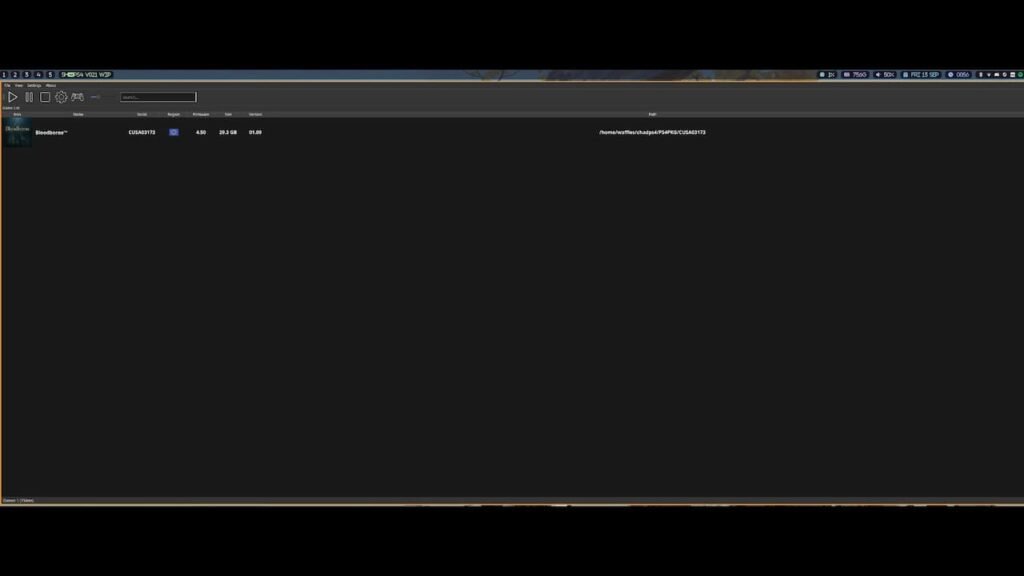
Emulation involves using software to mimic the hardware of one system (like a PlayStation 4) on another (your PC), allowing its games to run. While PlayStation 1, PS2, and even PS3 (via RPCS3 for certain titles like Demon’s Souls) emulation has matured significantly, PlayStation 4 emulation on PC is still in its infancy and is not practically viable for playing Bloodborne.
The PS4’s complex architecture, coupled with the console’s relatively recent lifespan, means that current PS4 emulators (like PCSX4 or Orbital) are experimental, highly unstable, and far from capable of running commercial games like Bloodborne at a playable state. These projects are often proof-of-concept demonstrations rather than functional gaming platforms. Attempting to use them typically results in crashes, graphical glitches, or extremely low frame rates, even on the most powerful PCs. Furthermore, obtaining game files (ROMs) for PS4 games without owning the physical console and specific dumping hardware often delves into legally grey areas concerning copyright infringement. Therefore, relying on PS4 emulation for Bloodborne on PC is, at present, a dead end for anyone hoping for a playable experience. The “Tech” involved in emulating modern consoles is incredibly demanding and takes years, if not decades, to mature.
Fan-Made Projects and Mods: A Glimpse into Community Passion
Where official ports and viable emulation fall short, the creative spirit of the PC gaming community often shines through in fan-made projects. It’s important to stress that these are not ways to install or play the full, original Bloodborne game on PC, but rather homages, demakes, or entirely new experiences inspired by Bloodborne.
- Bloodborne PSX Demake: Perhaps the most famous example is “Bloodborne PSX,” a meticulously crafted fan game that reimagines Bloodborne as if it were released on the original PlayStation 1. This standalone game, developed by Lilith Walther, is fully playable on PC and perfectly captures the aesthetic and challenging spirit of Bloodborne through a retro lens. It’s a fantastic tribute and a genuinely fun, if different, experience.
- Bloodborne Kart: Another whimsical fan creation, “Bloodborne Kart” takes the characters and themes of Yharnam and drops them into a Mario Kart-style racing game. This is also a standalone PC game, offering a humorous and unexpected spin on the lore.
- Other Community Creations: Beyond these major projects, you’ll find various Bloodborne-inspired mods for other PC games, art projects, and fan interpretations. These initiatives showcase the enduring love for the Bloodborne brand and its lore, demonstrating how the community keeps the game’s spirit alive even without a native PC port.
These fan creations are brilliant examples of community passion and offer unique ways to engage with the Bloodborne universe on PC. However, they are distinct games developed independently and do not replicate the experience of playing the original Bloodborne title.
Optimizing Your PC Setup for the Best Bloodborne Experience
Even with the official streaming method, maximizing your PC’s environment is crucial for mitigating the inherent challenges of cloud gaming. A well-optimized setup can significantly bridge the gap between streaming and a native experience.
Internet Connection: The Lifeblood of Game Streaming
As mentioned, your internet connection is the single most critical factor for PlayStation Plus Premium.
- Wired is Best: Always prioritize an Ethernet cable connection over Wi-Fi. A wired connection provides a more stable, consistent data stream with significantly lower latency compared to wireless, which is prone to interference and signal drops.
- Speed Matters: While 5 Mbps is the minimum, aiming for 15 Mbps or higher is essential for a fluid 1080p stream. If multiple devices are using your network, consider increasing your bandwidth further. Tools like Speedtest.net can help you check your current speeds.
- Reduce Network Congestion: When playing Bloodborne, ensure other devices on your network aren’t hogging bandwidth. Pause large downloads, streaming services, or online backups on other computers, phones, or smart TVs.
- Router Placement: If wired isn’t an option, ensure your Wi-Fi router is centrally located, unobstructed, and relatively close to your PC to maximize signal strength. Using a 5GHz Wi-Fi band can also offer better speed and less interference than 2.4GHz, provided your devices support it.
Controller Choice and Configuration
While the DualShock 4 is recommended, optimizing its setup can further improve your experience.
- Wired Connection: For the absolute lowest input latency, connect your DualShock 4 (or DualSense for a premium feel) directly to your PC via a USB cable. This eliminates any potential Bluetooth lag.
- Driver Updates: Ensure your PC’s USB and Bluetooth drivers are up to date. While Windows typically handles this, manually checking for updates can sometimes resolve connectivity issues.
- Controller Calibration: In your PC’s game controller settings (accessible via Control Panel > Devices and Printers > Right-click controller > Game controller settings), you can calibrate and test your controller to ensure all buttons and analog sticks are responding correctly.
Troubleshooting Common Streaming Issues
Despite best efforts, you might encounter hiccups. Here are some common issues and their solutions:
- Input Lag/Delay:
- Solution: Improve your internet connection (wired, faster speed, reduce congestion).
- Solution: Use a wired controller connection.
- Solution: Ensure your PC’s graphics drivers are up to date.
- Pixelated/Low-Quality Stream:
- Solution: This is almost always an internet bandwidth issue. Follow the steps above to improve your connection.
- Solution: Restart the PlayStation Plus app and your PC.
- Disconnections/Freezing:
- Solution: Check your internet connection stability. Run a continuous ping test (e.g.,
ping google.com -tin Command Prompt) to see if you have packet loss. - Solution: Temporarily disable firewalls or antivirus software (for testing purposes only; re-enable afterward).
- Solution: Check the official PlayStation Network status page for any service outages.
- Solution: Check your internet connection stability. Run a continuous ping test (e.g.,
- Controller Not Recognized:
- Solution: Try a different USB port or cable.
- Solution: Restart your PC and the PlayStation Plus app.
- Solution: Ensure your controller drivers are correctly installed.
By meticulously optimizing your internet connection and controller setup, and being prepared to troubleshoot, you can significantly enhance your Bloodborne streaming experience, bringing you as close as possible to the native PC dream.
Conclusion: Hope for Yharnam’s Future on PC
The quest to “install Bloodborne on PC” is ultimately a journey through the current limitations and possibilities of modern gaming technology. While a traditional, native PC port remains a highly anticipated but unconfirmed event, the official streaming solution via PlayStation Plus Premium offers a legitimate and accessible pathway for PC gamers to finally experience the chilling beauty and brutal challenge of Yharnam. It’s a testament to the evolving “Tech” landscape that such a high-fidelity experience can be delivered across platforms via cloud gaming, albeit with its own set of technical considerations.
As PlayStation continues to port more of its beloved “Brand” exclusives to PC, the hope for Bloodborne grows stronger with each successful release. The persistent demand from the community, coupled with the proven financial success of these ports (a clear “Money” incentive for Sony), suggests that one day, the hunters of Yharnam might truly set foot on PC soil without the need for streaming. Until then, grab your controller, optimize your internet, and prepare to confront the beasts and cosmic horrors that lie within FromSoftware’s dark masterpiece. The hunt awaits.
aViewFromTheCave is a participant in the Amazon Services LLC Associates Program, an affiliate advertising program designed to provide a means for sites to earn advertising fees by advertising and linking to Amazon.com. Amazon, the Amazon logo, AmazonSupply, and the AmazonSupply logo are trademarks of Amazon.com, Inc. or its affiliates. As an Amazon Associate we earn affiliate commissions from qualifying purchases.