
In an increasingly digitized world, batteries are the unsung heroes, silently powering the myriad devices that define our modern existence. From the remote control for your smart TV to the sophisticated electric vehicle humming down the highway, and from life-saving medical devices to the ubiquitous smartphone, batteries are the invisible wellspring of energy. While the act of “installing a battery” might seem like a trivial, almost instinctual task, a closer look reveals a landscape rich with technical nuances, critical safety considerations, brand implications, and significant financial dimensions.
This comprehensive guide delves far beyond the superficial act of popping a cell into a compartment. We will explore the diverse world of battery types, demystify the core principles of correct installation, provide practical, step-by-step instructions for various devices, and critically examine how informed battery choices intersect with technology, brand perception, and personal finance. Understanding how to properly install a battery is not just about getting a device to work; it’s about ensuring its longevity, safeguarding your investments, and making environmentally responsible decisions.
Understanding Battery Basics: The Foundation of Power
Before we delve into the mechanics of installation, it’s crucial to appreciate the fundamental science and variety behind these portable powerhouses. A battery is essentially an electrochemical cell that converts stored chemical energy into electrical energy, providing a direct current. While the core principle remains consistent, the specific chemistries and applications vary widely.
A Spectrum of Power Sources: Different Battery Types
The sheer diversity of batteries available today reflects the varied power demands of our devices. Each type has its unique characteristics, optimal use cases, and installation considerations:
- Alkaline Batteries (e.g., AA, AAA, C, D): These are perhaps the most common disposable batteries, found in countless household items like remote controls, flashlights, and children’s toys. They offer good initial power and a decent lifespan for low-to-moderate drain devices. Their widespread availability and affordability make them a go-to for many consumers.
- Zinc-Carbon Batteries: An older, less powerful, and cheaper alternative to alkaline, often found in very low-drain devices or budget electronics. While less common now, they still exist.
- Rechargeable Batteries (e.g., NiMH, Li-ion): Representing a significant leap in battery technology, rechargeable batteries are designed for repeated use.
- Nickel-Metal Hydride (NiMH): Common in high-drain devices like digital cameras, gaming controllers, and some cordless phones. They offer a good balance of capacity and cycle life and are a more environmentally friendly option over disposables.
- Lithium-ion (Li-ion): The powerhouse of modern portable electronics, Li-ion batteries are found in virtually all smartphones, laptops, tablets, and many power tools and electric vehicles. They boast high energy density, low self-discharge, and a long cycle life, making them ideal for devices requiring substantial and consistent power. Their installation often involves more complex, sometimes internal, mechanisms.
- Specialized Batteries:
- 9-Volt Batteries: Distinctive rectangular shape, often used in smoke detectors, certain medical devices, and musical equipment.
- Coin Cell Batteries (e.g., CR2032, LR44): Small, flat, and round, these power watches, calculators, car key fobs, and motherboards for CMOS memory. Their miniature size necessitates careful handling.
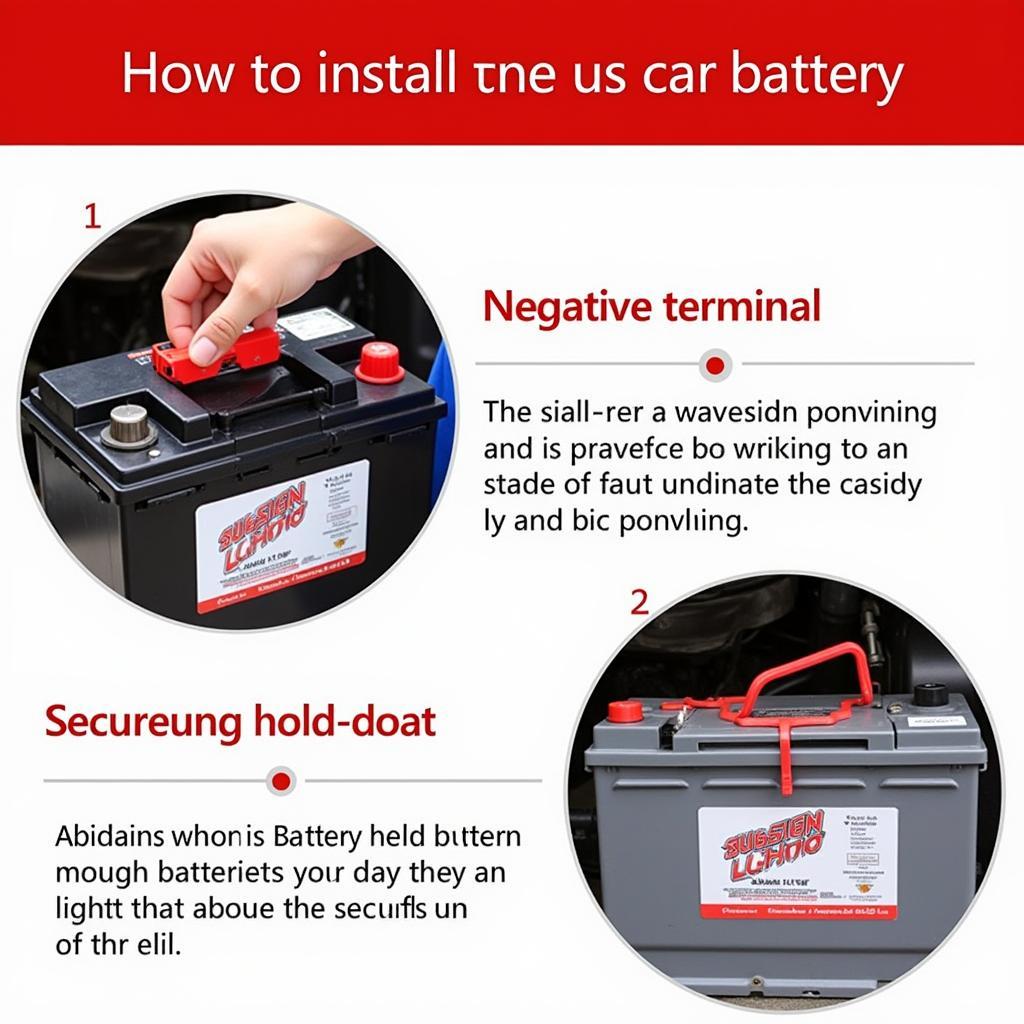
- Lead-Acid Batteries: Primarily known for automotive applications, these robust batteries provide the surge of power needed to start car engines and power onboard electronics. Their installation is specific to vehicle mechanics and demands significant safety precautions due to their size, weight, and corrosive electrolyte.
The Core Principles of Battery Installation: Polarity and Connection
Regardless of the battery type or device, two fundamental principles govern successful battery installation:
- Polarity: Every battery has a positive (+) and a negative (-) terminal. Similarly, every battery compartment in a device is designed with corresponding positive and negative contacts. Correctly aligning these is paramount. Reversing polarity can prevent the device from working, or in severe cases, cause damage to the device or the battery itself, leading to overheating or leakage. Typically, the positive end of a cylindrical battery is the small raised knob, while the negative end is flat. Compartments are almost always clearly marked with these symbols.
- Secure Connection: The battery must make firm, continuous contact with both the positive and negative terminals within the device. Loose connections can lead to intermittent power, flickering, or complete failure to operate. Many compartments use springs on the negative terminal to ensure this snug fit.
Understanding these basics lays the groundwork for tackling any battery installation challenge, from the simplest remote control to more intricate electronic gadgets.
Step-by-Step Guide to Battery Installation Across Devices
While the underlying principles of polarity and connection remain constant, the practical steps for installing batteries vary significantly depending on the device and battery type. This section breaks down installation processes, from common household items to more complex electronics.
General Principles for Household & Gadget Batteries (AA, AAA, C, D, 9V, Coin Cells)
Most everyday devices utilize standard cylindrical or 9V batteries, and their installation follows a largely consistent pattern:
- Locate the Battery Compartment: This is usually on the back, bottom, or side of the device, often indicated by a small indentation, screw, or a symbol resembling a battery.
- Open the Compartment: Many compartments feature a sliding cover that can be opened by applying slight pressure and pushing. Others might have a clip, a latch, or require a small screwdriver (often Phillips-head) to remove a screw.
- Remove Old Batteries (if any): Gently pry out old batteries. Be cautious if they show signs of leakage (powdery residue or corrosion), wearing gloves if necessary. Inspect the contacts for corrosion and clean them with a cotton swab and rubbing alcohol if needed.
- Observe Polarity: Look for the (+) and (-) symbols within the compartment. These usually correspond to the physical markings on the batteries themselves.
- Insert New Batteries:
- Cylindrical Batteries (AA, AAA, C, D): Typically, you insert the negative (flat) end against the spring-loaded contact, then push down and snap the positive (raised) end into place. Ensure a snug fit.
- 9-Volt Batteries: These have two distinct terminals – a smaller circular male terminal and a larger hexagonal female terminal. The compartment will have corresponding connectors. Align and firmly push the battery onto the connectors until they click into place.
- Coin Cell Batteries: Often slide into a small tray or slot. Pay very close attention to the (+) side, which is usually the side with the branding and numerical code, ensuring it faces the correct direction as indicated in the compartment. Some require a small tool to push a latch for insertion or removal.
- Close the Compartment: Replace the cover, ensuring it clicks or slides securely into place. If a screw was involved, re-insert and tighten it gently.
- Test the Device: Turn on the device to confirm the batteries are correctly installed and providing power.
Advanced Installation Scenarios: Laptops, Smartphones, and EVs
As technology evolves, batteries in more sophisticated devices become integrated and specialized, often making user-installation impractical or impossible.
- Laptops: Many modern laptops feature internal, non-user-serviceable lithium-ion batteries. Replacing them often requires specialized tools (like precision screwdrivers, plastic spudgers to pry open cases), a degree of technical expertise, and careful adherence to service manuals. This typically involves opening the laptop casing, disconnecting existing wiring, and carefully seating the new battery. For the average user, this is often best left to certified technicians or authorized service centers to avoid damaging sensitive internal components. However, some older laptop models still offer user-replaceable batteries that slide into a dedicated bay on the underside of the laptop.
- Smartphones & Tablets: With few exceptions, smartphone batteries are internal and sealed within the device’s chassis. DIY replacement is extremely challenging, risks damaging the device (especially the screen and delicate flex cables), and can void warranties. The industry trend is towards professional replacement services. When dealing with smartphones, users typically focus on external power banks or portable chargers rather than internal battery swaps.
- Electric Vehicles (EVs): EV batteries are monumental, complex systems comprising hundreds or thousands of individual cells. Their installation or replacement is an industrial process, requiring specialized heavy equipment, high-voltage safety training, and precise calibration. This is exclusively performed by trained EV technicians at dealerships or specialized service centers and is certainly not a DIY task. The cost implications and safety risks are immense, underscoring the vital role of professional expertise in high-tech battery applications.
Critical Safety Measures and Best Practices
Ignoring safety during battery installation can lead to device damage, personal injury, or even fire. Always prioritize these measures:

- Consult the Device Manual: This is your primary source of truth. It provides specific battery types, installation diagrams, and safety warnings pertinent to your particular device.
- Use the Correct Battery Type: Never substitute a battery with a different voltage, chemistry, or size unless explicitly stated as compatible. Mismatched batteries can damage the device or pose a safety risk.
- Avoid Mixing Batteries: Do not mix old and new batteries, or batteries of different brands or chemistries within the same device. This can lead to uneven discharge, overheating, and leakage due to varying voltage levels and internal resistance.
- Proper Tools: For compartments requiring screws, use the correct screwdriver size to avoid stripping the screw heads. For internal battery replacements, anti-static tools and gloves are crucial to prevent electrostatic discharge damage to sensitive electronics.
- Observe Polarity Meticulously: Double-check (+) and (-) markings on both the battery and the compartment.
- Prevent Short Circuits: Do not allow metal objects (like tools, keys, or coins) to touch both terminals of a battery simultaneously, especially large or high-capacity ones. This can cause a short circuit, generating heat and potentially a fire.
- Handle Swollen or Leaking Batteries with Extreme Caution: A swollen battery indicates internal damage and a potential risk of thermal runaway. Leaking batteries contain corrosive chemicals. In both cases, wear gloves and eye protection, carefully remove the battery, and dispose of it immediately and responsibly. Never attempt to recharge a swollen or leaking battery.
- Work in a Well-Ventilated Area: Especially when dealing with lead-acid or older NiCad batteries that might off-gas.
- Keep Batteries Out of Reach of Children and Pets: Small batteries, especially coin cells, are a severe choking hazard and can cause internal chemical burns if swallowed.
The Tech, Brand, and Money Dimensions of Battery Installation
Beyond the physical act, choosing and installing batteries has profound implications that resonate across the core pillars of technology, brand, and money. These decisions aren’t just about power; they’re about performance, reliability, reputation, and long-term financial health.
Technological Edge: Optimizing Device Performance and Longevity
The battery you choose, and how you install it, directly impacts the technological capabilities and lifespan of your devices.
- Power Delivery and Performance: High-quality batteries deliver stable voltage and current, ensuring optimal device performance. Cheap, low-quality batteries can lead to inconsistent power, affecting sensitive electronics, causing crashes, or simply shortening the device’s effective operating time. For instance, using a premium Li-ion battery in a power tool ensures maximum torque and run-time, directly impacting productivity and user experience.
- Smart Battery Management Systems (BMS): Modern tech, particularly devices with rechargeable Li-ion batteries (laptops, phones), rely heavily on sophisticated BMS software. This software monitors battery health, charge cycles, temperature, and discharge rates. Proper battery installation ensures these systems can function correctly, optimizing charging, preventing over-discharge, and ultimately extending the battery’s (and thus the device’s) overall life. Incorrect installation can confuse the BMS or prevent it from accurately reporting battery status.
- Future-Proofing and Upgrades: Understanding battery technology can influence tech upgrade cycles. Investing in a device with an easily replaceable or upgradable battery (if applicable) can extend its useful life, aligning with sustainable tech practices. Similarly, being informed about new battery chemistries (e.g., solid-state batteries) prepares you for future technological shifts and their installation requirements.
- User Experience and Software Integration: Battery health monitoring apps and OS features (e.g., iOS Battery Health, Windows Battery Saver) provide insights into your battery’s condition. Using high-quality, correctly installed batteries ensures these software features provide accurate data, allowing users to make informed decisions about charging habits and eventual replacement.
Brand Reputation: The Silent Power of Reliable Batteries
The choice of battery, and the care taken in its installation, can subtly but significantly affect perceptions of a brand, whether it’s the battery manufacturer or the device maker.
- Device Manufacturer’s Brand Trust: A device manufacturer’s reputation is intrinsically linked to the performance and safety of its power source. If a customer experiences poor performance, short battery life, or, worse, a safety incident (like overheating or leakage) due to a sub-standard or improperly installed battery, it reflects negatively on the device’s brand. This is why many premium device brands recommend or mandate specific battery brands or their own proprietary solutions.
- Battery Manufacturer’s Brand Identity: Battery brands themselves build reputations on reliability, longevity, and safety. Companies like Duracell, Energizer, Panasonic, and Varta invest heavily in R&D and quality control to ensure their batteries perform as advertised. Consumers choose these brands for peace of mind, knowing they are less likely to experience issues like premature failure or leakage, which can damage devices and erode trust.
- Counterfeit Batteries: A Brand’s Nightmare: The market for counterfeit batteries is a significant concern. These knock-offs often lack safety features, use inferior materials, and can be extremely dangerous, posing fire or explosion risks. Device brands actively warn against their use because a failure, even if due to a counterfeit battery, can harm their brand’s image. Proper installation often involves verifying the authenticity of the battery, a critical step in brand protection.
- Sustainability and Brand Image: With growing environmental consciousness, brands that champion sustainable battery solutions – such as widely available rechargeable options, efficient recycling programs, and the use of ethically sourced materials – enhance their brand image. Promoting responsible battery disposal (e.g., through clear labeling and return programs) demonstrates corporate responsibility and builds consumer loyalty.
Financial Foresight: Cost-Effectiveness and Investment in Power
Battery choices and installation practices have direct and indirect financial consequences, influencing everything from daily expenses to the long-term value of your assets.
- Disposable vs. Rechargeable: The Long-Term Savings: While disposable batteries have a lower initial cost, rechargeable batteries (despite a higher upfront investment for batteries and a charger) offer significant long-term savings for devices used frequently. The cost per use for a rechargeable battery dramatically decreases over its hundreds of charge cycles, making them a financially prudent choice for items like gaming controllers, wireless keyboards, or kids’ toys.
- Impact on Device Resale Value: A device with a well-maintained, correctly installed, and healthy battery often commands a higher resale value. Conversely, a device with a failing or swollen battery (especially if internal and difficult to replace) significantly devalues the item, as potential buyers factor in replacement costs.
- Avoiding Costly Damage: Improper battery installation (e.g., reversed polarity, using incorrect battery types) or the use of cheap, leaky batteries can cause irreparable damage to electronic devices, leading to expensive repairs or outright replacement. The cost of a quality battery pales in comparison to replacing a damaged motherboard or a beloved gadget.
- Business Finance and Operational Efficiency: In enterprise settings, like powering a fleet of IoT sensors or remote monitoring devices, battery life and reliability directly impact operational costs and efficiency. Investing in high-performance, long-lasting batteries and ensuring proper installation minimizes maintenance, reduces downtime, and prevents costly service calls, thereby improving the bottom line.
- Investment in Quality Tools: For those who frequently perform internal battery replacements (e.g., for laptops or specific gadgets), investing in a good set of precision tools (anti-static wrist straps, spudgers, quality screwdrivers) is a sound financial decision. It prevents damage during installation and extends the life of devices, saving money on professional repair services.
Troubleshooting Common Battery Installation Issues and Responsible Disposal
Even with the best intentions, battery installation can sometimes go awry. Knowing how to troubleshoot and, crucially, how to dispose of batteries responsibly are essential components of being a knowledgeable power user.
What to Do When It Doesn’t Work: Troubleshooting Tips
If your device fails to power on after installing new batteries, don’t panic. Follow these steps:
- Double-Check Polarity: This is the most common mistake. Re-open the compartment and meticulously re-verify that the positive (+) and negative (-) terminals of the batteries align perfectly with the markings in the device.
- Ensure Firm Connection: Make sure each battery is snugly seated and making firm contact with both terminals. Sometimes a battery might appear inserted but isn’t making full contact, especially if the springs are weak or the battery is slightly undersized.
- Clean Contacts: Over time, battery contacts in a device can accumulate dirt, dust, or corrosion, impeding electrical flow. Use a cotton swab lightly dampened with rubbing alcohol (isopropyl alcohol) to gently clean the metal contacts in the battery compartment. Ensure the contacts are completely dry before re-inserting batteries.
- Test with New Batteries: Even new batteries can sometimes be faulty or have a low charge. Try installing a fresh set of batteries from a different pack or brand to rule out a defective battery.
- Check for Other Device Faults: If all battery-related checks fail, the issue might not be the battery itself but the device. Check the power button, internal wiring (if accessible and safe), or consult the device’s troubleshooting section for other common problems.
- Verify Battery Type: Ensure you are using the exact battery type (e.g., not accidentally using an AAA where an AA is required, or a non-rechargeable in a device meant for rechargeables).
The Environmental and Ethical Imperative: Responsible Battery Disposal
Batteries, particularly spent ones, are not mere trash. They contain valuable, finite resources and, crucially, hazardous chemicals that can harm the environment and human health if improperly discarded.
- Why Proper Disposal is Crucial:
- Toxic Materials: Many batteries contain heavy metals like lead, mercury, cadmium, and corrosive acids or strong alkalis. When sent to landfills, these substances can leach into soil and groundwater, contaminating ecosystems and entering the food chain.
- Fire Hazard: Lithium-ion batteries, especially if damaged or improperly stored, can pose a fire risk in landfills or waste collection vehicles due to thermal runaway.
- Resource Recovery: Batteries are rich in valuable materials like cobalt, nickel, and lithium. Recycling them allows these resources to be recovered and reused, reducing the need for new mining and conserving natural resources.
- Recycling Programs and Centers: Most communities offer battery recycling programs. Look for dedicated battery drop-off points at electronics stores, hardware stores, grocery chains, municipal recycling centers, or household hazardous waste facilities. Websites like Call2Recycle or Earth911 provide locators for recycling centers in North America. For larger batteries (like automotive lead-acid batteries), often the point of purchase (e.g., an auto parts store) will accept old batteries for recycling.
- The Circular Economy of Batteries: Responsible disposal is a cornerstone of the circular economy, where resources are kept in use for as long as possible, extracting maximum value from them. As the world transitions to renewable energy and electric vehicles, the demand for battery materials will skyrocket. Effective recycling infrastructure is vital to meet this demand sustainably and ethically.
- Impact on Brand Image (Revisited): Companies that actively promote and facilitate battery recycling (e.g., through take-back programs or clear recycling instructions on their packaging) enhance their environmental stewardship and brand image, appealing to eco-conscious consumers.

Conclusion
The humble act of installing a battery, though seemingly simple, is a microcosm of our complex relationship with technology, consumerism, and environmental responsibility. From understanding the nuanced chemistries of various battery types to meticulously observing polarity, and from safeguarding our devices with proper techniques to making financially savvy choices, every step holds significance.
By embracing the insights shared in this guide, you move beyond mere functionality. You become an informed consumer, a responsible technician, and a proactive participant in a sustainable future. Every decision about a battery – its purchase, its installation, and its eventual disposal – is a small but powerful choice that impacts the longevity of your gadgets, the reputation of brands, and the health of your finances, all while contributing to a healthier planet. So, the next time you hold a battery, remember: you’re holding more than just power; you’re holding a piece of our connected world, waiting to be correctly, safely, and responsibly deployed.
aViewFromTheCave is a participant in the Amazon Services LLC Associates Program, an affiliate advertising program designed to provide a means for sites to earn advertising fees by advertising and linking to Amazon.com. Amazon, the Amazon logo, AmazonSupply, and the AmazonSupply logo are trademarks of Amazon.com, Inc. or its affiliates. As an Amazon Associate we earn affiliate commissions from qualifying purchases.