
The landscape of in-car entertainment has undergone a massive transformation over the last two decades. While terrestrial FM/AM radio remains a staple, the demand for specialized, high-fidelity, and uninterrupted content has made SiriusXM (commonly referred to as XM Radio) a premier choice for commuters and road-trippers alike. Transitioning your vehicle into a satellite-ready hub involves a blend of hardware installation, software synchronization, and an understanding of digital signal processing. Whether you are driving a vintage classic or a modern tech-heavy sedan, there are multiple technical pathways to integrating satellite radio into your daily drive.
Understanding the Technology: Satellite vs. Streaming
To successfully implement XM radio in your vehicle, it is essential to understand the two primary delivery methods: satellite-based reception and cellular-based streaming. Each utilizes a different tech stack and offers unique advantages depending on your driving environment.
The Hardware Architecture of Satellite Receivers
Traditional XM radio relies on a network of geostationary satellites that broadcast signals in the S-band spectrum (2.3 GHz). To receive these signals, your car requires a dedicated tuner and a specialized antenna. The tuner acts as a demultiplexer, separating the compressed digital data streams into individual audio channels. The antenna is perhaps the most critical component; it must have a clear line of sight to the sky to capture the relatively weak satellite signals. In modern vehicles, these antennas are often integrated into “shark fin” modules on the roof, which also house GPS and cellular hardware.
Digital Signal Processing and Compression
XM radio uses proprietary audio compression algorithms to fit hundreds of channels into a limited bandwidth. When you “get” XM via a hardware tuner, the device is performing real-time decoding of these streams. This is why hardware-based satellite radio is superior for those driving through “dead zones” where cellular towers are non-existent. As long as you have a view of the southern sky, the digital signal remains consistent, providing a low-latency audio experience that is immune to the “buffering” issues common in mobile data scenarios.
Retrofitting Older Vehicles: Hardware Solutions and Aftermarket Gadgets
If your vehicle was manufactured before satellite radio became a standard factory feature, or if you opted for a base model without the necessary modules, you can still achieve full integration through aftermarket hardware. This process ranges from simple “plug-and-play” gadgets to sophisticated internal installations.
Plug-and-Play Satellite Tuners
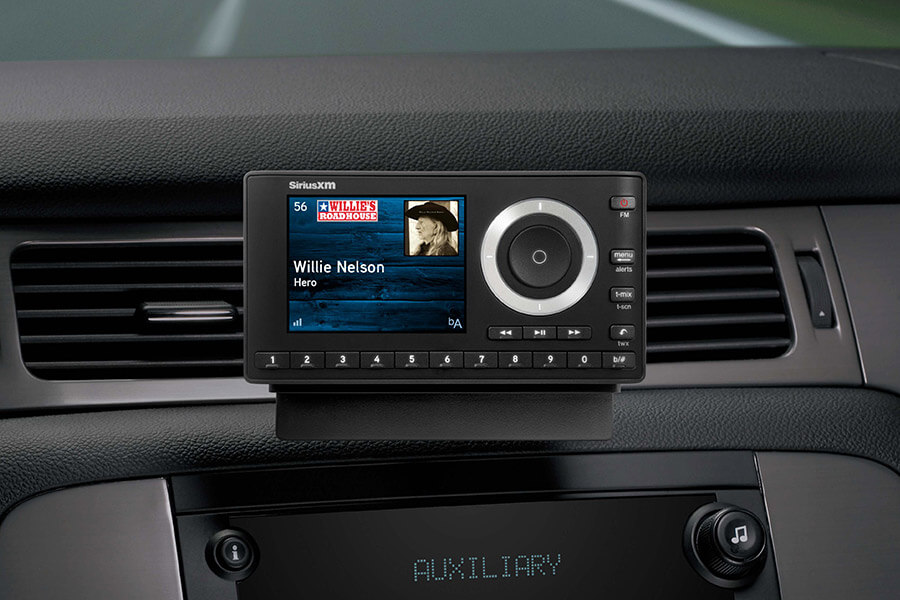
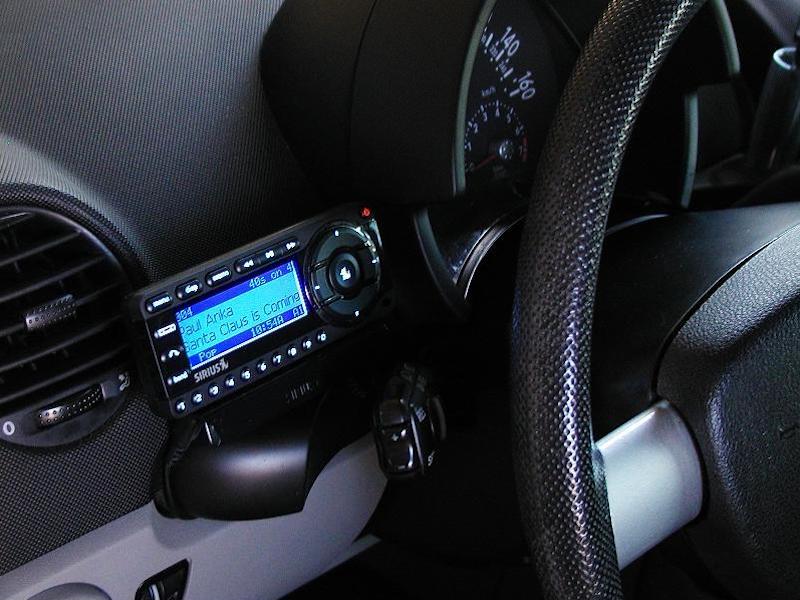
The most accessible tech solution for older cars is the “Dock & Play” receiver. These are standalone units (such as the SiriusXM Onyx series) that mount to your dashboard or air vents.
Technically, these units function as a secondary head unit. They require three connections:
-
Power: Usually provided via the 12V DC “cigarette lighter” adapter.
-
Antenna: A magnetic high-gain antenna that must be routed from the dashboard, through the door seals, and onto the roof of the car.
-
Audio Output: This is where the integration gets technical. You can output the audio via a 3.5mm auxiliary cable, which provides the cleanest analog signal. Alternatively, if your car lacks an “Aux” port, these devices feature built-in FM transmitters. The receiver broadcasts a low-power FM signal on an unused frequency (e.g., 88.1 MHz), which your car’s existing radio then picks up.
Integrated Hidden Modules
For a cleaner aesthetic, many tech-savvy drivers opt for integrated modules like the VAIS Technology kits or the SiriusXM Commander Touch. These systems bypass the need for a bulky dash-mounted screen. The Commander Touch, for instance, uses a small touchscreen controller while the main tuner is hidden behind the dashboard. These kits often interface directly with the factory radio’s BUS system (Controller Area Network), allowing you to change channels using your steering wheel buttons—a high-level integration that mimics factory-installed systems.
Head Unit Replacement
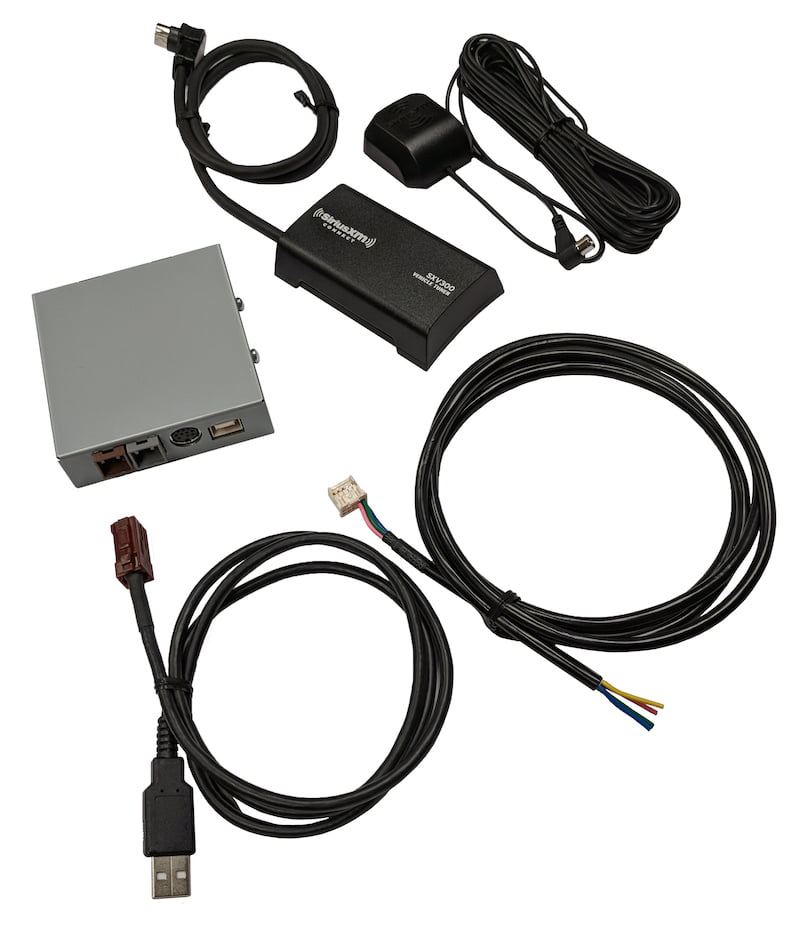
The most robust technical upgrade is replacing the entire factory infotainment system with an aftermarket Double-DIN head unit from manufacturers like Sony, Pioneer, or Alpine. Most high-end aftermarket units are labeled as “SiriusXM Ready.” This means they have the software interface built-in, but they require a separate “tuner vehicle kit” (such as the SXV300V1). This tuner is roughly the size of a deck of cards and plugs into a dedicated port on the back of the new radio. Once installed, the satellite radio functionality is fully embedded into the touchscreen interface, utilizing the unit’s internal digital-to-analog converters (DACs) for superior sound quality.
Modern Integration: The App-Based Approach and Smart Interfaces
In the era of the “connected car,” hardware tuners are no longer the only way to access XM radio. If your car supports modern smartphone integration, the setup becomes a matter of software configuration rather than physical wiring.
Leveraging Apple CarPlay and Android Auto
For vehicles equipped with Apple CarPlay or Android Auto, getting XM radio is as simple as installing the SiriusXM app on your smartphone. When you connect your phone to the car via USB-C or wireless Bluetooth/Wi-Fi, the app’s interface is mirrored onto the vehicle’s primary display.
The technical advantage here is the user interface (UI). The mobile app offers features that satellite hardware often cannot, such as “Start Now” (which restarts a live song from the beginning) and personalized recommendations based on your listening history. Because the app uses your phone’s LTE or 5G connection, it can also stream at a higher bitrate (up to 160kbps or higher) compared to the compressed satellite feed, potentially offering better frequency response and dynamic range.
Bluetooth and USB Connectivity Standards
If your car has Bluetooth but lacks CarPlay or Android Auto, you can still stream XM radio wirelessly. This involves the A2DP (Advanced Audio Distribution Profile) Bluetooth protocol. While convenient, users should be aware of the “codec” being used. If both your phone and car support AAC or aptX, the audio quality will be significantly better than the standard SBC codec. For the best digital fidelity, a wired USB connection is preferred, as it avoids the lossy compression inherent in Bluetooth transmissions and ensures the audio signal remains in the digital domain until it reaches the car’s internal amplifier.
Optimizing the Digital Experience: Software Settings and Sound Quality
Once the hardware or app is connected, the final step in getting the most out of your XM radio setup involves fine-tuning the software settings and understanding the digital ecosystem.
Bitrate and Audio Compression Standards
Within the SiriusXM app settings, you will find options for “Audio Quality.” High-quality streaming consumes more data (approximately 115MB per hour) but provides a wider soundstage and clearer high-end frequencies. If you are using a hardware tuner, the bitrate is fixed by the satellite provider, but you can optimize the sound by adjusting your car’s internal Equalizer (EQ). Satellite radio tends to be mid-heavy, so a slight boost in the “Bass” and “Treble” frequencies can help balance the output for a more “live” feel.
Firmware Updates and Ecosystem Management
Like any modern tech, satellite radio hardware often requires firmware updates. For integrated head units, this might involve downloading an update file onto a USB drive and performing a “flash” update to ensure compatibility with the latest satellite constellations or to fix bugs in the UI.
Furthermore, if you are using a “SiriusXM Ready” tuner like the SXV300, the system must perform a “Channel Map Update” periodically. This happens automatically over the air. If you find that you are missing channels, leaving the radio on with a clear view of the sky for 20 minutes will allow the receiver to download the latest digital channel definitions and encryption keys.
Troubleshooting Signal Interference
Technicians often encounter “multipath interference” or “signal dropouts.” This is frequently caused by poor antenna placement. On a technical level, the antenna needs a ground plane—a flat metallic surface—to function efficiently. Placing the antenna on the metal roof of the car allows the roof itself to act as a reflector, strengthening the signal. If you are experiencing dropouts in a fiberglass or convertible vehicle, you may need a specialized “non-metallic” ground plane kit to ensure the receiver can maintain a lock on the satellite signal.
By choosing the right combination of hardware tuners, smartphone integration, and signal optimization, any driver can transform their vehicle into a sophisticated satellite radio hub. The choice between a physical satellite receiver and a data-driven app depends largely on your technical comfort level and your typical driving geography, but both paths lead to a vastly expanded world of digital content.
aViewFromTheCave is a participant in the Amazon Services LLC Associates Program, an affiliate advertising program designed to provide a means for sites to earn advertising fees by advertising and linking to Amazon.com. Amazon, the Amazon logo, AmazonSupply, and the AmazonSupply logo are trademarks of Amazon.com, Inc. or its affiliates. As an Amazon Associate we earn affiliate commissions from qualifying purchases.