
Integrating SiriusXM into your vehicle offers a vast landscape of audio entertainment, from exclusive music channels to live sports, news, and talk radio. While many newer vehicles come equipped with factory-installed receivers, a variety of technological solutions exist to bring satellite radio to almost any car, regardless of its age or original configuration. Understanding these options, their technical requirements, and their setup processes is key to unlocking this expansive audio ecosystem on the road.
Understanding SiriusXM Compatibility and Options
Before diving into installation methods, it’s crucial to identify the inherent capabilities of your vehicle and the different ways SiriusXM services are delivered. This foundational understanding will guide your choice of integration strategy, ensuring compatibility and an optimal user experience.
Factory-Installed SiriusXM Radios
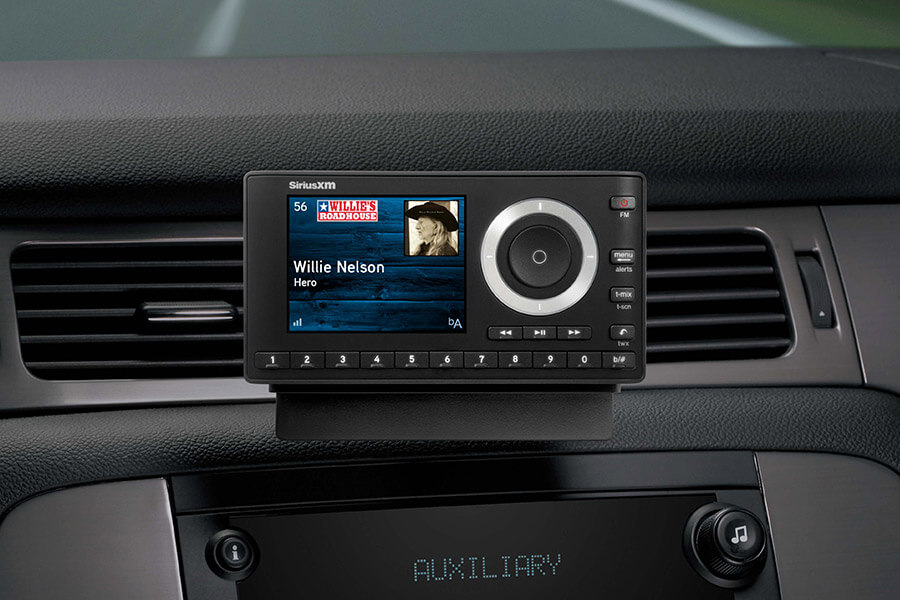
The most straightforward method for accessing SiriusXM is through a factory-installed satellite radio receiver. Modern vehicles, particularly those from the past decade, frequently include this hardware as standard or optional equipment. These integrated systems are designed for seamless operation, typically featuring dedicated SiriusXM interfaces built directly into the vehicle’s infotainment system. The primary steps involve activating a subscription tied to the radio’s unique ID (Radio ID or SID) and managing it through the SiriusXM platform. The audio quality and user interface are optimized for the vehicle, often leveraging steering wheel controls and integrated displays.
SiriusXM Ready Vehicles and Aftermarket Integration
For vehicles that do not have a factory-installed receiver, or those with older infotainment systems, several “SiriusXM Ready” solutions exist. This often refers to head units (car stereos) from brands like Kenwood, Pioneer, Alpine, and Sony that are designed to accept a separate SiriusXM tuner module. These modules typically connect via a proprietary data port on the head unit and allow full control of SiriusXM channels through the stereo’s interface.
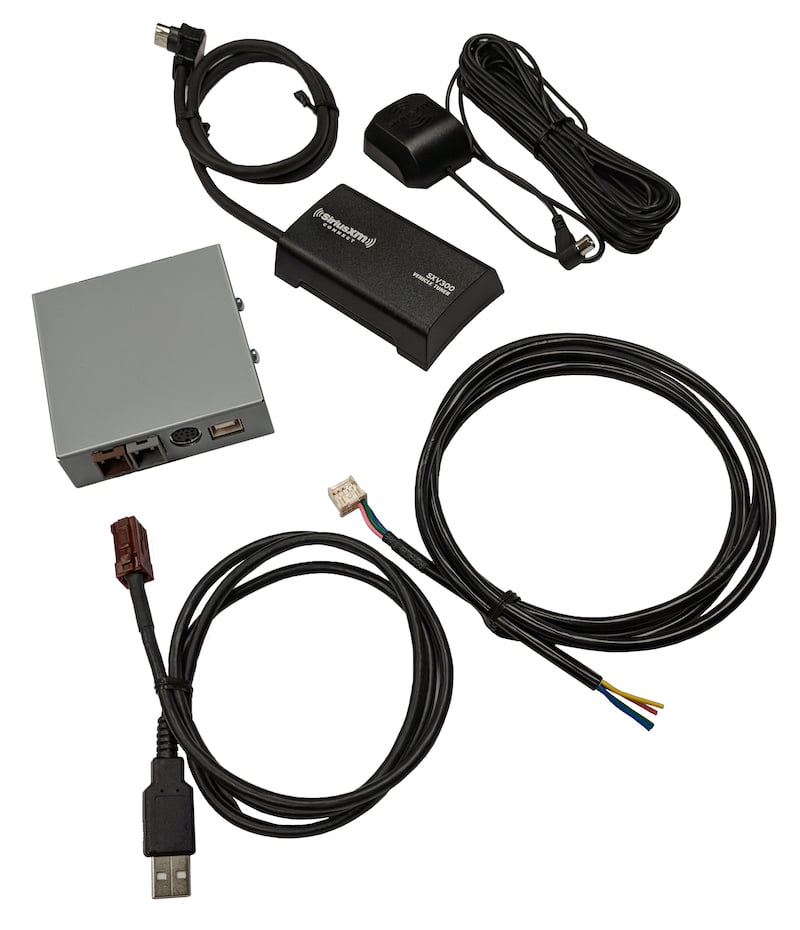
Beyond “SiriusXM Ready” head units, the aftermarket offers a broad spectrum of integration solutions. These can range from universal standalone tuners to vehicle-specific integration kits that interface with the existing factory radio, mimicking a factory-installed system. The common thread among these solutions is the need for an external tuner module and an antenna, which will receive the satellite signal.
Key Considerations: Subscription Tiers and Features
SiriusXM offers multiple subscription tiers, each providing access to different sets of channels and features. Beyond the core satellite radio service, many subscriptions now include streaming access via the SiriusXM app. This app-based access is a crucial technological component for vehicles lacking satellite radio hardware, enabling content delivery via cellular data. Understanding the differences between “SiriusXM (satellite radio)” and “SiriusXM Streaming (app-based)” is fundamental, as they utilize distinct underlying technologies for content delivery. Some plans, like Platinum, combine both satellite and streaming, offering flexibility in how and where you listen.
Methods for Integrating SiriusXM into Your Vehicle
Integrating SiriusXM into your car can range from a simple activation process for pre-installed hardware to complex aftermarket installations. Each method leverages different technologies and offers varying levels of seamlessness and features.
Using a Factory-Installed Satellite Radio
If your car boasts a “SAT” or “XM” button on its radio and displays a channel like “SiriusXM Preview Channel” (channel 1), you likely have a factory-installed receiver.
Activation Process
The activation process is typically initiated by tuning to channel 0 or channel 1 and locating the Radio ID (or SID), a unique 12-digit alphanumeric code. This ID is essential for activating your subscription. You can then activate online via the SiriusXM website, through the SiriusXM app, or by calling customer service. Once activated, the service usually begins playing within minutes, requiring no further hardware setup.
Managing Your Subscription
Subscription management for factory-installed radios is handled directly through SiriusXM’s online portal or customer service. This allows you to upgrade, downgrade, or transfer your service if you acquire a new vehicle. Some advanced infotainment systems may display subscription status or offer direct links to activate, but the core management remains external.
Aftermarket Satellite Radio Tuners and Kits
For vehicles without factory SiriusXM, aftermarket solutions provide the necessary hardware to receive the satellite signal and deliver audio to your car’s sound system.
Dedicated Standalone Tuners
These are complete units, such as those from SiriusXM’s Onyx or Stratus lines, that include a tuner, display screen, and controls. They typically come with a magnetic mount antenna and various audio output options.
- Installation: Involves mounting the tuner on the dashboard or a vent, routing the antenna cable to the exterior (usually roof), and connecting the power adapter (often a 12V cigarette lighter plug).
- Audio Output: Audio can be transmitted wirelessly to your car’s FM radio (using an internal FM transmitter), or directly connected via an auxiliary (AUX) input, a USB audio input (if supported by your car and tuner), or an optional cassette adapter for older vehicles. Direct connection (AUX or USB) offers superior audio fidelity compared to FM transmission.
Vehicle-Specific Integration Modules
These modules, from companies like iSimple, VAIS Technology, or specialized car audio installers, allow you to integrate a SiriusXM tuner with your existing factory radio, often providing a “factory-like” experience.
- Installation: These kits usually require professional installation or advanced DIY skills, involving accessing the back of the factory radio or wiring harnesses. They typically connect via the CD changer port, antenna input, or other proprietary connections.
- Control: Once installed, you can often control SiriusXM channels using your factory radio’s buttons, sometimes cycling through media sources like “AUX” or “CD” to access the satellite radio interface, which may be displayed on the factory screen.
Installation Considerations (Antenna, Power, Audio Output)
Regardless of the aftermarket solution, critical technical aspects include:
- Antenna Placement: The small magnetic antenna must have a clear, unobstructed view of the sky to receive the satellite signal reliably. The roof or dashboard near the windshield are common locations, with cables discreetly routed through weather stripping or under trim panels.
- Power Supply: Most aftermarket tuners require 12V DC power, typically supplied via a cigarette lighter adapter or hardwiring into the vehicle’s electrical system (which should be done by a professional).
- Audio Output Strategy: Prioritize direct audio connections (AUX, USB, or integrated module) over FM transmitters for optimal sound quality and to avoid interference. FM transmitters should be considered a last resort due to their susceptibility to static and signal bleed from local radio stations.
Leveraging Smartphone Apps and Bluetooth/AUX Connectivity
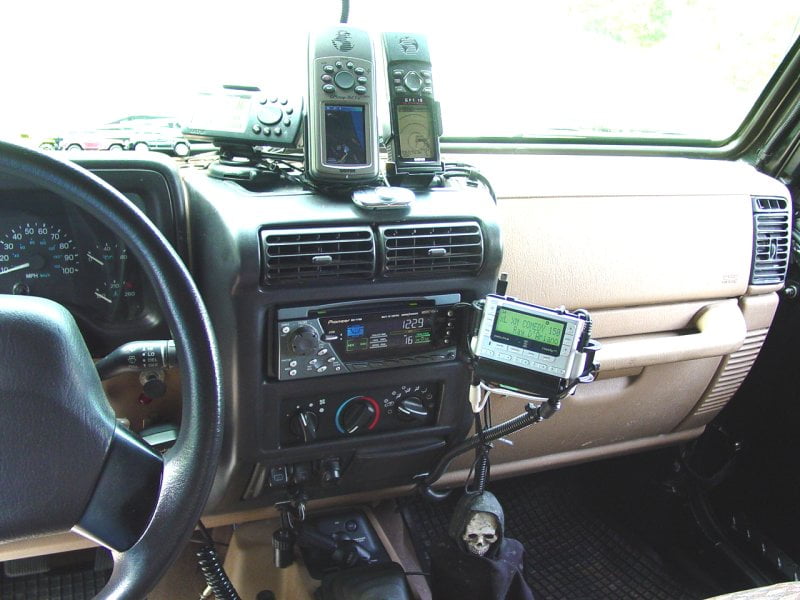
For users with a SiriusXM streaming subscription, the SiriusXM app provides a highly flexible and hardware-independent method of bringing satellite radio into any car with smartphone integration capabilities.
SiriusXM App Features and Benefits
The SiriusXM app provides access to the full streaming catalog, including exclusive internet-only channels, on-demand content, and personalized recommendations. It leverages your smartphone’s cellular data connection (or Wi-Fi, if available) to deliver audio. This method avoids the need for dedicated satellite radio hardware and its associated installation.
Connecting via Bluetooth Audio
Most modern vehicles are equipped with Bluetooth audio streaming. Simply pair your smartphone with your car’s infotainment system, launch the SiriusXM app, and select Bluetooth as the audio source on your car’s display. This provides wireless audio transmission and often allows basic track control (skip, play/pause) via steering wheel buttons. The audio quality is generally good, limited by the Bluetooth codec and your car’s audio system.
Using AUX Input or USB Ports
For vehicles without Bluetooth audio or for those who prefer a wired connection, an auxiliary (AUX) input is a reliable option. Connect your smartphone to the car’s AUX port using a 3.5mm audio cable. This offers a direct, analog audio connection.
Some cars also feature USB ports that support audio playback from smartphones. When connected, the car’s system may treat the phone as a media device, allowing you to browse and play content from the SiriusXM app, sometimes even charging the phone simultaneously. This method can offer superior digital audio quality compared to AUX.
FM Transmitters as a Last Resort
If your vehicle lacks Bluetooth, AUX, or compatible USB ports, an external FM transmitter (either a standalone unit or one built into a standalone SiriusXM receiver) can broadcast the smartphone’s audio to a specific, unused FM frequency. Your car’s radio then tunes to that frequency to receive the audio. This method is prone to interference, requiring careful selection of a clear frequency, and generally offers the lowest audio fidelity.
Advanced Integration and Enhancing the In-Car Experience
Beyond basic connectivity, more sophisticated technological approaches can further refine the SiriusXM experience within your vehicle, particularly for audiophiles or those seeking deep system integration.
Advanced Head Unit Replacement (CarPlay/Android Auto Compatibility)
Replacing your factory head unit with an aftermarket unit that supports Apple CarPlay or Android Auto can significantly upgrade your car’s infotainment capabilities. These platforms mirror key smartphone apps, including the SiriusXM app, directly onto the car’s display. This allows you to control the SiriusXM app’s streaming content using the car’s touchscreen interface, voice commands, and steering wheel controls, providing a highly intuitive and integrated experience that leverages your smartphone’s data connection. Many of these head units also support direct integration of SiriusXM satellite tuner modules, offering the best of both worlds.
Data Consumption and Connectivity for App-Based Listening
When relying on the SiriusXM app for in-car listening, understanding data consumption is critical. Streaming audio, especially at higher quality settings, can consume a significant amount of cellular data. Users should monitor their data plans or consider unlimited data options. Furthermore, consistent cellular reception is paramount; dead zones or areas with weak signal will result in buffering or complete loss of service. Features like downloading content for offline playback (if supported by SiriusXM for specific content) can mitigate data usage and connectivity issues on long trips.
Optimizing Audio Quality for Satellite and Streaming Sources
Achieving optimal audio quality involves several technical considerations. For satellite radio, the primary factor is signal strength and the inherent compression used for broadcast. Ensuring proper antenna placement is crucial. For app-based streaming, the quality of your cellular data connection, the audio settings within the SiriusXM app (e.g., standard vs. high quality streaming), and the quality of your car’s audio system (speakers, amplifier) all play a role. Using direct wired connections (USB or AUX) typically offers better fidelity than wireless Bluetooth or, especially, FM transmitters, by minimizing signal degradation and interference.
Troubleshooting Common SiriusXM In-Car Issues
Even with careful setup, technical glitches can occur. Understanding common problems and their solutions can quickly restore your SiriusXM service.
Signal Loss and Obstruction
Satellite radio relies on a clear line of sight to the SiriusXM satellites. Common causes of signal loss include:
- Physical Obstructions: Driving through tunnels, under dense overpasses, through parking garages, or in areas with tall buildings/dense foliage can temporarily block the satellite signal.
- Antenna Issues: A damaged, improperly routed, or poorly positioned antenna can lead to intermittent or complete signal loss. Ensure the antenna is securely mounted with a clear view of the sky and its cable is undamaged and properly connected.
- Weather: Extremely severe weather conditions, though rare, can sometimes attenuate the satellite signal.
Subscription Refresh and Activation Problems
If your service suddenly stops working or if channels are missing after activation, a subscription refresh is often the solution.
- Refreshing: Tune to channel 0 or channel 1 and find your Radio ID. Go to the SiriusXM website’s “Refresh Your Radio” section and enter your Radio ID. This sends a refresh signal to your receiver, which can take a few minutes to process. Ensure your vehicle is outdoors with a clear view of the sky during this process.
- New Vehicle Transfers: When transferring service to a new car, ensure the old radio is deactivated and the new radio’s ID is correctly linked to your account.
App Connectivity and Streaming Glitches
When using the SiriusXM app, connectivity issues are typically related to your smartphone or cellular service.
- Network Issues: Check your phone’s cellular data connection. Poor signal strength, limited data, or network outages will prevent streaming. Try restarting your phone or moving to an area with better reception.
- App Glitches: Force-closing and restarting the SiriusXM app can resolve minor software bugs. Ensure the app is updated to the latest version. Clearing the app’s cache (in your phone’s settings) can also sometimes help.
- Bluetooth/USB Connection: Ensure your phone is properly paired (Bluetooth) or connected (USB). Disconnect and reconnect the device, or restart the car’s infotainment system.
Hardware Malfunctions
If troubleshooting software and connectivity doesn’t resolve the issue, a hardware malfunction might be at fault.
- Receiver/Tuner Failure: For factory-installed or aftermarket tuners, a persistent “Acquiring Signal” or “Check Antenna” message, despite good antenna placement, could indicate a failing tuner module.
- Antenna Damage: Visually inspect the antenna and its cable for any physical damage. A short or open circuit in the antenna system can prevent signal reception.
- Head Unit Issues: If using an integrated solution, a fault in the car’s head unit or the integration module itself could be the culprit.
In cases of suspected hardware failure, consulting with an authorized SiriusXM installer or a car audio specialist is recommended for diagnosis and repair.