
The shift from linear television to over-the-top (OTT) streaming services has fundamentally changed how audiences consume high-quality cinematic content. AMC Plus (AMC+) represents a significant evolution in this digital landscape, functioning not just as a standalone application but as a sophisticated content aggregator. By bundling networks such as Shudder, Sundance Now, and IFC Films Unlimited into a single interface, AMC+ offers a streamlined user experience for fans of prestige drama, horror, and independent film. Navigating the technical hurdles of subscription, platform compatibility, and digital security is essential for any user looking to integrate this service into their home theater ecosystem.
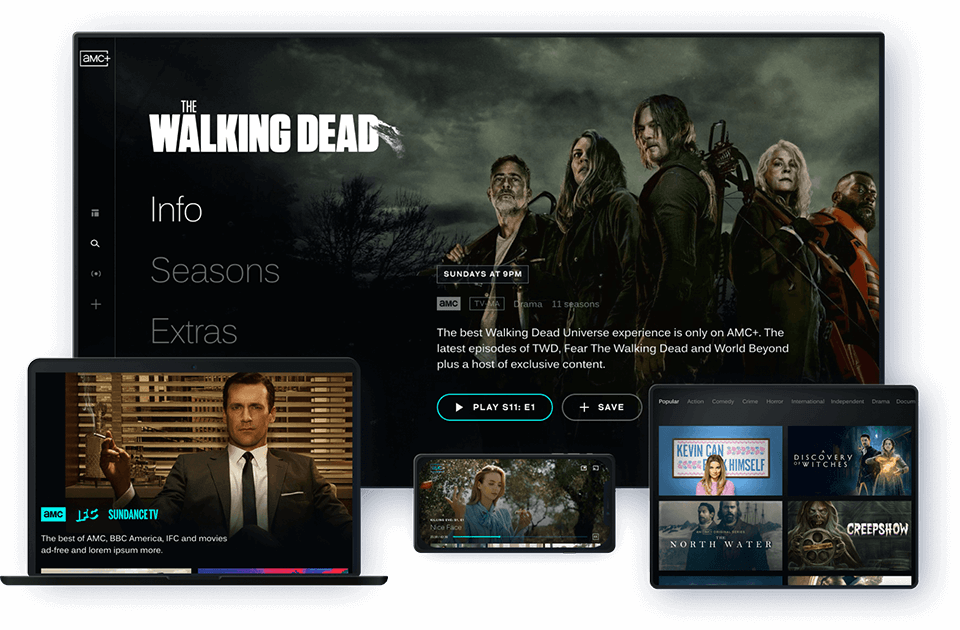
Navigating the AMC+ Ecosystem: Platforms and Hardware Compatibility
Before initiating a subscription, it is vital to understand the hardware requirements and software environments that support the AMC+ application. Unlike traditional cable networks, AMC+ operates through an app-based infrastructure that requires specific operating system (OS) versions to function optimally.
Supported Devices and Hardware Requirements
To ensure a buffer-free experience with high-definition rendering, users should deploy the service on modern hardware. AMC+ is currently compatible with a wide array of devices:
-
Streaming Media Players: This includes the Roku ecosystem (Roku OS 9.0 or later), Amazon Fire TV (Fire OS 5 or later), and Apple TV (tvOS 13 or later).
-
Smart TVs: Native applications are available for LG Smart TVs (webOS 4.0 and higher) and Samsung Smart TVs (Tizen OS 2017 models and newer).
-
Mobile Platforms: iOS 14.0 or later and Android 7.0 (Nougat) or later are required for mobile stability.
-
Gaming Consoles: While support is expanding, the service is primarily accessible on Xbox One and Xbox Series X/S via the Microsoft Store.
Browser-Based Streaming vs. Native Applications
For users accessing AMC+ via a desktop or laptop, browser compatibility is a key consideration. The service utilizes HTML5 video players, which eliminate the need for outdated plugins like Silverlight or Flash. For the best results, it is recommended to use the latest versions of Google Chrome, Mozilla Firefox, or Microsoft Edge. Safari is supported on macOS, though users often report better performance on Chromium-based browsers due to optimized hardware acceleration settings.
Subscription Models and Digital Access Points
Acquiring AMC+ is not a monolithic process; rather, it can be achieved through several digital gateways depending on your existing tech stack. Choosing the right “entry point” determines how you will interact with the user interface and how your data is managed.
Direct Subscription via the AMC+ App
The most straightforward method is signing up directly through the AMC+ website or native app. This creates a standalone account with a unique login credential. The primary technical advantage of a direct subscription is the purity of the UI. You are using the software as designed by AMC’s developers, ensuring you receive feature updates, such as “early access” premieres, the moment they are pushed to the production server.
Integration with Third-Party Aggregators (The “Channels” Model)
Many users prefer to centralize their streaming through a single hub to reduce app-switching latency. AMC+ can be added as a “Channel” or “Add-on” within three major ecosystems:
-
Amazon Prime Video Channels: This integrates AMC+ content directly into the Prime Video interface. The technical benefit here is the use of Amazon’s robust Content Delivery Network (CDN), which often provides superior load times and stability during peak traffic.
-
Apple TV Channels: By subscribing through the Apple TV app, users can leverage Apple’s centralized billing and “Up Next” synchronization across all iOS and tvOS devices.
-
The Roku Channel: Similar to Amazon, Roku allows users to manage their subscription within the Roku Pay ecosystem, simplifying the digital footprint.
Integration with Virtual Multichannel Video Programming Distributors (vMVPDs)
For those who have moved away from hardware cable boxes but still utilize live TV streaming services, AMC+ can be integrated into platforms like YouTube TV, Sling TV, or FuboTV. This method is ideal for users who want to toggle between live news or sports and the on-demand library of AMC+. Technically, this involves an API handshake between the vMVPD and AMC, allowing the content to be surfaced within the host platform’s Electronic Programming Guide (EPG).
Technical Setup and Account Configuration
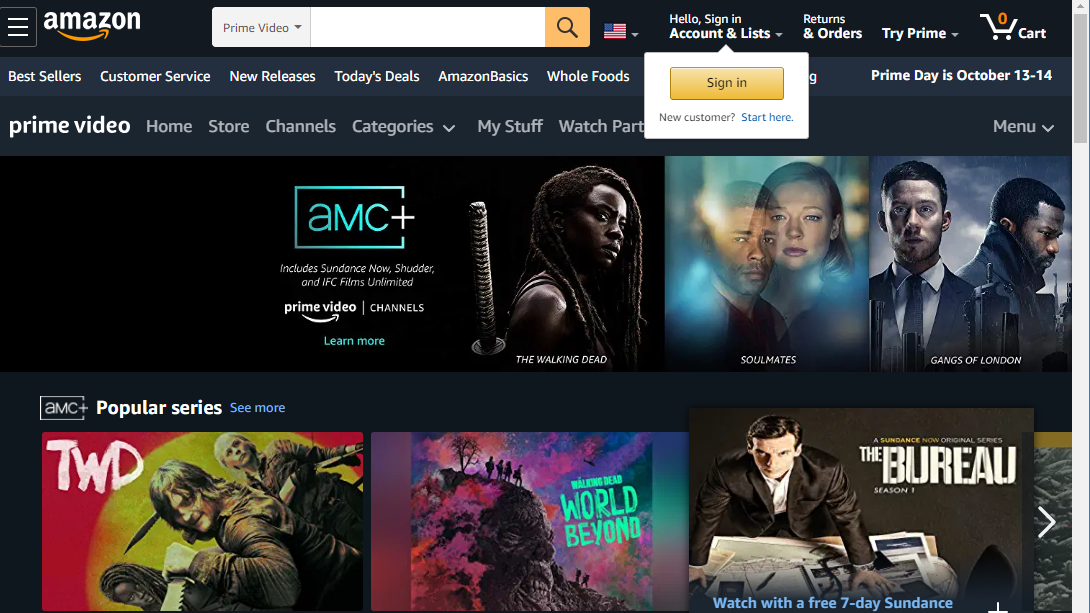
Once you have selected your platform, the configuration process requires attention to detail to ensure security and performance. Setting up a digital streaming account involves more than just entering an email address; it involves configuring a data-rich environment tailored to your bandwidth.
Creating Your Digital Identity and Verification
When registering, the system creates a unique User ID associated with your metadata. It is critical to use a verified email address, as AMC+ utilizes transactional emails for account recovery and security alerts. During the setup, you will be prompted to enable “Location Services.” From a technical standpoint, this is used for geo-fencing. Because streaming rights are regional, the app uses your IP address and GPS data (on mobile) to verify that you are within a licensed territory (typically the U.S. and Canada).
Managing Bandwidth and Video Quality Settings
Streaming high-definition video requires significant throughput. AMC+ typically streams in 1080p (Full HD), requiring a stable internet connection of at least 5 Mbps. For households with multiple devices, a 25 Mbps or higher plan is recommended to prevent “packet loss,” which manifests as stuttering or pixelation.
While the AMC+ app often defaults to “Auto” for bitrate selection—adjusting quality in real-time based on your connection—users can sometimes manage data usage through their device settings. For instance, on mobile devices, you can toggle “Stream on Wi-Fi Only” to prevent excessive cellular data consumption.
Security and Privacy in the Streaming Age
As with any digital service involving recurring payments and personal data, security is paramount. When you get AMC Plus, you are expanding your digital attack surface, making it necessary to implement best practices for cybersecurity.
Securing Your Payment Information and Gateway
If you subscribe directly, your credit card information is typically processed via a secure third-party payment gateway (like Stripe or Braintree), meaning AMC+ itself does not store your full raw financial data. However, if you subscribe via Apple, Google, or Amazon, you are using their proprietary “In-App Purchase” (IAP) systems. From a security perspective, IAP is generally safer as it utilizes tokenization—a process where your sensitive data is replaced by a unique digital token, ensuring your actual card number is never exposed to the vendor.
Password Hygiene and Two-Factor Authentication
While AMC+ may not currently offer native multi-factor authentication (MFA) on all versions of its standalone app, you can enhance security by using a unique, complex password managed by a reputable password manager. If you access AMC+ through a third-party aggregator like YouTube TV or Amazon, you should enable MFA on those primary accounts. This creates a “security umbrella” that protects your AMC+ access via the master account’s biometric or SMS verification protocols.
Optimizing the User Experience through Feature Discovery
After successfully navigating the installation and security setup, the focus shifts to maximizing the utility of the software. The AMC+ app includes several technical features designed to improve the quality of life for the viewer.
Offline Downloads and Mobile Accessibility
One of the most valuable features for mobile users is the “Offline Viewing” mode. This allows users to download encrypted video files directly to their device’s local storage. Technically, these files are wrapped in Digital Rights Management (DRM) software that includes an expiration timestamp. This allows you to watch content without an active internet connection, such as during air travel, while ensuring the content cannot be pirated or moved off the device.
Content Discovery Algorithms and Personalization
The AMC+ backend utilizes machine learning algorithms to analyze your viewing habits and suggest relevant content. This personalization is based on “tagging” metadata associated with every film and episode in the library—categorizing content by genre, tone, and even specific actors. To optimize these recommendations, it is beneficial to utilize the “My Watchlist” feature. By manually adding shows to your list, you feed the algorithm more precise data points, leading to a more curated and efficient user interface.
Advanced Audio and Accessibility Settings
For the audiophiles, AMC+ supports 5.1 Surround Sound on compatible hardware. To ensure this is active, users must verify that their hardware (such as a Soundbar or AV Receiver) is correctly configured in the device’s “Audio Output” settings. Additionally, the service provides robust accessibility features, including Closed Captioning (CC) and, for select titles, Audio Description (AD) tracks. These can usually be toggled via the “Options” or “Gear” icon within the video player’s overlay, demonstrating the platform’s adherence to modern digital accessibility standards.
By understanding the technical nuances of device compatibility, subscription integration, and security protocols, users can ensure that their experience with AMC Plus is both seamless and secure. As the streaming industry continues to evolve, staying informed about the software and hardware requirements of these platforms remains the best way to enjoy high-tier entertainment in a digital-first world.
aViewFromTheCave is a participant in the Amazon Services LLC Associates Program, an affiliate advertising program designed to provide a means for sites to earn advertising fees by advertising and linking to Amazon.com. Amazon, the Amazon logo, AmazonSupply, and the AmazonSupply logo are trademarks of Amazon.com, Inc. or its affiliates. As an Amazon Associate we earn affiliate commissions from qualifying purchases.