
In an increasingly digital world, managing personal finances efficiently often hinges on the accessibility and security of our financial tools. For millions, the Chase mobile app serves as a primary portal to their banking and credit card accounts. While physical cards are handy, there are numerous scenarios where knowing your full card number – including the CVV and expiration date – without physically holding the card becomes essential for seamless financial transactions and management. This guide delves into the practical steps and crucial financial considerations involved in accessing your card number through the Chase app, all while emphasizing the paramount importance of security in your personal finance journey.

The Indispensable Role of Digital Card Access in Modern Finance
The ability to access your credit or debit card number digitally is no longer just a convenience; it’s a fundamental aspect of modern financial fluidity. From last-minute online purchases to managing recurring subscriptions, a lost or temporarily unavailable physical card shouldn’t halt your financial activities. Understanding how and when to securely retrieve this critical information through your banking app is a cornerstone of effective personal financial management.
When Digital Access Becomes Essential: Scenarios for Financial Continuity
Imagine being abroad with a lost wallet, or simply needing to make an urgent online payment while your physical card is at home. These are common scenarios where digital access to your card number is not just helpful but vital.
- Online Shopping and Subscriptions: Setting up new online accounts, purchasing from e-commerce sites, or renewing subscriptions often requires the full card number, expiration date, and security code. If your card isn’t physically present, the app becomes your go-to source.
- Emergency Situations: A lost or stolen wallet can be distressing. While reporting the card lost is the first step, needing to make an essential payment (e.g., travel, accommodation) before a replacement card arrives necessitates digital access.
- Avoiding Physical Card Wear and Tear: Repeatedly pulling out your card can lead to wear and tear. For less frequent but necessary number entries, using the app can preserve your physical card.
- Virtual Cards and One-Time Use: Some financial institutions, including Chase, offer virtual card numbers for enhanced security, particularly for online transactions. These numbers are generated and managed exclusively within the app, providing an additional layer of financial protection against data breaches.
Understanding Different Card Numbers: Primary vs. Virtual Cards and Security Codes
It’s crucial to distinguish between your primary card number and any virtual card numbers you might use. Your primary card number is permanently linked to your account. Virtual card numbers, on the other hand, are often temporary or single-merchant numbers generated within the app, offering an additional layer of security by masking your primary account information.
- Primary Card Number: The 16-digit number, expiration date, and 3 or 4-digit CVV/CVC on the back (or sometimes front) of your physical card. This is what you typically need for most transactions.
- Virtual Card Numbers: Unique, temporary numbers generated for specific online transactions or merchants. They are linked to your main account but protect its primary details from potential breaches. Chase’s ‘My Chase Card’ functionality often allows for such virtual access, offering significant financial security benefits.
- Security Codes (CVV/CVC): These dynamic codes are essential for verifying card-not-present transactions, ensuring that the person using the card information also has access to the physical card (or its digital representation within a secure app).
Mitigating Risks: Why Secure Access Matters for Your Finances
Accessing your card number digitally inherently carries risks if not handled with caution. The very convenience that makes it appealing also makes it a target for malicious actors. Therefore, employing robust security measures – both from the financial institution and the user – is paramount. Your financial well-being directly depends on preventing unauthorized access to these details, which could lead to fraudulent transactions, identity theft, and significant financial loss. The Chase app is designed with multiple layers of security, but user vigilance remains an irreplaceable component of personal finance protection.
Step-by-Step Guide: Retrieving Your Card Number in the Chase App
The Chase mobile app is designed with a user-friendly interface that prioritizes both accessibility and security for managing your finances. Retrieving your full card number is a straightforward process, provided you follow the prescribed steps and security protocols.
Pre-requisites: Account Access and Security Verification
Before you can access sensitive card information, you must ensure your Chase app is properly set up and secure.
- Downloaded and Updated App: Ensure you have the latest version of the Chase Mobile app installed on your smartphone or tablet. Updates often include critical security patches and new features for financial management.
- Valid Login Credentials: You’ll need your Chase Online username and password. If you’ve forgotten them, use the ‘Forgot Username’ or ‘Forgot Password’ links on the login screen.
- Two-Factor Authentication (2FA) / Biometric Login: For enhanced security, Chase often requires 2FA (e.g., a code sent to your registered phone or email) or biometric verification (fingerprint, facial recognition) to log in or access sensitive data. This is a critical layer of financial protection.
Locating Card Details within the App Interface
Once logged in, navigating to your card details is intuitive.
- Select Your Account: From the app’s home screen, you’ll see a list of your Chase accounts (checking, savings, credit cards). Tap on the specific credit or debit card account for which you need the number.
- Find Card Management Options: On the account details page, look for options like “Show Card Details,” “Manage Card,” or “Digital Card.” The exact wording may vary slightly based on the app version and card type. This section is specifically designed for financial management tasks related to your card.
Displaying Full Card Number and CVV: Authentication Processes
To display your full card number and CVV, Chase implements additional security measures to protect your financial data.
- Security Challenge: Upon selecting the option to show card details, the app will typically prompt you for an additional security verification. This might involve:
- Re-entering your password.
- Entering a one-time code sent to your registered phone or email.
- Using biometric authentication (fingerprint or face ID) if enabled on your device.
- Answering security questions.
- Displaying Information: Once successfully authenticated, the app will securely display your full 16-digit card number, the expiration date, and the CVV/CVC security code. This information is usually presented temporarily and may blur out again after a short period or if you navigate away from the screen, another smart financial security feature.
What to Do If You Can’t Find It: Troubleshooting & Customer Support
While the process is designed to be straightforward, issues can arise.
- App Glitch/Update: Sometimes, a simple app restart or ensuring the app is updated to the latest version can resolve display issues.
- Internet Connectivity: A stable internet connection is crucial for the app to communicate securely with Chase’s servers.
- Security Restrictions: If you’re using a rooted or jailbroken device, Chase’s security protocols might prevent access to sensitive information.
- Contact Chase Support: If you’ve tried troubleshooting and still cannot access your card number, it’s best to contact Chase customer service directly through the app (if available) or by calling the number on the back of your physical card (if you have it) or on the official Chase website. They can provide personalized assistance and ensure your financial security.
Security Best Practices When Accessing Sensitive Financial Information
Accessing your card number digitally is a powerful feature for financial autonomy, but it comes with the responsibility of upholding stringent security practices. Safeguarding this information is paramount to protecting your assets and preventing financial fraud.
Understanding Chase’s Security Measures: Fortifying Your Financial Front

Chase, like all major financial institutions, invests heavily in multi-layered security protocols to protect your financial data.
- Encryption: All data transmitted between your app and Chase’s servers is encrypted, making it unreadable to unauthorized parties.
- Multi-Factor Authentication (MFA): This critical security feature requires more than just a password, significantly reducing the risk of unauthorized account access even if your password is compromised. This is a baseline for protecting your financial accounts.
- Fraud Monitoring: Chase employs sophisticated fraud detection systems that continuously monitor transactions for unusual activity, alerting you to potential financial threats.
- Secure Servers: Chase’s servers are protected by advanced firewalls and intrusion detection systems, ensuring the integrity and confidentiality of your data.
User-Side Security: Device Protection and Wi-Fi Awareness
While Chase secures its systems, your personal device is the first line of defense for your financial information.
- Strong Device Passwords/Biometrics: Always use a strong passcode, PIN, or biometric authentication (fingerprint/face ID) to unlock your device. This prevents unauthorized access if your phone is lost or stolen.
- Keep Your Device Updated: Ensure your operating system (iOS, Android) and all apps are regularly updated. Updates often include critical security patches against newly discovered vulnerabilities.
- Avoid Public Wi-Fi for Sensitive Transactions: Public Wi-Fi networks are often unsecured and susceptible to eavesdropping. When accessing your financial apps or sensitive information, always use a trusted, private network or your mobile data. This simple step significantly reduces the risk of financial data interception.
- Beware of Phishing: Never click on suspicious links or download attachments from unknown sources, especially those claiming to be from your bank. Always navigate directly to the Chase app or official website.
Protecting Your Information Post-Retrieval: Beyond the Screen
Once you’ve retrieved your card number, exercising caution ensures its continued security.
- No Screenshots: Avoid taking screenshots of your card details. If your phone’s photo gallery is ever compromised, this sensitive information could be exposed.
- Do Not Write Down: Resist the urge to write down your card number unless absolutely necessary and, if so, store it in an extremely secure, non-obvious location.
- Clear App Cache (Optional but Recommended): Periodically clear the cache for your banking app, though most modern apps are designed to not retain sensitive data in easily accessible cache files.
- Log Out: Always log out of your Chase app, especially if you share your device or if it might be accessed by others.
Leveraging Other Chase App Features for Enhanced Financial Management
The Chase app is far more than just a portal to your card number; it’s a comprehensive financial management tool designed to empower users with control and insights into their money. Maximizing its features can significantly enhance your financial security and planning.
Virtual Card Numbers for Online Transactions: An Added Layer of Financial Security
As mentioned, virtual card numbers are a game-changer for online financial security. Chase and other institutions often provide the ability to generate these temporary or merchant-specific numbers.
- Protection Against Breaches: If a merchant you’ve shopped with experiences a data breach, a virtual card number limits the exposure of your primary account information.
- Control Over Spending: Some virtual cards can be set with spending limits or expiration dates, offering granular control over specific transactions or subscriptions.
- Convenience for Online Sign-ups: Easily generate a number for free trials or new subscriptions without exposing your main card.
Transaction Monitoring and Alert Systems: Vigilance for Your Money
Proactive monitoring is crucial for detecting unauthorized financial activity early.
- Real-time Alerts: Set up alerts for purchases above a certain amount, international transactions, or ATM withdrawals. Instant notifications allow you to quickly identify and dispute fraudulent charges, protecting your finances.
- Categorized Spending: The app often categorizes your spending, providing valuable insights into where your money is going, which is essential for budgeting and financial planning.
- Easy Dispute Process: If you spot an unauthorized transaction, the app often provides a direct path to dispute the charge, saving you time and potential financial loss.
Managing Recurring Payments and Subscriptions: Streamlining Your Finances
The app can be a powerful tool for overseeing your financial commitments.
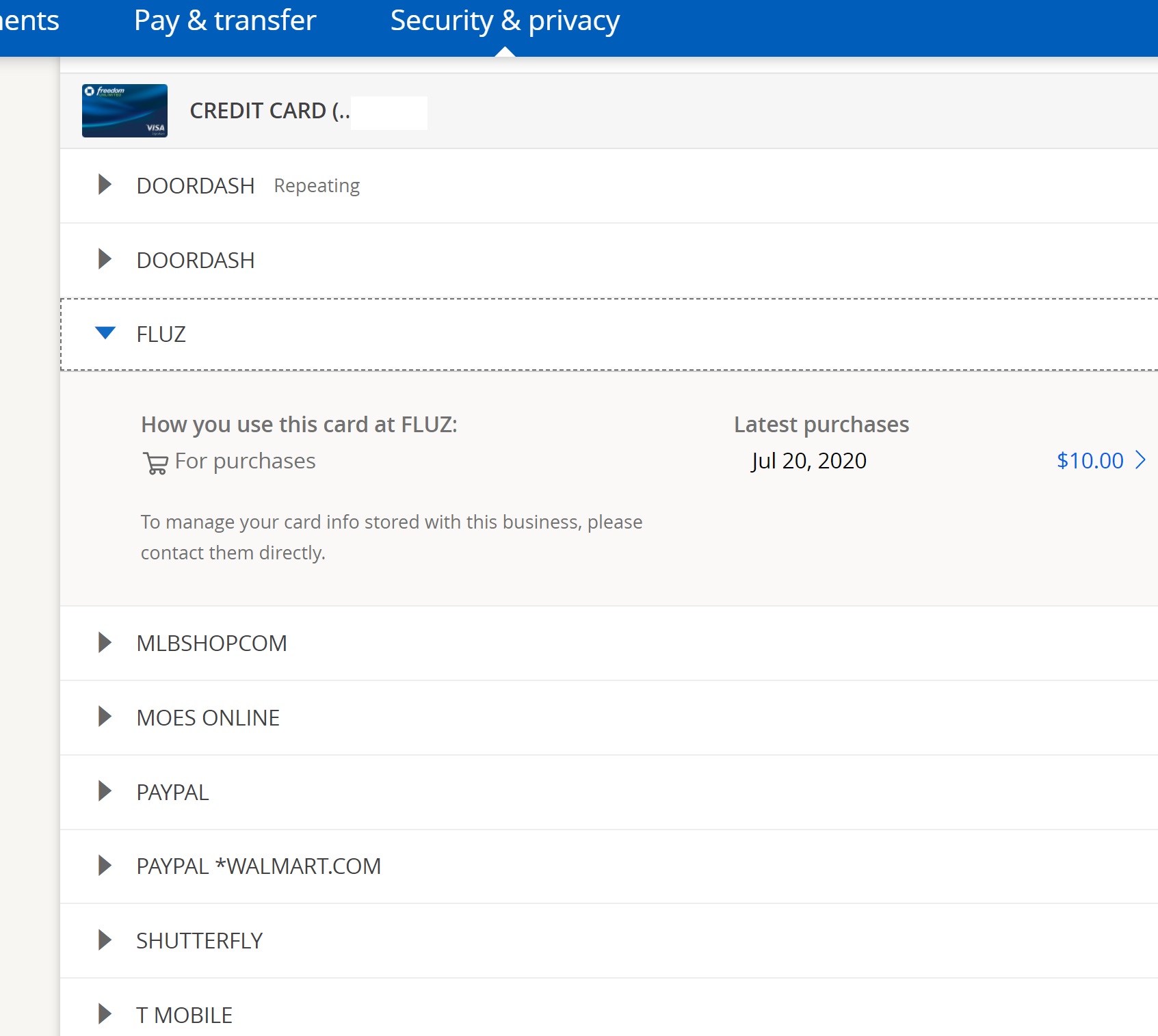
- View Recurring Charges: Easily see which merchants have recurring access to your card, helping you identify forgotten subscriptions or unnecessary expenses.
- Update Card Details: When your physical card expires, you can often update the card details for many recurring payments directly through the app or easily retrieve the new numbers to update merchants.
- Set Payment Reminders: For bills not linked to auto-pay, set reminders within the app to avoid late fees and maintain a healthy credit score.
Credit Score Monitoring and Financial Insights: Empowering Financial Growth
Many banking apps, including Chase, integrate features that go beyond basic transaction management.
- Free Credit Score Access: Regularly check your credit score within the app (e.g., Chase Credit Journey). Monitoring your score is vital for understanding your financial health and qualifying for loans or better interest rates.
- Spending Insights and Budgeting Tools: Some apps offer tools to help you visualize your spending, set budgets, and track progress towards financial goals, fostering better financial habits.
- Financial Wellness Resources: Access articles, tips, and tools within the app to improve your financial literacy and make informed decisions about saving, investing, and debt management.
The Broader Context: Why Digital Financial Management is Crucial for Modern Life
In an age where speed and convenience often dictate personal and professional efficiency, mastering digital financial management is no longer optional. The ability to securely access and manage your financial details, such as your card number through the Chase app, exemplifies the shift towards empowered and agile personal finance.
Convenience vs. Security: Striking the Right Balance for Your Finances
The core of modern digital banking lies in finding the optimal balance between convenience and security. While the desire for instant access to funds and information is natural, it must never come at the expense of robust security measures. Financial institutions invest heavily in protecting your data, but the ultimate responsibility for maintaining security rests with the individual user. Understanding the security features embedded in apps like Chase and adhering to best practices empowers you to leverage digital convenience without undue financial risk. This balance allows for efficient online transactions, prompt bill payments, and quick financial checks, all within a protected environment.
Empowering Financial Independence Through App Utility
The Chase app, like many similar banking applications, transforms banking from a tedious chore into an accessible, empowering experience. It puts financial control directly into your hands, allowing for:
- Real-Time Decision Making: Access to up-to-the-minute account balances and transaction history enables informed financial decisions on the go.
- Proactive Management: Setting alerts, monitoring spending, and managing subscriptions proactively helps prevent financial missteps and identifies opportunities for savings.
- Reduced Reliance on Physical Branches: While branches remain important for certain services, the app significantly reduces the need for physical visits, saving time and increasing efficiency in daily financial tasks.
By providing comprehensive control over your accounts, including sensitive details like card numbers, the app fosters a greater sense of financial independence and self-reliance.
Future Trends in Digital Banking and Card Management: Adapting for Financial Advantage
The landscape of digital banking is continually evolving. We are seeing trends such as:
- Enhanced Biometric Security: More sophisticated biometric methods will make financial transactions even more secure and seamless.
- AI-Driven Financial Insights: Artificial intelligence will increasingly offer personalized financial advice, predictive spending analysis, and automated budgeting.
- Integrated Payment Ecosystems: Further integration of payment methods (e.g., tap-to-pay, QR codes, blockchain-based payments) will streamline transactions across various platforms.
- Greater Customization of Card Features: More control over virtual card generation, spending limits, and security settings directly within the app.
Staying abreast of these developments and adapting to new technologies will be key to maintaining financial advantage and security in the years to come. Understanding how to navigate existing tools like the Chase app is an excellent foundation for embracing the future of digital finance.
In conclusion, accessing your card number through the Chase app is a practical necessity in contemporary finance. By understanding the straightforward process, adhering to rigorous security protocols, and leveraging the app’s broader financial management features, you can ensure both the fluidity and safety of your personal finances in the digital age. Your financial well-being hinges on a proactive and informed approach to managing your money through the powerful tools at your fingertips.
aViewFromTheCave is a participant in the Amazon Services LLC Associates Program, an affiliate advertising program designed to provide a means for sites to earn advertising fees by advertising and linking to Amazon.com. Amazon, the Amazon logo, AmazonSupply, and the AmazonSupply logo are trademarks of Amazon.com, Inc. or its affiliates. As an Amazon Associate we earn affiliate commissions from qualifying purchases.