
In the modern financial landscape, the physical checkbook has largely become a relic of the past. For most banking customers, the primary interface with their capital is a smartphone screen. JPMorgan Chase, as one of the largest financial institutions in the world, has invested billions into its digital infrastructure, creating a mobile app that serves as a command center for personal finance. However, despite the app’s robust design, certain essential pieces of information—like your full account number and routing number—are often tucked away behind layers of security to protect your assets.

Understanding how to quickly retrieve these numbers is not just a matter of convenience; it is a fundamental skill for managing your money. Whether you are setting up a direct deposit for a new job, linking a brokerage account for investment purposes, or automating your monthly bill payments, these numbers are the “coordinates” of your financial identity. This guide provides a comprehensive look at how to navigate the Chase Mobile® app to find your account details while exploring the broader implications of mobile banking for your personal financial strategy.
The Evolution of Access: Why Digital Transparency Matters in Personal Finance
The transition from traditional brick-and-mortar banking to a digital-first approach has fundamentally changed how we interact with our money. In the past, finding an account number required locating a physical check or a monthly paper statement mailed to your residence. Today, the expectation is instantaneous access. This shift is part of a larger trend in personal finance: the democratization of financial data.
When you have the ability to retrieve your account and routing numbers in seconds, you reduce the friction involved in complex financial maneuvers. For example, moving money into a high-yield savings account or an IRA requires precise data entry. Errors in these numbers can lead to rejected transfers or, in worse cases, funds being misdirected. By mastering the Chase app’s interface, you ensure that your financial “plumbing” remains functional and efficient. Furthermore, Chase’s interface is designed to balance accessibility with high-level security, ensuring that while the information is available to you, it remains shielded from unauthorized eyes.
Step-by-Step Guide: Locating Your Credentials Within the Chase App
The Chase Mobile app is frequently updated, but the core navigation for account details remains relatively consistent. To find your account and routing numbers, you must move past the initial dashboard into the specific details of an individual account.
Step 1: Secure Authentication and Account Selection
The first step is always security. Launch the Chase Mobile app and log in using your preferred method—Face ID, Touch ID, or your traditional password. Once the app opens, you will see the “Accounts” dashboard, which lists your checking, savings, credit cards, and investment accounts.
To find your numbers, you must tap on the specific bank account you wish to view. If you have multiple checking accounts (for example, one for household expenses and one for a side hustle), ensure you select the correct one, as each will have a unique account number, though they may share the same routing number.
Step 2: Navigating to the “See Details” Menu
Once you have tapped on an account, you will see a summary of your recent transactions and your current balance. Directly under the account name at the top of the screen, you will typically see the last four digits of your account number. To see the full number, look for a link or button labeled “See details” or a small “eye” icon next to the masked account number.
Step 3: Decoding the Account and Routing Information
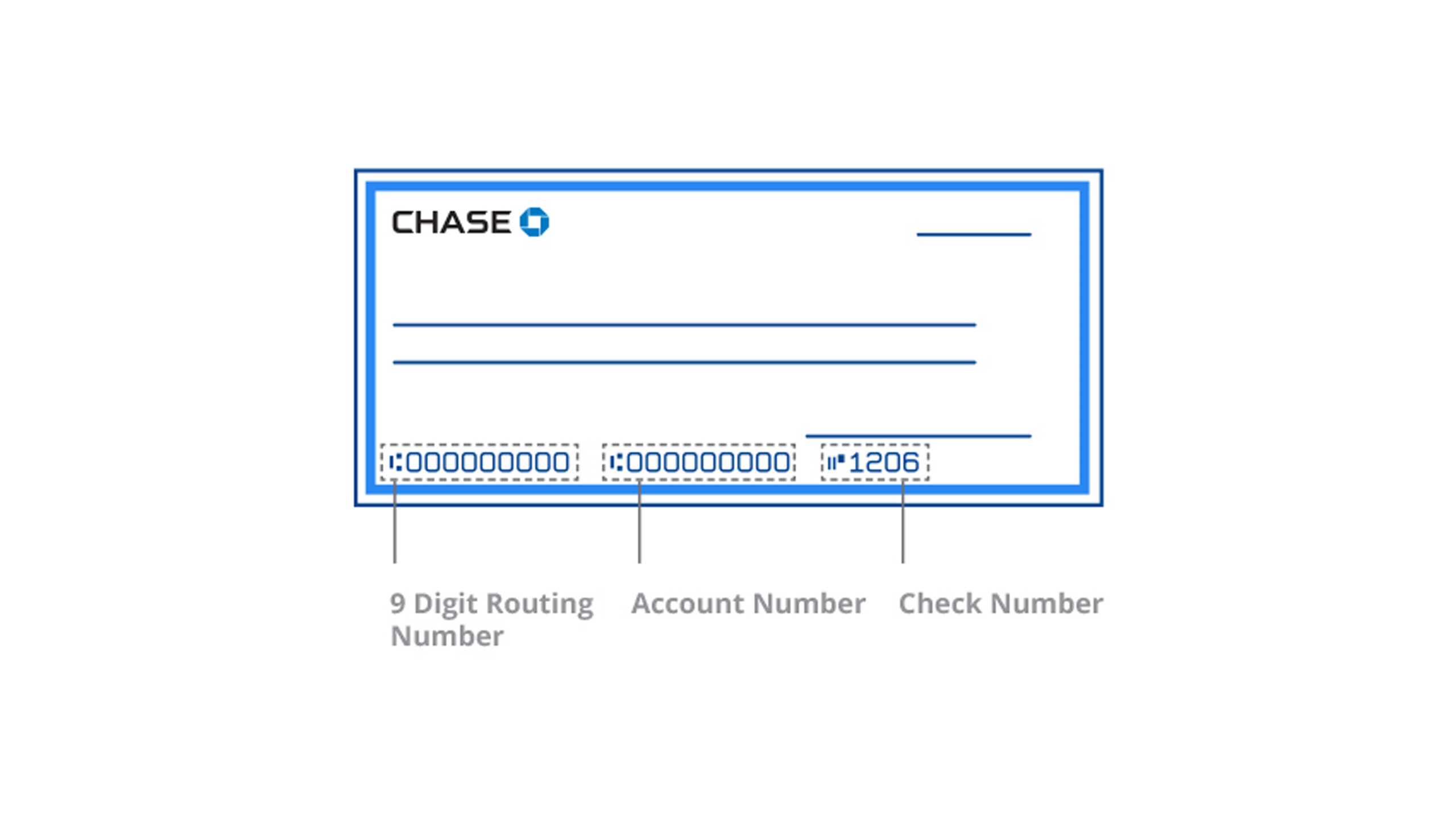
Upon tapping “See details,” a slide-up menu or a new screen will appear. This section displays your full account number and your routing number. It is important to note that Chase often provides two different routing numbers: one for “Electronic” transfers (like direct deposits and ACH transfers) and one for “Wire” transfers.
For the vast majority of personal finance tasks—such as paying bills or setting up payroll—you will use the Electronic/ACH routing number. If you are receiving a domestic or international wire transfer, you must ensure you copy the Wire routing number specifically, as these systems operate on different financial rails.

Why Your Account and Routing Numbers are Vital for Financial Management
In the realm of personal finance, your account and routing numbers serve distinct but equally important roles. Understanding the difference is key to managing your cash flow effectively.
Facilitating Seamless Direct Deposits and Side Income
The most common reason for needing these numbers is to establish a direct deposit. In the modern “gig economy,” many individuals balance multiple streams of income. Whether it’s a primary salary, freelance payments, or dividends from investments, having your account details ready allows you to redirect these funds into the appropriate “buckets.”
By providing your Chase account and routing numbers to your employer or a client, you bypass the delay of physical checks. This allows for faster reinvestment of capital—meaning your money starts working for you sooner in the form of interest or market exposure.
Automating the “Financial Engine”
Automation is the cornerstone of successful wealth building. By using your account and routing numbers to set up automatic transfers to savings or investment accounts, you remove the psychological barrier of “deciding” to save. The Chase app makes this easier by allowing you to link external accounts. When you link a third-party app (like a high-yield savings account from another bank or a dedicated budgeting tool), you will need these numbers to verify ownership. Once established, this creates a seamless flow of capital that supports your long-term financial goals without requiring daily manual intervention.
Digital Security: Protecting Your Financial Identity on Mobile Platforms
While the convenience of having your account number at your fingertips is undeniable, it also introduces certain risks. Your account and routing numbers are the keys to your financial house. If a malicious actor gains access to these, they can theoretically initiate unauthorized ACH withdrawals.
Leveraging Chase’s Multi-Factor Authentication (MFA)
To mitigate these risks, Chase employs robust security protocols. As a user, you should always ensure that Multi-Factor Authentication is active. This adds a layer of protection beyond just your password. When you access sensitive information like your full account number on a new device, Chase will require a secondary code sent via SMS or email. This is a critical barrier in the event that your primary credentials are ever compromised.
Safe Habits for Accessing Sensitive Data
Beyond the app’s internal security, your personal habits play a massive role in financial safety. Never access the Chase app to view your account numbers while connected to public Wi-Fi (such as at a coffee shop or airport) without a VPN. Public networks are notorious for “man-in-the-middle” attacks where hackers can intercept data. Furthermore, never share your account numbers over unsecured channels like standard email or text messages. If you must send these details to a financial professional, ensure you are using a secure, encrypted portal.
Beyond the Account Number: Maximizing the Chase Mobile Ecosystem
Finding your account number is often just the first step in a larger financial task. The Chase Mobile app offers a suite of tools that, when used in conjunction with your account details, can significantly enhance your financial health.
Utilizing Chase Credit Journey and Budgeting Tools
Once you’ve mastered the basics of account navigation, you can explore features like “Credit Journey,” which provides a free credit score and monitoring. This is essential for anyone looking to optimize their personal finance, as a higher credit score leads to lower interest rates on future loans. Additionally, the app’s “Spending & Budgeting” tool automatically categorizes your transactions. By regularly reviewing this, you can identify “leakage” in your budget—such as forgotten subscriptions—and redirect those funds toward your savings goals.
Integrating with Zelle and Real-Time Payments
For peer-to-peer (P2P) transfers, you often don’t even need to share your account number. Chase integrates with Zelle, allowing you to send and receive money using only an email address or phone number. This keeps your underlying account and routing numbers private while still allowing for the rapid movement of funds. Understanding when to use Zelle (for trusted friends and family) versus when to provide your full account number (for formal business and payroll) is a hallmark of a sophisticated financial consumer.
In conclusion, the ability to find your account number on the Chase app is a gateway to a more organized and efficient financial life. By navigating the app’s secure interface, understanding the nuances of routing numbers, and adhering to strict digital security practices, you position yourself to take full control of your capital. In the digital age, your smartphone is your most powerful financial tool—knowing how to use it effectively is the first step toward long-term fiscal success.
aViewFromTheCave is a participant in the Amazon Services LLC Associates Program, an affiliate advertising program designed to provide a means for sites to earn advertising fees by advertising and linking to Amazon.com. Amazon, the Amazon logo, AmazonSupply, and the AmazonSupply logo are trademarks of Amazon.com, Inc. or its affiliates. As an Amazon Associate we earn affiliate commissions from qualifying purchases.