
In an increasingly digitized world, managing personal finances has become more accessible and efficient than ever before. Among the most critical annual financial tasks for individuals and businesses alike is filing a tax return. Once a daunting paper-based chore, the process has been transformed by the advent of online filing platforms, offering a streamlined, accurate, and often more convenient alternative. Understanding how to navigate this digital landscape is crucial not just for compliance, but for optimizing your financial health, ensuring you claim every deduction and credit you’re entitled to, and avoiding costly mistakes.
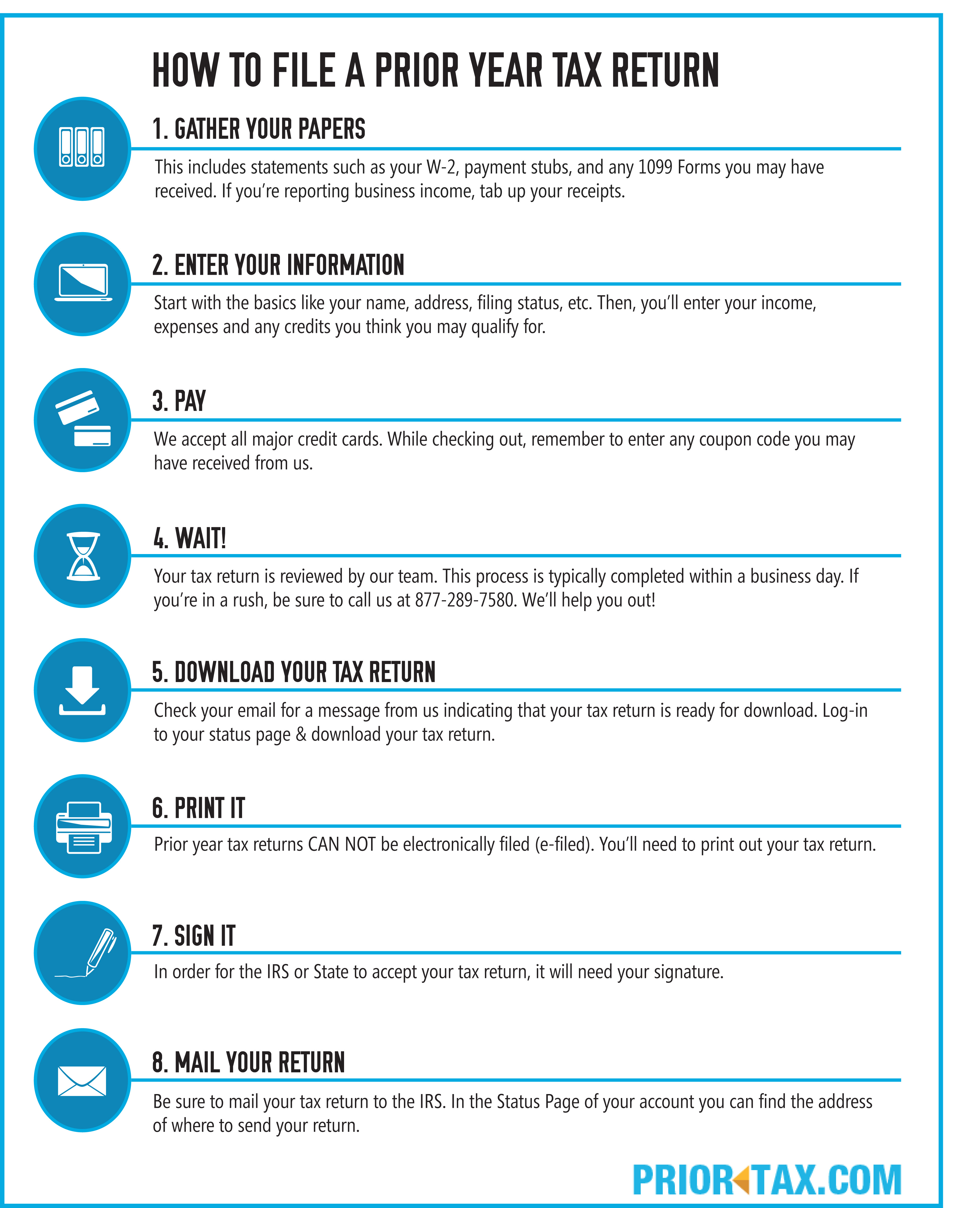
This guide will demystify the online tax filing process, providing insights into its advantages, outlining the essential steps for preparation, helping you choose the right platform, and walking you through submission, all while emphasizing sound financial practices.
The Evolution and Benefits of Online Tax Filing
The journey from stacks of paper forms and trips to the post office to the intuitive interfaces of online tax software represents a significant leap in financial management. This shift isn’t just about convenience; it fundamentally alters how individuals and businesses interact with their tax obligations, offering tangible benefits that impact financial outcomes.
From Paper Forms to Digital Platforms: A Paradigm Shift
For decades, filing taxes involved procuring physical forms, meticulously filling them out by hand or typewriter, calculating figures with a calculator, and then mailing them to the relevant tax authority. This method was prone to human error, time-consuming, and often led to delays in processing and refunds. The advent of personal computers brought software that could assist in calculations, but the final submission often still required printing and mailing.
The true paradigm shift occurred with the widespread adoption of the internet and the development of secure, user-friendly online tax filing platforms. These platforms not only automate calculations but also offer guided interviews, direct e-filing capabilities, and robust security measures. Governments, recognizing the efficiency gains, have actively promoted online filing, with many tax authorities now preferring or even mandating digital submissions for certain filers. This evolution has transformed tax filing from a dreaded annual ordeal into a manageable financial task that can often be completed from the comfort of one’s home.
Key Advantages of Filing Online: Efficiency, Accuracy, and Accessibility
The benefits of online tax filing extend far beyond mere convenience, offering concrete financial and logistical advantages:
- Efficiency and Speed: Online filing drastically cuts down the time spent on tax preparation. Most platforms guide users through a series of questions, populating forms automatically. E-filing means instant transmission to tax authorities, leading to faster processing of returns and quicker refunds – often within 2-3 weeks for direct deposit, compared to 6-8 weeks or more for paper returns.
- Enhanced Accuracy: A primary advantage is the reduction of mathematical errors. Online software automatically performs calculations, cross-references data, and flags potential issues or missing information. Many platforms also scrutinize returns for common errors that could lead to an audit or rejection, significantly improving accuracy compared to manual methods. This precision minimizes the risk of penalties due to incorrect submissions.
- Maximized Deductions and Credits: Online platforms are designed with built-in intelligence to help users identify and claim all eligible deductions and credits. Through guided questionnaires, they prompt users about various life events, expenses, and income sources that might qualify for tax benefits, potentially leading to a larger refund or a smaller tax liability. This feature is particularly valuable for those unaware of complex tax laws.
- Accessibility and Convenience: Filing online can be done anytime, anywhere, as long as you have an internet connection. This flexibility is invaluable for busy individuals, those who travel frequently, or anyone who prefers to complete financial tasks on their own schedule, without the constraints of office hours or physical locations.
- Secure Record Keeping: Most online platforms offer digital storage of your filed returns for several years, making it easy to access past records for future reference, audits, or financial planning. This eliminates the need for physical storage and reduces the risk of lost documents.
- Reduced Environmental Impact: Opting for online filing contributes to a greener planet by significantly reducing paper consumption, printing, and transportation associated with traditional paper-based returns.
Pre-Filing Preparation: Laying the Groundwork for a Smooth Process
The success of your online tax filing journey hinges heavily on diligent preparation. Rushing into the process without organizing your financial information can lead to errors, missed deductions, and unnecessary stress. Thoughtful groundwork ensures not only accuracy but also maximizes your financial benefits.
Identifying Your Filing Status and Dependency Claims
Before entering any figures, determine your correct filing status. This crucial decision impacts your standard deduction, tax rates, and eligibility for certain credits. The five main statuses are: Single, Married Filing Jointly, Married Filing Separately, Head of Household, and Qualifying Widow(er). Each has specific criteria, and choosing the most advantageous one can significantly affect your tax outcome. Similarly, correctly identifying dependents is vital. Each qualifying dependent can unlock valuable credits, such as the Child Tax Credit or Credit for Other Dependents, directly reducing your tax liability. Understanding these upfront sets the foundation for accurate financial reporting.
Amassing Your Essential Financial Documentation
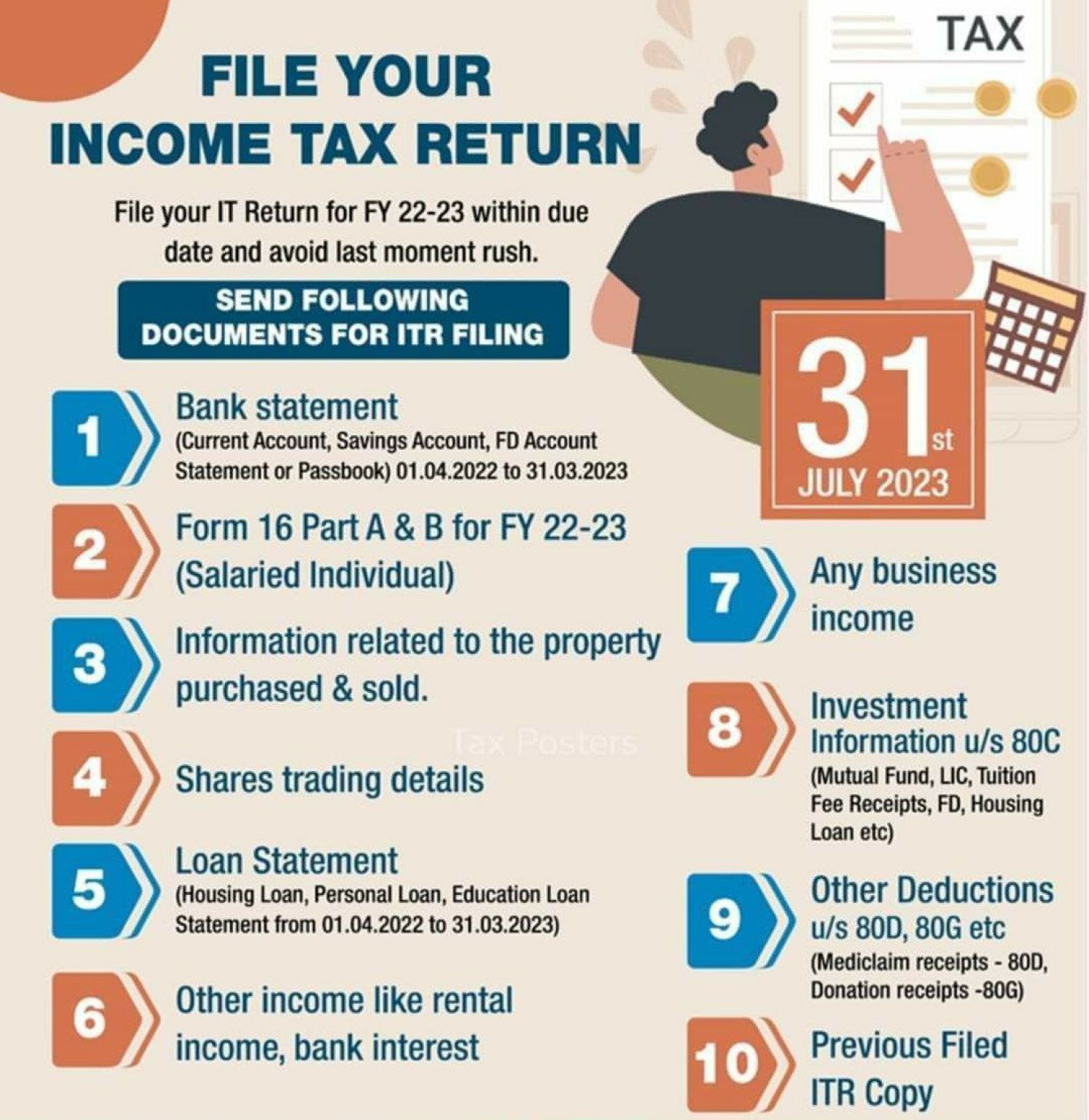
The cornerstone of effective tax preparation is having all your necessary documents at your fingertips. Create a dedicated folder – physical or digital – for all tax-related paperwork as it arrives throughout the year. Key documents typically include:
- Income Statements: W-2 forms from employers, 1099 forms (1099-NEC for independent contractors, 1099-INT for interest, 1099-DIV for dividends, 1099-B for stock sales, 1099-R for retirement distributions, etc.).
- Proof of Deductions & Credits: Mortgage interest statements (1098), student loan interest statements (1098-E), tuition statements (1098-T), records of charitable donations, medical expenses, business expenses, child care costs, and property tax payments.
- Other Financial Records: Prior year’s tax return (for comparison and carryovers), Social Security numbers for all family members, bank account information for direct deposit of refunds, and PINs if you’re a returning e-filer.
Having these documents organized and readily accessible prevents last-minute scrambling and reduces the chance of overlooking critical information.
Understanding Key Tax Forms (W-2s, 1099s, etc.)
Familiarity with the common tax forms you receive can demystify the filing process. A W-2, Wage and Tax Statement, is issued by employers and reports your annual wages and the amount of taxes withheld. Various 1099 forms report non-employment income, such as income from investments (1099-INT, 1099-DIV, 1099-B), self-employment earnings (1099-NEC), or retirement distributions (1099-R). Understanding what each form represents and where its figures correspond on your tax return will make data entry into online software much smoother and more comprehensible.
Estimating Your Tax Liability or Refund
Before even touching the filing software, a rough estimate of your tax liability or potential refund can provide valuable financial foresight. Many online calculators, or even a simple spreadsheet, can help you project your income, deductions, and credits. This estimate allows you to:
- Budget for Taxes Owed: If you anticipate owing money, you can start setting aside funds, avoiding a last-minute financial strain.
- Plan for a Refund: If a refund is likely, you can start thinking about how to allocate those funds – whether for savings, debt repayment, or investments – aligning with your broader financial goals.
- Identify Potential Issues: A drastically different outcome than expected might signal an issue with your withholding or estimated payments, prompting a review before the official filing.
This preliminary financial projection transforms tax filing from a reactive compliance task into a proactive element of your personal financial strategy.
Selecting the Optimal Online Tax Filing Platform
With myriad options available, choosing the right online tax filing platform can feel overwhelming. The ideal choice depends on your specific financial situation, comfort with technology, and budget. Making an informed decision ensures you get the support you need without overpaying.
Free vs. Paid Services: What’s Right for You?
The first decision point is whether to opt for a free or paid service.
- Free Services: These are often suitable for individuals with straightforward tax situations, typically those filing a W-2, claiming the standard deduction, and having no complex investments or self-employment income. The IRS Free File Program, offered through partnerships with tax software providers, allows eligible taxpayers (based on adjusted gross income) to file federal and often state returns for free. Other platforms offer free tiers for simple returns. The financial benefit is obvious: zero cost for filing.
- Paid Services: For more complex financial scenarios – such as self-employment income, rental properties, investment income, itemized deductions, or specific tax credits – a paid service is usually necessary. These services offer advanced features, comprehensive guidance, and access to tax professionals for advice. While they come with a fee, the financial benefit often outweighs the cost by helping you uncover more deductions and credits, potentially leading to a larger refund or smaller tax bill. Consider the value added in terms of financial optimization and peace of mind.
Exploring Popular Tax Software Options
Several reputable tax software providers dominate the online filing landscape, each with distinct features and pricing structures.
- TurboTax: Known for its user-friendly interface and comprehensive guidance, TurboTax is excellent for both simple and complex returns. It offers various tiers (Free, Deluxe, Premier, Self-Employed) catering to different needs. Its “interview” style makes it easy to navigate, and it’s adept at importing financial data. While it can be pricier for advanced features, many find its thoroughness and support justify the cost, leading to maximized financial benefits.
- H&R Block: A strong competitor to TurboTax, H&R Block also provides a range of online products, often including free filing for simple returns. It benefits from a vast network of physical offices, offering the option to switch to in-person assistance if needed. Its software is intuitive and offers robust support for various tax situations.
- FreeTaxUSA: As its name suggests, FreeTaxUSA offers free federal filing for all income levels, with a nominal fee for state returns. It provides excellent value, especially for those with moderately complex returns (e.g., self-employment, investments) who want to avoid the higher costs of other premium services. While its interface might be less polished than TurboTax or H&R Block, its financial savings are significant.
- TaxAct: Often positioned as a more affordable alternative to the top-tier software, TaxAct provides solid features for a range of filers. It’s particularly popular with users who prioritize cost savings while still needing comprehensive coverage for diverse financial situations.
Researching current year pricing and reviews is essential, as features and costs can change annually.
The IRS Free File Program: Eligibility and Advantages
The IRS Free File Program is a partnership between the IRS and leading tax software companies that allows eligible taxpayers to prepare and e-file their federal tax returns for free. Eligibility is primarily based on your Adjusted Gross Income (AGI), which typically changes each year. If your AGI falls below the threshold, you can access participating software for free, often including a free state return. This program is a fantastic financial resource, ensuring that lower and middle-income individuals can meet their tax obligations without incurring preparation fees, directly boosting their financial liquidity. It’s crucial to access Free File through the IRS website to ensure you use an approved provider.
Considerations for Complex Tax Situations (Self-Employment, Investments)

If your financial life involves self-employment, significant investments, rental properties, foreign income, or other intricate scenarios, your choice of platform becomes more critical. Look for services that specifically advertise support for these complexities. They should offer:
- Detailed guidance: Help you correctly categorize income and expenses, often linking to relevant IRS publications.
- Form support: Ensure they generate all necessary schedules (e.g., Schedule C for self-employment, Schedule D for capital gains and losses).
- Audit support/guarantees: Some paid services offer audit assistance or guarantees, providing financial protection and peace of mind.
- Integration: The ability to import data directly from financial institutions or accounting software can save immense time and reduce errors.
For these situations, the investment in a higher-tier paid service is often justified by the potential for greater financial accuracy, maximized deductions, and reduced risk of compliance issues.
A Step-by-Step Walkthrough of the Online Filing Process
Once you’ve gathered your documents and chosen your platform, the actual online filing process is designed to be intuitive. Following a structured approach will ensure you cover all bases, accurately report your financial information, and confidently submit your return.
Setting Up Your Account and Importing Data
Your journey begins by creating an account on your chosen online tax filing platform. This usually involves setting up a username, password, and security questions. If you’re a returning user, simply log in. Many platforms offer the ability to import data from previous year’s returns (especially if filed with the same service) or directly from financial institutions. Importing W-2s, 1099s, and investment statements via employer or bank portals can save significant data entry time and minimize transcription errors, enhancing the financial accuracy of your return. Ensure all imported data aligns with your physical documents.
Entering Your Income and Deductions
This is the core of the filing process. The software will guide you through entering all sources of income, typically starting with W-2 wages, then moving to interest, dividends, business income, retirement distributions, and any other earnings. Be meticulous here, cross-referencing every figure with your prepared documents.
Next, the platform will prompt you to enter deductions. These reduce your taxable income, thereby lowering your tax liability. Common deductions include student loan interest, health savings account (HSA) contributions, traditional IRA contributions, and self-employment expenses. The software will also help you determine whether to take the standard deduction (a fixed amount based on your filing status) or itemize deductions (specific expenses like mortgage interest, state and local taxes, and charitable contributions). For most taxpayers, the standard deduction is simpler and sufficient, but for those with significant deductible expenses, itemizing can lead to greater financial savings.
Claiming Credits to Reduce Your Tax Bill
Tax credits are particularly valuable as they directly reduce the amount of tax you owe, dollar-for-dollar, rather than just reducing your taxable income. Many credits are refundable, meaning if the credit reduces your tax liability below zero, you could receive the difference as a refund, directly boosting your personal finance. The software will guide you through claiming common credits like:
- Child Tax Credit (CTC): For qualifying children.
- Earned Income Tax Credit (EITC): For low-to-moderate-income working individuals and families.
- Education Credits: Such as the American Opportunity Tax Credit or Lifetime Learning Credit for college expenses.
- Child and Dependent Care Credit: For expenses incurred caring for a child or dependent while you work.
Carefully answer all questions related to credits; missing an eligible credit means leaving money on the table.
Reviewing Your Return for Accuracy and Completeness
Before submitting, a thorough review is paramount. Online software includes a review function that scans your entire return for common errors, missing information, and potential audit triggers. Pay close attention to:
- Personal Information: Correct name, Social Security Number, date of birth, and filing status.
- Income Figures: Ensure all W-2s, 1099s, and other income sources are accurately entered.
- Deductions and Credits: Double-check that all eligible deductions and credits have been claimed and correctly calculated.
- Bank Account Information: Verify the routing and account numbers for direct deposit if you are expecting a refund. A single digit error here can delay your refund significantly.
- Comparison to Prior Year: If your current financial situation is similar to last year, ensure your tax outcome is relatively consistent. Significant discrepancies warrant extra scrutiny.
Many platforms offer a summary view that breaks down your income, deductions, credits, and final tax due or refund, making it easier to spot inconsistencies. This review is your final chance to optimize your financial outcome and ensure compliance.
E-Signing and Submitting Your Return
Once you are confident in the accuracy of your return, the final step is to electronically sign and submit it. For e-signing, you will typically need your Adjusted Gross Income (AGI) from your previous year’s tax return or a self-selected PIN. This acts as your digital signature, verifying your identity. After submission, the platform will provide a confirmation number, and you should receive an email confirmation that the IRS (and state, if applicable) has accepted your return. Save these confirmations as they are critical proof of timely filing. This digital handshake completes your annual financial obligation.
Post-Filing Procedures and Best Practices
Filing your tax return online is a significant accomplishment, but your financial responsibilities don’t end with the click of a button. Several post-filing procedures and best practices can further secure your financial standing and prepare you for the future.
What to Do After Submission: Confirmation and Record Keeping
Immediately after e-filing, you should receive an email confirmation from your tax software provider indicating that your return has been submitted. This is followed by a second, crucial email confirming that the IRS (and your state, if applicable) has accepted your return. It’s vital to wait for this acceptance confirmation; submission alone does not mean it’s officially processed.
Once accepted, download and save a digital copy of your complete return (including all schedules and worksheets) in a secure, easily accessible location. Many experts also recommend printing a physical copy for your records. The IRS generally recommends keeping tax records for at least three years from the date you filed your original return or two years from the date you paid the tax, whichever is later. For complex situations, like those involving capital assets, records should be kept longer. Proper record-keeping is a fundamental financial best practice that protects you in case of an audit or future questions.
Understanding Payment Options for Taxes Owed
If your online filing revealed that you owe taxes, you have several options for payment, each designed for financial convenience:
- Direct Debit (Electronic Funds Withdrawal): Most online tax software allows you to authorize the IRS to withdraw the owed amount directly from your bank account on a specified date (usually the tax deadline). This is a convenient and secure option.
- IRS Direct Pay: You can pay directly from your checking or savings account for free through the IRS website.
- Credit/Debit Card: You can pay your taxes by credit card, debit card, or digital wallet through third-party payment processors. Be aware that these services charge a processing fee, which adds to your financial outlay.
- Electronic Federal Tax Payment System (EFTPS): This free service is primarily for businesses but can be used by individuals. It requires prior enrollment.
- Check or Money Order: If you prefer, you can still mail a check or money order with a payment voucher to the IRS.
It’s critical to pay by the tax deadline (typically April 15th) to avoid penalties and interest, which can accrue significantly and negatively impact your personal finance. If you cannot pay the full amount, explore payment plans or an Offer in Compromise with the IRS, which can provide financial relief.
Addressing Potential Issues: Audits and Amendments
While online filing significantly reduces errors, issues can still arise.
- Audits: While rare, if you receive a letter from the IRS or your state tax agency, do not panic. Most audits are correspondence audits, requesting clarification or additional documentation for specific items. Having well-organized records (as discussed above) is your best defense. Respond promptly and accurately, and consider seeking professional tax advice if the audit is complex. This is where your diligent record-keeping directly protects your financial interests.
- Amendments: If you discover an error after filing your return (e.g., forgotten income, missed deduction), you’ll need to file an amended return using Form 1040-X. Most online software also facilitates this process. It’s important to amend as soon as you realize the error, especially if it means you owe more tax, to limit penalties. If an amendment leads to a larger refund, you still have a limited time to claim it.
Cybersecurity and Data Privacy in Online Tax Filing
Given the sensitive financial information involved, cybersecurity is paramount when filing online. Always use reputable tax software providers that employ robust encryption and security protocols.
- Secure Connection: Ensure you are using a secure internet connection (not public Wi-Fi) when accessing tax software or IRS websites.
- Strong Passwords: Use unique, complex passwords for your tax accounts and enable two-factor authentication if available.
- Phishing Awareness: Be vigilant against phishing scams. The IRS will never initiate contact with taxpayers by email, text messages, or social media to request personal or financial information.
- Software Updates: Keep your operating system and antivirus software up to date.
Protecting your financial data from cyber threats is as important as accurately reporting your income. Data breaches can lead to identity theft and severe financial repercussions.
By embracing online tax filing with a prepared and cautious approach, individuals can not only fulfill their annual tax obligations efficiently but also leverage the process to optimize their personal finances, ensuring accuracy, maximizing returns, and securing their financial future.
aViewFromTheCave is a participant in the Amazon Services LLC Associates Program, an affiliate advertising program designed to provide a means for sites to earn advertising fees by advertising and linking to Amazon.com. Amazon, the Amazon logo, AmazonSupply, and the AmazonSupply logo are trademarks of Amazon.com, Inc. or its affiliates. As an Amazon Associate we earn affiliate commissions from qualifying purchases.