
In a world driven by data and numerical understanding, percentages are an omnipresent mathematical tool. From assessing financial growth and calculating discounts to understanding survey results and statistical analyses, the ability to quickly and accurately work with percentages is a fundamental skill. While the concept itself might seem straightforward, the sheer volume and complexity of calculations often necessitate a reliable digital companion: the calculator. This article delves into how this ubiquitous piece of technology, in its various forms, empowers us to master percentage computations, transforming complex arithmetic into simple, instantaneous results. We’ll explore the core functionalities, advanced techniques, and the broader digital ecosystem that makes percentage calculation more accessible and efficient than ever before, all through the lens of technology.
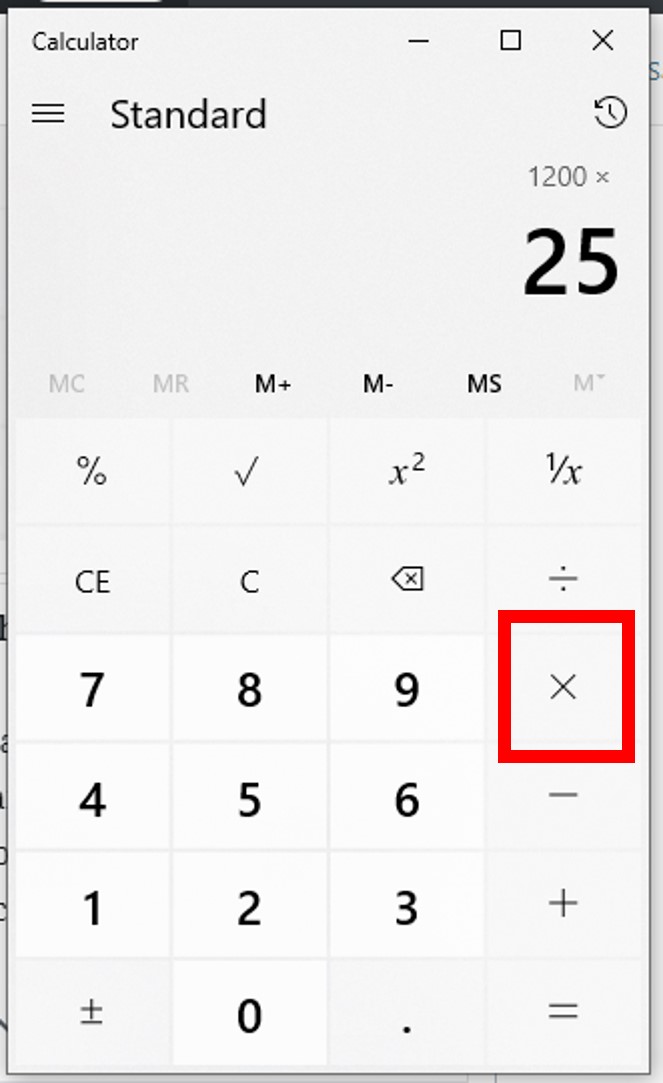
The Digital Edge: Why Calculators Revolutionized Percentage Math
Before the advent of widespread personal calculators, percentage calculations were often a tedious affair, relying on mental arithmetic, pen-and-paper long multiplication and division, or even specialized slide rules. The error margin was significant, and the time investment considerable. The introduction of the electronic calculator fundamentally shifted this paradigm, bringing unparalleled speed, accuracy, and accessibility to numerical operations, especially percentages.
From Manual Calculation to Instant Results
The most profound impact of calculators on percentage math lies in their ability to automate repetitive and error-prone steps. What once required multiple multiplications, divisions, and decimal point manipulations can now often be achieved with a few keystrokes. This automation not only saves time but also significantly reduces the cognitive load, allowing users to focus on the problem’s context rather than the mechanics of calculation. For students, professionals, and everyday users alike, the calculator transformed a potential barrier into a seamless process, democratizing access to complex quantitative analysis. It represents a prime example of how technology simplifies and accelerates human interaction with data.
Types of Calculators: From Basic to Scientific and Beyond
The term “calculator” itself encompasses a vast range of devices and software, each with varying capabilities that influence how percentages are handled.
-
Basic Four-Function Calculators: These are the simplest, typically featuring addition, subtraction, multiplication, and division, often with a dedicated percentage key (%). They are perfect for straightforward percentage calculations.
-
Scientific Calculators: Designed for more complex mathematical, scientific, and engineering problems, these include a wider array of functions, memory storage, and often more robust percentage calculation methods, though sometimes requiring a deeper understanding of order of operations.
-
Financial/Business Calculators: Specialized for monetary calculations, these often have dedicated keys and functions for interest rates, loan payments, depreciation, and other financial percentage-based problems. While their primary focus is finance, they exemplify how percentage functionalities can be deeply embedded within specialized tech tools.
-
Graphing Calculators: Primarily used in higher education for plotting graphs and advanced mathematics, these powerful devices can also handle intricate percentage calculations, often through programmable functions or spreadsheet-like interfaces.
-
Software Calculators (Built-in Apps, Online Tools, Spreadsheets): Modern operating systems (iOS, Android, Windows, macOS) come with built-in calculator applications that mirror the functionality of physical devices, often with additional features like history logs or scientific modes. Online calculators offer similar or more specialized functions, while spreadsheet software (like Microsoft Excel or Google Sheets) provides the most flexible and powerful environment for percentage calculations, allowing for dynamic changes and large datasets.
Regardless of the type, the underlying principle of using these technological tools to manipulate numbers remains consistent, offering a digital edge in understanding and applying percentages effectively.
Mastering the Fundamentals: Calculating Basic Percentages
At its core, calculating percentages on a calculator involves understanding two primary operations: finding a percentage of a number, and expressing one number as a percentage of another. Most calculators are equipped to handle these with relative ease.
Finding a Percentage of a Number (e.g., 15% of 200)
This is one of the most common percentage calculations. You want to determine a specific portion of a whole number.
-
Using the Dedicated ‘%’ Key: Many basic and scientific calculators feature a ‘%’ key. Its exact function can vary, so it’s always wise to test it with a simple example first (e.g.,
100 x 5 %should yield5).-
Common Method: Input the original number, then press the multiplication key (
x), then the percentage value, and finally the ‘%’ key.-
Example: To find 15% of 200:
-
Enter
200 -
Press
x -
Enter
15 -
Press
% -
The display should show
30.
-
-
-
-
Manual Multiplication (Converting Percent to Decimal): This method works on all calculators, even those without a ‘%’ key, and provides a deeper understanding of the math. A percentage is simply a fraction out of 100. So, 15% is equivalent to 15/100, or 0.15 as a decimal.
-
Example: To find 15% of 200:
-
Convert the percentage to a decimal:
15 / 100 = 0.15(You can do this on the calculator itself or mentally). -
Multiply the original number by this decimal:
200 x 0.15 -
The display will show
30.
-
-
Expressing One Number as a Percentage of Another (e.g., 20 out of 50)
This calculation helps you understand what proportion one value represents in relation to a total.
-
Method: Divide the “part” by the “whole” and then multiply the result by 100 to convert it into a percentage.
-
Example: To express 20 out of 50 as a percentage:
-
Enter the “part” (20)
-
Press the division key (
/) -
Enter the “whole” (50)
-
Press
=(The display will show0.4) -
Press the multiplication key (
x) -
Enter
100 -
Press
= -
The display will show
40. So, 20 is 40% of 50.
-
-
The Dedicated Percentage Key (%)
While seemingly straightforward, the behavior of the ‘%’ key can be a source of confusion due to variations across calculator models. On some calculators, after calculating a percentage of a number (e.g., 200 x 15 % = 30), you can then directly add or subtract it from the original number (e.g., 200 + 15 % might immediately calculate 230). On others, you might need to press an additional + or - after the percentage calculation. Testing your specific calculator’s ‘%’ key functionality with simple known values is a crucial first step to leveraging this feature effectively. This nuance highlights the importance of understanding the specific interface and programming of your chosen digital tool.
Advanced Applications: Tackling Complex Percentage Scenarios
Beyond basic computations, calculators truly shine when handling more complex percentage scenarios, which often involve multiple steps or require a reversal of the percentage process. These advanced applications demonstrate the calculator’s power as an analytical tech tool.
Percentage Increase and Decrease (Markup, Discount, Growth)
These calculations are fundamental in many fields, from retail pricing to economic analysis. They involve adjusting an original number by a certain percentage.
-
Calculating a Number After a Percentage Increase:
-
Example: An item costs $80 and increases by 10%.
-
Method 1 (Two steps): Calculate the increase:
80 x 10 % = 8. Then add it to the original:80 + 8 = 88. -
Method 2 (One step, more efficient): Calculate 100% + 10% = 110%, or 1.10 as a decimal. Multiply the original number by this:
80 x 1.10 = 88. This method is generally faster and less prone to error.
-
-
-
Calculating a Number After a Percentage Decrease:
-
Example: A $120 product has a 25% discount.
-
Method 1 (Two steps): Calculate the discount amount:
120 x 25 % = 30. Then subtract from the original:120 - 30 = 90. -
Method 2 (One step): Calculate 100% – 25% = 75%, or 0.75 as a decimal. Multiply the original number by this:
120 x 0.75 = 90.
-
-
Calculating Percentage Change Over Time
Understanding growth or decline over periods is a common analytical task. The percentage change formula is ((New Value - Old Value) / Old Value) * 100.
-
Example: A company’s revenue increased from $500,000 to $650,000.
-
Calculate the difference:
650000 - 500000 = 150000. -
Divide the difference by the old value:
150000 / 500000 = 0.3. -
Multiply by 100 to get the percentage:
0.3 x 100 = 30. -
The revenue increased by 30%.
- Your calculator allows you to chain these operations directly, often using parentheses for clarity:
((650000 - 500000) / 500000) x 100 = 30.
-

Reversing the Percentage: Finding the Original Number
Sometimes, you know the final value after a percentage change and need to find the original value. This “reverse percentage” is particularly useful in situations like deciphering pre-tax prices from post-tax totals.
-
Example 1: A shirt is on sale for $45, which is 25% off its original price.
-
If it’s 25% off, the current price is 100% – 25% = 75% of the original.
-
So, $45 = 0.75 * Original Price.
-
To find the Original Price:
45 / 0.75 = 60. The original price was $60.
-
-
Example 2: A product costs $120, which includes a 20% tax.
-
The total price is 100% (original) + 20% (tax) = 120% or 1.20 of the original price.
-
So, $120 = 1.20 * Original Price.
-
To find the Original Price:
120 / 1.20 = 100. The original price (pre-tax) was $100.
These calculations, while conceptually more demanding, are effortlessly executed using a calculator’s basic division functionality, simplifying complex problem-solving.
-
Beyond the Physical Device: Software and App-Based Solutions
The definition of a “calculator” has expanded significantly beyond standalone physical devices. In today’s digital landscape, a multitude of software and app-based solutions offer powerful and often more versatile ways to handle percentage calculations, seamlessly integrating them into broader computational tasks.
Smartphone Calculator Apps: Features and Accessibility
Virtually every modern smartphone comes equipped with a built-in calculator app. These apps often provide more than just basic functions:
-
Standard and Scientific Modes: A simple tap usually toggles between a basic calculator for everyday arithmetic and a scientific mode offering advanced functions, including often more nuanced percentage calculations.
-
History Logs: Many apps maintain a calculation history, allowing users to review previous entries and results, reducing errors and making multi-step calculations easier to manage.
-
Unit Conversion: Some integrate unit conversion features, which, while not directly percentage-related, enhance the app’s overall utility as a quick numerical tool.
-
Accessibility: Their always-on-hand nature makes them the most accessible percentage calculator for spur-of-the-moment needs, from splitting restaurant bills to verifying discounts. Third-party apps often provide specialized interfaces or added features like graphing or dedicated financial functions.
Spreadsheet Software: The Power of Formulas
For tasks involving multiple percentage calculations, large datasets, or scenarios requiring dynamic adjustments, spreadsheet software like Microsoft Excel, Google Sheets, or LibreOffice Calc is an unparalleled technological tool.
-
Formulas: Instead of entering numbers one by one, you use cell references and formulas. For example, to find 15% of a number in cell A1, you would type
=A1*0.15in another cell. To calculate percentage change, you might use=(B2-A2)/A2. -
Automation: Once a formula is set up, it can be copied across hundreds or thousands of cells, instantly applying the same percentage calculation to an entire dataset. This level of automation is impossible with a physical calculator.
-
Scenario Analysis: Spreadsheets allow you to change one input value and immediately see how it impacts all dependent percentage calculations, making them invaluable for modeling financial scenarios, sales projections, or statistical analysis.
-
Visualization: Results can be easily transformed into charts and graphs, providing visual insights into percentage trends and distributions.
Web-Based Calculators: Quick and Specialized Tools
The internet hosts an immense variety of web-based calculators, offering quick solutions for specific percentage problems without the need for downloads or complex setups.
-
General Percentage Calculators: Many websites provide simple interfaces where you input the numbers, and the calculator instantly provides results for “X% of Y,” “X as a % of Y,” or “percentage increase/decrease.”
-
Specialized Financial Calculators: You can find dedicated online tools for calculating mortgage payments, loan interest, tax percentages, tip calculations, and currency conversion. These often streamline the process by combining multiple percentage-based calculations into a single, user-friendly interface.
-
Accessibility and Convenience: They are accessible from any device with an internet connection, making them ideal for quick lookups or cross-referencing. The design is often intuitive, guiding users through the input fields.
These digital alternatives significantly broaden the scope of “calculator” functionality, providing flexible, powerful, and accessible means for every conceivable percentage calculation.
Optimizing Your Workflow: Tips for Accuracy and Efficiency
While calculators automate the arithmetic, user vigilance and smart practices are essential to ensure accuracy and efficiency, especially when dealing with complex percentage calculations. Maximizing the utility of your tech tool requires understanding its nuances and employing best practices.
Understanding Display Limitations and Rounding
Calculators, whether physical or digital, have finite display capabilities and internal precision.
-
Floating-Point Arithmetic: Most calculators use floating-point numbers, which can sometimes lead to very small rounding errors, especially in chains of complex calculations. For most practical purposes, these are negligible, but in highly sensitive scientific or financial contexts, one might need to be aware.
-
Display Digits: The number of digits displayed can vary. A calculator might show
0.33333333for1/3, but internally it might store more precision. When using intermediate results, either use the calculator’s memory function or re-enter the full displayed value to maintain accuracy. -
Practical Rounding: For final answers, especially in monetary contexts, knowing when and how to round (e.g., to two decimal places for cents) is crucial. Ensure you understand the rounding rules relevant to your specific application, as the calculator will only present the raw numerical output.
Double-Checking Your Inputs
The most common source of error in any calculation, even with the most advanced technology, is incorrect input.
-
Verification: Before hitting the equals sign for a critical calculation, quickly review the numbers entered on the display. A misplaced decimal point or a transposed digit can lead to significantly incorrect results.
-
Estimate: Mentally (or roughly) estimate the expected answer. If you’re calculating 15% of 200, you know the answer should be around 30. If your calculator shows 3 or 300, you’ve likely made an input error.
-
Reverse Calculation: For critical outcomes, try to calculate the percentage in reverse or use a different method to verify the result. For instance, if you calculated a 20% discount on $100 to be $80, try asking: “Is $80 indeed 80% of $100?”

Leveraging Memory Functions
Many calculators, even basic models, come with memory functions (M+, M-, MR, MC) that can dramatically streamline multi-step percentage calculations.
-
M+ (Memory Plus): Adds the current display value to the memory.
-
M- (Memory Minus): Subtracts the current display value from the memory.
-
MR (Memory Recall): Displays the value currently stored in memory.
-
MC (Memory Clear): Clears the memory.
-
Practical Application: If you’re calculating a total that involves adding several different percentage amounts, you can calculate each percentage individually and add them to memory using M+. Then, use MR to retrieve the sum of these percentages, and finally add it to your original base number. This avoids writing down intermediate results and re-entering numbers, reducing transcription errors and boosting efficiency. Understanding and utilizing these simple yet powerful features can transform your calculator from a mere arithmetic tool into a highly effective computational partner.
In conclusion, understanding how to figure out a percentage on a calculator is far more than just knowing a few button presses; it’s about harnessing the power of technology to simplify and accelerate complex numerical tasks. From the basic functions of a pocket calculator to the advanced capabilities of smartphone apps and spreadsheet software, these digital tools are indispensable in navigating the percentage-laden landscape of modern life. By mastering the fundamentals, exploring advanced applications, embracing digital alternatives, and adopting smart workflow practices, anyone can leverage their chosen calculator to achieve unparalleled accuracy and efficiency in all their percentage-related endeavors. Continuous practice and exploration of your specific device’s features will only further enhance your command over this essential mathematical skill.
aViewFromTheCave is a participant in the Amazon Services LLC Associates Program, an affiliate advertising program designed to provide a means for sites to earn advertising fees by advertising and linking to Amazon.com. Amazon, the Amazon logo, AmazonSupply, and the AmazonSupply logo are trademarks of Amazon.com, Inc. or its affiliates. As an Amazon Associate we earn affiliate commissions from qualifying purchases.