
The annual ritual of tax filing, once a daunting paper-and-pencil affair, has undergone a revolutionary transformation thanks to the digital age. Today, doing taxes online is not just a convenience; it’s a sophisticated financial strategy embraced by millions, offering unparalleled ease, accuracy, and control over one’s personal finances. This comprehensive guide delves into the world of online tax preparation, equipping you with the knowledge and tools to navigate this essential aspect of your financial life with confidence and efficiency. From understanding the benefits to selecting the right software and ensuring your financial data remains secure, we’ll explore how leveraging online platforms can empower you to optimize your tax position and foster robust financial health.
The Evolution of Tax Filing: Why Online?
The shift from manual, paper-based tax filing to digital platforms represents a significant leap forward in personal financial management. This evolution is driven by a desire for greater efficiency, accuracy, and accessibility, making the once-dreaded tax season a more manageable and even empowering experience for taxpayers.
The Traditional vs. Digital Divide
For generations, tax preparation involved wrestling with paper forms, deciphering complex instructions, and meticulously calculating figures by hand or relying solely on a professional accountant. While accountants remain invaluable for complex situations, the digital era has introduced a compelling alternative for many. Online tax software streamlines the process, transforming it into an interactive, step-by-step interview that guides users through their financial data input. This paradigm shift has demystified tax regulations, making compliance more accessible and less intimidating for the average individual. The sheer volume of manual work is replaced by automated calculations and data verification, significantly reducing the potential for human error inherent in traditional methods.
Key Benefits of Online Tax Preparation
The advantages of filing taxes online extend far beyond mere convenience. They translate into tangible financial benefits and a more secure, efficient process:
- Cost-Effectiveness: Many online tax solutions offer free or low-cost filing options, particularly for simpler returns, making professional tax preparation services a luxury rather than a necessity for a broad segment of the population. Even for more complex situations, the fees for online software are often significantly less than traditional accountant services.
- Enhanced Accuracy: Online tax software is programmed with the latest tax laws and regulations, performing automatic calculations and cross-referencing entries to minimize errors. This built-in intelligence significantly reduces the risk of mathematical mistakes or overlooked deductions, which can lead to costly penalties or missed opportunities for refunds.
- Speed and Efficiency: Digital filing drastically cuts down on preparation time. Data can often be imported directly from employers or financial institutions, eliminating manual data entry for W-2s, 1099s, and investment statements. E-filing also means the IRS receives your return almost instantly, leading to faster processing and quicker refunds, often within 7-21 days when direct deposit is chosen.
- Accessibility and Control: Online platforms are accessible 24/7 from any internet-connected device, offering flexibility to prepare taxes on your schedule. This puts you directly in control of your financial information, allowing you to review every detail and understand how various income sources, deductions, and credits impact your overall tax liability or refund.
- Guidance and Support: Most reputable online tax services offer comprehensive help sections, FAQs, and even live chat or phone support from tax professionals, ensuring you’re not left in the dark when complex questions arise. This integrated support system empowers users to confidently navigate even intricate financial scenarios.
Who Benefits Most from Online Filing?
While nearly everyone can benefit from online tax filing, certain demographics find it particularly advantageous:
- Individuals with Simpler Returns: Those with straightforward income sources (W-2 employees) and standard deductions can often file for free or at a minimal cost.
- Tech-Savvy Individuals: Users comfortable with digital interfaces and online transactions will find the process intuitive and efficient.
- Those Seeking More Financial Control: Individuals who want to understand their tax situation better and actively manage their financial responsibilities without solely relying on a third party.
- Budget-Conscious Filers: With free and affordable options, online filing is a compelling choice for those looking to save money on tax preparation fees.
- Remote Workers and Digital Nomads: The ability to file from anywhere with an internet connection is a significant boon for individuals not tied to a physical location.
Choosing the Right Online Tax Software for Your Needs
Selecting the appropriate online tax software is a critical financial decision that can significantly impact the ease of your tax preparation and the accuracy of your return. The “best” software isn’t universal; it depends entirely on your specific financial situation and the complexity of your tax profile.
Understanding Different Filing Scenarios
Before you even begin comparing platforms, assess your personal financial landscape:
- Simple Returns (W-2 Employees, Standard Deduction): If your income is primarily from a single employer, you take the standard deduction, and have no complex investments or self-employment income, you’ll likely qualify for free or very low-cost filing options.
- Itemizers: If you have significant deductible expenses (mortgage interest, medical expenses, charitable contributions) that exceed the standard deduction, you’ll need software that supports Schedule A (Itemized Deductions).
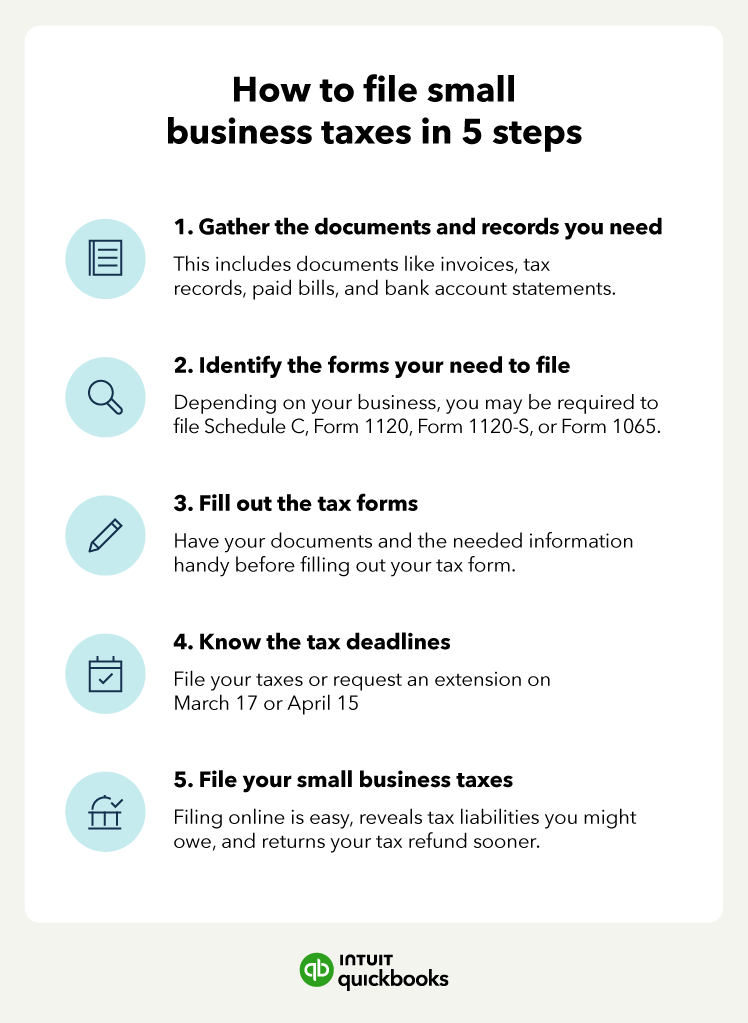
- Self-Employed/Gig Workers: Freelancers, contractors, and small business owners require software capable of handling Schedule C (Profit or Loss from Business), tracking business income and expenses, and often calculating estimated taxes.
- Investors: Individuals with income from stocks, bonds, mutual funds, cryptocurrency, or real estate (rental properties) will need platforms that can accommodate Schedule D (Capital Gains and Losses), Schedule E (Supplemental Income and Loss), and potentially other investment-related forms.
- Major Life Changes: Buying a home, getting married/divorced, having a child, or significant changes in employment can all introduce new complexities requiring more robust software features.
Top Online Tax Software Options and Their Financial Utility
The market is dominated by several reputable platforms, each with strengths tailored to different financial needs:
- TurboTax: Often considered the market leader, TurboTax is renowned for its user-friendly, interview-style interface that makes complex tax situations approachable. It excels with its intuitive design, robust error checking, and excellent guidance for various financial scenarios, from basic W-2 income to complex investments and self-employment. Its premium tiers offer audit support and live expert help, providing significant financial peace of mind. While it can be pricier for advanced features, its comprehensive nature justifies the cost for many.
- H&R Block Online: A strong contender, H&R Block offers a similar interview-style experience and robust feature set to TurboTax. Backed by a vast network of physical offices, it provides the unique hybrid option of online filing with in-person support if needed. This can be a significant advantage for those who appreciate the convenience of online tools but want the security of knowing professional help is readily available for financial questions or unforeseen issues.
- TaxAct: Known for being more budget-friendly than its main competitors, TaxAct offers a comprehensive suite of features suitable for most financial situations, including self-employment and investments. Its interface is functional and provides solid guidance, making it a good value proposition for those who want robust functionality without the premium price tag.
- FreeTaxUSA: As its name suggests, FreeTaxUSA offers free federal tax filing for all situations, including complex ones like self-employment and investment income. State filing is available for a small fee. This makes it an incredibly attractive option for budget-conscious individuals who still need comprehensive financial tools. While its interface might be less polished than TurboTax or H&R Block, its financial value is undeniable.
Key Features to Look For in a Financial Tool
When evaluating online tax software, consider these features that enhance its financial utility:
- User-Friendliness and Guided Interview: An intuitive, step-by-step process that demystifies tax jargon and guides you through each section of your financial life.
- Data Import Capabilities: The ability to automatically import W-2s, 1099s, and investment statements directly from employers and financial institutions saves time and reduces data entry errors.
- Error Checking and Audit Risk Assessment: Features that flag potential errors, identify missed deductions, and even assess your risk of an audit, providing crucial financial security.
- Deduction and Credit Maximization: Software that actively helps you identify eligible deductions and credits, ensuring you don’t overpay and maximize your refund or minimize your tax liability.
- Customer Support: Access to help via chat, phone, or even a tax professional, especially for complex financial questions.
- Pricing Tiers: Understand what’s included in free, deluxe, and premium versions to ensure you’re paying for only the features you need for your financial situation.
- Mobile Accessibility: The option to prepare or review your taxes on a smartphone or tablet for ultimate flexibility.
A Step-by-Step Guide to Filing Your Taxes Online
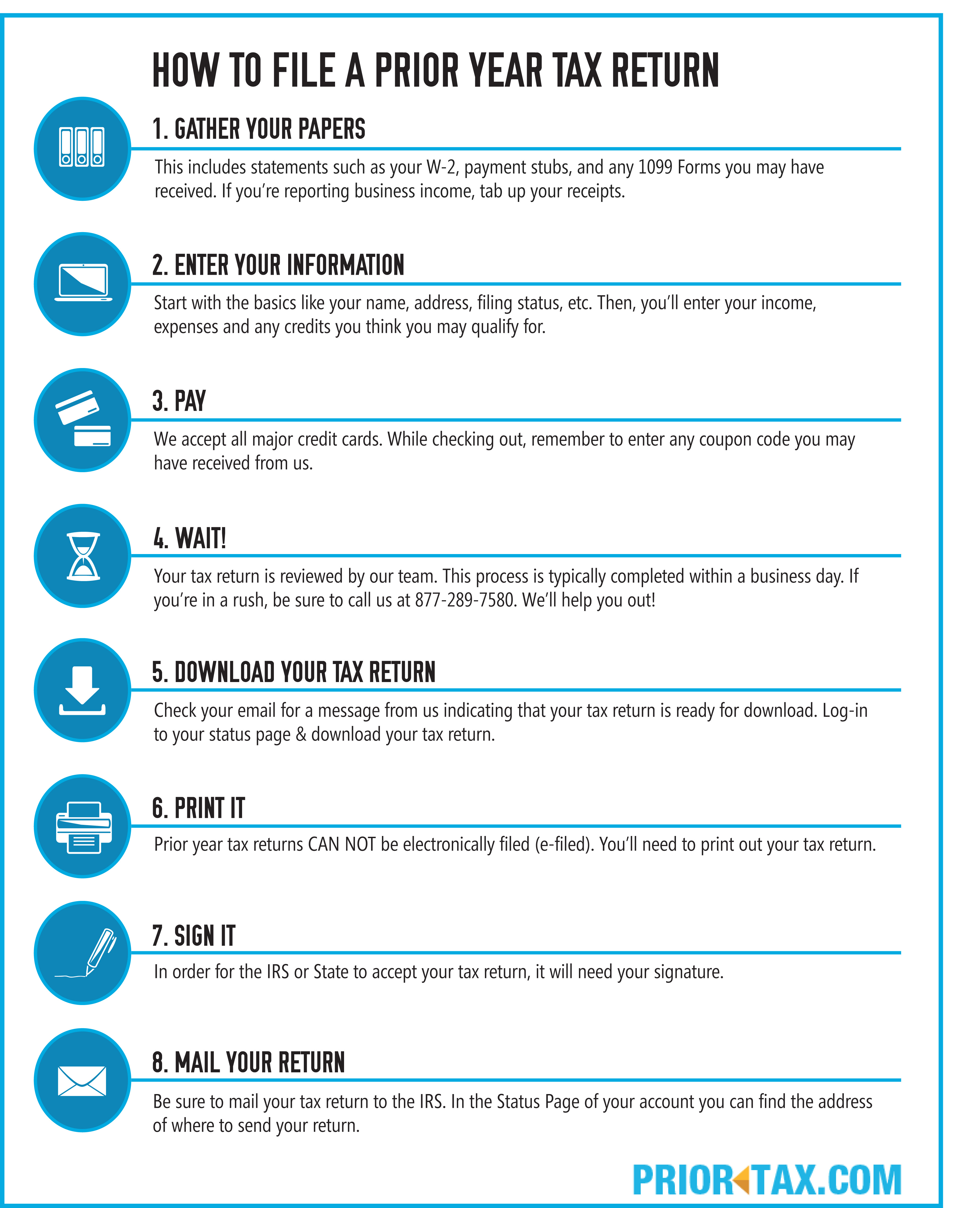
Filing your taxes online, while powered by advanced software, remains a structured process that requires careful attention to detail. Approaching it methodically ensures accuracy, maximizes your financial return, and minimizes stress.
Gathering Your Financial Documents
The cornerstone of accurate tax filing is thorough preparation. Before you even log into your chosen software, collect all necessary financial documents. This pre-filing organization saves time and prevents last-minute scrambling. Key documents include:
- Income Statements: W-2s from employers, 1099-NEC (nonemployee compensation) for contractors, 1099-MISC (miscellaneous income), 1099-INT (interest income), 1099-DIV (dividend income), 1099-B (stock sales), Schedule K-1 (partnership/S-corp income).
- Deduction/Credit Documents: 1098 (mortgage interest), receipts for charitable contributions, medical expenses, business expenses, student loan interest (1098-E), tuition statements (1098-T), IRA contributions.
- Identity Information: Your Social Security Number (SSN) or Individual Taxpayer Identification Number (ITIN), and those for your spouse and dependents.
- Previous Year’s Return: Essential for reference, particularly if you have carryovers (e.g., capital losses, net operating losses) or want to compare your current year’s financial performance.
Navigating the Software Interface
Once your documents are in hand, the online software guides you through a logical, interview-style process:
- Personal Information: Begin by entering your basic details, filing status (single, married filing jointly, etc.), and information for any dependents. The software will prompt you with questions to determine the most advantageous filing status for your financial situation.
- Income Entry: This is where you input data from your W-2s, 1099s, and other income statements. Many platforms allow you to directly import this data from your employer or financial institution using a PDF or by linking accounts, significantly reducing manual data entry and potential errors. For self-employed individuals, the software will guide you through entering business income and expenses, helping you categorize them correctly for Schedule C.
- Deductions and Credits: This section focuses on reducing your taxable income or your tax liability directly. The software will ask you a series of questions to identify eligible deductions (e.g., student loan interest, health savings account contributions) and credits (e.g., child tax credit, education credits). It’s crucial to be thorough here, as missed deductions directly translate to overpaying your taxes. The software will also help you determine whether itemizing deductions is more financially beneficial than taking the standard deduction.

Reviewing for Accuracy and Maximizing Returns
This is arguably the most critical stage. Online software is excellent at catching mathematical errors, but it can’t read your mind or verify every piece of information.
- Software Checks: Take advantage of the software’s built-in error checks and review features. These tools scan for inconsistencies, missing information, and potential red flags.
- Manual Review: Always perform your own thorough review. Compare the summarized data in the software against your original financial documents. Ensure all income sources are accounted for and all legitimate deductions and credits have been claimed. Look for any data entry mistakes. This human oversight is vital for maximizing your financial accuracy.
- Understanding Your Return: Before filing, review the summary of your return to understand your tax liability or refund. The software should provide a clear breakdown of how your income, deductions, and credits led to the final figures. This enhances your financial literacy and helps with future planning.
E-filing and Payment/Refund
The final step is submitting your return to the IRS and state tax authorities:
- Consent Forms: You’ll typically need to sign electronically, granting the software permission to e-file on your behalf.
- Payment or Refund Method: If you owe taxes, you’ll have options to pay electronically directly from your bank account, via credit card (usually with a processing fee), or by mail. If you’re due a refund, you can choose direct deposit for the fastest processing or receive a check by mail.
- Confirmation: After submitting, you’ll receive a confirmation that your return has been transmitted. Crucially, wait for a second confirmation from the IRS (and your state, if applicable) indicating that your return has been accepted. This is your proof of successful filing. Keep all confirmations and a copy of your filed return for your financial records.
Ensuring Security and Financial Data Protection Online
The digital convenience of online tax filing comes with the imperative of robust security. Protecting your sensitive financial data is paramount to prevent identity theft and fraud, safeguarding your financial well-being.
Best Practices for Online Financial Transactions
While tax software providers invest heavily in security, your proactive measures are the first line of defense:
- Strong, Unique Passwords: Use complex passwords that combine letters, numbers, and symbols, and avoid reusing them across different financial platforms. Consider a password manager.
- Two-Factor Authentication (2FA): Enable 2FA whenever available. This adds an extra layer of security by requiring a second verification method (e.g., a code sent to your phone) in addition to your password.
- Secure Internet Connections: Only prepare or access your tax information on private, secure Wi-Fi networks. Avoid public Wi-Fi hotspots, which are often unsecured and vulnerable to eavesdropping.
- Keep Software Updated: Ensure your operating system, web browser, and any security software (antivirus) are always up to date. Updates often include critical security patches.
- Be Wary of Phishing: Never click on suspicious links or open attachments from unknown senders, especially those claiming to be from the IRS or tax software companies. The IRS will never initiate contact via email, text message, or social media to request personal or financial information.
Understanding Data Encryption and Privacy Policies
Reputable online tax software employs sophisticated security measures to protect your financial data:
- Data Encryption: Look for platforms that use advanced encryption protocols (e.g., TLS 1.2 or higher) to protect your information during transmission and storage. This scrambles your data, making it unreadable to unauthorized parties. You can often see an “https://” in the website address and a padlock icon in your browser, indicating a secure connection.
- Privacy Policies: Take the time to read the privacy policy of your chosen tax software. Understand how they collect, use, store, and share your financial and personal information. Ensure they adhere to industry standards and relevant privacy laws. Most reputable companies state they do not sell your personal data to third parties.
- Secure Servers: Tax software companies store your data on highly secure servers protected by firewalls, intrusion detection systems, and regular security audits.
Avoiding Common Tax Scams and Identity Theft
The tax season is a prime time for fraudsters. Awareness is your best defense:
- IRS Impersonation Scams: Be vigilant against calls, emails, or texts claiming to be from the IRS demanding immediate payment, threatening legal action, or asking for personal information. The IRS will primarily contact taxpayers via mail.
- Phishing Emails/Websites: Scammers create fake emails or websites that mimic legitimate tax software or government agencies to trick you into revealing your login credentials or personal information. Always verify the sender’s email address and the website URL before entering any sensitive data.
- Tax Preparer Fraud: Be cautious of “ghost preparers” who don’t sign returns, preparers who promise unrealistic refunds, or those who charge fees based on a percentage of your refund. Only use reputable financial professionals or software.
- Protect Your SSN: Your Social Security Number is the key to your financial identity. Be extremely cautious about sharing it and only provide it to trusted entities when legally required.
By adopting these security measures, you can leverage the convenience of online tax filing while maintaining stringent protection over your vital financial information.
Beyond Filing: Leveraging Online Tools for Year-Round Financial Health
Online tax filing is not merely an annual chore; it’s a powerful financial tool that can be integrated into a broader strategy for year-round financial health. The insights gained and the digital infrastructure utilized can empower you to make smarter financial decisions well beyond April 15th.
Tax Planning Strategies for Next Year
Your current tax return is a goldmine of information for future financial planning. Online tax software can help you analyze your financial data to:
- Identify Opportunities for Deductions and Credits: Review what deductions and credits you qualified for this year. Did you miss any? Can you optimize your spending or contributions next year to maximize them (e.g., increasing charitable donations, contributing more to an IRA)?
- Adjust Withholdings: If you consistently receive a large refund or owe a significant amount, your W-4 withholdings might need adjustment. A large refund means you gave the government an interest-free loan; owing a lot might mean you need to set aside more throughout the year. Online calculators can help you fine-tune your withholdings.
- Optimize Retirement Contributions: Understanding your current tax bracket can help you decide whether a traditional (pre-tax) or Roth (post-tax) IRA/401(k) contribution is more financially advantageous for your long-term wealth building.
- Manage Estimated Taxes: For self-employed individuals or those with significant non-W2 income, online tools can help calculate and track estimated quarterly tax payments, preventing penalties and ensuring smooth cash flow management.
- Plan for Major Life Events: Marriage, having children, buying a home, or starting a business all have significant tax implications. Proactive planning using insights from your tax software can help you prepare financially for these changes.
Integrating Tax Software with Broader Financial Management
Modern financial technology allows for unprecedented integration of various tools, creating a holistic view of your financial life:
- Budgeting Tools: Many online budgeting apps (like Mint, YNAB) can link to your bank accounts, credit cards, and even investment portfolios. The income and expense data from your tax filing can inform and refine your budget, helping you identify spending patterns and areas for savings.
- Investment Platforms: While direct integration with tax software might be limited for security reasons, the data exported from your tax return (e.g., capital gains/losses, dividend income) can be directly imported into personal financial spreadsheets or used to inform your investment strategy, helping you track performance and tax efficiency.
- Expense Tracking Apps: For freelancers and small business owners, dedicated expense tracking apps (like QuickBooks Self-Employed, FreshBooks) can categorize expenses throughout the year, making tax time significantly easier and ensuring no deductible expenses are missed. These often integrate with tax software.
- Digital Record Keeping: Using online tax software encourages digital record-keeping. Scan and store all financial documents electronically. This not only makes future tax preparation easier but also provides a secure, accessible archive for all your financial dealings.
When to Seek Professional Financial Advice
While online tools empower individuals to manage their taxes effectively, there are situations where a human financial expert or tax professional is invaluable:
- Complex Financial Situations: This includes owning multiple businesses, international income, significant real estate transactions, inheriting substantial assets, or navigating complex trust and estate issues.
- Major Life Changes with Complex Implications: A divorce with shared assets, significant inheritance, or starting a particularly complex business venture might warrant professional guidance.
- Audit Support: While some online software offers audit support, a dedicated tax professional can provide personalized representation and navigate the complexities of an IRS audit on your behalf, potentially saving you significant financial and emotional stress.
- Advanced Tax Planning: For high-net-worth individuals or those with intricate financial portfolios, a financial advisor specializing in tax planning can provide tailored strategies to minimize tax liabilities and optimize wealth accumulation.
- Uncertainty or Lack of Confidence: If you feel overwhelmed or uncertain about any aspect of your financial situation or tax return, consulting a professional can provide peace of mind and ensure accuracy.
By viewing online tax filing as part of a continuous financial management cycle, you can move beyond mere compliance and leverage these powerful digital tools to foster long-term financial health and confidence.
Conclusion
Doing taxes online has unequivocally transformed personal financial management, moving it from a burdensome annual task to an accessible, efficient, and empowering process. By understanding the myriad benefits—from enhanced accuracy and speed to significant cost savings—and carefully selecting the right financial tool for your unique circumstances, you can navigate the complexities of the tax system with unprecedented ease. Moreover, by embracing robust security practices and viewing online tax filing as an integral component of your year-round financial strategy, you unlock a powerful mechanism for informed decision-making and sustained financial health. The digital age has put the power of precise financial management directly into your hands; it’s time to leverage it to its fullest potential.
aViewFromTheCave is a participant in the Amazon Services LLC Associates Program, an affiliate advertising program designed to provide a means for sites to earn advertising fees by advertising and linking to Amazon.com. Amazon, the Amazon logo, AmazonSupply, and the AmazonSupply logo are trademarks of Amazon.com, Inc. or its affiliates. As an Amazon Associate we earn affiliate commissions from qualifying purchases.