
In the modern landscape of travel technology, the intersection of digital convenience and human intervention remains a critical touchpoint for consumers. While Priceline has positioned itself as a leader in algorithmic pricing and automated booking engines, there are instances where the digital interface reaches its limit, necessitating a transition to direct telephonic support. Navigating this transition requires an understanding of the underlying technical infrastructure that powers Priceline’s customer service ecosystem. This guide provides an in-depth analysis of how to effectively bridge the gap between digital platforms and voice-based assistance, ensuring that technical hurdles or complex booking requirements are addressed with precision.

The Architecture of Modern Customer Support: Integrating Telephony with Digital Platforms
Priceline’s customer support model is built on a multi-layered tech stack designed to filter inquiries through the most efficient channels possible. At the base layer is the self-service portal, driven by a Knowledge Base (KB) and an AI-powered chatbot. However, when these automated systems encounter a “high-complexity event”—such as a mid-trip itinerary failure, a non-standard refund request, or a technical glitch in the API-driven “Pricebreakers” or “Express Deals”—the system escalates the user to a voice-over-IP (VoIP) or traditional telephony environment.
The transition from the Priceline app or website to a phone call is not merely a change in medium; it is a transfer of data. When a user initiates a call through the mobile app, the system often passes an “authentication token” or a session ID to the call center’s Customer Relationship Management (CRM) software. This allows the human agent on the other end of the line to view the user’s active search history, pending bookings, and account status in real-time. Understanding this integrated flow is essential for users who want to minimize wait times and avoid repeating foundational information to multiple agents.
The Role of Interactive Voice Response (IVR)
Upon dialing Priceline’s support lines, users encounter an Interactive Voice Response (IVR) system. This is a sophisticated piece of telephony software that uses Natural Language Processing (NLP) to categorize the caller’s intent. Rather than the legacy “press 1 for sales” menus, modern IVR systems attempt to resolve the issue using automated voice data. To bypass the automated loops and reach a human specialist, users must provide specific keywords that signal a “human-required” complexity level, such as “speak to an agent” or “existing reservation issue.”
Technical Protocols for Reaching a Live Agent at Priceline
For users operating within the United States or Canada, the primary gateway to Priceline’s voice support is 1-800-774-2354. However, simply having the number is only the first step in a successful technical resolution. The efficiency of the call is dictated by how the user navigates the initial authentication phase of the call.
Step-by-Step Connection Logic
-
The Dial-In Phase: When the call connects, the IVR system will attempt to identify the caller based on the Automatic Number Identification (ANI) metadata. If the phone number used to call matches the number associated with a Priceline account, the system will automatically pull up the most recent itinerary.
-
The Identification Protocol: Users should have their Request Number or Trip Number ready. This 11-digit or 12-digit alphanumeric string serves as the unique key in Priceline’s database. Entering this via the keypad (DTMF tones) is significantly faster than speaking it, as it eliminates errors caused by background noise or accent misinterpretation by the NLP engine.
-
Bypassing the Bot: If the IVR insists on resolving the issue through SMS or a link, maintaining a consistent request for an “agent” is the standard protocol for forcing an escalation to a Tier 1 support representative.
International and Specialized Lines
For users traveling abroad, using a standard 1-800 number can result in high roaming charges or connectivity issues due to international VOIP routing. In these cases, accessing the local support numbers through the “Help” section of the app is the preferred technical route. Priceline often utilizes geo-fencing to display the most relevant contact number based on the user’s current IP address or GPS coordinates.
Leveraging the Mobile App for Seamless Phone Connectivity
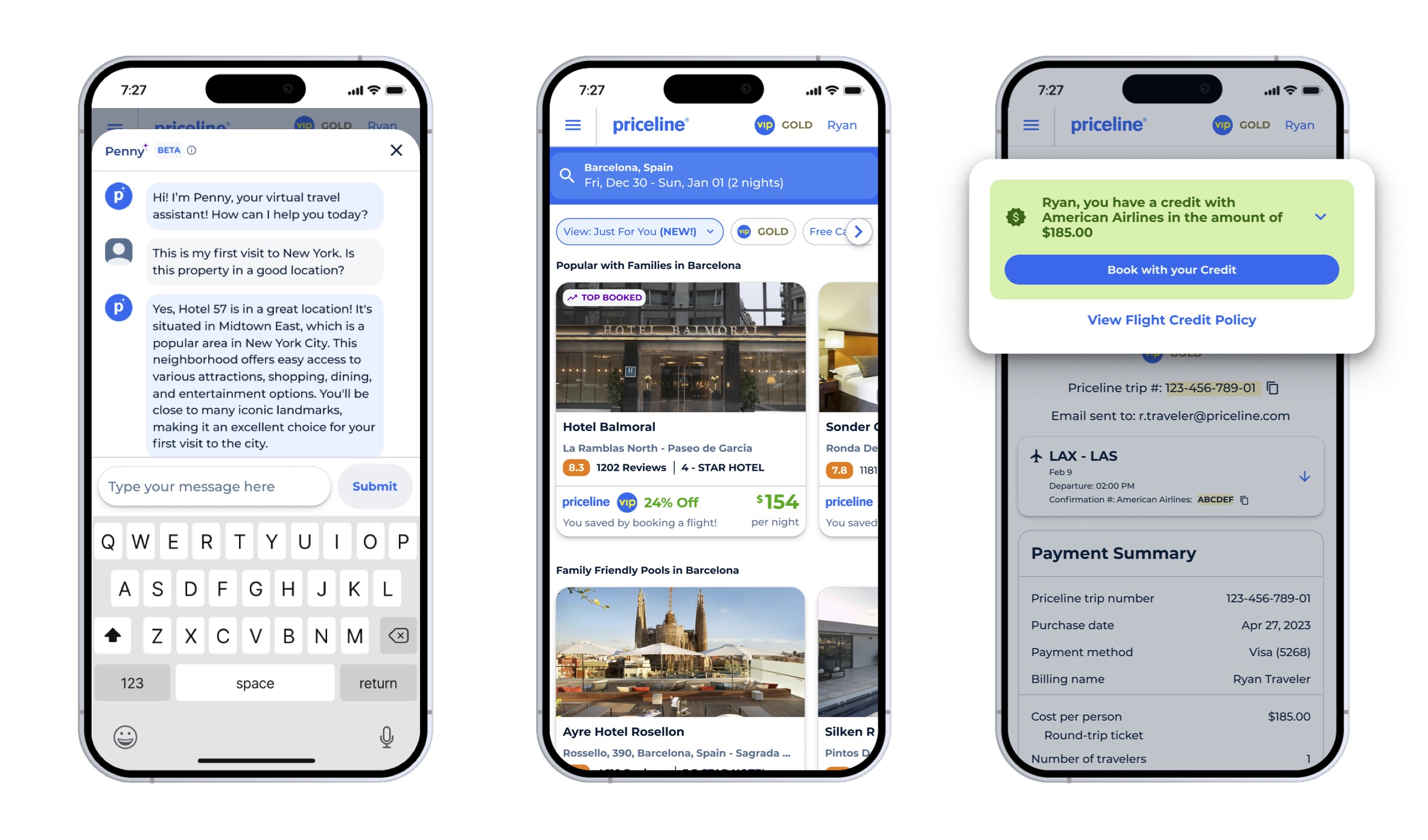
One of the most efficient ways to contact Priceline by phone is through the “In-App Call” feature. This method leverages the digital-to-analog handoff to streamline the verification process.
Deep Linking and Session Continuity
Within the Priceline mobile application (available on iOS and Android), the “Contact Us” menu provides a direct link to call support. When this button is pressed, the app executes a command that doesn’t just dial the number; it often generates a temporary “Support PIN.”
This PIN is a crucial piece of digital security. By providing this PIN to the agent, the user confirms their identity through multi-factor authentication (MFA) already established on the device. This eliminates the need for answering security questions regarding credit card digits or billing addresses, which can be vulnerable to social engineering or “eavesdropping” in public spaces.
Using the App for VoIP Calls
For international travelers who do not have a cellular plan but have access to Wi-Fi, the app serves as a gateway for Wi-Fi calling. By utilizing the device’s native internet-calling capabilities, users can avoid international tolls while maintaining a high-definition (HD) voice connection to the support center. This is particularly important when discussing complex financial details or flight re-booking options where clarity is paramount.
Security, Privacy, and Data Management During Support Calls
When contacting a major travel tech platform like Priceline via phone, data security should be a top priority. Every call is recorded and digitized, often stored as an audio file linked to the user’s permanent record in the CRM.
Protecting Sensitive Information
During the call, agents may require verification. However, it is a technical standard in the industry that agents should never ask for a full Social Security number or a complete CVV code over the phone. Most modern call centers use “DTMF Masking” or “Pause-and-Resume” recording technology. This means that when a user enters credit card information via the phone keypad, the tones are masked from the agent’s ears and the recording software, sending the data directly to the payment gateway via a secure API. If an agent asks a user to speak their full credit card number aloud, it may indicate a breach of standard security protocols or a non-standard support environment.
Call Logs and Digital Paper Trails
Once a phone interaction is concluded, the system generates a “Case ID.” It is vital for the user to request this ID before hanging up. From a technical standpoint, the Case ID is the primary key that links the voice recording and the agent’s notes to the user’s account. If a follow-up is required, providing the Case ID allows the next agent to access the “State” of the previous conversation instantly, preventing the “reset” of the troubleshooting process.
Troubleshooting Common Communication Friction Points
Even with the correct numbers and protocols, technical friction can occur during a support call. Understanding how to troubleshoot these issues can save significant time.
Latency and Jitter in VOIP Systems
If the voice on the other end is robotic or delayed, it is often a result of “packet loss” or “jitter” in the VOIP stream. This is common if the user is calling from a congested Wi-Fi network or a weak LTE signal. To resolve this:
-
Switch from Wi-Fi to a dedicated cellular connection if possible.
-
Disable any active VPNs on the device, as the extra encryption layers can introduce significant latency in real-time voice communication.
-
Ensure that the device’s “Low Data Mode” is turned off, as this can throttle the bandwidth allocated to voice services.
The “Ghost Call” Phenomenon
Sometimes, a call may connect but result in silence. This is often a failure in the “handshake” between the user’s carrier and Priceline’s enterprise PBX (Private Branch Exchange) system. If this occurs, the most effective technical solution is to clear the app cache (if calling via the app) or restart the device to reset the cellular radio’s connection to the local tower.
Conclusion: Mastering the Technical Support Loop
Contacting Priceline by phone remains a vital tool in the traveler’s technical arsenal. By understanding the integration between the mobile app and the telephony backend, utilizing IVR navigation strategies, and maintaining strict digital security protocols, users can resolve complex issues with far greater efficiency than through text-based automation alone. The key lies in viewing the phone call not as a separate entity, but as an extension of the digital ecosystem—a high-bandwidth channel for complex data resolution that, when navigated correctly, ensures the integrity of the travel experience.
aViewFromTheCave is a participant in the Amazon Services LLC Associates Program, an affiliate advertising program designed to provide a means for sites to earn advertising fees by advertising and linking to Amazon.com. Amazon, the Amazon logo, AmazonSupply, and the AmazonSupply logo are trademarks of Amazon.com, Inc. or its affiliates. As an Amazon Associate we earn affiliate commissions from qualifying purchases.