
In the vast digital marketplace that is eBay, transactions occur millions of times a day, connecting buyers and sellers across the globe. While the platform is designed for seamless interactions, complex issues inevitably arise. From disputed transactions and technical glitches to account security concerns or questions about selling policies, there are moments when a user needs more than just an FAQ page; they need human assistance. Specifically, the ability to speak directly with an eBay representative by phone can often be the most effective way to resolve intricate problems, offering a clarity and directness that text-based communication sometimes lacks.
This article serves as a comprehensive guide for navigating eBay’s customer support system to successfully connect with a representative by phone. While many tech companies now prioritize self-service and digital channels, understanding how to access direct phone support for a platform as critical as eBay is an invaluable skill for any regular user. We’ll delve into the evolving landscape of digital support, walk through the specific online pathways eBay has established for phone contact, detail how to prepare for your call to maximize efficiency, and outline what to expect during the interaction itself.
The Evolving Landscape of Digital Customer Support
The digital age has transformed customer service. Many tech companies, including eBay, have shifted towards highly efficient, scalable support models that emphasize self-service resources, AI-powered chatbots, and community forums. This approach is designed to handle a massive volume of common inquiries quickly, empowering users to find solutions independently. However, for a platform deeply integrated into personal finance and commerce like eBay, the complete absence of direct human contact would be a significant drawback.
Why Direct Phone Support Remains Crucial
Despite the rise of automated solutions, direct phone support holds an irreplaceable value, especially for an e-commerce giant like eBay. There are distinct situations where only a live conversation can provide the necessary resolution:
-
Complex Disputes: Whether it’s a buyer-seller disagreement over an item’s condition or a shipping issue, these cases often involve multiple data points and require a nuanced understanding that is difficult for a bot to process. A human agent can listen, interpret, and ask clarifying questions to grasp the full context.
-
Technical Glitches Affecting Transactions: When a payment fails repeatedly, a listing won’t publish correctly, or an account experiences unusual behavior, the underlying technical issue might be unique or require diagnostic steps best guided by a person.
-
Account Security Issues: If an account has been compromised, or suspicious activity is detected, immediate and secure communication with an eBay representative is paramount. Security protocols often necessitate voice verification and a direct line for sensitive information exchange.
-
Policy Clarifications and Appeals: Understanding the subtleties of eBay’s ever-evolving policies, or appealing a decision, often benefits from a dialogue where you can explain your specific situation and get real-time feedback.
These scenarios underscore that while digital self-service handles the bulk of routine inquiries efficiently, human interaction via phone remains the gold standard for intricate, sensitive, or urgent matters, offering empathy, nuanced understanding, and the ability to deviate from scripts when necessary.
eBay’s Tiered Support Approach
eBay, like many large tech platforms, employs a tiered approach to customer support. Their primary goal is to resolve issues at the lowest, most efficient tier possible:
-
Self-Service Resources: This includes extensive help pages, comprehensive FAQs, detailed policy documents, and a vibrant community forum where users can ask questions and receive answers from other experienced members.
-
Automated/Digital Channels: Chatbots and email support often serve as the next step, providing semi-automated or written responses for issues that are slightly more complex than what the FAQs cover, but still potentially resolvable without direct phone contact.
-
Direct Human Contact (Phone/Live Chat): This is typically the final tier, reserved for issues that cannot be resolved through the previous methods. eBay strategically guides users through the self-service and digital channels first, ensuring that when a phone call is made, it’s genuinely needed and that the user has already attempted preliminary troubleshooting. This system helps manage the immense volume of support requests and ensures that phone lines are available for the most pressing concerns.
Navigating eBay’s Online Pathways to Phone Support
While many users instinctively search Google for “eBay customer service phone number,” eBay typically does not publish a direct, static support number prominently. This is by design, as their system is built to funnel users through specific online pathways to ensure they receive the most relevant assistance and to manage call volume effectively. Accessing phone support requires navigating their “Help & Contact” section, which dynamically generates contact options based on your specific issue.
Starting with the eBay Help Pages
The journey to phone support always begins on eBay’s website, specifically within the “Help & Contact” section.
-
Locate “Help & Contact”: On the eBay homepage, scroll to the very bottom, and you’ll typically find “Help & Contact” in the footer menu. Alternatively, it might be accessible via a “Help” link in the header or your account dropdown menu.
-
Search for Your Issue: Once on the Help & Contact page, you’ll see a search bar. Enter keywords related to your problem (e.g., “return item,” “unpaid item,” “account suspension,” “shipping label issue”).
-
Browse Relevant Topics: The search results will display various articles and guides. Click on the one that most closely matches your concern.
-
Look for “Contact Us” or “Need More Help?”: As you read through the help article, eBay’s system is trying to provide a self-service solution. If the article doesn’t resolve your problem, you’ll usually find a “Need more help?” or “Contact us” button/link towards the bottom of the page. This is the gateway to direct support.
This structured approach ensures that you’ve at least reviewed existing information, which can sometimes resolve the issue before direct contact is even necessary.
The “Contact Us” Flow: Getting a Call-Back or Phone Number
Clicking the “Contact us” link initiates a more guided process designed to pinpoint your specific problem and offer the most appropriate contact method.
-
Select a Category: You’ll be presented with a list of broad categories such as “Buying,” “Selling,” “Account,” “Returns,” “Payments,” etc. Choose the one that best fits your issue.
-
Refine Your Problem: After selecting a category, you’ll be prompted to refine your problem further with more specific sub-categories or a brief description. For example, if you chose “Selling,” you might then select “Listing an item” or “Managing orders.”
-
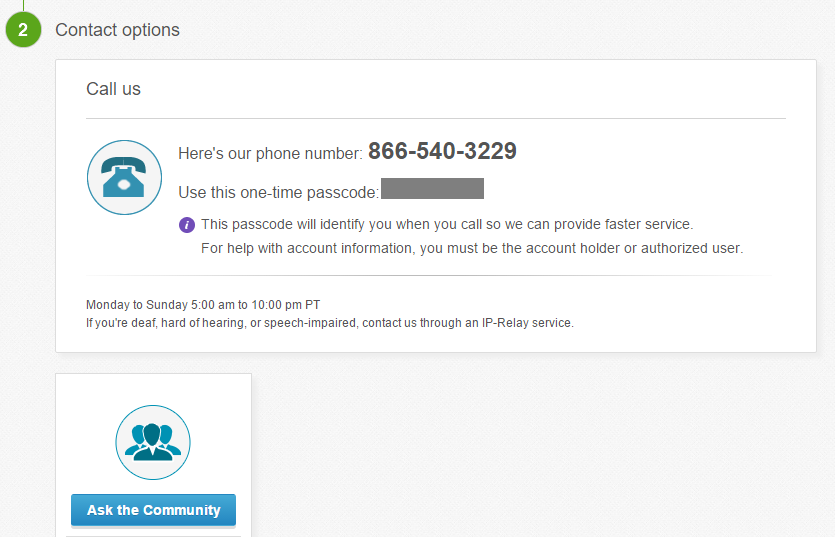
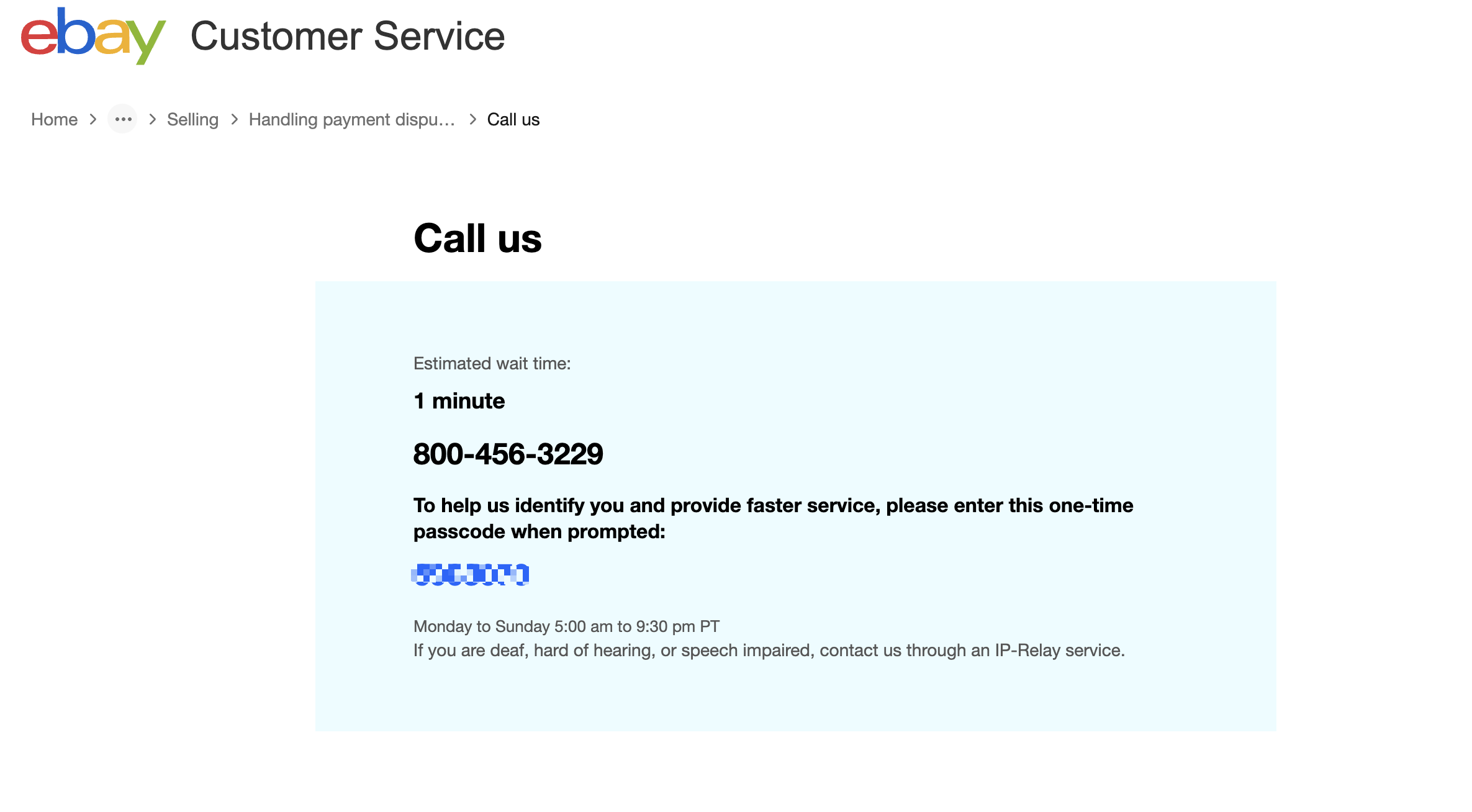
Observe Contact Options: As you drill down into more specific issues, eBay’s system will dynamically display the most relevant contact options. For many complex issues, particularly those requiring account access or detailed discussion, “Call us” or “Have us call you” will appear.
-
Log In for Personalized Support: It is crucial to be logged into your eBay account before starting this process. Being logged in allows eBay to verify your identity immediately, access your account history, and often provides more direct contact options, including the ability to request a call back from a specific phone number associated with your account. Without being logged in, options might be limited, or you’ll be asked to provide extensive verification during the call.
This dynamic system is why you won’t find a single, static phone number for eBay support. The number or call-back option is generated based on the specific context of your problem, ensuring you’re routed to the correct department or specialist.
Understanding the Call-Back System
Often, instead of a direct phone number, eBay offers a “Have us call you” option. This is a common strategy employed by large call centers to manage queues and improve customer experience.
-
How it Works: You enter your phone number into a provided field, and an eBay representative will call you back, usually within a specified estimated wait time. This means you don’t have to wait on hold.
-
Pros: It eliminates the frustration of being stuck on hold, allowing you to go about other tasks while waiting for their call. It also ensures that an agent is available and ready to assist when they connect with you.
-
Cons: You need to be ready to answer your phone when they call. Missed calls can require restarting the process. Also, be mindful of time zones; if you’re requesting a call at a specific time, ensure it aligns with eBay’s support hours for your region.
Preparing for Your Call: Maximizing Efficiency

Once you’ve navigated the online system and secured a call-back or direct number, the next step is preparation. A well-prepared call can significantly reduce resolution time and increase the likelihood of a satisfactory outcome. Being organized and clear ensures that the representative can quickly understand your issue and provide effective assistance.
Essential Information to Have Ready
Before the phone rings, gather all pertinent information related to your issue. This proactive step saves time and prevents you from scrambling for details during the conversation.
-
Account Details: Your eBay username and the email address associated with your account are fundamental for identity verification.
-
Transaction/Item IDs: For issues related to specific purchases or sales, have the item number(s), transaction ID(s), and any associated case numbers (e.g., eBay Money Back Guarantee cases, return requests).
-
Dates and Timelines: Note down relevant dates, such as when the issue occurred, when you contacted the buyer/seller, or when a dispute was opened. A chronological order of events can be very helpful.
-
Specific Problem Description: Clearly articulate what the problem is. If it’s a technical glitch, describe the steps you took, the error messages received, and the exact symptoms.
-
Previous Communications: If you’ve previously communicated with eBay support via chat or email, have any reference numbers, transcripts, or email threads available. This provides continuity and prevents you from having to re-explain past interactions.
Having these details at your fingertips demonstrates preparedness and professionalism, aiding the support agent in a swift diagnosis and resolution.
Crafting a Clear and Concise Summary of Your Issue
Even with all the data, how you present your problem is critical. Before you call, take a moment to formulate a brief, clear summary.
-
Key Points: Jot down 3-5 bullet points that encapsulate the core of your problem.
-
Practice Explanation: Mentally or verbally practice explaining your issue in under 60 seconds. Start with the problem, provide brief context, and state what you need.
-
Desired Outcome: Clearly define what you hope to achieve from the call. Do you want a refund? An appeal reviewed? Technical guidance? Stating your desired outcome upfront helps guide the conversation towards a solution.
This preparation helps you remain focused and ensures that you communicate effectively, even if the call takes unexpected turns.
Optimal Times to Call
While eBay’s support operates extensively, strategic timing can sometimes lead to shorter wait times and potentially more relaxed agents.
-
Off-Peak Hours: Generally, calling during non-business hours (early mornings, late evenings) or mid-week (Tuesday to Thursday) can result in shorter queues compared to peak times like Monday mornings or Friday afternoons.
-
Time Zone Considerations: If you are contacting eBay support that operates in a different time zone, adjust your calling strategy accordingly. Be mindful of public holidays that might impact staffing levels.
-
Check Local Support Hours: Always double-check the stated operating hours for eBay’s support in your specific region via the “Help & Contact” section, as these can vary.
What to Expect During Your Call
Connecting with an eBay representative is just the first step. Understanding the flow of the call and how to interact effectively can make a significant difference in the outcome.
Initial Verification and Security Protocols
Upon connection, the representative’s first priority will be to verify your identity. This is a crucial security measure to protect your account.
-
Personal Information: You’ll likely be asked for your username, full name, email address, and potentially other details like your registered phone number or the last four digits of a payment method on file.
-
Security Questions: Be prepared to answer security questions associated with your account. Provide accurate information promptly to expedite the verification process. Do not get frustrated by these steps; they are for your protection.
Explaining Your Issue and Active Listening
Once verified, you’ll have the opportunity to explain your issue. This is where your preparation truly pays off.
-
Clear Communication: Start with your concise summary. Speak clearly and calmly. Avoid jargon if possible, or explain it if necessary.
-
Provide Details: Refer to your notes and provide the specific item numbers, dates, and sequence of events.
-
Active Listening: Pay close attention to the representative’s questions and responses. They might need additional information, or they might offer an immediate solution. Don’t interrupt; let them finish before responding.
-
Ask for Clarification: If you don’t understand something, don’t hesitate to ask for clarification. It’s better to ensure you’re both on the same page than to proceed with misunderstandings.
-
Take Notes: Keep a pen and paper handy. Note down the representative’s name, the date and time of the call, a reference number for the interaction (always ask for one!), and any specific steps or advice they provide. This creates a record should you need to follow up.
Escalation and Follow-Up Procedures
Not all issues can be resolved in a single call. Sometimes, a more specialized agent or further investigation is required.
-
When to Ask for a Supervisor: If you feel your issue is not being understood, or if the proposed solution is unsatisfactory and you believe a better alternative exists, you can politely request to speak with a supervisor or a more senior agent. Frame your request professionally, explaining why you believe further assistance is needed.
-
Ensuring Follow-Up: If the agent promises an action (e.g., investigating a claim, escalating an issue, sending an email), ask for a timeline and a method to track the progress. Confirm if you need to call back or if they will contact you. Note down their name and reference number diligently.
-
What to Do if Unresolved: If an issue remains unresolved after a call, use your notes to initiate a follow-up. Refer to the previous call’s reference number to provide continuity. Sometimes, persistence through multiple contact points is necessary to achieve a resolution for complex problems.
Conclusion
While eBay, like many modern tech platforms, has streamlined its support channels towards digital and self-service solutions, the option to contact them by phone remains a vital lifeline for users facing intricate, urgent, or sensitive issues. Navigating their system requires a bit of patience and strategic thinking, but the directness of a phone conversation often provides the most efficient path to resolution for problems that go beyond the scope of FAQs or automated chatbots.
By understanding eBay’s tiered support approach, diligently following the online pathways to access phone contact options, and thoroughly preparing for your call with all relevant information, you significantly empower yourself to receive the effective support you need. Remember to communicate clearly, listen actively, and meticulously document your interactions. In the dynamic world of online commerce, having the confidence and knowledge to directly engage with platform support is an indispensable skill, ensuring that your eBay experience remains as smooth and secure as possible.
aViewFromTheCave is a participant in the Amazon Services LLC Associates Program, an affiliate advertising program designed to provide a means for sites to earn advertising fees by advertising and linking to Amazon.com. Amazon, the Amazon logo, AmazonSupply, and the AmazonSupply logo are trademarks of Amazon.com, Inc. or its affiliates. As an Amazon Associate we earn affiliate commissions from qualifying purchases.