
In the modern digital landscape, the ability to quickly and accurately calculate or “check” percentages is an indispensable skill. From monitoring system resource utilization to analyzing user engagement metrics in an application, or even simply comparing discount offers online, percentages form the bedrock of countless quantitative analyses. While the underlying mathematical concept remains constant, the methods and digital tools we employ to perform these checks have evolved dramatically, offering unparalleled speed, precision, and integration into our daily workflows. This guide delves into the technological approaches to verifying and understanding percentages, ensuring you leverage the full power of modern software and tools.
Mastering Percentage Calculations with Digital Tools
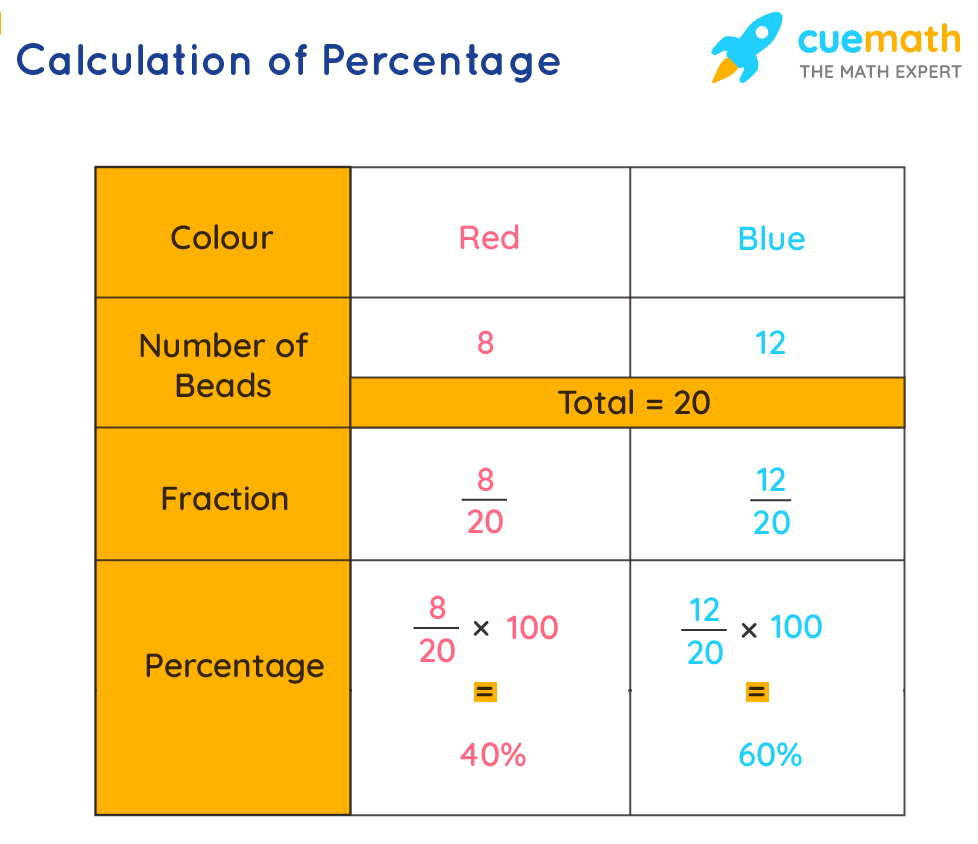
The fundamental calculation of a percentage involves expressing a part of a whole as a fraction of 100. The formula is straightforward: (Part / Whole) * 100%. However, manually performing these calculations, especially with large datasets or complex scenarios, is inefficient and prone to error. Digital tools automate this process, providing instant results and enhancing analytical capabilities.
The Ubiquitous Spreadsheet: Excel and Google Sheets
Spreadsheet applications like Microsoft Excel and Google Sheets are arguably the most versatile tools for checking percentages, offering robust features for both simple calculations and complex data analysis. Their grid-based structure makes them ideal for organizing data and applying formulas across multiple entries.
Basic Percentage Calculation:
To calculate what percentage one number is of another in a spreadsheet, you typically divide the ‘part’ by the ‘whole’ and then format the result as a percentage.
-
Example: If you want to find out what percentage of 500 tasks (the ‘whole’) 125 completed tasks (the ‘part’) represent:
-
Enter
125in cell A1. -
Enter
500in cell B1. -
In cell C1, type the formula
=A1/B1. This will yield0.25. -
With cell C1 selected, click the ‘%’ (Percentage Style) button in the toolbar (usually found in the ‘Number’ group). The cell will now display
25%.
-
Calculating Percentage Change:
Monitoring growth or decline, such as changes in website traffic or processing power usage, frequently requires calculating percentage change.
-
Formula:
((New Value - Old Value) / Old Value) * 100% -
Example: If your app had 1,500 active users last month (Old Value) and 1,800 active users this month (New Value):
-
Enter
1500in cell A1. -
Enter
1800in cell B1. -
In cell C1, type the formula
=(B1-A1)/A1. This will yield0.2. -
Format cell C1 as a percentage to see
20%. This indicates a 20% increase. If the new value were smaller, you would see a negative percentage, indicating a decrease.
-
Spreadsheets also excel at handling dynamic data, allowing you to link cells, use array formulas, and even integrate data from external sources, making them indispensable for ongoing percentage checks in dashboards or reports.
Leveraging Online Percentage Calculators
For quick, one-off percentage checks without opening a full-fledged spreadsheet application, online percentage calculators are incredibly convenient. Numerous websites offer specialized tools for various percentage-related tasks.
Types of Online Calculators:
-
Basic Percentage Calculators: These typically allow you to find ‘X percent of Y,’ ‘X is what percentage of Y,’ or ‘percentage increase/decrease.’
-
Discount Calculators: Useful for quickly figuring out sale prices or savings.
-
Tip Calculators: Common in service industries, though not directly technology-focused, they demonstrate the practical application of percentages.
-
Tax Calculators: Estimate sales tax, income tax, or other percentage-based levies.
Benefits:
-
Accessibility: Available from any device with an internet connection.
-
Simplicity: User-friendly interfaces often require minimal input.
-
Speed: Instant results for quick verifications.
While these tools are excellent for immediate answers, they lack the data management and analytical capabilities of spreadsheets for larger datasets or recurring calculations.
Smartphone Calculator Apps for On-the-Go Checks
Modern smartphone operating systems (iOS, Android) come equipped with powerful built-in calculator apps that go far beyond basic arithmetic. Many include dedicated percentage functions, making them perfect for quick checks on the go.
Using the Percentage Button:
Most standard calculator apps have a ‘%’ button. Its functionality can vary slightly:
-
Finding a percentage of a number: To find 20% of 150: Type
150 * 20 %. The calculator will often display30immediately. -
Adding/Subtracting a percentage: To calculate 150 + 20%: Type
150 + 20 %. The calculator will display180. Similarly,150 - 20 %would yield120.
Many third-party calculator apps available in app stores offer even more advanced features, including scientific functions, unit conversions, and sometimes even specialized financial or statistical calculations that heavily rely on percentages. These are particularly useful for professionals who need quick access to complex calculations away from a desktop.
Beyond Basic Checks: Advanced Percentage Applications

While fundamental calculations are crucial, modern technology allows percentages to be integrated into more complex analyses and automated processes, transforming raw data into actionable insights.
Analyzing Data with Percentage-Based Metrics
In fields like web analytics, software performance monitoring, and business intelligence, percentages are core to understanding trends and making informed decisions.
Key Percentage Metrics:
-
Conversion Rates: The percentage of users who complete a desired action (e.g., sign up, purchase) out of the total users. Calculated as (Conversions / Total Visitors) * 100%. Dashboards in tools like Google Analytics or custom BI platforms display these prominently.
-
Error Rates: The percentage of operations that result in an error out of the total operations. Critical for software reliability. (Errors / Total Operations) * 100%. Monitoring tools like Datadog or New Relic track these in real-time.
-
Resource Utilization: The percentage of CPU, memory, or disk space being used on a server or device. Helps identify bottlenecks. (Used Resource / Total Resource) * 100%. Operating system utilities and server monitoring software provide this data.
-
Completion Rates: The percentage of a process or project that has been finished. Used in project management software (e.g., Jira, Asana) to track progress.
Tools for Advanced Analysis:
-
Business Intelligence (BI) Platforms: Tools like Tableau, Power BI, and Looker allow users to connect to various data sources, create complex calculations involving percentages, and visualize trends through interactive dashboards. They automate the process of checking percentages across vast datasets.
-
Data Science Libraries: For more sophisticated analysis, programming languages like Python (with libraries such as Pandas and NumPy) and R provide powerful statistical tools to calculate, manipulate, and interpret percentages within large datasets, often for machine learning models or predictive analytics.
Using Percentages in Software Development and Scripting
Developers frequently incorporate percentage calculations directly into their code for various functionalities, from progress bars to complex algorithmic operations.
Programming Languages:
Most programming languages (Python, JavaScript, Java, C#, etc.) support floating-point arithmetic, making percentage calculations straightforward.
-
Python Example (Calculating completion percentage):
total_tasks = 200 completed_tasks = 150 completion_percentage = (completed_tasks / total_tasks) * 100 print(f"Completion: {completion_percentage:.2f}%") # Output: Completion: 75.00% -
JavaScript Example (Calculating discount price):
let originalPrice = 120.00;


let discountPercentage = 15;


let discountAmount = originalPrice * (discountPercentage / 100);


let finalPrice = originalPrice - discountAmount;


console.log(`Final Price: $${finalPrice.toFixed(2)}`);


// Output: Final Price: $102.00
Applications in Software:
-
Progress Bars: Displaying the completion percentage of a download, installation, or processing task.
-
Game Development: Calculating health bars, experience points, or item drop rates based on percentages.
-
User Interface (UI) Design: Sizing elements proportionally (e.g., a div taking up 50% of the screen width).
-
Algorithms: Many algorithms, especially those involving probability, statistics, or resource allocation, inherently use percentages.
Integrating percentage calculations directly into software ensures consistent, automated, and accurate results without manual intervention, which is crucial for dynamic and interactive applications.
Ensuring Accuracy and Understanding Context
While digital tools make percentage calculations easier, it’s vital to understand the context and potential pitfalls to ensure the results are interpreted correctly.
Common Pitfalls and How to Avoid Them
Even with sophisticated tools, errors can arise from misapplication or misunderstanding.
-
“Part” vs. “Whole” Confusion: Always clearly identify what constitutes the ‘part’ and what represents the ‘whole’ in your calculation. Forgetting the base can lead to incorrect percentages.
-
Rounding Errors: When dealing with very small or very large numbers, or multiple chained calculations, rounding too early can accumulate errors. Many digital tools allow you to specify decimal precision, but be mindful of when and how rounding occurs, especially when presenting results.
-
Base Value Changes: When calculating percentage change over time, ensure the ‘old value’ (the base) is consistent. If the base itself changes for different comparisons, the percentages may not be directly comparable.
-
Averaging Percentages: You generally cannot simply average percentages directly. For example, if one project is 50% complete (out of 10 tasks) and another is 100% complete (out of 1 task), the overall completion is not (50+100)/2 = 75%. You must aggregate the ‘parts’ and ‘wholes’ first, then calculate the overall percentage: (5 tasks completed + 1 task completed) / (10 total tasks + 1 total task) = 6/11 ≈ 54.5%.

Interpreting Percentage Results Correctly
A percentage is just a number; its true value lies in its interpretation within a specific context.
-
Consider the Sample Size: A 100% success rate on 2 trials is less statistically significant than a 90% success rate on 1,000 trials. Always consider the absolute numbers behind the percentages.
-
Relative vs. Absolute Change: A 100% increase sounds dramatic, but if it’s from 1 user to 2 users, the absolute change is small. Conversely, a 1% increase on a base of 1,000,000 users represents a significant absolute gain of 10,000 users.
-
Comparisons: Percentages are most powerful when used for comparison. Comparing your website’s 5% conversion rate to an industry average of 3% provides far more insight than just knowing your own rate in isolation. Contextual benchmarks are critical.
-
Beware of Percentage Points: When comparing two percentages, distinguishing between a change in percentage points and a percentage change is crucial. If a success rate goes from 50% to 55%, that’s a 5 percentage point increase, but a (55-50)/50 = 10% percentage increase.
By understanding these nuances and leveraging the powerful digital tools at our disposal, checking percentages moves beyond a mere calculation and becomes a fundamental aspect of intelligent data analysis and decision-making in any technology-driven environment.
aViewFromTheCave is a participant in the Amazon Services LLC Associates Program, an affiliate advertising program designed to provide a means for sites to earn advertising fees by advertising and linking to Amazon.com. Amazon, the Amazon logo, AmazonSupply, and the AmazonSupply logo are trademarks of Amazon.com, Inc. or its affiliates. As an Amazon Associate we earn affiliate commissions from qualifying purchases.