
In the modern financial landscape, the ability to monitor and manage digital assets is as critical as traditional banking oversight. PayPal has evolved from a simple peer-to-peer payment gateway into a comprehensive financial tool used by millions for personal budgeting, side hustle management, and international commerce. Understanding how to check your PayPal account effectively goes beyond merely looking at a balance; it involves a deep dive into transaction forensics, tax readiness, and cash flow optimization. Whether you are a freelancer tracking client payments or an individual managing a monthly budget, mastering the PayPal interface is a cornerstone of digital financial literacy.
Navigating the PayPal Dashboard for Comprehensive Financial Oversight
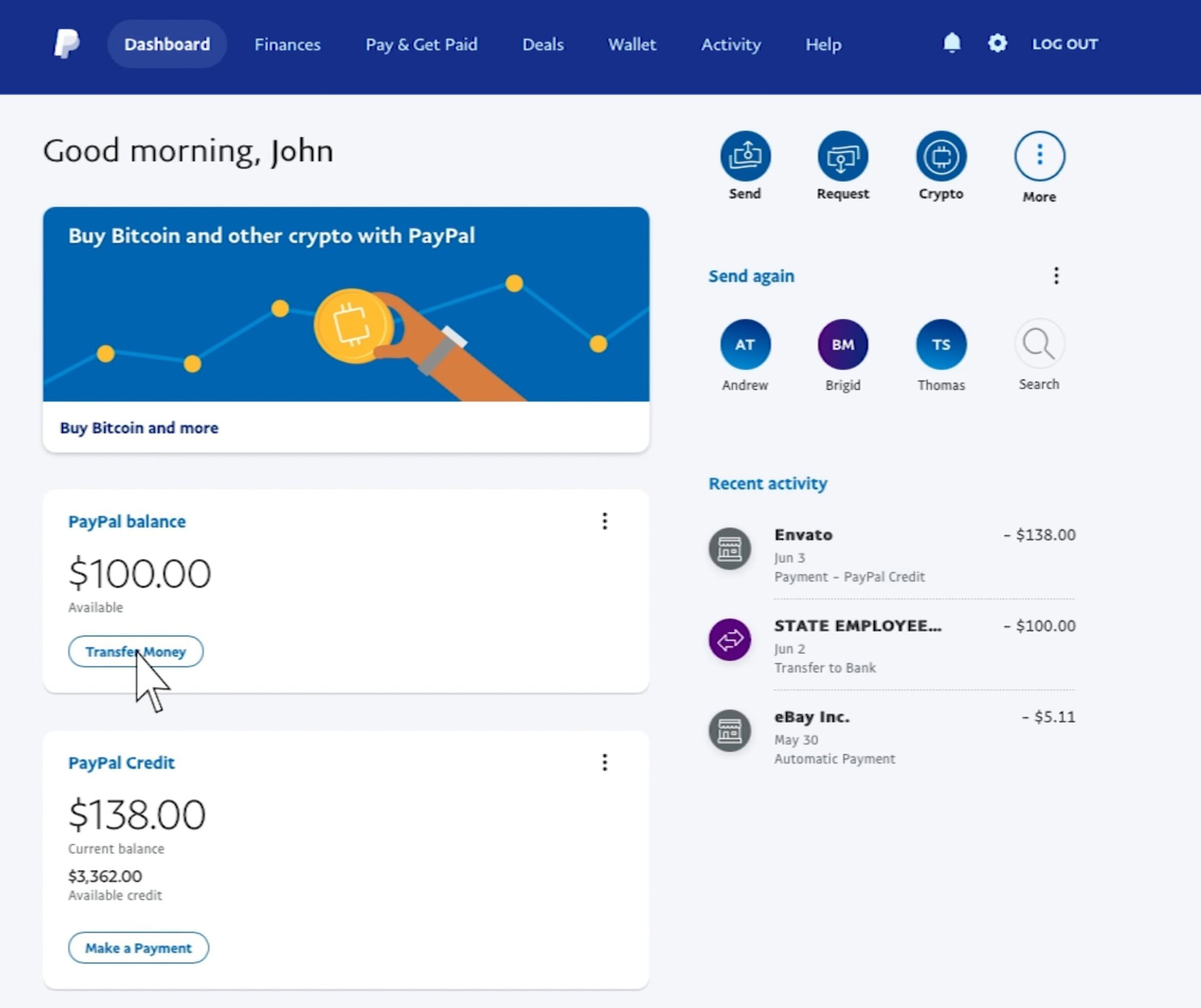
The primary step in checking your PayPal account is mastering the dashboard, which serves as your financial command center. When you log in, the summary page provides an immediate snapshot of your liquidity. However, a professional approach to finance requires looking past the surface numbers.
Understanding Your Balance Types
When checking your balance, it is vital to distinguish between “Available Balance” and “Pending Balance.” The available balance represents funds that are cleared and ready for withdrawal or immediate spending. A pending balance, often seen by sellers or new account holders, indicates funds that are being held for security verification or shipping confirmation. For those using PayPal as a primary tool for online income, misinterpreting these figures can lead to cash flow errors. Monitoring these statuses daily ensures that you are never caught off guard by a lack of accessible capital.
Reviewing Transaction History for Budget Reconciliation
Effective personal finance management requires reconciling your digital wallet with your primary accounting software or ledger. By navigating to the “Activity” tab, you can access a granular view of every cent that enters or leaves the ecosystem.
Checking your account activity should involve filtering results by date, payment status, and currency. This allows you to identify patterns in your spending. For example, are your monthly “micro-transactions” adding up to a significant portion of your discretionary income? By downloading your transaction history in CSV or PDF format, you can integrate this data into budgeting tools like Mint or YNAB, ensuring your PayPal activity is not a “black box” in your overall financial plan.
Accessing Official Statements and Tax Documents
For those who treat PayPal as a business account, checking for monthly statements is a non-negotiable task. Under the “Reports” section, PayPal generates formal statements that serve as legal documentation for audits and loan applications. Regularly downloading these statements ensures that you have a paper trail of your financial health, independent of the digital platform’s real-time interface.
Advanced Account Monitoring: Tracking Income and Managing Subscriptions
For many users, PayPal is the primary engine for recurring financial obligations and “invisible” income streams. Checking your account must therefore include a proactive review of automated agreements and incoming revenue channels.
Auditing Automatic Payments and Subscriptions
One of the most common drains on personal wealth is the “subscription trap”—recurring payments for services no longer in use. To check these, you must navigate to your account settings and locate the “Automatic Payments” section. This dashboard lists every merchant authorized to bill your account.
A monthly audit of this list is a high-ROI financial habit. By reviewing who has permission to pull funds from your account, you can cancel dormant SaaS subscriptions, gym memberships, or streaming services. This ensures that your PayPal balance is preserved for intentional spending rather than being eroded by forgotten commitments.
Monitoring Side Hustle Revenue and Client Payments
If you use PayPal for a side hustle, checking your account involves verifying that invoices have been paid and that client transfers have cleared. The “Invoicing” dashboard provides a color-coded overview of what is outstanding, viewed, or paid.
High-level financial management requires checking the “Estimated Fees” associated with these payments. PayPal’s fee structure can vary based on the transaction’s origin (domestic vs. international). By checking these deductions regularly, you can adjust your pricing strategy to ensure your net margins remain healthy.
Managing Disputes and Holds
A critical part of checking your account is monitoring the “Resolution Center.” Financial health is not just about balance; it is about risk management. If a buyer files a dispute or if PayPal places a temporary hold on your funds for security reasons, it will appear here. Checking this section weekly allows you to respond to issues before they escalate into permanent account limitations or financial losses.
Optimizing Your PayPal Portfolio: Currency Conversion and Cash Flow
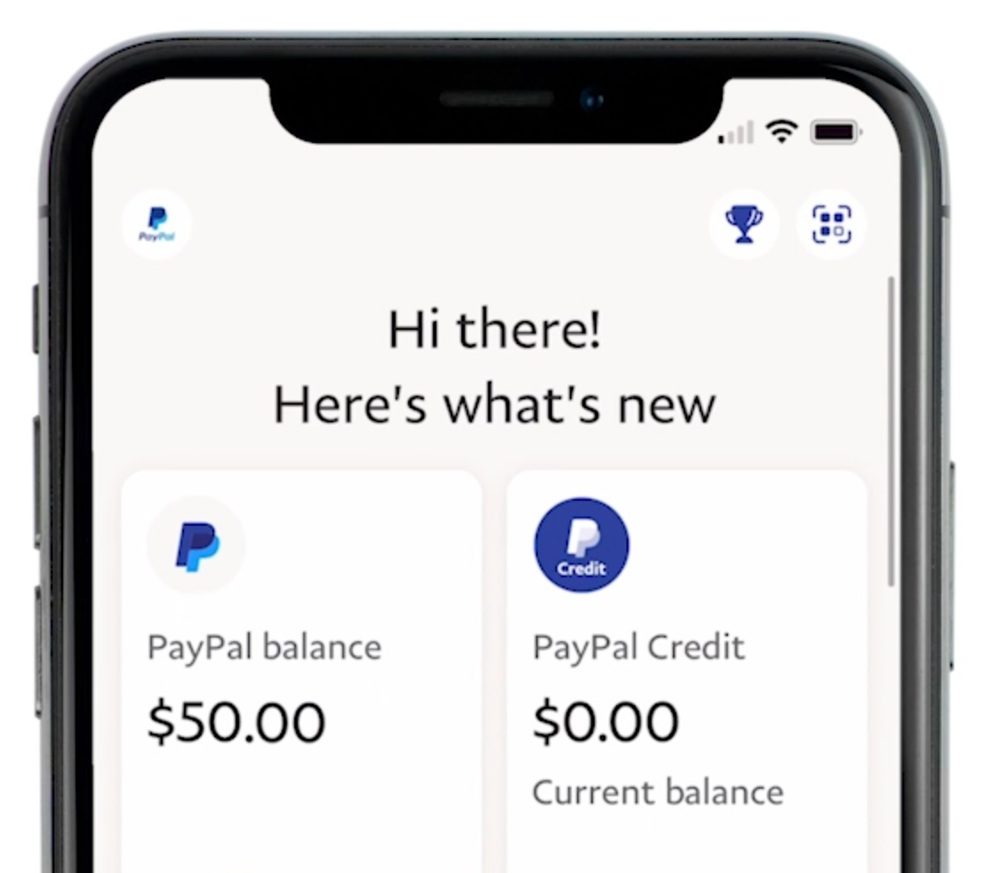
In an era of globalized finance, checking your PayPal account often involves managing multiple currencies and optimizing how money moves between your digital wallet and your traditional bank.
Strategic Currency Management
If you receive payments in foreign currencies, simply checking the total balance can be misleading. PayPal allows you to hold balances in multiple currencies simultaneously. To optimize your finances, you should check the current exchange rates offered within the platform versus market rates.
Sometimes, it is financially advantageous to hold a foreign currency in your PayPal account and spend it directly on international purchases rather than converting it to your local currency and incurring conversion fees. Checking your “Wallet” allows you to manage these balances individually, providing a layer of hedge against currency volatility.
Optimizing Transfer Speeds and Methods
Checking your account also means deciding when and how to move your money. PayPal offers “Standard” transfers (which take 1-3 business days) and “Instant” transfers (which incur a fee but provide immediate access to funds).
From a personal finance perspective, the goal is to minimize fees. By checking your upcoming bills and liquidity needs, you can plan standard transfers in advance, saving the 1.75% fee (or current applicable rate) associated with instant withdrawals. This disciplined approach to “checking” the timing of your money movement can save hundreds of dollars annually in unnecessary convenience fees.
Security Protocols for Protecting Your Financial Data
You cannot effectively check your financial status if your account security is compromised. A professional review of your PayPal account must include a recurring security audit to protect your capital from unauthorized access.
Verifying Linked Accounts and Cards
In the “Wallet” section, you should regularly verify the status of your linked bank accounts and credit cards. Check for expired cards or accounts that you no longer use. Removing outdated financial links reduces your attack surface and prevents “failed payment” errors that can negatively impact your credit score or service continuity.
Reviewing Login Activity and Authorized Devices
PayPal provides tools to check where and when your account was last accessed. By reviewing your “Security” settings, you can see a list of “Remembered Devices.” If you see a login from a city you haven’t visited or a device you don’t own, you can immediately revoke access and change your credentials. This proactive monitoring is the digital equivalent of checking the locks on a physical vault.
Enabling Multi-Factor Authentication (MFA)
While checking your security settings, ensure that Multi-Factor Authentication is active. This adds a layer of verification beyond your password. Checking that your recovery phone number and email are up to date is a vital, though often overlooked, part of account maintenance.
Integrating PayPal into Your Broader Financial Strategy
The ultimate goal of checking your PayPal account is to ensure it aligns with your overarching financial objectives. PayPal should not exist in a vacuum; it is a tool for wealth building and expenditure management.
Utilizing PayPal Savings and Interest-Bearing Options
In certain regions, PayPal offers high-yield savings accounts. When checking your balance, consider whether your “idle” cash is working for you. Moving funds from a non-interest-bearing “Balance” to a “Savings” partition within the app allows you to earn an annual percentage yield (APY) that rivals many traditional banks. Checking these interest payouts monthly can provide a small but consistent boost to your passive income.
Cash Flow Forecasting
By analyzing the historical data gathered from your account checks, you can begin to forecast your future cash flow. If your PayPal “Activity” shows that you consistently receive $2,000 in freelance payments by the 15th of every month, you can schedule your major bill payments accordingly. This level of insight transforms “checking an account” from a reactive chore into a proactive strategy for financial stability.

Final Thoughts on Digital Financial Diligence
Checking your PayPal account is a fundamental habit for anyone participating in the digital economy. It requires a balance of technical navigation and financial analysis. By regularly reviewing your dashboard, auditing your subscriptions, managing your currencies, and hardening your security, you ensure that your digital wallet remains a robust asset in your financial portfolio.
Digital finance is fast-paced and often automated, which makes manual oversight more important than ever. Treat your PayPal check-ins with the same professional rigor you would apply to a traditional brokerage account or business ledger. In doing so, you move beyond mere “checking” and into the realm of true financial mastery, ensuring that every dollar in your digital ecosystem is accounted for, protected, and working toward your long-term goals.
aViewFromTheCave is a participant in the Amazon Services LLC Associates Program, an affiliate advertising program designed to provide a means for sites to earn advertising fees by advertising and linking to Amazon.com. Amazon, the Amazon logo, AmazonSupply, and the AmazonSupply logo are trademarks of Amazon.com, Inc. or its affiliates. As an Amazon Associate we earn affiliate commissions from qualifying purchases.