
In the modern era of air travel, the transition from physical counters to digital self-service represents one of the most significant shifts in the transportation industry. At the heart of this evolution is the American Airlines (AA) app, a sophisticated piece of software designed to streamline the passenger experience. For the tech-savvy traveler, understanding the mechanics of this application is not just about convenience; it is about leveraging a powerful digital tool to optimize every stage of the journey. This guide provides an in-depth technical analysis and tutorial on how to navigate the American Airlines app check-in process, ensuring a friction-free transition from your smartphone to the boarding gate.
The Architecture of Mobile Travel: Setting Up the AA App
Before diving into the check-in protocol, it is essential to understand the technical environment in which the American Airlines app operates. Available on both iOS and Android platforms, the app is built to interface directly with American Airlines’ Global Distribution System (GDS) and internal passenger service systems. This real-time synchronization ensures that flight status, seat availability, and passenger manifests are updated instantaneously across the digital ecosystem.
Software Compatibility and Installation
To ensure optimal performance, users should verify that their device meets the minimum operating system requirements. For iOS users, this typically means running one of the two most recent major versions of Apple’s software to support the latest security patches and UI animations. Android users should ensure they have a modern version of the OS to accommodate the app’s background data synchronization features.
Upon downloading the app from the Apple App Store or Google Play Store, the first technical step is account integration. While the app allows for “Guest” check-in using a Record Locator (a six-character alphanumeric code), creating and logging into an AAdvantage account provides a more robust experience. This links your biometric data (FaceID or Fingerprint) to your travel profile, allowing for faster authentication in subsequent sessions.
Push Notifications and API Integration
One of the most critical technical features to enable during setup is Push Notifications. The app utilizes low-latency notification services to alert users the exact moment the 24-hour check-in window opens. By allowing these permissions, you are essentially subscribing to a real-time data feed from AA’s servers, which can also notify you of gate changes, delays, and upgrade opportunities.
The Check-In Protocol: A Step-by-Step Technical Walkthrough
The check-in process is more than just a confirmation of your intent to fly; it is a complex data exchange where the passenger verifies identity, selects inventory (seats), and receives a cryptographically signed digital token (the boarding pass).
Initiating the 24-Hour Check-In Window
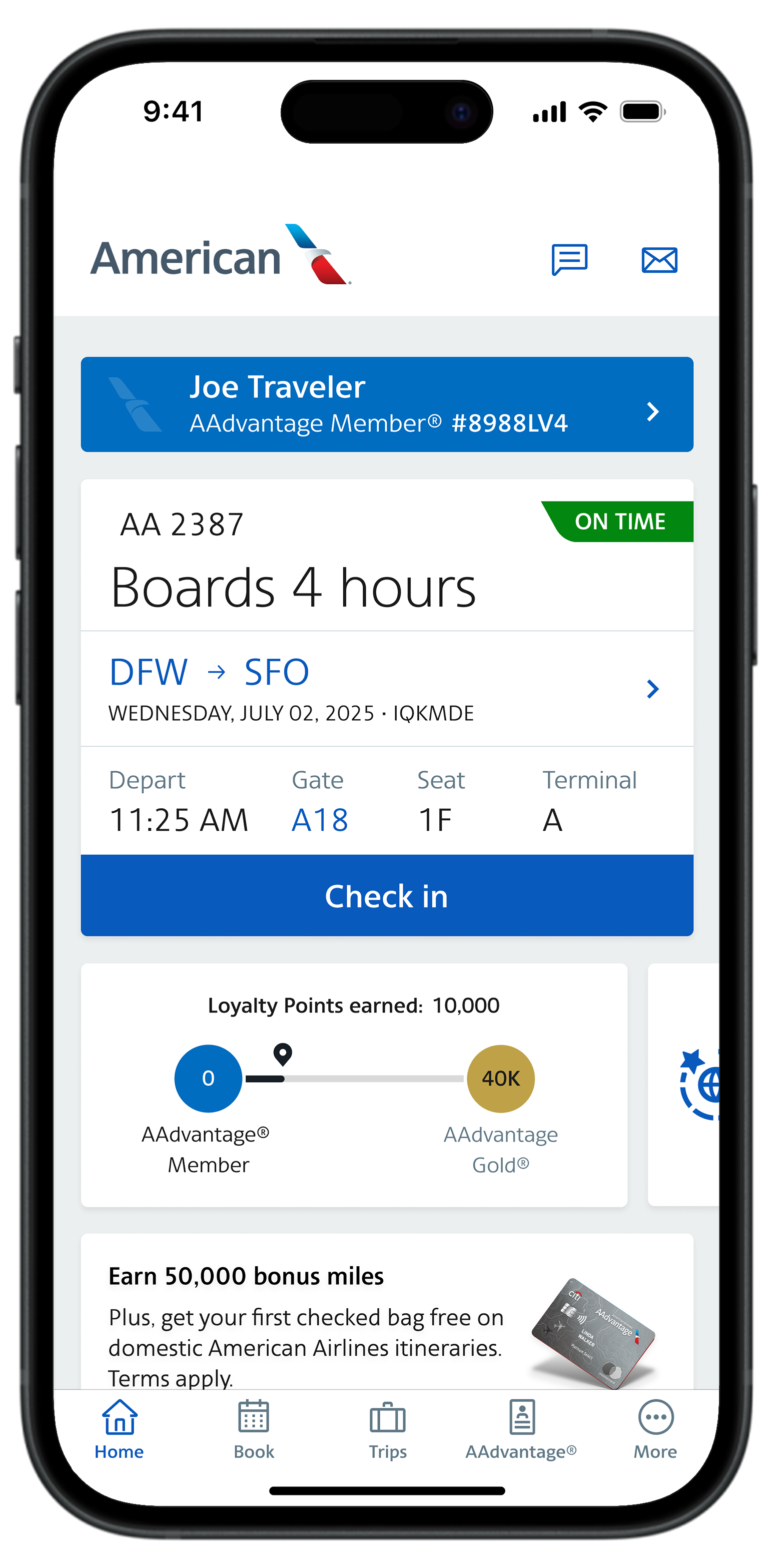
American Airlines opens its digital check-in window exactly 24 hours before the scheduled departure. From a technical standpoint, this is a server-side trigger. When you open the app, the home screen dashboard queries the AA database for any active PNRs (Passenger Name Records) associated with your account.
- Locating the Trip: If your flight doesn’t automatically appear, use the “Find Trip” feature. This requires the technical entry of your 6-digit Record Locator and your last name.
- The Check-In Trigger: Once the flight is identified and the 24-hour mark has passed, a prominent “Check-In” button will render on the UI. Tapping this initiates a secure handshake between your device and the airline’s check-in API.
Interactive Seat Selection and Inventory Logic
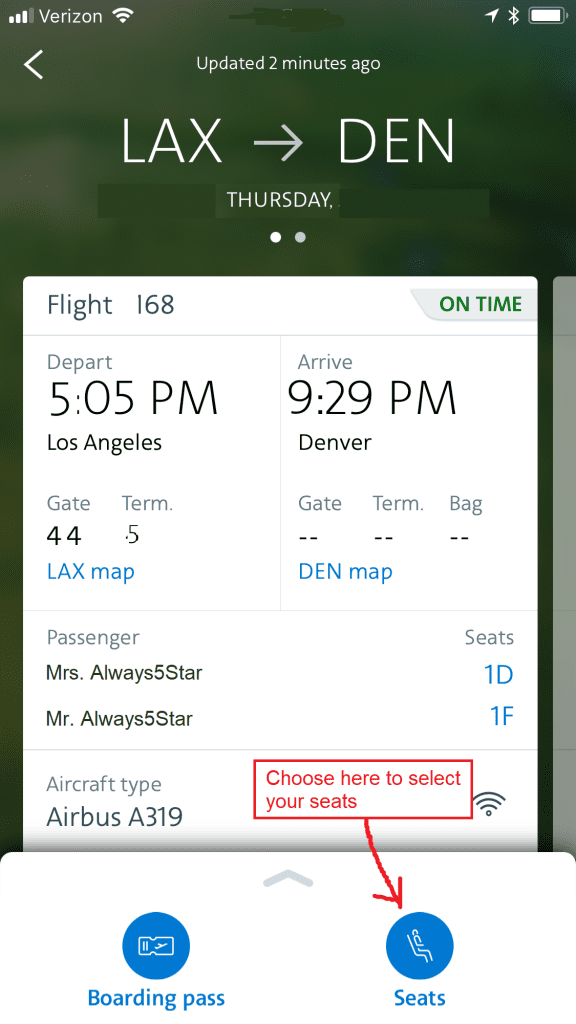
During the check-in flow, the app presents a digital seat map. This map is a visual representation of the aircraft’s current configuration and availability. The tech behind this map ensures that two users cannot select the same seat simultaneously through “concurrency control” mechanisms.
If you wish to change your seat, the app will display available inventory in real-time. Premium seats (Main Cabin Extra) may require a transaction. The app handles this via integrated mobile payment APIs (like Apple Pay or stored credit cards), utilizing tokenization to ensure your financial data is never stored in plain text on the device.
Document Verification and OCR Technology
For international travel, the AA app employs Optical Character Recognition (OCR) technology. Instead of manually typing in passport numbers and expiration dates, the app uses your device’s camera to scan the Machine Readable Zone (MRZ) of your travel documents. This technical feature reduces human error and accelerates the verification process, though the app’s software will still require a manual review of the scanned data to ensure 100% accuracy before submission to government APIS (Advanced Passenger Information System) databases.
Data Management: Digital Wallets and Offline Access
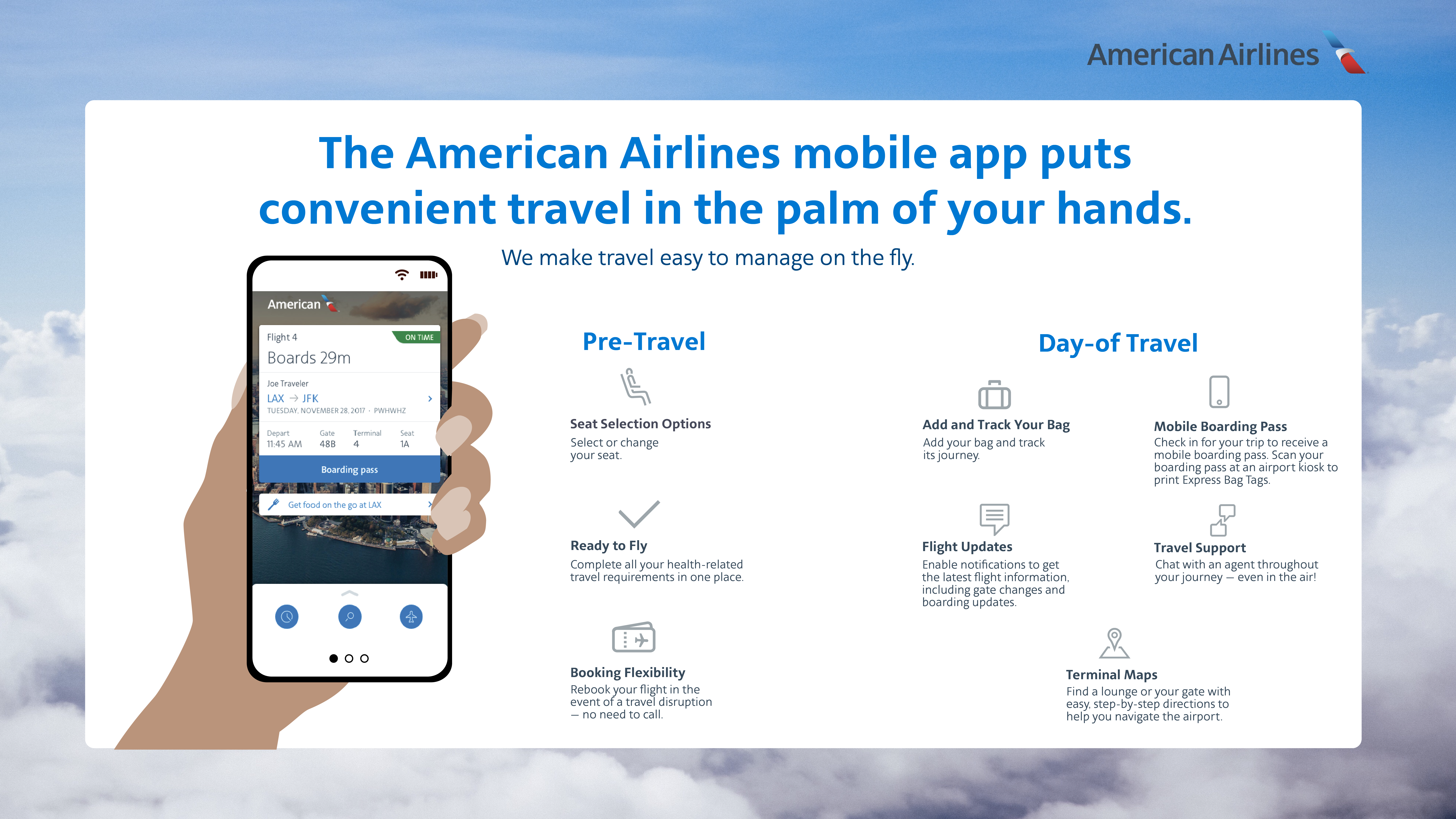
Once the check-in process is complete, the app generates a boarding pass. This is not merely an image; it is a dynamic data object.
Leveraging Apple Wallet and Google Pay
For the most reliable technical experience, it is highly recommended to export the boarding pass to your device’s native digital wallet (Apple Wallet for iOS or Google Pay for Android). This integration offers several technical advantages:
- Time-Based Triggers: The boarding pass will automatically appear on your lock screen as your departure time approaches.
- Location-Based Services: Using GPS and geofencing, the wallet can surface the pass when it detects you have arrived at the airport.
- NFC and QR Optimization: Digital wallets optimize screen brightness automatically when the QR code is displayed, ensuring that the gate scanners can read the 2D barcode (usually a PDF417 or Aztec code) without interference.
Cache and Connectivity Management
The American Airlines app is designed with “offline-first” capabilities for boarding passes. Once a boarding pass is generated, the app caches the data locally. This means that even if you lose cellular or Wi-Fi connectivity at the security checkpoint, the app can still render the QR code from the device’s local storage. However, it is always a best practice to take a manual screenshot as a secondary fail-safe against app crashes or unexpected cache clears.
Security Protocols and Privacy in the AA App
Digital security is a paramount concern when handling personal travel data. The American Airlines app employs several layers of technical security to protect User PII (Personally Identifiable Information).
Biometric Authentication
The app integrates with native mobile security frameworks, such as iOS BioLock or Android BiometricPrompt. By enabling FaceID or TouchID, you ensure that even if your phone is unlocked, an unauthorized user cannot access your flight details or make changes to your itinerary without a secondary biometric scan.
Data Encryption and Secure APIs
All communication between the AA app and the central servers is encrypted using Transport Layer Security (TLS). This prevents “man-in-the-middle” attacks, especially when using public airport Wi-Fi. Furthermore, the QR code on your boarding pass contains encrypted data strings that can only be decrypted by the scanners at the gate, preventing unauthorized duplication of your boarding credentials.
Troubleshooting Common Software Glitches
Even the most robust applications can encounter technical hurdles. Understanding how to troubleshoot the AA app can save valuable time at the airport.
Resolving Connection Timeout Errors
If the app fails to load your trip or hangs during the check-in process, it is often due to a “session timeout” or a synchronization error between the app’s local cache and the server.
- Force Quit and Restart: This clears the temporary RAM usage of the app and forces a fresh API call to the servers.
- Clear Cache (Android): Android users can go into Settings > Apps > American Airlines > Storage and “Clear Cache” to resolve persistent loading issues.
Version Compatibility and Updates
If the “Check-In” button does not appear despite being within the 24-hour window, check the App Store or Google Play Store for an update. Airline apps frequently push “forced updates” before major travel seasons to ensure that all users are running the most secure and feature-rich version of the software. Running an outdated version can lead to API mismatches where the app tries to call a server function that has been deprecated or changed.
The Future of Check-In Tech: Biometrics and Beyond
The current check-in process on the American Airlines app is a precursor to a fully “touchless” journey. American Airlines is currently piloting enhanced biometric programs that link the app’s digital identity with facial recognition cameras at the bag drop and boarding gates.
In the near future, the manual check-in process may be replaced by “Automated Check-In,” where the app’s backend logic automatically checks you into your flight based on your GPS location and historical preferences, sending a “Boarding Pass Ready” notification without requiring a single tap from the user.
By mastering the current technical landscape of the American Airlines app, travelers can navigate the complexities of modern aviation with professional efficiency. The app is more than a utility; it is a sophisticated interface that puts the power of a global airline’s infrastructure directly into the palm of your hand. Whether you are optimizing your seat selection or securing your digital identity, a deep understanding of the app’s technical nuances ensures that your journey begins long before you reach the airport.
aViewFromTheCave is a participant in the Amazon Services LLC Associates Program, an affiliate advertising program designed to provide a means for sites to earn advertising fees by advertising and linking to Amazon.com. Amazon, the Amazon logo, AmazonSupply, and the AmazonSupply logo are trademarks of Amazon.com, Inc. or its affiliates. As an Amazon Associate we earn affiliate commissions from qualifying purchases.