
In the increasingly digital landscape of personal finance, applications like Cash App have become indispensable tools for sending, receiving, and managing money. Their convenience is undeniable, offering swift, seamless transactions that have fundamentally reshaped how we interact with our funds. However, with this unparalleled ease of use comes the greater responsibility of diligent financial oversight. One of the most fundamental aspects of maintaining control over your digital finances is the regular and thorough checking of your transaction history. It’s not merely about satisfying curiosity; it’s a critical practice for ensuring security, mastering budgeting, preventing fraud, and maintaining accurate financial records.

This comprehensive guide is meticulously designed to walk you through the precise steps required to access and fully understand your Cash App transaction history. We will delve into the intricacies of navigating the activity feed, interpreting the various details presented in each transaction, and leveraging advanced features for robust financial reporting. Furthermore, we will underscore the critical reasons why keeping a watchful eye on your financial flow within the app is paramount. Whether you’re tracking a recent payment, reconciling your personal budget, preparing for tax season, or ensuring the overall integrity and security of your account, mastering the ability to review your Cash App history is an essential skill for every discerning user in today’s digital economy.
Navigating Your Cash App Activity Feed: Your Digital Ledger
Your Cash App activity feed serves as your primary digital ledger, chronicling every financial interaction that takes place within your account. Understanding how to efficiently navigate and interpret this feed is the first and most crucial step in managing your funds effectively. It offers an immediate snapshot of your financial movements, allowing for quick verification and peace of mind.
Accessing the Activity Tab with Ease
The process of accessing your Cash App history is remarkably straightforward, designed for intuitive user experience. To begin, simply open the Cash App on your mobile device. Once the application loads, direct your attention to the bottom right-hand corner of your screen. Here, you will typically find an icon resembling a clock or a series of transactions. This is your dedicated “Activity” tab. Tapping on this icon will instantly transport you to a chronological list of all your recent Cash App transactions.
Upon entering the Activity tab, you’ll be presented with a scrollable feed displaying your most recent interactions. Each entry provides a concise summary, including the date of the transaction, the amount involved, and often the name or $Cashtag of the other party. This immediate overview is invaluable for a quick scan to ensure everything appears as expected. It’s the digital equivalent of flipping through your bank statement, but with the added convenience of being instantly accessible, anytime, anywhere.
Filtering and Browsing Your Transaction Log
While the chronological feed is useful, the sheer volume of transactions can sometimes make it challenging to locate a specific entry. Cash App provides basic but effective tools to help you narrow down your search. As you scroll through your activity, you’ll notice that transactions are grouped by date, offering a clear timeline. However, for more targeted searches, Cash App’s in-app filtering capabilities, though not always explicit, allow you to visually distinguish between different types of transactions.
For instance, payments sent will often appear differently from payments received, and cash-ins (deposits) or cash-outs (withdrawals) will have distinct visual cues or labels. Some versions of the app might offer subtle filtering options, perhaps allowing you to view only payments, only deposits, or only ATM withdrawals. While there isn’t a robust keyword search function within the activity feed itself for detailed queries, diligent scrolling and understanding the visual distinctions of transaction types are your primary tools for efficient browsing. Developing a habit of regularly reviewing your feed can also make identifying anomalies much easier, as you become familiar with the usual patterns of your financial activity.
Interpreting the Activity Overview for Clarity
Each entry in your activity feed is designed to convey essential information at a glance. Typically, you’ll see the date and time the transaction occurred, which is vital for chronological tracking. The amount involved, clearly displayed, will indicate whether funds were sent, received, or moved in or out of your Cash App balance. Crucially, the name or $Cashtag of the individual or business involved in the transaction will also be visible, providing context for the payment.
Additionally, Cash App often uses subtle indicators to signify the transaction type. For example, a positive amount might indicate funds received, while a negative amount or a specific icon might signify funds sent or withdrawn. Understanding these visual cues allows for rapid interpretation of your financial movements. This quick interpretation is essential for daily financial health, enabling you to swiftly confirm successful payments, verify incoming funds, or spot any unfamiliar activity that might warrant further investigation.
Understanding Your Transaction Details: A Deeper Dive
While the activity feed provides an overview, diving into the individual transaction details unlocks a wealth of specific information. Each transaction record is a comprehensive digital receipt, containing crucial data points that are invaluable for verification, record-keeping, and dispute resolution. Ignoring these details is akin to discarding a physical receipt without a glance – a practice that can lead to significant financial headaches down the line.
Deciphering Key Information Fields
Upon tapping on any individual transaction from your activity feed, you’ll be presented with a detailed screen that expands upon the summary. Here, you’ll find comprehensive information about the transaction. This includes the full name and $Cashtag of the recipient or sender, ensuring you know exactly who was involved. The exact transaction amount will be prominently displayed, along with the precise date and time stamp, down to the minute, confirming when the event took place. This level of precision is critical for reconciling accounts or proving payment timelines.
Furthermore, the transaction status is a vital field. This indicates whether the transaction is “Pending,” “Completed,” “Failed,” or “Canceled.” A “Pending” status means the transaction is still processing, while “Completed” signifies successful execution. “Failed” or “Canceled” transactions will explain why the funds didn’t go through, which is important for understanding and reattempting payments if necessary. Each of these fields plays a crucial role in providing a complete picture of your financial interactions.
The Importance of Transaction IDs and Reference Numbers
Within these detailed transaction screens, you will often find a unique alphanumeric code referred to as a “Transaction ID” or “Reference Number.” This identifier is arguably one of the most important pieces of data associated with any Cash App transaction. Think of it as the serial number for your payment – a distinct fingerprint that uniquely identifies that specific financial event among millions of others.
The Transaction ID is absolutely crucial when you need to contact Cash App support for any reason, whether it’s to inquire about a delayed payment, report a suspected fraudulent transaction, or dispute an incorrect charge. Providing this ID to customer service agents allows them to quickly locate and investigate the specific transaction in question, significantly streamlining the resolution process. Without it, pinpointing a particular transaction among countless others can be challenging, leading to delays and frustration. Make a mental note or even a physical one if you anticipate needing to refer back to a particular transaction.
Reviewing Attached Notes and Emojis for Context
Cash App offers a convenient feature that allows users to attach notes or even emojis to their transactions. While seemingly minor, this feature can add invaluable context to your payment history. For instance, when sending money for a specific purpose, you might add a note like “Rent for June” or “Dinner last night.” When receiving money, the sender might include a note explaining the reason for the payment.
These small additions can be incredibly helpful for personal record-keeping, especially when reviewing your history weeks or months later. They serve as memory aids, clarifying the purpose behind each financial exchange and preventing confusion. When auditing your spending or reconciling your accounts, these notes can be the key to understanding why a particular sum was sent or received, saving you the time and effort of trying to recall the context of every transaction from memory.
Advanced History Management and Reporting: Beyond the Basics
While viewing your history within the app is convenient for quick checks, effective financial management often requires more robust reporting capabilities. Cash App provides avenues for users to access and utilize their transaction history in more sophisticated ways, extending its utility beyond simple verification to encompass broader financial planning and security protocols.
Downloading Your Transaction Statements for Record-Keeping
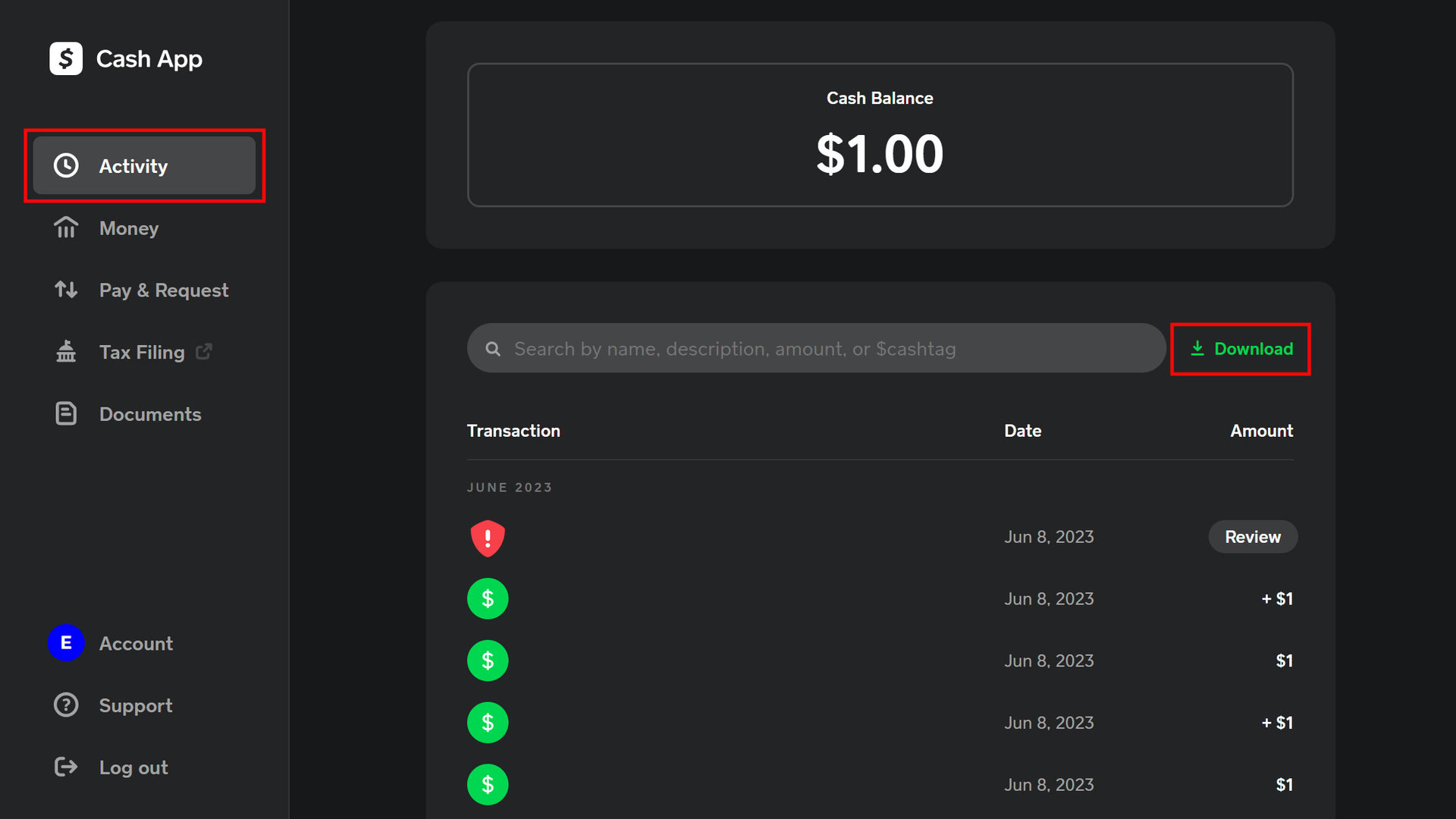
For many users, especially freelancers, small business owners, or anyone serious about budgeting, a simple in-app view of history isn’t sufficient. Cash App understands this need and allows users to download comprehensive transaction statements. This feature is typically accessed not through the mobile app itself, but by logging into your Cash App account via a web browser on a computer. Once logged in, you can usually navigate to a section dedicated to statements or account activity, where you can request a download.
These downloadable statements are often provided in formats like CSV (Comma Separated Values) or PDF, making them incredibly versatile. A CSV file can be easily imported into spreadsheet software like Microsoft Excel or Google Sheets, allowing for in-depth analysis, categorization, and integration into personal budgeting tools. PDF statements provide a formal, readable document often required for tax preparation, loan applications, or as proof of income and expenditure. Regular download and storage of these statements are crucial for maintaining an organized and verifiable financial history.
Identifying and Disputing Unauthorized Transactions
Proactive monitoring of your Cash App history is one of your strongest defenses against financial fraud. Regular checks allow you to quickly identify any transaction you don’t recognize or authorize. If you spot a suspicious entry, the first step is always to verify its legitimacy. Sometimes, it might be a forgotten recurring payment, a family member using your linked card with permission, or a payment to a business under a slightly different name.
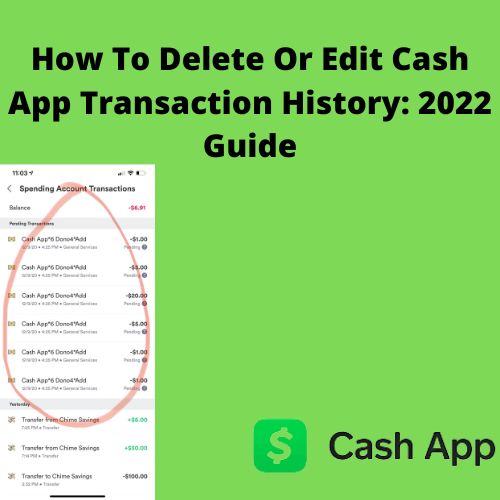
However, if after careful review you confirm a transaction is unauthorized, immediate action is paramount. Cash App provides mechanisms within the app to report such transactions. Typically, you can tap on the specific unauthorized transaction within your history and look for an option to “Report a Problem” or “Dispute This Transaction.” Following the prompts will initiate Cash App’s investigation process. Acting swiftly increases the likelihood of recovering your funds and preventing further fraudulent activity. It is crucial to provide all available details, including the transaction ID, date, and any relevant circumstances.
Leveraging History for Budgeting and Financial Analysis
Your Cash App history is a goldmine of data for personal budgeting and financial analysis. By regularly reviewing your spending patterns, you can gain profound insights into where your money is truly going. Whether you’re analyzing individual transactions or aggregating data from downloaded statements, this historical information empowers you to make smarter financial decisions.
For instance, by categorizing your Cash App spending (e.g., dining out, entertainment, utilities), you can identify areas where you might be overspending and adjust your habits accordingly. Integrating your downloaded CSV statements into budgeting software or a custom spreadsheet allows for a holistic view of your finances, combining Cash App data with information from other bank accounts and credit cards. This proactive approach to analyzing your history transforms raw data into actionable intelligence, guiding you towards greater financial stability and the achievement of your financial goals.
Why Keeping Tabs on Your Cash App History is Crucial: A Shield for Your Finances
The act of checking your Cash App history extends far beyond simple curiosity; it’s a fundamental component of robust digital financial hygiene. In an era where digital transactions are the norm, consistent vigilance over your payment history acts as a crucial shield, protecting your assets and empowering your financial decisions.
Enhancing Security and Preventing Fraud
Perhaps the most compelling reason to regularly review your Cash App history is for security and fraud prevention. Unscrupulous individuals and sophisticated scammers are constantly devising new methods to gain unauthorized access to accounts. Regular checks serve as your first line of defense, allowing you to quickly spot any unfamiliar or suspicious transactions. Even small, seemingly insignificant unauthorized charges could be indicators of a larger compromise, often used by fraudsters to test the waters before attempting larger thefts.
By maintaining a vigilant eye, you can identify these anomalies early, report them to Cash App, and take immediate steps to secure your account, such as changing your PIN or enabling additional security features like two-factor authentication. This proactive approach significantly reduces your vulnerability to financial crime and safeguards your hard-earned money. In the digital realm, ignorance is not bliss; it is a direct invitation for exploitation.
Streamlining Tax Preparation and Personal Auditing
For many, Cash App is more than just a peer-to-peer payment service; it’s a tool for income, expenses, and business transactions. Freelancers, gig workers, and small businesses often use Cash App for client payments or operational expenditures. In these scenarios, meticulously maintained transaction history is invaluable for tax preparation. Downloaded statements provide an organized, verifiable record of all financial movements, which is essential for accurately filing taxes, claiming deductions, and demonstrating income.
Beyond tax season, your detailed history simplifies personal financial auditing. Regularly reviewing your income and outgoings through Cash App helps you understand your financial position, track spending against a budget, and identify any discrepancies. This systematic approach to personal auditing ensures accuracy in your financial records and provides a clear picture of your cash flow, which is vital for long-term financial planning.
Resolving Payment Disputes and Verifying Transactions
Disputes can arise in various forms, whether it’s a disagreement with a merchant over a purchase, a miscommunication with an individual about a payment, or simply needing to confirm that a payment was successfully sent or received. In such situations, your Cash App history serves as irrefutable digital evidence. Having precise records of transaction dates, amounts, recipients, and unique transaction IDs provides concrete proof that can swiftly resolve disagreements.
For example, if a service provider claims they didn’t receive a payment, you can quickly provide them with the transaction ID and a screenshot from your history, unequivocally proving the payment was made. Similarly, if you’re waiting for a refund, you can verify its receipt by checking your history. This ability to quickly verify and provide evidence can save considerable time, effort, and potential financial loss by allowing for quick and conclusive dispute resolution.
Troubleshooting Common History Issues and FAQs
Even with a straightforward interface, users can occasionally encounter issues or have questions regarding their Cash App history. Understanding common challenges and knowing where to find answers can save you time and frustration. This section addresses frequent queries and provides guidance for troubleshooting.
What to Do When a Transaction Isn’t Showing Up
It can be unsettling to send or receive money only to find it not immediately appearing in your activity feed. If a transaction isn’t showing up, consider the following steps:
-
Check Your Internet Connection: Ensure you have a stable Wi-Fi or cellular data connection. Poor connectivity can delay updates to your app’s display.
-
Refresh the App: Try closing the Cash App completely and reopening it, or simply pull down on the activity feed to refresh the data.
-
Allow for Processing Time: While Cash App transactions are usually instant, bank transfers (cash-ins or cash-outs to linked banks) can sometimes take 1-3 business days to fully process and reflect. For direct deposits, processing times can vary based on the payer.
-
Verify with Sender/Recipient: Confirm with the other party that the transaction was indeed sent/received and that they used the correct $Cashtag. They might see it on their end even if you don’t yet.
-
Contact Cash App Support: If the transaction remains absent after a reasonable period and all other steps have been exhausted, it’s time to reach out to Cash App customer service. Provide them with as many details as possible (date, amount, expected sender/recipient).
Can I Delete My Cash App History?
A common question among users is whether they can delete individual transactions or their entire Cash App history for privacy or organizational purposes. The straightforward answer is no, you cannot delete your Cash App transaction history. This policy is in place for several critical reasons, primarily related to regulatory compliance, security, and dispute resolution.
Financial institutions, including app-based services like Cash App, are legally obligated to maintain detailed records of all transactions for audit purposes, anti-money laundering regulations, and fraud prevention. Allowing users to delete history would compromise these essential safeguards. From a user’s perspective, having an immutable record protects both parties in a transaction, providing verifiable proof in case of disputes. While you cannot delete history, you can focus on recent transactions or utilize the filtering options to manage what you view.
How Far Back Does Cash App History Go?
Your Cash App history typically extends back to the very first transaction you ever made since creating your account. The in-app activity feed will allow you to scroll down and view transactions from your account’s inception, though scrolling through years of data can be tedious.
For a more manageable review of older transactions, particularly for comprehensive financial analysis or tax purposes, downloading your transaction statements via the Cash App website (as discussed earlier) is the most efficient method. These statements will typically encompass your full transaction history, providing a detailed record from the beginning of your account’s activity.
When and How to Contact Cash App Support for History Inquiries
Knowing when to escalate an issue to Cash App support is as important as knowing how to check your history. You should contact support if:
-
You identify an unauthorized transaction you cannot explain.
-
A legitimate transaction you sent or received is persistently missing from your history.
-
You encounter an error message when trying to view your history.
-
You need assistance disputing a charge after exhausting in-app options.
To contact Cash App support, the most effective method is usually through the app itself:
-
Tap the profile icon on your Cash App home screen.
-
Scroll down and tap “Support.”
-
Tap “Something Else.”
-
Navigate through the categories or search for your specific issue. If you cannot find a resolution, you will typically be prompted to “Contact Support” to chat with a representative or receive email assistance.
When contacting support, always have the relevant details ready: transaction IDs, dates, amounts, screenshots, and a clear description of your issue. This preparation will significantly expedite the resolution process.
Conclusion
Mastering the ability to check your Cash App history is more than just a technical skill; it’s a fundamental pillar of responsible digital financial management. Your transaction history serves as a transparent, immutable record of every financial interaction, offering critical insights and safeguards that are indispensable in our increasingly cashless society. From the simplicity of verifying a recent payment to the complexity of identifying and disputing fraudulent activity, every aspect of your financial well-being within Cash App hinges on your ability to effectively review and understand this data.
By consistently navigating your activity feed, delving into the nuances of individual transaction details, leveraging advanced reporting features for comprehensive financial planning, and understanding the myriad reasons why vigilance is paramount, you transform your Cash App from a mere payment tool into a powerful instrument of financial control. Make the routine review of your Cash App history a non-negotiable part of your financial regimen. This proactive approach will not only enhance your personal security and streamline your financial record-keeping but also instill a profound sense of confidence and peace of mind in managing your digital funds. Stay informed, stay secure, and take command of your Cash App history.
aViewFromTheCave is a participant in the Amazon Services LLC Associates Program, an affiliate advertising program designed to provide a means for sites to earn advertising fees by advertising and linking to Amazon.com. Amazon, the Amazon logo, AmazonSupply, and the AmazonSupply logo are trademarks of Amazon.com, Inc. or its affiliates. As an Amazon Associate we earn affiliate commissions from qualifying purchases.