
In an era where digital financial transactions have become the backbone of our daily commerce, securing the gateways to our funds is paramount. Venmo has evolved from a simple peer-to-peer payment tool into a comprehensive financial ecosystem used by millions to split dinner checks, pay rent, and even conduct business transactions. However, the convenience of mobile payments comes with the inherent risk of digital intrusion. Maintaining a robust password and updating it regularly is the first line of defense in protecting your personal data and financial assets.
Whether you are performing a routine security update, reacting to a potential data breach, or simply trying to regain access to a forgotten account, understanding the technical nuances of Venmo’s security settings is essential. This guide provides a detailed technical walkthrough for changing your Venmo password across various platforms and explores the broader security infrastructure designed to keep your digital wallet safe.
Step-by-Step Instructions for Updating Your Venmo Credentials
Venmo allows users to update their credentials through both its mobile application—available on iOS and Android—and its desktop web interface. While the mobile app is the primary touchpoint for most users, the web interface offers a stable alternative for managing account settings.
Changing Your Password via the Mobile App
For the majority of users, the Venmo app is the most convenient place to manage security settings. To update your password within the app, follow these technical steps:
- Access Settings: Open the Venmo app and tap the “Me” tab (often represented by your profile picture or an initial icon) located in the bottom right corner of the screen.
- Navigate to Security: Tap the settings gear icon in the top right corner. Scroll down to the “Security” section and select “Password.”
- Verification: For security purposes, Venmo will require you to enter your current password before allowing a change. This ensures that an unauthorized individual who happens to have physical access to an unlocked phone cannot easily lock you out of your own account.
- Create a New Password: Enter your new password. Ensure it meets the platform’s complexity requirements.
- Confirm and Save: Re-enter the new password to confirm there are no typos, then tap “Save” or “Update.”
Updating Credentials via Web Browser
If you do not have access to your mobile device, or if you prefer a desktop environment for managing sensitive account details, you can change your password through the Venmo website:
- Login: Visit the official Venmo website and log in with your current credentials.
- Settings Menu: Click on “Settings” in the left-hand sidebar or via the profile dropdown menu.
- Security Tab: Navigate to the “Security” tab within the settings interface.
- Password Edit: Locate the password section and click “Edit.” Follow the prompts to input your old password and establish a new one.
The “Forgot Password” Protocol
If you have been locked out of your account or have forgotten your existing credentials, the standard update path is unavailable. In this scenario, you must utilize the recovery flow:
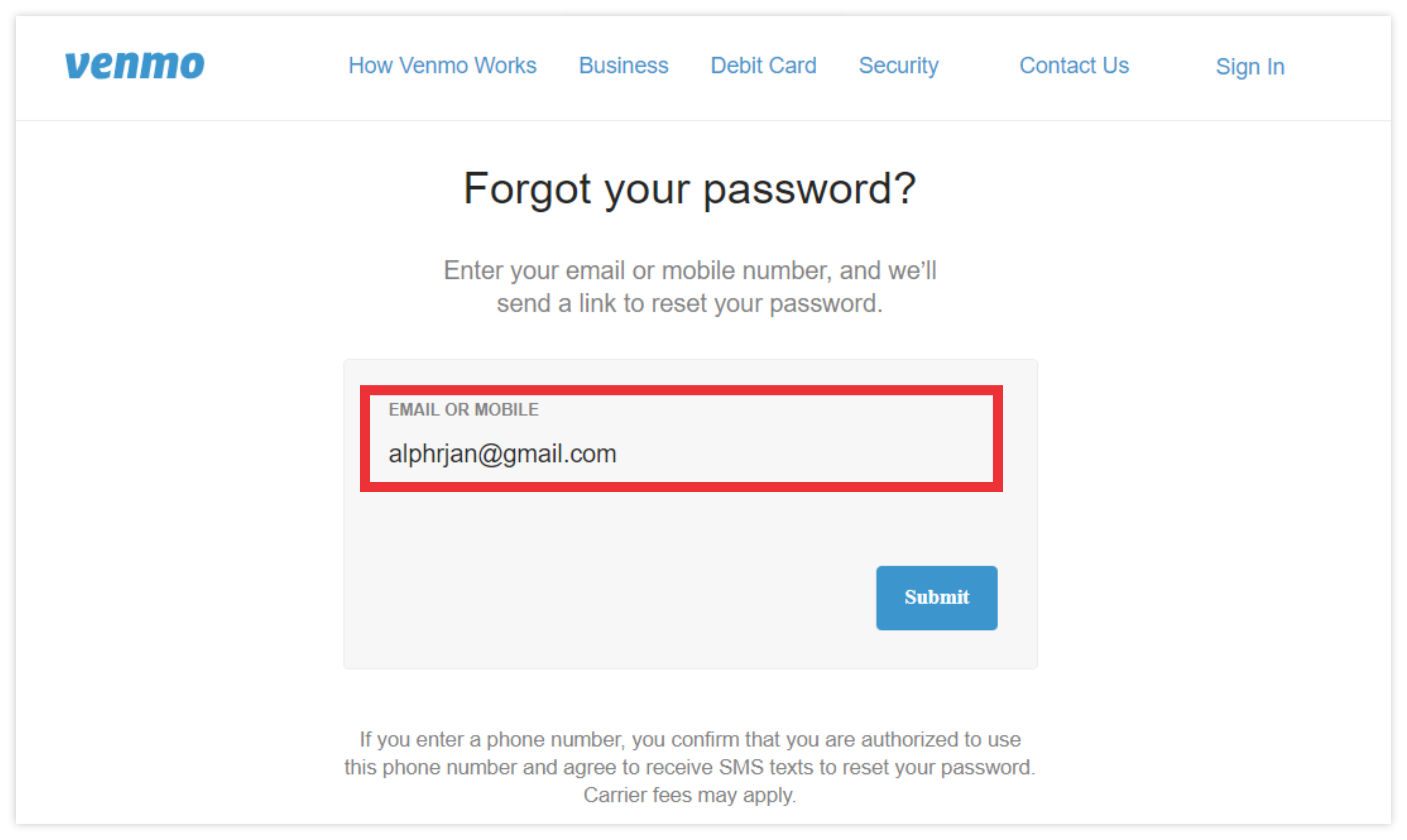
- On the login screen, select “Forgot password?”
- Enter the email address or phone number associated with the account.
- Venmo will generate a secure reset link or a temporary code sent via SMS.
- Follow the link or enter the code to bypass the old password and create a new one. This process often triggers additional identity verification steps, such as confirming a linked bank account or card number.
Troubleshooting Common Password Reset Issues
Despite the straightforward nature of password management, technical hurdles can often impede the process. Understanding how to navigate these friction points is vital for maintaining continuous access to your funds.
SMS and Email Latency
One of the most frequent issues users encounter is the failure to receive verification codes. This can be caused by network congestion, aggressive spam filters, or incorrect contact information on file. If a code does not arrive within two minutes, check your “Spam” or “Promotions” folders. On mobile devices, ensure that your carrier is not blocking short-code SMS messages, which are often used by financial services for automated alerts.

Multi-Factor Authentication (MFA) Loops
Venmo employs Multi-Factor Authentication as a core security feature. Occasionally, a user may find themselves in an “MFA loop” where the app repeatedly asks for verification without progressing to the password reset screen. This is often a caching issue within the app. To resolve this, clear the app cache on Android or offload/reinstall the app on iOS. Attempting the reset through a desktop browser in an “Incognito” or “Private” window can also bypass local browser conflicts.
Device Recognition and Flagged Logins
Venmo’s security algorithms track device fingerprints and IP addresses. If you attempt to change your password from a new device or an unfamiliar geographical location (such as while using a VPN), the system may flag the attempt as suspicious. In these cases, the automated reset might be disabled, requiring you to contact Venmo’s support team directly. Be prepared to provide government-issued identification to verify your identity in these high-security scenarios.
The Importance of Digital Security in Peer-to-Peer Payment Apps
In the context of software and app security, peer-to-peer (P2P) payment platforms represent a high-stakes environment. Unlike traditional social media accounts, a compromised Venmo account provides a direct path to a user’s liquid assets and linked credit lines.
Protecting Against Social Engineering
A strong password is only one component of a broader security posture. Many account takeovers occur not through technical “hacking” of the password itself, but through social engineering. Phishing attacks, where scammers send emails or texts masquerading as Venmo support, often aim to trick users into revealing their passwords or MFA codes. By regularly changing your password and using unique strings that are not shared with other services, you mitigate the risk of “credential stuffing”—a technique where attackers use leaked passwords from other platforms to gain access to financial accounts.
Data Privacy and Public Feeds
Venmo is unique among financial apps for its social component. Historically, Venmo’s default settings made transaction descriptions public. While the company has improved privacy controls, the technical metadata associated with your account can still be leveraged by bad actors to build a profile of your habits. Changing your password frequently is a healthy habit, but it should be paired with a review of your privacy settings to ensure your transaction history is set to “Private.”
The Role of Password Managers
From a technical standpoint, the most secure password is one that a human cannot easily remember. Digital security experts recommend the use of password managers (such as LastPass, 1Password, or Bitwarden). These tools allow you to generate 20+ character strings involving symbols, numbers, and mixed-case letters. By delegating password storage to an encrypted vault, you can ensure that your Venmo credentials remain highly complex without the risk of forgetting them.
Advanced Security Features to Protect Your Venmo Account
Beyond the basic password, Venmo offers several sophisticated software-level security features that every user should implement to harden their account against unauthorized access.
Biometric Authentication
Modern smartphones offer biometric security layers such as FaceID, TouchID, or fingerprint scanning. Within the Venmo settings, you can enable “FaceID & PIN” (on iOS) or “Biometric Unlock” (on Android). This adds a hardware-level gatekeeper to the app. Even if someone manages to unlock your phone, they would still need your specific biometric signature to open the Venmo app or authorize a transaction.
Two-Factor Authentication (2FA) and Remembered Devices
Venmo uses 2FA by default when logging in from a new device. However, users should periodically audit their “Remembered Devices” list. If you have logged into Venmo on a friend’s phone or a public computer, that device may still have authorized access. Navigating to the “Security” menu allows you to view all active sessions and “forget” devices that are no longer in your possession, effectively logging them out and requiring a password/MFA challenge for any future access.
Notification Alerts and Real-Time Monitoring
The most effective way to catch a security breach is through real-time telemetry. In the app’s notification settings, users should enable push notifications for all “Account Activity.” This ensures that you receive an instant alert every time a payment is sent, a login occurs, or a password change is initiated. If you receive an alert for a password change that you did not authorize, you can immediately contact Venmo’s security team to freeze the account.

Integration with Modern Security Standards
Venmo’s backend infrastructure utilizes data encryption and Transport Layer Security (TLS) to protect data in transit. While the user-facing password is the most visible security element, these underlying technologies work to ensure that your credentials aren’t intercepted by “man-in-the-middle” attacks when you are using public Wi-Fi. Despite these protections, users are encouraged to avoid managing financial credentials while on unsecured public networks, opting instead for a cellular connection or a trusted VPN.
By treating Venmo not just as a casual app, but as a critical piece of financial software, users can significantly reduce their digital vulnerability. The process of changing a password is more than just a technical chore; it is a vital component of digital hygiene in an increasingly connected world. Through a combination of strong passwords, biometric layers, and vigilant monitoring, you can enjoy the convenience of modern fintech with the peace of mind that your assets are secure.
aViewFromTheCave is a participant in the Amazon Services LLC Associates Program, an affiliate advertising program designed to provide a means for sites to earn advertising fees by advertising and linking to Amazon.com. Amazon, the Amazon logo, AmazonSupply, and the AmazonSupply logo are trademarks of Amazon.com, Inc. or its affiliates. As an Amazon Associate we earn affiliate commissions from qualifying purchases.