
In today’s interconnected digital landscape, managing the security of your online accounts, especially those tied to personal entertainment like streaming services, is paramount. Paramount Plus, a popular streaming platform offering a vast library of movies, shows, and live sports, holds not only your viewing preferences but also often your payment information and personal data. Regularly updating your password is a fundamental practice in maintaining digital security, safeguarding your privacy, and preventing unauthorized access. This comprehensive guide will walk you through the process of changing your Paramount Plus password, explore what to do if you forget it, and provide essential best practices for fortifying your overall digital footprint.

Understanding the Criticality of Password Security for Streaming Services
Many users often overlook the security implications of their entertainment accounts, assuming they pose less risk than banking or email services. However, this perspective can lead to significant vulnerabilities. Streaming service accounts are often targets for cybercriminals, not just for unauthorized viewing, but as potential stepping stones to more valuable data.
Why Regular Password Changes Matter
Changing your password periodically is a proactive security measure that minimizes the window of opportunity for attackers. Even the strongest passwords can eventually be compromised through sophisticated brute-force attacks, phishing schemes, or data breaches from other websites where you might have reused credentials. A fresh password nullifies any previously compromised credentials, ensuring that an old, leaked password cannot be used to gain access. For streaming services, this prevents:
- Unauthorized Access and Account Takeover: Prevents others from using your subscription, potentially changing settings, or locking you out.
- Privacy Breaches: Your viewing history, personal information, and potentially even linked social media accounts could be exposed.
- Financial Fraud: If your payment information is stored, an attacker could make unauthorized purchases or changes to your subscription plan.
- Credential Stuffing Attacks: If you reuse passwords, a breach on an unrelated site could allow attackers to access your Paramount Plus account.
Recognizing Common Security Risks
Awareness of prevalent threats is the first step in prevention. Beyond direct hacking attempts, users face risks like:
- Phishing: Deceptive emails or messages designed to trick you into revealing your login credentials on fake websites.
- Malware: Malicious software that can record keystrokes or steal data directly from your device.
- Public Wi-Fi Vulnerabilities: Unsecured networks can allow others to snoop on your internet traffic, potentially intercepting login details.
- Data Breaches: Even if your own practices are sound, the service provider itself can suffer a breach, exposing user data. While Paramount Plus employs robust security measures, no system is entirely impervious, highlighting the importance of personal vigilance.
Step-by-Step Guide: Changing Your Paramount Plus Password
The process for updating your password on Paramount Plus is straightforward and can typically be completed in a few minutes. It’s recommended to perform this action from a trusted device and a secure network.
1. Accessing Your Account Settings
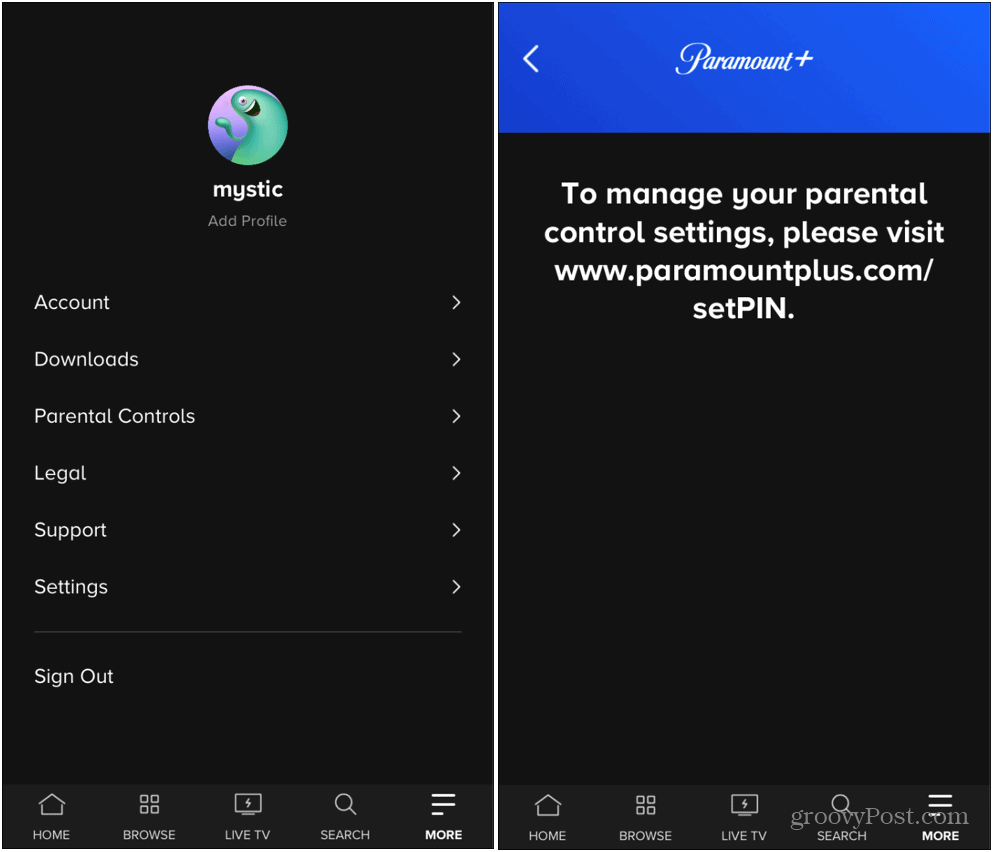
To initiate a password change, you’ll need to log in to your Paramount Plus account from a web browser. While mobile apps offer convenience, certain account management features, especially security-related ones, are often more robust and accessible via the official website.
- Open your preferred web browser (Chrome, Firefox, Safari, Edge, etc.).
- Navigate to the official Paramount Plus website: Go to paramountplus.com. Be wary of unofficial or spoofed sites.
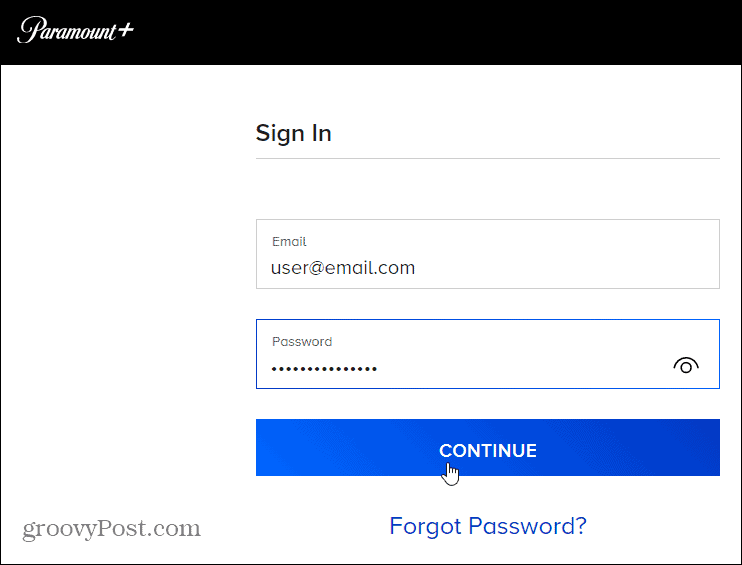
- Log in to your account: Click on the “Sign In” or “Log In” button, usually located in the top right corner. Enter your current email address and password. If you are already logged in, you can skip this step.
2. Navigating to Security Options
Once you’re logged in, you need to find the section dedicated to account management and security.
- Locate your profile icon or name: After logging in, you’ll typically see your profile icon or name displayed in the top right corner of the screen. Click on it to open a drop-down menu.
- Select “Account” or “Account Settings”: From the drop-down menu, choose the option that directs you to your account management page. This is usually labeled “Account” or “Account Settings.”
- Find the “Password” or “Security” section: On your account page, look for a tab, link, or section specifically related to “Password,” “Security,” “Login & Security,” or similar phrasing. Click on it.
3. Creating a Strong New Password
This is the most critical step. A weak password negates the entire effort of changing it.
- Enter your current password: For verification purposes, the system will first ask you to re-enter your existing password.
- Enter your new password: Now, type your desired new password into the designated field.
- Confirm your new password: Re-enter the new password exactly as you typed it to ensure accuracy and prevent typos.
- Adhere to password strength requirements: Paramount Plus, like most secure platforms, will likely have specific requirements for password complexity. These typically include:
- Minimum length (e.g., 8-12 characters or more).
- A combination of uppercase letters (A-Z).
- Lowercase letters (a-z).
- Numbers (0-9).
- Special characters (e.g., !, @, #, $, %, ^, &, *).
- Avoid using easily guessable information like your name, birthdate, or common dictionary words.
- Do not reuse passwords from other online accounts. This is a common and dangerous practice.
4. Confirming the Change
After entering and confirming your new password, you’ll need to finalize the process.
- Click “Save Changes” or “Update Password”: Once you’re confident your new password meets the requirements and is correctly entered, click the button to save your changes.
- Confirmation: You should receive a confirmation message on the screen stating that your password has been successfully updated. You might also receive an email notification to your registered email address confirming the change. This email serves as an important security alert, allowing you to quickly identify unauthorized changes if you didn’t initiate them.
- Re-login (Optional but Recommended): In some cases, or as a good security practice, you might be logged out automatically and prompted to log back in with your new password to ensure it’s working correctly across all your devices.
What if You Forgot Your Paramount Plus Password?
It happens to the best of us. If you can’t remember your current password, the process is slightly different but equally straightforward.
1. The Password Reset Process
- Navigate to the Paramount Plus login page: Go to paramountplus.com and click “Sign In.”
- Click “Forgot password?”: Below the login fields, you’ll find a link for forgotten passwords. Click on it.
- Enter your registered email address: The system will ask you to enter the email address associated with your Paramount Plus account. This is crucial for verifying your identity.
- Check your email: After submitting your email, Paramount Plus will send a password reset link to that address. If you don’t see it immediately, check your spam or junk folder.
2. Verifying Your Identity and Setting a New Password
- Open the reset link: Click on the link provided in the email. This link is usually time-sensitive for security reasons, so act promptly.
- Create a new password: The link will take you to a page where you can directly enter and confirm a new password. Follow the same strong password guidelines mentioned earlier.
- Confirm and log in: Save your new password, and you should then be able to log in to your Paramount Plus account with your newly established credentials.
Best Practices for Digital Security Across All Platforms
Changing your Paramount Plus password is an excellent start, but comprehensive digital security requires a broader approach.
The Power of Unique Passwords
Never reuse passwords across different accounts. If one service is compromised, reusing passwords allows attackers to easily access all other accounts where you’ve used the same credentials. Treat each online service as a separate entity requiring a unique, complex password.
Implementing Two-Factor Authentication (2FA)
Whenever available, enable Two-Factor Authentication (2FA) or Multi-Factor Authentication (MFA). 2FA adds an extra layer of security by requiring a second form of verification in addition to your password, such as a code sent to your phone, a fingerprint scan, or a prompt from an authenticator app. Even if your password is stolen, an attacker won’t be able to log in without this second factor. While Paramount Plus’s direct support for 2FA may vary by region or device, it’s a vital feature for your email account (which controls your password resets) and other critical services.
Utilizing Password Managers
A password manager is an invaluable tool for creating, storing, and managing unique, strong passwords for all your online accounts. These applications encrypt your credentials behind a single master password, meaning you only need to remember one strong password. Reputable password managers like LastPass, 1Password, Bitwarden, or Dashlane can generate complex passwords, automatically fill login forms, and alert you to reused or weak passwords. This significantly reduces the burden of remembering dozens of unique passwords while vastly improving your overall security posture.
Beware of Phishing Attempts
Always be suspicious of unsolicited emails or messages asking for your login credentials or personal information. Paramount Plus will never ask for your password via email. Always check the sender’s email address and hover over links before clicking to ensure they lead to the official paramountplus.com domain. If in doubt, open your browser and manually type in the Paramount Plus URL to access your account.
Regular Security Audits
Make it a habit to regularly review the security settings of all your important online accounts. Check for unfamiliar login activities, review connected devices, and ensure your contact information for password recovery is up-to-date. This proactive approach helps you catch potential issues before they escalate.
Troubleshooting Common Password Issues
- “Invalid Password” error: Double-check for typos, ensure Caps Lock is not accidentally on, and verify you’re using the correct email address for the account.
- Password reset email not arriving: Check your spam/junk folder. Ensure the email address you provided is the one registered with Paramount Plus. Some email providers can also have delays.
- Account locked: Repeated failed login attempts can temporarily lock your account. Wait for the specified lockout period or use the “Forgot Password” link.
- Browser issues: Clear your browser’s cache and cookies, or try using a different web browser if you encounter persistent login problems.
By adopting these practices, you can significantly enhance the security of your Paramount Plus account and protect your digital life from potential threats. Your entertainment should be enjoyed, not worried about.
aViewFromTheCave is a participant in the Amazon Services LLC Associates Program, an affiliate advertising program designed to provide a means for sites to earn advertising fees by advertising and linking to Amazon.com. Amazon, the Amazon logo, AmazonSupply, and the AmazonSupply logo are trademarks of Amazon.com, Inc. or its affiliates. As an Amazon Associate we earn affiliate commissions from qualifying purchases.