
In the rapidly evolving landscape of financial technology, the tools we use to manage our digital transactions are constantly being updated, replaced, or consolidated. PayPal, once the undisputed leader in online payment processing, now shares the ecosystem with a multitude of specialized software solutions and banking apps. Whether you are streamlining your digital footprint, migrating to a more integrated fintech platform, or simply tightening your digital security protocols, knowing how to properly decommission a PayPal account is a fundamental skill in modern digital literacy.
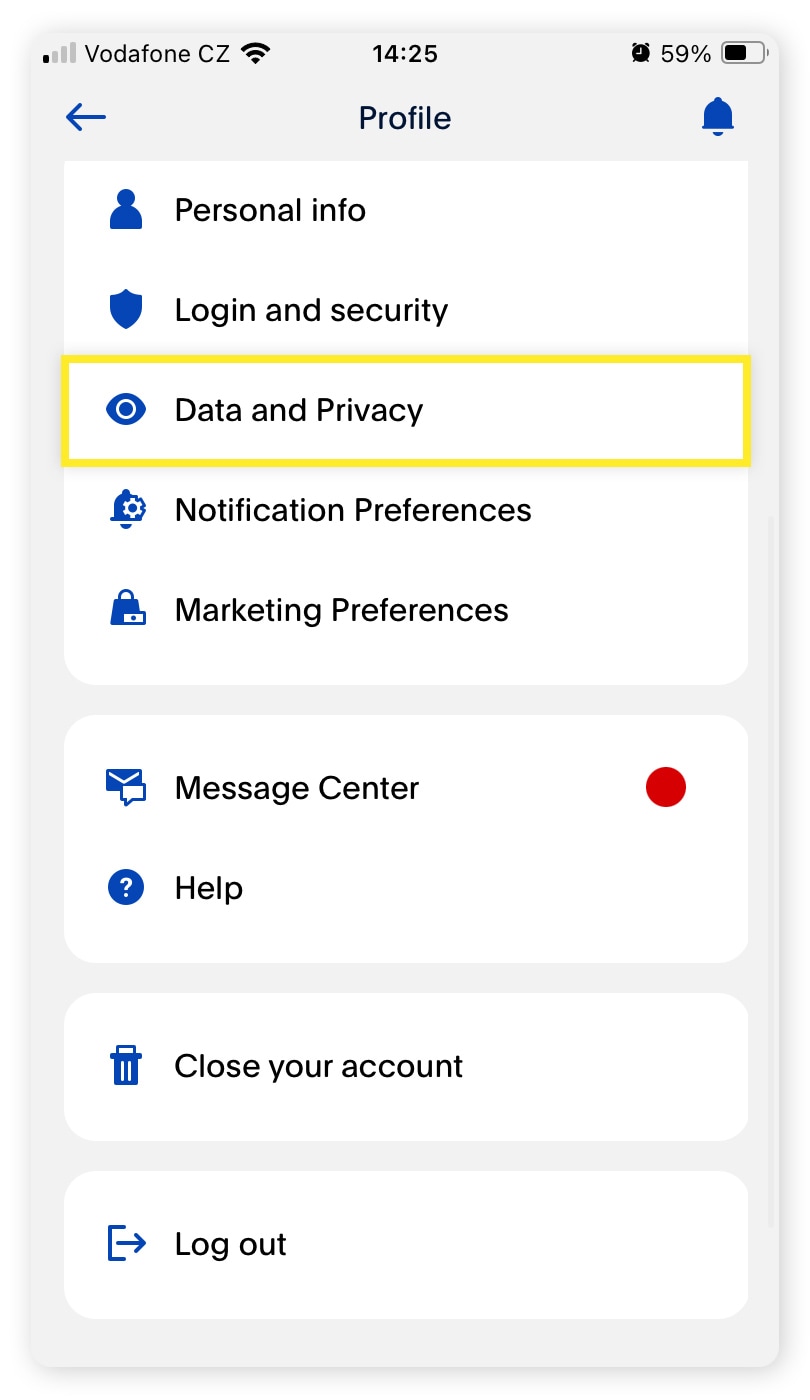
Closing an account is not merely a matter of clicking a button; it involves a series of technical steps to ensure that data is preserved, financial ties are severed correctly, and your digital security remains uncompromised. This guide provides a deep dive into the technical process of canceling a PayPal account while navigating the software’s interface and data policies.
1. Navigating the Technical Prerequisites for Deletion
Before initiating the deletion sequence within the PayPal interface, there are several technical hurdles that must be cleared. PayPal’s software architecture prevents the closure of accounts that have active dependencies. Addressing these before you begin the “Close Account” workflow will prevent system errors and “action required” prompts.
Resolving Pending Transactions and Open Disputes
The PayPal backend is designed to protect the integrity of the transaction ledger. Consequently, if there are any pending transactions, open disputes, or unresolved “claims” in the Resolution Center, the option to close the account will be programmatically disabled. From a technical standpoint, the system requires all ledger entries to be “Closed” or “Completed” status. Users must ensure that any ongoing disputes are settled, as once the account is deleted, the cryptographic link to those transactions is severed, making it nearly impossible to resolve them through standard automated channels.
Exporting Transactional Data and History
Once an account is deleted, the data is no longer accessible via the user interface. For those who utilize PayPal for business accounting or personal finance tracking, exporting your history is a critical technical step. PayPal provides tools to download transaction history in various formats, including CSV, TAB, and PDF.
To do this, navigate to the “Activity” tab and select the “Download” icon. It is recommended to download a “Custom” report covering the last several years to ensure you have a local backup for tax or audit purposes. Remember that deleting your account is a permanent action regarding data access; the software does not offer a “reactivate to view history” feature.
Zeroing the Balance and Removing Financial Links
The most common reason for a failed account closure is a non-zero balance. Whether you have $0.01 or $1,000, the account must be exactly $0.00. You must transfer your remaining balance to a linked bank account or use the “Send Money” feature to clear the ledger.
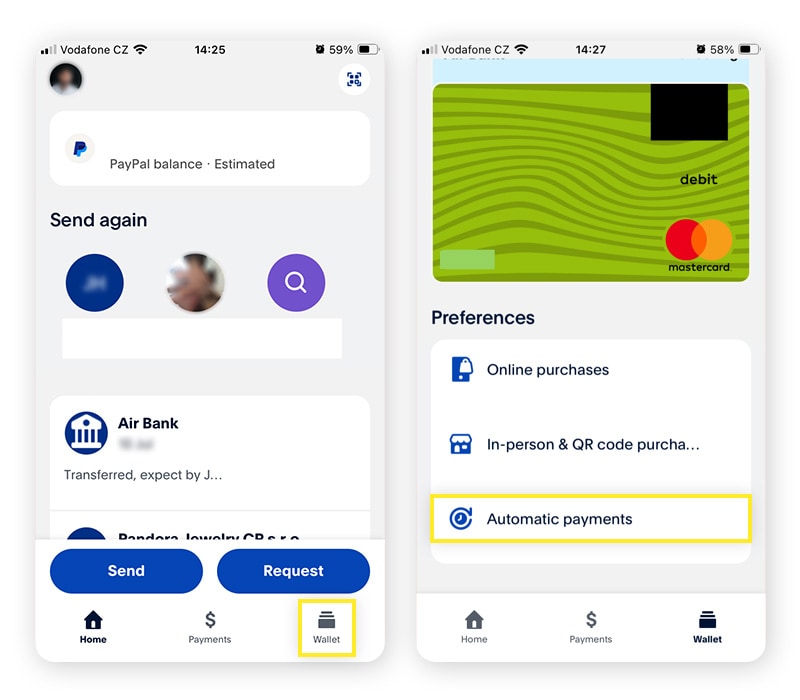
Furthermore, from a digital security perspective, it is a best practice to manually unlink your financial instruments—credit cards and bank accounts—before closing the profile. While PayPal’s automated system technically “detaches” these during deletion, manual removal ensures that the software’s permissions to pull or push data from your external banking APIs are explicitly revoked.
2. The Technical Workflow: Step-by-Step Account Closure
PayPal’s user interface (UI) has undergone numerous iterations, but the account closure utility remains nested within the profile settings. It is important to note a significant technical limitation: as of current software versions, you typically cannot close a PayPal account via the mobile app (iOS or Android). This action requires the full web-based interface due to the security protocols involved.
Accessing the Account Settings via Web Browser
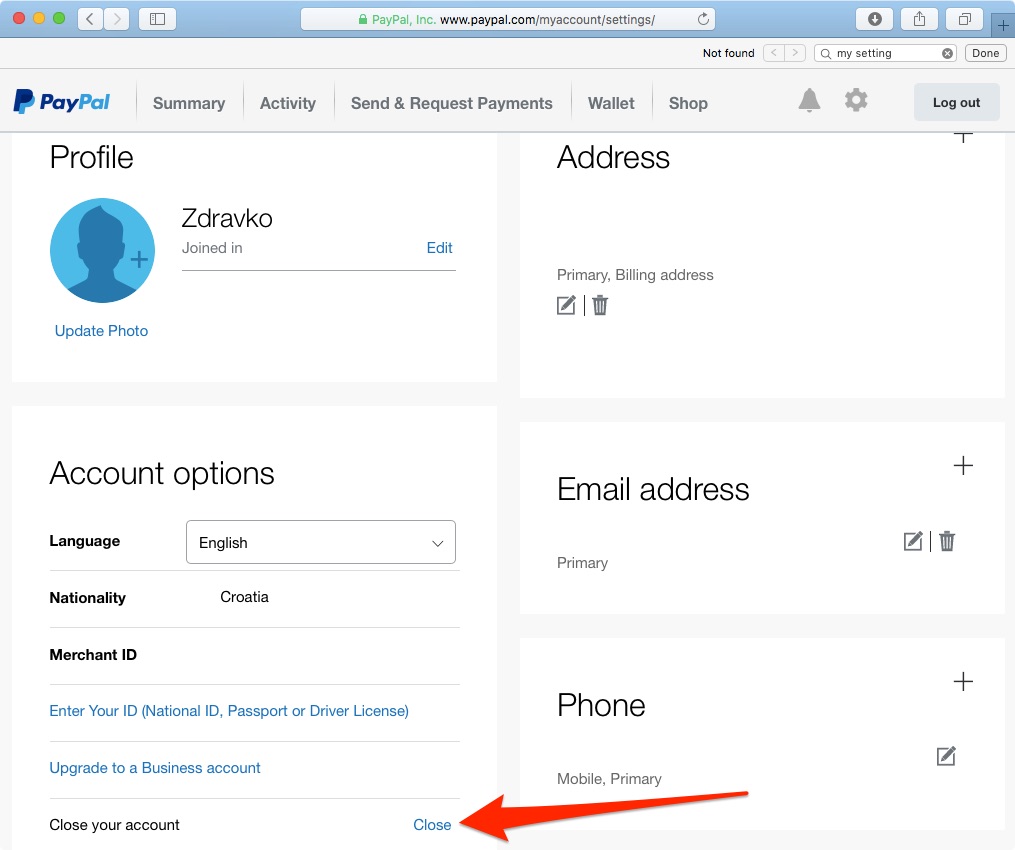
To begin, log in to the PayPal web portal using a secure browser. It is advisable to perform this on a desktop or laptop to ensure all UI elements are visible and functional. Navigate to the “Settings” icon (the gear symbol) located in the top-right corner of the dashboard. This section serves as the central hub for account metadata, security credentials, and data preferences.
Within the “Account” tab, scroll to the bottom of the page. You will find a hyperlink labeled “Close your account.” This is the entry point for the deletion script.
Navigating the Security Verification Layer
Upon clicking “Close your account,” PayPal’s security software will likely trigger a multi-factor authentication (MFA) check. This is a critical defensive measure to prevent unauthorized account deletions by malicious actors who may have gained temporary access to a session. You may be required to enter a code sent via SMS or an authenticator app.
After verification, the system will perform a final automated sweep of your account status. If the software detects any active subscriptions (Recurring Payments), it will prompt you to cancel them first. From a technical perspective, PayPal acts as a “vault” for these billing agreements; if the vault is destroyed without canceling the agreements, the merchant’s API calls will fail, potentially leading to service interruptions elsewhere.
Finalizing the Deletion Script
The final step involves a confirmation prompt. Once you confirm, the system executes a command to mark the account as “Closed” in the production database. You will receive an automated email confirmation. At this point, the login credentials will no longer function, and the unique merchant or personal ID associated with your account is retired from active service.
3. Digital Security and Data Privacy Implications
Closing a PayPal account is a significant move in managing your digital footprint. However, understanding what happens to your data on the backend is essential for those concerned with digital privacy and data security.
Data Retention and the “Right to be Forgotten”
While the account is “closed” from a user perspective, it is important to understand that the data is not immediately purged from PayPal’s servers. Due to global financial regulations (such as Anti-Money Laundering laws and the Bank Secrecy Act), PayPal is legally obligated to retain certain transactional and identity data for a specific period—often between five to ten years.
In the context of the GDPR (General Data Protection Regulation) or CCPA (California Consumer Privacy Act), users have certain rights regarding their data. However, these rights are often balanced against regulatory retention requirements. From a tech standpoint, your data moves from an “active” database to a “cold storage” or “archive” state, where it is restricted from general processing but remains available for legal or regulatory inquiries.
Revoking Third-Party API Permissions
Over years of use, many users link their PayPal accounts to various third-party apps, websites, and services (e.g., eBay, Etsy, or streaming services). When you cancel your account, these “OAuth” tokens and API permissions may still exist in the third-party systems.
A proactive security step is to go into the “Security” tab of your PayPal settings before closure and look for “Permissions you’ve given.” Manually revoking these ensure that no third-party software attempts to ping your deleted account, which can sometimes lead to “ghost” errors in those external applications.
4. Troubleshooting Technical Hurdles During Deletion
Even with a clear path, users often encounter technical friction when trying to leave the platform. Understanding the “why” behind these errors can help in resolving them efficiently.
Dealing with Account Limitations and Holds
If your account has a “Limitation” (a restriction placed by PayPal’s risk management software), the closure button will be non-functional. Limitations are typically triggered by suspicious login activity, a sudden spike in transaction volume, or a request for updated “Know Your Customer” (KYC) documentation. To proceed with deletion, you must first navigate to the “Account Health” or “Resolution Center” and provide the technical documentation required (such as ID uploads or proof of address) to lift the restriction.
Browser Cache and Script Errors
Sometimes, the “Close your account” link may appear to do nothing when clicked. This is often a result of client-side script conflicts or cached data in your web browser. To resolve this:
- Clear your browser’s cache and cookies.
- Disable any “Ad-Blocker” extensions that might interfere with the confirmation pop-ups.
- Attempt the process in an “Incognito” or “Private” window to ensure a clean session.
The Problem of Forgotten Passwords
If you are trying to close an old, unused account but cannot remember the credentials, you must first undergo the account recovery process. PayPal’s security protocol requires a verified login to initiate a deletion. If you no longer have access to the original email or phone number associated with the account, you will need to engage with technical support to verify your identity through secondary means (such as credit file questions) before they can grant access to close the account.
5. Transitioning to New Fintech Ecosystems
Once the PayPal account is successfully decommissioned, the focus shifts to integrating new software tools into your financial workflow. The transition is an opportunity to evaluate the technical merits of newer platforms.
Evaluating API Integrations and Security Features
When selecting a replacement for PayPal, consider the technical robustness of the alternative’s API. For business users, look for platforms that offer seamless integration with accounting software like QuickBooks or Xero. For personal use, prioritize apps that offer advanced security features such as hardware security key support (U2F/FIDO2), which provides a higher tier of protection than standard SMS-based MFA.
Managing the Digital Transition
The final stage of canceling your account is the “clean-up” phase. Update your saved payment methods in your browser’s password manager and remove PayPal as a “Quick Pay” option in your mobile wallet. By methodically closing the account and transitioning your data, you effectively manage your digital presence, ensuring that your financial data is secure, streamlined, and aligned with your current technological needs.
aViewFromTheCave is a participant in the Amazon Services LLC Associates Program, an affiliate advertising program designed to provide a means for sites to earn advertising fees by advertising and linking to Amazon.com. Amazon, the Amazon logo, AmazonSupply, and the AmazonSupply logo are trademarks of Amazon.com, Inc. or its affiliates. As an Amazon Associate we earn affiliate commissions from qualifying purchases.