
In an increasingly digital financial landscape, managing one’s monetary tools with precision and foresight has become paramount. The Cash App Card, a popular debit card linked to the expansive Cash App ecosystem, offers users a convenient way to access and spend funds from their balance. However, circumstances often arise where cancelling this card becomes a necessary step – whether due to security concerns, a change in financial habits, or simply no longer requiring its utility. Understanding the process of how to cancel a Cash App Card is not merely a technical instruction; it’s a critical component of proactive personal financial management, ensuring the security of your assets and the clarity of your financial footprint. This guide delves into the methodical steps and crucial financial considerations involved in deactivating your Cash App Card, empowering you with the knowledge to manage your digital finances effectively and securely.
Understanding the Cash App Card and Its Lifecycle in Personal Finance
The Cash App Card serves as a tangible link between your digital Cash App balance and the physical world of transactions. It functions like a traditional debit card, allowing users to make purchases online, in stores, and withdraw cash from ATMs, all funded by the balance held within their Cash App account. For many, it represents a flexible and accessible financial tool, often complementing traditional banking services or serving as a primary means for managing specific funds, such as online income or peer-to-peer transfers.
What is a Cash App Card in the Financial Toolkit?
At its core, a Cash App Card is a Visa debit card issued by Sutton Bank, directly tied to your Cash App balance. It’s designed for convenience, offering users immediate access to their funds without needing to transfer them to a separate bank account first. From a personal finance perspective, it’s a versatile spending instrument, particularly useful for managing budgets, tracking specific expenditures, or facilitating seamless transactions in a mobile-first economy. Its popularity also stems from features like instant discounts (Boosts) and direct deposit capabilities, making it an integral part of many individuals’ financial strategies.
Common Reasons for Card Cancellation: A Financial Perspective
The decision to cancel a financial tool like a debit card is rarely impulsive; it’s usually driven by specific financial or security imperatives. Understanding these common triggers can illuminate the importance of knowing the cancellation process:
-
Loss or Theft: This is perhaps the most urgent reason. A lost or stolen card presents an immediate security risk, as unauthorized access could lead to significant financial loss. Prompt cancellation is the primary defense against potential fraud.
-
Compromised Security: Even if not physically lost, if there’s a suspicion that your card details have been compromised (e.g., through a data breach or phishing scam), cancelling and ordering a new card is a crucial preventative measure to safeguard your funds.
-
Fraudulent Activity: Discovering unauthorized transactions on your account is a clear signal to cancel the card immediately to prevent further financial damage.
-
No Longer Needed/Account Consolidation: Users might decide to consolidate their financial accounts, switch to a different primary banking solution, or simply find they no longer use the Cash App Card frequently. Keeping unused financial instruments active can introduce unnecessary risk or clutter in one’s financial management.
-
Upgrading or Replacing: While often replaced rather than cancelled outright, understanding the cancellation process is fundamental before obtaining a new card, especially if the old one is no longer secure.
Proactive Financial Management Through Card Control
The ability to easily cancel or pause your Cash App Card is a testament to the platform’s emphasis on user control over their finances. This capability empowers individuals to act decisively in the face of security threats or changing financial needs, embodying a proactive approach to personal financial management. Regularly reviewing the necessity and security of all your financial tools, including digital cards, is a cornerstone of maintaining robust financial health and minimizing risk.
Step-by-Step Guide to Canceling Your Cash App Card
Cancelling your Cash App Card is designed to be a straightforward process, primarily executed through the Cash App mobile application. While intuitive, it’s imperative to follow each step carefully to ensure the card is securely deactivated and to prevent any unintended financial complications. This section provides a detailed walkthrough, emphasizing the security and financial implications at each stage.
Accessing Your Cash App Account Securely
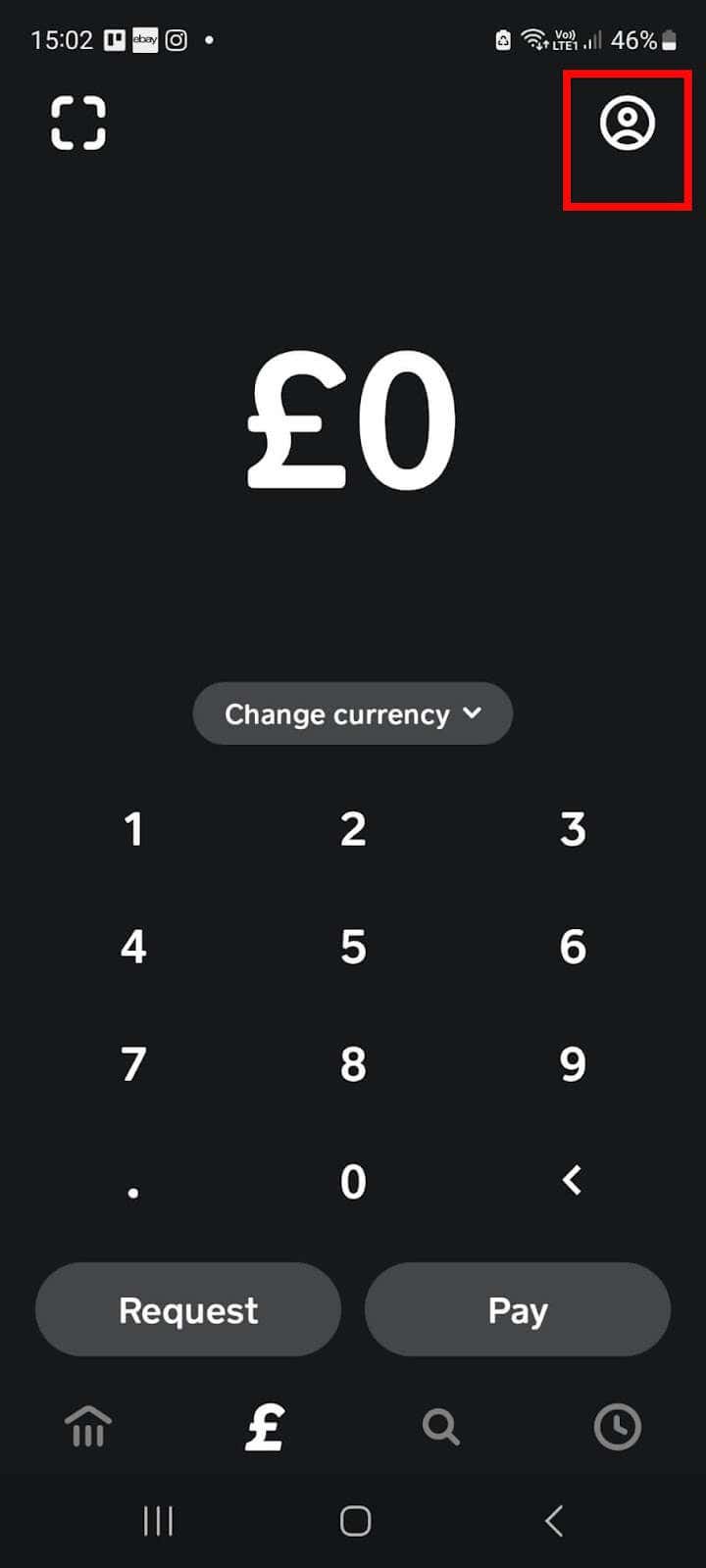
The first and most crucial step is to gain secure access to your Cash App account. This is where your financial journey with the app begins and where all sensitive operations, including card cancellation, are performed.
-
Open the Cash App: Launch the Cash App on your smartphone or tablet.
-
Log In: If you’re not already logged in, enter your registered phone number or email. You will typically receive a verification code (SMS or email) to confirm your identity. This two-factor authentication is a vital security layer that protects your financial data. Ensure you’re in a private setting when entering codes to prevent shoulder surfing or unauthorized access.
Navigating to the Card Section
Once securely logged in, you need to locate the specific section within the app dedicated to your Cash App Card management.
-
Tap the Card Icon: On the Cash App home screen, look for the card-shaped icon, usually located near the bottom of the screen. This icon represents your Cash App Card and serves as the gateway to its settings and controls.
-
View Card Details: Tapping this icon will display an image of your Cash App Card, along with various options related to its management, such as activating, pausing, or reporting it.
Initiating the Cancellation Process
Within the card management interface, you will find the options necessary to proceed with deactivation.
-
Locate “Cash Card” Settings: Below your card image, you will typically see a set of options or a settings cogwheel icon (⚙️) associated with the card. Tap on the specific option related to card management or settings. Sometimes, this might be directly labelled “Cash Card” or “Card Settings.”
-
Select “Problem with Card” or “Deactivate Card”: Depending on the app’s current interface design, you’ll need to find the option that allows you to address issues or manage the card’s active status. For canceling a physically lost or stolen card, you might see “Problem with Card” leading to options like “Card Stolen” or “Card Lost.” For a general cancellation, you might find an option like “Deactivate Card” or “Cancel Cash Card.”
-
Choose “Cancel Card” or “Replace Card” (with cancellation): If you’re cancelling due to loss or theft, you’ll likely be prompted to specify the reason (lost, stolen, damaged). If you wish to simply cancel without replacement, look for a direct “Cancel Card” option. For lost/stolen scenarios, choosing to “Replace Card” will often automatically cancel the compromised card while initiating an order for a new one. Be clear about your intent: do you want a new card, or do you want to permanently stop using this financial tool?
Confirmation and Verification for Financial Security
After initiating the cancellation, Cash App will typically ask for a final confirmation to ensure you genuinely wish to proceed. This is a crucial financial safeguard.
-
Confirm Cancellation: A pop-up message will usually appear, asking you to confirm your decision. Read this carefully to understand the implications.
-
Finalize: Once you confirm, your Cash App Card will be immediately deactivated. This means it can no longer be used for purchases or ATM withdrawals, securing your account from potential misuse of the old card. You might receive an in-app notification or an email confirming the successful cancellation.
Remember, this process specifically cancels the physical Cash App Card. Your Cash App account itself and the funds within it remain active and accessible.
What Happens After You Cancel? Important Financial Considerations
Cancelling your Cash App Card is a significant financial action with several downstream implications. Understanding these consequences is vital for maintaining control over your personal finances and avoiding unexpected disruptions.

Card Deactivation and Funds Access
The immediate effect of cancellation is the deactivation of the physical card. It ceases to function for all transactions. However, this does not affect your Cash App balance. Your funds remain securely in your Cash App account and can still be accessed for:
-
Sending and Receiving Money: You can continue to send funds to other Cash App users and receive money into your account.
-
Direct Deposit: If you have direct deposit set up to your Cash App, it will continue to function normally, routing funds to your Cash App balance.
-
Linking to Other Services: Your Cash App balance can still be used if your account is linked to other financial services or payment platforms (e.g., for online purchases via your Cash App balance, if the merchant supports it).
-
Transferring to a Bank Account: You can still transfer your Cash App balance to a linked bank account at any time, via standard or instant transfers, subject to associated fees for instant transfers.
Essentially, only the physical debit card’s spending functionality is removed. Your digital wallet remains fully operational.
Pending Transactions and Refunds
One area that often causes concern post-cancellation relates to transactions that were initiated before the card was deactivated.
-
Pending Transactions: Any transactions that were initiated before you cancelled the card but have not yet fully processed will generally still go through. Cash App honors these pre-authorized transactions. It’s crucial to review your activity feed immediately after cancellation to identify any pending charges.
-
Refunds: If you are expecting a refund for a purchase made with the cancelled card, it will typically be processed back to your Cash App balance, not the cancelled card itself. This means the funds will reappear in your Cash App account, accessible through the app or by transfer to your bank. It’s always a good practice to monitor your account for these expected refunds.
Recurring Payments and Subscriptions
This is a critical financial detail to address post-cancellation. Many people use their Cash App Card for recurring payments like streaming services, gym memberships, or app subscriptions.
-
Disruption of Services: Once your card is cancelled, any recurring payments set up directly using that specific card number will fail. This could lead to service interruptions, late fees, or even account suspension with the respective merchants.
-
Proactive Updating: It is essential to manually update your payment information with all merchants where you have recurring charges linked to your old Cash App Card. This involves logging into each service and changing the payment method to a new card (if you order a replacement) or an alternative financial instrument. Failing to do so can create significant administrative headaches and potential financial penalties. This is a prime example of why meticulous financial record-keeping is vital.
Implications for Future Cash App Use
Cancelling your physical card does not terminate your relationship with Cash App.
-
Ordering a New Card: If you cancelled your card due to loss, theft, or damage, you can easily order a new one directly through the app. This new card will have a different card number, enhancing your financial security. The new card will link to your existing Cash App balance.
-
Account Status: Your Cash App account itself remains active, allowing you to continue using all other features like peer-to-peer payments, direct deposits, and bitcoin trading (where available).
Best Practices for Financial Security and Card Management
Beyond the immediate steps of cancellation, adopting a broader approach to financial security and card management is indispensable. In an era of increasing digital transactions, vigilance and informed decision-making are your best allies in protecting your assets.
Regular Account Monitoring: Your First Line of Defense
One of the most effective ways to detect and prevent financial fraud is through diligent and regular monitoring of your financial accounts.
-
Daily or Weekly Checks: Make it a habit to check your Cash App activity feed daily or at least several times a week. Look for any unfamiliar transactions, even small ones, as these can sometimes be “test” charges by fraudsters.
-
Transaction Alerts: Enable push notifications or email alerts for all transactions on your Cash App. This immediate notification allows you to react swiftly if an unauthorized charge occurs.
-
Reconcile Statements: Periodically compare your Cash App activity with your personal spending records to ensure accuracy.
Reporting Lost or Stolen Cards Immediately
Time is of the essence when a financial instrument is compromised. Delay in reporting can significantly increase your financial liability.
-
Act Fast: As soon as you realize your Cash App Card is lost or stolen, immediately log into your Cash App and either pause the card or initiate the cancellation process.
-
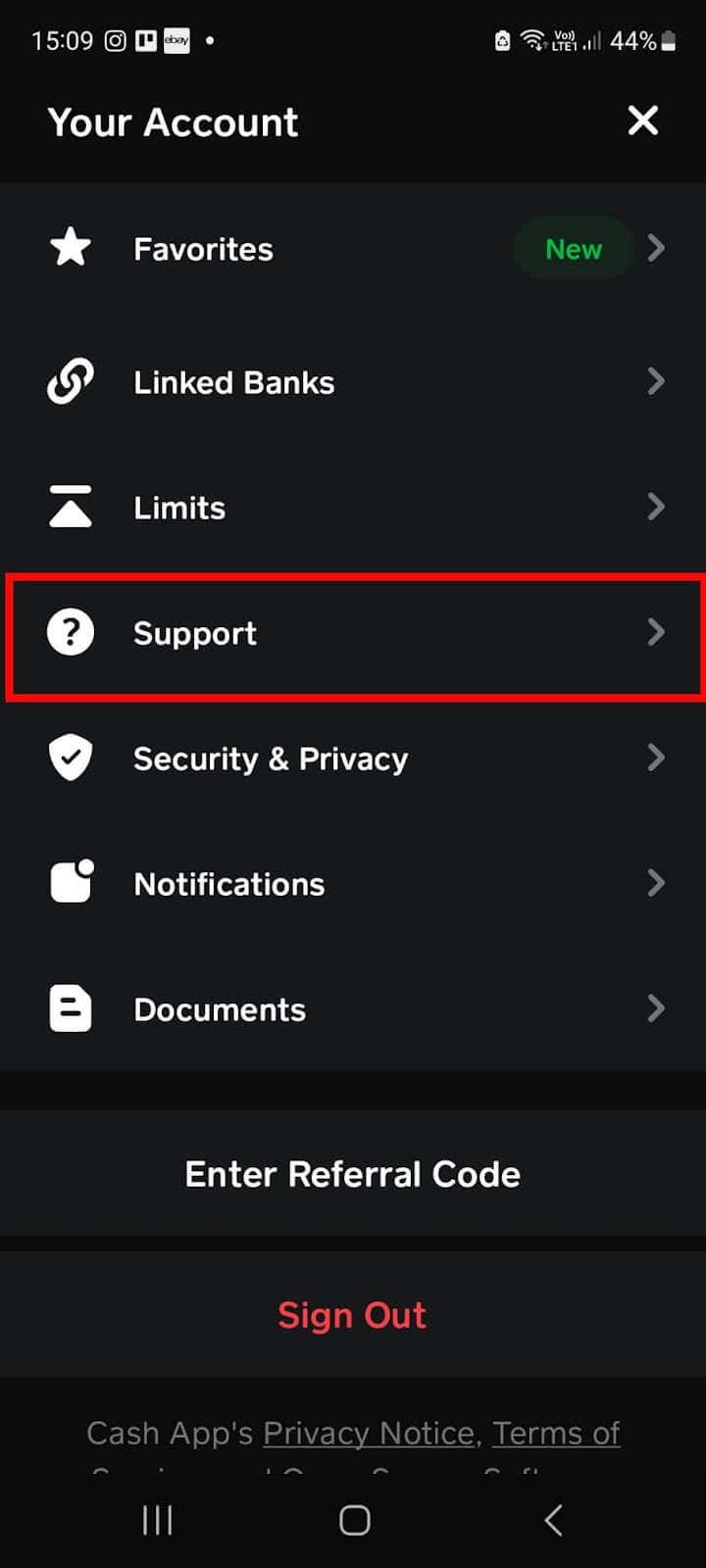
Contact Support: If you experience any difficulty within the app or suspect a more complex issue, contact Cash App support directly without delay. They can assist in blocking the card and investigating suspicious activity.
-
Understand Liability: Familiarize yourself with Cash App’s policy regarding unauthorized transactions and your liability, which often depends on how quickly you report the issue.
Understanding Cash App’s Security Features
Leveraging the inherent security features of financial tools is crucial for protecting your money.
-
PIN Protection: Ensure your Cash App Card has a strong, unique PIN that you don’t share with anyone.
-
Two-Factor Authentication (2FA): Always keep 2FA enabled for your Cash App account. This adds an extra layer of security, requiring a code (usually sent to your phone or email) in addition to your password or PIN, especially for sensitive actions.
-
Biometric Security: If your device supports it, enable fingerprint or facial recognition for accessing your Cash App.
-
Disabling Card Use: Beyond full cancellation, Cash App allows you to temporarily “pause” your card from within the app. This is an excellent feature for moments when you misplace your card but believe you might find it, offering a temporary security measure without full cancellation.
Maintaining Holistic Financial Awareness
Effective card management is part of a broader commitment to holistic personal finance.
-
Be Skeptical of Unsolicited Communications: Phishing scams are prevalent. Cash App will never ask for your PIN, login code, or full card number via phone, email, or social media. Be wary of any communication asking for this information.
-
Secure Your Devices: Ensure the device you use for banking and financial apps is secured with passcodes, up-to-date software, and reputable antivirus protection.
-
Review Terms and Conditions: Periodically review the terms and conditions of your financial tools, including Cash App, to stay informed about changes in policies, fees, and security features.
Conclusion
Cancelling a Cash App Card is more than just a procedural task; it’s an important exercise in personal financial security and proactive money management. Whether prompted by an unfortunate incident like loss or theft, or simply a strategic decision to streamline your financial toolkit, understanding the correct steps and the subsequent financial implications is vital. By leveraging Cash App’s intuitive interface and adhering to best practices for digital financial hygiene, individuals can confidently manage their debit cards, safeguard their funds, and maintain robust control over their overall financial well-being. In the fast-evolving world of digital finance, knowledge and vigilance remain your most valuable assets.
aViewFromTheCave is a participant in the Amazon Services LLC Associates Program, an affiliate advertising program designed to provide a means for sites to earn advertising fees by advertising and linking to Amazon.com. Amazon, the Amazon logo, AmazonSupply, and the AmazonSupply logo are trademarks of Amazon.com, Inc. or its affiliates. As an Amazon Associate we earn affiliate commissions from qualifying purchases.