
Cash App has become an indispensable tool in the modern digital economy, enabling seamless peer-to-peer (P2P) transactions, direct deposits, investing, and more. At the heart of its utility is the ability to connect with others – whether friends, family, or businesses – to facilitate swift money transfers. Understanding how to effectively add and manage contacts within the app is crucial for maximizing its potential and ensuring your financial interactions are both smooth and secure. This guide delves into the technical aspects and best practices for expanding your network on Cash App, transforming it from a simple payment tool into a comprehensive financial hub.
Understanding Cash App: Your Digital Wallet’s Core Functionality
Cash App operates as a mobile payment service, developed by Block, Inc., allowing users to send and receive money via a user-friendly interface. Its design prioritizes convenience, making it possible to manage funds directly from your smartphone. The fundamental process of adding someone is not just about making a single transaction; it’s about building a reliable network for recurring financial exchanges, whether splitting dinner bills, sending gifts, or contributing to shared expenses.
The Ecosystem of Peer-to-Peer Payments
The rise of P2P payment applications like Cash App has revolutionized how individuals interact with their money. Gone are the days of needing physical cash or waiting for bank transfers to clear. With Cash App, funds can often move between users almost instantaneously, provided both parties are correctly linked within the platform. This ecosystem thrives on connectivity; the more easily you can identify and connect with other users, the more fluid your financial interactions become. Each user has a unique identifier, primarily their $Cashtag, phone number, or email address, serving as the digital handshake within this financial network.
Security and Convenience: The Dual Promise
Cash App’s architecture is built on a foundation of both convenience and security. While the ease of adding contacts facilitates rapid transactions, the platform also incorporates robust security measures to protect user data and funds. Encryption, fraud detection systems, and optional PIN or Touch ID verification are integral to safeguarding your account. When you add someone, you’re not just inputting details; you’re establishing a trusted channel for financial communication, backed by Cash App’s technological safeguards designed to offer peace of mind with every tap. Understanding these underlying mechanisms enhances your confidence in utilizing the app for sensitive transactions.
Step-by-Step Guide to Connecting on Cash App
Adding someone on Cash App is a straightforward process, but the method can vary slightly depending on whether you have their specific $Cashtag, phone number, or email. Each approach is designed for efficiency, ensuring you can connect with minimal friction.
Locating Friends by Name or $Cashtag
The $Cashtag is arguably the most iconic identifier on Cash App. It’s a unique username, chosen by each user, starting with a dollar sign (e.g., $JaneDoe123). This handle simplifies transactions, making it easy to find and verify the correct recipient.
To add someone using their $Cashtag or by searching their name:
-
Open the Cash App: Launch the application on your mobile device.
-
Navigate to the Payment Screen: This is typically the central tab, often indicated by a dollar sign icon or the amount input field.
-
Enter the Amount (Optional but Recommended): While you can add someone without initiating a transaction, it’s common to add someone when you’re about to send them money. Input the desired amount.
-
Tap “Pay”: After entering the amount, tap the “Pay” button.
-
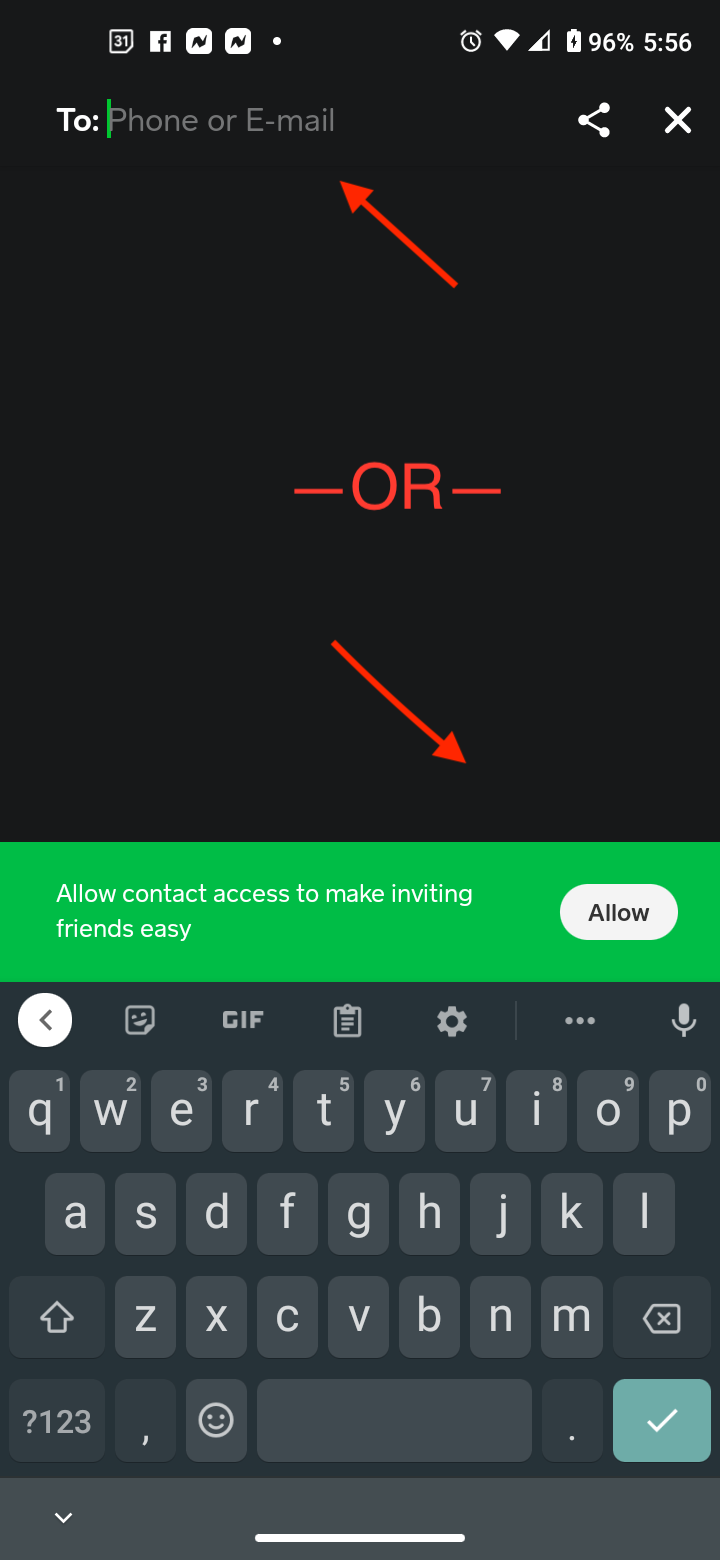
Search for the Recipient: In the “To” field, you can start typing the recipient’s $Cashtag, their full name, or their email/phone number. As you type, Cash App will display a list of matching users.
-
Verify the Recipient: This is a crucial step. Always double-check the recipient’s $Cashtag or profile picture to ensure you are sending money to the correct person. Many users will also include their full name in their profile for easier identification.
-
Confirm and Send: Once you’ve selected the correct person, you’ll be prompted to confirm the amount and recipient before the money is sent. This action effectively “adds” them to your transaction history and often makes them easily accessible for future payments.
Utilizing Phone Numbers or Email Addresses
For those who prefer traditional contact methods, Cash App also allows you to find and add users via their registered phone number or email address. This method is particularly useful if the person hasn’t shared their $Cashtag or if they are already in your phone’s contact list.
To add someone using their phone number or email:
-
Initiate a Transaction: Follow steps 1-4 from the “$Cashtag” method.
-
Enter Contact Information: In the “To” field, type in the recipient’s phone number or email address that they have registered with Cash App.
-
Select from Suggestions: If the number or email is associated with a Cash App account, their profile should appear in the suggestions.
-
Confirm Identity: Again, verify the recipient’s identity before proceeding.
-
Complete Transaction: Finalize the payment, and the recipient will be added to your contacts.
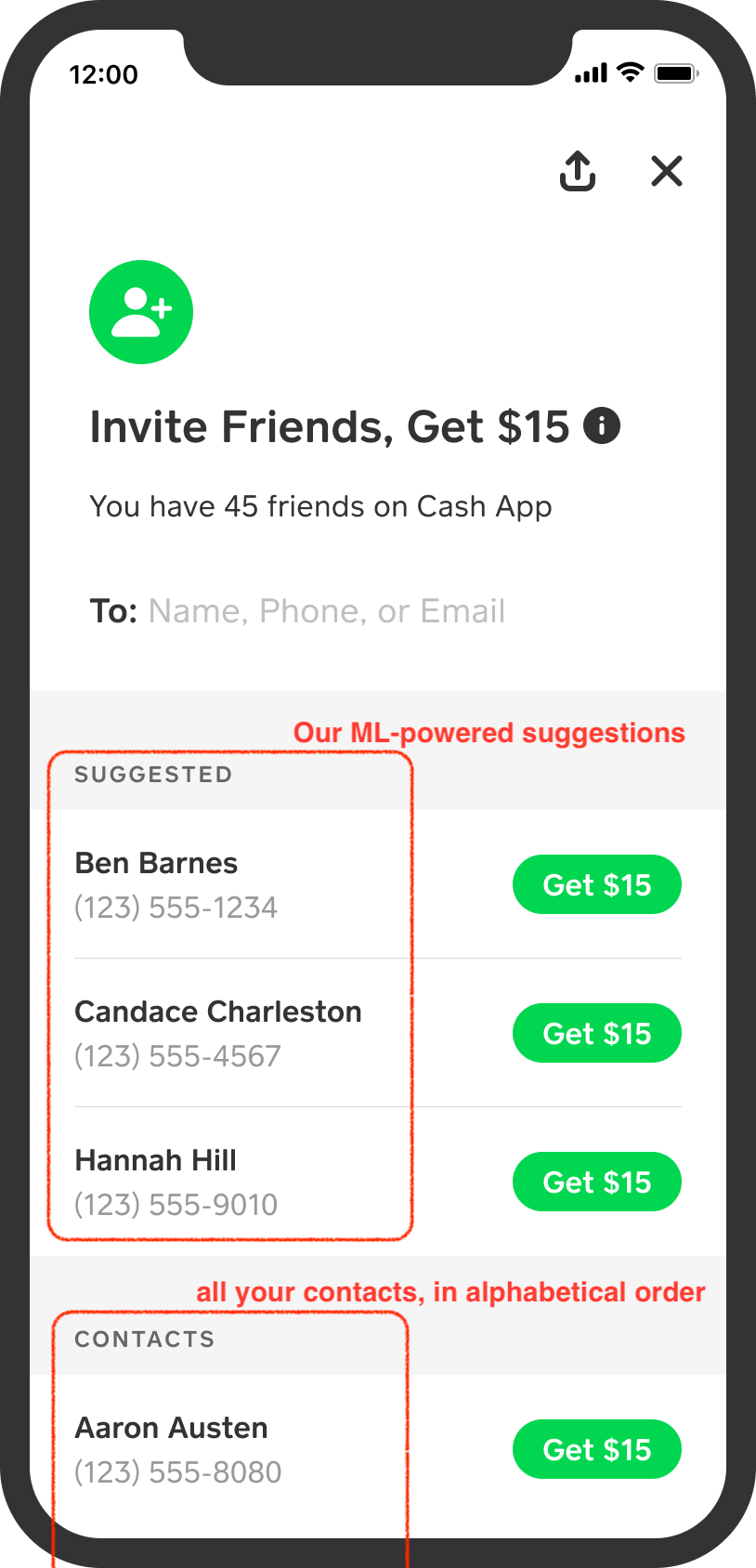
Cash App also offers an option to sync your phone’s contacts. This feature allows the app to identify which of your existing contacts are already Cash App users, making it incredibly convenient to send money without having to manually search for each person. You typically enable this feature through the app’s privacy or settings menu, granting Cash App permission to access your device’s contact list. This integration streamlines the process, transforming your phone’s address book into a dynamic network of potential Cash App connections.
Initiating Your First Transaction
Once you have identified and selected the person you wish to add, the next logical step is often to complete a transaction. While Cash App doesn’t have a standalone “add friend” button in the same way social media apps do, the act of sending or requesting money inherently adds that user to your recent contacts and makes them easily accessible for future interactions. After a successful transaction, their $Cashtag or name will typically appear in your “recents” list or suggestions when you initiate new payments, effectively adding them to your network.
Enhancing Your Cash App Experience Through Connections
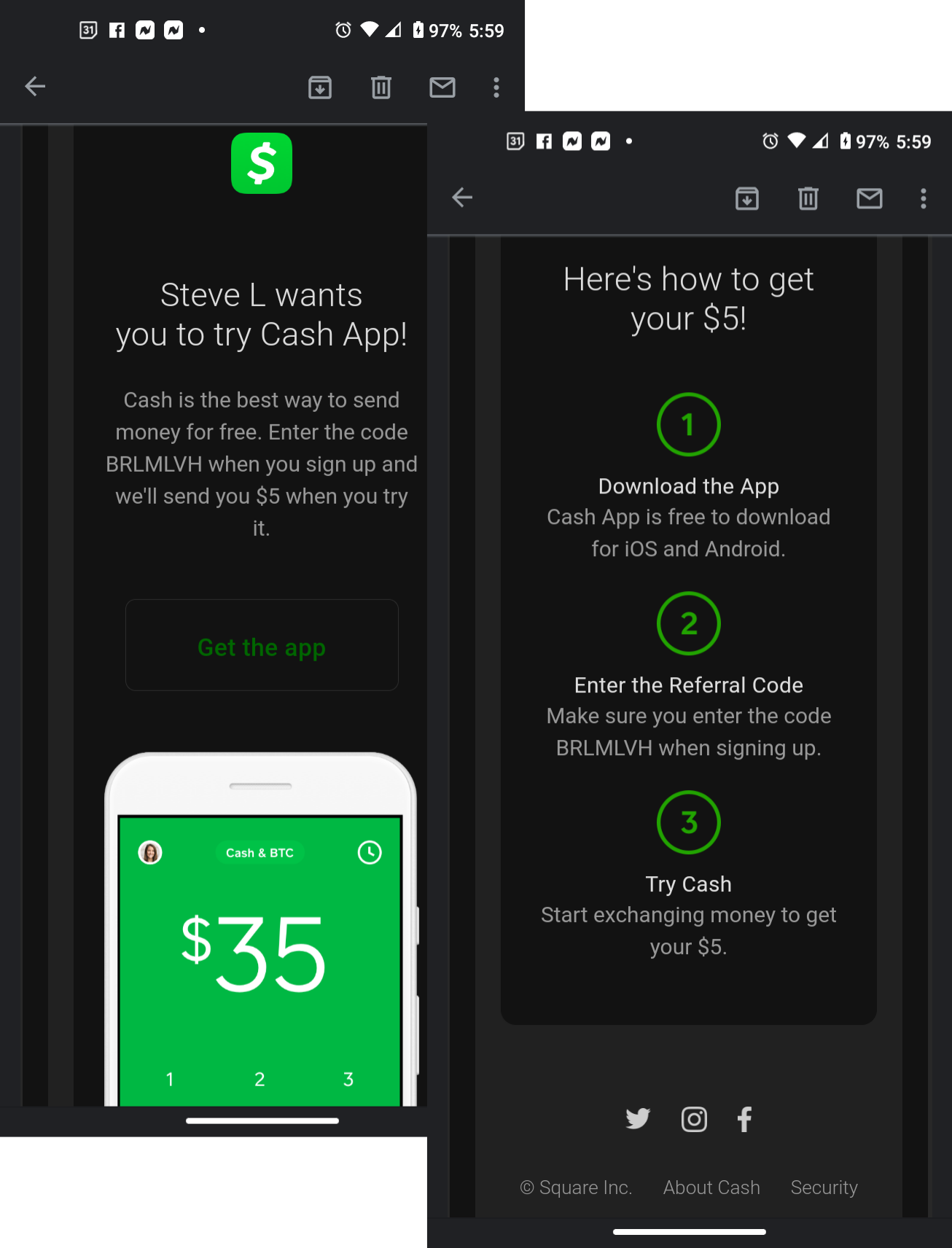
The true power of Cash App emerges when your network grows. Connecting with a wider array of individuals and businesses unlocks various functionalities that go beyond simple money transfers.
Streamlining Group Payments and Bill Splitting
For social events, shared living expenses, or group travel, the ability to quickly send and receive money from multiple contacts is invaluable. By having your friends added on Cash App, splitting restaurant bills, collecting funds for a joint gift, or managing household utilities becomes a matter of a few taps. You can send payment requests to multiple individuals or send money to each person’s $Cashtag directly, eliminating the awkwardness and delay often associated with traditional methods of settling group debts.
Leveraging Cash App for Business and Services
Cash App is not just for personal use; it has become a popular platform for small businesses, freelancers, and service providers. Many vendors prominently display their $Cashtags for easy payment acceptance. As a customer, adding these businesses to your Cash App network means you can pay for goods or services seamlessly, often avoiding transaction fees associated with credit cards. This fosters a more dynamic local economy, where digital payments are accessible to a broader range of enterprises.
Privacy and Managing Your Contacts
While expanding your network is beneficial, managing your connections responsibly is key. Cash App provides options to ensure your privacy and control over your interactions. If you no longer wish to interact with someone financially, or if you’ve made a mistake, you can usually block a user through their profile within the app. This action prevents them from sending you requests or payments and effectively removes them from your active network. Regularly reviewing your transaction history and contact suggestions helps maintain a secure and relevant network of connections.
Troubleshooting Common Connection Issues
Despite Cash App’s intuitive design, users occasionally encounter challenges when trying to add or find others. Understanding common pitfalls can help you troubleshoot these issues efficiently.
Incorrect $Cashtag or Contact Details
The most frequent issue is simply a typo. A single incorrect character in a $Cashtag, phone number, or email address will prevent Cash App from finding the intended recipient. Always double-check the spelling of $Cashtags (they are case-sensitive) and verify that the phone number or email address provided is indeed the one registered to the recipient’s Cash App account. It’s often best to ask the recipient to confirm their exact $Cashtag or registered contact information directly.
Account Verification Requirements
Occasionally, a user might not be findable or able to complete transactions due to incomplete account verification. Cash App, like other financial platforms, requires users to verify their identity (typically through SSN, date of birth, and full name) to unlock full functionality, including higher sending and receiving limits. If you’re having trouble connecting with someone, or they can’t receive your payment, advise them to check their account settings for any pending verification steps. Unverified accounts may face limitations that prevent seamless interactions.
App Updates and Compatibility
Technology evolves rapidly, and keeping your Cash App updated is essential for optimal performance and access to the latest features. An outdated app version might sometimes lead to glitches in searching for contacts or completing transactions. Ensure you are running the most recent version of Cash App available for your device’s operating system (iOS or Android). Similarly, ensuring your device itself is running a compatible operating system can prevent unexpected errors.
The Future of Digital Connections on Payment Platforms
The trajectory of apps like Cash App indicates a continued evolution towards more integrated and socially connected financial experiences. The act of “adding someone” is more than just a functional step; it’s a building block for a more dynamic digital financial future.
Interoperability and Ecosystem Growth
Future iterations of P2P apps may see even greater interoperability, allowing for more seamless connections across different financial platforms or even integrating more deeply with social media. As these ecosystems mature, the ability to connect and transact will likely become even more streamlined, potentially incorporating QR code scanning for physical interactions or enhanced biometric authentication for added security and convenience. The trend is towards reducing friction in all forms of digital exchange.
The Role of Social Features in Financial Apps
Financial applications are increasingly adopting elements traditionally found in social media. Features like personalized profiles, transaction history that resembles a feed, and even the ability to react to payments with emojis are blurring the lines between social interaction and financial management. This integration aims to make financial transactions more engaging and less daunting, reinforcing the idea that connecting with others for monetary exchange is a natural extension of our digital lives. Understanding how to add someone on Cash App today is therefore not just about current utility, but also about preparing for the increasingly interconnected financial landscapes of tomorrow.
aViewFromTheCave is a participant in the Amazon Services LLC Associates Program, an affiliate advertising program designed to provide a means for sites to earn advertising fees by advertising and linking to Amazon.com. Amazon, the Amazon logo, AmazonSupply, and the AmazonSupply logo are trademarks of Amazon.com, Inc. or its affiliates. As an Amazon Associate we earn affiliate commissions from qualifying purchases.