
The open road, a favorite playlist, and the seamless transition from cityscapes to country drives – it’s the quintessential automotive experience. For millions, this experience is enhanced by SiriusXM Satellite Radio, offering an unparalleled breadth of commercial-free music, live sports, news, and exclusive talk content. But what if your car doesn’t come with SiriusXM built-in, or you’re looking to upgrade an older system? Integrating SiriusXM into your vehicle is a thoroughly technological endeavor, requiring an understanding of various hardware, software, and connectivity solutions. This guide delves into the diverse methods available, ensuring you can bring the world of satellite radio into your dashboard, regardless of your car’s vintage or existing infotainment system.
Understanding SiriusXM and Its Integration Options
Before diving into installation specifics, it’s crucial to grasp what SiriusXM offers and the fundamental technological pathways to bring it into your vehicle. At its core, SiriusXM delivers digital audio programming via satellites orbiting the Earth, broadcasting signals that are then received by a specialized antenna and decoded by a tuner.
What is SiriusXM? A Technological Overview
SiriusXM operates as a subscription-based satellite radio service. Unlike traditional terrestrial radio, its signals cover a vast geographical area, largely unaffected by local topography or distance from broadcast towers. This robust, nationwide coverage is its primary technological advantage, providing consistent audio quality and channel availability from coast to coast. The content itself is digitally compressed and encrypted before being beamed to your receiver, offering a wide array of specialized channels tailored to diverse tastes.
Native vs. Aftermarket Solutions
When considering how to add SiriusXM, you’ll encounter two primary categories:
- Native Integration (Factory Installed): Many modern vehicles come with SiriusXM tuners pre-installed from the factory. This represents the most seamless technological integration, as the tuner, antenna, and control interface are all designed to work harmoniously within the car’s existing infotainment system.
- Aftermarket Solutions: For vehicles without native integration, or for those seeking more flexibility, aftermarket options provide the necessary hardware and software to add SiriusXM. These range from simple plug-and-play devices to complete head unit replacements, each with its own set of technological considerations.
Factors to Consider Before Installation
Before purchasing any equipment or committing to an installation method, evaluate these critical factors:
- Vehicle Compatibility: Does your car have an auxiliary input, USB port, or Bluetooth capabilities? Is there space for a new head unit?
- Budget: Solutions range from inexpensive adapters to costly head unit replacements and professional installation services.
- Desired Features: Do you only need basic radio, or do you want advanced features like On Demand content, channel surfing, and personalized stations?
- Sound Quality: While satellite radio offers good quality, the method of audio transmission to your car’s speakers (e.g., FM transmitter vs. direct aux-in) can significantly impact the final output.
- Installation Skill Level: Are you comfortable with basic wiring and panel removal, or do you prefer a professional installation?
Method 1: Leveraging Existing Car Infotainment Systems
For many drivers, the most straightforward path to SiriusXM involves utilizing technology already present in their vehicle. This can range from activating a dormant factory tuner to harnessing the power of your smartphone and existing connectivity options.
Vehicles with Built-in SiriusXM Tuners
A significant percentage of cars manufactured in the last decade or so come with a SiriusXM tuner pre-installed, even if it’s not active. This is the most technologically advanced and integrated solution, as the car’s manufacturer has designed the system to work optimally. You’ll typically see a “SiriusXM” or “SAT” option on your radio’s source selection, even if it’s currently playing a preview channel.
Activating a Pre-installed Tuner
If your car has a factory-installed tuner, the process is primarily a software activation. You’ll usually need to tune to channel 0 or 1 on your SiriusXM source, find the radio’s unique ID (often labeled “SID” or “ESN”), and then visit the SiriusXM website or call their customer service to subscribe and activate. The signal is then sent wirelessly to your car’s antenna, unlocking the full channel lineup. This method requires no physical installation and provides the most seamless user experience, fully integrated into your car’s dashboard controls.
Connecting via Smartphone Apps: The Digital Bridge
For those whose cars lack a built-in tuner, or for subscribers who want to access SiriusXM outside their vehicle, the SiriusXM smartphone app is a powerful solution. This leverages your phone’s cellular data connection (or Wi-Fi) to stream content, acting as a digital bridge to your car’s audio system.
Bluetooth Streaming
Most modern cars are equipped with Bluetooth connectivity, allowing your smartphone to wirelessly transmit audio to your car’s speakers. Simply open the SiriusXM app on your phone, select your desired channel, and ensure your phone is paired and connected to your car’s Bluetooth system. This method is convenient, cable-free, and generally offers good audio quality, limited primarily by the Bluetooth codec and your phone’s processor. The car’s controls can typically pause/play and skip tracks.
USB Connection
If your car has a USB port that supports audio playback (common in newer infotainment systems), you can directly connect your smartphone via a USB cable. This often provides superior audio quality compared to Bluetooth, as the digital signal is transferred directly without additional compression. Many infotainment systems will also display song information and allow control of the SiriusXM app directly from the car’s touchscreen, mirroring the app’s interface through Apple CarPlay or Android Auto integration.
Wi-Fi Hotspot
Some advanced infotainment systems and even dedicated smartphone apps can utilize a car’s built-in Wi-Fi hotspot or your phone’s mobile hotspot to stream SiriusXM. This is less common for direct integration but offers another avenue for connectivity, particularly useful if your car’s system can directly access streaming apps.
Method 2: Aftermarket Solutions for Any Vehicle
When factory integration isn’t an option, or you prefer a dedicated device, a range of aftermarket technological solutions can bring SiriusXM into virtually any car. These methods involve adding physical hardware to your vehicle.
Standalone Satellite Radio Tuners (Dock-and-Play)
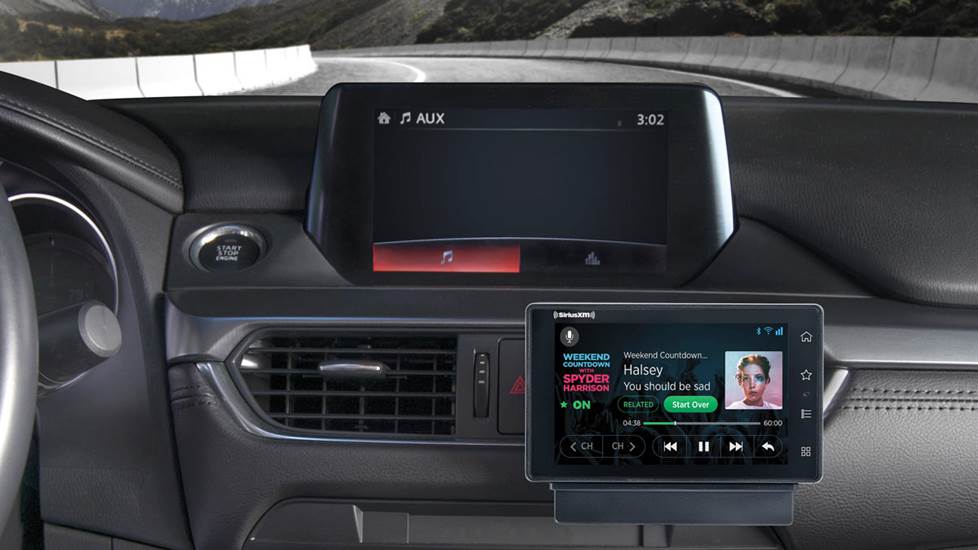
Dock-and-play tuners are perhaps the most popular aftermarket solution. These compact, self-contained units include a display, controls, and the necessary tuner technology. They come with a docking station that mounts in your car and provides power, an antenna connection, and an audio output.
Installation Process: Power, Antenna, Audio
- Power: These units typically draw power from your car’s 12V accessory outlet (cigarette lighter) using an included adapter.
- Antenna: A crucial component is the magnetic mount antenna, which must be placed on the exterior of your car (usually the roof or trunk lid) where it has a clear line of sight to the sky. The thin cable is then routed through a window or trunk seal into the car to connect to the docking station. Proper antenna placement is paramount for reliable signal reception.
- Audio Output: The tuner’s audio output needs to connect to your car’s stereo. Common methods include:
- Auxiliary Input (AUX-in): The cleanest and highest quality method. Connect the tuner’s audio-out (typically a 3.5mm jack) to your car’s AUX-in port using an audio cable.
- FM Transmitter: If your car lacks an AUX-in, many dock-and-play units have a built-in FM transmitter. This broadcasts the SiriusXM audio on an unused FM frequency, which your car’s radio can then pick up. While convenient, FM transmission can suffer from interference and isn’t as clear as a direct connection.
- Cassette Adapter: For very old cars with a cassette player, an adapter can provide an audio input.
Mounting Options
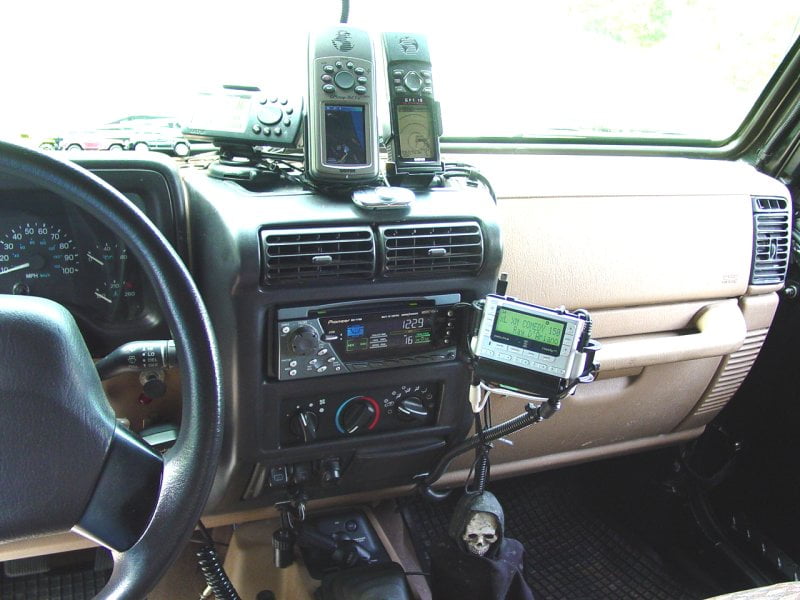
Dock-and-play units usually come with various mounting accessories, such as vent clips, dash mounts (adhesive or suction cup), or console mounts, allowing you to position the display conveniently within reach and view.
SiriusXM Ready Car Stereos (Head Unit Replacement)
For the ultimate aftermarket integration, replacing your car’s factory head unit (stereo) with a “SiriusXM Ready” aftermarket unit is an excellent option. This is a more involved technological upgrade but often yields superior results.
Choosing a Compatible Head Unit
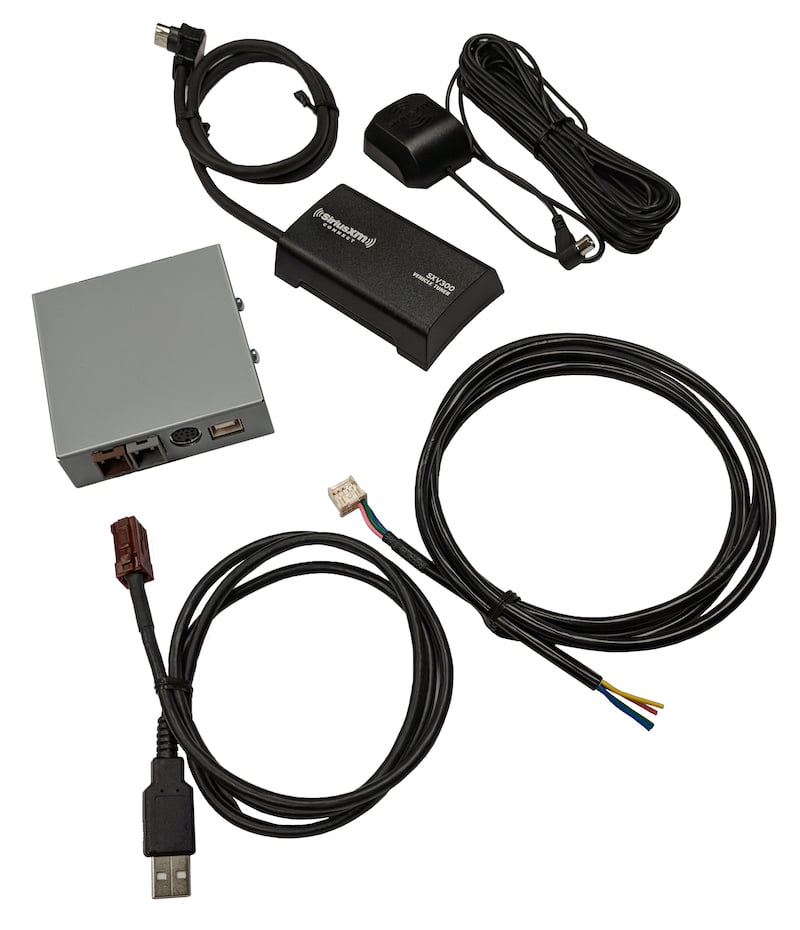
“SiriusXM Ready” head units have a dedicated port for a SiriusXM Connect Vehicle Tuner. This small, black box contains the satellite radio receiver and plugs directly into the back of the new head unit. No separate display or controls are needed; SiriusXM functions are fully integrated into the stereo’s interface. When selecting a head unit, ensure it’s compatible with your car’s make and model (often requiring a dash kit and wiring harness adapter) and supports the SiriusXM Connect tuner.
Professional Installation vs. DIY
Replacing a head unit involves removing dashboard panels, disconnecting factory wiring, connecting a new wiring harness, and potentially installing a new antenna. While experienced DIYers can tackle this, many opt for professional installation to ensure proper wiring, functionality, and aesthetics. This method provides the highest audio quality and the most integrated user experience for an aftermarket solution.
FM Modulators and Auxiliary Inputs
For those seeking simpler, less intrusive technological solutions, especially in older vehicles, FM modulators and auxiliary input adapters offer viable alternatives.
Direct Connect FM Modulators
Unlike the built-in transmitters of dock-and-play units, a direct connect FM modulator wires directly into your car’s antenna line. It intercepts the radio signal, overlays the SiriusXM audio, and then sends it to your car’s stereo. This significantly reduces static and interference compared to wireless FM transmitters, providing a much clearer signal. Installation typically involves accessing the back of your car stereo to connect the modulator inline with the antenna cable.
Aux-in Cables and Bluetooth Adapters
If your car has an auxiliary input but your SiriusXM source doesn’t have a direct AUX-out, simple adapters can bridge the gap. For example, a Bluetooth receiver can be plugged into your car’s AUX-in, allowing you to stream SiriusXM wirelessly from your phone, mimicking the factory Bluetooth experience for cars that lack it. Similarly, a 3.5mm audio cable is often all that’s needed to connect a dock-and-play unit or smartphone to an existing AUX port.
Installation Best Practices and Troubleshooting
Regardless of the method chosen, optimizing your installation and being prepared for potential issues will enhance your SiriusXM experience.
Antenna Placement Optimization
The antenna is the most critical hardware component for satellite signal reception.
- Clear Line of Sight: Always place the magnetic antenna on the exterior of your car where it has an unobstructed view of the sky. The roof, especially towards the rear, is ideal. Avoid placing it near large metal objects or under roof racks that could block the signal.
- Cable Routing: Route the antenna cable neatly and discreetly. Avoid kinking or pinching the cable, as this can damage the internal wiring and degrade signal quality. Use trim tools to tuck the cable under weather stripping, door sills, and dashboard panels.
Powering Your Device
Ensure any aftermarket device receives stable power. Using a 12V accessory outlet is common, but ensure the connection is secure to prevent intermittent power loss. Some installations might require tapping into a switched power source behind the dash for a cleaner look and to prevent battery drain.
Minimizing Interference
Satellite radio, while robust, can still be susceptible to interference:
- FM Transmitter Issues: If using an FM transmitter, experiment with different frequencies to find one that is completely clear of local radio stations. Drive to different areas to confirm optimal frequency selection.
- Electrical Noise: Poorly shielded cables or faulty vehicle electronics can sometimes introduce static. Ensure all connections are tight and secure.
Common Issues and Solutions
- “No Signal” or “Antenna Not Connected”: Re-check antenna placement and connections. Ensure the cable is not damaged.
- Poor Audio Quality/Static: If using an FM transmitter, try a different frequency. If using AUX or USB, check the cable for damage or loose connections. Ensure volume levels are balanced between the SiriusXM device and your car stereo.
- Device Not Powering On: Check the power adapter and the car’s 12V outlet (fuse).
Beyond Installation: Maximizing Your SiriusXM Experience
Once SiriusXM is successfully integrated into your car, a world of content opens up. But the technology extends beyond simple reception.
Subscription Tiers and Features
SiriusXM offers various subscription tiers, each unlocking different levels of content and features. Higher tiers often include access to the streaming app (which can be used in your car via smartphone integration), On Demand content, and personalized listening options. Understanding your subscription helps you fully utilize the technology you’ve just installed.
On-Demand Content and Personalized Stations
The SiriusXM app and some advanced aftermarket head units offer features like On Demand content (allowing you to listen to past shows) and personalized stations (like Pandora or Spotify, but within the SiriusXM ecosystem). These features leverage internet connectivity (via your smartphone or car’s hotspot) to provide a tailored audio experience, blending traditional linear radio with modern streaming capabilities.
Integrating SiriusXM into your car is a testament to the versatility of modern automotive technology. Whether you opt for a factory activation, a simple dock-and-play unit, or a complete head unit overhaul, the journey involves understanding connectivity, power, signal reception, and audio transmission. By carefully considering your vehicle’s capabilities and your personal preferences, you can confidently navigate the technological landscape and unlock an endless stream of entertainment for every drive.
aViewFromTheCave is a participant in the Amazon Services LLC Associates Program, an affiliate advertising program designed to provide a means for sites to earn advertising fees by advertising and linking to Amazon.com. Amazon, the Amazon logo, AmazonSupply, and the AmazonSupply logo are trademarks of Amazon.com, Inc. or its affiliates. As an Amazon Associate we earn affiliate commissions from qualifying purchases.