
In an era defined by efficiency and digital convenience, navigating airport security can often feel like a step backward. Long lines, the arduous removal of shoes and electronics – these are frustrations many modern travelers seek to avoid. Enter TSA PreCheck, a transformative program designed to streamline the security experience for eligible travelers. For those flying with American Airlines, understanding how to seamlessly integrate your PreCheck status is not just a convenience; it’s a critical step in harnessing the full potential of modern travel technology.
This guide will demystify the process, offering a comprehensive tutorial on linking your TSA PreCheck Known Traveler Number (KTN) to your American Airlines bookings and profile. We’ll delve into the underlying digital mechanisms, offer best practices for data integrity, and explore how this integration fits into the broader landscape of digital travel security, ensuring your journey begins with efficiency, not anxiety.
Understanding TSA PreCheck: The Foundation of Expedited Travel Tech
Before diving into the specifics of American Airlines integration, it’s crucial to grasp the fundamentals of TSA PreCheck itself. Think of it as a digital fast-pass for airport security, built upon a foundation of trusted traveler programs and intelligent data processing.
What is TSA PreCheck and Why is it Essential for the Modern Traveler?
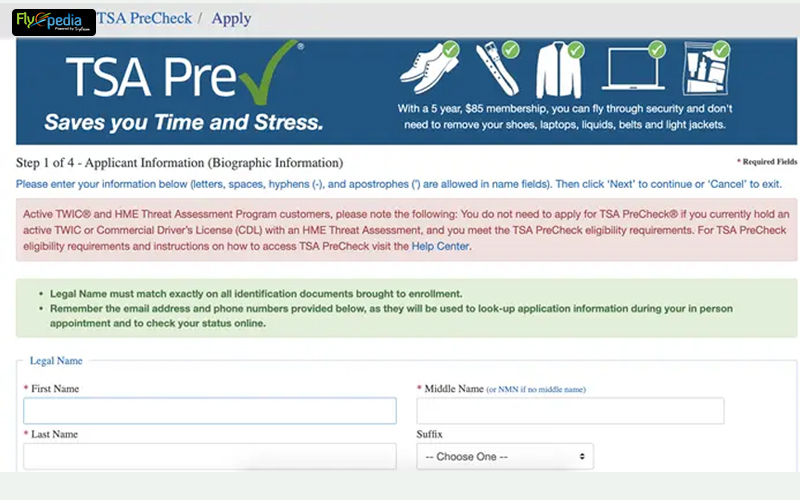
TSA PreCheck is a U.S. government program that allows pre-approved travelers to enjoy an expedited security screening process at participating U.S. airports. Instead of the traditional security lines, PreCheck members pass through dedicated lanes where they typically don’t need to remove shoes, belts, light jackets, laptops from their bags, or 3-1-1 liquids. This isn’t just about saving time; it’s about a smoother, less intrusive security experience enabled by sophisticated background checks and database cross-referencing.
From a technological standpoint, PreCheck leverages a complex system of applicant vetting, data encryption, and real-time database lookups. When you apply, the Transportation Security Administration (TSA) conducts a thorough background check, reviewing your personal data against various governmental and law enforcement databases. Once approved, you are assigned a unique digital identifier: your Known Traveler Number (KTN). This KTN is the digital key that unlocks the expedited screening, and its correct usage is paramount for the system to function as intended. For the modern, digitally-savvy traveler, PreCheck isn’t just a luxury; it’s an expectation, aligning with other digital conveniences like mobile boarding passes and online check-in.
Eligibility and the Digital Application Process
Becoming a TSA PreCheck member starts with a straightforward, albeit thorough, digital application process. Eligibility generally extends to U.S. citizens, U.S. nationals, and lawful permanent residents. The application involves an online form where you input personal details, followed by an in-person appointment at an enrollment center.
The online portion of the application is a critical data input stage. Here, you’ll provide your full legal name, date of birth, address, and other identifying information. Accuracy is key; any discrepancies between the data submitted here and the data on your government-issued ID (passport, driver’s license) can cause issues down the line when attempting to link your KTN. The in-person appointment involves identity verification, fingerprinting (a form of biometric data collection), and a brief interview. This multi-layered approach ensures the integrity of the program and the security of the digital credentials. Once approved, usually within a few days to a couple of weeks, you’ll receive your 9-digit KTN via email, marking the digital activation of your PreCheck status.
Receiving Your Known Traveler Number (KTN): Your Digital Identifier
Your KTN is more than just a number; it’s your unique digital identifier within the TSA’s trusted traveler ecosystem. It’s the credential that airlines use to signal your PreCheck eligibility to the TSA during the check-in process. Without a valid KTN correctly associated with your flight reservation, you won’t receive the PreCheck indicator on your boarding pass, regardless of your enrollment status.
It’s vital to keep this number secure but easily accessible. Many travelers store it digitally in password managers, secure notes apps, or within their airline frequent flyer profiles. This digital key is valid for five years, after which you’ll need to renew your membership – another digital process, often manageable online. Understanding the KTN’s role as a critical piece of digital information is the first step towards its effective integration with your American Airlines travel plans.
Integrating Your KTN with American Airlines: Step-by-Step Digital Process
Once you have your KTN, the next crucial step is ensuring American Airlines knows about it. This involves a few distinct digital touchpoints, from initial booking to updating existing reservations, all aimed at associating your digital identifier with your flight data.
Adding KTN During the Booking Process (Website & App Interface)
The most straightforward way to ensure your PreCheck status is recognized is to input your KTN at the time of booking your flight with American Airlines. Both their website and mobile app offer clear fields for this.
- American Airlines Website: When searching for or booking a flight on AA.com, after selecting your flights and entering passenger details, you’ll typically find a section for “Passenger Information” or “Secure Flight Information.” Look for a field labeled “Known Traveler Number (KTN)” or “Redress Number.” This is where you’ll accurately enter your 9-digit KTN. Ensure your name on the booking precisely matches the name on your KTN application and the government ID you’ll present at the airport. Even minor discrepancies (e.g., a middle initial vs. full middle name) can prevent the PreCheck indicator from appearing.
- American Airlines Mobile App: The process is similar within the American Airlines mobile application. When creating a new booking, navigate to the passenger details section. The app will prompt you for your KTN, often alongside your AAdvantage number. The mobile app’s streamlined interface makes it convenient to input this critical data directly from your device.
By entering your KTN during booking, this data is immediately integrated into your reservation’s digital profile, flagging your eligibility to the airline’s systems.
Updating an Existing Reservation: Managing Digital Bookings
Life happens, and sometimes you book a flight before obtaining your KTN, or perhaps you simply forgot to add it. Fortunately, American Airlines provides digital pathways to update existing reservations.
- Online via AA.com: Log in to your AAdvantage account (if applicable) or use the “Manage Reservations” feature by entering your record locator (confirmation code) and last name. Once you’ve accessed your reservation details, look for an option to edit passenger information or “Secure Flight Details.” There, you should find the KTN field to add or update your number. Save your changes diligently.
- Via the American Airlines Mobile App: Open the app, navigate to “My Trips,” and select the relevant upcoming flight. Look for options to edit passenger details. The app’s user-friendly design often makes this a quick process.
- Calling Customer Service: While the goal is digital self-service, if you encounter difficulties, American Airlines customer service representatives can add your KTN to your reservation over the phone. Be prepared to provide your record locator and KTN.
After updating, always double-check your digital itinerary or confirmation email to ensure the KTN has been successfully added.
Storing KTN in Your AAdvantage Profile: Database Management & User Accounts
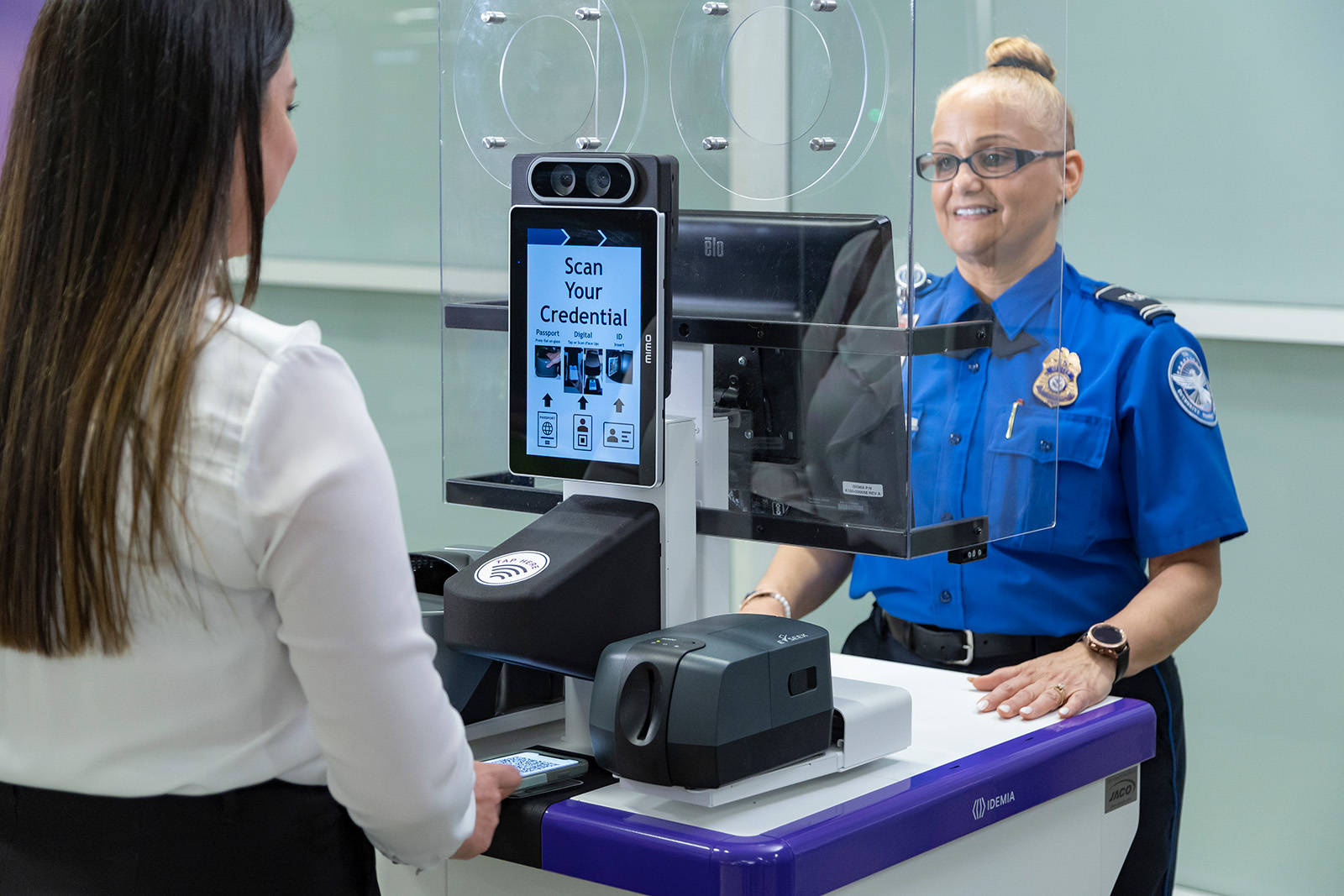
For frequent American Airlines flyers, the most efficient and error-reducing method is to store your KTN directly within your AAdvantage frequent flyer profile. This acts as a master database entry, ensuring your KTN is automatically applied to all future bookings made under that profile, eliminating the need to re-enter it each time.
- Login to AAdvantage: Access your AAdvantage account on AA.com.
- Navigate to Profile/Personal Information: Look for sections like “Your Account,” “Profile,” or “Personal Information.”
- Secure Flight Details: Within your profile, locate the “Secure Flight Information” or “Known Traveler Number” section. Enter your KTN here and save the changes.
By storing your KTN in your AAdvantage profile, American Airlines’ systems automatically pull this data for any new reservations made while logged into that account. This is a prime example of how user profile management within modern digital platforms simplifies recurring tasks and enhances the overall user experience. It underscores the importance of maintaining accurate personal data in your various online accounts for seamless digital interactions.
Troubleshooting and Best Practices for Digital Travel Security
Even with the best intentions, digital processes can sometimes encounter glitches. Understanding common issues and adopting best practices will help ensure your PreCheck experience is consistently smooth.
Common Pitfalls and Solutions (Digital Data Integrity)
- Name Mismatches: This is the most frequent cause of PreCheck not appearing. The name on your flight reservation must exactly match the name on file with TSA for your KTN. This includes middle names or initials. For example, if your KTN is under “John A. Doe” but your ticket is “John Doe,” the system might not recognize your PreCheck eligibility.
- Solution: Always book flights using your full legal name as it appears on your government-issued ID and your KTN application. If there’s a mismatch, try to correct it on your airline reservation, or contact American Airlines customer service.
- Incorrect KTN Entry: A typo in your 9-digit KTN is a simple but critical error.
- Solution: Double-check your KTN against your official approval notification. Re-enter it carefully, ensuring every digit is correct.
- Late Entry: While generally not an issue for American Airlines, some systems might require the KTN to be entered a certain number of hours before departure.
- Solution: Always try to add your KTN as early as possible, ideally at the time of booking.
- Airline Not Participating: This is not an issue for American Airlines, as they are a full participant in TSA PreCheck.
- Expired KTN: Your KTN is valid for five years. If it has expired, it won’t work.
- Solution: Check your KTN expiration date. If expired, initiate the renewal process with TSA.
Verifying Your PreCheck Status (Checking Digital Boarding Passes & Apps)
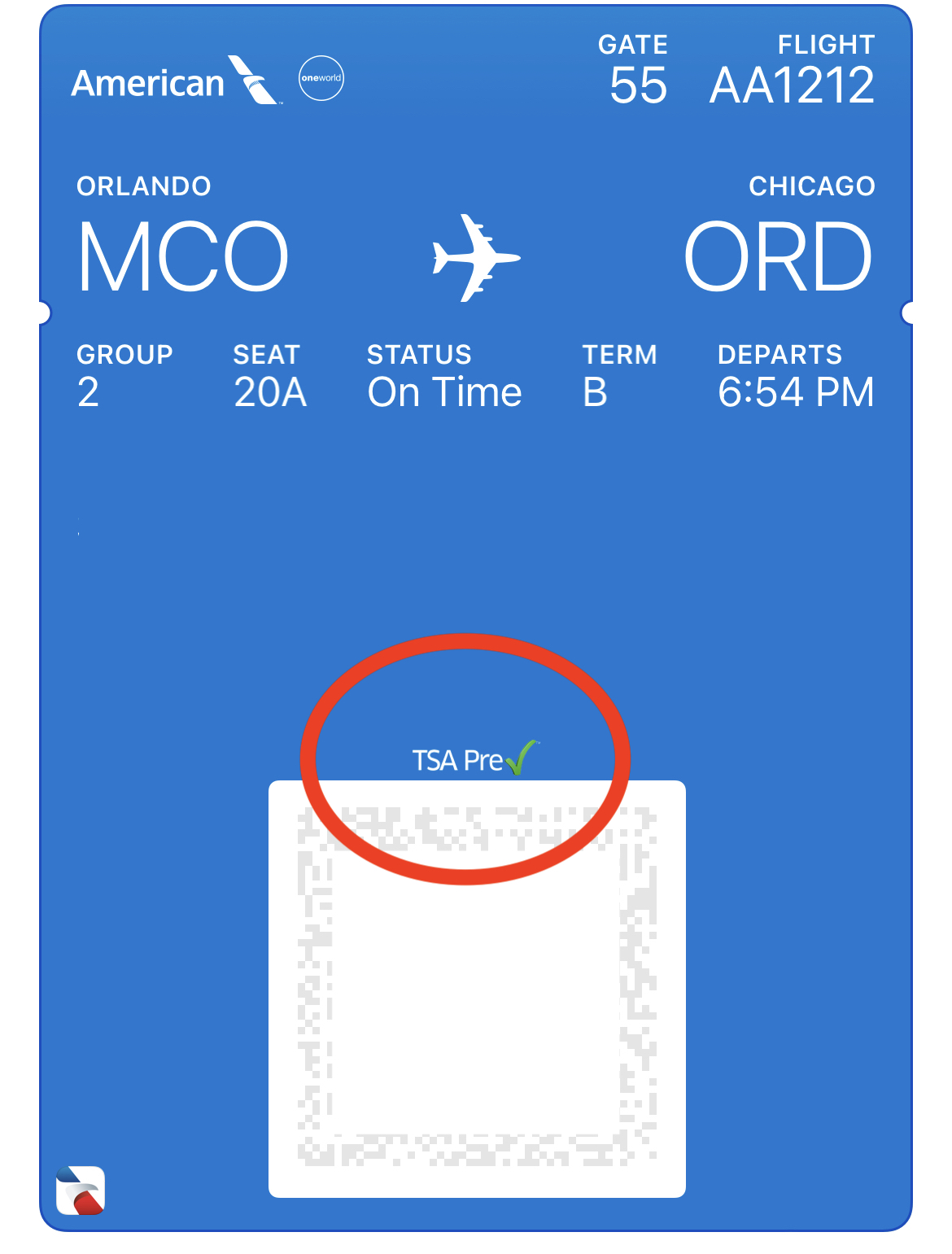
The ultimate confirmation that your PreCheck status has been successfully integrated is the appearance of the “TSA PreCheck” indicator on your boarding pass.
- Digital Boarding Passes: When you check in online or via the American Airlines app, your digital boarding pass (or printed one, if you choose) should clearly display “TSA PreCheck” or “TSA PRE” near your name.
- Airline Apps: The American Airlines app will often show this status directly within your flight details once you’ve checked in.
- Oral Confirmation: You can also confirm with an American Airlines agent at the check-in counter, but ideally, you should see the indicator on your digital documents before arriving at the airport.
If you don’t see the indicator, despite correctly adding your KTN, re-verify all steps and contact American Airlines if necessary. Do this well in advance of your travel date, if possible.
Enhancing Your Digital Travel Experience Beyond PreCheck
Integrating your KTN is just one facet of optimizing your digital travel experience. Modern airline apps like American Airlines’ offer a suite of features that, when combined with PreCheck, create a truly seamless journey. These include mobile check-in, real-time flight status updates, gate change notifications, baggage tracking, and even in-flight entertainment access. By leveraging these digital tools, travelers can transform what used to be a stressful process into an efficient and enjoyable part of their trip. PreCheck, in essence, is a critical layer of this integrated digital travel ecosystem, ensuring that the first physical hurdle – security – is as technologically advanced and efficient as the rest of your digitally managed journey.
The Broader Impact: How PreCheck Integrates with Modern Travel Tech
TSA PreCheck is not an isolated service; it’s a foundational component within the evolving landscape of travel technology. Its digital underpinnings and focus on efficiency reflect broader trends in how technology is reshaping air travel and security.
The Role of AI and Biometrics in Future Travel Security
The success of programs like PreCheck, which relies on secure identity verification and expedited processing, paves the way for even more advanced technologies. Artificial intelligence (AI) is increasingly being explored to enhance threat detection, improve security screening algorithms, and personalize the passenger experience. Biometric technologies, such as facial recognition and iris scans, are already seeing pilot programs in airports for boarding and identity verification, offering even faster, touchless processing than what PreCheck currently provides.
PreCheck’s KTN can be seen as an early digital credential that could eventually integrate with more sophisticated biometric systems, where your face or fingerprint might become your “digital passport” for the entire airport journey, from check-in to boarding. This future vision relies heavily on secure data management, robust digital infrastructure, and a trusted framework – all elements that PreCheck has helped establish.
Data Security and Privacy Concerns in Connected Travel
As more personal data is collected and shared across various platforms (TSA, airlines, travel agencies) to enable seamless experiences like PreCheck, concerns around data security and privacy become paramount. The KTN itself is a piece of sensitive personal information. Travelers must trust that the systems handling their data are secure and that their privacy is protected.
The design of PreCheck involves secure databases and encrypted communication protocols to safeguard sensitive information. However, users also play a role by using strong passwords for their airline accounts and exercising caution when sharing personal details online. The integration of PreCheck into an airline’s digital profile highlights the continuous need for robust cybersecurity measures across the entire travel tech ecosystem to maintain traveler trust and ensure the integrity of these expedited services.
The Ecosystem of Connected Travel Apps
TSA PreCheck’s integration into airline platforms like American Airlines is a testament to the growing ecosystem of connected travel apps and services. Travelers today manage their journeys through a mosaic of digital tools: airline apps for booking and check-in, hotel apps for accommodation, ride-sharing apps for ground transport, and third-party apps for itinerary management. PreCheck’s digital KTN is a data point that flows through this ecosystem, contributing to a holistic and personalized travel experience.
This interconnectedness means that a change or update in one system (e.g., renewing your KTN with TSA) needs to be reflected across others (e.g., updating your AAdvantage profile) to maintain continuity. The goal is a truly smart travel experience, where all components – from security to logistics – communicate digitally to minimize friction and maximize enjoyment.
Conclusion
Adding your TSA PreCheck KTN to your American Airlines bookings is a simple yet impactful step in optimizing your travel experience. It’s a prime example of how digital integration and smart technology can transform what was once a source of stress into a streamlined, efficient process. By understanding the digital mechanics of your KTN, diligently inputting and verifying your information, and leveraging the digital tools provided by American Airlines, you unlock the full benefits of expedited security.
Beyond the immediate convenience, this integration highlights the broader trends in travel technology – the increasing reliance on digital identifiers, the push towards seamless and connected experiences, and the ongoing efforts to balance security with efficiency. For the modern traveler, mastering these digital processes is no longer optional; it’s an essential skill for navigating the increasingly tech-driven world of air travel. Ensure your KTN is always linked, and enjoy a smoother, smarter journey with American Airlines.
aViewFromTheCave is a participant in the Amazon Services LLC Associates Program, an affiliate advertising program designed to provide a means for sites to earn advertising fees by advertising and linking to Amazon.com. Amazon, the Amazon logo, AmazonSupply, and the AmazonSupply logo are trademarks of Amazon.com, Inc. or its affiliates. As an Amazon Associate we earn affiliate commissions from qualifying purchases.