
In the rapidly evolving landscape of personal finance, mobile payment applications have become indispensable tools for managing money. Among these, Cash App stands out for its user-friendly interface and versatile features, enabling millions to send, spend, and invest with unprecedented ease. While linking a bank account or debit card is the most common way to fund a Cash App balance, the ability to add money at a physical store offers a crucial financial lifeline for many – whether they prefer dealing in cash, manage their finances without traditional bank accounts, or simply need a quick, convenient top-up. This guide delves into the practicalities of depositing cash into your Cash App at retail locations, exploring its financial implications and how it integrates into a broader personal finance strategy.

Understanding Cash App’s In-Store Deposit Feature
For a significant segment of the population, cash remains king. Budgeting with physical cash, receiving payments in currency, or simply preferring not to link a bank account for various financial privacy or security reasons makes cash deposits a vital feature for financial inclusivity. Cash App has recognized this need, offering a robust solution that bridges the gap between traditional cash transactions and the digital financial ecosystem.
The Financial Utility of Cash Deposits
The option to add cash to Cash App at a store addresses several key financial needs. Firstly, it caters to the unbanked or underbanked population, providing them with a gateway to digital payments and financial services that might otherwise be inaccessible. This promotes financial inclusion, allowing individuals to participate in the digital economy without requiring a traditional bank account. Secondly, for those who budget using cash envelopes or physical cash, this feature allows them to seamlessly transfer their allocated cash funds into a digital format for online purchases, bill payments, or peer-to-peer transfers, thus maintaining their budgeting discipline while leveraging the convenience of a mobile app. Lastly, it offers a quick and immediate way to fund one’s account, often bypassing the processing times associated with bank transfers, which can be critical in urgent financial situations.
How In-Store Deposits Work: An Overview
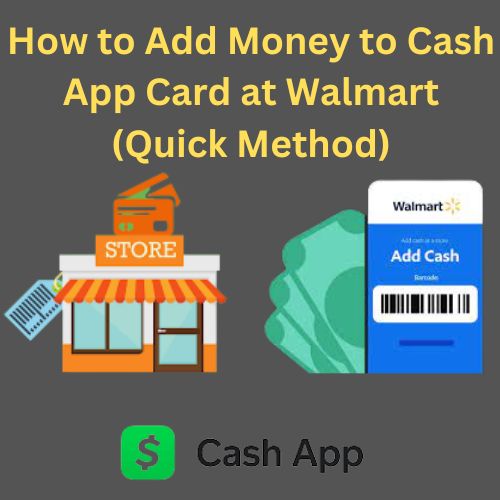
The process is designed for simplicity, mirroring a standard retail transaction. Users initiate a deposit request within the Cash App, generate a unique barcode, and then present this barcode along with the cash amount to a cashier at a participating retail location. The cashier scans the barcode, accepts the cash, and the funds are typically added to the user’s Cash App balance almost instantly. This direct and efficient method minimizes friction, allowing users to move funds from their physical wallet to their digital one with minimal fuss, reinforcing Cash App’s role as a versatile financial tool.
A Step-by-Step Guide to Funding Your Cash App at a Store
Successfully adding money to your Cash App at a retail location is a straightforward process, but understanding each step ensures a smooth transaction. This detailed breakdown will help you navigate the process efficiently, turning cash into spendable digital funds.
1. Locating Participating Retailers
The first crucial step is identifying stores that support Cash App cash deposits. Not all retailers offer this service. Cash App partners with major retail chains, including pharmacies and general stores, to facilitate these transactions.
- In-App Map Feature: The most reliable way to find a participating store is directly through the Cash App itself. Navigate to the “Banking” or “Money” tab (represented by a house or dollar sign icon). Look for an option like “Deposit Cash” or “Add Cash.” Within this section, Cash App typically provides a map feature or a list of nearby locations where you can deposit money. This ensures you’re heading to a store that has the necessary infrastructure and agreement with Cash App.
- Checking Official Cash App Resources: You can also visit Cash App’s official support pages online to find a list of current partner retailers. However, the in-app map is generally more up-to-date and tailored to your specific location.
2. Initiating the Deposit Process Within the App
Once you’ve arrived at a participating store, the next step is to prepare your Cash App for the deposit.
- Access the “Add Cash” Feature: Open your Cash App and tap on the “Banking” or “Money” tab on the bottom left.
- Select “Deposit Cash”: From the options presented, choose “Deposit Cash” or a similarly worded option.
- Enter the Desired Amount: You will be prompted to enter the exact amount of cash you intend to deposit. It’s important to input this accurately as it helps generate the correct transaction details. Note any daily or weekly deposit limits displayed by the app during this stage.
- Generate Barcode: After entering the amount, the app will generate a unique barcode (often referred to as a “deposit code” or “payment code”). This barcode is essential for the cashier to process your transaction. Keep this screen open and ready to present to the cashier.
3. Performing the Transaction at the Register
With your barcode ready and cash in hand, proceed to the cashier.
- Inform the Cashier: Clearly state that you wish to add money to your Cash App using a barcode. Some cashiers might be more familiar with terms like “load a prepaid card” or “mobile deposit,” so be prepared to clarify if needed.
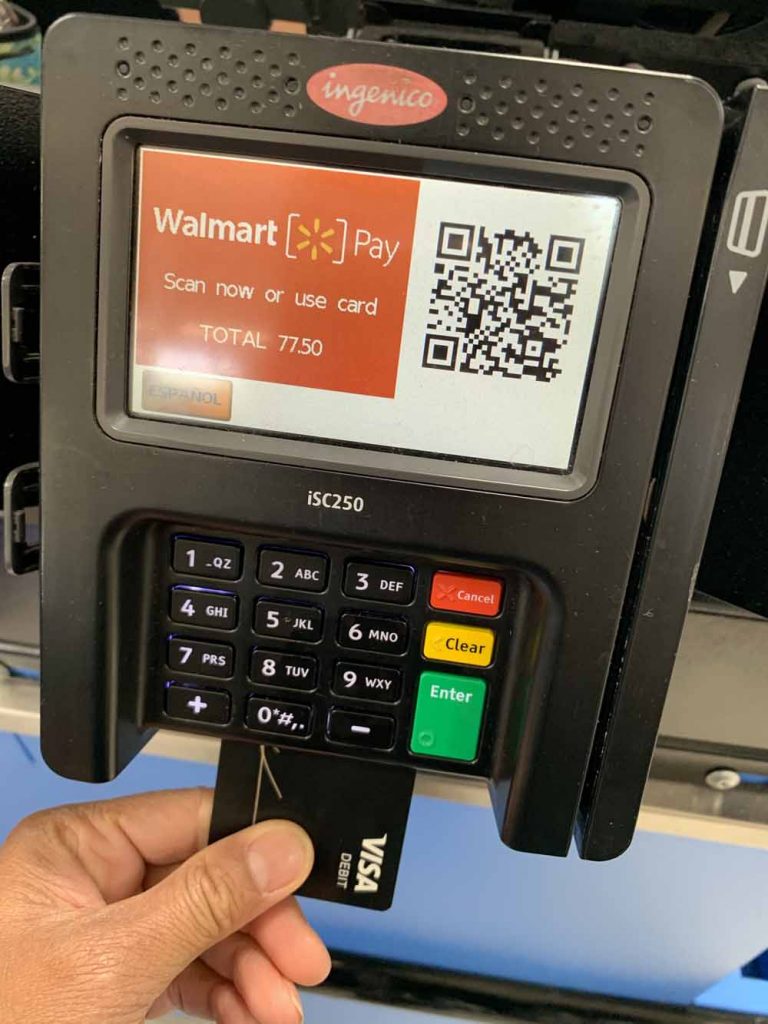
- Present the Barcode and Cash: The cashier will scan the barcode on your phone screen. After scanning, hand over the exact cash amount you specified in the app. Ensure the amount of cash you give matches the amount you entered in the app and that the cashier confirms it.
- Receive Confirmation: The cashier should provide you with a printed receipt for the cash deposit. This receipt is crucial evidence of your transaction. Keep it safe until you’ve confirmed the funds in your Cash App.
4. Verifying Your Funds and Transaction History
The final step is to confirm that the funds have been successfully added to your Cash App balance.
- Check Your Balance: Immediately after the transaction, refresh your Cash App to see if your balance has updated. Most in-store deposits are reflected instantly.
- Review Transaction History: Navigate to the activity tab (often represented by a clock icon) to view your recent transactions. You should see an entry for the cash deposit.
- Hold onto Your Receipt: In the rare event of a delay or discrepancy, your physical receipt from the store, coupled with the transaction details in your app, will be vital for customer support.
Costs, Limits, and Financial Considerations for Cash Deposits
While incredibly convenient, leveraging Cash App’s in-store cash deposit feature also comes with financial aspects to consider, including fees, deposit limits, and potential troubleshooting scenarios. Understanding these elements is key to effective financial management.
Understanding Associated Fees
Convenience often comes with a cost. Cash App’s in-store cash deposits typically incur a small fee, which is charged by the retail partner for facilitating the transaction.
- Typical Fee Structure: The fee is usually a fixed amount, often around $1 to $4, depending on the retailer and the deposit amount. This fee is separate from the amount you are depositing. For example, if you deposit $100 and the fee is $2, you would hand over $102, and $100 would be added to your Cash App.
- Comparison to Alternatives: It’s important to compare this fee to other methods of funding your Cash App or other financial services. For instance, linking a debit card for instant deposits into Cash App might incur a 0.5%–1.75% fee, while standard bank transfers are usually free but take longer. For individuals who rely solely on cash, the in-store deposit fee might be a justifiable expense for accessing digital financial services. For others, evaluating the fee against the urgency and convenience will guide their choice.
Deposit Limits and Frequency
Cash App, like most financial platforms, imposes limits on how much money can be deposited to mitigate risks and comply with financial regulations.
- Daily, Weekly, and Monthly Limits: There are typically limits on the maximum amount you can deposit per transaction, per day, per week, and sometimes per month. These limits can vary based on your account verification status. For example, a common daily limit might be around $500-$1,000, with weekly limits higher.
- Impact on Financial Planning: These limits are crucial for budgeting and planning larger financial transactions. If you need to deposit a significant sum, you might need to spread it out over several days or weeks, or explore alternative funding methods like linking a bank account for direct transfers, which often have higher limits. Always check your specific limits within the Cash App under the “Add Cash” section.
Troubleshooting Common Issues
Despite the streamlined process, occasional issues can arise. Knowing how to troubleshoot can save time and reduce financial stress.
- Transaction Failures: If a transaction fails, first re-attempt the process if permitted. Ensure the barcode is scanning correctly and that the exact cash amount is handed over.
- Delayed Deposits: While most deposits are instant, occasional delays can occur due to network issues or system processing. Wait a reasonable amount of time (e.g., 30 minutes to a few hours).
- Discrepancies: If the deposited amount doesn’t match what you handed over, immediately contact Cash App support. Your physical receipt from the store is paramount in resolving such issues.
- Contacting Customer Support: For any persistent issues, access Cash App’s customer support directly through the app. Provide them with all relevant details, including the transaction date, amount, store location, and your receipt number.
Integrating Cash App Deposits into Your Personal Finance Strategy
Using Cash App’s in-store deposit feature effectively extends beyond just knowing how to do it; it’s about strategically integrating it into your personal financial management for optimal benefit.
Budgeting and Expense Management with Cash App
For individuals who manage their finances with a strong emphasis on cash, the ability to digitize those funds via Cash App at a store offers significant advantages for budgeting and expense tracking.
- Bridging Cash and Digital Budgets: If you allocate specific amounts of cash for different spending categories (e.g., groceries, entertainment), depositing that cash into Cash App allows you to maintain that allocation while benefiting from the convenience of digital payments. You can then use Cash App to pay directly, track spending through its activity feed, and ensure you stick to your budget categories.
- Real-time Tracking: Unlike purely cash-based spending, which can be hard to track, every transaction through Cash App leaves a digital footprint. This enables better real-time monitoring of your financial inflows and outflows, crucial for effective personal finance.
Best Practices for Secure Cash Deposits
Financial security is paramount. Adhering to best practices minimizes risks associated with in-store cash deposits.
- Always Get a Receipt: This cannot be stressed enough. The physical receipt from the retailer is your undeniable proof of transaction. Keep it until the funds are confirmed in your Cash App.
- Verify Amounts: Before handing over cash, confirm the amount entered in the app matches the cash you are giving the cashier, and ensure the cashier confirms the correct amount being processed.
- Be Aware of Surroundings: When handling cash in a public setting, exercise caution and be mindful of your surroundings, especially if depositing larger sums.
- Use Reputable Stores: Stick to the partner retailers identified by the Cash App to avoid unauthorized or potentially fraudulent services.
Comparing In-Store Deposits to Other Funding Methods
Cash App offers several ways to add money, and understanding when an in-store deposit is the most financially astute choice is key.
- Bank Account Link (Free, but Slower): Linking your bank account allows for free deposits (standard transfers) but can take 1-3 business days to clear. This is ideal for planned, non-urgent transfers.
- Debit Card Link (Instant, Small Fee): Instant deposits from a linked debit card come with a small fee (typically 0.5%–1.75%). This is good for immediate digital funding from a bank account.
- Direct Deposit (Free, Regular Income): Setting up direct deposit for paychecks or government benefits is free and ideal for regular, recurring income.
- When In-Store Deposits Excel: In-store cash deposits are the best option when you have physical cash you need to digitize quickly, you don’t have a linked bank account or debit card, or you prefer not to use them for specific transactions. Despite the small fee, the immediate conversion of physical cash to digital funds offers unparalleled convenience for specific financial scenarios, especially for managing cash flow for budgeting or immediate spending needs without a traditional banking relationship.
In conclusion, the ability to add money to Cash App at a store is more than just a convenience feature; it’s a critical component of financial inclusivity and flexible personal finance management. By understanding the process, being aware of the costs and limits, and integrating it wisely into your financial strategy, you can leverage this feature to bridge the gap between your physical cash and the expansive world of digital payments, empowering greater control over your money.
aViewFromTheCave is a participant in the Amazon Services LLC Associates Program, an affiliate advertising program designed to provide a means for sites to earn advertising fees by advertising and linking to Amazon.com. Amazon, the Amazon logo, AmazonSupply, and the AmazonSupply logo are trademarks of Amazon.com, Inc. or its affiliates. As an Amazon Associate we earn affiliate commissions from qualifying purchases.