
In today’s fast-paced digital economy, managing personal finances often involves navigating a diverse ecosystem of financial technology applications. Among these, Cash App stands out as a popular peer-to-peer payment service that has significantly simplified how millions of users send, receive, and manage money. However, the true utility of any digital wallet often lies in its seamless integration with traditional banking systems. Transferring funds from your Cash App balance to your conventional bank account is a fundamental skill for anyone looking to maintain liquidity, consolidate funds, or simply move their digital earnings into a more accessible format.

This guide delves into the specifics of this essential financial operation, providing a comprehensive, insightful, and professional walkthrough for optimizing your money transfers. We will explore the mechanics, costs, timelines, and best practices involved, ensuring you can confidently and efficiently move your money where it needs to be.
Understanding the Cash App-Bank Ecosystem
Before diving into the mechanics of transferring funds, it’s crucial to grasp the foundational relationship between Cash App and your traditional bank. This understanding underpins efficient financial management and helps demystify the process.
What is Cash App?
Cash App, developed by Block, Inc., is more than just a payment application; it’s a mobile banking service that offers a range of financial tools. Users can send and receive money instantly, invest in stocks and Bitcoin, and even file taxes. A key feature is the Cash Card, a customizable debit card linked to your Cash App balance, allowing you to spend funds directly from your account. At its core, Cash App aims to provide a streamlined, user-friendly alternative to traditional banking for everyday transactions. Its appeal lies in its simplicity and speed, making it a go-to for splitting bills, receiving payments, or even getting paid by employers.
Why Link Your Bank Account?
Linking your traditional bank account to Cash App serves several vital purposes. Firstly, it provides a primary funding source for your Cash App, allowing you to add money when your balance is low. More importantly, for our discussion, it acts as the primary destination for funds you wish to withdraw from Cash App. This linkage enables you to move money out of your digital wallet and into an account where it might be more accessible for larger expenditures, savings, or other financial obligations not directly supported by Cash App. It offers a crucial bridge, merging the agility of digital payments with the stability and comprehensive services of a traditional bank.
Key Terminology
Familiarity with specific terms will enhance your understanding of the transfer process:
- Cash App Balance: This is the total amount of money you currently hold within your Cash App account. It can be accumulated through direct deposits, peer-to-peer payments, or funds added from a linked bank account.
- Linked Bank Account: The external checking or savings account you’ve connected to your Cash App. This is typically done using your bank’s routing and account numbers.
- Standard Transfer: The default method for moving funds from Cash App to your linked bank account. This transfer type is usually free but takes 1-3 business days to process.
- Instant Transfer: An expedited option that allows funds to arrive in your linked bank account within minutes, often for a small fee (typically 0.5% – 1.75% of the transfer amount).
- Cash Card: A Visa debit card linked to your Cash App balance, allowing you to spend directly from your Cash App funds wherever Visa is accepted. While not directly involved in transferring to a bank, it’s part of the broader ecosystem for accessing your funds.
Step-by-Step Guide to Transferring Funds
The process of moving money from Cash App to your bank account is designed to be intuitive, yet understanding each step ensures a smooth transaction.
Preparing for Your Transfer
Before initiating any transfer, a few preparatory steps can prevent delays or issues:
- Verify Your Cash App Balance: Ensure you have sufficient funds in your Cash App balance to cover the transfer amount. You can check this on the main screen of the app.
- Confirm Linked Bank Details: Double-check that the correct bank account is linked to your Cash App. Navigate to the “Linked Banks” section within the “Profile” or “Banking” tab to confirm the routing and account numbers are accurate. Incorrect details are the most common cause of failed transfers.
- Ensure Account Verification: For larger transfers, Cash App may require identity verification (e.g., providing your Social Security Number, date of birth, and address). If you haven’t done this, you might encounter limits or be prompted to verify during the transfer process.
Initiating a Standard Transfer
The standard transfer is the most common and cost-effective method for moving funds.
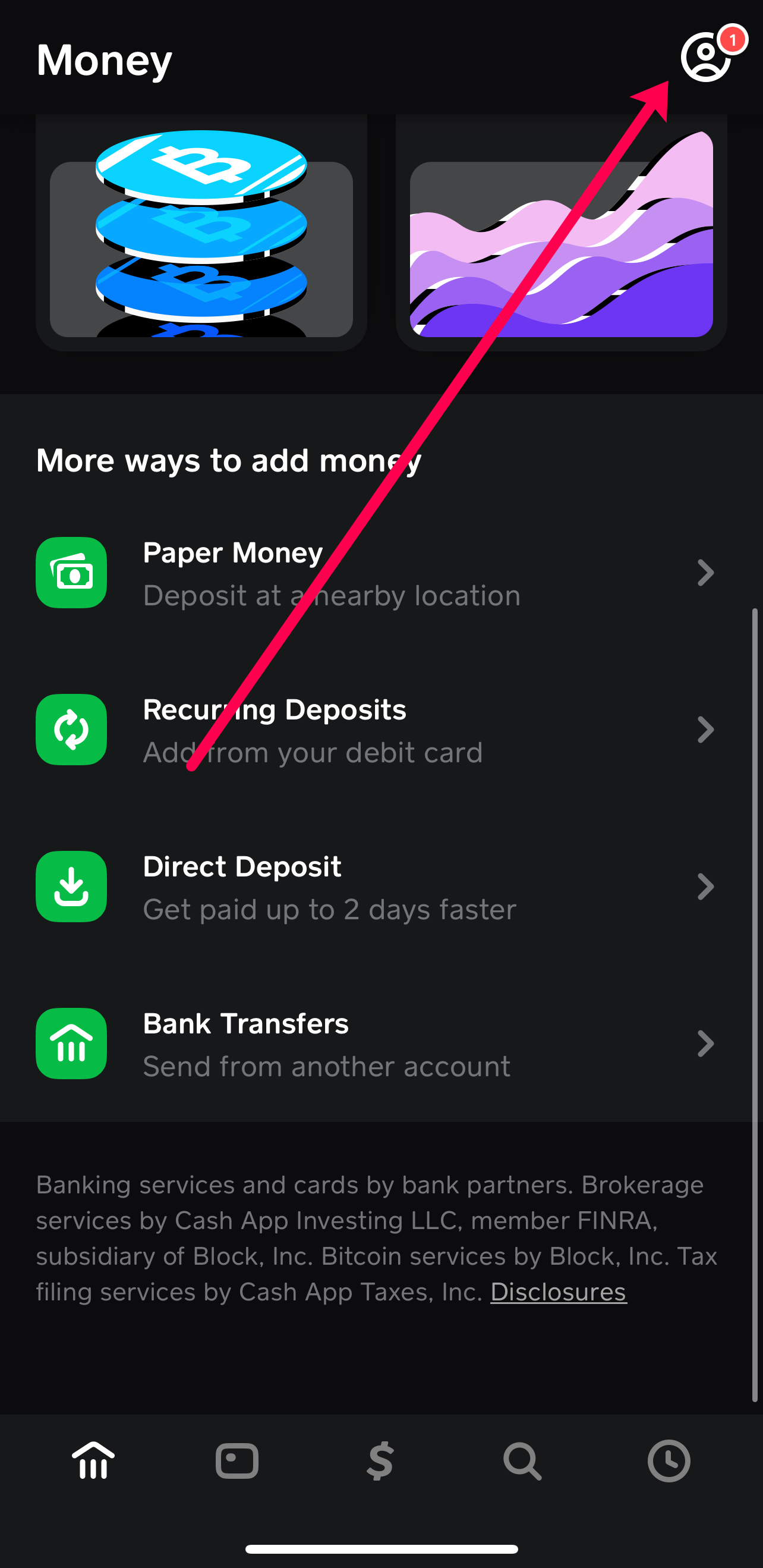
- Open Cash App and Tap the Banking Tab: This is represented by a house icon or the dollar amount on the bottom-left of the screen.
- Tap “Cash Out”: This option will be visible below your Cash App balance.
- Enter the Amount: Input the specific amount you wish to transfer to your bank account.
- Select “Standard (1-3 business days)”: This will confirm you want the free transfer option.
- Confirm Your PIN or Touch ID: For security, you’ll be asked to verify your identity.
- Review and Confirm: A summary screen will display the amount, the destination bank, and the estimated arrival time. Tap “Confirm” to finalize the transfer.
Funds typically arrive within 1-3 business days. Keep in mind that “business days” exclude weekends and public holidays. A transfer initiated on a Friday evening might not fully process until the following Tuesday or Wednesday.
Opting for an Instant Transfer
When time is of the essence, the instant transfer option provides immediate access to your funds, albeit for a fee.
- Follow Steps 1-3 for Standard Transfer: Open Cash App, tap Banking, tap “Cash Out,” and enter the amount.
- Select “Instant (fee applies)”: Instead of the standard option, choose the instant transfer. The app will immediately display the applicable fee.
- Confirm Your PIN or Touch ID: Authenticate the transaction.
- Review and Confirm: The summary screen will show the amount, the fee, the net amount received, and confirm it’s an instant transfer. Tap “Confirm” to proceed.
Funds are typically available in your linked bank account within minutes, though bank processing times can occasionally cause minor delays. The fee, usually between 0.5% and 1.75% of the transfer amount, is deducted directly from the amount you are cashing out.
Confirming Your Transfer
After initiating a transfer, it’s prudent to confirm its status:
- Check Cash App Activity: Navigate to the “Activity” tab (clock icon) within Cash App. Your recent transfer will be listed, often showing a “Pending” or “Completed” status.
- Monitor Your Bank Account: For instant transfers, check your bank account statement within minutes. For standard transfers, monitor it over the next 1-3 business days. The transfer will appear as a deposit from “Cash App” or “Square Inc.” (Cash App’s parent company).
- Retain Confirmation: Cash App typically sends an email or in-app notification confirming the transfer. Keep this for your records, especially for larger sums.
Nuances of Cash App Transfers: Fees, Limits, and Timing

Understanding the finer details of Cash App transfers is essential for effective financial planning and avoiding unexpected issues.
Understanding Transfer Fees
The fee structure for Cash App transfers is straightforward:
- Standard Transfers: Free. This is Cash App’s way of encouraging users to plan ahead for their fund movements.
- Instant Transfers: A fee ranging from 0.5% to 1.75% of the transferred amount. This fee is automatically calculated and displayed before you confirm the transaction. It’s a premium for immediate access to your funds. While it might seem small for minor transactions, for larger sums, it can add up. For instance, transferring $1,000 instantly could incur a fee of $5.00 to $17.50. It’s crucial to weigh the urgency against this cost.
Daily and Weekly Transfer Limits
Cash App imposes limits on how much money you can send and receive, and consequently, how much you can transfer out of the app. These limits vary based on whether your account is verified or unverified.
- Unverified Accounts: Typically have lower limits (e.g., you might only be able to send $250 per week and receive $1,000 per month). Transfer-out limits will also be constrained by your received funds.
- Verified Accounts: By providing your full name, date of birth, and the last four digits of your Social Security Number, you can significantly increase these limits (e.g., sending up to $7,500 per week and receiving unlimited amounts). This directly impacts your ability to transfer larger sums to your bank.
- Cash Out Limits: Even with a verified account, Cash App generally has a maximum cash-out limit, which can be up to $25,000 per week or $5,000 per day for verified users. These limits are subject to change by Cash App, so it’s always wise to check the latest terms within the app or on their support page if you plan a very large transfer.
Transfer Timelines
The timeline for funds to appear in your bank account is a critical factor:
- Standard Transfers: As mentioned, these take 1-3 business days. Banks typically process deposits only on business days. This means if you initiate a standard transfer on a Friday, it might not process until Monday, and then take another day or two to reflect in your account. Banking holidays also extend this timeline.
- Instant Transfers: These are designed to be immediate, usually arriving within a few minutes. However, “immediate” can sometimes mean within 30 minutes to an hour, depending on your bank’s processing speed for incoming instant deposits. While rare, technical glitches or unusually high transaction volumes could also introduce slight delays.
Troubleshooting Common Transfer Issues
Despite the system’s design for efficiency, issues can occasionally arise:
- Incorrect Bank Details: The most common problem. If you entered the wrong routing or account number, the transfer will likely fail and be returned to your Cash App balance within a few business days. Always verify your bank details before confirming.
- Insufficient Funds: If your Cash App balance doesn’t cover the requested transfer amount (including any instant transfer fees), the transaction will be declined.
- Pending Transfers: Sometimes transfers remain in a “pending” status for longer than expected. This could be due to bank processing delays, a need for further verification from Cash App’s side (especially for large or unusual transactions), or internal system reviews. If a standard transfer is pending for more than 3 business days, or an instant transfer for more than an hour, contact Cash App support.
- Bank Rejection: In rare cases, your bank might reject an incoming deposit if there’s a mismatch in names or other details, or for internal reasons. If this occurs, Cash App support will be able to provide details.
Best Practices for Secure and Efficient Transfers
Mastering Cash App transfers isn’t just about knowing the steps; it’s about adopting best practices that ensure security and maximize efficiency in your personal financial management.
Regular Account Verification and Security
Your Cash App account is a gateway to your money, so safeguarding it is paramount:
- Enable Two-Factor Authentication (2FA): Always activate 2FA for an added layer of security. This typically involves a code sent to your phone or email, making it harder for unauthorized users to access your account even if they have your password.
- Strong, Unique Passwords: Use a complex password that isn’t reused on other sites.
- Be Wary of Scams: Cash App is a frequent target for scammers. Never share your login credentials, PIN, or sensitive financial information with anyone, especially if they claim to be Cash App support (Cash App will never ask for your PIN). Be suspicious of unsolicited messages promising free money or asking you to send money to “unlock” a prize.
- Monitor Activity: Regularly review your Cash App activity log for any unauthorized transactions.
Managing Your Cash App Balance
Strategic management of your Cash App balance can enhance both security and financial oversight:
- Don’t Hold Large Sums Unnecessarily: While convenient, Cash App is not a traditional bank account. Funds held within Cash App are generally not FDIC insured (unless held by a partner bank in specific circumstances for Cash Card funds). For larger sums intended for savings or long-term holdings, it’s always safer to transfer them to your FDIC-insured bank account.
- Timely Transfers: Develop a habit of cashing out funds you don’t intend to spend directly from your Cash App balance within a reasonable timeframe. This reduces the risk of loss in case of account compromise or app issues.
Reconciling Transactions
Maintaining accurate financial records is a cornerstone of good personal finance:
- Match Cash App History with Bank Statements: After every transfer, verify that the transaction appears correctly in both your Cash App activity and your bank statement. This helps catch any discrepancies, unauthorized transactions, or processing errors early.
- Keep Records for Tax Purposes: If you use Cash App for income (e.g., side hustles, freelance work), meticulously tracking transfers to your bank account is crucial for tax reporting. Cash App often provides annual tax summaries, but your personal records add an extra layer of accuracy.
Strategic Use of Transfer Options
Deciding between standard and instant transfers should be a conscious financial decision:
- Prioritize Standard Transfers: Whenever possible, opt for the free standard transfer. Planning your fund movements a few days in advance can save you money on fees, which can accumulate over time.
- Reserve Instant Transfers for Urgent Needs: Only use instant transfers when immediate access to funds is critical, such as unexpected expenses, time-sensitive bill payments, or emergency situations. View the fee as a convenience charge for speed.
Conclusion
The ability to seamlessly transfer money from Cash App to your bank account is a vital component of modern personal finance management. It bridges the gap between the immediate, digital convenience of payment apps and the comprehensive security and services of traditional banking. By understanding the processes, potential costs, timelines, and implementing sound security practices, you empower yourself to move your money confidently and efficiently. Whether you’re consolidating funds, paying bills, or simply ensuring liquidity, mastering this financial maneuver ensures your digital earnings are always accessible when and where you need them most.
aViewFromTheCave is a participant in the Amazon Services LLC Associates Program, an affiliate advertising program designed to provide a means for sites to earn advertising fees by advertising and linking to Amazon.com. Amazon, the Amazon logo, AmazonSupply, and the AmazonSupply logo are trademarks of Amazon.com, Inc. or its affiliates. As an Amazon Associate we earn affiliate commissions from qualifying purchases.