
In the ever-expanding digital ecosystem, Google Play stands as a central hub for Android users, offering a vast array of apps, games, movies, books, and more. To fully leverage this digital marketplace, users often need to manage their payment methods, and for many, “adding cash” to their Google Play balance offers unparalleled convenience, control, and security. This guide will delve into the various methods available to top up your Google Play balance, providing a clear, step-by-step tutorial for each approach, alongside insightful tips for managing your funds effectively within this powerful technological platform.
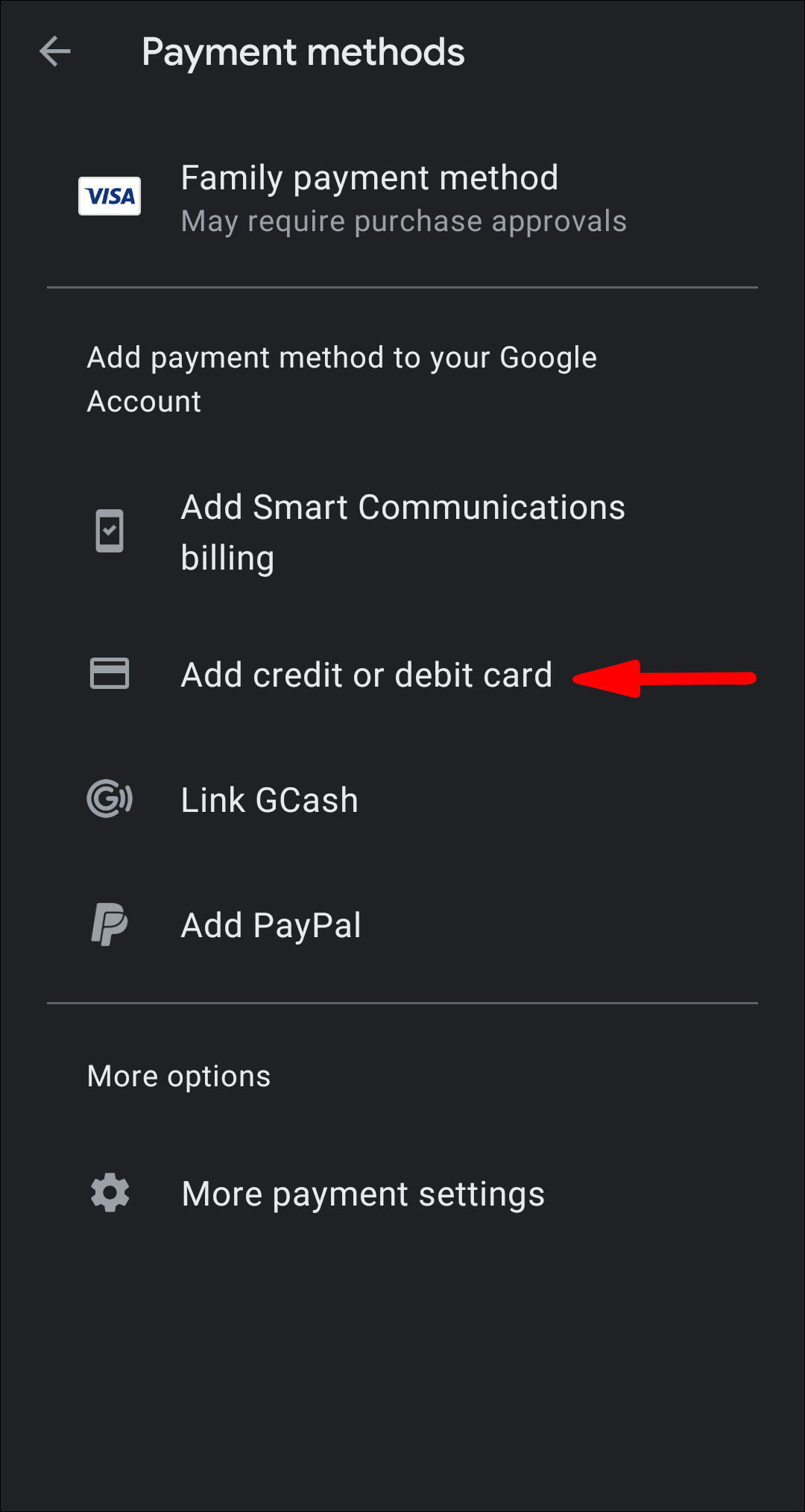
Understanding how to directly add funds to your Google Play account, rather than relying solely on linked credit cards or other payment methods, empowers users to better budget their digital spending, make purchases without a bank account, or even gift digital content more easily. As technology evolves, so do the ways we interact with digital storefronts, and mastering these fundamental financial operations within Google Play is a crucial skill for any modern Android user.
Understanding Google Play Balance and Its Utility
Before diving into the “how-to,” it’s important to grasp what Google Play balance is and why it’s a valuable feature for tech-savvy consumers. Essentially, your Google Play balance acts as a digital wallet specifically for the Google Play Store. Funds added to this balance can be used to purchase any digital content available on the platform, without needing to re-enter payment details for every transaction or exposing sensitive financial information repeatedly.
What is Google Play Balance?
Your Google Play balance is a form of digital credit stored directly within your Google account, specifically earmarked for purchases on the Google Play Store. Unlike linking a credit card, which facilitates direct transactions from your bank account, the Play balance is a pre-funded amount. This means the money is already in your Google ecosystem, ready to be spent instantly on apps, games, in-app purchases, movies, books, and even subscriptions that are billed through Google Play. It provides a layer of abstraction between your primary financial instruments and your digital spending, offering both convenience and enhanced security.
Why Preload Your Account? The Advantages for Digital Consumers
The decision to preload funds into your Google Play account offers several compelling advantages for a diverse range of users:
- Budgeting and Spending Control: For individuals who want to manage their digital entertainment budget carefully, preloading a specific amount of cash into their Google Play balance is an excellent strategy. Once the balance is depleted, no further purchases can be made until it’s topped up again, preventing impulse overspending. This is particularly useful for parents managing children’s in-app purchase habits or for personal financial discipline.
- Access Without Traditional Banking: Not everyone has access to credit cards or even debit cards. By allowing users to add cash via gift cards or participating retailers, Google Play democratizes access to its vast content library, enabling individuals without conventional banking methods to participate in the digital economy.
- Convenience and Speed: Once funds are in your Google Play balance, purchases become instantaneous. There’s no need to input card details, verify security codes, or wait for bank authorizations. This streamlines the checkout process, especially for frequent small purchases like in-app currency or boosts.
- Gifting and Rewards: Google Play gift cards are a popular gift item, allowing recipients to choose exactly what digital content they want. Additionally, various promotional activities and reward programs (like Google Opinion Rewards) often disburse their earnings directly into the Google Play balance, making it a natural repository for earned credits.
- Enhanced Security: By using a pre-loaded balance, you reduce the direct exposure of your credit card or bank details during each transaction. If your Google account were ever compromised (though robust security measures exist to prevent this), the financial risk would be limited to the balance in your Google Play wallet, rather than your primary bank account.
What You Can Purchase with Your Balance
The versatility of your Google Play balance extends across the entire spectrum of content available on the Play Store:
- Apps and Games: From productivity tools to the latest mobile gaming blockbusters.
- In-App Purchases: Unlocking premium features, buying virtual currency, or acquiring cosmetic items within applications and games.
- Movies and TV Shows: Renting or purchasing digital copies of films and series, often available in high definition.
- Books and Audiobooks: Expanding your digital library with a vast selection of titles across all genres.
- Subscriptions: Certain recurring services, like specific app subscriptions or premium content access, can be billed directly to your Google Play balance.
- Newsstand Content: Subscriptions to digital magazines and newspapers.
This wide range of purchasable content makes a healthy Google Play balance a valuable asset for any Android user.
Primary Methods for Topping Up Your Google Play Balance
Adding cash to your Google Play account is designed to be straightforward, with several methods catering to different user preferences and regional availability. Each method funnels funds into your central Google Play balance, making them ready for immediate use.
Google Play Gift Cards: The Universal Solution
Google Play gift cards are by far the most popular and widely accessible method for adding cash to your account. Available in both physical and digital formats, these cards contain a unique code that, once redeemed, credits the specified amount to your Google Play balance.
Purchasing Physical and Digital Gift Cards
- Physical Gift Cards: These can be purchased from a vast network of retailers worldwide, including supermarkets, electronics stores, convenience stores, and general merchandise outlets. They typically come in fixed denominations (e.g., $10, $25, $50) or sometimes with a variable amount option.
- Digital Gift Cards (eGift Cards): These can be purchased online from various authorized digital retailers or directly from Google’s own channels in some regions. They are sent via email, making them perfect for last-minute gifts or for topping up your own account without leaving home. The recipient receives a code that can be redeemed instantly.
Step-by-Step Guide to Redeeming Gift Codes
Redeeming a Google Play gift card is a simple process:
- Locate the Code: For physical cards, scratch off the silver strip on the back to reveal the 16-digit alphanumeric code. For digital cards, the code will be provided in the email or digital receipt.
- Open Google Play Store: On your Android device, open the Google Play Store app. You can also do this via a web browser on a computer by visiting play.google.com/redeem.
- Navigate to Redeem Option:
- On Android App: Tap your profile icon (top right), then select “Payments & subscriptions,” and then “Redeem gift code.”
- On Web Browser: In the left sidebar, click “Redeem.”
- Enter the Code: Carefully type or paste the 16-digit code into the designated field. Double-check for any typos.
- Confirm Redemption: Click “Redeem” or “Confirm.” A confirmation message will appear, indicating the amount being added to your Google Play balance.
- Verify Balance: Your Google Play balance will be updated instantly. You can check your current balance by going to “Payments & subscriptions” > “Payment methods” in the Play Store app.
In-Store Cash Payments: Localized Convenience
For users who prefer to use physical cash or do not have access to gift cards or online payment methods, Google has partnered with various retailers in specific regions to allow direct cash top-ups to Google Play accounts. This method bridges the gap between the physical and digital economies.
Understanding the Process and Regional Availability
The availability of in-store cash payments for Google Play varies significantly by country and even by specific retail chains. In regions where it’s supported, users can visit a participating store (e.g., specific convenience stores, supermarkets, or mobile top-up outlets), provide their Google Play account email or a generated barcode, and pay the desired amount in cash. The funds are then electronically transferred to their Google Play balance.
How to Find Participating Retailers
- Check Google Play Support: The best way to determine if this option is available in your area and to find participating retailers is to visit the official Google Play help center and search for “add cash” or “in-store payments.”
- Look for Signs: Participating stores often display Google Play logos or signs indicating that they offer cash top-up services.
- In-App Prompts: Sometimes, if the feature is available in your region, the Google Play Store app might prompt you with this option when you attempt to make a purchase or check your payment methods.
This method is particularly valuable in regions with lower credit card penetration or for users who simply prefer to manage their finances offline before transitioning them to digital platforms.
Leveraging Earned Credits: Google Opinion Rewards and Promotions
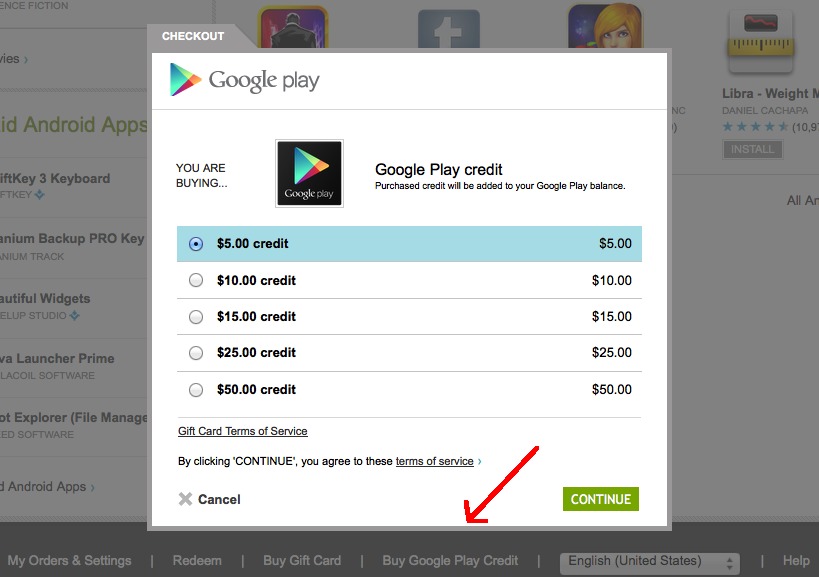
Beyond direct payments, Google also offers avenues for users to earn credits that automatically populate their Google Play balance, providing a unique way to “add cash” without direct financial outlay.
Earning Play Store Credits Through Surveys
Google Opinion Rewards is an official Google app that allows users to earn Google Play credits by answering short surveys. These surveys typically focus on consumer preferences, opinions on products or services, or local experiences.
- How it Works: Download the Google Opinion Rewards app, complete your profile, and start receiving notifications when new surveys are available. Each completed survey earns a small amount of Google Play credit (usually ranging from a few cents to a dollar or more), which is automatically added to your Google Play balance.
- Benefits: It’s an effortless way to accumulate free credit for your digital purchases, requiring minimal time investment. The surveys are usually brief and directly linked to your location and demographic data, making them highly relevant.
Applying Other Promotional Codes and Offers
Google and its partners occasionally offer promotional codes as part of marketing campaigns, special events, or device purchases. These codes, much like gift card codes, can be redeemed in the Google Play Store to add a specific amount or a particular item (like a free app or a discount) to your account.
- Where to Find Them: Keep an eye on promotions from Google, Android device manufacturers, telecom providers, and gaming companies. These codes might be distributed via email, social media, or bundled with other purchases.
- Redemption Process: The redemption process for promotional codes is identical to that of Google Play gift cards. Simply navigate to the “Redeem gift code” section in the Play Store app or website and enter the provided code.
Maximizing Your Google Play Experience and Managing Funds
Adding cash to your Google Play balance is just one part of the equation. Effective management and secure practices ensure a smooth and worry-free digital experience.
Monitoring Your Google Play Balance
Regularly checking your Google Play balance is crucial for budgeting and planning purchases.
- Via Android App: Open the Google Play Store app > Tap your profile icon (top right) > Select “Payments & subscriptions” > “Payment methods.” Your Google Play balance will be clearly displayed at the top.
- Via Web Browser: Go to play.google.com, sign in to your Google account, and click on “Payment methods” in the left sidebar. Your balance will be shown there.
Best Practices for Secure Transactions
While Google employs robust security measures, user vigilance is key to protecting your digital funds.
- Strong Google Account Security: Ensure your Google account has a strong, unique password and, crucially, enable 2-Step Verification (2SV). This adds an extra layer of security, making it significantly harder for unauthorized users to access your account even if they know your password.
- Beware of Scams: Be cautious of unsolicited emails, messages, or websites promising free Google Play credits or heavily discounted gift cards. These are often phishing attempts designed to steal your account information or money. Only purchase gift cards from authorized retailers.
- Monitor Activity: Regularly review your Google Play purchase history (found under “Order history” in “Payments & subscriptions”) to identify any unauthorized transactions. If you spot anything suspicious, report it to Google immediately.
- Keep Codes Private: Treat gift card codes and promotional codes like cash. Do not share them with unknown individuals or enter them on suspicious websites.
Troubleshooting Common Balance-Related Issues
Despite the straightforward process, users might occasionally encounter issues:
- Code Not Working: Double-check the 16-digit code for typos. Ensure the card hasn’t already been redeemed. Verify that the card is valid for your country/region (Google Play gift cards are region-locked).
- Balance Not Updating: Sometimes there might be a slight delay, though usually, updates are instant. If it doesn’t update after a few minutes, try restarting the Play Store app or your device. If the issue persists, contact Google Play support with your redemption details.
- Expired Promotional Codes: Some promotional codes have an expiration date. Ensure your code is still valid before attempting to redeem it.
- Regional Restrictions: Remember that gift cards and some in-store cash options are region-specific. A U.S. Google Play gift card cannot be redeemed on a Google Play account registered in the UK, for instance.
The Broader Landscape of Google Play Purchases and Security
Adding cash to your Google Play balance is a specific technical operation, but it exists within a larger framework of digital commerce and account security. Understanding this broader context enhances your overall experience and protects your digital assets.
Understanding Direct Purchases vs. Balance Usage
It’s important to distinguish between using your Google Play balance and making a direct purchase with a linked payment method (like a credit card or PayPal).
- Google Play Balance: Funds are pre-loaded. When you make a purchase, the system automatically draws from your balance first. This is ideal for budgeting and using earned credits.
- Linked Payment Methods: These are payment instruments (credit/debit cards, PayPal, carrier billing) stored in your Google account. When your Google Play balance is insufficient or zero, the system will typically default to your primary linked payment method to complete a purchase. While convenient, it allows for direct debits from your bank or credit line, which may not align with strict budgeting goals.
For optimal control, many users prefer to always have sufficient balance for their planned Play Store expenditures.
Essential Security Measures for Your Google Account
Since your Google Play balance is tied directly to your Google account, the security of that account is paramount.
- Regular Password Updates: Change your password periodically and use a password manager to generate and store complex, unique passwords.
- Review Account Activity: Google provides tools to review recent activity on your account. Regularly check for unrecognized sign-ins or suspicious activity.
- App Permissions: Be mindful of the permissions you grant to apps, especially those that request access to your payment information or sensitive account data.
- Device Security: Keep your Android device’s operating system and apps updated to the latest versions, as these often include critical security patches. Use screen locks (PIN, pattern, fingerprint) to prevent unauthorized physical access.

Future Trends in Digital Wallet Integration and Payment on Google Play
The methods for adding cash and making purchases on Google Play are constantly evolving with technological advancements. We can anticipate:
- Increased Mobile Wallet Integration: Deeper integration with broader mobile wallet solutions, allowing for more seamless transfers and management of funds across different digital platforms.
- New Cash-Based Partnerships: Expansion of in-store cash payment options to more regions and retailers, catering to a wider global audience.
- Cryptocurrency Options: While not mainstream yet, the long-term potential for integrating cryptocurrencies as a payment method or for topping up balances cannot be entirely ruled out in the rapidly changing fintech landscape.
- AI-Enhanced Security: Further development in AI and machine learning to detect and prevent fraudulent transactions, making the Play Store an even safer place for digital commerce.
In conclusion, adding cash to Google Play is a fundamental operation that empowers users with greater control, flexibility, and security over their digital spending. Whether through the ubiquitous gift card, convenient in-store cash payments, or by leveraging earned credits, understanding these mechanisms is key to maximizing your experience within Google’s vast and dynamic digital ecosystem. By adopting best practices for managing your balance and maintaining robust account security, you can ensure a seamless and enjoyable journey through the world of apps, games, and digital content.
aViewFromTheCave is a participant in the Amazon Services LLC Associates Program, an affiliate advertising program designed to provide a means for sites to earn advertising fees by advertising and linking to Amazon.com. Amazon, the Amazon logo, AmazonSupply, and the AmazonSupply logo are trademarks of Amazon.com, Inc. or its affiliates. As an Amazon Associate we earn affiliate commissions from qualifying purchases.