
Activating a new credit or debit card is a fundamental step in leveraging your financial tools, and in today’s digital age, the mobile application has emerged as the most efficient and secure pathway for this process. The Chase Mobile App exemplifies this modern approach, transforming what was once a call-center interaction into a streamlined, user-friendly digital experience accessible from the palm of your hand. This guide delves into the technical aspects and best practices for activating your Chase card directly through their robust mobile application, ensuring a smooth and secure transition from unboxed card to active financial instrument.
The Digital Gateway to Your New Card
The shift towards mobile app activation is not merely a convenience; it’s a strategic move reflecting advancements in digital security, user experience design, and the broader integration of technology into daily finance. Modern banking applications like Chase’s are sophisticated platforms designed to handle sensitive data while providing intuitive interfaces, making them the ideal conduit for card activation.
Why Mobile Activation Matters: Efficiency, Security, and Control
Mobile app activation offers a distinct advantage over traditional methods, primarily in its blend of efficiency, enhanced security protocols, and the immediate control it grants users. Instead of navigating phone menus or waiting for agent assistance, users can activate their card in mere seconds, often with just a few taps.
From a technical standpoint, the Chase Mobile App leverages several layers of security. Transactions and data exchanges within the app are typically encrypted end-to-end, safeguarding your personal and financial information during the activation process. Furthermore, the app often utilizes multi-factor authentication (MFA), requiring not just your login credentials but also a secondary verification step, such as a one-time passcode (OTP) sent to your registered phone or biometric authentication (fingerprint, facial recognition) if your device supports it. This layered security infrastructure significantly reduces the risk of unauthorized activation.
Beyond security, mobile activation immediately integrates your new card into the app’s ecosystem. This means instant access to transaction history, spending insights, payment options, and card management features, establishing a holistic digital control center for your finances from the moment of activation.
Step-by-Step Activation via the Chase Mobile App
The process of activating your Chase card through the mobile app is designed to be straightforward. However, understanding the prerequisites and specific navigation steps ensures a seamless experience.
Prerequisites for Seamless Activation
Before initiating the activation process, ensure you have the following in place:
- A New Chase Card: Your physical card must be in your possession. You’ll typically need to enter the 16-digit card number and potentially the expiration date or CVV.
- An Active Chase Online Account: You must be enrolled in Chase Online and have your username and password readily available. If you haven’t, you’ll need to register through the Chase website or app first.
- The Chase Mobile App: Download and install the latest version of the Chase Mobile App on your smartphone or tablet from the Apple App Store (for iOS) or Google Play Store (for Android). Keeping the app updated ensures you have access to the latest features and security patches.
- Stable Internet Connection: A reliable Wi-Fi or cellular data connection is crucial to prevent interruptions during the data transmission and verification stages.
- Registered Mobile Device: Ensure the device you are using is registered with Chase for security purposes, as it may be used for verification steps (e.g., receiving OTPs).
Navigating the Activation Process
Once you’ve confirmed the prerequisites, follow these general steps within the Chase Mobile App:
- Log In to the Chase Mobile App: Open the app and enter your Chase Online username and password. If enabled, use biometric login for quicker access.
- Locate the Activation Prompt: Upon logging in with a new card pending activation, the app often presents an immediate prompt or notification on the dashboard, such as “Activate your new card.” If not, navigate to your list of accounts.
- Select the Card to Activate: From your list of accounts or cards, identify the new card that needs activation. There might be an “Activate” button or a similar option next to it.
- Enter Card Details: The app will typically ask you to confirm certain details from your physical card. This often includes the 16-digit card number and sometimes the expiration date or the 3-digit security code (CVV) from the back. This step serves as a verification measure, confirming you possess the physical card.
- Confirm Activation: After entering the required details, review the information and confirm the activation. The app will then process your request, usually providing immediate confirmation that your card is ready for use.
- Set Up a PIN (Optional but Recommended): For debit cards, and sometimes credit cards for cash advances, you may be prompted to set up a Personal Identification Number (PIN). This is a critical security feature for ATM withdrawals and point-of-sale transactions where a signature isn’t required. Choose a memorable but non-obvious PIN.
Setting Up Your Digital Wallet (Optional but Recommended)
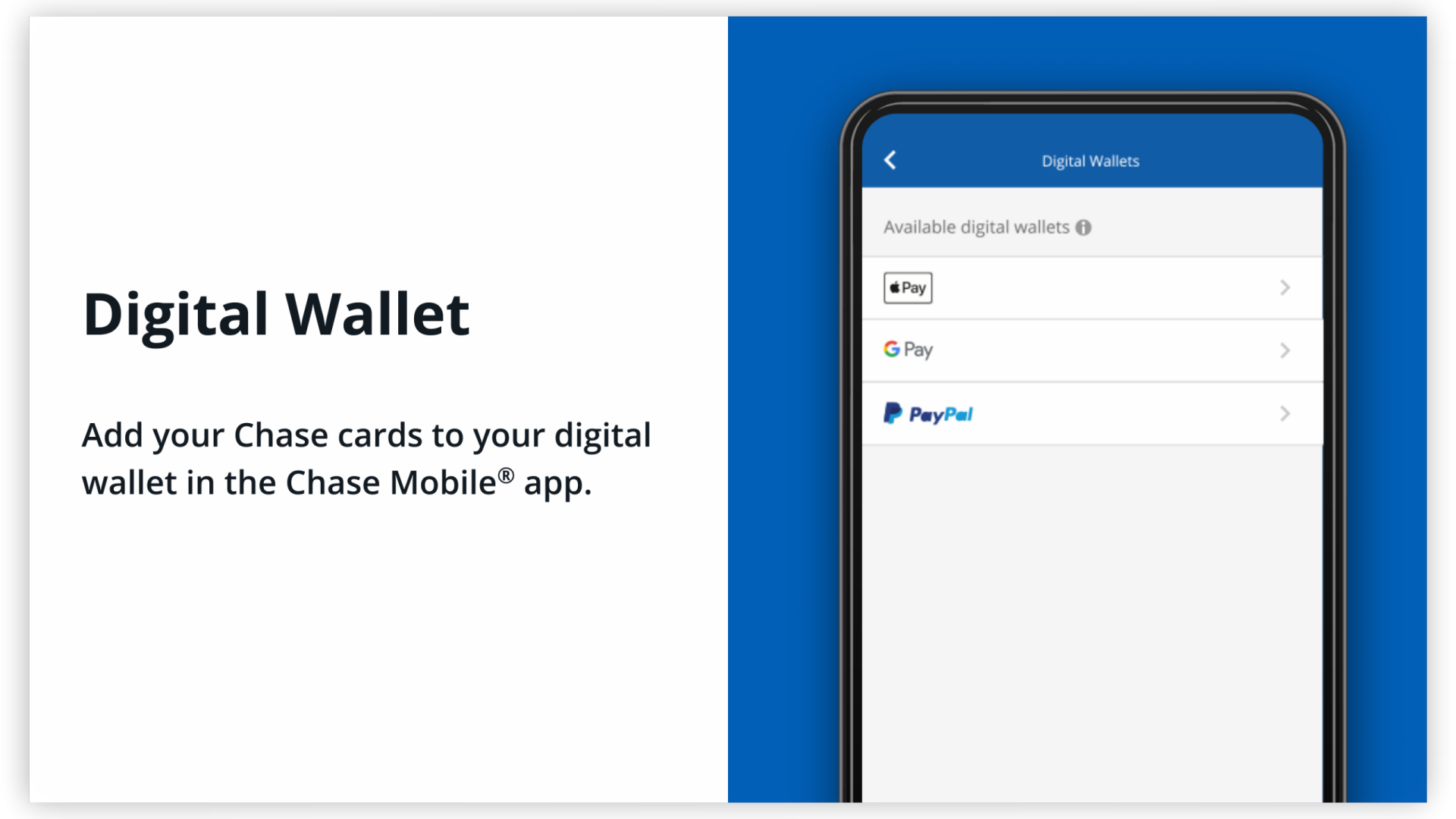
After activating your physical card, the Chase app often provides a seamless option to add your card to your device’s digital wallet (e.g., Apple Pay, Google Pay, Samsung Pay). This is a technical convenience feature that tokenizes your card information, making it even more secure for contactless payments in stores and online. The app typically guides you through this integration, simplifying the process of adding the activated card to your preferred digital wallet. This allows you to use your phone or smartwatch for payments almost instantly after activation.
Enhancing Security and Control Post-Activation
Activating your card is just the first step. The Chase Mobile App provides a suite of technological features that allow you to manage and secure your card long after it’s active. These tools are crucial for maintaining digital security and control over your finances.
Digital Security Measures Within the App
The app incorporates several advanced security features:
- Real-time Transaction Alerts: Configure the app to send instant notifications for every transaction, specific transaction amounts, or international purchases. This immediate feedback mechanism allows you to quickly identify and report any unauthorized activity.
- Biometric Authentication: Utilize your device’s fingerprint or facial recognition technology for quick and secure login, bypassing the need to type your password each time. This significantly reduces the risk of password compromise.
- Virtual Card Numbers: For enhanced online shopping security, some Chase cards offer the ability to generate single-use or merchant-specific virtual card numbers within the app. This feature masks your actual card number, protecting it from potential data breaches during online transactions.
- Advanced Fraud Monitoring: Behind the scenes, Chase employs sophisticated algorithms and AI-driven systems to monitor transactions for unusual patterns, identifying potential fraud attempts even before you do. The app acts as an interface for these systems, alerting you when suspicious activity is detected.
Managing Your Card’s Digital Footprint
Beyond alerts, the app empowers you with direct control over your card’s usage:
- Transaction Monitoring and Categorization: View detailed transaction histories, often categorized automatically, providing insights into your spending patterns. This data is invaluable for personal financial management and can help you spot discrepancies.
- Temporary Card Locking: In case your card is misplaced, but not necessarily stolen, the app allows you to instantly “lock” your card, preventing any new purchases or withdrawals. You can unlock it just as easily once found, negating the need for a full card replacement.
- Travel Notifications: Inform Chase of your travel plans directly through the app. This helps prevent your card from being flagged for suspicious activity when used in unfamiliar locations, ensuring uninterrupted service.
- Spending Limits and Restrictions (for some card types): Some advanced card management features within the app allow users to set specific spending limits for certain categories or merchants, adding an extra layer of control over card usage.
Troubleshooting Common App Activation Issues
While the activation process is generally smooth, technical glitches can occur. Understanding common issues and their resolutions can save time and frustration.
Connectivity and App Performance
- Weak Internet Connection: If the app fails to load or process your request, check your Wi-Fi or cellular data connection. Try switching between them or restarting your router/device. A stable connection is paramount for secure data transmission.
- Outdated App Version: Ensure your Chase Mobile App is updated to the latest version. Older versions might have bugs or compatibility issues with newer operating system updates. Check your device’s app store for available updates.
- Device Compatibility: Verify that your smartphone or tablet meets the minimum operating system requirements for the Chase app. Extremely old devices or OS versions might not fully support the app’s features.
- App Cache and Data: Sometimes, clearing the app’s cache (in your device settings) or reinstalling the app can resolve persistent performance issues. This effectively gives the app a “fresh start.”
Verification Challenges
- Incorrect Card Details: Double-check that you are accurately entering the 16-digit card number, expiration date, and CVV from your physical card. Even a single digit error will prevent activation.
- Login Credentials: Ensure your Chase Online username and password are correct. If you’ve forgotten them, use the “Forgot Username/Password” links on the login screen.
- Multi-Factor Authentication (MFA) Issues: If you’re not receiving OTPs, check your registered phone number in your Chase profile. Ensure your device has service and isn’t blocking messages from Chase. If biometric login fails, ensure your device’s scanner is clean and your biometrics are properly registered.
- Account Lockout: Repeated failed attempts to log in or activate can sometimes lead to a temporary account lockout for security reasons. If this happens, you’ll need to contact Chase customer service for assistance.
The Evolution of Card Management: Beyond Activation
The trajectory of banking technology suggests an increasingly integrated and intelligent approach to card management, with mobile apps at the forefront. The activation process itself is a precursor to a suite of advanced features designed to offer unparalleled control and insight.
AI and Personalization in Banking Apps
Future iterations of banking apps will likely leverage artificial intelligence and machine learning even more extensively. Beyond standard transaction alerts, AI could offer:
- Predictive Spending Insights: AI could analyze your spending patterns to predict future expenses, helping with budgeting and savings goals.
- Personalized Security Recommendations: Based on your usage and digital footprint, the app could proactively recommend tailored security measures, such as adjusting spending limits for certain types of merchants or suggesting optimal times to enable specific transaction restrictions.
- Contextual Financial Advice: AI-driven chatbots could evolve to provide more nuanced, personalized financial advice directly within the app, understanding your spending habits and financial goals.

Biometric Authentication and Advanced Security Protocols
As technology advances, so too will the methods for securing access and transactions:
- Continuous Biometric Authentication: Beyond initial login, future apps might employ continuous biometric verification, subtly confirming your identity throughout your session based on behavioral biometrics (typing patterns, swipe gestures) or real-time facial/voice recognition.
- Quantum-Resistant Encryption: As quantum computing advances, the need for new encryption standards will grow. Banking apps will adopt quantum-resistant cryptographic protocols to ensure the long-term security of financial data.
- Decentralized Identity Solutions: Integrating blockchain-based or decentralized identity systems could offer users greater control over their personal data and streamline verification processes across various financial services, moving beyond traditional username/password paradigms.
The Chase Mobile App, by facilitating card activation and ongoing management, is not just a tool for financial transactions but a dynamic platform adapting to technological advancements, continuously evolving to meet the demands for convenience, security, and intelligent financial control. Mastering its features, starting with seamless card activation, is key to maximizing your financial experience in the digital age.
aViewFromTheCave is a participant in the Amazon Services LLC Associates Program, an affiliate advertising program designed to provide a means for sites to earn advertising fees by advertising and linking to Amazon.com. Amazon, the Amazon logo, AmazonSupply, and the AmazonSupply logo are trademarks of Amazon.com, Inc. or its affiliates. As an Amazon Associate we earn affiliate commissions from qualifying purchases.