
Understanding the cost of a Microsoft operating system has become increasingly complex as the software giant transitions away from traditional one-time purchases toward a “Windows as a Service” model. While many users receive their operating system pre-installed on a new laptop or desktop, those building custom PCs, upgrading older hardware, or managing business fleets need to navigate a variety of pricing tiers and licensing agreements. Currently, Windows 11 is the flagship offering, and its price depends heavily on the specific edition and the method of acquisition.

Understanding the Retail Cost of Windows 11
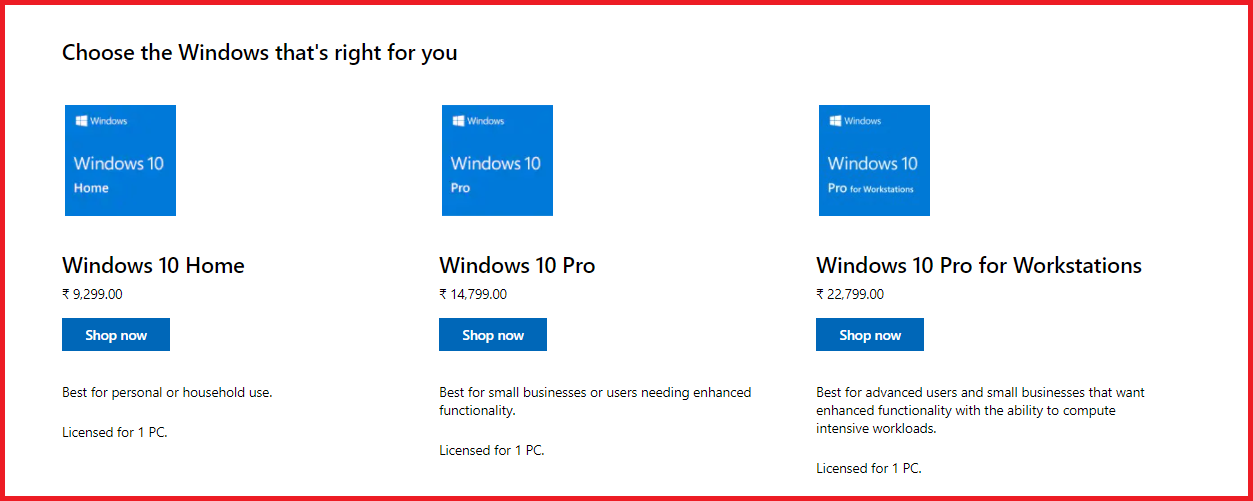
For the average consumer or professional looking to purchase a standalone license, Microsoft offers three primary retail versions of Windows 11. These prices remain relatively consistent across major retailers, though occasional fluctuations occur during seasonal sales or hardware bundles.
Windows 11 Home: The Consumer Standard
Windows 11 Home is the standard version designed for personal use, gaming, and everyday tasks. As of the current market cycle, a retail license for Windows 11 Home typically costs approximately $139.00 USD. This version includes all the core features that define the modern Windows experience, such as the redesigned Start menu, integrated Microsoft Teams chat, Windows Studio Effects for video calls, and advanced gaming features like Auto HDR and DirectStorage.
While it is the most affordable entry point, it lacks some of the advanced networking and security tools found in higher tiers. For example, Windows 11 Home does not include BitLocker device encryption or the ability to join a corporate domain, making it less ideal for strictly professional environments.
Windows 11 Pro: For Power Users and Professionals
Windows 11 Pro is positioned as the upgrade for small business owners, power users, and remote workers. A retail license for Windows 11 Pro generally retails for $199.00 USD. The $60 premium over the Home edition grants access to a suite of enterprise-grade features designed to enhance security and productivity.
Key additions in the Pro version include BitLocker Drive Encryption, which protects data if a device is lost or stolen, and Windows Information Protection (WIP). Furthermore, Pro users gain access to Remote Desktop (host), Hyper-V for virtualization, and the ability to join Azure Active Directory or a standard Windows Domain. For users who need to manage multiple devices or require high-level data security, the Pro license is the industry standard.
Windows 11 Pro for Workstations
For high-end professionals working with massive datasets, complex CAD designs, or high-resolution video rendering, Microsoft offers Windows 11 Pro for Workstations. This version is priced significantly higher, often around $309.00 USD for a full retail license. It is engineered for hardware with high-performance demands, supporting up to four physical CPUs and 6TB of RAM. It also utilizes the Resilient File System (ReFS) to handle large volumes of data with a high degree of fault tolerance, ensuring that file corruption is automatically detected and repaired.
Different Types of Licensing Models
The price you pay for a Microsoft OS is often dictated by the “type” of license you are purchasing. Microsoft utilizes several different distribution channels, each with its own pricing structure and legal restrictions.
Retail (FPP) Licenses
Full Packaged Product (FPP) licenses are what you buy directly from Microsoft’s website or a retail store like Best Buy or Amazon. These are the most expensive because they offer the most flexibility. A retail license is “portable,” meaning if you build a new computer three years from now, you can deactivate the license on your old machine and transfer it to the new one. This longevity often justifies the higher upfront cost for DIY PC builders.
OEM (Original Equipment Manufacturer) Licenses
Most people pay for their Microsoft OS indirectly through an OEM license. When you buy a laptop from Dell, HP, or Lenovo, the manufacturer has already paid Microsoft a discounted rate to pre-install Windows. These licenses are “tied” to the motherboard of that specific machine. You cannot transfer an OEM license to a different computer.
For individual builders, “System Builder” OEM keys are often available at a lower price than retail keys (usually $20–$30 cheaper). However, the trade-off is the lack of Microsoft support and the inability to move the license to a future build. Once that motherboard dies, the license dies with it.
Volume Licensing and Enterprise
Large organizations do not buy individual keys. Instead, they use Volume Licensing (VL) or Windows 11 Enterprise. Pricing for these tiers is rarely public, as it is negotiated through Microsoft’s sales team or authorized partners based on seat count and service-level agreements. Enterprise versions often move into a subscription-based model, frequently bundled with Microsoft 365 (formerly Office 365) subscriptions. This provides the OS as part of a monthly “per user” fee, ensuring the business always has the latest security updates and deployment tools like Autopilot and Endpoint Manager.
Is Windows Ever Truly Free?
The question of whether Windows is free is a common one, fueled by Microsoft’s aggressive push to move users to their latest platform. While the software itself has a retail value, there are several legitimate ways users acquire it without an immediate out-of-pocket expense.
The Windows 10 to Windows 11 Upgrade Path
Currently, Microsoft allows users with a valid, activated license of Windows 10 to upgrade to Windows 11 for free. This is a significant shift from the decade prior, where each major version jump (e.g., from Windows 7 to Windows 8) required a new purchase. As long as your hardware meets the minimum system requirements—most notably the TPM 2.0 security chip and a compatible processor—you can transition to the new OS via Windows Update at no cost.
Pre-installed OS on New Hardware
As mentioned previously, when you buy a new PC, the cost of the OS is “hidden” in the total price of the hardware. While it feels free, you are typically paying between $25 and $60 of that sticker price toward the Microsoft licensing fee negotiated by the manufacturer. This is why “barebones” laptops sold without an OS are often slightly cheaper than their Windows-equipped counterparts.
The Risks of “Cheap” Gray Market Product Keys
A quick internet search will often reveal websites selling Windows 11 Pro keys for as little as $10 or $15. These are known as “gray market” keys. While they often work initially, they frequently originate from unauthorized sources, such as keys intended for educational institutions or different geographic regions. Microsoft has the right to deactivate these keys at any time, and using them for business purposes can lead to compliance audits and legal issues. From a digital security perspective, these keys are often sold by unverified third parties, posing a risk to the user’s financial information.
Factors Influencing the Value of Microsoft’s Ecosystem
When evaluating whether the $139 or $199 price tag is worth it, it is essential to look at the technology and security infrastructure Microsoft provides in exchange for that fee. The OS is no longer just a file management system; it is a gateway to a massive cloud-integrated ecosystem.
Security Features and Built-in Tools
Modern Windows licenses include Windows Defender, which has evolved from a basic scanner into one of the most robust antivirus solutions on the market. By paying for the OS, users gain access to a platform that receives monthly security patches and “Feature Updates” twice a year. The inclusion of Windows Hello (biometric authentication) and Sandbox (a virtual environment for testing suspicious apps) adds layers of security that previously required expensive third-party software.
Integration with Microsoft 365 and Azure
The value proposition of the Microsoft OS is heavily tied to its integration with other tech tools. Windows 11 is designed to work seamlessly with OneDrive for cloud storage and Microsoft 365 for productivity. For developers, the Windows Subsystem for Linux (WSL) allows for running Linux environments directly inside Windows, a feature that has made Windows a top choice for software engineers who previously favored macOS or dedicated Linux distributions.
Long-term Support and Feature Updates
Microsoft has committed to a lifecycle of support for each version of its OS. By purchasing a license, you are essentially buying a minimum of 5 to 10 years of functional and security updates. In the tech world, where hardware becomes obsolete quickly, the stability of the OS provides a foundational layer of value that persists even as physical components are upgraded.

How to Choose the Right Version for Your Needs
Selecting the right version of Windows requires a balance between budget and technical requirements. For most home users, Windows 11 Home is more than sufficient. The core performance is identical to the Pro version; games run just as fast, and applications load with the same efficiency.
However, if you work in a corporate environment or handle sensitive client data, the $60 upgrade to Windows 11 Pro is a necessary investment for the encryption and remote management features alone. For students, it is always worth checking with your educational institution first; many universities participate in the “Azure Dev Tools for Teaching” program, which provides students with free licenses for Windows 11 Education—a version that is functionally similar to Windows 11 Enterprise.
In conclusion, while the retail price for Microsoft’s OS ranges from $139 to over $300, the reality of the market is that most users interact with Windows through free upgrades or OEM hardware bundles. As Microsoft continues to evolve Windows into a service-centric platform, the cost of the OS is increasingly becoming a one-time entry fee into a much broader world of cloud computing, AI-assisted productivity, and enterprise-grade security.
aViewFromTheCave is a participant in the Amazon Services LLC Associates Program, an affiliate advertising program designed to provide a means for sites to earn advertising fees by advertising and linking to Amazon.com. Amazon, the Amazon logo, AmazonSupply, and the AmazonSupply logo are trademarks of Amazon.com, Inc. or its affiliates. As an Amazon Associate we earn affiliate commissions from qualifying purchases.