
Tax season is an inevitable milestone in the annual financial calendar, and for millions of Americans, TurboTax is the go-to platform for navigating the complexities of the Internal Revenue Code. However, the question of “how much it costs” is rarely met with a single, static figure. TurboTax employs a dynamic pricing model that scales based on the complexity of your financial life, the level of professional assistance you require, and even the time of year you choose to file.
For the savvy taxpayer, understanding the tiered structure of TurboTax is essential for budgeting and ensuring that the cost of compliance does not outweigh the benefits of the software’s convenience. To determine the true cost, one must look past the initial marketing and dive into the nuances of federal versus state filing fees, add-on services, and the “Live” assistance upgrades that have become the flagship of the Intuit ecosystem.
The Tiered Pricing Model: Matching Cost to Complexity
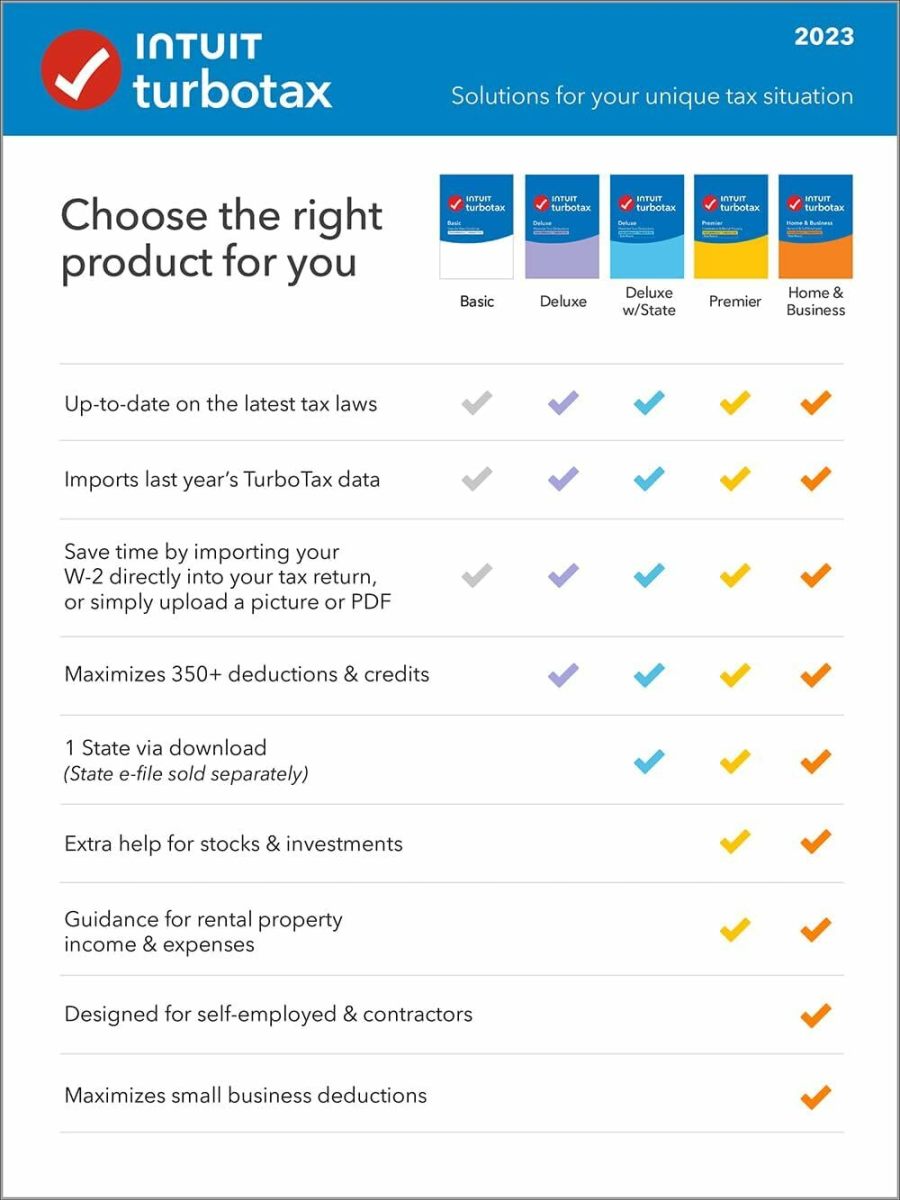
TurboTax operates on a tiered system designed to segment users by their specific tax needs. As your financial situation becomes more complex—moving from a standard W-2 employee to a homeowner, an investor, or a business owner—the price of the software increases accordingly.
The Free Edition
The “Free Edition” is often the most advertised but also the most restricted. It is designed strictly for “simple returns,” which the IRS typically defines as individuals filing a Form 1040 with no attached schedules. This generally includes W-2 income, limited interest and dividend income (1099-INT/DIV), and the standard deduction. If you intend to claim the Earned Income Tax Credit (EITC) or child tax credits, the Free Edition often covers these, but any complexity beyond that—such as student loan interest deductions or unemployment income in certain years—may trigger a mandatory upgrade.
TurboTax Deluxe
TurboTax Deluxe is the most popular tier for the average American household. It typically ranges from $59 to $69 for a federal return. This version is designed for those who own a home and want to maximize deductions through itemization (Schedule A). It provides comprehensive guidance on mortgage interest, property taxes, and charitable donations. For many, the jump from Free to Deluxe is a strategic financial move to ensure that the tax savings found through itemization exceed the cost of the software.
TurboTax Premier
As we move into the realm of wealth management and passive income, TurboTax Premier becomes necessary. Priced between $89 and $104 for federal filing, this tier is tailored for individuals with investments. This includes those selling stocks, bonds, or cryptocurrency, as well as rental property owners. The software includes specialized tools to calculate capital gains and losses and handles the complexities of Schedule E for rental income. Given the high stakes of reporting investment income to the IRS, many users find the cost of Premier to be a justifiable insurance policy against filing errors.
TurboTax Self-Employed
For freelancers, independent contractors, and small business owners, TurboTax Self-Employed is the highest-tier DIY product, often costing between $119 and $129. This version is built to handle Schedule C, allowing users to deduct business expenses such as home office costs, travel, and equipment. It also integrates with QuickBooks to import expenses directly, a feature that saves significant administrative time—a factor that must be weighed when calculating the “total cost” of tax preparation.
Human Expertise and the “Live” Service Upgrades
In recent years, Intuit has shifted its focus toward “TurboTax Live,” a service that connects users with Certified Public Accountants (CPAs) or Enrolled Agents (EAs). This shift represents a move from pure software to a professional service model, and the pricing reflects this.
Live Assisted
TurboTax Live Assisted allows you to complete your own return while having on-demand access to a tax professional who can answer questions via one-way video. They can also perform a final review of your return before you file. The cost for Live Assisted typically adds $50 to $100 on top of the base price of the software tier. For instance, TurboTax Live Assisted Self-Employed can reach prices upwards of $200. From a financial planning perspective, this is a middle-ground option for those who want the security of a professional’s eyes without the high cost of a local accounting firm.
Live Full Service
For those who want to outsource their taxes entirely, TurboTax Live Full Service involves handing off your documents to a tax pro who does the work for you. Prices for this service start around $200 and can climb well over $400 depending on the complexity of the return. While this is the most expensive way to use TurboTax, it competes directly with traditional brick-and-mortar tax preparation services. The value proposition here is convenience and a digital-first workflow, though the monetary cost is significant.
Hidden Costs and Ancillary Fees
When budgeting for TurboTax, the “sticker price” of the federal software is rarely the final amount deducted from your bank account. Several “hidden” costs can inflate the total price of filing.
State Filing Fees
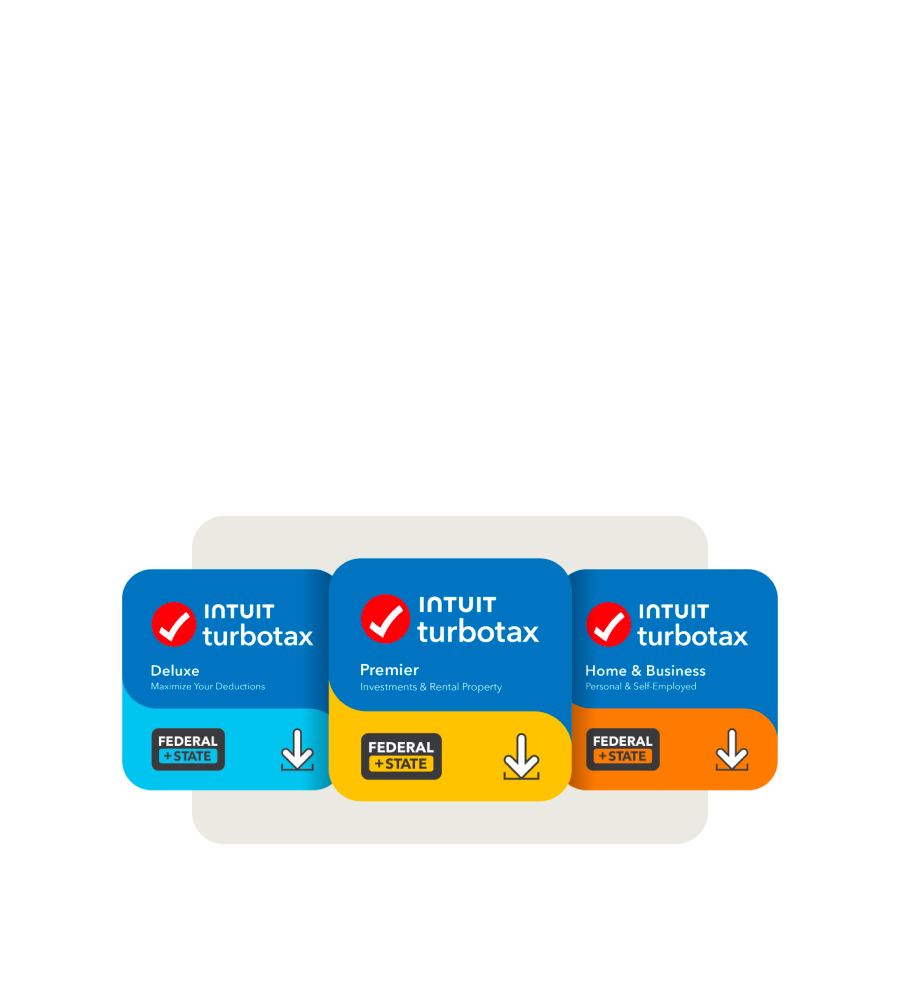
Almost all TurboTax tiers (except for the qualifying Free Edition) charge an additional fee for state returns. This is often overlooked by users until they reach the end of the filing process. State filing fees typically range from $50 to $60 per state. If you lived or worked in multiple states during the year, these fees can multiply quickly, potentially doubling your total bill.
The “Pay With Your Refund” Fee
A common convenience offered by TurboTax is the option to deduct the cost of the software from your federal tax refund rather than paying upfront with a credit card. While this sounds appealing, it often carries a “Refund Processing Service” fee, which can be as high as $40. Financially speaking, this is an inefficient choice. It is essentially a high-interest short-term loan for the cost of the software. Paying upfront with a credit or debit card is always the more cost-effective move.
Audit Defense and Extra Protections
During the checkout process, users are frequently prompted to purchase “MAX Rewards” or “Audit Defense” packages. These services, which can cost an additional $40 to $60, provide identity theft monitoring and professional representation in the event of an IRS audit. While these provide peace of mind, they are optional. For taxpayers with straightforward returns and a low risk of audit, these add-ons may represent an unnecessary erosion of their tax refund.
Strategic Timing: The Impact of “Early Bird” Pricing
A little-known aspect of TurboTax’s business model is that prices are not static throughout the tax season. Intuit frequently uses “early bird” pricing to incentivize users to file in January or February.
During the early months, you might find the Deluxe version for $59. However, as the April 15th deadline approaches, prices often rise by $10 or $20 per tier. Furthermore, many major financial institutions—such as Chase, Fidelity, and Vanguard—offer discounted links to their customers, sometimes providing $20 off the software or even a free version of the Premier tier for high-net-worth clients. Before paying full price, checking your brokerage or bank account for promotional offers is a critical step in minimizing costs.
Comparing Value: TurboTax vs. The Competition
To determine if the cost of TurboTax is “worth it,” one must compare it to the broader market of financial tools.
On one end of the spectrum, you have the IRS Free File program. If your Adjusted Gross Income (AGI) is $79,000 or less, you can access brand-name software, including versions of TurboTax (though Intuit has had a contentious relationship with the Free File Alliance), for no cost at all.
On the other end, competitors like FreeTaxUSA offer federal filing for $0 and state filing for a flat $15, regardless of how complex your return is. For a self-employed investor, the difference between using FreeTaxUSA ($15 total) and TurboTax Self-Employed with a state return (~$180 total) is substantial.
The premium you pay for TurboTax is not necessarily for the “math”—the IRS gets the same numbers regardless of the software. Instead, you are paying for the user interface, the ease of importing data from thousands of financial institutions, and the “tax interview” format that reduces the mental load of filing. From a personal finance perspective, the cost of TurboTax is a trade-off: you are spending money to save time and reduce the anxiety associated with tax errors.

Final Financial Considerations
Ultimately, the cost to do TurboTax ranges from $0 for the simplest returns to over $500 for a “Full Service” business return with multiple state filings. To navigate this effectively, a taxpayer should:
-
Assess Complexity Early: Don’t wait until April to find out you need the $120 Self-Employed version.
-
Avoid the Add-ons: Unless you have a high-risk tax profile, skip the audit defense and refund processing fees.
-
Search for Discounts: Use affiliate links from your bank or brokerage to shave $20 off the top.
-
Pay Upfront: Never use your refund to pay for the software; the convenience fee is a poor financial decision.
By understanding these price drivers, you can treat tax preparation as a controlled business expense rather than a surprise hit to your bottom line. TurboTax is a powerful financial tool, but like any premium service, its value is only realized when the user understands exactly what they are paying for—and what they can afford to skip.
aViewFromTheCave is a participant in the Amazon Services LLC Associates Program, an affiliate advertising program designed to provide a means for sites to earn advertising fees by advertising and linking to Amazon.com. Amazon, the Amazon logo, AmazonSupply, and the AmazonSupply logo are trademarks of Amazon.com, Inc. or its affiliates. As an Amazon Associate we earn affiliate commissions from qualifying purchases.