
In the dynamic landscape of digital content creation, YouTube stands as an unparalleled platform for sharing videos with a global audience. As creators and businesses look to expand their reach, diversify content, or manage distinct brands, a common question arises: “How many YouTube channels can you truly have?” The answer, while seemingly simple, delves into the technical architecture of Google accounts and YouTube’s platform functionalities. Far from a strict numerical limit, the capacity for YouTube channels is deeply intertwined with how users leverage Google’s overarching ecosystem, primarily through the strategic use of personal and brand accounts. Understanding these technical realities is crucial for anyone aiming to scale their presence effectively and manage multiple content streams without hitting unforeseen roadblocks. This article will explore the technical nuances behind creating and managing multiple YouTube channels, offering insights into the underlying infrastructure and best practices for seamless operation, all from a purely technological perspective.

The Core Principle: Google Accounts and Channel Capacity
At the heart of YouTube’s channel system lies the Google account. Every single YouTube channel, without exception, is linked to a Google account. This fundamental relationship dictates the technical possibilities and limitations for channel creation and management. Recognizing this link is the first step toward understanding how to expand your YouTube footprint.
Understanding the Google Account Foundation
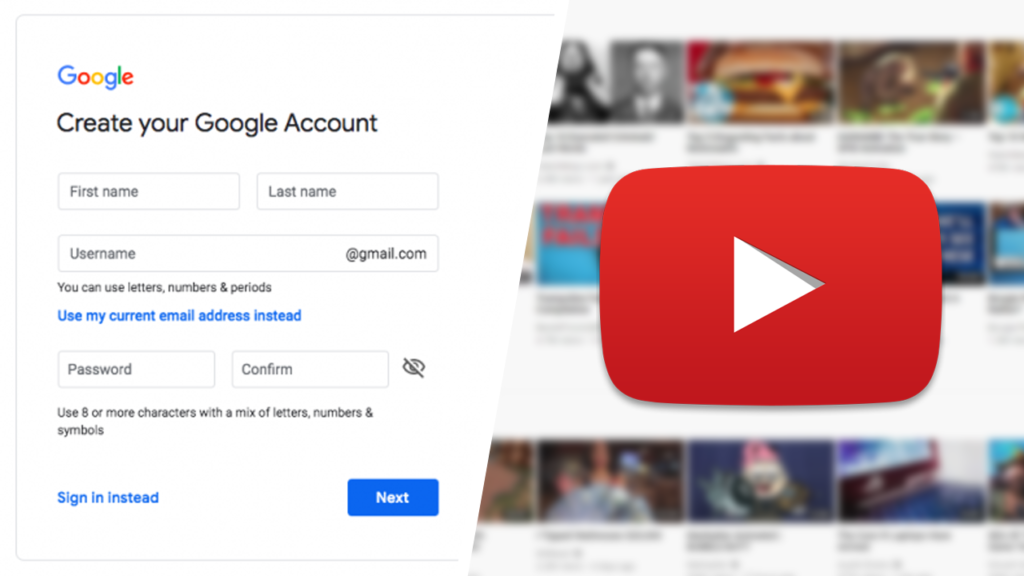
A Google account serves as your digital identity across Google’s vast suite of services, including Gmail, Google Drive, Google Photos, and, crucially, YouTube. When you first sign up for YouTube, a personal channel is automatically created and directly tied to your primary Google account. This personal channel often bears your name or a pseudonym associated with your Google profile. It’s the default, foundational channel from which all other YouTube activities can stem. Because Google accounts are free and relatively easy to set up, and there’s no official, publicly stated limit to how many Google accounts an individual can create (though Google’s terms of service prohibit creating an excessive number of accounts or using them for abuse), this forms the theoretical basis for an almost limitless number of YouTube channels. Each distinct Google account could, in theory, host its own personal YouTube channel. However, this approach quickly becomes cumbersome from a management perspective, requiring constant logging in and out, and offers less control over shared access and permissions.
Personal Channels vs. Brand Accounts: A Crucial Distinction
While every Google account can have one personal YouTube channel, the true power of multi-channel management on YouTube comes from “Brand Accounts.” A YouTube channel linked to a Brand Account is distinct from a personal channel in several key technical ways. A Brand Account is a special type of Google Account specifically designed for entities other than individuals, such as businesses, organizations, or even distinct personal projects. Critically, a single Google account can own and manage multiple Brand Accounts, and each Brand Account can, in turn, host one YouTube channel.
This technical architecture means that:
- Your primary Google account automatically has one personal YouTube channel.
- Your primary Google account can also create and manage multiple Brand Accounts.
- Each Brand Account can have its own independent YouTube channel.
This distinction is fundamental. It means you don’t need a new Google account for every new YouTube channel you wish to create beyond your first. Instead, you leverage Brand Accounts linked to your primary Google account. This technical design allows for centralized control and management while maintaining separate identities and content streams for each channel. From a technical standpoint, this is YouTube’s engineered solution for scalability and organizational flexibility.
The Technical “Limit” (or Lack Thereof)
Given the structure above, the question of “how many YouTube channels can you have” doesn’t have a simple, fixed numerical answer like “three” or “ten.” Technically, Google does not impose a hard limit on the number of Brand Accounts you can create under a single Google account, nor does it limit the number of YouTube channels that can be linked to these Brand Accounts. In practice, this means you can create dozens, even hundreds, of YouTube channels, all managed from a single Google account, provided each channel is attached to a distinct Brand Account.
The practical “limit” often comes down to manageability rather than a platform-enforced technical restriction. Each channel, regardless of its owner or account type, requires active management: content uploading, analytics monitoring, comment moderation, and adherence to community guidelines. While the technical infrastructure supports extensive channel creation, the operational overhead grows with each additional channel. Therefore, the “limit” is more of a self-imposed boundary based on a creator’s or organization’s capacity to effectively manage and maintain their digital presence, rather than a system ceiling enforced by YouTube itself.
Step-by-Step: Creating and Managing Multiple YouTube Channels
Once the foundational understanding of Google accounts and Brand Accounts is clear, the process of technically setting up and managing multiple YouTube channels becomes straightforward. YouTube’s interface is designed to facilitate this, allowing for relatively easy expansion of a creator’s digital footprint.
Initiating a New Brand Account Channel
The first step to acquiring an additional YouTube channel beyond your personal one is to create a new Brand Account. This process is initiated from within your existing YouTube interface:
- Log in to YouTube: Use the Google account you wish to be the primary owner/manager of the new channel.
- Access Settings: Click on your profile picture in the top right corner, then select “Settings.”
- Create a New Channel: Under the “Your YouTube channel” section, click on “Create a new channel.”
- Name Your Brand Account: You will be prompted to create a new Brand Account. Enter the desired name for your new channel (e.g., “My Gaming Channel,” “Cooking Tutorials,” “Business Insights”). This name will automatically become the name of the Brand Account.
- Confirm Creation: Follow any subsequent prompts to complete the creation.
Once created, this new channel is linked to its own Brand Account, which is, in turn, managed by your primary Google account. You can repeat this process as many times as needed, creating a distinct YouTube channel for each new Brand Account. This structured approach ensures that each channel operates independently in terms of content, subscribers, and analytics, while remaining under the centralized technical control of one individual’s Google login.
Navigating Multiple Channels Within One Google Account
YouTube’s interface is designed for easy switching between channels managed by the same Google account. This technical feature is crucial for efficient multi-channel operation.
- Channel Switcher: After logging into YouTube, click on your profile picture. A drop-down menu will appear.
- “Switch Account” Option: Within this menu, select “Switch account.”
- Select Channel: A list of all YouTube channels (both your personal channel and any Brand Account channels you own or manage) associated with your current Google account will be displayed. Simply click on the channel you wish to access.
This seamless switching mechanism allows creators to quickly jump from one channel to another without the need to log in and out repeatedly. This technical convenience is a cornerstone of effective multi-channel management, significantly reducing the operational friction of handling diverse content strategies.
Efficient Switching and Management Tools
Beyond the basic “Switch account” functionality, YouTube offers several tools and features to streamline multi-channel management. For instance, the YouTube Studio interface, accessible for each individual channel, provides a centralized dashboard for managing videos, comments, analytics, and monetization settings specific to that channel.
- YouTube Studio Dashboard: Each channel gets its own dedicated YouTube Studio. When you switch channels, you also switch to that channel’s specific Studio, where all management tasks are siloed to that particular channel.
- Notifications: YouTube’s notification system can be configured to deliver updates relevant to all channels you manage, or specific channels, helping you stay on top of activity across your entire portfolio.
- Third-Party Tools (APIs): For advanced users or large organizations, YouTube offers APIs (Application Programming Interfaces) that allow third-party tools to interact with YouTube channels. These tools can automate uploads, schedule posts, manage comments, and aggregate analytics across multiple channels, offering a highly technical and scalable solution for managing a vast number of channels. This level of integration requires technical expertise but unlocks immense efficiency for complex multi-channel operations.
Technical Considerations for Multi-Channel Management
While the technical process of creating multiple channels is straightforward, effective management demands attention to several critical technical considerations to ensure smooth operation, security, and compliance. Ignoring these can lead to complications ranging from security vulnerabilities to policy violations.
Optimizing Account Security Across Channels
Managing multiple channels from a single Google account magnifies the importance of robust security. If your primary Google account is compromised, all associated YouTube channels become vulnerable.
- Two-Factor Authentication (2FA): This is non-negotiable. Enabling 2FA on your primary Google account adds a critical layer of security, requiring a second verification step (e.g., a code from your phone) in addition to your password.
- Strong, Unique Passwords: Ensure your primary Google account has a complex, unique password that is not reused on other services. Password managers can aid in this.
- Regular Security Checks: Periodically review your Google account security settings, including connected apps and devices, to identify and remove any unfamiliar or suspicious access.
- Brand Account Ownership and Managers: For Brand Account channels, you can technically add other Google accounts as “managers” or “owners” without sharing your primary Google account password. This is a crucial security feature. By delegating specific roles, you can allow team members to contribute to a channel without giving them full control over your entire Google account and all associated channels. This minimizes risk by adhering to the principle of least privilege.
Content Management and Upload Workflows
Managing content across multiple channels requires a structured technical workflow to maintain organization and prevent errors.
- Dedicated Storage: Use separate folders or cloud storage solutions (e.g., Google Drive, Dropbox) for assets (video files, thumbnails, scripts) pertaining to each channel. This prevents accidental uploads to the wrong channel and ensures content integrity.
- Naming Conventions: Implement consistent naming conventions for video files, project folders, and metadata. This technical discipline aids in searchability and organization, especially as the number of videos and channels grows.
- Batch Processing and Automation: For creators publishing high volumes of content across channels, consider technical solutions for batch processing video files (e.g., rendering, encoding) and scheduling uploads. YouTube’s own scheduling feature within YouTube Studio is invaluable, allowing you to prepare videos for publication well in advance. Advanced users might explore scripting or third-party tools that leverage YouTube’s API for mass uploads or metadata management, significantly increasing technical efficiency.
Understanding YouTube’s Community Guidelines and Policies Across Accounts
A critical technical and operational aspect is YouTube’s enforcement of its Community Guidelines and policies. These rules apply to all channels.
- Accountability: If one of your channels violates a serious policy, it can impact your other channels. YouTube technically links channels that are managed by the same Google account or Brand Account owners. Repeat violations on one channel could lead to strikes or termination not just for that channel, but potentially for all channels associated with the owner, or even the underlying Google account. This is a severe technical consequence that underscores the need for meticulous compliance across your entire channel portfolio.
- Content ID and Copyright: Managing copyrighted material across multiple channels requires vigilance. Unauthorized use of copyrighted content on one channel can trigger strikes and financial penalties that impact your entire account health, even if your other channels are compliant. Understanding how YouTube’s Content ID system works and ensuring all content has appropriate licenses is a technical necessity.
- Spam and Deceptive Practices: Practices like keyword stuffing, misleading thumbnails, or repetitive comments are universally prohibited. Engaging in such tactics on one channel can reflect poorly on your overall account standing and potentially flag all your associated channels for review.
Advanced Technical Strategies and Best Practices
To truly master multi-channel YouTube management, creators often employ advanced technical strategies that leverage YouTube’s capabilities and integrated tools for optimized performance and oversight.
Leveraging Analytics for Each Channel’s Performance
YouTube Studio’s analytics dashboard is a powerful technical tool that provides granular data for each individual channel. For multi-channel operators, understanding and utilizing these separate analytics is paramount.
- Individual Channel Metrics: Each channel has its own complete set of performance metrics (views, watch time, subscribers, audience demographics, traffic sources). This separation is a deliberate technical design, allowing creators to assess the distinct performance of each content niche or brand.
- A/B Testing Content Formats: With multiple channels, you can technically A/B test different content formats, thumbnail styles, or even SEO strategies across similar niches without directly impacting the established audience of a main channel. The separate analytics for each channel provide clear data for these experiments.
- Identifying Cross-Promotion Opportunities: While the analytics are separate, by analyzing the audience demographics and interests of different channels you manage, you might identify technical opportunities for organic cross-promotion or content collaboration that appeal to overlapping segments, without diluting the primary focus of each channel.
Delegating Access and Permissions Securely
For teams or organizations, the ability to delegate access to channels without sharing full Google account credentials is a crucial technical security feature.
- Granular Permissions: Brand Accounts allow you to add “managers” or “communicators” with varying levels of access to specific YouTube channels.
- Owner: Has full control, including adding/removing managers and deleting the channel.
- Manager: Can upload videos, edit channel details, manage comments, and view analytics. They cannot delete the channel or remove owners.
- Communicator: Can view everything except revenue data and can respond to comments.
- Viewer (Limited Access): Can view everything except revenue data.
- Auditing Access: Regularly review the list of users who have access to each Brand Account channel. Removing access for individuals who no longer need it is a critical security practice. This technical capability ensures that each team member has precisely the access they need, minimizing potential misuse or accidental errors.
Troubleshooting Common Multi-Channel Issues
Even with best practices, technical issues can arise. Knowing how to troubleshoot them effectively is key.
- Channel Switching Problems: If you can’t see all your channels in the “Switch account” menu, ensure you are logged into the correct Google account that owns or manages those Brand Accounts. Clear browser cookies/cache or try an incognito window to rule out browser-specific issues.
- Content ID Claims on Multiple Channels: If you receive Content ID claims across multiple channels, investigate the source of the content. Consistently using licensed or original material is the best technical defense. Keep detailed records of all content licenses.
- Violation Strikes: If one channel receives a Community Guideline strike, immediately review the specific violation. Address the issue on the affected channel and audit your content on all other channels to prevent similar violations from impacting your overall account health. Remember, strikes on one channel can escalate and affect others technically linked to your primary account.
- Lost Brand Account Access: If access to a Brand Account channel is lost, the Google account that is the “Owner” of the Brand Account is the primary recovery point. Ensure you maintain access to this underlying Google account.
The Technical Future of Multi-Channel Operation
The digital landscape is constantly evolving, and YouTube is no exception. Staying abreast of platform updates and new technical tools is essential for long-term multi-channel success.
Adapting to Platform Updates and Changes
YouTube regularly updates its features, policies, and algorithms. These changes can have a technical impact on how multiple channels are managed and how their content performs.
- Monitoring Official Communications: Regularly check the official YouTube Creator Blog, YouTube Help pages, and your YouTube Studio dashboard for announcements. These sources provide critical technical information about new features, policy changes, and system updates.
- API Changes: For advanced users leveraging the YouTube API, monitoring changes to the API documentation is crucial. Updates can affect custom tools and integrations, requiring technical adjustments to maintain functionality.
- Algorithm Shifts: While not a direct technical feature, understanding how algorithm changes might affect content discovery across different channels is important. Adapting content strategies based on these shifts, from a technical perspective of video optimization (metadata, tags, descriptions), becomes a continuous process.
Tools and Integrations for Scaled Channel Management
As the number of channels grows, manual management becomes less feasible. Leveraging external tools and integrations can provide the technical horsepower needed for scaled operations.
- Centralized Analytics Dashboards: While YouTube Studio offers per-channel analytics, some third-party tools can aggregate data from multiple channels into a single, comprehensive dashboard. This provides a high-level technical overview of your entire portfolio’s performance.
- Advanced Scheduling and Publishing Platforms: Tools that integrate with YouTube’s API can offer more robust scheduling, bulk uploading, and metadata management features than what’s natively available in YouTube Studio. This allows for highly efficient workflows across many channels.
- Comment Moderation Tools: For channels with high engagement, specialized tools can help manage and moderate comments across multiple channels from a single interface, using AI and rule-based systems to filter spam and inappropriate content, freeing up significant operational time.
In conclusion, YouTube provides a technically robust framework for creators to manage numerous channels, primarily through the clever implementation of Brand Accounts linked to a single Google account. The theoretical limit on channels is virtually non-existent, making the practical constraints revolve around effective management, security, and adherence to platform policies. By understanding and meticulously applying these technical realities and best practices, creators and organizations can confidently expand their presence, diversify their content strategies, and build a resilient multi-channel ecosystem on YouTube.
aViewFromTheCave is a participant in the Amazon Services LLC Associates Program, an affiliate advertising program designed to provide a means for sites to earn advertising fees by advertising and linking to Amazon.com. Amazon, the Amazon logo, AmazonSupply, and the AmazonSupply logo are trademarks of Amazon.com, Inc. or its affiliates. As an Amazon Associate we earn affiliate commissions from qualifying purchases.