
In the modern era of digital entertainment, streaming services have transitioned from being a luxury to a primary household utility. As platforms like Paramount Plus continue to expand their libraries—incorporating everything from live sports and breaking news to blockbuster films and prestige television—the need for organized, individualized viewing experiences has never been more critical. For households with multiple viewers, the question of account management is paramount. Specifically, users often ask: how many profiles can you have on Paramount Plus?
The short answer is six. Paramount Plus allows subscribers to create up to six unique profiles under a single account. However, the technical implications of these profiles, how they interact with concurrent streaming limits, and the ways in which they utilize data to personalize the user experience are far more nuanced. Understanding these mechanics is essential for any tech-savvy viewer looking to optimize their digital media consumption.
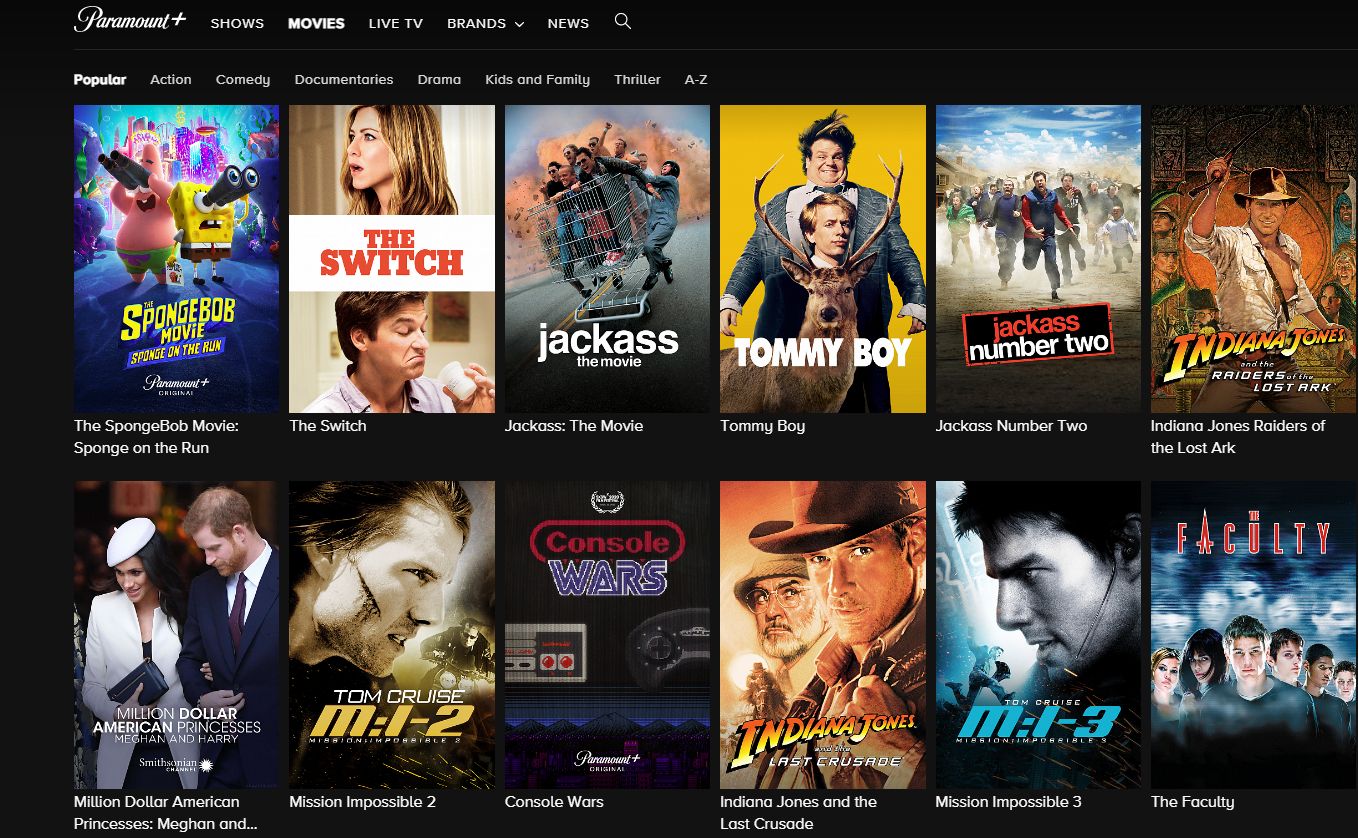
Understanding Profile Limits and the User Interface
The architecture of Paramount Plus is designed to accommodate a diverse range of viewing habits within a single subscription. By allowing six distinct profiles, the platform aligns itself with industry standards set by competitors like Netflix and Hulu. This capacity ensures that even large households or shared living arrangements can maintain individual watchlists and personalized recommendations without interference.
The Technical Utility of Distinct Profiles
From a software perspective, a “profile” is more than just a name and an avatar; it is a discrete data bucket. Each profile stores a specific set of metadata, including “Keep Watching” history, “My List” selections, and algorithmic preferences. When you switch profiles, the application’s API fetches a different set of user-specific data points. This separation is crucial for maintaining the integrity of the recommendation engine.
If six people were to use a single profile, the algorithm would receive conflicting signals—for example, processing data from a preschooler’s animated series alongside a teenager’s horror films and an adult’s news broadcasts. By isolating these data streams into six individual profiles, Paramount Plus ensures that each user receives a curated interface that reflects their specific interests.
Setting Up and Customizing Your User Space
The process of creating these profiles is streamlined across all compatible devices, including smart TVs, gaming consoles, web browsers, and mobile apps. To add a profile, a user navigates to the “Who’s Watching?” screen—the initial gateway of the app—and selects the “Add Profile” icon.
Technically, the platform allows for deep customization during this phase. Users can choose from a library of avatars featuring characters from various Paramount-owned properties, such as Nickelodeon, MTV, or Star Trek. This visual differentiation isn’t just for aesthetics; it provides a quick UI cue for users to identify their workspace in a shared environment. Furthermore, each profile can be toggled as a “Kids” profile, which triggers a significant shift in the application’s content filtering and user interface.
Managing Kids’ Profiles and Parental Controls
One of the most vital technical features of the profile system in Paramount Plus is the implementation of parental controls. In an age where digital safety is a top priority, the platform provides robust tools to ensure that younger viewers interact only with age-appropriate content.
The “Kids Mode” Architecture
When a profile is designated as a “Kids” profile, the software undergoes a transformation. The UI is simplified, and the library is automatically filtered based on content ratings. Paramount Plus offers two primary tiers for Kids profiles: “Younger Kids” (content rated TV-Y or G) and “Older Kids” (content rated up to TV-PG or PG).
Behind the scenes, this filtering is handled by the platform’s content management system (CMS), which tags every title with specific metadata. When a profile with restrictive settings is active, the app’s search function and home screen carousels are dynamically updated to exclude any titles that do not meet the set criteria. This ensures that even if a child attempts to search for “Scream” or “Yellowstone,” the software will return no results or only age-appropriate alternatives.
Hardlocking Profiles with PIN Protection
To prevent children from simply switching over to an adult profile, Paramount Plus includes a PIN-protected parental control feature. This is a critical security layer. By enabling a four-digit PIN, account holders can lock adult profiles. Technically, this adds an authentication gate between the profile selection screen and the content library. Even if the app remains logged in on a shared living room TV, the sensitive content remains inaccessible without the correct code.
Device Limits vs. Profile Limits: Navigating Concurrent Streams
There is a common point of confusion among streaming users regarding the difference between the number of profiles and the number of concurrent streams. While you can have six profiles, you cannot necessarily have six people watching different things at the exact same time.
The Concurrent Stream Threshold

Paramount Plus typically allows for three concurrent streams per account. This means that while you have six available slots for personalized data (profiles), only three of those profiles can be active on different devices simultaneously.
This limitation is a server-side restriction designed to manage bandwidth and prevent unauthorized account sharing. When a fourth device attempts to initiate a stream, the Paramount Plus servers will typically return an error message—often “Too Many Streams”—indicating that the account’s limit has been reached. For users, this means that while the profiles help organize “who” is watching, the stream limit dictates “how many” can watch at once.
Cross-Platform Syncing and Performance
A significant technical achievement of the Paramount Plus profile system is its seamless cross-platform synchronization. Because profiles are hosted in the cloud rather than on the local device, a user can start a movie on their iPhone during a commute and resume it exactly where they left off on their Apple TV at home.
This “resume” functionality relies on real-time data syncing. Every few seconds, the app sends a “heartbeat” to the Paramount servers, updating the timestamp of the current video playback for that specific profile. This ensures that the state of the application is consistent across the entire hardware ecosystem, including Roku, Amazon Fire Stick, PlayStation, and web browsers.
Optimizing the User Experience Through Profile Data
The true value of having six individual profiles lies in the data-driven personalization that the platform provides. In the tech world, this is often referred to as the “Discovery Engine.”
Personalization and the Algorithm
Each profile acts as an independent laboratory for the Paramount Plus algorithm. By tracking watch history, the platform calculates a “taste profile” for the user. If a profile consistently watches procedural dramas like NCIS or Criminal Minds, the home screen will prioritize the “Crime & Mystery” category.
Furthermore, the “Keep Watching” tray is perhaps the most utilized feature of the profile system. It stores the playback state for every series and film a user has engaged with. This avoids the frustration of manually searching for the next episode in a long-running series, as the software automatically queues the subsequent installment based on the profile’s specific progress.
Watchlists and Custom Libraries
Beyond algorithmic suggestions, profiles allow for manual curation through the “My List” feature. This is a personal database where users can save titles they intend to watch later. Since this list is tied to the profile rather than the account, a user’s queue of documentaries won’t be cluttered by another user’s reality TV obsession. This level of organization is essential for power users who follow dozens of different series simultaneously.
Security and Best Practices for Shared Accounts
Managing six profiles requires a certain level of digital hygiene to ensure that the account remains secure and the viewing experience remains uninterrupted.
Profile Privacy and Account Integrity
While profiles offer individual spaces, it is important to remember that they all sit under one set of master login credentials (email and password). From a security standpoint, sharing these credentials with individuals outside of one’s immediate household can lead to complications.
If the account password is leaked or shared too broadly, the three-stream limit will be reached quickly, locking out the primary account holder. Additionally, unauthorized users could delete or modify existing profiles, erasing years of curated watch history. Tech-savvy users should periodically check the “Registered Devices” section in their account settings to see which pieces of hardware are currently authorized to access their profiles.
Troubleshooting Profile Issues
Occasionally, users may encounter technical glitches where profiles fail to load or the “Who’s Watching?” screen hangs. Most often, this is a cache-related issue. On mobile devices or smart TVs, clearing the app cache or performing a “force stop” can refresh the connection to the profile server. In more persistent cases, signing out and back in re-authenticates the account token, ensuring that the profile data is pulled correctly from the cloud.

The Future of Profile Management
As streaming technology evolves, we can expect profile management to become even more integrated. Features like “Profile Transfers”—which allow a user to move their specific viewing history and “My List” to a completely new account—are becoming more common in the industry as platforms address the reality of users moving out of shared households.
For now, the six-profile system on Paramount Plus provides a robust balance between flexibility and control. It offers enough space for a full family while maintaining the technical infrastructure necessary for a high-quality, personalized streaming experience. By understanding how to leverage these profiles, manage parental controls, and navigate stream limits, users can ensure they are getting the most out of their Paramount Plus subscription.
aViewFromTheCave is a participant in the Amazon Services LLC Associates Program, an affiliate advertising program designed to provide a means for sites to earn advertising fees by advertising and linking to Amazon.com. Amazon, the Amazon logo, AmazonSupply, and the AmazonSupply logo are trademarks of Amazon.com, Inc. or its affiliates. As an Amazon Associate we earn affiliate commissions from qualifying purchases.