
For millions of Americans, direct deposit is the cornerstone of their personal finance, the reliable pipeline through which their hard-earned money flows into their bank accounts. It represents not just a payment method, but also the gateway to budgeting, bill paying, and financial security. When it comes to a financial giant like Chase Bank, understanding the nuances of how long direct deposit takes isn’t merely a matter of curiosity; it’s a critical component of effective financial planning.
The expectation of instantaneous transactions in an increasingly digital world often clashes with the reality of banking infrastructure, which, while highly efficient, still operates on established protocols and processing cycles. This article delves into the typical timelines for direct deposits with Chase, exploring the factors that influence speed, potential reasons for delays, and how you can best manage your finances around these schedules. We’ll demystify the journey your paycheck takes, helping you to anticipate when your funds will be available and empowering you with the knowledge to troubleshoot any hiccups along the way. Whether you’re a new Chase customer, an employer setting up direct deposit, or simply seeking to optimize your financial operations, gaining a clear understanding of Chase’s direct deposit process is an invaluable step towards greater financial control and peace of mind.
Understanding the Mechanics of Direct Deposit
Before we delve into specific timelines, it’s crucial to grasp what direct deposit entails and the systemic processes that govern its speed. It’s more than just money magically appearing in your account; it’s a sophisticated electronic funds transfer system designed for efficiency and security.
What is Direct Deposit?
At its core, direct deposit is an electronic payment method where funds are transferred directly from the payer’s bank account to the recipient’s bank account. This eliminates the need for physical checks, reducing processing time, mail delays, and the risk of theft or loss. For employees, it means their paycheck goes straight into their bank account, ready for use without a trip to the bank or ATM. For employers, it streamlines payroll operations, saving on printing, mailing, and reconciliation costs. It’s a win-win for efficiency and security in the financial landscape.
The Journey of Your Funds: From Employer to Account
The direct deposit process, while appearing seamless to the end-user, involves several key stages facilitated by the Automated Clearing House (ACH) network. The ACH is a secure electronic network for financial transactions in the United States, managing billions of payments annually.
-
Initiation: Your employer (or the paying entity) initiates the direct deposit process by submitting a payment file to their bank. This file contains crucial details like your bank account number, routing number, and the amount to be deposited.
-
Processing by Originating Bank: The employer’s bank (the Originating Depository Financial Institution or ODFI) processes this file and batches it with other direct deposit requests.
-
Transmission to ACH Operator: These batches are then sent to an ACH Operator (either the Federal Reserve or The Clearing House). The ACH Operator acts as a central hub, receiving files from ODFIs and sorting them for distribution to the receiving banks.
-
Processing by Receiving Bank (Chase): The ACH Operator transmits the relevant files to your bank, Chase (the Receiving Depository Financial Institution or RDFI). Chase then receives this data, verifies the account information, and processes the deposit.
-
Posting to Your Account: Once Chase has processed the transaction and verified the funds, they are posted to your individual account, making them available for withdrawal or use.
This entire process, from initiation to availability, typically takes one to two business days, although specific cut-off times and banking policies can influence the exact timing.
Key Players in the Direct Deposit Ecosystem
Understanding the “players” helps demystify the process:
-
Payer (e.g., Employer): The entity sending the money.
-
Originating Depository Financial Institution (ODFI): The payer’s bank.
-
ACH Operator: The central hub (Federal Reserve or The Clearing House) that processes and transmits ACH transactions.
-
Receiving Depository Financial Institution (RDFI): Your bank, Chase, in this scenario.
-
Payee (You): The recipient of the funds.
Each player has a role in ensuring the efficient and secure movement of funds, contributing to the overall timeline of your direct deposit.
Typical Timeframes for Chase Direct Deposits
For most Chase customers, the expectation is that funds will be available promptly. While direct deposit is generally reliable, its “speed” isn’t always instantaneous and can be influenced by several factors inherent to the banking system.
Standard Processing Times
For the vast majority of direct deposits with Chase, funds are typically available on the morning of the scheduled pay date. This means if your employer processes payroll such that your pay date is Friday, you can expect the funds to be in your Chase account and accessible by Friday morning, often even before the bank officially opens its doors.
The standard ACH processing timeline is usually 1 to 2 business days from the time the employer’s bank initiates the transaction. This “processing window” accounts for the journey through the ACH network to Chase. For example, if an employer initiates payroll on Tuesday for a Friday pay date, the funds often reach Chase on Thursday, allowing them to be posted by Friday morning.
It’s important to distinguish between when funds are “posted” and when they are “available.” Chase generally makes direct deposit funds available immediately upon posting, especially for recurring payroll deposits.
Factors Influencing Deposit Speed
While the standard is generally reliable, certain variables can affect when your money actually lands and becomes available in your Chase account:
-
Employer’s Payroll Cut-off Times: The most significant factor is when your employer submits their payroll file. If they submit it late, even if your official pay date is Friday, the funds might not be processed by the ACH network in time for an early Friday morning deposit. Employers typically have internal deadlines, often 2-3 business days before the actual pay date, to ensure timely delivery.
-
Weekends and Federal Holidays: The ACH network does not process transactions on weekends or federal holidays. If your scheduled pay date falls on a Saturday, Sunday, or a holiday, your funds will typically be deposited on the previous business day. For example, if payday is a Saturday, funds would usually be available Friday. If payday is a Monday and Monday is a federal holiday, funds would typically be available on the preceding Friday.
-
First-Time Direct Deposits: The very first time you set up direct deposit with a new employer or bank, there can sometimes be an extra day or two for verification and setup. This is usually a one-time delay as the system confirms all details.
-
Irregular Deposits: While regular payroll tends to be predictable, less frequent or one-off direct deposits (e.g., tax refunds, government benefits like Social Security, or special bonus payments) might have slightly varied processing times based on the originating institution’s schedule.
Early Direct Deposit Options
Some banks have started offering “early direct deposit” services, where they make funds available to customers up to two business days earlier than the scheduled pay date. This is often done by fronting the funds once the bank receives notification of an incoming deposit, rather than waiting for the full ACH settlement.
As of current information, Chase does not officially advertise a widespread “early direct deposit” feature as a standard offering for all direct deposits. While some deposits might occasionally appear slightly earlier due to internal processing efficiencies (e.g., appearing Thursday evening for a Friday pay date), it is not a guaranteed service like those offered by some challenger banks or credit unions. Customers should always plan their finances around the scheduled pay date for Chase direct deposits, rather than relying on early availability. If early access is a critical feature for your financial planning, it’s worth exploring other banking options that explicitly offer this service.
Potential Delays and Troubleshooting
While direct deposit is generally a smooth process, occasional delays can occur, causing frustration and impacting personal financial planning. Knowing the common reasons for these delays and how to address them is crucial.
Common Reasons for Delays
-
Incorrect Account Information: The most frequent cause of direct deposit failure or delay is incorrect banking information. A wrong account number or routing number, even a single digit off, will cause the transaction to be rejected or routed incorrectly. If the information is severely incorrect, the funds will usually bounce back to the employer, necessitating a reissue.
-
Employer Processing Issues: Sometimes the delay isn’t with Chase but with the employer’s payroll department. They might have submitted the payroll file late, made an error in the submission, or experienced an internal technical issue that prevented timely processing.
-
Bank Holidays and Weekends: As previously mentioned, the ACH network doesn’t operate on weekends or federal holidays. If your scheduled pay date falls on or immediately after one of these, your funds will be adjusted to the nearest preceding business day. For example, if a holiday falls on a Monday, and your payday is Monday, you should expect funds on the preceding Friday.
-
First-Time Deposits/New Setup: The initial direct deposit to a new account or from a new employer can sometimes take an extra day or two as the system verifies all details and establishes the recurring payment link.
-
Technical Glitches: While rare, technical issues within the ACH network, with the employer’s bank, or with Chase itself can occasionally cause processing delays. These are usually resolved quickly but can impact availability.
-
“New Employer” or Small Business Payroll: Smaller businesses or those using less sophisticated payroll systems might have different processing timelines compared to large corporations. Their payment files might be submitted later in the ACH cycle, potentially pushing funds availability to later on the scheduled pay date or even the next business day in rare cases.
How to Track Your Direct Deposit
While you can’t “track” a direct deposit like a package, you can monitor its status:
-
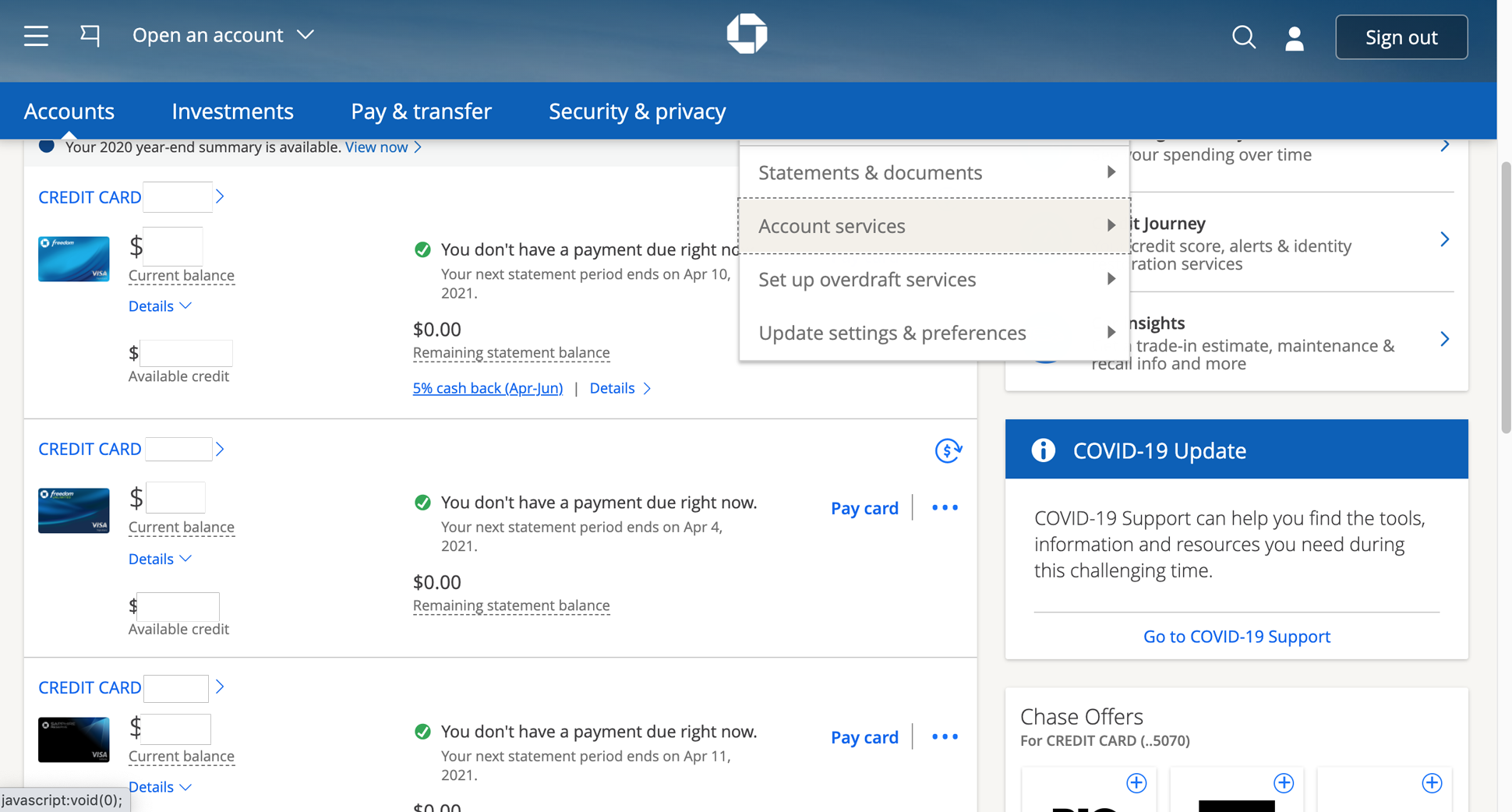
Check Your Chase Account Online or Via Mobile App: This is the primary method. Log in to your Chase account regularly, especially on your expected pay date. Chase’s online banking and mobile app typically show pending deposits or actual deposits as soon as they are posted.
-
Set Up Account Alerts: Configure alerts through Chase’s online banking to receive notifications (email or text) when a deposit above a certain amount hits your account. This provides instant notification without needing to constantly check.
-
Contact Your Employer: If funds haven’t appeared by the expected time on the scheduled pay date, your first point of contact should generally be your employer’s payroll department. They can confirm when the payment was submitted and if there were any issues on their end. They can also provide the ACH trace number, which can be useful if further investigation is needed by Chase.
When and How to Contact Chase Support
If your employer confirms the payment was sent correctly and on time, and the funds are still not available in your Chase account by the end of the scheduled pay date, it’s time to contact Chase.
-
Gather Information: Before calling, have your account number, the expected deposit amount, and the scheduled pay date readily available. If your employer provided an ACH trace number, have that too.
-
Contact Channels:
-
Phone: Call Chase customer service directly. The number can usually be found on the back of your debit card or on Chase’s official website under “Contact Us.”
-
Secure Message (Online Banking): You can send a secure message through your Chase online banking portal. This is often useful for non-urgent inquiries and provides a written record.
-
Visit a Branch: For complex issues or if you prefer in-person assistance, visiting a local Chase branch can be an option, though phone support is often quicker for direct deposit inquiries.
-
When speaking with Chase, clearly explain the situation: who the payer is, the amount, the expected date, and what your employer has confirmed. They can then investigate the status of the incoming ACH transaction.
Maximizing Your Financial Planning with Direct Deposit
Direct deposit is more than just a convenience; it’s a powerful tool for effective personal finance. Understanding its timing and leveraging its features can significantly enhance your budgeting, saving, and overall financial security.
Budgeting Around Direct Deposit Schedules
Predictable income is the bedrock of a sound budget. Since direct deposits for recurring income sources like paychecks typically arrive on a consistent schedule, you can build your entire financial calendar around these dates.
-
Establish a Paycheck-to-Paycheck Budget: If you get paid bi-weekly, for example, plan your expenses and bill payments to align with those two pay dates. Allocate funds immediately upon deposit for rent/mortgage, utilities, car payments, and other fixed expenses.
-
Automate Savings: One of the most effective ways to save is to automate it. Set up automatic transfers from your Chase checking account to a Chase savings account (or even an investment account) that occurs immediately after your direct deposit hits. This ensures you “pay yourself first” before discretionary spending takes over.
-
Buffer for Variable Expenses: Use a portion of each direct deposit to fund a buffer for variable expenses like groceries, gas, and entertainment, tracking your spending to stay within limits until the next deposit.
-
Plan for Delays: While rare, knowing that direct deposits can occasionally be delayed by a day or two due to holidays or processing issues should encourage you to maintain a small emergency fund or buffer in your checking account to cover essential expenses if your pay arrives slightly later than expected.
Setting Up Direct Deposit for Multiple Accounts
Chase offers flexibility that can greatly benefit your financial strategy, especially if you have specific savings goals or wish to segregate funds. You can often split your direct deposit across multiple accounts.
-
Automated Savings and Investments: Many employers allow you to designate a specific dollar amount or percentage of your paycheck to go directly into a savings account, a separate investment account, or even a different bank account entirely. This “set it and forget it” approach ensures a portion of your income is always working towards your financial goals before it even touches your primary spending account.
-
Joint Accounts and Shared Expenses: If you manage finances with a partner, direct deposit can be split into a joint account for shared expenses (rent, utilities) and individual accounts for personal spending, simplifying budgeting and reducing manual transfers.
-
Emergency Fund Building: Directly depositing a fixed amount into a dedicated emergency fund, separate from your regular checking and savings, can accelerate your progress towards a robust financial safety net.
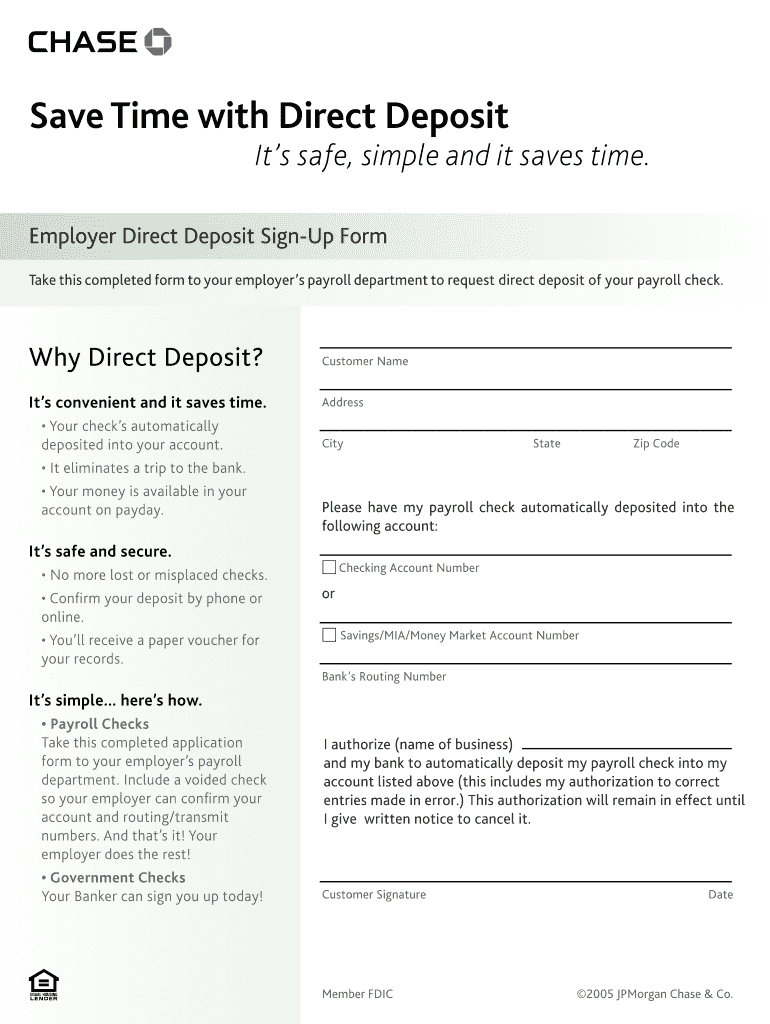
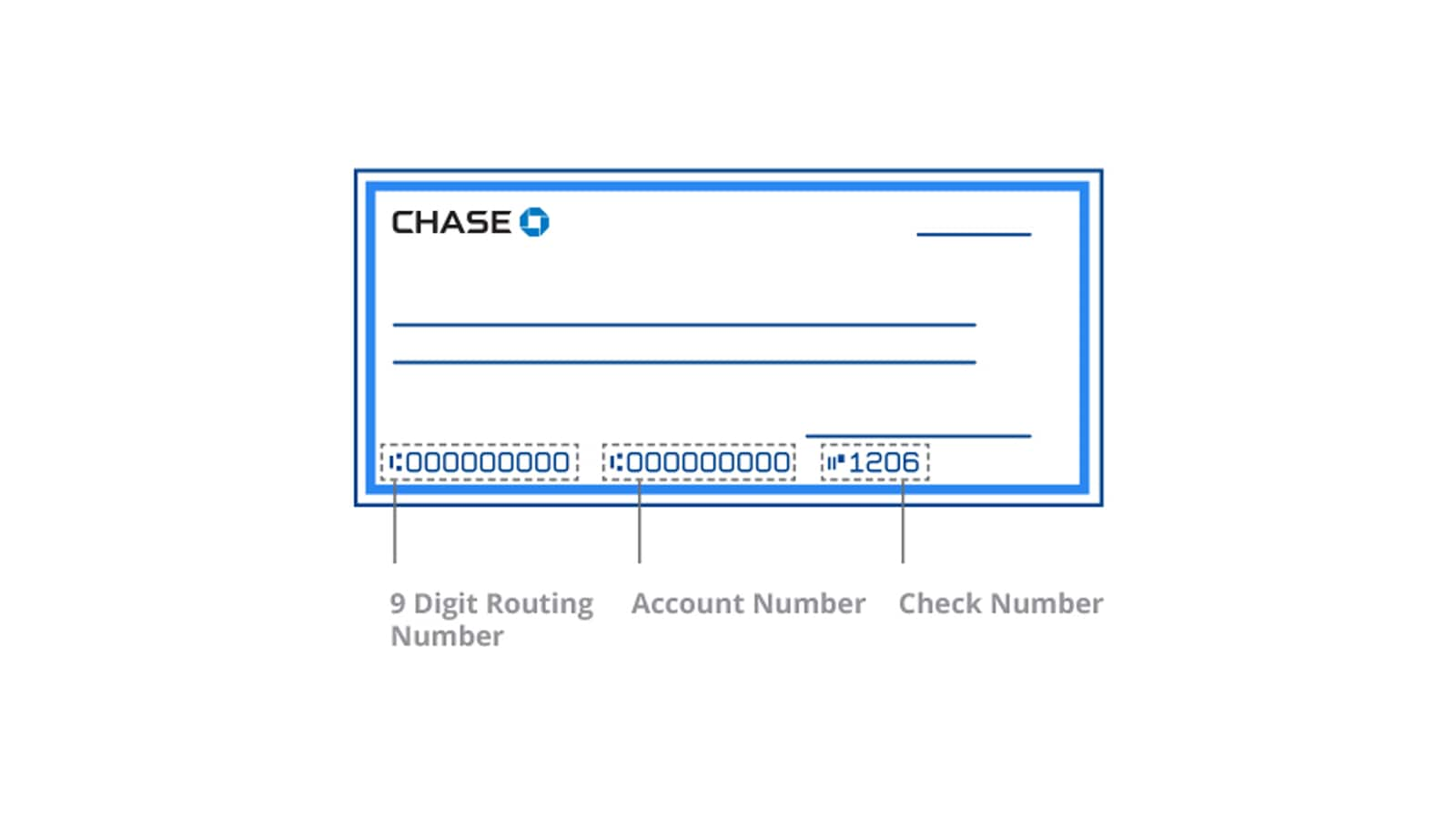
To set this up, you typically need to fill out a direct deposit form with your employer, providing the routing and account numbers for each Chase account (or external account) you wish to use, along with the specific allocation for each. Chase makes it easy to find your account and routing numbers through your online banking portal or on checks.
Benefits Beyond Speed: Security and Convenience
While speed is a significant advantage, direct deposit offers a host of other benefits that contribute to overall financial well-being:
-
Enhanced Security: Direct deposit eliminates the risk of lost or stolen paper checks. Your money is electronically transferred, reducing the chances of fraud or identity theft associated with physical checks.
-
Unparalleled Convenience: No more trips to the bank or ATM to deposit a check. Your money is automatically available, saving you time and effort. This is particularly beneficial for those with busy schedules or limited access to banking facilities.
-
Reliability: Once set up correctly, direct deposit is incredibly reliable, ensuring your funds are consistently available on payday.
-
Access to Better Banking Products: Many banks, including Chase, offer incentives or waive fees for customers who set up direct deposit, such as avoiding monthly service fees or gaining access to higher interest rates on certain accounts.
-
Environmental Friendliness: Reducing paper checks contributes to a more sustainable banking ecosystem.
By fully embracing and strategically configuring direct deposit, Chase customers can streamline their financial lives, foster better saving habits, and enhance their overall financial security with minimal effort.
Chase-Specific Considerations and Tools
Navigating your finances with a major institution like Chase means leveraging their extensive digital tools and understanding their specific policies to manage your direct deposits effectively.
How Chase Notifies You
Chase understands the importance of knowing when your funds arrive. While they don’t typically send an “early warning” notification of an incoming direct deposit before it posts, they do offer robust notification options once the funds are in your account:
-
Account Alerts: Through your Chase online banking or mobile app, you can set up customizable alerts. For instance, you can choose to receive a text message, email, or push notification anytime a deposit over a certain amount (e.g., $100) hits your account. This is the most proactive way to know immediately when your paycheck or other direct deposit has cleared.
-
Online Banking Transaction History: Your online transaction history will update in real-time as deposits post. You can log in and view your account activity to confirm the deposit.
-
Mobile App Notifications: If you have the Chase mobile app, push notifications are often the quickest way to be informed of a successful deposit, especially if you have enabled them for all account activity.
Setting up these alerts is highly recommended for peace of mind and efficient financial tracking.
Using Chase Online and Mobile App for Monitoring
Chase’s digital platforms are indispensable tools for managing your direct deposits and overall finances.
-
Real-time Balance and Transactions: Both the online portal and mobile app provide instant access to your account balances and transaction history. You can see when a direct deposit posts, the amount, and your updated available balance.
-
Pending Transactions: Sometimes, larger direct deposits might appear as a “pending” transaction a few hours before they officially post, offering a slight heads-up. However, this isn’t universally guaranteed and shouldn’t be relied upon for early access.
-
Direct Deposit Setup Information: If you need your Chase routing and account number to set up a new direct deposit with an employer, you can easily find this information within your online banking account details.
-
Budgeting Tools: Chase often integrates budgeting tools within its platforms, allowing you to categorize spending and track against your direct deposit income, aiding in financial management.
Familiarize yourself with these features to stay on top of your money movements with minimal effort.
Understanding Chase’s Funds Availability Policy
Every bank has a funds availability policy, which dictates when deposited funds become accessible to the account holder. For direct deposits, Chase’s policy is generally very favorable.
-
Immediate Availability for ACH Direct Deposits: For electronic direct deposits (ACH credits) from employers or government agencies, Chase typically makes the full amount of the deposit available on the same business day it is posted to your account. This means there’s usually no hold period once the funds appear in your transaction history.
-
Business Day Cut-off Times: Like all banks, Chase operates on a “business day” schedule (typically Monday through Friday, excluding federal holidays). Transactions received after a specific cut-off time (e.g., 5 PM ET) on a business day, or on a weekend/holiday, will be treated as if received on the next business day. While direct deposits are usually initiated well in advance, very late-arriving payroll files might push availability to the next business day in rare circumstances.
-
Difference from Check Deposits: It’s important to differentiate direct deposits from paper check deposits. Paper checks are subject to longer hold times (often 1-5 business days, depending on the check amount and customer relationship) because the bank needs to ensure the funds clear the payer’s bank. Direct deposits bypass this manual clearing process, leading to quicker availability.
Always refer to Chase’s official Funds Availability Policy (usually available on their website or upon request) for the most current and detailed information. For the vast majority of recurring direct deposits, however, Chase customers can expect their funds to be readily available on the scheduled pay date morning, providing a stable foundation for their personal financial management.
aViewFromTheCave is a participant in the Amazon Services LLC Associates Program, an affiliate advertising program designed to provide a means for sites to earn advertising fees by advertising and linking to Amazon.com. Amazon, the Amazon logo, AmazonSupply, and the AmazonSupply logo are trademarks of Amazon.com, Inc. or its affiliates. As an Amazon Associate we earn affiliate commissions from qualifying purchases.