
In an increasingly connected world, the desire for enhanced home security and convenience has led to a boom in smart home gadgets. Among these, the Ring Doorbell stands out as a pioneering product, promising peace of mind through motion detection, real-time alerts, and two-way talk functionality. However, for many prospective owners, a common question looms large: “How hard is it to install a Ring Doorbell?” This query often becomes a decisive factor, influencing whether an individual opts for the device, chooses a professional installation, or defers the purchase altogether.
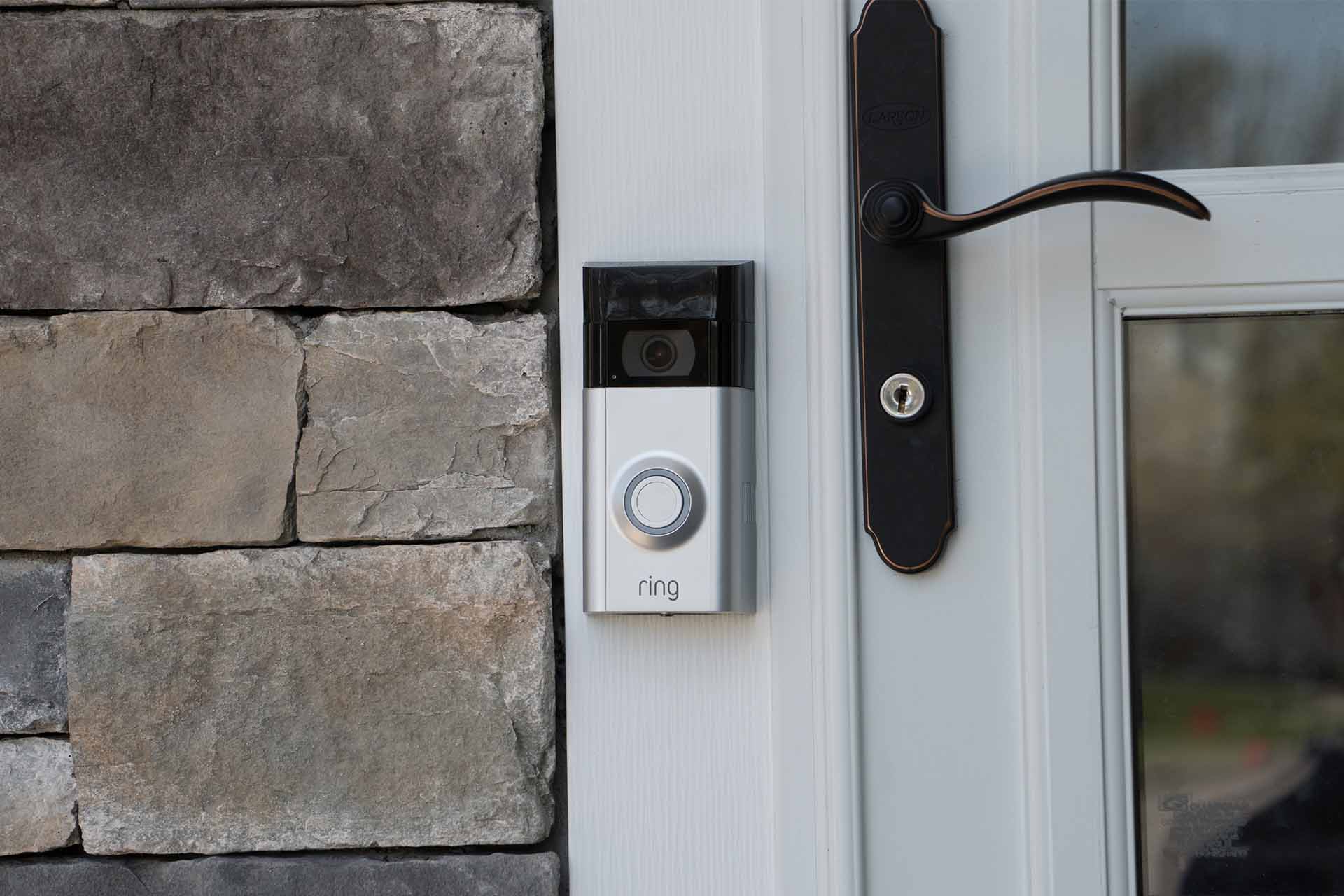
This article aims to demystify the installation process, breaking down the perceived complexities and offering a clear roadmap for both seasoned DIY enthusiasts and complete beginners. We’ll explore the various types of Ring Doorbells, outline the necessary steps for a successful setup, and help you determine whether a DIY approach or a professional hand is the right fit for your home and budget. By understanding the technological underpinnings and practical considerations, you can confidently integrate this pivotal piece of digital security into your smart home ecosystem, truly maximizing your investment in a safer, smarter living experience. The journey to a more secure and connected home often begins at the front door, and with the right guidance, installing your Ring Doorbell can be a surprisingly straightforward and rewarding endeavor.
Understanding Your Ring Doorbell Options: Wired vs. Battery
Before you even pick up a screwdriver, the first crucial step is to understand the different types of Ring Doorbells available and how they impact the installation process. Ring offers a diverse product line, each designed to cater to different home setups and user preferences, directly influencing the technical complexity and, subsequently, the “hardness” of installation.
Battery-Powered Ring Doorbells: Simplicity and Flexibility
The battery-powered Ring Doorbells, such as the Ring Video Doorbell 2nd Generation or the Ring Video Doorbell 3 and 4, are often the go-to choice for those seeking the simplest installation experience. Their primary appeal lies in their cordless nature, which eliminates the need for existing doorbell wiring.
Ideal Scenarios and Benefits:
- No Existing Doorbell Wiring: Perfect for homes without a traditional doorbell system or where the existing wiring is faulty or inaccessible.
- Renters: As no permanent electrical alterations are required, battery models are often suitable for rental properties where modifications are restricted.
- Flexible Placement: You’re not tethered to the location of existing wiring, allowing you to choose the optimal spot for camera coverage.
- Ease of Installation: Generally, installation involves charging the battery, mounting a bracket to the wall with a few screws, and snapping the doorbell into place. The primary tools required are typically a drill, a screwdriver, and perhaps a level.
Technical Considerations:
While incredibly easy to install from a hardware perspective, battery-powered devices do require periodic recharging (typically every 1-6 months, depending on usage and settings). This can be a minor inconvenience for some, though Ring offers quick-release battery packs for convenience. From a tech perspective, they connect to your home’s Wi-Fi just like their wired counterparts for full functionality.
Wired Ring Doorbells: Seamless Power and Advanced Features
Wired Ring Doorbells, including models like the Ring Video Doorbell Pro, Pro 2, and Elite, integrate directly with your home’s existing doorbell wiring. This connection provides continuous power, eliminating the need for battery recharging and often enabling more advanced features such as enhanced motion detection, quicker response times, and sometimes even pre-roll video (constantly recording a few seconds before a motion event).
Ideal Scenarios and Benefits:
- Existing Doorbell Wiring: If your home already has a traditional wired doorbell, these models are designed for a seamless upgrade.
- Continuous Power: Never worry about recharging batteries.
- Enhanced Performance: Often boast higher resolution cameras, advanced motion detection zones, and faster processing due to constant power.
- Smart Home Integration: Their always-on nature can sometimes facilitate smoother integration with other smart home devices and AI tools.
Technical Considerations:
Installation of wired models is inherently more complex than battery versions. It involves:
- Dealing with Household Electrical Systems: While typically low voltage (8-24V AC), it still requires comfort with basic electrical work, including turning off power at the breaker and safely handling wires.
- Transformer Compatibility: Your existing doorbell transformer must meet Ring’s voltage requirements. If it doesn’t, you might need to replace it, adding another layer of complexity.
- Chime Kit Installation: Many wired Ring models require a “jumper cable” to bypass your existing internal doorbell chime for continuous power, or the installation of a Ring Power Kit. This is a crucial step that can intimidate some users.
The “Hardness” Factor:
For battery models, the hardness is low – primarily mechanical mounting and app setup. For wired models, the hardness increases due to the electrical component, requiring attention to safety, understanding of voltage, and careful wiring. This is where many individuals weigh the DIY route against professional assistance.
The DIY Installation Journey: Step-by-Step for Success
Embarking on a DIY Ring Doorbell installation can be a fulfilling experience, saving you money and giving you a deeper understanding of your smart home technology. The “hardness” of this journey is directly proportional to your preparation and the specific Ring model you choose.
Pre-Installation Checklist: Gathering Your Tools and Knowledge
Preparation is key to a smooth installation, regardless of whether you’re dealing with a battery or wired unit. This phase often dictates the perceived difficulty.
-
For All Ring Doorbells:
- Smartphone or Tablet: Essential for downloading the Ring app, setting up your device, and connecting to Wi-Fi.
- Wi-Fi Network: Ensure strong signal strength at your doorbell’s intended location. Consider a Wi-Fi extender if necessary.
- Drill and Drill Bits: For mounting the bracket (drill bits specific to your wall material – masonry, wood, etc.).
- Screwdriver: Often included, but a good quality Phillips head is always useful.
- Level: To ensure your doorbell is mounted straight.
- Pencil: For marking drill holes.
- Safety Glasses: Always recommended when drilling.
-
Additional Tools for Wired Ring Doorbells:
- Voltage Tester/Multimeter: Crucial for verifying power is off and checking transformer voltage. This is a critical digital security step to prevent electric shock.
- Wire Strippers: If your existing wires are frayed or need to be lengthened/shortened slightly.
- Small Pliers: Can be helpful for manipulating wires.
-
Knowledge & Research:
- Identify Your Existing Doorbell System: If wired, check your transformer’s voltage (usually found on the transformer itself, often in your garage, basement, or near your chime). Most Ring wired models require 8-24V AC.
- Download the Ring App: Familiarize yourself with its interface.
- Read the Specific Manual: Each Ring model has slightly different instructions. Don’t rely solely on generic guides.
Installing a Battery-Powered Ring Doorbell: A Breeze for Beginners
This is the easiest path to Ring Doorbell ownership, designed for maximum accessibility.
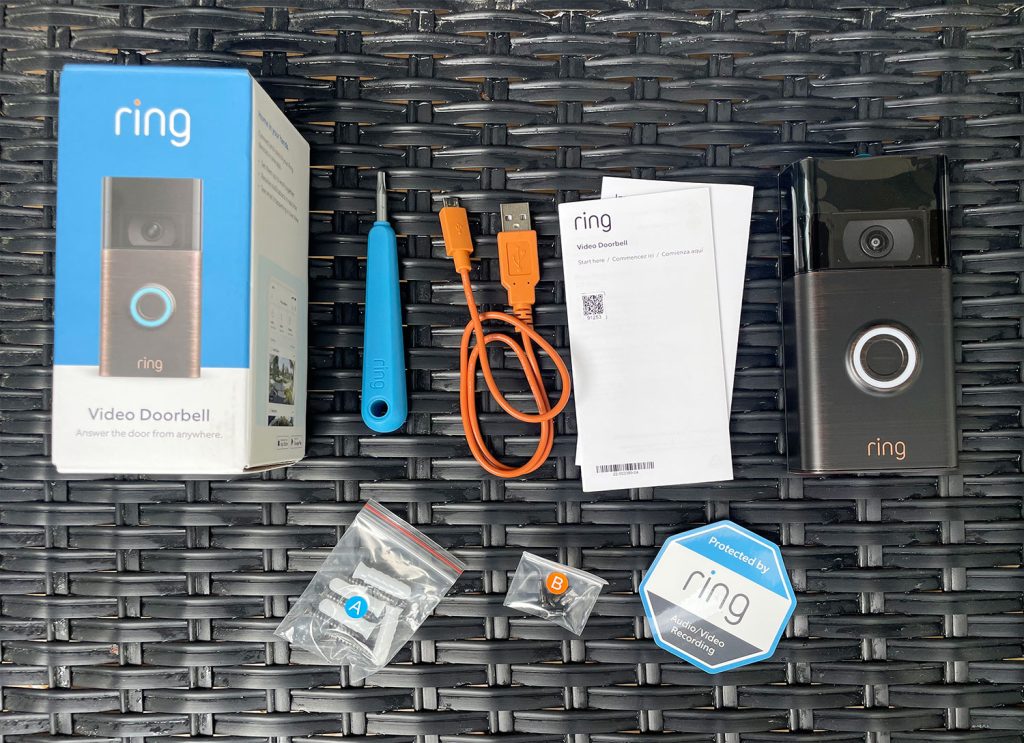
- Charge the Battery: Fully charge the provided battery pack using the included USB cable. This usually takes several hours.
- Set Up in the Ring App: Open the Ring app, create an account (if you don’t have one), and select “Set Up a Device.” Follow the on-screen prompts to connect your Ring Doorbell to your Wi-Fi network. This involves scanning a QR code and pressing a button on the device.
- Mount the Bracket: Hold the mounting bracket against your wall at the desired height. Use a level to ensure it’s straight, then mark the drill holes with a pencil. Drill pilot holes.
- Secure the Bracket: Screw the mounting bracket firmly to the wall using the provided screws and anchors (if needed for masonry/stucco).
- Insert the Battery and Attach the Doorbell: Slide the charged battery into the bottom of the doorbell. Then, hook the top of the doorbell onto the bracket and push the bottom until it clicks into place.
- Secure with Security Screw: Use the small security screw at the bottom of the doorbell to prevent theft.
- Final App Adjustments: Adjust motion zones, privacy settings, and alert preferences within the app.
Installing a Wired Ring Doorbell: Tackling the Electrical Connections
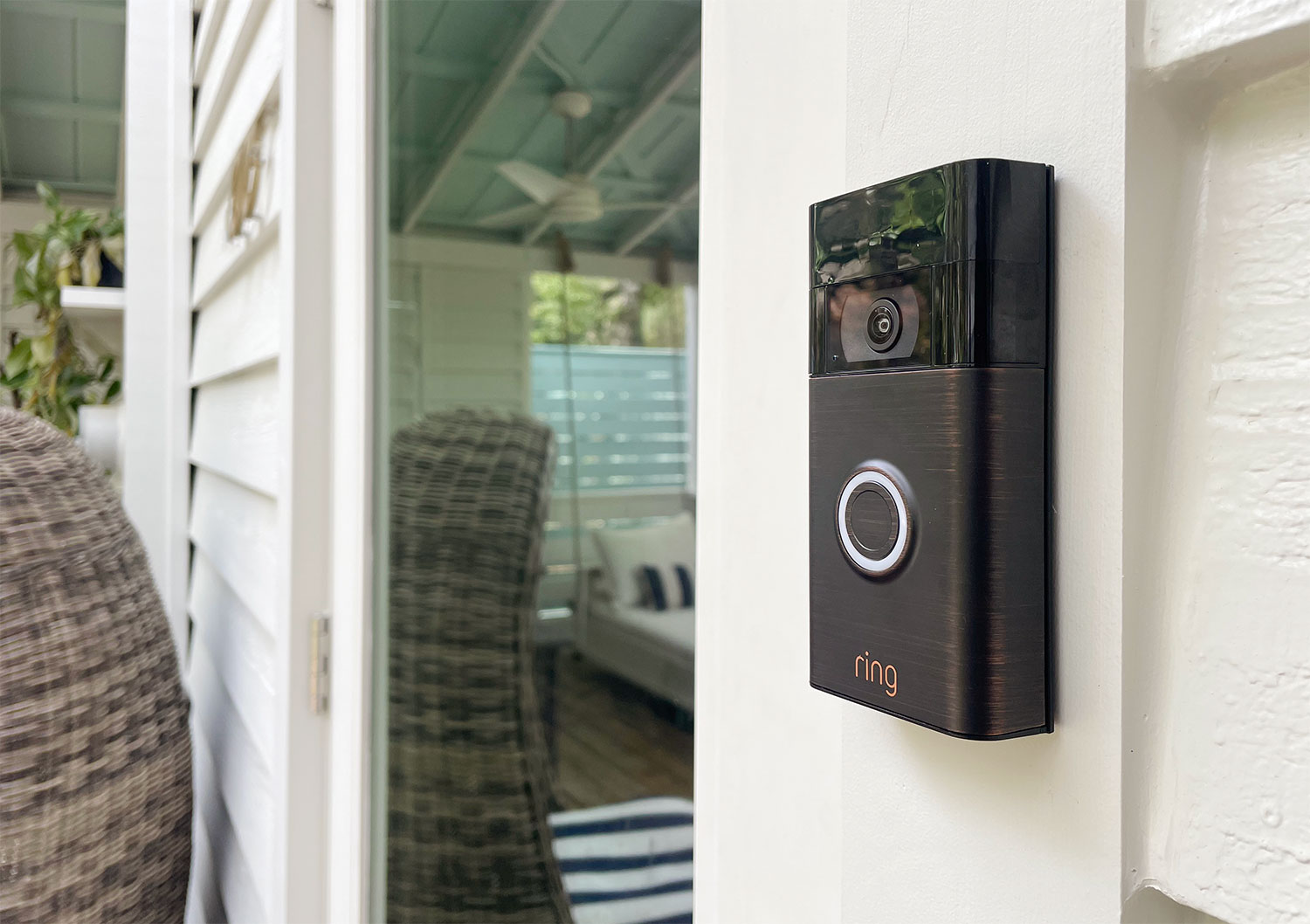
This process is more involved, requiring attention to safety and electrical details.
- Turn Off Power at the Breaker: This is the most critical digital security step. Locate your home’s circuit breaker box and turn off the power to your doorbell circuit. Use your voltage tester to confirm there is no power at your existing doorbell button wires.
- Remove Your Old Doorbell Button: Unscrew and carefully remove your old doorbell button. Gently pull the wires out from the wall.
- Mount the Ring Bracket: Similar to the battery model, hold the Ring mounting bracket, feed the existing doorbell wires through the center hole, level it, mark, and drill pilot holes. Secure the bracket to the wall.
- Connect the Wires: Loosen the terminal screws on the back of your Ring Doorbell. Loop one existing doorbell wire around each screw and tighten them firmly. It doesn’t matter which wire goes to which screw. Ensure no bare wire is touching the wall or other wires.
- Install the Chime Kit (if required): For most wired Ring doorbells, you’ll need to install a Power Kit (or jumper cable) at your indoor chime. This usually involves removing the cover of your existing chime, identifying the “front” and “trans” terminals, and connecting the Ring Power Kit wires to these terminals. This bypasses the mechanical chime, ensuring consistent power to the Ring device.
- Attach the Ring Doorbell: Hook the top of the doorbell onto the bracket, then push the bottom until it clicks into place over the wired connections.
- Restore Power and Test: Return to your breaker box and turn the power back on. Your Ring Doorbell should light up and begin its setup process.
- Complete In-App Setup: Use the Ring app to connect the doorbell to your Wi-Fi and configure settings, just like with the battery model. Test the doorbell by pressing the button.
Essential In-App Setup and Customization
Regardless of the model, the app setup is where your Ring Doorbell truly comes alive.
- Wi-Fi Connection: Connect your device to your home Wi-Fi network.
- Motion Zones & Sensitivity: Customize motion detection areas to avoid false alarms (e.g., exclude busy streets). This enhances productivity by only alerting you to relevant events.
- Privacy Settings: Configure recording schedules, specify “privacy zones” (areas that will not be recorded), and understand data storage. This is crucial for digital security and compliance.
- Linked Devices: Integrate your Ring Doorbell with other Ring devices or smart home platforms like Amazon Alexa or Google Assistant.
When to Call a Professional: Investing in Expertise and Peace of Mind
While many Ring Doorbell installations are manageable for the average homeowner, there are distinct scenarios where professional assistance isn’t just a convenience but a wise investment. The “hardness” factor quickly escalates when dealing with complex electrical work or non-standard home setups, making professional installation a strong consideration for both safety and optimal performance.
Identifying When Professional Help is Essential
Knowing your limits is a key aspect of smart home management. Here are clear indicators that a professional installer might be your best option:
- No Existing Doorbell Wiring: If your home completely lacks doorbell wiring, a professional can run new low-voltage wires discreetly through walls or externally, providing a clean and permanent power solution for wired Ring models. This is far beyond the scope of a typical DIY project and often requires specialized tools and knowledge of building codes.
- Incorrect Transformer Voltage: For wired models, if your existing doorbell transformer does not provide the required 8-24V AC, it will need to be replaced. This involves working with higher voltage household wiring (120V or 240V AC, depending on your region) and potentially accessing your electrical panel, a task best left to licensed electricians.
- Discomfort with Electrical Work: Any hesitation or lack of confidence when dealing with household electricity – even low voltage – should be a red flag. Incorrect wiring can damage the device, trip breakers, or, more seriously, pose a fire hazard or lead to electric shock. Your personal digital security includes electrical safety.
- Complex Wall Materials or Mounting Locations: Installing on stucco, brick, or stone can require specialized drill bits and techniques to prevent damage. If you want the doorbell mounted in a non-standard location (e.g., on a gate, or further away from the door), professionals can advise on Wi-Fi range extenders or power solutions.
- Desire for Optimal Placement Without Existing Constraints: A professional can help identify the best placement for optimal camera angle, motion detection, and Wi-Fi signal, even if it means running new wires. This ensures you get the most out of your Ring doorbell’s tech capabilities.
- Integrating with a Broader Smart Home System: If you’re building a comprehensive smart home ecosystem, a professional can ensure your Ring Doorbell integrates seamlessly with other AI tools, apps, and gadgets, optimizing overall system performance and productivity.
The Cost-Benefit Analysis of Professional Installation
Choosing to hire a professional is an investment, but one that often yields significant returns in time, peace of mind, and long-term functionality. This decision aligns with prudent personal finance and smart investing in your property.
- Saving Time and Effort: A professional can typically complete an installation in under an hour, sparing you the troubleshooting, research, and potential trips to the hardware store. Your time is valuable.
- Avoiding Potential Damage and Rework: Improper installation can lead to a non-functional doorbell, damage to your home’s wiring, or even damage to the Ring device itself (voiding warranties). The cost of repair or replacement often far outweighs the initial installation fee.
- Ensuring Correct and Safe Installation: Professionals ensure all connections are secure, voltage requirements are met, and the device is mounted correctly and safely, adhering to local electrical codes. This guarantees the digital security and longevity of your setup.
- Optimized Performance: Professionals have experience in placement and configuration, leading to better motion detection, clearer video, and reliable connectivity. They can also troubleshoot Wi-Fi issues that might be beyond a homeowner’s technical expertise.
- Warranty and Support: Many professionals offer warranties on their work, providing an extra layer of protection.
- Cost Considerations: Professional installation fees typically range from $100 to $300, depending on complexity and location. While an upfront cost, this can be viewed as an investment in a robust and reliable security system, potentially saving money and frustration in the long run. When budgeting for your smart home, consider this as part of the overall “money” spent on technology that enhances your property’s value and your daily productivity.
Ultimately, while the brand provides excellent DIY guides, understanding when to leverage professional expertise ensures that your Ring Doorbell serves its purpose flawlessly, enhancing your digital security and smart home experience without unnecessary stress or risk.
Maximizing Your Ring Doorbell Investment: Beyond Basic Security
Once your Ring Doorbell is successfully installed, whether by your own hands or a professional’s, the journey doesn’t end there. To truly unlock its full potential and maximize your investment, it’s essential to integrate it into your broader smart home ecosystem and leverage its advanced features. This moves beyond simple digital security to creating a truly intelligent and responsive home, aligning perfectly with the “Tech” and “Money” aspects of your lifestyle.
Integrating with Your Smart Home Ecosystem
The power of a Ring Doorbell truly shines when it’s not an isolated gadget but a connected component of your smart home. This seamless integration enhances productivity, convenience, and overall user experience.
- Voice Assistant Integration (Alexa & Google Assistant): Ring products are deeply integrated with Amazon Alexa, allowing you to use voice commands to view your doorbell feed on an Echo Show or Fire TV, speak to visitors, and receive announcements when someone is at your door or motion is detected. Similarly, Google Assistant integration allows for announcements and live view on compatible Google devices. This transforms a simple doorbell into a proactive notification system.
- Smart Lock Integration: Connect your Ring Doorbell with compatible smart locks (e.g., from brands like Yale or Kwikset). When someone rings the doorbell, you can see who it is and then unlock the door remotely from the Ring app or your voice assistant, offering unparalleled convenience for deliveries or letting in trusted visitors.
- Other Ring Devices: If you have other Ring security cameras or a Ring Alarm system, link them together in the Ring app. This creates a unified security network where all devices work in concert. For example, if your doorbell detects motion, floodlights on a Ring Floodlight Cam can automatically turn on, or the alarm can be armed/disarmed. This holistic approach significantly boosts digital security.
- Third-Party Smart Home Platforms: Explore integration with platforms like Samsung SmartThings or IFTTT (If This Then That) to create custom routines. For instance, if the Ring Doorbell detects motion at night, trigger your smart lights to turn on, creating a “welcome home” or deterrent effect. These AI tools allow for advanced automation and customization.
Leveraging Advanced Features for Enhanced Security
Beyond simply showing you who’s at the door, Ring Doorbells come packed with features designed to bolster your home’s digital security. Understanding and utilizing these features will help you get the most out of the brand’s technology.
- Customizable Motion Alerts and Zones: Fine-tune motion detection to minimize false alarms. Draw specific “motion zones” to monitor only critical areas and adjust sensitivity. This ensures you receive relevant alerts, enhancing productivity and reducing notification fatigue.
- Two-Way Talk: Engage in real-time conversations with visitors from anywhere using your smartphone, tablet, or PC. This is invaluable for communicating with delivery drivers, guests, or even warding off potential intruders.
- Live View: Access a live video stream from your doorbell’s camera at any time, giving you on-demand visibility of your front door.
- Rich Notifications: Receive notifications with a snapshot image directly on your phone, providing context at a glance without even opening the app.
- Linked Devices: As mentioned, linking your Ring Doorbell with other Ring cameras or floodlights allows them to begin recording or activate lights when one device detects motion, creating a more robust and responsive security perimeter.
- Ring Protect Plan (Subscription Service): For a modest monthly or annual fee (a “money” consideration), the Ring Protect Plan unlocks cloud video recording, allowing you to review, save, and share video clips for up to 60 days. It also enables Person Detection (differentiating people from other motion), Rich Notifications, and for Ring Alarm users, professional monitoring. This plan is crucial for truly leveraging the security aspect of the device.
The Long-Term Value of Smart Home Security
Investing in a Ring Doorbell, whether you DIY or pay for installation, extends far beyond the immediate benefit of seeing who’s at the door. It represents a significant contribution to your home’s overall value, security, and your personal peace of mind.
- Deterring Crime: Visible smart security devices like Ring Doorbells are known to deter opportunistic criminals. The presence of a camera and the possibility of being recorded act as powerful dissuaders, enhancing your home’s digital security posture.
- Evidence Collection: In the unfortunate event of a package theft or break-in attempt, your Ring Doorbell’s recordings provide crucial evidence for law enforcement and insurance claims.
- Increased Property Value: Smart home technology, particularly security features, is increasingly attractive to homebuyers, potentially boosting your property’s market appeal and resale value. This is a tangible return on your “money” investment.
- Peace of Mind: Knowing you can monitor your front door from anywhere, answer visitors remotely, and be alerted to unusual activity offers invaluable peace of mind, enhancing your daily life and productivity.
- Insurance Benefits: Some home insurance providers offer discounts for homes equipped with smart security systems. It’s worth checking with your provider to see if your Ring Doorbell qualifies for reduced premiums.
In conclusion, installing a Ring Doorbell is a step towards a smarter, more secure home. While the initial setup might vary in difficulty depending on your chosen model and comfort with technology, the long-term benefits of enhanced security, seamless integration, and advanced features make it a worthwhile investment. By actively engaging with its capabilities, you transform a simple doorbell into a powerful guardian of your property and a key component of your intelligent living space.
aViewFromTheCave is a participant in the Amazon Services LLC Associates Program, an affiliate advertising program designed to provide a means for sites to earn advertising fees by advertising and linking to Amazon.com. Amazon, the Amazon logo, AmazonSupply, and the AmazonSupply logo are trademarks of Amazon.com, Inc. or its affiliates. As an Amazon Associate we earn affiliate commissions from qualifying purchases.