
The transition from traditional hardware-based cable to cloud-based streaming services has redefined how households consume media. At the forefront of this digital shift is YouTube TV, a sophisticated software-as-a-service (SaaS) platform that offers live television over the internet. One of its most technically advantageous features is “Family Sharing.” Unlike traditional cable boxes that require physical splitters or additional hardware for every room, YouTube TV utilizes a cloud-based account management system to distribute content across multiple users. Understanding how this system functions requires a look into the underlying Google account infrastructure, geographic verification protocols, and the management of concurrent data streams.
The Technical Infrastructure of Google Family Groups
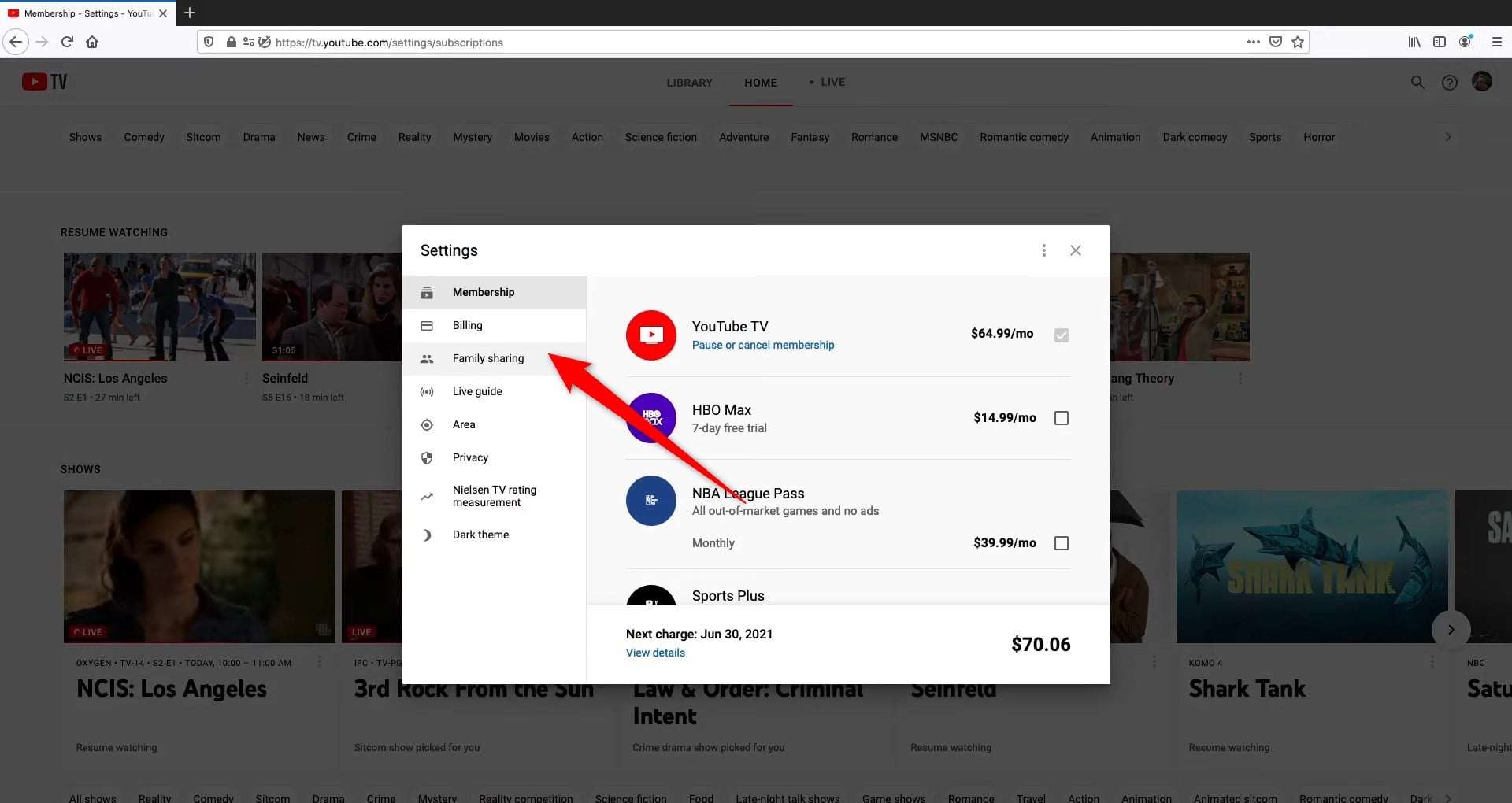
YouTube TV’s Family Sharing is not an isolated feature; it is built upon the existing Google Family Group architecture. This integration allows for a centralized management system where one “Family Manager” can oversee up to five additional sub-accounts.
The Role of the Family Manager
The Family Manager is the primary account holder responsible for the subscription’s financial and administrative aspects. From a software perspective, this account acts as the “admin” node. The manager must be 18 years or older and possess a personal Google account (Workspace/Enterprise accounts are generally ineligible due to different security and administrative policies). The manager facilitates the onboarding of other members by sending invitations via email or SMS, which initiates a secure handshake between the accounts.
Account Isolation and Data Privacy
A common misconception is that sharing an account leads to a merging of data. However, YouTube TV employs strict data isolation. Each member of the family group logs in using their own unique Google credentials. This means that while the subscription is shared, the user profiles are completely independent. Each member’s watch history, personalized recommendations, and search queries are stored in separate data silos. This architecture ensures that the “Up Next” algorithm for one user is not influenced by the viewing habits of another, maintaining the integrity of the individual user experience.
Cloud-Based Invitation Protocols
When a Family Manager sends an invite, the system generates a unique tokenized link. Upon clicking this link, the recipient’s Google account is appended to the family group metadata. This link is permanent until the manager revokes access or the member chooses to leave. Technically, this allows YouTube TV to authenticate multiple distinct users under a single billing umbrella without requiring the sharing of passwords, which significantly enhances the digital security of the entire group.
Navigating Geographic Constraints and Geo-Fencing
One of the most complex technical aspects of YouTube TV Family Sharing is how the software handles location data. Because live television involves regional broadcast rights, the service must enforce strict geographic boundaries through a combination of IP address tracking and device GPS data.
The “Home Area” Protocol
Every YouTube TV subscription is tethered to a “Home Area,” which is defined by a specific zip code. This determines which local network affiliates (such as ABC, CBS, NBC, and Fox) are available to the family group. From a software standpoint, the Family Manager’s location sets the baseline for the entire group. All family members are required to live in the same household as the manager to maintain access.
Periodic Authentication Requirements
To prevent widespread account sharing across different cities or states, YouTube TV’s software requires periodic check-ins. Family members must physically use the YouTube TV app in the Family Manager’s home network at least once every three months. For users who frequently travel, the software allows for “out-of-area” viewing, but the local channels provided will be based on the user’s current physical location, not their home area. If the 90-day check-in window is missed, the software will programmatically revoke access to the service until the device re-authenticates from the home IP address.
Location Permissions on Mobile and Smart Devices
The YouTube TV app relies heavily on location services. On mobile devices, this involves high-accuracy GPS pings. On smart TVs and streaming sticks (like Roku or Apple TV), location is typically determined via the public-facing IP address provided by the Internet Service Provider (ISP). If a user attempts to spoof their location using a VPN, the software often detects the discrepancy between the IP metadata and the known data center ranges of VPN providers, leading to a service lockout. This is a critical security measure to comply with regional licensing agreements.
Stream Management and Concurrent User Limits
A vital component of any streaming software is the management of bandwidth and concurrent sessions. YouTube TV provides a specific threshold for how many people can watch simultaneously, which is a key technical constraint for family groups.

The Three-Stream Limit
By default, YouTube TV allows for three concurrent streams across the entire family group. This is a cumulative limit, meaning if the Family Manager is watching on a living room TV, and two other members are watching on their respective tablets, the three-stream capacity is reached. If a fourth member attempts to launch the software, they will receive a “limit reached” notification. This requires a robust backend signaling system that tracks active sessions in real-time.
The 4K Plus Add-on Exception
For power users and larger households, YouTube TV offers a “4K Plus” software add-on. Beyond upgrading the resolution of supported content, this add-on significantly alters the stream-management logic. When active on the home network, the 4K Plus add-on allows for unlimited concurrent streams. This is managed by identifying the “Home” IP address; any device connected to that specific network can stream without counting toward a limit. However, when members are away from the home network, the three-stream limit still applies to those mobile sessions.
Device Compatibility and App Ecosystem
The YouTube TV software is designed to be hardware-agnostic, operating across a wide array of operating systems including Android TV, tvOS, WebOS, Tizen, and various mobile OS versions. The family sharing feature remains consistent across all these platforms. The software uses a responsive UI that adapts to the device’s capabilities while maintaining the individual profile selection screen upon launch, ensuring that the transition between different hardware environments is seamless for the user.
Personalized Cloud DVR and Library Logic
The Cloud DVR is perhaps the most innovative software feature of YouTube TV, and its implementation within Family Sharing is particularly noteworthy for its lack of storage constraints.
Individualized Storage Silos
Unlike traditional DVRs that have a finite amount of hard drive space, YouTube TV offers unlimited storage. In a family group, every member gets their own private DVR library. When a member records a show, it does not appear in the library of any other member. This is achieved through a pointer-based system in the cloud: the software doesn’t necessarily create six different copies of a broadcast; instead, it creates six different pointers to a single recorded file, each associated with different user metadata and playback progress.
Recording Retention and Lifecycle
Recordings are kept for nine months, and this timer is handled independently for each family member. The software tracks “watched” vs. “unwatched” status at the profile level. This ensures that if one family member watches an episode of a series, it remains marked as “new” for everyone else in the group. This granular tracking is handled by a sophisticated database that syncs in real-time across all devices logged into that specific sub-account.
Algorithmic Recommendations
Because the DVR and watch history are isolated, the machine learning models responsible for YouTube TV’s “Home” tab can provide highly relevant content suggestions. The software analyzes the viewing patterns of each individual profile—looking at genres, specific channels, and time of day—to surface live programs and VOD (Video on Demand) content. In a family sharing environment, this prevents a child’s cartoons from cluttering the recommendation engine of an adult family member.
Digital Security and Troubleshooting the Family Ecosystem
Managing a multi-user software environment requires attention to digital security and occasional technical maintenance to ensure all nodes of the family group remain functional.
Multi-Factor Authentication (MFA)
Since YouTube TV is tied to Google accounts, the security of the family sharing group is only as strong as the individual accounts within it. Google’s implementation of MFA (Multi-Factor Authentication) is highly recommended for all members. If one account is compromised, the Family Manager has the technical ability to remove that specific user from the group immediately, preventing unauthorized access to the subscription while protecting the remaining members.
Common Sync and Authentication Issues
Sometimes, the software may fail to recognize a user as part of a family group. This is often due to a “cache mismatch” or an “account conflict” where a user is logged into multiple Google accounts on a single browser or device. The technical fix usually involves clearing the application cache or re-authenticating the primary account. Additionally, if the Family Manager’s payment method fails, the software programmatically suspends access for all sub-accounts simultaneously, as the subscription state is checked at the “parent” level before granting access to “child” nodes.
Managing Parental Controls
For families with younger viewers, the software integrates with Google Family Link. This allows the Family Manager to set content filters and view restrictions based on ratings. These permissions are enforced at the software level, ensuring that when a child logs into their specific YouTube TV profile, they are only presented with age-appropriate live channels and VOD content. This integration highlights the benefit of a unified software ecosystem, where security and content moderation settings carry over from the broader Google environment into the streaming service.
Through a combination of robust account infrastructure, geographic verification, and intelligent stream management, YouTube TV’s Family Sharing represents a significant leap forward in media distribution software. It balances the needs of a multi-user household with the technical requirements of content providers, creating a personalized and secure viewing environment.
aViewFromTheCave is a participant in the Amazon Services LLC Associates Program, an affiliate advertising program designed to provide a means for sites to earn advertising fees by advertising and linking to Amazon.com. Amazon, the Amazon logo, AmazonSupply, and the AmazonSupply logo are trademarks of Amazon.com, Inc. or its affiliates. As an Amazon Associate we earn affiliate commissions from qualifying purchases.