
Shopify has revolutionized the way businesses, from budding entrepreneurs to established enterprises, approach online retail. More than just a website builder, it’s a comprehensive e-commerce operating system designed to simplify the complexities of selling products and services online. At its core, using Shopify means leveraging its robust suite of tools to manage every aspect of an online store, from product display and inventory management to payment processing and order fulfillment. This guide delves into the technical intricacies and practical applications that define how one effectively utilizes Shopify to build, run, and scale a successful digital storefront.
The Foundation: Setting Up Your Shopify Store
The journey of using Shopify begins with establishing the foundational elements of your online presence. This initial setup phase is critical, as it dictates the underlying structure and operational capabilities of your store. Understanding each step ensures a smooth launch and a scalable platform for future growth.
Account Creation and Initial Setup
The very first step is signing up for a Shopify account. This process is straightforward, typically involving an email address, password, and store name. Once created, Shopify guides users through an initial setup wizard, prompting for essential business information such as address, currency, and industry type. This data is not just administrative; it configures your store’s backend for region-specific taxes, shipping calculations, and payment gateway options. Choosing a unique and brand-aligned store name is important, as it will often form the basis of your default myshopify.com domain, which can later be replaced with a custom domain. During this stage, exploring the various pricing plans—Basic Shopify, Shopify, Advanced Shopify, and Shopify Plus—is crucial. Each plan offers different features, transaction fees, and staff account limits, directly impacting the technical capabilities and scalability of your store. Selecting the right plan ensures access to necessary features without overspending on unused functionalities.
Choosing Your Theme and Customizing Appearance
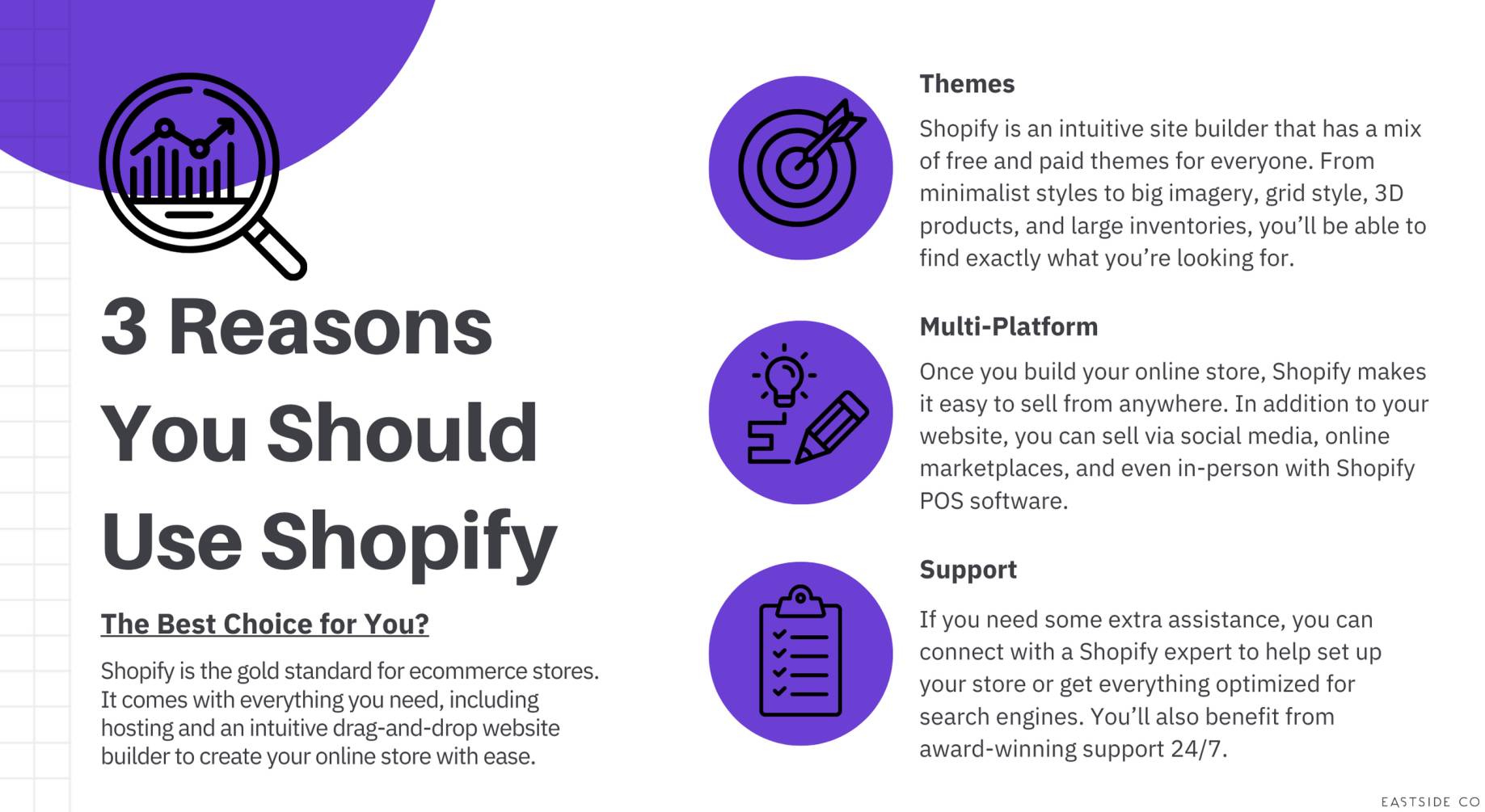
The visual appeal and user experience (UX) of your online store are largely dictated by its theme. Shopify offers a vast Theme Store, featuring both free and premium themes developed by Shopify and third-party designers. These themes are not just aesthetic templates; they come equipped with built-in functionalities and responsive design principles, ensuring your store looks good and functions well across various devices (desktops, tablets, mobile phones).
Once a theme is selected, the real customization begins within the Shopify admin’s “Online Store > Themes > Customize” section. This powerful drag-and-drop editor allows users to modify virtually every aspect of their store’s appearance without needing to write a single line of code. Users can:
- Adjust layout and section order: Move elements like image banners, product grids, testimonials, and blog posts to optimize flow and visual hierarchy.
- Tweak typography and color schemes: Align fonts and colors with brand guidelines to create a consistent and recognizable identity.
- Configure header and footer elements: Customize navigation menus, add social media links, and include essential policy pages.
- Integrate dynamic content sections: Add features like featured products, collections, customer testimonials, and subscription forms.
The theme editor provides real-time previews, allowing users to see changes as they make them. Furthermore, themes often include various templates for different page types (product pages, collection pages, static pages), which can be further customized. For those with coding knowledge, Shopify themes are built using Liquid, HTML, CSS, and JavaScript, allowing for deeper, code-level modifications through the “Edit Code” option, providing unparalleled flexibility for advanced users.
Configuring Essential Store Settings (Payments, Shipping, Taxes)
Beyond the aesthetics, the operational backbone of your Shopify store relies heavily on correctly configured settings for payments, shipping, and taxes. These technical configurations ensure that transactions are processed smoothly, products reach their customers efficiently, and legal obligations are met.
- Payment Gateways: Shopify supports a wide array of payment gateways. Shopify Payments, its native solution, is often the easiest to set up, offering competitive rates and integrated management within the Shopify admin. However, merchants can also integrate third-party gateways like PayPal, Stripe, Authorize.net, or local payment solutions specific to their region. The setup involves connecting your merchant account to Shopify, often requiring API keys or direct authorization. It’s crucial to consider transaction fees, supported currencies, and the customer experience when choosing gateways.
- Shipping and Delivery: This is one of the more complex technical setups. Shopify allows merchants to define shipping zones (e.g., domestic, international) and create various shipping rates based on price, weight, or even specific products. Features include flat-rate shipping, calculated shipping (integrating with carriers like USPS, FedEx, DHL to get real-time rates), and free shipping thresholds. For local businesses, Shopify also supports local pickup and local delivery options, complete with radius-based restrictions and delivery rates. Accurate configuration prevents customer frustration and unexpected costs.
- Taxes: Shopify offers automated tax calculations for many regions, particularly the US, Canada, EU, UK, and Australia, based on the store’s location and customer’s shipping address. Merchants can enable or disable these automated calculations and manually override tax rates for specific products or regions if needed. Understanding sales tax, VAT, or GST obligations is paramount, and Shopify’s system helps to streamline these complex calculations, though consulting with a tax professional is always recommended for specific business scenarios.
Core Operations: Managing Products and Orders
Once the groundwork is laid, the day-to-day use of Shopify centers around managing your product catalog and processing incoming orders. These are the core functionalities that drive sales and keep your business running efficiently.
Adding and Organizing Products (Variants, Inventory, Descriptions)
A well-structured product catalog is vital for both customer experience and efficient inventory management. Shopify provides a comprehensive interface for adding and managing products:
- Product Creation: Each product entry includes fields for title, detailed description (with rich text editor), media (images, videos, 3D models), pricing (including compare-at price for sale indications), and SKU/barcode. High-quality media and compelling descriptions are crucial for conversion.
- Variants: For products with multiple options (e.g., size, color, material), Shopify allows for the creation of variants. Each variant can have its own unique SKU, price, weight, and inventory level. This technical capability ensures precise tracking of specific product combinations.
- Inventory Management: Shopify’s built-in inventory system tracks stock levels for each product and variant. Merchants can manually adjust inventory, set up low-stock alerts, and integrate with inventory management apps for more advanced needs. The system automatically reduces stock upon sale and can prevent overselling.
- Organization: Products can be organized into “collections” (e.g., “Men’s T-shirts,” “Summer Sale”) using manual or automated rules based on tags, product type, vendor, or price. This helps customers navigate large catalogs. Furthermore, products can be tagged for internal organization and filtered within the admin.
Processing and Fulfilling Orders
Efficient order processing is a cornerstone of customer satisfaction. Shopify centralizes all order management within its admin panel, providing a streamlined workflow:
- Order Overview: The “Orders” section provides a real-time list of all incoming orders, showing their status (unfulfilled, partially fulfilled, fulfilled, archived, canceled).
- Payment Capture: Depending on the payment gateway settings, payments can be automatically captured or manually captured after reviewing the order. Shopify tracks payment status and facilitates refunds.
- Fulfillment Workflow: For each order, merchants can select which items to fulfill. This involves marking items as fulfilled, entering tracking numbers provided by shipping carriers, and triggering automatic shipping confirmation emails to customers. Shopify integrates with various shipping apps and fulfillment services (e.g., dropshipping apps, third-party logistics providers), allowing for automated fulfillment processes.
- Shipping Labels: Shopify allows merchants to purchase and print shipping labels directly from the admin panel for supported carriers, streamlining the packaging and dispatch process.
Managing Customers and Returns
Shopify includes a basic Customer Relationship Management (CRM) system that automatically compiles customer profiles.
- Customer Profiles: Each customer profile stores contact information, order history, average order value, and any notes. This data is invaluable for understanding customer behavior and targeted marketing.
- Returns and Refunds: Shopify facilitates the process of issuing refunds, either partial or full. Merchants can choose to restock returned items, and the system automatically adjusts inventory levels. While Shopify provides the technical mechanism for refunds, the returns policy and process are dictated by the merchant. The platform can integrate with third-party returns management apps for a more sophisticated process, including return labels and automated communication.
Enhancing Functionality: Apps and Integrations
One of Shopify’s most powerful technical features is its extensibility through the Shopify App Store. This ecosystem allows merchants to integrate a vast array of third-party applications and services, expanding their store’s capabilities far beyond its core offerings.
Exploring the Shopify App Store
The Shopify App Store is a curated marketplace offering thousands of applications designed to solve specific business needs. These apps integrate seamlessly with the Shopify platform via APIs, allowing for data exchange and extended functionality. Merchants can browse apps by category, popularity, or specific features. Each app typically offers a free trial, allowing users to test its utility before committing to a subscription. The App Store provides detailed descriptions, screenshots, reviews, and pricing information, aiding merchants in making informed decisions.
Key App Categories (Marketing, SEO, Customer Service, Dropshipping)
Shopify apps span virtually every aspect of e-commerce operations. Here are some critical categories:
- Marketing & Sales: Apps for email marketing (e.g., Klaviyo, Mailchimp), SMS marketing, social media integration, loyalty programs, product reviews (e.g., Loox, Yotpo), upsells/cross-sells, abandoned cart recovery, and discount management. These apps often feature advanced automation and segmentation capabilities.
- SEO & Site Performance: Tools for optimizing product pages, meta descriptions, image alt text, and site speed. Apps like Plug in SEO or SEO Manager provide structured data implementation and audit capabilities to improve search engine visibility.
- Customer Service: Apps for live chat (e.g., Tidio, Gorgias), helpdesks, ticketing systems, and return management portals, enhancing customer communication and support efficiency.
- Shipping & Fulfillment: Integrations with specific carriers, print-on-demand services, dropshipping suppliers (e.g., Oberlo, DSers), and third-party logistics (3PL) providers to automate order fulfillment.
- Reporting & Analytics: Advanced reporting tools that go beyond Shopify’s native analytics, offering deeper insights into sales trends, customer behavior, and marketing campaign performance.
- Inventory Management: For businesses with complex inventory needs, apps can provide multi-location tracking, bundle creation, advanced stock forecasting, and integration with POS (Point of Sale) systems.
Integrating Third-Party Services (Email Marketing, Analytics)
Beyond dedicated apps, Shopify is designed for seamless integration with numerous external services through various methods:
- API Integrations: Many popular services, especially in email marketing (e.g., Klaviyo, ActiveCampaign) or customer support, offer direct API integrations that connect their platforms with your Shopify store. This allows for automated data synchronization, such as syncing customer lists, order history, and product data.
- Webhooks: Shopify uses webhooks to notify external applications about events happening in your store (e.g., new order, product update, customer creation). This enables real-time data flow and triggers automated actions in connected systems.
- Tracking Pixels and Scripts: For analytics and advertising, Shopify allows merchants to easily embed tracking pixels (e.g., Facebook Pixel, Google Ads conversion tracking) and custom JavaScript snippets directly into their theme. This facilitates remarketing, conversion tracking, and detailed audience analysis.
- Zapier and Integrations Platforms: For less direct integrations or complex workflows, services like Zapier act as middleware, connecting Shopify with thousands of other applications (e.g., connecting Shopify sales to a Google Sheet, or new customers to a CRM not directly integrated). This is invaluable for automating bespoke operational processes.
Optimizing Your Store for Performance
Using Shopify effectively extends beyond initial setup and basic operations; it involves continuous optimization to ensure maximum reach, user satisfaction, and sales performance. This technical refinement focuses on search visibility, data-driven decision-making, and superior user experience.
Search Engine Optimization (SEO) Best Practices
For your Shopify store to be discovered by potential customers, it must be optimized for search engines. Shopify provides several built-in SEO features, but strategic implementation is key:
- Product and Collection Page Optimization: Ensuring product titles, descriptions, and collection descriptions contain relevant keywords. Shopify automatically generates SEO-friendly URLs, but these can be manually edited for better keyword inclusion.
- Meta Titles and Descriptions: Every page on Shopify (product, collection, blog, static) has fields for customizing meta titles and descriptions. These snippets appear in search engine results and significantly influence click-through rates. Crafting compelling and keyword-rich meta descriptions is crucial.
- Image Optimization: Optimizing image file sizes for faster loading and adding descriptive
alttext for accessibility and SEO. Shopify automatically handles image resizing for different devices, but initial upload quality andalttext are merchant responsibilities. - Blog Content: Utilizing Shopify’s integrated blog platform to create valuable, keyword-rich content that attracts organic traffic and establishes authority within your niche.
- Structured Data (Schema Markup): Shopify themes often include some basic schema markup (e.g., for products), which helps search engines understand the content on your pages. Advanced users might use apps or custom code to implement more detailed schema for rich snippets in search results.
Leveraging Shopify Analytics
Shopify’s built-in analytics dashboard provides invaluable insights into your store’s performance. Understanding and interpreting this data is crucial for making informed business decisions.
- Sales Reports: Detailed breakdowns of sales by product, channel, referral source, and time period. This helps identify best-selling products and peak sales times.
- Customer Reports: Insights into customer demographics, returning customer rates, and average order value, aiding in customer segmentation and targeted marketing.
- Marketing Reports: Performance metrics for marketing campaigns, including conversion rates and return on ad spend (ROAS) if integrated with specific ad platforms.
- Behavior Reports: Data on website traffic, popular pages, conversion funnels, and bounce rates. This helps identify areas of the website that might need UX improvements.
- Live View: A real-time dashboard showing visitors currently on your site, their locations, and which pages they are viewing, offering immediate insights into active engagement.
Beyond Shopify’s native analytics, integrating with tools like Google Analytics and Google Search Console provides even deeper insights into traffic sources, user behavior, and search performance, allowing for a more holistic view of your online presence.
Ensuring Mobile Responsiveness and User Experience
In an era dominated by mobile browsing, ensuring your Shopify store is perfectly responsive and provides an excellent user experience (UX) on all devices is non-negotiable.
- Responsive Themes: All modern Shopify themes are designed to be responsive, automatically adjusting layouts and elements to fit different screen sizes. However, testing your store on various devices (using actual devices or browser developer tools) is essential to catch any display issues.
- Optimized Page Load Speed: Fast page loading is critical for both SEO and UX. Factors like image size, the number of installed apps, and custom code can impact speed. Shopify provides tools and guidelines for optimizing store performance, including lazy loading for images and efficient code execution.
- Intuitive Navigation: A clear, logical navigation menu and well-organized product categories are fundamental. Customers should be able to find what they’re looking for quickly and easily, minimizing frustration and reducing bounce rates.
- Streamlined Checkout Process: Shopify’s checkout is highly optimized by default, but ensuring all payment gateways are working, shipping options are clear, and no unnecessary friction points exist is vital. Reducing the number of steps and form fields contributes to higher conversion rates.
- Accessibility: Designing with accessibility in mind ensures your store is usable by everyone, including individuals with disabilities. This includes using appropriate color contrast, providing
alttext for images, and ensuring keyboard navigation works.
Scaling Your E-commerce Business with Shopify
Shopify is built to scale, offering tools and features that support growth from a single-product store to a multi-channel global enterprise. Effectively using Shopify for scaling involves leveraging its advanced capabilities and integrations.
Multi-channel Selling and International Expansion
Shopify excels at enabling merchants to sell beyond a single online storefront:
- Sales Channels: Integrate with popular marketplaces like Amazon, eBay, Walmart, and social media platforms like Facebook, Instagram, and TikTok. This allows products to be listed and managed from a central Shopify admin, extending reach to new audiences.
- Wholesale Channels: Shopify Plus offers a dedicated wholesale channel, allowing businesses to create a separate, password-protected storefront for B2B customers with custom pricing and order minimums.
- Internationalization: Shopify supports selling in multiple currencies and languages. Using apps like Langify or Translate & Adapt, merchants can provide localized experiences. Setting up different shipping zones and tax rules for international markets is also crucial. Shopify Markets, a built-in feature, further simplifies global selling by helping manage duties, taxes, and localized payments.
Automating Workflows
As businesses grow, manual tasks become unsustainable. Shopify facilitates automation to streamline operations:
- Shopify Flow: Available on higher plans (Shopify and Shopify Plus), Flow is an automation platform that allows merchants to create custom workflows based on triggers, conditions, and actions. Examples include tagging high-value customers, sending internal notifications for large orders, or automating inventory adjustments based on sales.
- Third-Party Automation Apps: Numerous apps in the App Store specialize in automating specific tasks, such as email sequences, order tagging, review requests, or synchronizing data across various platforms.
- API for Custom Integrations: For businesses with specific and unique automation needs, Shopify’s robust API allows developers to build custom integrations and automation tools tailored precisely to their operational requirements.
Continuous Learning and Adaptation
The e-commerce landscape is constantly evolving, and effectively using Shopify means staying informed and adapting:
- Shopify Academy & Resources: Shopify provides extensive documentation, tutorials, webinars, and courses through Shopify Academy, covering everything from basic setup to advanced marketing strategies and platform updates.
- Community Engagement: Participating in Shopify forums, merchant groups, and industry communities provides opportunities to learn from peers, share best practices, and discover new apps or strategies.
- Staying Updated with Shopify Features: Shopify regularly releases new features and updates. Monitoring these announcements ensures merchants are leveraging the latest tools and improvements available on the platform. This proactive approach ensures your store remains competitive and technically optimized.
Conclusion
Using Shopify is an ongoing process of setup, operation, optimization, and adaptation. It begins with understanding the technical configurations of store setup, progresses through the diligent management of products and orders, expands through the strategic integration of apps and services, and matures with continuous performance optimization and scaling strategies. By mastering these facets, entrepreneurs and businesses can fully harness Shopify’s power as a versatile, scalable, and technically sophisticated e-commerce platform, transforming a digital presence into a thriving online enterprise. It’s not just about having a website; it’s about expertly wielding a powerful digital ecosystem to achieve commercial success.
aViewFromTheCave is a participant in the Amazon Services LLC Associates Program, an affiliate advertising program designed to provide a means for sites to earn advertising fees by advertising and linking to Amazon.com. Amazon, the Amazon logo, AmazonSupply, and the AmazonSupply logo are trademarks of Amazon.com, Inc. or its affiliates. As an Amazon Associate we earn affiliate commissions from qualifying purchases.