
In the modern era of digital commerce, the ability to move money across borders with speed, security, and transparency is no longer a luxury—it is a financial necessity. Since its inception, PayPal has evolved from a simple payment gateway into a comprehensive financial ecosystem that caters to casual shoppers, professional freelancers, and multi-national corporations alike. Understanding how to sign up for a PayPal account is the first step toward optimizing your personal finance strategy and unlocking new streams of online income. This guide provides a deep dive into the registration process, the nuances of account selection, and the strategic management of your digital wallet.
Choosing the Right Account Type for Your Financial Goals
Before you begin the registration process, you must make a fundamental decision regarding the nature of your financial activities. PayPal offers two primary account categories: Personal and Business. Selecting the correct one is vital for tax compliance, fee management, and access to specific financial tools.
Personal Accounts for Daily Spending and Peer-to-Peer Transfers
A Personal account is designed for the individual consumer. If your primary goal is to shop online, send money to family members, or manage a small, occasional side hustle where you aren’t operating as a formal entity, this is the logical choice.
From a personal finance perspective, a Personal account allows you to centralize your spending. By linking multiple credit cards or bank accounts, you can choose your funding source at the point of sale without sharing sensitive financial data with every individual merchant. Furthermore, Personal accounts offer “Purchase Protection,” an essential layer of security that ensures you can recover funds if a product never arrives or significantly deviates from its description.
Business Accounts for Entrepreneurs and Professional Scaling
If your objective is to generate consistent online income or build a scalable brand, a Business account is mandatory. Unlike Personal accounts, Business accounts allow you to operate under a company name, providing a layer of professionalism and privacy for your personal identity.
The Business account opens the door to advanced financial tools, such as the ability to send professional invoices, accept credit card payments from customers who do not have PayPal accounts, and grant multi-user access to employees or accountants. Crucially, Business accounts are structured to handle high-volume transactions and offer more robust reporting features, which are invaluable when the time comes to calculate quarterly taxes or analyze revenue trends.
Step-by-Step Guide to Opening Your Account
The process of opening a PayPal account is streamlined, but it requires a meticulous approach to ensure your financial identity is verified and your account remains in good standing.
The Initial Registration Process
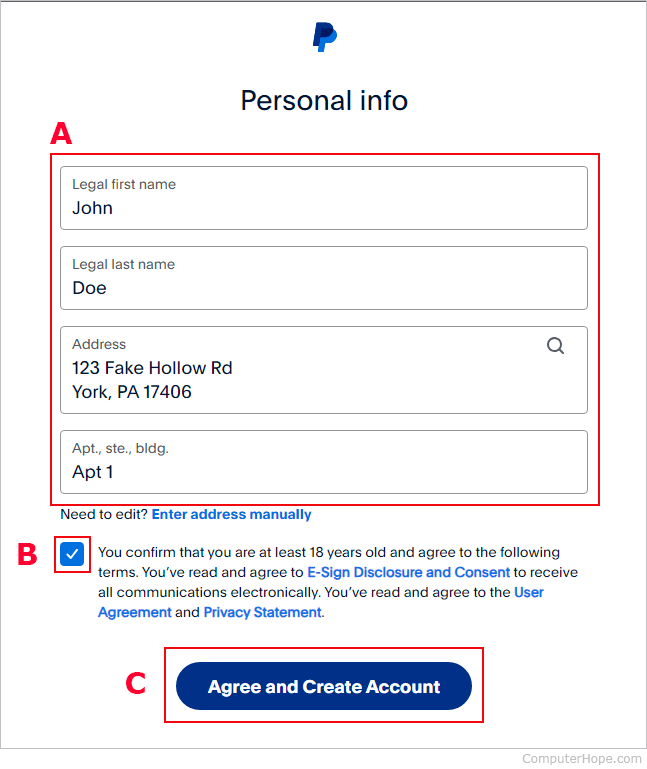
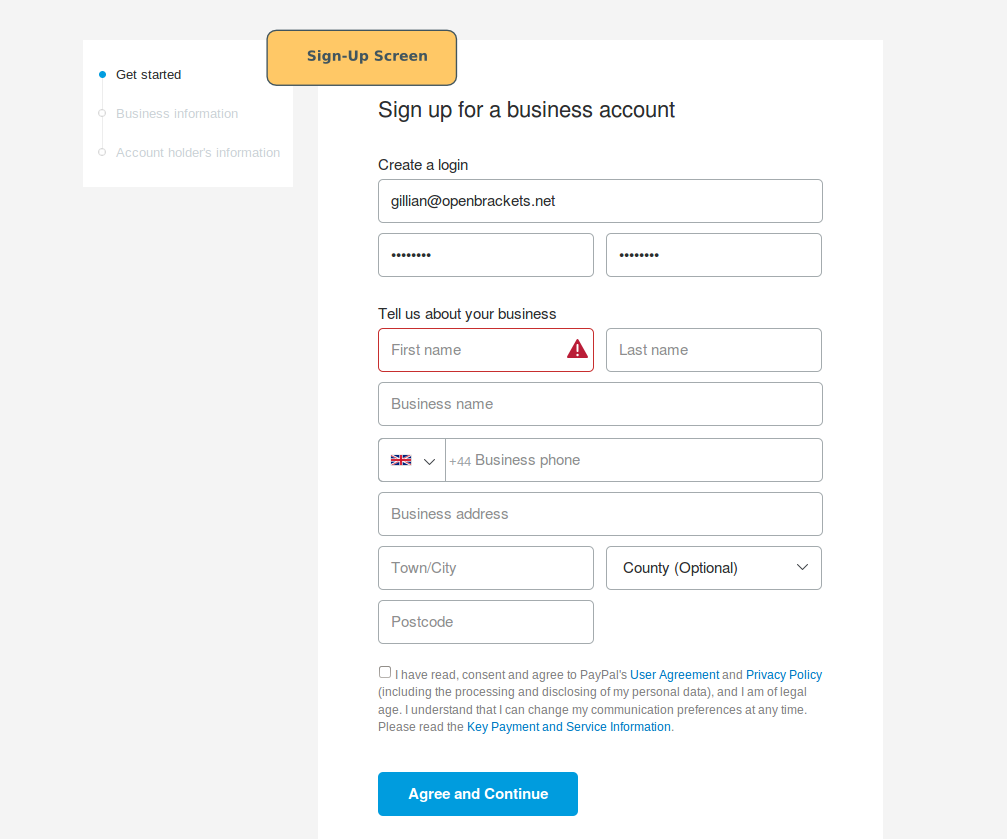
To begin, navigate to the official PayPal website or download the mobile application. Click the “Sign Up” button, where you will be prompted to choose between the Personal and Business options discussed above.
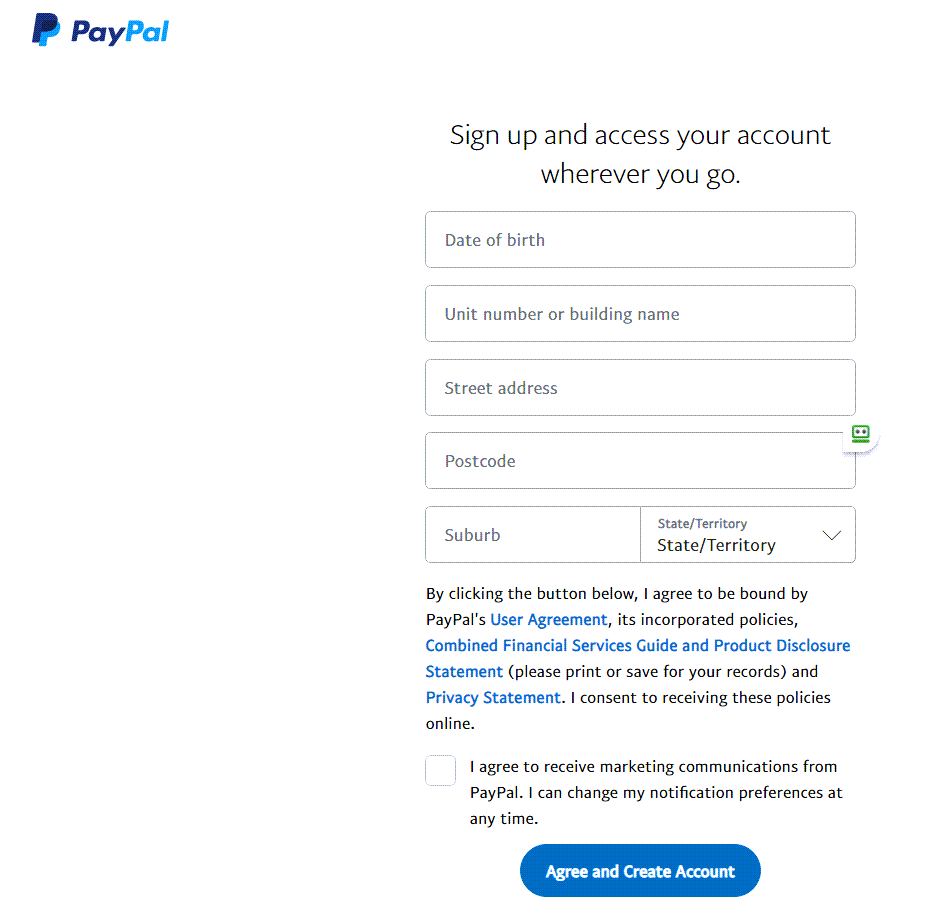
You will be required to provide a valid email address and create a strong, unique password. In the realm of digital finance, your email address acts as your account number. It is the primary identifier used by others to send you funds. Once your email is confirmed, you will be asked to provide your legal name, physical address, and phone number. It is imperative that this information matches your government-issued identification exactly; discrepancies here can lead to account freezes or delays during the verification phase.
Navigating the “Know Your Customer” (KYC) Requirements
PayPal is a regulated financial entity, which means it must adhere to “Know Your Customer” (KYC) and Anti-Money Laundering (AML) regulations. During the sign-up process, or shortly thereafter, you may be asked to provide your Social Security Number (SSN) or Taxpayer Identification Number (TIN).
While some users are hesitant to share this information, it is a standard requirement for any platform that handles significant financial volume. Providing this data allows PayPal to verify your identity and, in the case of US-based users, issue 1099-K forms if your earnings exceed the federal or state thresholds. Completing this step early prevents your account from being limited just as your online income starts to grow.
Linking and Securing Your Financial Assets
Once the shell of your account is created, the next phase is to integrate it with your existing financial infrastructure. PayPal acts as a bridge between your traditional bank and the global digital marketplace.
Connecting Bank Accounts and Credit Cards
To move money in and out of the PayPal ecosystem, you must link a funding source. Most users link a primary checking account and a backup credit card.
The verification of a bank account typically involves a process called “micro-deposits.” PayPal will send two small amounts (usually a few cents) to your bank account. You must then log into your bank, note these amounts, and enter them into the PayPal verification portal. This proves that you have authorized access to the account. Linking a bank account is essential for “clearing” your PayPal balance—transferring your digital earnings into tangible cash that can be used for mortgages, investments, or daily expenses.
Implementing Multi-Layered Security Protocols
Because PayPal holds access to your primary financial accounts, security is the cornerstone of your digital finance strategy. After signing up, your first action should be to enable Two-Factor Authentication (2FA). This requires a secondary code—sent via SMS or an authenticator app—before any login or major transaction is approved.
Furthermore, PayPal’s “Security Key” and biometric login features on mobile devices add layers of friction for potential bad actors while maintaining a seamless experience for you. In personal finance, protecting your capital is just as important as growing it; these tools are your first line of defense against digital fraud.
Optimizing Your PayPal Experience for Online Income
For those using PayPal as a vehicle for side hustles or professional services, simply “having an account” is not enough. You must understand how to navigate the costs and tools associated with receiving money.
Understanding the Fee Structure
Receiving money for “Goods and Services” incurs a transaction fee, which is typically a percentage of the total amount plus a fixed fee. This is a standard cost of doing business, similar to the merchant fees charged by credit card processors. However, it is a critical variable to include in your pricing model. If you are a freelancer, ensure your quotes account for these deductions so that your net income aligns with your financial goals.
Conversely, sending money to “Friends and Family” is often free if funded by a bank account or PayPal balance, but these transactions do not come with Purchase Protection. Using the correct transaction type is essential for maintaining the integrity of your financial records and ensuring you have recourse in the event of a dispute.
Utilizing Invoicing and Financial Reporting
One of the most powerful features of a PayPal account is the built-in invoicing system. Rather than sending a vague request for money, you can generate professional, itemized invoices. This not only increases the likelihood of timely payment but also creates a “paper trail” for your business.
At the end of the fiscal year, PayPal’s reporting tools allow you to export transaction histories into accounting software like QuickBooks or Excel. This integration simplifies the process of tracking deductible expenses and taxable income, transforming a simple payment app into a robust financial management tool.
Navigating the Global Financial Ecosystem
One of PayPal’s greatest strengths is its reach. With support for over 200 countries and 25 currencies, it allows you to participate in the global economy from your desktop.
Managing Currency Conversion and International Transfers
If you are receiving income from international clients, PayPal automatically handles currency conversion. However, it is important to be aware of the conversion rates and potential cross-border fees. For savvy financial planners, keeping a balance in a foreign currency within PayPal (when supported) can be a strategic move to hedge against currency fluctuations or to pay international vendors without multiple conversion hits.
The Role of PayPal in a Diversified Financial Strategy
Signing up for PayPal should not be viewed as a replacement for a traditional bank, but rather as a specialized tool within a broader financial portfolio. It offers liquidity for online transactions, a buffer between your main bank account and the internet, and a platform for rapid income generation.
As you become more comfortable with the platform, you may explore advanced features such as PayPal Working Capital (for business loans based on sales history) or the ability to hold and trade certain cryptocurrencies. By treating your PayPal sign-up as the beginning of a professional financial journey, you position yourself to take full advantage of the digital economy’s flexibility.
In conclusion, the process of signing up for a PayPal account is a gateway to more efficient money management. By choosing the right account type, meticulously verifying your identity, and implementing high-level security, you create a secure foundation for both personal spending and professional growth. In the fast-paced world of online finance, PayPal remains a vital instrument for anyone looking to master their digital wealth.
aViewFromTheCave is a participant in the Amazon Services LLC Associates Program, an affiliate advertising program designed to provide a means for sites to earn advertising fees by advertising and linking to Amazon.com. Amazon, the Amazon logo, AmazonSupply, and the AmazonSupply logo are trademarks of Amazon.com, Inc. or its affiliates. As an Amazon Associate we earn affiliate commissions from qualifying purchases.