
In the rapidly evolving landscape of personal finance, peer-to-peer (P2P) payment applications like Cash App have become indispensable tools for managing day-to-day financial transactions. What began as a simple way to split bills with friends has transformed into a robust platform capable of handling a wide array of financial activities, from direct deposits to stock investing. For many, the fundamental question remains: “How do you receive money on Cash App?” This guide delves into the mechanisms, best practices, and financial considerations involved in receiving funds through this popular digital wallet, ensuring a secure and efficient experience within the personal finance realm.
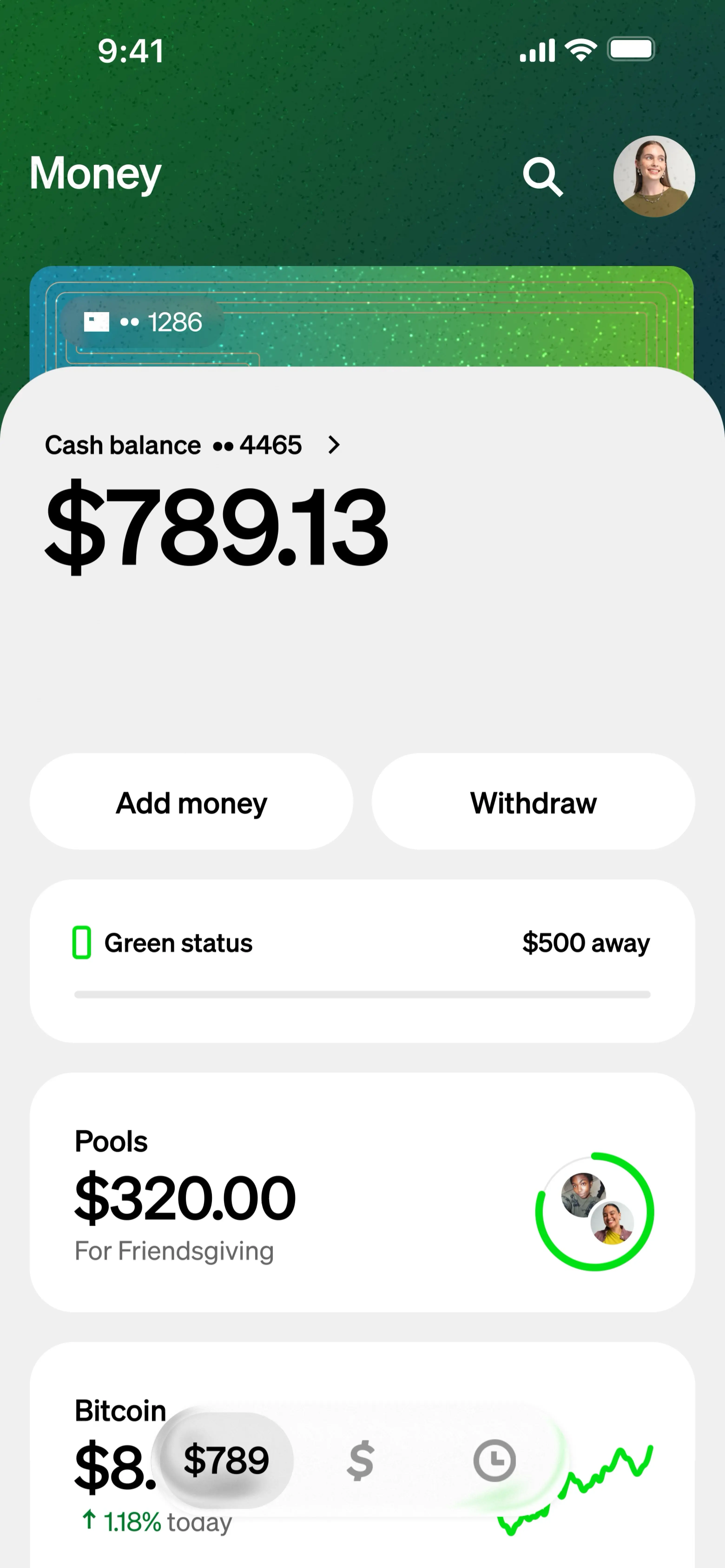
The Fundamentals of Receiving Funds via Cash App
At its core, Cash App facilitates instant money transfers between users, bypassing traditional banking delays. Understanding how this system works is the first step toward leveraging its full potential for your personal financial management.
Understanding Cash App’s Ecosystem for Financial Exchange
Cash App operates on a principle of interconnected user accounts. Each user has a unique identifier – often a phone number, email, or a unique “$Cashtag” – which acts as their address within the app’s financial network. When someone sends you money, they are essentially directing funds to your specific identifier. These funds then appear in your in-app balance, ready for immediate use or transfer to an external bank account. This immediate accessibility is a cornerstone of its appeal, offering a tangible financial benefit for users needing quick access to funds. The platform also integrates with traditional banking by allowing users to link their debit cards and bank accounts, creating a seamless bridge between digital and conventional finance.
Initial Setup: Linking Your Bank Account and Debit Card
Before you can effectively receive and manage money on Cash App, you must link a valid bank account and/or debit card. This crucial step establishes the primary financial conduit for your Cash App activities.
- Linking a Debit Card: This is often the quickest way to get started. Cash App uses your linked debit card to verify your identity and, more importantly, to facilitate “cashing out” – transferring your Cash App balance to your bank account. It also allows you to add funds to your Cash App balance from your bank.
- Linking a Bank Account: While a debit card is sufficient for basic transactions, linking a full bank account provides greater flexibility, especially for larger transfers or direct deposits. Cash App might require bank account details for certain verification processes or higher transaction limits, bolstering the security and compliance aspects of your financial activities on the platform.
The process is straightforward: navigate to the “Linked Banks” section within the app’s settings, select “Link Bank,” and follow the prompts to enter your bank’s login credentials or routing and account numbers. This integration is vital for the full functionality of Cash App as a comprehensive financial tool.
Primary Methods for Incoming Payments
Receiving money on Cash App is designed to be intuitive, offering multiple pathways for funds to reach your account. Each method caters to different scenarios, from casual peer-to-peer exchanges to more structured payment requests.
Receiving Direct Peer-to-Peer Payments
The most common way to receive money is through a direct payment from another Cash App user. When someone sends you money, it automatically appears in your Cash App balance.
- Notification: You will typically receive an in-app notification and possibly an SMS or email alert, confirming the incoming funds.
- Instant Balance Update: The amount will immediately be reflected in your Cash App balance. Unlike some traditional bank transfers, there’s no waiting period for the funds to clear, making it an excellent option for urgent financial needs.
- Sender Verification: Always confirm the sender’s identity, especially for unexpected payments. While Cash App is secure, vigilance helps prevent financial fraud and ensures you only accept legitimate transfers.
This direct method underpins Cash App’s utility as a quick, convenient financial bridge between individuals, making it ideal for splitting shared expenses, repaying small debts, or sending gifts.
Sending and Managing Payment Requests
Cash App also empowers users to proactively request money from others, a feature particularly useful for ensuring timely payments or for professional scenarios.
- Initiating a Request: From the Cash App home screen, tap the dollar amount you wish to request, then tap “Request.”
- Selecting the Payer: You’ll be prompted to choose who you’re requesting money from, either from your contacts or by entering their $Cashtag, phone number, or email.
- Adding a Note: Include a clear and concise note explaining the purpose of the request (e.g., “for dinner,” “April rent,” “freelance services”). This adds a layer of professionalism and clarity to the financial transaction.
- Managing Requests: You can view outstanding requests in your activity feed. Senders will receive a notification and can approve or decline the request. This feature offers a structured approach to managing your receivables, a valuable aspect for personal budgeting and micro-business operations.
Payment requests help formalize financial interactions, providing a clear audit trail and reducing the awkwardness often associated with reminding someone about an outstanding debt.
Receiving Funds from Businesses or Other Sources
While primarily known for P2P transfers, Cash App has expanded its capabilities to allow users to receive funds from certain businesses or for specific financial programs. This includes:
- Direct Deposit: Eligible users can set up direct deposit to their Cash App account using their unique routing and account numbers found in the app. This allows employers or government agencies (for things like tax refunds or unemployment benefits) to send funds directly to your Cash App balance. This feature is a significant step toward Cash App acting as a primary banking alternative for some users.
- Business Payments: Some small businesses and freelancers use Cash App to receive payments from clients. By providing their $Cashtag, they can accept payments easily, integrating this digital tool into their operational finance.
These expanded capabilities illustrate Cash App’s growth beyond a simple P2P app into a more comprehensive financial platform, offering diverse ways to manage incoming funds.
Ensuring Security and Compliance for Transactions
Financial security is paramount when dealing with any digital payment platform. Cash App employs various measures to protect user funds and information, but user awareness and proactive steps are equally vital.
The Importance of Identity Verification and KYC
To enhance security and comply with financial regulations (Know Your Customer – KYC), Cash App often requires users to verify their identity, especially for higher transaction limits or access to certain features like the Cash Card or investing.
- Verification Process: This typically involves providing your full name, date of birth, and the last four digits of your Social Security Number. For some, a full SSN or even photo ID might be requested.
- Benefits of Verification: Verification increases your transaction limits for sending and receiving money, reducing financial constraints. It also helps prevent identity theft and ensures that funds are legitimately flowing to the intended recipient, safeguarding your financial interests. Unverified accounts have lower limits, restricting their financial flexibility.
Adhering to these verification requirements is a crucial step in securing your Cash App account and unlocking its full financial potential.

Recognizing and Avoiding Common Scams
Unfortunately, the convenience of digital payments also attracts scammers. Protecting your money requires vigilance.
- “Pending” Payments: A common scam involves a sender claiming to have sent money, which appears “pending” but requires you to send money first or provide personal information to “release” it. Legitimate Cash App payments are usually instant.
- Phishing Attempts: Be wary of emails or texts that appear to be from Cash App, asking for your login credentials, PIN, or other sensitive financial information. Always verify the sender and access your account directly through the app.
- Overpayment Scams: If someone “accidentally” sends you more money than requested and asks for the difference back, be extremely cautious. These often involve stolen funds or fraudulent payments that will later be reversed, leaving you out of pocket.
- Never Share Your PIN or Sign-In Code: Cash App support will never ask for your PIN or sign-in code over the phone or email. Sharing these grants immediate access to your funds.
Educating yourself on these common tactics is your best defense against financial fraud and protecting your personal finances on Cash App.
Privacy Settings and Transaction Control
Cash App offers settings that allow users to control their privacy and manage their transaction history.
- Transaction History: Regularly review your activity feed to monitor all incoming and outgoing transactions. This is a critical step in personal financial management, allowing you to catch any unauthorized activity promptly.
- Blocking Users: If you encounter suspicious activity or simply wish to stop receiving payments from a particular user, you can block them. This financial control prevents unwanted interactions.
- Notification Settings: Customize your notifications to stay informed about incoming payments without being overwhelmed. This balance helps you keep track of your money without constant interruptions.
Managing and Accessing Your Received Funds
Once money has been successfully received in your Cash App balance, you have several options for how to manage and access those funds.
Cashing Out to Your Linked Bank Account
The most common way to access your received funds in traditional form is to cash them out to your linked bank account.
- Initiating a Cash Out: From your Cash App home screen, tap your balance.
- Selecting “Cash Out”: Choose the amount you wish to transfer.
- Choosing Transfer Speed: You’ll typically have two options:
- Standard Deposit (1-3 business days): This option is usually free. It’s ideal for non-urgent transfers where a slight delay doesn’t impact your immediate financial needs.
- Instant Deposit (Immediate): For a small fee (typically 0.5% to 1.75% of the transaction amount), your funds can be transferred to your linked debit card almost instantly. This is invaluable when you need immediate access to your money for critical expenses or bills.
Understanding these options allows you to make financially sound decisions based on urgency and cost.
Utilizing Your Cash App Balance and Cash Card
You don’t always need to cash out. Funds in your Cash App balance can be used directly.
- Sending Money to Others: Your balance can be used to send money to other Cash App users instantly.
- Spending with the Cash Card: The Cash Card, a free, customizable debit card linked directly to your Cash App balance, allows you to spend your funds anywhere Visa is accepted, both online and in physical stores. This provides a direct avenue for utilizing your received funds, effectively making your Cash App balance a spendable checking account.
- Investing in Stocks or Bitcoin: Cash App also allows users to invest their balance in fractional shares of stocks or Bitcoin directly within the app, offering a foray into simplified financial investing for small amounts. This diversification of options highlights Cash App’s growth as a multifaceted financial tool.
Understanding Transaction Limits and Fees
Cash App implements limits on how much money you can send and receive, as well as associated fees for certain services.
- Receiving Limits: Unverified accounts typically have lower receiving limits. Verification significantly increases these limits, allowing you to handle larger financial inflows.
- Sending Limits: Similar to receiving, sending limits are lower for unverified accounts and increase with verification.
- Instant Deposit Fees: As mentioned, instant transfers to your bank account incur a small percentage-based fee. Standard transfers are free.
- ATM Fees: While using the Cash Card at ATMs is possible, Cash App may charge a fee, and the ATM operator might also charge their own fees.
Being aware of these limits and fees is crucial for effective financial planning and avoiding unexpected costs.
Troubleshooting and Maximizing Your Cash App Experience
While designed for ease of use, occasional issues can arise when receiving money. Knowing how to troubleshoot and applying best practices ensures a smooth financial experience.
Common Issues When Receiving Money and Their Solutions
- Payment Not Showing Up:
- Check Activity Feed: First, verify your activity feed to see if the payment is pending or completed.
- Confirm Sender Details: Ask the sender to confirm they sent it to the correct $Cashtag, phone number, or email. A single typo can send money to the wrong person.
- Sender’s Status: Ensure the sender’s account isn’t facing any issues (e.g., insufficient funds, payment flagged for review).
- Contact Support: If all checks fail, contact Cash App support through the app.
- Payment Canceled:
- Insufficient Funds: The most common reason is that the sender didn’t have enough funds available.
- Security Flag: Sometimes, Cash App’s automated security system might flag a transaction as suspicious and cancel it. The sender might need to re-attempt or contact support.
- Verification Holds: If you haven’t verified your account, larger payments might be held or delayed until verification is complete. Promptly completing verification is key to preventing these financial bottlenecks.
Best Practices for Financial Hygiene on Cash App
To ensure a consistently positive and secure financial experience:
- Regularly Update the App: Keep your Cash App updated to the latest version to benefit from security enhancements and new features.
- Use Strong Security: Set a strong PIN or enable fingerprint/Face ID for app access.
- Monitor Activity: Routinely check your transaction history for any unauthorized activity.
- Be Skeptical: Approach unexpected payments or requests for personal financial information with extreme caution. If something feels off, it probably is.
- Keep Records: For significant transactions, especially those related to business or shared expenses, keep external records or notes in addition to the app’s history.

Tax Considerations for Regular Cash App Transactions
For many, Cash App transactions are informal. However, if you regularly receive money through Cash App, especially for goods, services, or business income, there can be tax implications.
- IRS Reporting Thresholds: Historically, third-party payment networks like Cash App were required to report payments for goods and services totaling over $20,000 and exceeding 200 transactions in a calendar year. This threshold has been subject to change and debate (e.g., the proposed $600 threshold under the American Rescue Plan Act, which has seen delays and adjustments). It’s crucial to stay informed about the current IRS guidelines.
- Taxable Income: Regardless of whether Cash App reports your income to the IRS, all income from services, sales, or business activities is generally taxable. This includes money received through Cash App.
- Record Keeping: If you use Cash App for income-generating activities, maintaining meticulous records of all incoming payments, their purpose, and related expenses is vital for accurate tax reporting.
Consulting with a tax professional is highly recommended if you use Cash App for anything beyond casual personal transfers, to ensure compliance with tax laws and avoid potential financial penalties.
Receiving money on Cash App is a straightforward process, but leveraging its full capabilities requires understanding its mechanisms, prioritizing security, and being aware of the broader financial implications. By following this comprehensive guide, users can ensure that their experience with Cash App is not only convenient but also financially secure and well-managed.
aViewFromTheCave is a participant in the Amazon Services LLC Associates Program, an affiliate advertising program designed to provide a means for sites to earn advertising fees by advertising and linking to Amazon.com. Amazon, the Amazon logo, AmazonSupply, and the AmazonSupply logo are trademarks of Amazon.com, Inc. or its affiliates. As an Amazon Associate we earn affiliate commissions from qualifying purchases.