
In today’s rapidly evolving digital economy, mobile payment applications like Cash App have become indispensable tools for managing personal finances. More than just a convenient way to split dinner bills with friends, Cash App serves as a robust platform for receiving, holding, and, critically, withdrawing money. For many, the question isn’t just how to use the app, but specifically, “how do you get money from Cash App?” This article delves into the various mechanisms available for users to receive funds into their Cash App account and subsequently transfer those funds back into their traditional banking system or access them as cash. Understanding these processes is crucial for anyone looking to fully leverage Cash App’s financial capabilities, ensuring their money is accessible and managed efficiently. We’ll explore everything from peer-to-peer transfers to direct deposits, and the different ways to cash out, all from a personal finance perspective focused on effective money management.
Understanding Cash App as a Financial Tool
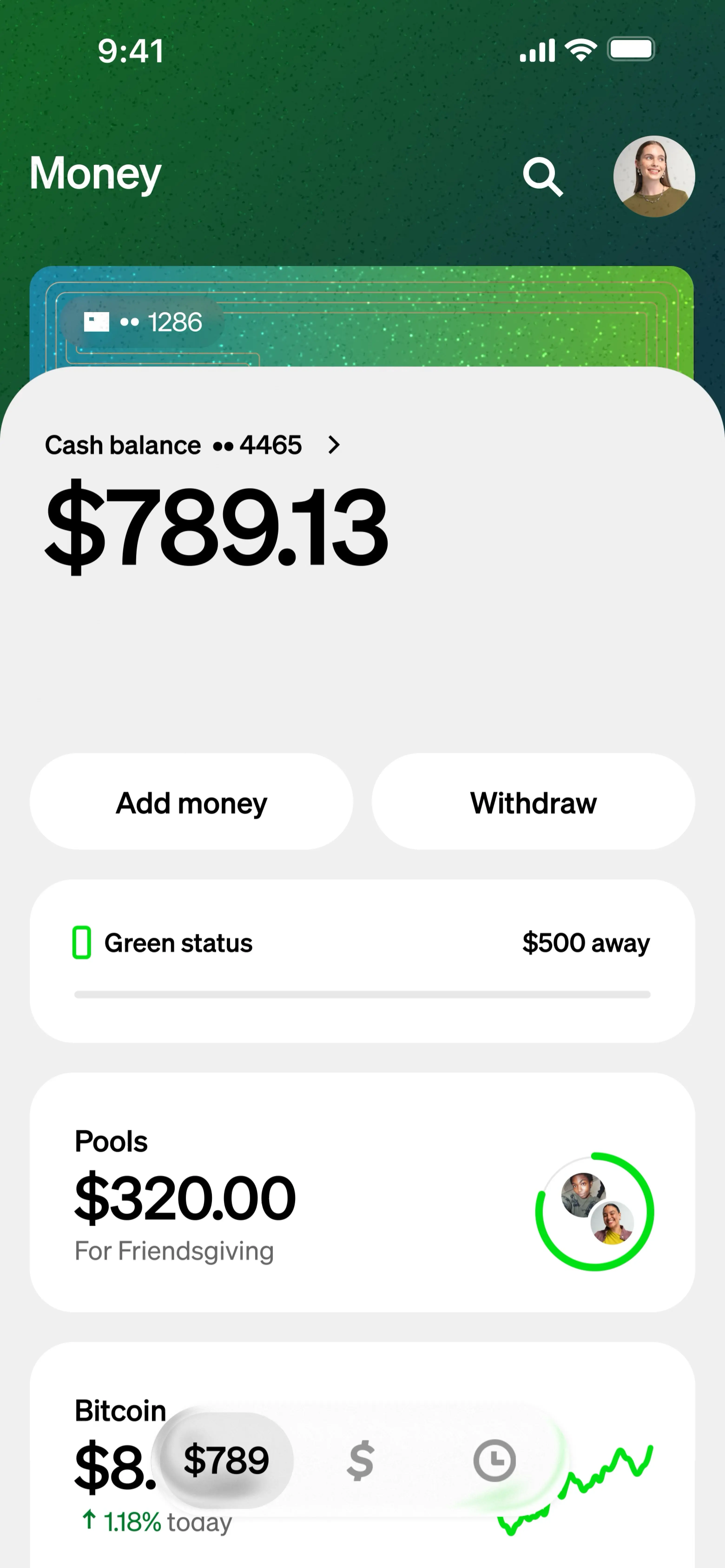
Before diving into the specifics of fund transfers, it’s essential to recognize Cash App’s place within the broader personal finance landscape. It’s more than just an app; it’s a digital wallet that integrates various financial services, streamlining money management for millions. From a financial perspective, Cash App offers a centralized hub for certain transactions, often providing quicker access to funds than traditional banking methods.
What is Cash App and Its Core Function?
At its heart, Cash App is a mobile payment service developed by Block, Inc. (formerly Square, Inc.) that allows users to send and receive money from one another using a smartphone app. It facilitates immediate, peer-to-peer (P2P) transactions, making it popular for splitting costs, paying for goods and services among individuals, and even for small businesses. Beyond P2P, its functionality extends to direct deposits, investing in stocks and Bitcoin, and the provision of a linked debit card (the Cash Card). From a money management standpoint, Cash App’s core function is to provide a fast, accessible digital interface for managing liquid funds. It acts as an intermediary, holding money digitally until you decide to move it elsewhere or spend it directly using the Cash Card. This digital intermediary role is key to understanding how money flows into and out of your control through the app.
The Digital Wallet Ecosystem and Your Personal Finances
Integrating Cash App into your personal finance strategy means understanding its role within the broader digital wallet ecosystem. Unlike a traditional bank account, Cash App operates somewhat differently, though it shares many similarities with a checking account for everyday transactions. It provides users with unique account and routing numbers, enabling it to receive direct deposits just like a conventional bank. This makes it a viable option for receiving paychecks, government benefits, or tax refunds. For individuals seeking flexibility or those who might be unbanked or underbanked, Cash App can serve as a primary financial conduit. Its ability to facilitate instant transfers, even if for a small fee, provides an alternative to the slower processing times of traditional interbank transfers. However, prudent financial management requires users to be aware of the differences, especially regarding FDIC insurance (Cash App funds are FDIC insured only if held by its partner banks, not directly by Cash App, unless explicitly stated for specific features) and the scope of customer support compared to a full-service bank.
Receiving Money on Cash App
The initial step in “getting money from Cash App” is, naturally, receiving funds into your account. Cash App offers several convenient methods for this, catering to different financial needs and scenarios.
Peer-to-Peer (P2P) Transfers: The Basics of Receiving Funds
The most common way to receive money on Cash App is through peer-to-peer transfers. This is where one Cash App user sends money directly to another.
- Requesting Money from Others: If someone owes you money, you can easily send them a request through the app. You simply tap the ‘$’ icon, enter the amount, tap “Request,” select the person from your contacts or enter their $Cashtag, email, or phone number, and send the request. Once they approve it, the funds are instantly deposited into your Cash App balance. This method is particularly useful for splitting bills, receiving payments for small gigs, or getting reimbursed by friends and family.
- Automatic Receipts vs. Accepting Payments: Generally, money sent to your $Cashtag, phone number, or email associated with your Cash App account will be automatically deposited into your balance. However, for certain transactions or if you have specific privacy settings enabled, you might need to manually “Accept” payments. Always double-check your notifications and transaction history to ensure all expected funds have arrived.
Direct Deposits: Setting Up Your Paycheck or Benefits
Cash App has evolved to function much like a traditional bank account for receiving regular income. It provides users with a unique routing number and account number, allowing for direct deposits from employers, government agencies, or other institutions.
- Utilizing Your Cash App Account and Routing Numbers: To set up direct deposit, you’ll need to locate your Cash App routing and account numbers within the app (usually found by tapping the banking tab/house icon and selecting “Direct Deposit”). You then provide these details to your employer’s payroll department, government agency, or any entity that offers direct deposit. Funds are typically available within your Cash App balance on your payday, often up to two days earlier than many traditional banks.
- Benefits for Financial Planning: Receiving direct deposits into Cash App can offer distinct advantages. For instance, the “early paycheck” feature allows users to access their wages sooner, potentially helping with cash flow management and avoiding overdrafts with other accounts. For those who prefer to keep their spending money separate from savings, using Cash App for primary income can be a strategic move. It streamlines access to funds for immediate needs, while other accounts can be dedicated to long-term savings or investments.
Other Income Streams
Beyond P2P and direct deposits, Cash App can also be used to receive money from other sources. This might include:
- Refunds: If you make a purchase using your Cash Card and return the item, the refund is typically processed back to your Cash App balance.
- Stimulus Payments or Government Benefits: During times of economic assistance or for regular benefit disbursements, government entities have often utilized direct deposit to Cash App accounts, treating them similarly to traditional bank accounts.
- Selling Goods/Services: Individuals running small businesses or selling items casually can use Cash App to receive payments from customers. This broadens its utility as a financial tool for micro-entrepreneurs.
Cashing Out Your Funds: Getting Money From Cash App to Your Bank
Once money is in your Cash App balance, the next crucial step in “getting money from Cash App” is transferring it out to a more permanent financial institution or accessing it as physical cash. Cash App offers flexible options for this, balancing speed with cost-effectiveness.
Linking Your Bank Account or Debit Card
To withdraw funds, you first need to link an external bank account or debit card to your Cash App profile.
- The Importance of Secure Linking: Ensure you link a legitimate bank account or debit card that you own. Cash App uses secure encryption to protect your financial information, but always be cautious about phishing attempts or sharing your login details. Linking is typically done through instant verification processes that connect directly to your bank, requiring your online banking credentials.
- Checking Compatibility: Most major banks and credit unions are compatible with Cash App. While you can link a credit card for sending money (with a fee), you can only cash out to a linked debit card or bank account. This distinction is vital for financial planning; credit cards are for borrowing, not withdrawing cash.
Standard Transfers: The Free Option

For those not in a hurry, the standard transfer option is the most economical way to move money from Cash App to your linked bank account.
- Expected Timelines: Standard transfers typically take 1-3 business days to clear and appear in your bank account. The exact timing can vary depending on your bank’s processing schedule and when you initiate the transfer. For example, a transfer initiated late on a Friday might not be processed until the following Tuesday or Wednesday.
- Planning for Funds Availability: Financial prudence dictates planning your transfers. If you know you’ll need funds in your main bank account by a certain date, initiate the standard transfer a few days in advance to account for potential delays and weekend processing. This helps avoid unexpected shortages in your primary account.
Instant Transfers: The Expedited Route
When time is of the essence, Cash App offers an instant transfer option, allowing immediate access to your funds in your linked debit card account.
- Understanding the Fee Structure: While instant, this convenience comes with a fee. Cash App typically charges a 0.5% to 1.75% fee for instant transfers, with a minimum fee of $0.25. This fee is deducted from the amount you are transferring. For example, if you transfer $100 with a 1.5% fee, you would pay $1.50, and $98.50 would arrive instantly in your bank account.
- When to Choose Instant vs. Standard: The decision between instant and standard transfer boils down to urgency and cost. If you’re facing an immediate bill payment, need cash quickly from an ATM, or want to avoid potential overdraft fees at your bank, the instant transfer fee might be a worthwhile cost. For non-urgent transfers, opting for the free standard transfer is a sensible financial decision to maximize your money.
Using the Cash Card for Withdrawals
Another direct way to access money from your Cash App balance is through the Cash Card, a free, customizable debit card linked directly to your Cash App balance.
- How the Cash Card Works: The Cash Card functions like any other debit card. You can use it to make purchases online or in physical stores wherever Visa is accepted. Critically, it also allows you to withdraw cash from ATMs. Any ATM that accepts Visa will accept your Cash Card.
- ATM Fees and Limitations: While using the Cash Card for purchases doesn’t incur fees, ATM withdrawals often do. Cash App charges a $2 fee for ATM withdrawals. Furthermore, the ATM operator might also levy their own fees, resulting in multiple charges for a single withdrawal. Cash App does offer a feature where if you set up direct deposit, it waives the ATM fees for withdrawals over $300. Be mindful of daily ATM withdrawal limits set by Cash App, which are typically $310 per transaction and $1,000 per day. Understanding these limits and fees is crucial for budgeting and avoiding unexpected costs.
Maximizing Your Cash App Experience for Financial Control
Leveraging Cash App effectively involves more than just sending and receiving money; it requires active management and adherence to financial best practices to maintain control over your funds.
Monitoring Your Transaction History
Just like with a traditional bank account, regularly reviewing your Cash App transaction history is paramount. The app provides a detailed record of all incoming and outgoing funds, including dates, amounts, and recipients/senders. This practice helps you:
- Identify discrepancies: Quickly spot any unauthorized transactions or errors.
- Track spending: Understand where your money is going, aiding in personal budgeting.
- Verify income: Ensure all expected deposits have been successfully processed.
Consistent monitoring fosters a sense of financial control and can be an early warning system for potential issues.
Budgeting with Cash App
While Cash App doesn’t offer sophisticated budgeting tools like some dedicated personal finance apps, it can still play a role in your budgeting strategy, especially if you use it as a primary account for certain expenses or income streams.
- Allocating Funds: You can use Cash App to hold funds specifically earmarked for certain categories, such as entertainment or groceries, thereby segmenting your spending.
- Tracking Micro-Transactions: For those who frequently use P2P payments for small expenses, Cash App provides a clear record that can be integrated into your overall budget tracking spreadsheet or app.
- Direct Deposit Segregation: By directing a portion of your paycheck to Cash App and the rest to a savings account, you can create a simple ‘pay yourself first’ system, or allocate funds for immediate spending versus long-term goals.
Security Best Practices for Your Funds
Protecting your money in Cash App is as important as protecting funds in any other financial institution. Adhering to security best practices is non-negotiable.
- Protecting Your Account from Scams: Be vigilant against phishing attempts, unsolicited requests for money, or messages claiming to be Cash App support asking for your login details. Cash App will never ask for your PIN or sign-in code outside the app. Always verify the identity of senders and recipients.
- Two-Factor Authentication (2FA): Enable 2FA on your Cash App account. This adds an extra layer of security, requiring a code from your phone in addition to your password, making it significantly harder for unauthorized individuals to access your account even if they have your password.
- Strong, Unique Passwords: Use a strong, unique password for your Cash App account that isn’t reused on other platforms.
- Secure Device: Ensure your smartphone is protected with a PIN, fingerprint, or facial recognition, as your Cash App is directly linked to your device.
Addressing Common Questions and Troubleshooting
Even with careful management, questions or issues can arise. Knowing how to troubleshoot common scenarios empowers you to resolve financial matters efficiently.
What if a Transfer is Delayed or Fails?
Delayed or failed transfers can be frustrating, especially when dealing with money.
- Check Status: First, check the “Activity” tab in your Cash App to see the status of the transfer. It might be pending, completed, or failed.
- Verify Information: Ensure all recipient details (for sending) or your linked bank account information (for cashing out) are correct. A single incorrect digit can lead to a failed transfer.
- Bank Processing Times: Remember that bank processing times for standard transfers can vary, especially on weekends or holidays.
- Contact Support: If a transfer is significantly delayed beyond the stated timeframe or fails without a clear reason, contact Cash App support immediately through the app. Provide them with all relevant transaction details.
Understanding Transfer Limits
Cash App imposes limits on how much money you can send, receive, and withdraw. These limits are designed for security and regulatory compliance.
- Sending/Receiving Limits: Unverified accounts typically have lower limits (e.g., send $250 per week, receive $1,000 per month). Verified accounts (requiring full name, date of birth, and the last four digits of your SSN) have significantly higher limits, often allowing you to send up to $7,500 per week and receive unlimited amounts.
- ATM Withdrawal Limits: As mentioned, Cash Card ATM withdrawals typically have limits of $310 per transaction and $1,000 per day.
Being aware of these limits helps in planning your financial activities, especially for larger transactions or regular income.

Contacting Cash App Support for Financial Issues
For any persistent financial issues, such as unauthorized transactions, problems with direct deposits, or concerns about your account security, contacting Cash App support is essential.
- In-App Support: The most secure and recommended way to contact support is directly through the Cash App. Navigate to your profile icon, scroll down, and select “Support.” This method allows for secure communication and provides support with necessary account context.
- Website/Phone: While in-app support is preferred, Cash App also offers limited support via their website and, in specific cases, over the phone. Be wary of unofficial numbers found online, as these are often scams.
In conclusion, Cash App is a powerful financial tool that simplifies many aspects of digital money management. By understanding how to effectively receive funds, strategically cash them out, and maintain vigilance over your account security, users can truly get the most out of their money through Cash App, enhancing their overall personal finance strategy in the digital age.
aViewFromTheCave is a participant in the Amazon Services LLC Associates Program, an affiliate advertising program designed to provide a means for sites to earn advertising fees by advertising and linking to Amazon.com. Amazon, the Amazon logo, AmazonSupply, and the AmazonSupply logo are trademarks of Amazon.com, Inc. or its affiliates. As an Amazon Associate we earn affiliate commissions from qualifying purchases.