
Navigating the world of taxes can often feel like deciphering a complex code, filled with unfamiliar terms, forms, and deadlines. For many, the phrase “tax return” conjures images of tedious paperwork and potential stress. However, understanding how to prepare and file a tax return is a fundamental aspect of personal financial management, impacting everything from your annual budget to your long-term financial health. Far from being a mere obligation, a tax return is your official communication with the government about your financial year, determining whether you owe additional taxes or are due a refund. This comprehensive guide aims to demystify the process, empowering you with the knowledge and steps required to confidently get your tax return filed accurately and efficiently.

Understanding the Fundamentals of a Tax Return
Before diving into the mechanics, it’s crucial to establish a clear understanding of what a tax return is, its purpose, and who is expected to file one. This foundational knowledge will serve as your compass through the entire process.
What is a Tax Return?
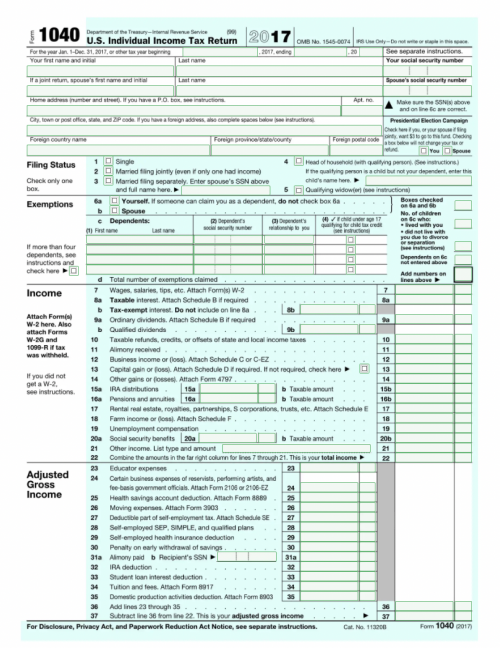
At its core, a tax return is a formal document submitted to a tax authority – typically the Internal Revenue Service (IRS) in the United States, or a similar body in other jurisdictions – that reports your income, expenses, and other relevant financial information for a specific tax year. Its primary purpose is twofold: to enable you to calculate your tax liability (the total amount of tax you owe) and to allow you to claim any overpayments or underpayments made throughout the year, ultimately leading to either a refund or an additional tax bill.
Tax returns are not monolithic; they encompass various forms designed for different types of filers and income sources. While the federal tax return is the most prominent, many individuals also need to file state and, in some cases, local tax returns, each with its own specific requirements and deadlines.
Who Needs to File?
One of the most common questions surrounding taxes is, “Do I even need to file?” The answer isn’t always straightforward and depends on several factors, including your gross income, filing status, age, and whether you are self-employed. Generally, if your gross income exceeds a certain threshold (which changes annually and varies by filing status), you are required to file. For instance, single individuals under 65 must typically file if their gross income is above the standard deduction amount.
Beyond income thresholds, you might also need to file if you:
- Are self-employed and had net earnings of $400 or more.
- Received certain types of distributions, such as from a health savings account.
- Want to claim refundable tax credits, even if your income is below the filing threshold, as these credits can result in a refund even if you paid no tax.
- Had taxes withheld from your pay and want to receive a refund for any overpayment.
It’s always a good practice to consult the IRS guidelines or a tax professional if you are unsure about your filing obligation.
Key Information Required
Regardless of your filing method, preparing a tax return necessitates gathering a specific set of financial and personal data. This typically includes:
- Income Sources: Details of all earnings, whether from employment, self-employment, investments, or other sources.
- Personal Information: Your Social Security Number (SSN) or Individual Taxpayer Identification Number (ITIN), date of birth, and those of your spouse and dependents.
- Deductions and Credits: Information related to expenses or life circumstances that can reduce your taxable income or directly lower your tax bill.
Organizing this information well in advance is the first critical step toward a smooth tax season.
Gathering Your Essential Documents
The success of your tax return hinges on the accuracy and completeness of the information you provide. This requires meticulous document collection, which ideally should be an ongoing process throughout the year rather than a last-minute scramble. Having all your paperwork ready simplifies data entry, minimizes errors, and helps ensure you don’t miss out on valuable deductions or credits.
Income Statements
These documents detail the money you earned throughout the tax year. They are arguably the most crucial pieces of information for your tax return.
- W-2 Forms: If you are an employee, your employer will send you a W-2 form by January 31st. This form reports your annual wages and the amount of taxes withheld from your pay. You will receive a separate W-2 from each employer you had during the year.
- 1099 Forms: These forms report various types of non-employment income. Common examples include:
- 1099-NEC (Nonemployee Compensation): For independent contractors or freelancers.
- 1099-INT (Interest Income): From banks or other financial institutions.
- 1099-DIV (Dividends and Distributions): From stocks or mutual funds.
- 1099-B (Proceeds From Broker and Barter Exchange Transactions): For sales of stocks, bonds, or other securities.
- 1099-R (Distributions From Pensions, Annuities, Retirement or Profit-Sharing Plans, IRAs, Insurance Contracts, etc.): If you received distributions from retirement accounts.
- 1099-G (Certain Government Payments): Such as unemployment compensation or state tax refunds.
- K-1 Forms: If you are involved in a partnership, S-corporation, or certain trusts, you’ll receive a Schedule K-1, detailing your share of the entity’s income, losses, and deductions.
- Other Income Proofs: This could include records for rental income, alimony received, foreign income, or gambling winnings.
Deduction and Credit Documentation
While income documents tell the story of what you earned, deduction and credit documentation highlight opportunities to reduce your taxable income or your tax liability directly.
- Mortgage Interest (Form 1098): Provided by your mortgage lender, showing the interest you paid on your home loan.
- Student Loan Interest (Form 1098-E): From your student loan servicer.
- Medical and Dental Expense Records: Receipts and statements for out-of-pocket medical costs, if you itemize deductions and these exceed a certain percentage of your Adjusted Gross Income (AGI).
- Charitable Contributions: Receipts for donations to qualified charities, whether cash or non-cash.
- Childcare Expenses: Statements from daycare providers or nannies, including their taxpayer identification number.
- Educational Expenses: Forms like 1098-T for tuition and fees paid to eligible educational institutions, and records of other qualified education expenses.
- Retirement Contributions: Statements showing contributions to IRAs, 401(k)s, or other retirement accounts.
- Property Tax Records: Payments made to local governments for real estate taxes.
- Business Expenses: For self-employed individuals, detailed records of all business-related expenses.
Personal Information
Always have your personal identifying information readily available, including:
- Social Security Numbers (SSNs) or Individual Taxpayer Identification Numbers (ITINs) for yourself, your spouse, and all dependents.
- Birth dates for everyone listed on the return.
- Your current mailing address and bank account information for direct deposit of any refund.
- Last year’s Adjusted Gross Income (AGI) – often required for identity verification when e-filing.
Choosing Your Filing Method
Once you’ve meticulously gathered all your necessary documents, the next step is to decide how you will actually prepare and submit your tax return. There are several viable options, each catering to different levels of tax complexity, budget, and personal preference.
DIY Tax Software and Online Platforms
For many taxpayers, especially those with relatively straightforward tax situations, using DIY tax software or online platforms is a popular and efficient choice. These tools guide you step-by-step through the process, prompting you for information and performing calculations automatically.
- Pros:
- Cost-Effective: Many platforms offer free filing options for simple returns, and even paid versions are generally less expensive than hiring a professional.
- Convenience: File from the comfort of your home, at any time.
- Guided Process: User-friendly interfaces often translate complex tax jargon into understandable questions, making the process less intimidating.
- Error Checking: Built-in algorithms help identify common errors and suggest deductions or credits you might be eligible for.
- Cons:
- Requires Self-Education: While guided, you are still responsible for understanding the information you input.
- Potential for Errors: If you misinterpret a question or input incorrect data, the software won’t catch fundamental misunderstandings.
- Limited for Complex Situations: May struggle with very intricate tax scenarios, such as certain business structures or international income.
- Examples: Popular options include TurboTax, H&R Block Online, TaxAct, and FreeTaxUSA (which often offers free federal and state filing for many).
Professional Tax Preparers
If your tax situation is complex, or if you simply prefer to delegate the task to an expert, hiring a professional tax preparer is an excellent option.
- Pros:
- Expert Advice: Professionals are well-versed in tax law and can offer personalized advice, ensuring you maximize deductions and credits.
- Minimizes Errors: Reduces the likelihood of mistakes that could lead to audits or penalties.
- Handles Complex Situations: Ideal for self-employed individuals, small business owners, those with investment properties, or significant life changes.
- Saves Time: Frees you from the time-consuming process of preparing your own return.
- Cons:
- Higher Cost: Professional services come at a higher price point than DIY software.
- Types: This category includes Certified Public Accountants (CPAs), Enrolled Agents (EAs), and various professional tax preparation services (e.g., H&R Block, Jackson Hewitt). When choosing a professional, look for credentials, experience, and good reviews.
Free Tax Assistance Programs
For eligible taxpayers, several free resources are available, offering reliable tax preparation services.
- VITA (Volunteer Income Tax Assistance) and TCE (Tax Counseling for the Elderly): These IRS-sponsored programs offer free tax help to people who generally make $64,000 or less, persons with disabilities, and limited English-speaking taxpayers (VITA) or those aged 60 and older (TCE).
- Pros:
- Free and Reliable: Staffed by IRS-certified volunteers who provide accurate, free tax prep.
- Personalized Help: Offers face-to-face assistance.
- Cons:
- Eligibility Requirements: Services are restricted to those who meet specific income and age criteria.
- Limited Scope: Generally equipped for basic and moderately complex returns, not highly intricate tax scenarios.
- Availability: Appointments may be limited, especially closer to the tax deadline.
Navigating the Filing Process Step-by-Step
Once you’ve chosen your filing method and gathered your documents, the actual process of inputting information and submitting your return follows a generally consistent flow. Understanding these steps can help reduce anxiety and ensure a smooth experience.
Step 1: Inputting Your Data
This is where you feed all your collected documents into your chosen system, whether it’s a tax software program or directly to your professional preparer.
- Accuracy is Key: Double-check every number as you enter it. A misplaced digit in a Social Security Number or an income amount can lead to significant problems, including delays in your refund or notices from the IRS.
- Follow Prompts: Tax software will guide you through sections like income, deductions, credits, and personal information. Ensure you answer all questions truthfully and to the best of your knowledge.
- Review Against Documents: After inputting data from a specific form (e.g., a W-2), quickly compare the entered data against the physical document to catch immediate errors.
Step 2: Reviewing for Accuracy and Optimization
Before hitting “submit,” a thorough review is non-negotiable. This step is crucial for catching errors and ensuring you’ve taken advantage of all eligible tax breaks.
- Software Checks: Tax software typically runs an automated review, flagging potential errors or missing information. Pay close attention to these warnings.
- Understanding Deductions and Credits: Review the deductions and credits that have been applied. Do they make sense for your situation? Are there any you might have missed? For example, if you had significant out-of-pocket medical expenses, ensure you considered itemizing if it’s more beneficial than the standard deduction.
- Maximizing Your Refund/Minimizing Liability: A good review can identify areas where you might further reduce your tax burden. If you’re using a professional, they will perform this optimization for you.
Step 3: Submitting Your Return
The final step is to officially send your tax return to the tax authorities.
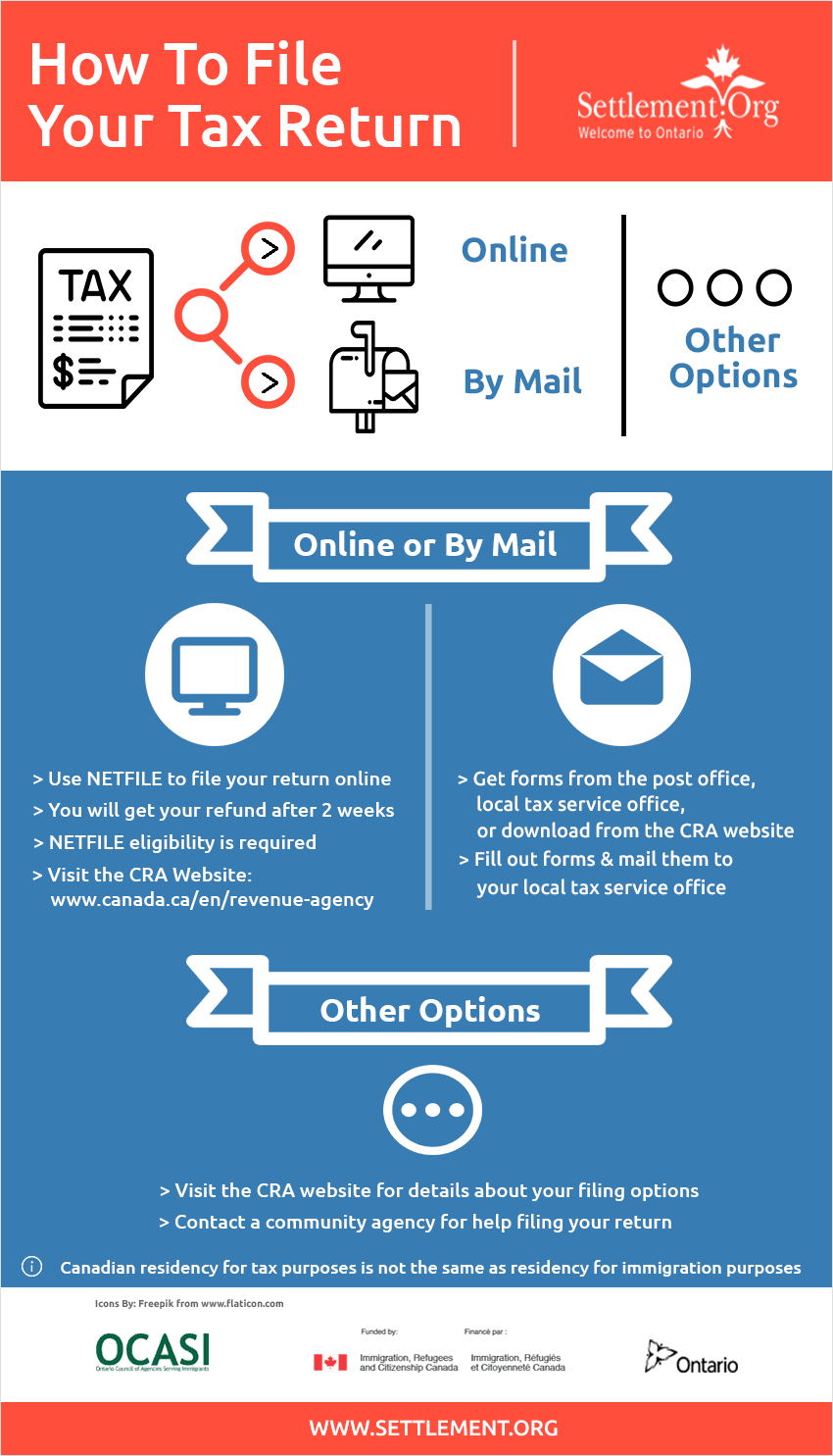
- E-filing (Electronic Filing): This is the most common and recommended method. It’s faster, more secure, and provides immediate confirmation that your return has been received. Most tax software and professionals facilitate e-filing.
- Mail-in Filing: While still an option, mailing a paper return is slower and carries a higher risk of delays or loss. If mailing, ensure you sign all required sections, attach all necessary forms (like W-2s), and send it to the correct IRS address (which varies by state). Always send via certified mail with a return receipt for proof of mailing.
- Confirmation: Regardless of the method, ensure you receive confirmation that your return was successfully filed. For e-filed returns, this often comes via email.
Step 4: What Happens Next?
Once your return is submitted, the waiting game begins.
- Tracking Your Refund: If you are due a refund and e-filed, you can typically track its status via the IRS “Where’s My Refund?” tool within 24-48 hours. State refund trackers are also often available.
- Receiving Confirmation: You should receive an official acknowledgment from the IRS and your state tax authority (if applicable) that your return was accepted.
- Keeping Records: Store a copy of your filed tax return and all supporting documents for at least three years, or seven years if you claimed a loss from worthless securities or bad debt deduction. This is critical in case of an audit or needing to reference past tax information.
Common Pitfalls and Best Practices
Even with the best intentions, tax season can present challenges. Being aware of common pitfalls and adopting proactive best practices can save you time, money, and stress.
Avoiding Common Errors
Mistakes on a tax return, even seemingly minor ones, can lead to delays in refunds, penalties, or even an audit.
- Incorrect Social Security Numbers: Double-check all SSNs for yourself, spouse, and dependents. This is a leading cause of processing delays.
- Mathematical Mistakes: While software helps, manual errors can still occur, especially if you’re transferring figures. Review calculations carefully.
- Missing Income: Forgetting to report certain income streams, particularly from 1099s for freelance work or investments, can trigger IRS attention.
- Incorrect Filing Status: Choosing the wrong filing status (e.g., Head of Household instead of Single) can significantly impact your tax liability.
- Forgetting Signatures: Paper returns must be signed and dated. E-filed returns also require an electronic signature or PIN.
- Filing Late: Missing the tax deadline without an extension can result in penalties.
Proactive Tax Planning
The best tax strategy begins long before April 15th. Adopting a proactive approach throughout the year can streamline the filing process and optimize your financial outcome.
- Year-Round Record-Keeping: Don’t wait until tax season to gather documents. Create a dedicated system for tax-related receipts, statements, and forms as they arrive.
- Estimating Taxes: If you’re self-employed or have significant income not subject to withholding, estimate your tax liability and make quarterly estimated tax payments to avoid underpayment penalties.
- Adjusting Withholdings: Review your W-4 form with your employer annually, or whenever there’s a significant life change (marriage, new baby, new job), to ensure the correct amount of tax is being withheld from your paychecks.
- Consulting Professionals: Don’t hesitate to consult a tax professional proactively during the year for advice on major financial decisions or changes.
The Importance of Record Keeping
Maintaining meticulous records is not just about preparing your current year’s return; it’s about protecting yourself in the future.
- How Long to Keep Documents: The IRS generally recommends keeping tax returns and supporting documents for at least three years from the date you filed the original return or two years from the date you paid the tax, whichever is later. For certain situations, like reporting worthless securities or if you filed a fraudulent return (which you shouldn’t!), this period extends to seven years or indefinitely.
- Digital vs. Physical Records: Both are acceptable. Many prefer scanning physical documents and storing them digitally, often in cloud storage with robust backup. Just ensure your digital copies are clear and legible.
Conclusion
Getting a tax return, while seemingly daunting, is a manageable and essential part of responsible personal finance. By understanding the fundamentals, diligently gathering your documents, choosing the filing method that best suits your needs, and meticulously navigating each step of the process, you can transform a once-stressful annual obligation into a routine financial task. Embrace the proactive strategies of year-round record-keeping and smart tax planning to not only simplify future filings but also to optimize your financial position. Remember, resources are abundant, from intuitive software to expert professionals and free community assistance programs. With careful preparation and the right approach, you can approach tax season with confidence, ensuring accuracy, maximizing your benefits, and securing your financial peace of mind.
aViewFromTheCave is a participant in the Amazon Services LLC Associates Program, an affiliate advertising program designed to provide a means for sites to earn advertising fees by advertising and linking to Amazon.com. Amazon, the Amazon logo, AmazonSupply, and the AmazonSupply logo are trademarks of Amazon.com, Inc. or its affiliates. As an Amazon Associate we earn affiliate commissions from qualifying purchases.