
In an increasingly data-driven world, the ability to quickly and accurately calculate percentages is more vital than ever. From understanding sales discounts to analyzing complex financial reports, percentages are a universal language of proportion. While the concept itself might seem straightforward, translating it into a flawless calculator operation can sometimes be a stumbling block. This article delves into the technological aspects of performing percentage calculations across various types of calculators, from basic handheld devices to sophisticated software solutions, ensuring you master this essential digital skill.
The Digital Workhorse: Why Calculators Are Essential for Percentages
The calculator, in its myriad forms, stands as a quintessential technological tool for navigating numerical complexities. For percentages, it transforms a potentially laborious manual calculation into an instantaneous and accurate result. Understanding its fundamental role illuminates why mastering its use is not just convenient, but necessary.

The Ubiquity of Percentage Calculations
Percentages permeate nearly every facet of modern life and professional domains. In retail, they define discounts and sales tax. In finance, they quantify interest rates, investment returns, and loan payments. Science and statistics rely on them for data analysis, while business uses them for growth rates, profit margins, and market share. Even in everyday personal decisions, from recipe adjustments to understanding nutritional labels, percentages are a constant companion. The sheer volume and diversity of these applications underscore the critical need for a reliable and efficient method of computation. Manual calculation, especially for numbers with multiple decimal places or across numerous data points, is prone to human error and time-consuming, making the calculator an indispensable piece of technology.
From Abacus to Algorithm: The Evolution of Calculation Tools
The journey of calculation tools is a fascinating narrative of technological advancement, from ancient abacuses and Napier’s bones to the sophisticated digital devices we use today. Early mechanical calculators, like Pascal’s Arithmétique or Leibniz’s Stepped Reckoner, revolutionized arithmetic by automating basic operations. The invention of the electronic calculator in the mid-20th century marked a significant leap, miniaturizing these capabilities into handheld devices. Initially, percentage functions might have been a multi-step process. However, as integrated circuits advanced, dedicated ‘%’ buttons and more intuitive interfaces emerged, streamlining percentage calculations. Today, the “calculator” encompasses not just physical gadgets but also software applications, web tools, and integrated functions within operating systems and productivity suites, each offering enhanced capabilities for handling percentage-related tasks. This evolution highlights a continuous drive towards greater efficiency, accuracy, and accessibility in numerical computation.
Decoding the Standard Calculator: Step-by-Step Percentage Operations
The most common point of interaction with percentage calculations is often the standard four-function or basic scientific calculator. While seemingly simple, understanding the nuances of its percentage function, or how to perform these calculations manually using basic arithmetic operations, is crucial for consistent accuracy.
Finding a Percentage of a Number
This is perhaps the most fundamental percentage calculation: determining what a certain percentage of a given number is. For example, finding 20% of 150.
On a standard calculator, there are generally two methods:
-
Using the ‘%’ Button (if available):
- Enter the base number:
150 - Press the multiplication sign:
* - Enter the percentage value:
20 - Press the percentage button:
% - The calculator should display
30. - Note: The behavior of the ‘%’ button can vary slightly between calculator brands and models. Some might automatically convert the percentage to its decimal equivalent (e.g.,
20%becomes0.20) and then multiply. Others might require a subsequent=press. Always test your specific calculator’s functionality.
- Enter the base number:
-
Manual Method (Decimal Conversion): This method is universally reliable, regardless of whether a ‘%’ button exists or how it functions.
- Convert the percentage to a decimal by dividing by 100:
20 / 100 = 0.20 - Multiply the base number by this decimal:
150 * 0.20 - Press the equals sign:
= - The calculator will display
30.
This method is often preferred for its consistency and clarity, as it directly mirrors the mathematical definition of a percentage as a fraction of 100.
- Convert the percentage to a decimal by dividing by 100:
Calculating Percentage Increase or Decrease
These calculations are essential for tracking growth, depreciation, discounts, or markups. For instance, increasing 150 by 20% or decreasing 150 by 20%.
-
Using the ‘%’ Button (for increase/decrease):
- Increase:
- Enter the original number:
150 - Press the addition sign:
+ - Enter the percentage value:
20 - Press the percentage button:
%(At this point, some calculators might show30, which is 20% of 150. Others might show the final result180immediately upon pressing%or+). - Press the equals sign:
= - The calculator should display
180.
- Enter the original number:
- Decrease:
- Enter the original number:
150 - Press the subtraction sign:
- - Enter the percentage value:
20 - Press the percentage button:
% - Press the equals sign:
= - The calculator should display
120.
- Enter the original number:
- Again, calculator behavior can vary, so always perform a quick test to understand how your specific device handles these operations with its ‘%’ button.
- Increase:
-
Manual Method (Decimal Conversion): This approach is always consistent.
- Increase:
- Calculate the percentage amount:
150 * (20 / 100) = 30 - Add this amount to the original number:
150 + 30 = 180 - Alternatively (more efficient):
150 * (1 + 0.20) = 150 * 1.20 = 180
- Calculate the percentage amount:
- Decrease:
- Calculate the percentage amount:
150 * (20 / 100) = 30 - Subtract this amount from the original number:
150 - 30 = 120 - Alternatively (more efficient):
150 * (1 - 0.20) = 150 * 0.80 = 120
These manual methods provide full control and are less susceptible to varying calculator logic, making them highly reliable.
- Calculate the percentage amount:
- Increase:
Understanding the ‘%’ Button: Friend or Foe?
The ‘%’ button on a calculator is a convenience feature, but its implementation can be notoriously inconsistent across different brands (Casio, Texas Instruments, Sharp, generic models). For some, it acts as a direct conversion to decimal (e.g., 50% becomes 0.5). For others, especially when used with + or -, it calculates the percentage of the preceding number and then applies the operation. For example, 100 + 10% might correctly result in 110, but 100 * 10% might display 10 (10% of 100) or 1000 (100 multiplied by 10, then divide by 100 due to ‘%’ implying division by 100).
Due to this variability, many power users and educators advise caution or outright avoidance of the ‘%’ button, preferring the manual decimal conversion method. This ensures predictable results and reinforces a deeper understanding of the underlying mathematical principles. While convenient, the ‘%’ button can be a “foe” if its specific logic isn’t fully understood for your particular device.
Beyond the Basics: Scientific Calculators and Software Solutions
As computational needs grow more complex, so do the tools designed to meet them. Scientific calculators, spreadsheet software, and dedicated apps offer enhanced capabilities for handling sophisticated percentage calculations, data analysis, and automation.
Harnessing Scientific Calculators for Complex Scenarios
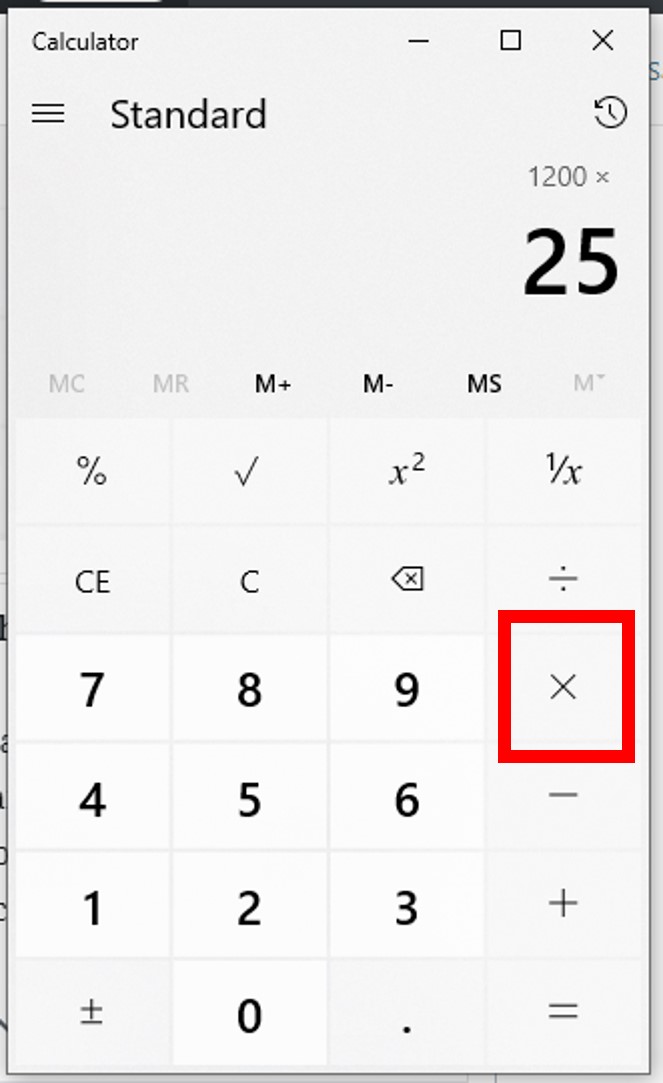
Scientific calculators, while primarily known for trigonometric, logarithmic, and exponential functions, also excel at complex percentage calculations by virtue of their superior order of operations (PEMDAS/BODMAS) handling and ability to manage multiple steps. They allow for the input of entire expressions, reducing intermediate errors. For example, calculating a percentage increase followed by a percentage discount on the new value.
Original Price * (1 + markup_percentage) * (1 - discount_percentage)
On a scientific calculator, you can type this whole expression with parentheses: 100 * (1 + 0.25) * (1 - 0.10) = 112.5. This provides greater efficiency and reduces the chance of input errors compared to breaking it down into multiple steps on a basic calculator. Their memory functions also allow for storing and recalling intermediate results, further streamlining multi-step percentage problems.
Spreadsheet Software: The Ultimate Percentage Powerhouse
For anyone regularly dealing with large datasets or requiring dynamic percentage calculations, spreadsheet software like Microsoft Excel, Google Sheets, or LibreOffice Calc is an indispensable tool. These applications transform calculation from a singular event into an organized, automatable process.
- Formulas: You can input percentage calculations directly using formulas. For instance, to calculate 20% of a number in cell A1, you’d type
=A1*0.20or=A1*20%. The software understands “20%” as 0.20. - Relative and Absolute References: This feature allows you to apply a single percentage calculation formula across hundreds or thousands of cells, instantly updating results based on corresponding data.
- Conditional Formatting: You can highlight cells based on percentage criteria (e.g., sales growth above 10%).
- Charting and Graphing: Visualize percentage-based data (e.g., market share pie charts, growth rate line graphs).
- Data Analysis Tools: Advanced functions for statistical analysis, often involving percentages (e.g., calculating percentile ranks).
Spreadsheets offer unparalleled flexibility and power, making them the go-to technological solution for anyone working with percentages beyond isolated, single-instance calculations.
Mobile Apps and Online Calculators: Convenience at Your Fingertips
The proliferation of smartphones and web access has brought an array of specialized percentage calculators to our fingertips.
- Dedicated Percentage Apps: Many apps are designed specifically for common percentage tasks like tip calculation, sales tax, discounts, loan interest, or even more complex financial ratios. They often provide user-friendly interfaces with fields for inputting values, automatically displaying results.
- Built-in Phone Calculators: Most smartphones include a native calculator app that functions like a standard or scientific calculator, capable of handling all basic percentage operations.
- Web-Based Calculators: Numerous websites offer free percentage calculators for various purposes. These are particularly useful for quick, ad-hoc calculations without needing to download an app or open a spreadsheet. They often come with clear explanations of their functionality and use cases.
These digital solutions prioritize convenience and accessibility, ensuring that a powerful percentage calculation tool is almost always within reach, whether you’re shopping, budgeting, or performing quick analyses on the go.
Optimizing Your Workflow: Tips for Accuracy and Efficiency
Regardless of the calculator type, employing best practices can significantly enhance the accuracy and efficiency of your percentage calculations. These tips revolve around understanding the tool, verifying inputs, and leveraging advanced features when available.
Double-Checking Your Inputs
The most common source of error in any calculation is incorrect data entry. Before hitting the equals sign, take a moment to visually confirm that the numbers you’ve entered into the calculator precisely match the numbers you intend to calculate. A misplaced decimal point, a transposed digit, or an omitted zero can lead to wildly inaccurate percentage results. For longer sequences or complex formulas, consider breaking them down into smaller, verifiable steps or utilizing the calculator’s display to review the entire expression if it supports such a feature. This simple habit can save significant time and prevent costly mistakes down the line.
Understanding Order of Operations
While basic percentage calculations might not always highlight it, understanding the mathematical order of operations (Parentheses/Brackets, Exponents/Orders, Multiplication and Division, Addition and Subtraction – PEMDAS/BODMAS) is crucial, especially when using scientific calculators or spreadsheet software. Incorrectly applying operations can drastically alter the outcome. For instance, 100 + 20 * 5% will yield a different result than (100 + 20) * 5%. Modern calculators and software are typically programmed to follow these rules automatically. However, when manually constructing calculations, particularly with a basic calculator that executes operations sequentially, it’s vital to perform the steps in the correct order or use parentheses to enforce it.
Utilizing Memory Functions and Parentheses
Many calculators, even basic scientific ones, come equipped with memory functions (M+, M-, MR/MC) and parentheses buttons () These are powerful tools for managing multi-step percentage calculations:
- Memory Functions: Use
M+to add a result to memory,M-to subtract from memory,MRto recall the memory value, andMCto clear it. This is invaluable for summing up several percentage-based subtotals or storing a constant percentage value for repeated application without re-entering. - Parentheses: These allow you to group operations, dictating the order in which calculations are performed. For complex expressions involving multiple additions, subtractions, multiplications, and divisions alongside percentages, parentheses ensure that the calculation unfolds precisely as intended, overriding the default order of operations if necessary. This capability is a cornerstone of accuracy in advanced calculator usage.
The Future of Percentage Calculation: AI and Beyond
The trajectory of technology suggests an even more integrated and intuitive future for numerical calculations, including percentages. Artificial intelligence and smart device integration are set to redefine how we interact with and extract insights from percentage-based data.
Voice Assistants and Smart Devices
Voice-activated assistants like Siri, Google Assistant, and Alexa are already capable of basic percentage calculations. A simple “What’s 15 percent of 200?” or “Increase 50 by 10 percent” can yield instant audible results. As AI language processing and computational abilities advance, these assistants will likely handle more complex, multi-step percentage queries contextually, perhaps even drawing data from linked apps or real-time information. Smart home devices, wearable tech, and even smart appliances could integrate these capabilities, making percentage calculations an ambient, seamless part of our daily interactions, rather than a discrete task performed on a dedicated device.

Integrated AI Tools for Data Analysis
Looking further ahead, AI-powered analytical tools will move beyond simply calculating percentages to interpreting them within vast datasets. Imagine AI systems that not only compute growth percentages for sales data but also identify the drivers behind those percentages, forecast future trends, and suggest strategic adjustments—all based on sophisticated algorithms. Financial planning software, business intelligence platforms, and scientific research tools will leverage AI to transform raw percentage figures into actionable intelligence, reducing the cognitive load on human analysts and accelerating decision-making processes. The future of percentage calculation isn’t just about getting the number right, but about understanding what that number truly means in a broader, intelligent context.
aViewFromTheCave is a participant in the Amazon Services LLC Associates Program, an affiliate advertising program designed to provide a means for sites to earn advertising fees by advertising and linking to Amazon.com. Amazon, the Amazon logo, AmazonSupply, and the AmazonSupply logo are trademarks of Amazon.com, Inc. or its affiliates. As an Amazon Associate we earn affiliate commissions from qualifying purchases.