
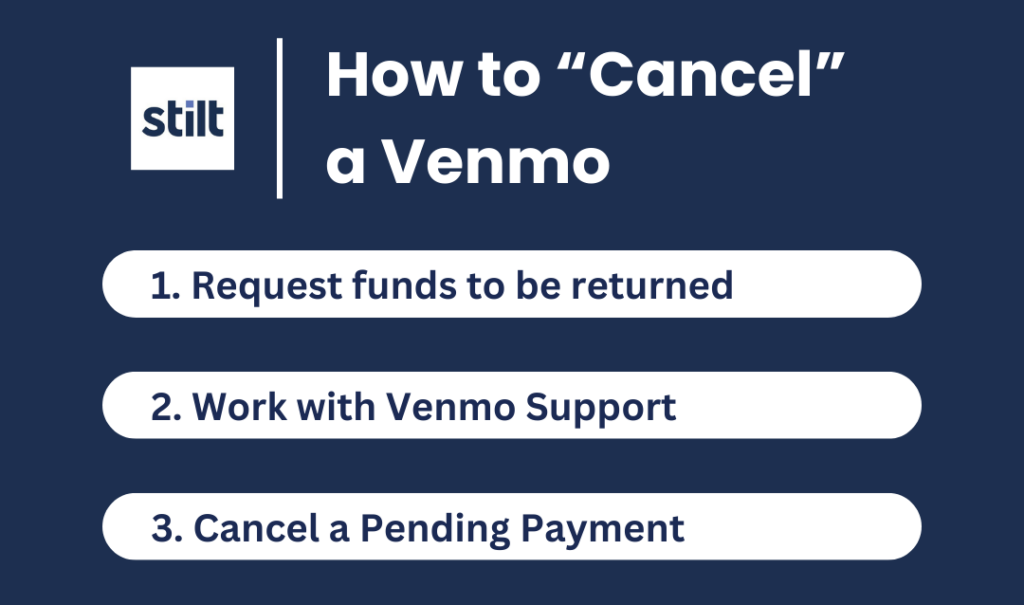
In the rapidly evolving landscape of digital finance, mobile payment applications like Venmo have revolutionized how we transfer funds. Their convenience, speed, and social integration make them an indispensable tool for everything from splitting a dinner bill to sending money to a friend across the country. However, with this ease of transaction comes the occasional human error – a payment sent to the wrong person, an incorrect amount, or a change of plans requiring a reversal. The immediate question that often arises is, “How do you cancel payment on Venmo?” This article delves into the technical realities of Venmo’s payment system, outlining the precise steps for cancellation when possible, and providing comprehensive strategies for recourse when direct cancellation is not an option, all viewed through the lens of digital application functionality and user best practices.
Understanding Venmo’s Payment Ecosystem and Cancellation Policies
Venmo, at its core, is a peer-to-peer payment platform designed for quick and seamless money transfers. The technical architecture behind these transactions prioritizes immediacy and finality, which has significant implications for payment cancellation. Unlike traditional banking systems that might offer a small window for stopping a transfer, Venmo’s system is built for near-instantaneous processing, especially between verified accounts. Understanding this underlying mechanism is crucial to grasping why direct payment cancellation isn’t always straightforward.
The Immediate Reality: Direct Cancellation Limitations
The most critical technical characteristic of Venmo payments is their general irreversibility once completed. When you initiate a payment, Venmo’s system quickly processes the transaction, moving funds from your balance (or linked bank account/card) to the recipient’s Venmo balance. This process often happens within seconds. The ability to directly cancel a payment, as one might cancel an online order before shipping, is therefore highly constrained by the speed and design of Venmo’s backend. The platform is engineered to minimize delays and intermediaries, which translates into fewer opportunities for users to intervene post-initiation. This design choice underscores a fundamental principle of many digital wallets: to replicate the immediate nature of cash transactions in a digital realm.
Conditions for a “Cancelable” Payment
Despite the general rule of irreversibility, there are very specific, limited circumstances under which a Venmo payment can be directly canceled by the sender. These exceptions typically hinge on the payment being in a “pending” state, rather than a “completed” state. A payment might be pending for a few reasons, all of which relate to the recipient’s account status or the transaction’s processing requirements:
- Recipient Has Not Signed Up for Venmo: If you send money to someone who does not yet have a Venmo account, the payment will remain pending until they create an account and claim the funds.
- Recipient’s Account Is Unverified or Requires Action: In some rare cases, a payment might be pending if the recipient’s account requires further verification (e.g., adding a bank account or confirming identity) before they can fully receive and access the funds.
- Email or Phone Number Error (Recipient Not Found): If you sent money to an email address or phone number that isn’t linked to any Venmo account, the payment may remain pending and eventually time out if not claimed.
In these specific scenarios, Venmo’s system holds the funds in a temporary state, awaiting an action from the recipient or a resolution of the underlying issue. This “pending” status creates the narrow window during which a sender can technically recall the payment before it fully completes and becomes irreversible.
The Irreversibility of Completed Transactions: A Technical Overview
Once a Venmo payment moves from “pending” to “completed,” the funds are fully transferred and reside in the recipient’s Venmo balance. From a technical standpoint, this means the transaction record is finalized, and the funds are accessible to the recipient. At this point, Venmo’s platform does not offer a technical feature for the sender to unilaterally reverse or “pull back” the funds. This design is crucial for maintaining the integrity and trust within the system; if senders could arbitrarily reverse completed payments, it would create instability and open avenues for fraud. The system is built on the premise that once you confirm a payment, you are authorizing a final transfer of funds, much like handing over cash. This finality is a cornerstone of digital payment security and reliability, albeit one that can be frustrating in cases of accidental payments.
Step-by-Step Guide: Cancelling a Pending Venmo Payment
For those rare and specific instances where a Venmo payment is still in a pending state, the platform does provide a clear, albeit time-sensitive, mechanism for direct cancellation. This section outlines the precise technical steps users need to follow within the Venmo application to identify and cancel such transactions.
Identifying a Pending Transaction in the App
The first step in any cancellation attempt is to verify the status of the payment. Venmo’s user interface is designed to clearly display transaction statuses, making it relatively straightforward to determine if a payment is still pending.
- Open the Venmo App: Launch the Venmo application on your smartphone. Ensure you are logged into the correct account from which the payment was sent.
- Navigate to the “Me” Tab: At the bottom of the Venmo app screen, you will typically find a navigation bar. Tap on the icon that represents your profile, often labeled “Me” or featuring your profile picture.
- Access Your Transaction History: On your “Me” profile page, scroll down to find your personal transaction feed. This feed lists all your recent payments and requests.
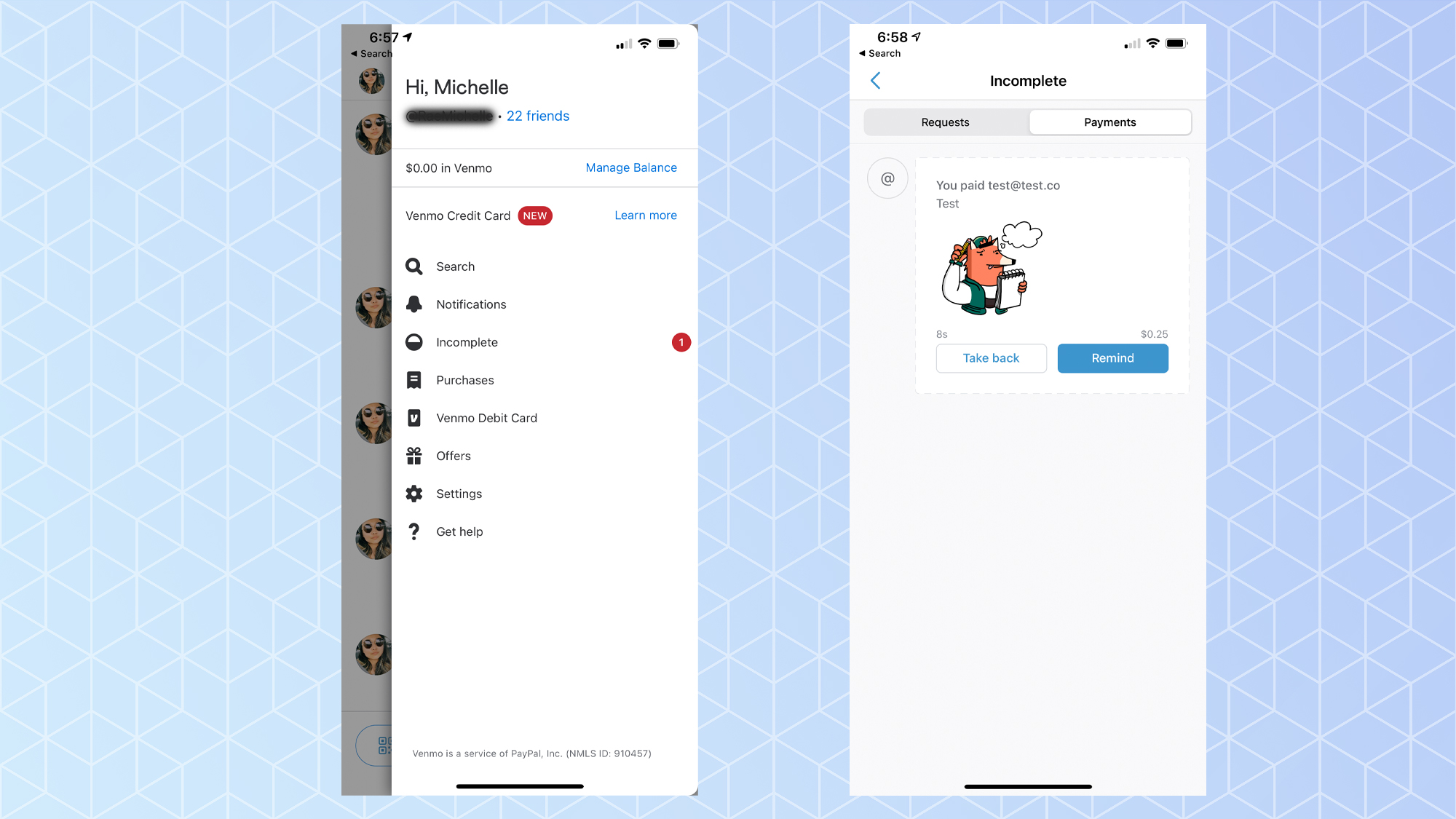
- Locate the Specific Payment: Browse through your transaction history to find the payment you wish to cancel. Payments that are pending will usually be marked with a distinct status, often indicated by a label like “Pending,” “Incomplete,” or a similar descriptor, and may appear in a different color or with a unique icon compared to completed transactions.
It’s critical to ensure the payment you are looking at indeed shows a “pending” status. If it says “Completed,” “Paid,” or similar, direct cancellation is no longer an option via this method, and you will need to explore alternative solutions.
Navigating the Transaction Details for Cancellation
Once you’ve identified a pending payment, the next steps involve accessing its specific details and initiating the cancellation process.
- Tap on the Pending Payment: Once you locate the pending transaction in your feed, tap on it. This action will open a detailed view of that specific payment, showing information such as the recipient, amount, date, and importantly, its current status.
- Look for the “Take Action” or “Cancel” Option: Within the detailed transaction view for a pending payment, Venmo typically presents an option to “Take Action” or explicitly “Cancel Payment.” This button or link will be prominently displayed because the system recognizes that the transaction is not yet finalized. The exact wording may vary slightly depending on your app version or the specific reason for the pending status.
- Confirm the Cancellation: Upon tapping the “Cancel Payment” option, Venmo will usually prompt you with a confirmation message. This is a safeguard to ensure you genuinely intend to cancel the transaction. Carefully read the confirmation message, which will likely explain what happens upon cancellation (e.g., the funds will be returned to your Venmo balance or original funding source). Confirm your decision to proceed.
Confirmation and Notification: What Happens Next
After confirming the cancellation, Venmo’s system will process the request, and the funds will be returned to your account.
- Immediate Fund Return: The amount of the canceled payment should be immediately returned to your Venmo balance. If the payment was funded directly from a linked bank account or debit card, the funds will typically be returned to your Venmo balance first. You can then choose to keep them in Venmo or transfer them back to your bank account.
- Transaction Status Update: The canceled payment will either disappear from your active transaction feed or be clearly marked as “Canceled” within your history.
- No Recipient Notification (in some cases): In many pending cancellation scenarios (especially if the recipient hasn’t even created an account), the recipient may not receive any notification about the canceled payment. This is because the transaction never fully materialized on their end.
It is paramount to act swiftly once you realize a payment needs to be canceled. The window for pending transactions can be short, particularly if the recipient quickly accepts or creates their account.

Beyond Direct Cancellation: Leveraging Venmo’s Built-in Tools for Recourse
For the vast majority of cases where a payment has already completed – meaning the funds have been successfully transferred to the recipient’s Venmo balance – direct cancellation by the sender is not technically possible. In these scenarios, Venmo’s platform shifts the responsibility for resolution to user interaction and, if necessary, to its customer support infrastructure. This section explores the practical and technical avenues available when a payment is irreversible.
The “Request Money” Feature: A Digital Diplomacy Approach
Venmo’s “Request Money” feature is the primary technical tool designed for users to rectify accidental payments or seek repayments. It functions as a formal digital invoice within the Venmo ecosystem.
- Initiating a Request: To use this feature, navigate to the “Pay or Request” button (often a central icon in the app) and select “Request.” You will then enter the recipient’s Venmo username, phone number, or email.
- Specifying the Amount and Note: Enter the exact amount you mistakenly sent. Crucially, in the “What’s it for?” section, write a clear and polite note explaining that the payment was an error and you are requesting the funds back. For instance, “Accidental payment – please send back [amount]” or “Oops, sent to the wrong person! Could you please return this?”
- Sending the Request: After filling in the details, send the request. The recipient will receive a notification within the Venmo app and potentially via email or push notification, informing them of your request.
- Recipient’s Action: The ball is now in the recipient’s court. They can either approve the request (sending the funds back to you) or decline it. Venmo’s system facilitates the request but does not enforce it; the recipient’s voluntary cooperation is essential.
This method leverages Venmo’s built-in functionality to mediate the situation, providing a structured way to communicate the error and facilitate the return of funds. Its effectiveness hinges entirely on the recipient’s willingness to cooperate.
The Role of Direct Communication Within the App
Often, the most effective “tool” for resolving an accidental payment is direct communication with the recipient. Venmo, being a social payment app, integrates messaging features that can be leveraged for this purpose.
- Utilize the Payment Note: When you initially send a payment, you can include a note. If you realize immediately after sending that it was an error, you can edit that payment’s note (if the app allows for minor edits before finalization) or send a follow-up payment with a note explaining the mistake.
- Direct Messaging: Venmo allows users to send private messages to other users. Navigate to the original erroneous payment in your feed, tap on the recipient’s profile, and look for an option to send a private message. Craft a polite, concise message explaining the situation and asking for the money back. Provide context (e.g., the amount, the time it was sent) to help them identify the transaction easily.
- External Communication: If you know the recipient personally, it is often best to contact them directly via text message, phone call, or email outside of the Venmo app as well. This can be more immediate and ensures they see your request, especially if they don’t frequently check Venmo notifications.
The technical integration of messaging within Venmo is designed to foster communication around transactions, making it a natural extension of the “Request Money” feature for gaining cooperation.
Engaging Venmo Support: When Technical Assistance is Needed
If you have attempted to request the money back and communicated with the recipient without success, or if you suspect fraudulent activity, contacting Venmo’s customer support becomes the necessary next step. Venmo’s support team can investigate specific transactions, though their ability to reverse completed payments is still limited.
- Accessing Support Channels: Within the Venmo app, navigate to your profile (“Me” tab), then usually to “Settings” or “Get Help.” Look for options like “Contact Us,” “Help Center,” or “Support.” Venmo typically offers support via email, in-app chat, or sometimes phone.
- Providing Comprehensive Details: When contacting support, be prepared to provide all relevant information: the exact amount of the payment, the date and time, the recipient’s Venmo username (if known), and a detailed explanation of what happened. Screenshots of the transaction can also be helpful.
- Fraud vs. User Error: It’s important to distinguish between a payment sent in error (user mistake) and a fraudulent transaction (e.g., unauthorized payment, scam). Venmo’s ability to intervene is significantly greater in cases of confirmed unauthorized activity or fraud than in cases of user error where funds were willingly sent. For accidental payments, Venmo support primarily acts as a mediator, encouraging recipients to return funds, but they generally cannot force a recipient to send money back. However, they can advise on next steps, especially if the recipient is unresponsive or uncooperative.
While Venmo support cannot bypass the technical irreversibility of a completed transaction, they can offer guidance, investigate suspicious activity, and in rare, specific cases (like confirmed unauthorized use of your account), may be able to facilitate a reversal. Their role is to ensure the integrity of the platform and assist users within the boundaries of its technical design.
Safeguarding Your Digital Wallet: Best Practices for Venmo Users
Preventing accidental payments is always more effective than attempting to reverse them. Leveraging Venmo’s security and privacy features, coupled with diligent user habits, can significantly reduce the risk of errors and enhance your overall digital security within the app. These best practices emphasize proactive technical engagement and user awareness.
Verifying Recipients: A Crucial Pre-Transaction Protocol
The most common reason for needing to cancel a payment is sending it to the wrong person. Venmo’s interface, while user-friendly, can sometimes lead to mistakes if multiple contacts have similar names or usernames.
- Double-Check Username/Phone/Email: Before hitting “Pay,” meticulously review the recipient’s Venmo username, phone number, or email address. Ensure it matches exactly the intended recipient. If you have any doubt, ask the recipient to confirm their Venmo handle.
- Use Profile Pictures: Venmo displays profile pictures. Use this visual cue to confirm you are sending money to the correct individual, especially if you have multiple contacts with similar names.
- Start with a Small Test Payment: For significant amounts or when paying a new contact, consider sending a very small amount ($1) first and confirming receipt before sending the full sum. This acts as a digital handshake verification.
- Scan QR Codes: When paying someone in person, utilize Venmo’s QR code scanning feature. This method directly links to their account, eliminating the risk of typos.
Leveraging Privacy Settings for Enhanced Control
Venmo offers robust privacy settings that users should actively manage to control their transaction visibility and prevent unwanted requests or identify theft.
- Default Transaction Privacy: Adjust your default privacy setting for payments. Options include “Public,” “Friends,” and “Private.” While “Public” shows your transactions to the entire Venmo network, setting it to “Friends” or “Private” minimizes visibility. For most personal transactions, “Private” is recommended to protect your financial activity.
- Manage Friends List: Regularly review and manage your Venmo friends list. Remove individuals you no longer interact with or don’t recognize. A cleaner friends list reduces the chance of accidentally selecting the wrong person.
- Biometric Security: Enable biometric security features (Face ID, Touch ID, or fingerprint) within the Venmo app. This adds an extra layer of protection, requiring your biometric confirmation before accessing the app or authorizing payments, preventing unauthorized use if your phone is lost or stolen.
Understanding Transaction Types: Friends & Family vs. Goods & Services
Venmo differentiates between “Friends & Family” payments and “Goods & Services” payments. Understanding this distinction is vital for protection, especially for buyers and sellers.
- Friends & Family (No Purchase Protection): This is the default setting for personal transfers. These transactions generally do not come with Venmo’s Purchase Protection. If you send money via “Friends & Family” for goods or services and the other party doesn’t deliver, Venmo has limited ability to intervene.
- Goods & Services (with Purchase Protection): If you are buying or selling items, it is crucial to use the “Goods & Services” toggle. This option usually incurs a small fee but provides buyer and seller protection, allowing Venmo to potentially mediate disputes and assist with reversals if terms aren’t met. Technically, this adds a layer of escrow and dispute resolution that isn’t present in “Friends & Family” payments. Always ensure the correct transaction type is selected to benefit from Venmo’s built-in safeguards.
By diligently adhering to these technical and behavioral best practices, Venmo users can significantly enhance their control over transactions, minimize the risk of errors, and navigate the digital payment landscape with greater confidence and security. While direct cancellation of a completed Venmo payment remains technically elusive, proactive prevention and a clear understanding of the platform’s features provide the most robust defense against digital payment mishaps.
aViewFromTheCave is a participant in the Amazon Services LLC Associates Program, an affiliate advertising program designed to provide a means for sites to earn advertising fees by advertising and linking to Amazon.com. Amazon, the Amazon logo, AmazonSupply, and the AmazonSupply logo are trademarks of Amazon.com, Inc. or its affiliates. As an Amazon Associate we earn affiliate commissions from qualifying purchases.