
In the fast-paced world of digital finance, mobile payment applications like Cash App have revolutionized how we send and receive money. Their convenience and speed make them indispensable tools for countless transactions, from splitting dinner bills with friends to paying freelancers. However, this very speed can sometimes lead to unintended consequences – a mistyped recipient, an incorrect amount, or a change of heart after sending. The immediate question that arises in such scenarios is: “Can I cancel that payment?”
The ability to reverse a transaction in a peer-to-peer (P2P) payment system is not always straightforward, primarily due to the instantaneous nature of these transfers. Unlike traditional banking wires or credit card transactions that might have built-in delays or dispute mechanisms, P2P apps are designed for real-time settlement. This article delves into the technicalities and practical steps involved in attempting to cancel a payment on Cash App, exploring the built-in features, user responsibilities, and the limitations inherent in such digital platforms. Understanding these mechanisms is crucial for any user looking to navigate the complexities of digital financial security and transaction management.
Understanding Cash App’s Payment Dynamics
Before diving into the “how-to,” it’s essential to grasp the fundamental operational principles governing payments on Cash App. This understanding sheds light on why cancellations are not always guaranteed and what factors influence the success rate of a reversal attempt.
The Nature of Instant Payments
Cash App, like many other P2P payment services, processes transactions in near real-time. When you send money to another Cash App user, the funds are typically transferred from your balance or linked bank account/debit card to the recipient’s Cash App balance almost instantaneously. This instant settlement is a core feature that makes these apps so appealing – there’s no waiting period for funds to clear, as might be the case with checks or traditional bank transfers.
However, this immediacy is a double-edged sword. Once a payment is sent and successfully processed, it means the funds have effectively left your control and landed in the recipient’s account. This swift transfer architecture limits the window of opportunity for a sender to unilaterally recall or cancel a transaction. The system is designed for finality once a payment is authorized and executed, prioritizing speed and certainty for both sender and receiver.
Why Payments Might Be Irreversible
The primary reason many Cash App payments are irreversible by the sender is that once the recipient claims the funds, Cash App considers the transaction complete. Think of it like handing cash directly to someone; once it’s in their hand, you can’t just take it back without their consent. In the digital realm, “claiming” the funds often happens automatically.
There are, however, specific circumstances where a payment might remain pending and thus cancellable:
- Recipient Hasn’t Accepted: If the recipient does not have an active Cash App account, or if they haven’t linked a debit card to receive funds, a payment might remain in a pending state. Cash App may hold the funds for a certain period (e.g., 14 days) before automatically returning them to the sender if unclaimed.
- Network Delays or Technical Glitches: Rarely, technical issues within Cash App’s system or between Cash App and a linked financial institution might cause a temporary delay, leaving a payment in pending status. This is uncommon but can provide a brief window.
- Payment Sent to Non-Existent Account/Incorrect Tag: If you send money to a Cash Tag that doesn’t exist or is incorrectly formatted, the payment might fail immediately or remain pending until it times out.
Crucially, if the payment has been successfully delivered to an active Cash App account, the ability to cancel unilaterally is almost certainly gone. In these cases, the process shifts from a technical cancellation to a request for a refund from the recipient.
The Immediate Steps to Attempt a Cancellation
When you realize you’ve made an erroneous payment, speed is of the essence. The earlier you act, the higher your chances of successfully resolving the issue, even if it’s not a direct cancellation.
Locating the Transaction in Your Activity Feed
The first step in any payment dispute or cancellation attempt is to precisely identify the transaction. All your payment activities on Cash App are meticulously recorded in your activity feed.
- Open Cash App: Launch the Cash App on your mobile device.
- Navigate to the Activity Tab: Tap the clock icon (often located in the bottom-right corner of the home screen) to access your “Activity” feed.
- Find the Payment: Scroll through your transaction history to locate the specific payment you wish to cancel. Pay close attention to the date, time, recipient’s Cash Tag, and the amount to ensure you’ve selected the correct entry. Tapping on the transaction will bring up its full details, including a unique transaction ID.
This transaction detail screen is your gateway to managing the payment, and it’s where you’ll look for any cancellation options.
Initiating a “Cancel” or “Refund Request”
Once you’ve located the specific payment, the options available to you will depend on the payment’s current status and whether the funds have been claimed.
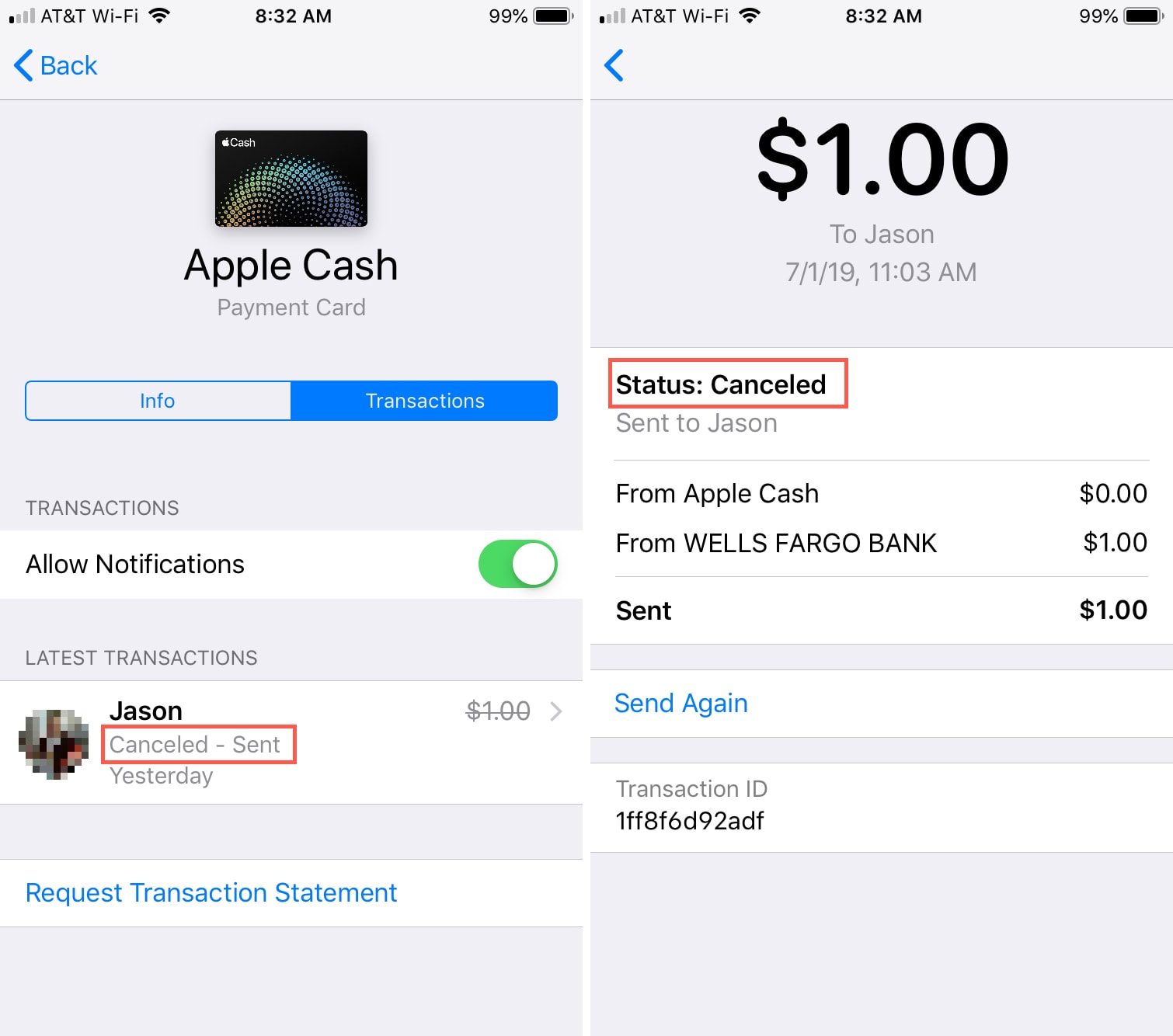
- If the Payment is Pending: If the payment hasn’t been claimed by the recipient, you might see a “Cancel Payment” button directly on the transaction details screen. Tapping this button will prompt you to confirm the cancellation. If successful, the funds will be returned to your Cash App balance or linked funding source. This is the ideal, but often rare, scenario for a sender-initiated cancellation.
- If the Payment is Complete (Claimed): If the funds have already been claimed by the recipient, the “Cancel Payment” option will likely not be available. In this situation, your only technical recourse within the app is to request a refund from the recipient. On the transaction details screen, you should see an option like “Request Refund.” Tapping this will send a notification to the recipient, asking them to return the funds. This is not a cancellation but rather a formal request for the recipient to initiate a new payment back to you.
What to Do if No Cancellation Option Appears
If you’ve reviewed the transaction details and there’s no “Cancel Payment” button, it almost certainly means the payment has been successfully processed and received by the recipient. As established, Cash App’s system prioritizes immediate settlement, making unilateral sender cancellations impossible once funds are claimed.
In such cases, the immediate next steps pivot from a technical “cancellation” to a proactive attempt to recover your funds through communication and Cash App’s support channels. Do not despair if a direct cancellation isn’t an option; there are still avenues to explore, though they require cooperation or intervention.
When Direct Cancellation Isn’t Possible: Engaging the Recipient and Cash App Support
Once a payment is final, the responsibility for reversing the transaction primarily shifts to the recipient. However, Cash App provides mechanisms to facilitate this process and offers support for complex situations.

The Importance of Communicating with the Recipient
This is arguably the most effective and often quickest way to recover funds sent in error. If you know the recipient, whether it’s a friend, family member, or a merchant you’ve done business with, reach out to them directly and explain the situation.
- Be Clear and Concise: Explain why the payment was sent incorrectly (e.g., wrong amount, wrong person, accidental duplicate).
- Provide Transaction Details: Offer the transaction ID, date, and amount to help them locate the payment on their end.
- Request a Refund: Politely ask them to send the funds back to you via Cash App.
- Follow Up: If you don’t hear back immediately, follow up after a reasonable amount of time.
Most people are understanding and willing to return money sent in error. Remember, the recipient has the funds, and their cooperation is key to a smooth resolution.
Requesting a Refund Through the App
As mentioned previously, if the payment has been claimed, you can use the “Request Refund” feature within the Cash App.
- Locate the Transaction: Go to your Activity tab and select the incorrect payment.
- Tap “Request Refund”: This sends a formal notification to the recipient asking them to refund the money.
- Wait for Response: The recipient will receive the request and can choose to accept or decline it. If they accept, the funds will be sent back to your Cash App balance.
While this is an in-app function, it still relies on the recipient’s voluntary action. It serves as a polite, official reminder and streamlines the process for them.
Contacting Cash App Customer Support
If you cannot reach the recipient, or if they are unresponsive or uncooperative, contacting Cash App Support becomes your next step. However, it’s crucial to understand the limitations here. Cash App generally cannot force a recipient to return funds once a transaction is complete. Their role is primarily to investigate potential fraud, mediate disputes, or offer guidance.
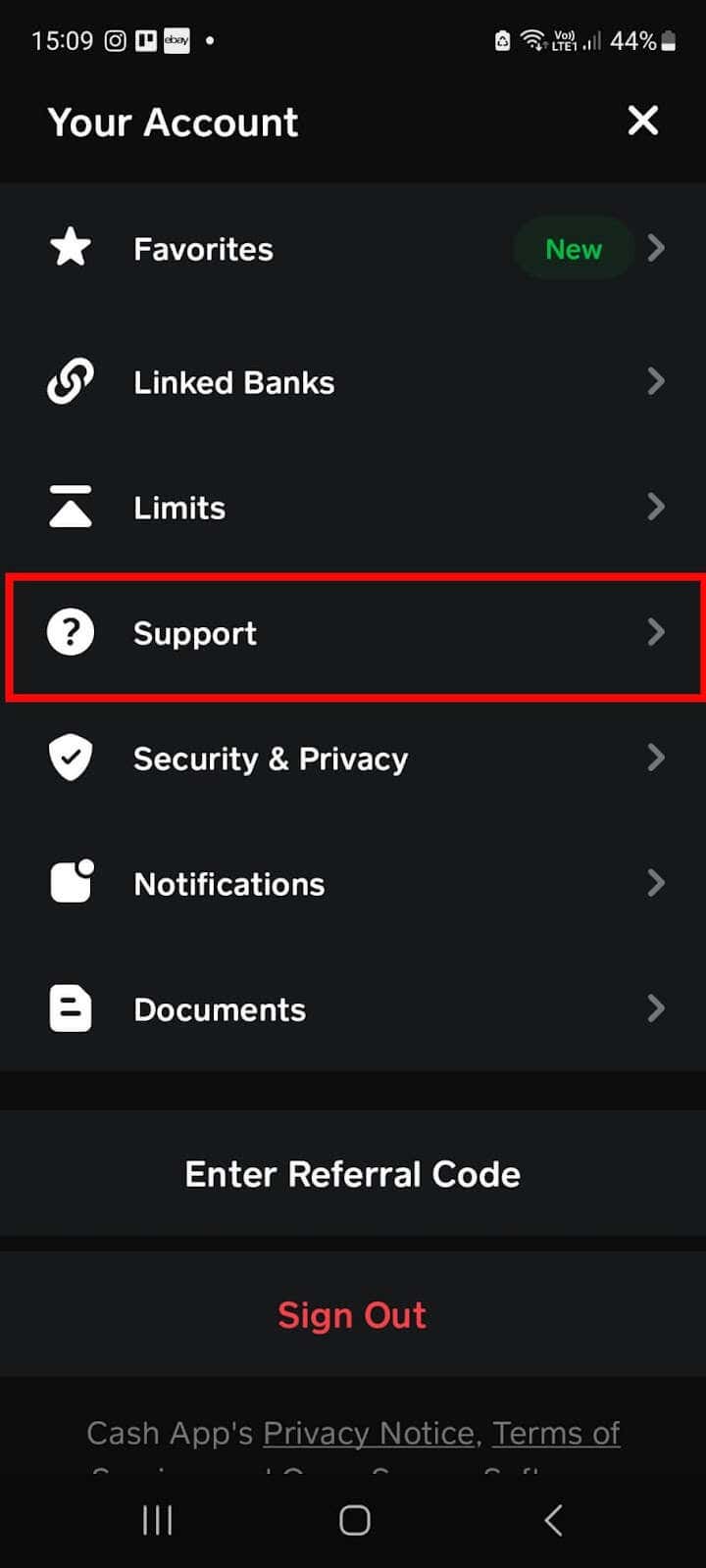
- Access Support:
- Tap the profile icon on your Cash App home screen.
- Scroll down and tap “Support.”
- Tap “Something Else” or search for your specific issue (e.g., “dispute a payment”).
- Follow the prompts to describe your issue and initiate contact via email or in-app chat.
- Provide All Details: When contacting support, be prepared to provide the full transaction details, including the sender and recipient’s Cash Tags, the amount, date, and transaction ID. Explain the circumstances clearly.
- Fraudulent Transactions: If you believe you were scammed or the payment was unauthorized, you must report it to Cash App Support immediately. They have protocols for investigating fraudulent activity and may be able to intervene in such cases, although success is not guaranteed, especially if funds have already been moved out of Cash App.
Keep in mind that Cash App’s terms of service usually state that P2P payments are non-refundable unless specified otherwise or in cases of proven fraud. Therefore, managing expectations is important when seeking support for an erroneous but legitimate payment.
Safeguarding Your Digital Transactions: Best Practices for Cash App Users
Preventing erroneous payments is always better than attempting to cancel them. Adopting careful habits and utilizing Cash App’s security features can significantly reduce the risk of needing to cancel a payment in the first place.
Verifying Recipient Details Before Sending
This is the single most critical step in preventing incorrect payments. Always double-check, and even triple-check, the recipient’s details before hitting “Send.”
- Cash Tag Accuracy: Ensure the Cash Tag (
$Cashtag) precisely matches that of the intended recipient. A single typo can send money to an entirely different person. - Full Name/Profile Picture: Cash App often displays the recipient’s name and/or profile picture. Confirm these details align with the person you intend to pay. If you’re paying a new contact, consider sending a small nominal amount (e.g., $1) first to verify the recipient before sending the full sum.
- Confirm Verbally: If possible, verbally confirm the Cash Tag or amount with the recipient, especially for larger sums or when paying someone new.
This due diligence takes mere seconds but can save you significant headaches and potential financial loss.
Utilizing Security Features and Transaction Limits
Cash App provides several security features that, while not directly related to cancellation, can help protect your funds and prevent unauthorized transactions.
- Security Lock: Enable a PIN, Touch ID, or Face ID for all payments. This prevents unauthorized users from making payments if your phone falls into the wrong hands.
- Notifications: Keep transaction notifications enabled so you are immediately alerted to any activity on your account. This allows for swift action if an unauthorized payment occurs.
- Awareness of Daily/Weekly Limits: While not a security feature per se, understanding your transaction limits can prevent large accidental payments from being processed. These limits are also in place to mitigate potential losses from fraudulent activity.
Understanding Scams and Fraud Prevention
A significant portion of payment issues on P2P apps stems from scams. Educating yourself about common fraud tactics is paramount for digital security.
- Beware of “Too Good to Be True” Offers: If someone promises to send you money in exchange for a small upfront payment, it’s almost certainly a scam.
- Verify Identity: Never send money to someone you don’t know and trust, especially if they claim to be a representative of a company, a long-lost relative, or an online love interest. Scammers often create fake profiles.
- Public Wi-Fi Caution: Avoid making financial transactions over unsecured public Wi-Fi networks, which can be vulnerable to eavesdropping.
- Phishing Scams: Be wary of emails or messages that appear to be from Cash App but ask for your login credentials or personal information. Always check the sender’s email address and look for suspicious links. Cash App will never ask for your PIN or full sign-in code outside of the app.
- Reporting Suspicious Activity: If you encounter a suspicious user or receive a scam attempt, report it to Cash App immediately. Your vigilance helps protect the entire user community.
By adhering to these best practices, you significantly strengthen your digital financial security posture and minimize the chances of needing to navigate the complex process of cancelling or recovering funds.
Conclusion: Navigating Digital Payments Responsibly
The convenience of Cash App and similar digital payment platforms is undeniable, but it comes with the responsibility of careful transaction management. While Cash App offers some mechanisms for cancellation and refund requests, these are largely dependent on the timing of the transaction and, more often than not, the cooperation of the recipient. The instantaneous nature of these services means that true sender-initiated cancellations are rare once a payment has been successfully claimed.
Therefore, the most effective strategy for managing payments on Cash App is proactive prevention. Diligently verifying recipient details, understanding the app’s security features, and remaining vigilant against common scams are the cornerstones of responsible digital finance. When errors do occur, acting quickly to request a refund from the recipient and, if necessary, engaging Cash App Support, represents the best course of action. By embracing these tech-savvy habits, users can enjoy the unparalleled convenience of Cash App while safeguarding their funds and peace of mind.
aViewFromTheCave is a participant in the Amazon Services LLC Associates Program, an affiliate advertising program designed to provide a means for sites to earn advertising fees by advertising and linking to Amazon.com. Amazon, the Amazon logo, AmazonSupply, and the AmazonSupply logo are trademarks of Amazon.com, Inc. or its affiliates. As an Amazon Associate we earn affiliate commissions from qualifying purchases.