
In the modern financial landscape, the ability to move money securely and instantaneously across borders is no longer a luxury—it is a necessity. Whether you are an individual looking to streamline your online shopping, a freelancer collecting international payments, or an entrepreneur launching a digital storefront, PayPal remains the gold standard for digital transactions. Setting up a PayPal account is more than a technical exercise; it is the first step in optimizing your personal or business financial ecosystem for the digital age.

This guide provides a deep dive into the strategic setup and management of a PayPal account, ensuring you leverage its full suite of financial tools while maintaining the highest standards of security and efficiency.
Understanding PayPal’s Role in Your Personal Financial Ecosystem
Before diving into the mechanics of the setup, it is essential to understand where PayPal fits within your broader financial strategy. PayPal is not merely a payment processor; it is a versatile financial hub that bridges the gap between traditional banking institutions and the fast-paced world of e-commerce.
Choosing the Right Account Type: Personal vs. Business
The first strategic decision you must make is selecting the account type that aligns with your financial goals.
- Personal Accounts: These are designed for individuals who primarily use the service for online shopping or sending money to friends and family. A personal account allows you to link credit cards and bank accounts for seamless checkout experiences and offers access to “Buy Now, Pay Later” features.
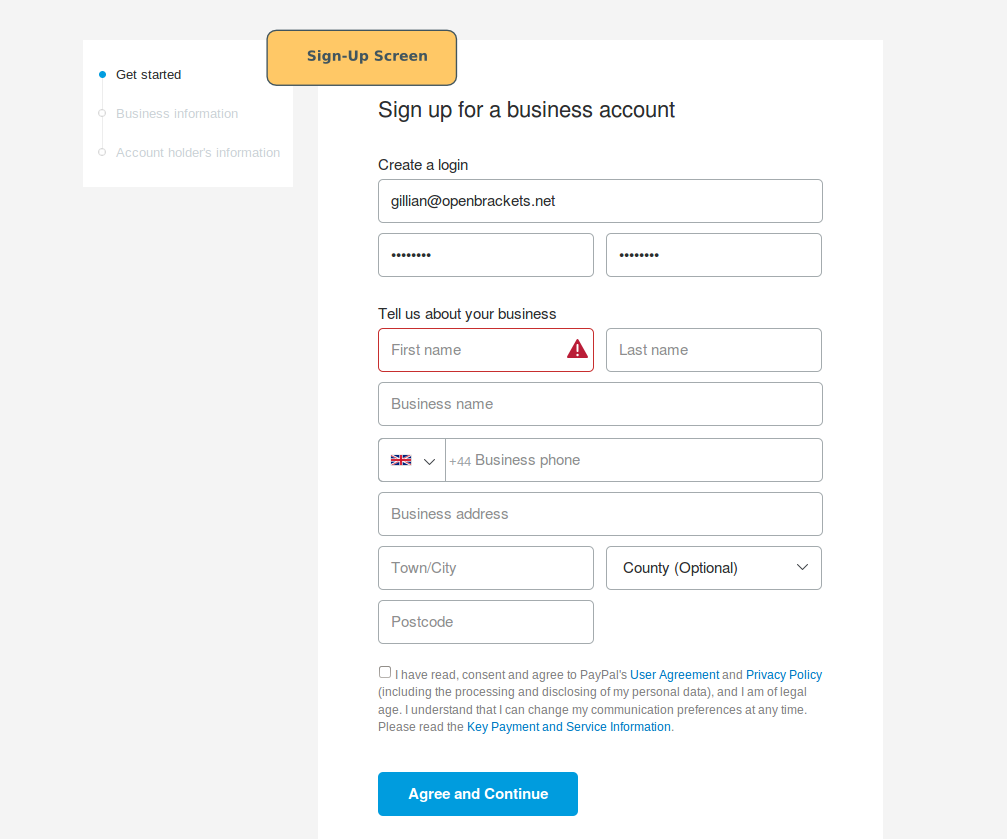
- Business Accounts: For those looking to generate online income, a Business account is mandatory. It allows you to operate under a company name, accept a wider variety of payment methods (including guest checkout via credit cards), and provides access to multi-user setups for employees. From a tax perspective, a Business account helps keep personal and professional expenses distinct, which is crucial for accurate bookkeeping.
Security and Protection: Why PayPal is a Staple in Online Finance
One of the primary reasons to integrate PayPal into your financial life is the layer of insulation it provides. When you use PayPal to pay a merchant, that merchant never sees your sensitive bank account or credit card numbers. This “financial firewall” is a cornerstone of digital security. Furthermore, PayPal’s Purchase Protection and Seller Protection programs provide a safety net for transactions that go awry, offering a level of dispute resolution that is often more streamlined than traditional bank chargebacks.
Step-by-Step Guide to Establishing Your Financial Gateway
Setting up your account correctly from the outset prevents future hurdles, such as transaction limits or account freezes. Follow these steps to ensure your account is fully verified and optimized.
The Initial Sign-Up Process
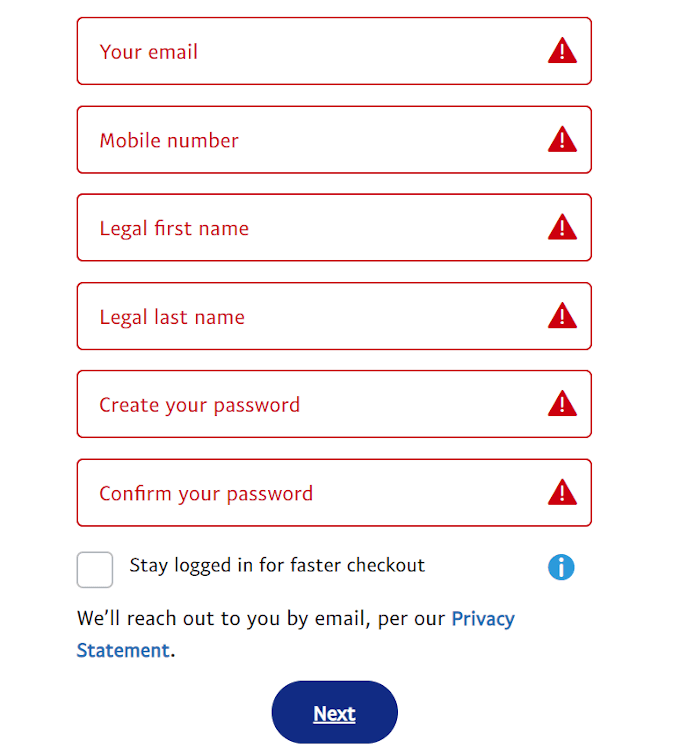
Begin by visiting the official PayPal website or downloading the mobile application. You will be prompted to enter a valid email address and create a strong, unique password. For the highest level of security, this email should be one you monitor frequently, as it will serve as the primary channel for transaction receipts and security alerts.
You will be asked to provide legal identifying information, including your full name, physical address, and phone number. It is imperative that this information matches your government-issued identification and bank records. Discrepancies here are the leading cause of account verification delays.
Linking Your Bank Accounts and Credit Cards
To make PayPal functional, you must connect it to a source of funds.
- Bank Accounts: Linking a bank account via ACH (in the US) or similar systems globally allows for the lowest-cost transfers. This is the preferred method for withdrawing funds to your traditional bank.
- Debit and Credit Cards: Linking a card provides a backup funding source and enables “Instant Transfers.” For those focused on credit card rewards, using a rewards-bearing card through PayPal is an excellent way to earn points on purchases that might not otherwise accept credit cards directly.
Verifying Your Identity for Enhanced Limits
To comply with global Anti-Money Laundering (AML) and Know Your Customer (KYC) regulations, PayPal imposes initial limits on how much you can send or withdraw. To lift these limits, you must complete the verification process. This typically involves confirming your email, your phone number, and—most importantly—your bank account. PayPal usually performs a “micro-deposit” verification, where two tiny deposits are sent to your bank. Once you report these amounts back to PayPal, your account status is elevated, granting you full access to the platform’s liquidity.
Optimizing PayPal for Online Income and Side Hustles
For many, PayPal is the primary engine for a side hustle or freelance business. Setting it up correctly can significantly impact your bottom line.
Receiving Payments from Global Clients
PayPal’s reach across 200+ countries makes it an unparalleled tool for the global freelancer. When setting up your account for income, consider using the “PayPal.Me” feature. This creates a personalized, professional link that you can send to clients, making the payment process frictionless.
Managing Transaction Fees and Currency Conversions
The convenience of PayPal comes at a cost. It is vital to factor in the transaction fees—typically a percentage of the total plus a fixed fee—into your pricing model. For international payments, PayPal also applies a currency conversion spread. To optimize your income:
- Keep funds in the original currency if you intend to spend them in that same currency, avoiding unnecessary conversion fees.
- Utilize the Business profile to access lower “Merchant Rates” if your monthly volume exceeds certain thresholds.
Integrating PayPal with E-commerce and Freelance Platforms
If you are selling goods or services, your PayPal setup should integrate with your tech stack. Platforms like Shopify, Etsy, and Upwork have native PayPal integrations. Ensure that your PayPal email matches the one used on these platforms to prevent “unclaimed” payment issues. For service-based businesses, the “Invoicing” tool within PayPal allows you to send professional, itemized bills that clients can pay with a single click, drastically reducing your Days Sales Outstanding (DSO).
Advanced Financial Management Within the PayPal Interface
Once your account is operational, you can move beyond simple transfers and begin using PayPal as a more robust financial management tool.
Using PayPal Savings and High-Yield Options
In recent years, PayPal has expanded into the banking sector by offering high-yield savings accounts through partner banks. For individuals looking to keep their digital income separate from their primary checking account, this is a strategic place to park cash. The interest rates offered are often competitive with online-only banks, allowing your stagnant digital balance to generate passive yield.
Credit Products: PayPal Credit and the Cashback Mastercard
PayPal offers several credit products that can assist with cash flow management.
- PayPal Credit: A revolving line of credit that often features promotional “no interest if paid in full in 6 months” offers on larger purchases. This is a valuable tool for purchasing business equipment or managing large personal expenses without immediate liquidity drain.
- PayPal Cashback Mastercard: For those who use the platform frequently, this card offers a high percentage of cashback on all PayPal purchases. This is a savvy way to “stack” rewards on top of existing discounts.
Budgeting and Tracking Your Digital Spending
The PayPal dashboard provides a granular view of your spending habits. By using the “Insights” and “Activity” tabs, you can categorize your expenses and export data for use in budgeting software like Mint or YNAB. For small business owners, this categorization is an essential precursor to quarterly tax estimations.
Best Practices for Long-Term Financial Security and Growth
A well-set-up account is only effective if it remains secure and compliant over the long term.
Avoiding Common Phishing Scams and Fraud
Because PayPal is a high-value target for hackers, you must remain vigilant. Always enable Two-Factor Authentication (2FA) using an authenticator app rather than SMS. Be wary of “phishing” emails that claim your account is restricted; never click links in these emails. Instead, navigate directly to PayPal.com to check your account status.
Leveraging PayPal for Tax Organization
If you receive more than a specific threshold in payments for goods and services (the 1099-K threshold in the United States), PayPal will report your earnings to the tax authorities. By ensuring your account is set up with the correct Taxpayer Identification Number (TIN) or Social Security Number (SSN) from day one, you ensure that your year-end financial reporting is seamless.
Furthermore, you should use the “Notes” section in every transaction to document the purpose of the payment. This habit turns your PayPal activity log into a pre-sorted ledger, making tax season significantly less stressful and ensuring you maximize your deductible business expenses.
By approaching the setup of your PayPal account with a focus on financial strategy rather than just technical completion, you transform a simple payment app into a powerful engine for wealth management and business growth. Whether you are saving, spending, or earning, PayPal provides the infrastructure to navigate the complexities of the modern economy with confidence.
aViewFromTheCave is a participant in the Amazon Services LLC Associates Program, an affiliate advertising program designed to provide a means for sites to earn advertising fees by advertising and linking to Amazon.com. Amazon, the Amazon logo, AmazonSupply, and the AmazonSupply logo are trademarks of Amazon.com, Inc. or its affiliates. As an Amazon Associate we earn affiliate commissions from qualifying purchases.