
Moving money between various financial applications is a common necessity in today’s digital economy. While many apps offer seamless peer-to-peer transfers, the direct transfer between specific platforms like Cash App and Chime presents a unique challenge, primarily because they operate with different underlying banking partners and service models. Understanding the mechanics of these platforms is crucial for effectively managing your personal finance flows. This guide will outline the most reliable methods for sending money from your Cash App balance to your Chime account, focusing on strategies that leverage established financial infrastructures rather than direct, app-to-app integrations.
Understanding the Direct Transfer Challenge
At first glance, it might seem logical to simply initiate a direct transfer from Cash App to Chime, similar to how one might send money between two Venmo or PayPal accounts. However, this direct functionality does not exist between these two specific platforms. The primary reason for this lies in their operational structures and the distinct services they offer, which necessitate an intermediary step to facilitate the transfer of funds.
Why Direct Transfers Aren’t Possible
Cash App operates as a mobile payment service, offering a digital wallet where users can send, receive, and store money, often linked to a debit card (the Cash Card) and a bank account. Chime, on the other hand, functions as a full-fledged mobile-first financial technology company, providing banking services through its partners, The Bancorp Bank and Stride Bank, N.A. It offers checking and savings accounts, a debit card, and direct deposit features.
Because Cash App and Chime are not directly integrated for immediate funds transfer, they cannot directly “talk” to each other to move money from one balance to another. Cash App funds are held within their system, while Chime funds reside in an FDIC-insured bank account. This fundamental difference means that any transfer between them must follow traditional banking routes, which involves moving money out of Cash App and then into Chime’s banking system.
The Role of Linked Bank Accounts
The cornerstone of successfully transferring money from Cash App to Chime lies in the utilization of a linked bank account. Both Cash App and Chime allow users to connect external bank accounts. For Cash App, this allows you to add money to your balance or cash out funds from it. For Chime, as it is a bank account, it acts as the destination for funds from other platforms.
When you “cash out” from Cash App, you are essentially initiating an Automated Clearing House (ACH) transfer or an instant debit card transfer to a linked bank account. By linking your Chime checking account to Cash App, you create the necessary bridge to move your funds. This method ensures that your money travels through established banking channels, providing security and regulatory compliance, albeit with varying speeds depending on the transfer type chosen. It’s an essential workaround that leverages the existing financial infrastructure to overcome the lack of direct integration between the two platforms.
Step-by-Step Guide: Moving Funds via Bank Account
The most reliable and universally applicable method for transferring money from Cash App to Chime involves using your Chime checking account as the intermediary destination. This process is straightforward once you understand how to link accounts and initiate transfers within Cash App.
Step 1: Linking Your Chime Account to Cash App
To begin, you need to ensure your Chime checking account is properly linked to your Cash App profile. This is the crucial first step that enables the money flow.
-
Open Cash App: Launch the Cash App on your mobile device.
-
Navigate to the Banking Tab: Tap the banking icon (usually a house or bank building) on the bottom left of the screen.
-
Link Bank Account: Under “Linked Banks,” select “Link Bank.” If you already have an account linked, you may need to tap “Change Bank” or “Add Bank.”
-
Connect Your Chime Account: Cash App typically uses Plaid, a secure third-party service, to connect to your bank.
-
Search for “Chime” in the list of banks.
-
You will be prompted to log in to your Chime account through Plaid. Enter your Chime login credentials (username and password). This process securely verifies your account and links it without Cash App directly storing your Chime credentials.
-
Alternatively, if Plaid isn’t an option or fails, you can manually link your bank account using your Chime routing and account numbers.
-
To find these, open your Chime app, go to the “Move Money” section, and look for “My accounts.” Your checking account and routing numbers will be displayed there.
-
Carefully enter these numbers into Cash App when prompted to link a bank manually. Double-check for accuracy to avoid failed transfers.
-
-
Once successfully linked, your Chime checking account will appear under your linked banks in Cash App.
Step 2: Withdrawing Funds from Cash App
With your Chime account linked, you can now initiate the transfer of funds from your Cash App balance.
-
Return to the Banking Tab in Cash App: Tap the banking icon again.
-
Initiate “Cash Out”: Tap the “Cash Out” button.
-
Enter Amount: Input the desired amount you wish to transfer from your Cash App balance. Ensure you have sufficient funds available.
-
Select Deposit Speed: Cash App will present two options for cashing out:
-
Standard (1-3 Business Days): This option is typically free and transfers the money to your linked bank account (your Chime account) within one to three business days. Weekends and holidays can extend this timeframe.
-
Instant Deposit (Immediate, for a Fee): This option transfers the money instantly to your linked debit card (if your Chime debit card is linked) or directly to your bank account if instant transfers are supported. A small fee (usually 0.5% to 1.75% of the transaction) is applied for this expedited service.
-
-
Confirm Transfer: Review the amount, destination (your Chime account), and chosen speed. Confirm the transaction. You may need to enter your PIN or use Touch ID/Face ID for security.
Step 3: Funding Your Chime Account
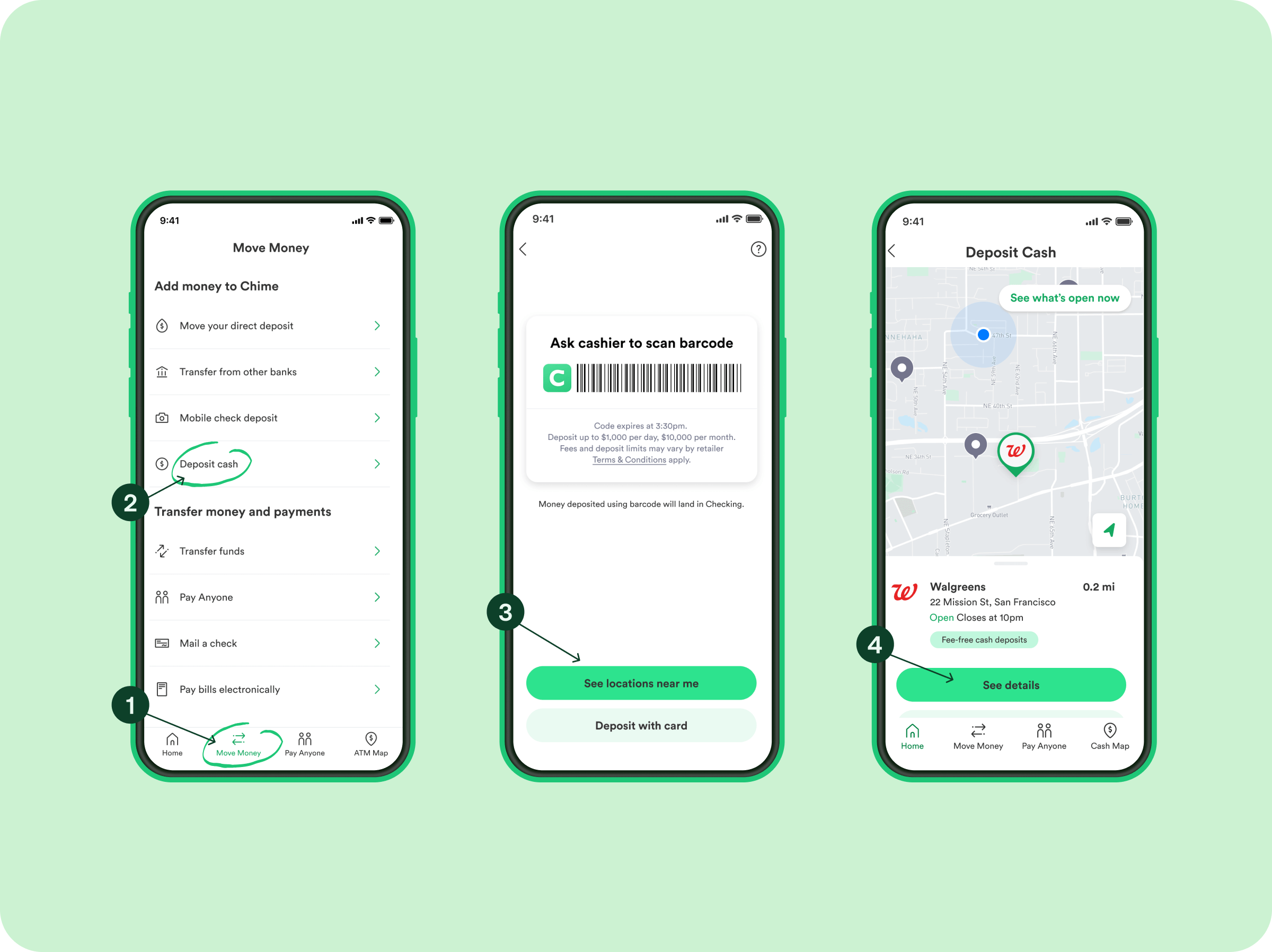
After initiating the cash-out from Cash App, the final step is simply waiting for the funds to arrive in your Chime account.
-
Standard Transfers: If you chose the standard deposit option, expect the funds to appear in your Chime checking account within 1-3 business days. You can monitor your Chime account balance and transaction history for the deposit.
-
Instant Transfers: If you opted for an instant deposit, the funds should typically appear in your Chime account almost immediately. Although it’s an “instant” transfer, slight delays can occur due to bank processing times, though these are usually minimal.
Once the funds are reflected in your Chime account balance, the transfer from Cash App to Chime is complete. You can then use your Chime debit card, pay bills, or manage your money as usual within the Chime ecosystem.
Alternative Strategies and Considerations
While linking your Chime bank account and cashing out from Cash App is the most reliable method, there are other considerations and strategies that might come into play depending on your specific needs regarding speed and convenience.
Utilizing Instant Transfers via Debit Card
Beyond linking your Chime checking account, you can also link your Chime debit card to your Cash App account. This offers a specific advantage for instant transfers, though it essentially routes funds to the same underlying Chime checking account.
-
Link Chime Debit Card: In Cash App’s banking section, you can add a linked debit card. Input your Chime debit card number, expiration date, CVV, and zip code.
-
Instant Cash Out: When you choose the “Cash Out” option in Cash App, if you have a debit card linked, you’ll see the option for “Instant Deposit.” Selecting this will attempt to push the funds immediately to the bank account associated with your linked debit card (which is your Chime checking account).
-
Understanding Fees: It’s important to reiterate that instant transfers incur a fee, typically a percentage of the amount being transferred. This can range from 0.5% to 1.75%. For smaller amounts, this fee might be negligible, but for larger sums, it can add up. Weigh the cost against the urgency of receiving the funds.
-
Transaction Limits: Be aware of any daily, weekly, or monthly limits Cash App may impose on instant transfers or total cash-out amounts. These limits are in place for security and regulatory compliance and can vary by user verification level.
This method does not bypass the banking system; rather, it uses a faster processing channel for funds to reach your Chime account via its associated debit card.
Understanding Fees, Limits, and Speed
When transferring money, being fully aware of the associated costs, limitations, and timelines is crucial for effective financial planning.
-
Fees:
-
Standard Transfers (ACH): Generally free when cashing out from Cash App to your linked bank account (Chime).
-
Instant Transfers (Debit Card or Expedited ACH): Incur a fee, typically 0.5% to 1.75% of the transaction amount. Always review the fee displayed before confirming an instant transfer.
-
-
Limits:
-
Cash App enforces daily and weekly cash-out limits. These limits can be increased by verifying your identity within the app (e.g., by providing your full name, date of birth, and the last four digits of your SSN). Unverified users usually have lower limits. Always check your current limits within the Cash App settings before attempting large transfers.
-
Chime also has daily limits on how much you can spend with your debit card or withdraw from ATMs, but these are distinct from how much money you can receive into your checking account via bank transfers.
-
-
Speed:
-
Standard Transfers: Typically take 1-3 business days to process and for funds to become available in your Chime account. Business days exclude weekends and bank holidays.
-
Instant Transfers: Usually arrive in your Chime account within minutes, though occasional delays can occur due to bank processing or network issues.
-
Always plan your transfers keeping these factors in mind, especially if you have an urgent need for the funds.
Optimizing Your Digital Financial Flows
Managing multiple financial applications like Cash App and Chime effectively requires strategic thinking to ensure smooth transactions, optimal use of features, and robust security.
Managing Multiple Financial Apps
The proliferation of financial technology has given consumers unprecedented control and flexibility, but it also demands a disciplined approach to managing various accounts.
-
Understand Each App’s Niche: Recognize that Cash App excels in peer-to-peer payments and quick money transfers, while Chime specializes in mobile-first banking services. Using each app for its primary strength can streamline your financial activities.
-
Centralize Funds Periodically: While convenient to have funds in different places, it’s often wise to periodically consolidate funds into a primary checking or savings account (like your Chime account) to simplify budgeting, track spending more easily, and ensure accessibility.
-
Monitor Transactions Regularly: Frequently review your transaction histories on both Cash App and Chime. This not only helps you track where your money is going but also allows for early detection of any unauthorized activity.
-
Leverage App Features: Explore features like direct deposit with Chime to get paid up to two days early or Cash App’s investing features if they align with your financial goals.
Best Practices for Secure Money Transfers
Security is paramount when dealing with digital finances. Adhering to best practices can significantly reduce risks.
-
Verify Account Details: Always double-check account and routing numbers when linking accounts or initiating transfers. A single digit error can send your money to the wrong destination, which can be difficult or impossible to recover.
-
Enable Two-Factor Authentication (2FA): Activate 2FA on both your Cash App and Chime accounts. This adds an extra layer of security, requiring a second form of verification (like a code sent to your phone) in addition to your password.
-
Use Strong, Unique Passwords: Create complex passwords for each financial app that are not easily guessable and do not reuse them across different services. Consider using a reputable password manager.
-
Beware of Phishing and Scams: Be vigilant against suspicious emails, texts, or calls claiming to be from Cash App or Chime. These are often attempts to trick you into revealing your login credentials or personal information. Always access your accounts directly through the official apps or websites.
-
Keep Apps Updated: Ensure both your Cash App and Chime applications are always updated to the latest version. Updates often include critical security patches and performance enhancements.
-
Monitor Notifications: Pay attention to security alerts and transaction notifications from both apps. If you receive an alert for a transaction you didn’t initiate, act immediately to secure your account.
By following these guidelines, you can navigate the process of transferring money between Cash App and Chime efficiently and securely, making the most of your digital financial tools.
aViewFromTheCave is a participant in the Amazon Services LLC Associates Program, an affiliate advertising program designed to provide a means for sites to earn advertising fees by advertising and linking to Amazon.com. Amazon, the Amazon logo, AmazonSupply, and the AmazonSupply logo are trademarks of Amazon.com, Inc. or its affiliates. As an Amazon Associate we earn affiliate commissions from qualifying purchases.