
In the increasingly digital landscape of personal finance, peer-to-peer (P2P) payment applications have revolutionized how individuals send and receive money. Among these, Cash App stands out as a highly popular and accessible platform, particularly for its simplicity and speed. For many, Cash App has become an indispensable tool for managing daily financial transactions, from splitting bills with friends to receiving wages. Understanding the mechanics of receiving money through Cash App is fundamental for optimizing its use and integrating it effectively into one’s personal finance strategy. This guide will delve into the various ways you can receive funds via Cash App, detailing the processes, financial implications, and best practices to ensure your transactions are smooth, secure, and financially sound.
Understanding Cash App as a Financial Tool
Cash App, developed by Block, Inc., has grown beyond a simple P2P transfer service into a comprehensive financial application offering banking-like services, investing options, and even Bitcoin trading. At its core, however, it remains a powerful tool for transferring and receiving money between individuals, serving as a critical component in many users’ personal financial ecosystems.
The Rise of Peer-to-Peer Payments
The advent of P2P payment apps like Cash App has democratized financial transactions, making it possible for anyone with a smartphone to send or receive money instantly, without the traditional delays and complexities associated with bank transfers. This shift has been particularly beneficial for individuals managing immediate financial needs, facilitating quick reimbursements, shared expenses, and informal payments. From a personal finance perspective, these tools enable better cash flow management and reduce reliance on physical cash or checks, streamlining daily financial interactions. The convenience offered by Cash App, where a unique “$Cashtag” or phone number is often all that’s needed, has cemented its place as a go-to financial utility for millions.
Key Features for Receiving Funds
Cash App offers several features that directly facilitate the receipt of money, making it a versatile financial instrument. Primarily, it allows for direct P2P transfers from other Cash App users. When someone sends you money, it lands directly in your Cash App balance. Beyond this, Cash App also supports direct deposits, enabling users to receive paychecks, tax refunds, and government benefits directly into their account. For small businesses or freelancers, it can serve as a simple way to collect payments. The app provides clear transaction histories, helping users track their incoming funds—a crucial aspect of responsible personal financial management. Understanding these core capabilities is the first step toward leveraging Cash App effectively for your financial inflows.
Step-by-Step Guide to Receiving Standard Payments
Receiving money through Cash App for standard P2P transfers is typically straightforward, often requiring minimal action from the recipient. However, understanding the nuances ensures a seamless financial experience.
Accepting a Payment Request or Direct Transfer
Most Cash App transactions involve a sender initiating a payment directly to your $Cashtag, phone number, or email. In many cases, these payments are automatic. If you have previously transacted with the sender or if your privacy settings allow, the money will appear in your Cash App balance instantly without you needing to “accept” it.
However, sometimes a sender might send you a “request” for money. This happens when they initiate a payment, but it requires your explicit approval before the funds are credited to your account. This is a common security feature for new senders or when transaction amounts are unusually high. To accept such a payment:
- Open the Cash App: Launch the application on your mobile device.
- Navigate to the Activity Tab: This is usually represented by a clock icon at the bottom of the screen.
- Locate the Pending Payment: You should see an entry indicating a pending payment.
- Review and Accept: Tap on the pending payment, review the details, and then tap the “Accept” button.
- Confirmation: Once accepted, the funds will be added to your Cash App balance immediately.
It’s crucial to always verify the sender and the amount before accepting any payment to prevent scams or accidental acceptance of unwanted funds, which can complicate your personal financial records.
Verifying Received Funds
After a payment is sent or accepted, it’s good practice to verify that the funds have indeed been credited to your Cash App balance.
- Check Your Cash App Balance: Your current balance is prominently displayed on the main screen of the app.
- Review Your Activity Feed: The Activity tab provides a chronological list of all transactions, including incoming payments. Each entry will show the sender, amount, and status of the transaction.
- Transaction Details: Tapping on a specific transaction will reveal more details, including the transaction ID, date, and time. This information is vital for record-keeping and for any potential dispute resolution, contributing to sound financial oversight.
Understanding Transaction Limits and Fees (if any)
For standard personal transactions, Cash App generally does not charge fees for receiving money. However, there are limits on how much money you can receive. Unverified Cash App accounts typically have a limit on how much can be sent and received. To increase these limits, users must verify their identity by providing their full name, date of birth, and the last four digits of their Social Security number (SSN). This verification process is a standard financial regulatory requirement, designed to prevent fraud and money laundering, aligning with broader personal finance security best practices. While receiving money is usually free, remember that sending money with a credit card may incur a fee for the sender, which is a key consideration if you are splitting expenses.
Accessing Your Funds: Cashing Out from Cash App
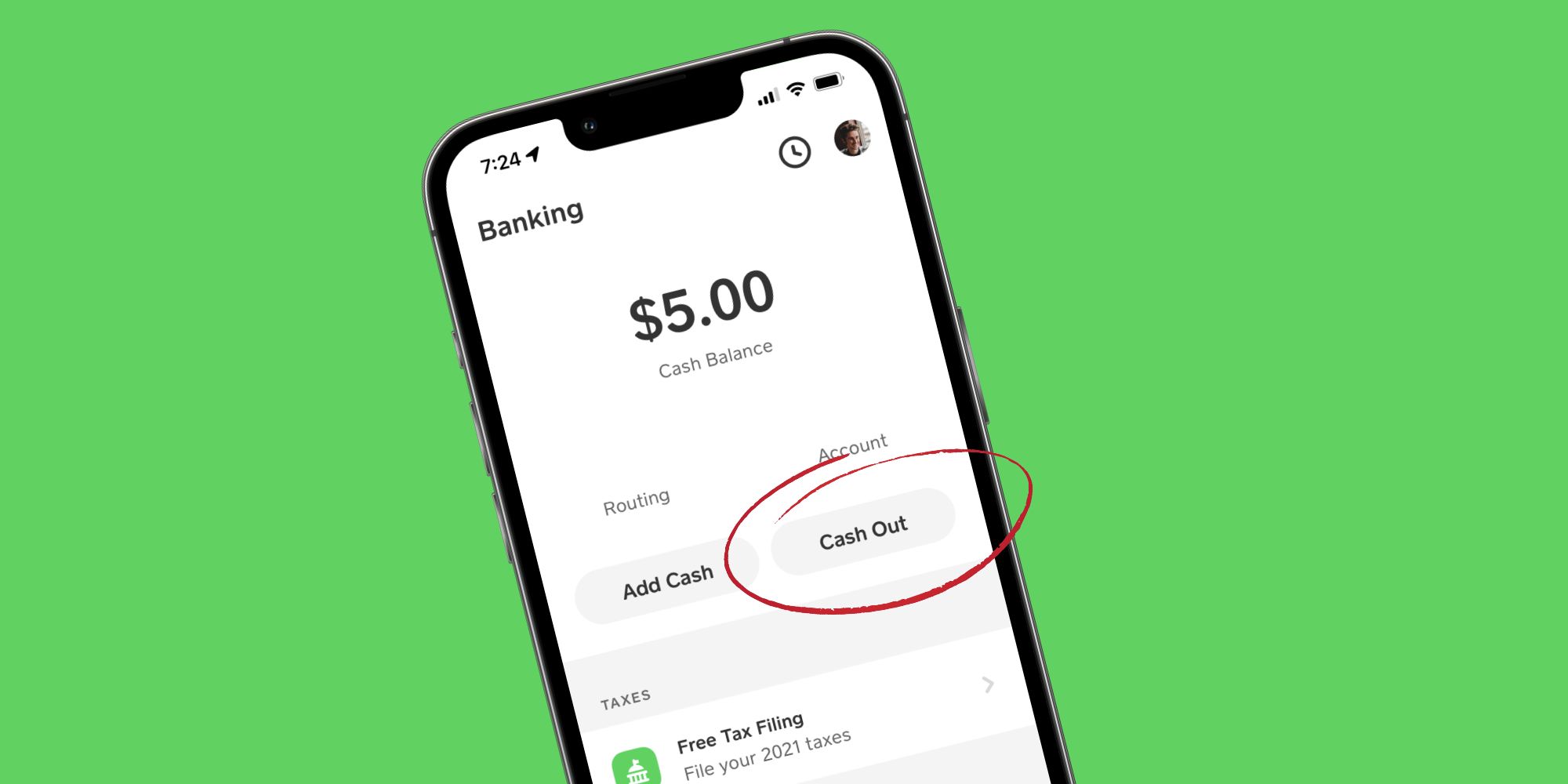
Once money is received into your Cash App balance, the next logical step for many users is to access these funds for spending or saving, typically by transferring them to a linked bank account. This “cashing out” process is an essential part of integrating Cash App with your traditional banking infrastructure.
Linking Your Bank Account for Withdrawals
To cash out funds, you must first have a bank account linked to your Cash App profile.
- Navigate to the Banking Tab: This is usually represented by a house or bank icon.
- Link Bank: Tap on the “Link Bank” option.
- Follow On-Screen Instructions: You will be prompted to search for your bank and then securely log in using your bank’s online banking credentials. This process uses secure third-party integration (like Plaid) to establish a link, without Cash App storing your bank login details directly.
- Verification: Your bank account will typically be verified almost instantly. Once linked, you can initiate transfers.
Having a securely linked bank account is crucial for managing your Cash App funds within your broader financial portfolio, allowing for seamless movement of money between your digital wallet and traditional bank accounts.
Standard vs. Instant Deposits: Speed and Costs
Cash App offers two primary methods for cashing out your balance to a linked bank account, each with different speeds and cost implications:
- Standard Deposit: This is the free option. Funds are typically transferred to your linked bank account within 1-3 business days. While free, the delay means it’s not suitable for immediate financial needs. This option is ideal for users who are not in a hurry and want to avoid any additional transaction costs, optimizing their financial outlay.
- Instant Deposit: For a fee (usually 0.5% to 1.75% of the transaction amount, with a minimum fee), Cash App can transfer your funds to your linked debit card instantly. The funds are typically available in your bank account within minutes. This option is invaluable for urgent financial requirements, such as covering an unexpected expense or making an immediate payment. It represents a trade-off between speed and cost, a common consideration in personal financial planning.

Choosing between standard and instant deposits depends on your immediate cash flow needs and your willingness to pay for speed. Always consider the fee percentage when making larger instant transfers, as it can add up.
Managing Your Cash App Balance
Your Cash App balance acts as a digital wallet. You can choose to keep funds in your Cash App balance, spend them using the Cash Card (a linked debit card), or transfer them to your bank account.
- Spending with Cash Card: The Cash Card allows you to spend your Cash App balance directly at point-of-sale terminals or online, much like a regular debit card. This can be a convenient way to utilize received funds without transferring them to a bank account, offering flexibility in your daily spending habits.
- Keeping Funds: Some users prefer to keep a certain amount in their Cash App balance for recurring transactions or to quickly send money to others, acting as a small, easily accessible digital float for their personal finances.
Effective management of your Cash App balance, understanding its connection to your bank account, and being aware of the costs associated with instant transfers are key components of responsible financial management within the digital payment ecosystem.
Advanced Ways to Receive Money and Optimize Your Finances
Beyond simple P2P transfers, Cash App offers more robust functionalities that can be leveraged for various financial inflows, expanding its utility in your overall financial strategy.
Utilizing Direct Deposit with Cash App
One of Cash App’s most significant features for financial planning is its direct deposit capability. You can receive your paychecks, tax refunds, unemployment benefits, and other government payments directly into your Cash App account.
- Access Your Account & Routing Numbers: In the Banking tab of the Cash App, you’ll find unique account and routing numbers associated with your Cash App account. These are distinct from your linked bank account numbers.
- Provide to Payer: Share these numbers with your employer or benefit provider, just as you would with a traditional bank.
- Early Paycheck Access: Cash App often boasts the ability to receive paychecks up to two days earlier than traditional banks, which can be a significant advantage for managing cash flow and immediate financial obligations.
For many, using Cash App for direct deposits simplifies their financial life, centralizing incoming funds and offering quicker access. It’s an excellent option for those who primarily manage their finances through the app or prefer to receive funds quickly without waiting for traditional bank processing times.
Receiving Payments for Business or Services
While primarily designed for personal use, Cash App can also serve as a convenient tool for receiving payments if you’re a freelancer, run a small side hustle, or operate a micro-business.
- Ease of Use for Clients: Clients or customers can easily pay you using your $Cashtag, simplifying the payment process for both parties.
- Record Keeping: While not as sophisticated as dedicated business accounting software, Cash App’s activity log provides a basic record of incoming payments, which can be useful for tracking revenue from your services.
- Potential for Business Accounts: Cash App offers business accounts, which come with different terms and potentially different fee structures. For serious business use, upgrading to a business account is advisable to ensure compliance and proper financial segregation.
Leveraging Cash App for business payments can streamline your invoicing and payment collection, but it’s important to understand the tax implications and ensure you’re reporting all income correctly, adhering to sound financial accounting practices for your ventures.
The Role of Cash App in Your Broader Financial Strategy
Integrating Cash App effectively into your personal finance strategy means viewing it as more than just a money-transfer app. It can act as a hub for:
- Budgeting: By consolidating certain types of income (like side hustle payments or direct deposits) into Cash App, you can allocate those funds for specific spending categories using the Cash Card or transfer them to dedicated savings accounts.
- Emergency Fund: Having an accessible balance in Cash App, separate from your main bank account, could serve as a small, readily available emergency fund for immediate, unexpected expenses.
- Investment Exploration: With its integrated Bitcoin and stock investing features, Cash App can serve as an entry point for those looking to explore diversified financial strategies, albeit with the understanding of the inherent risks in these markets.
By understanding its full suite of features for receiving and managing money, users can strategically position Cash App as a powerful component of their overall financial toolkit, enhancing convenience, speed, and control over their monetary inflows and outflows.
Ensuring Security and Troubleshooting Common Issues
While Cash App offers immense convenience, maintaining financial security and knowing how to troubleshoot common issues are paramount. Vigilance and informed action protect your funds and personal financial data.
Protecting Your Account from Scams
The popularity of Cash App unfortunately makes it a target for scammers. Protecting your account is crucial:
- Be Skeptical of Unsolicited Requests: Never send money to someone you don’t know or didn’t explicitly agree to pay, especially if they promise to send more money back. This is a common advance-fee scam.
- Verify Senders: Always confirm the identity of anyone sending you money, particularly if the amount seems unusually large or unexpected. Fraudulent payments can be reversed, leaving you at a loss if you’ve already spent the “received” funds.
- Never Share Your PIN or Login Details: Cash App employees will never ask for your PIN or sign-in code outside of the app. Phishing attempts try to trick you into revealing these credentials.
- Use Strong Passwords and Two-Factor Authentication: Enable all available security features to add extra layers of protection to your account.
- Beware of “Cash Flipping” Scams: If someone promises to “flip” your money for a larger return, it’s a scam. Legitimate financial growth rarely comes from such schemes.
Practicing digital financial literacy and skepticism are your best defenses against financial fraud, ensuring that the money you receive remains yours.
What to Do if a Payment Doesn’t Arrive
Sometimes, a payment you’re expecting might not appear in your Cash App balance. Here’s a troubleshooting checklist:
- Check the Activity Tab: Confirm if the payment shows up as pending or if there’s any error message.
- Contact the Sender: The first step is always to verify with the sender that they initiated the payment correctly, using the right $Cashtag, phone number, or email. They should have a transaction ID.
- Verify Account Information: Ensure your Cash App account details (especially your $Cashtag) are correct and have not been altered.
- Check for Account Restrictions: Sometimes, payments can be held or delayed if an account is flagged for unusual activity or if verification is incomplete.
- Review Cash App Status: Occasionally, the Cash App service itself might experience outages. Check social media or official Cash App channels for service status updates.
Most delays are easily resolved by communicating with the sender and checking basic account information.

Contacting Cash App Support for Financial Inquiries
If you’ve gone through the basic troubleshooting steps and a payment issue persists, contacting Cash App support is the next course of action.
- In-App Support: The most secure and recommended way to contact support is directly through the Cash App itself. Go to your profile icon, scroll down to “Support,” and select “Cash App Support.”
- Official Website: You can also find support options on the official Cash App website.
- Be Prepared with Information: When contacting support, have all relevant transaction details ready (sender’s name/Cashtag, amount, date, any transaction IDs, and screenshots of the issue). This expedites the resolution process.
Never rely on unofficial channels or social media DMs for sensitive financial support, as these are often avenues for scammers. Promptly addressing any issues with official support helps maintain the integrity of your personal finance management.
In conclusion, Cash App is an incredibly powerful and convenient tool for receiving money, offering a range of options from simple P2P transfers to direct deposits. By understanding its features, managing your account responsibly, and remaining vigilant against security threats, you can effectively integrate Cash App into your personal finance framework, streamlining your monetary inflows and enhancing your financial flexibility.
aViewFromTheCave is a participant in the Amazon Services LLC Associates Program, an affiliate advertising program designed to provide a means for sites to earn advertising fees by advertising and linking to Amazon.com. Amazon, the Amazon logo, AmazonSupply, and the AmazonSupply logo are trademarks of Amazon.com, Inc. or its affiliates. As an Amazon Associate we earn affiliate commissions from qualifying purchases.