
In an increasingly digital financial landscape, tools like Cash App have become indispensable for millions, offering a convenient way to send, receive, and manage money. The Cash App Card, a free, customizable debit card linked directly to your Cash App balance, extends this convenience to everyday spending, allowing users to make purchases anywhere Visa is accepted and withdraw cash from ATMs. However, a common question often arises, particularly for those who prefer handling physical currency or need to deposit actual cash: “How do I put cash on my Cash App Card?” This guide will demystify the process, offering clear, actionable steps and insights into the various methods available to fund your Cash App account directly with physical cash, alongside other key funding avenues.
Understanding Your Cash App Card and Its Functions
Before delving into the specifics of loading cash, it’s crucial to grasp the fundamental role of the Cash App Card and why funding it effectively is so important. Often referred to simply as the “Cash Card,” this personalized debit card bridges the gap between your digital Cash App balance and the physical world of commerce.
What is the Cash Card?
The Cash Card is a Visa debit card directly tied to your Cash App balance. Unlike traditional bank debit cards that draw funds from a checking account, the Cash Card accesses the money you have stored within your Cash App account. This means that to use your Cash Card for purchases or ATM withdrawals, you first need to ensure your Cash App balance is sufficiently funded. It’s designed for convenience, offering users a seamless way to spend their digital funds without needing to transfer them back to a traditional bank account first.
Why Load Cash onto Your Cash Card?
There are several compelling reasons why users might choose to load physical cash onto their Cash App Card (or, more accurately, into their Cash App balance, which the card then accesses).
-
Access for the Unbanked or Underbanked: For individuals who do not have a traditional bank account, Cash App provides a vital financial tool. Loading cash directly allows them to convert physical currency into a usable digital format, enabling online purchases, bill payments, and ATM withdrawals that would otherwise be inaccessible.
-
Budgeting and Spending Control: Some users find it easier to manage their spending by loading a specific amount of cash onto their Cash App for certain expenses, separating it from their main bank accounts.
-
Convenience for Cash Income: If you receive income in cash (e.g., tips, freelance payments, garage sale earnings), Cash App offers a straightforward way to digitize these funds for modern transactions without needing to visit a bank branch.
-
Security: Carrying large amounts of physical cash can be risky. By loading cash onto your Cash App, you convert it into a more secure digital form, protected by Cash App’s security features.
Direct Methods for Adding Cash to Your Cash App Balance
While the focus of this article is primarily on adding physical cash, it’s important to understand the most common and direct ways to fund your Cash App balance, as these often complement cash deposit strategies.
Linking a Bank Account
The most common method for funding your Cash App is by linking an external bank account. This allows for instant transfers from your bank to your Cash App balance.
-
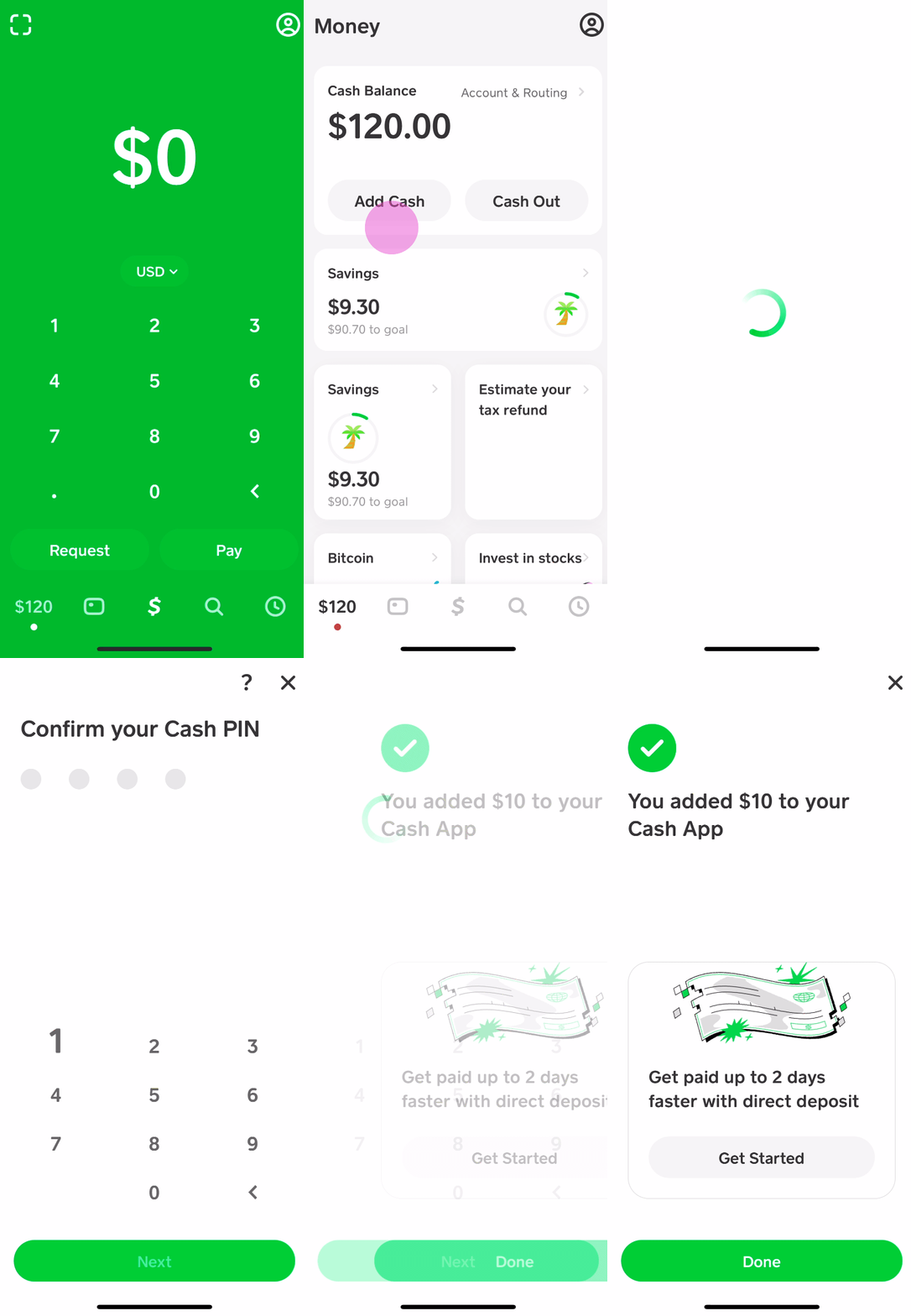
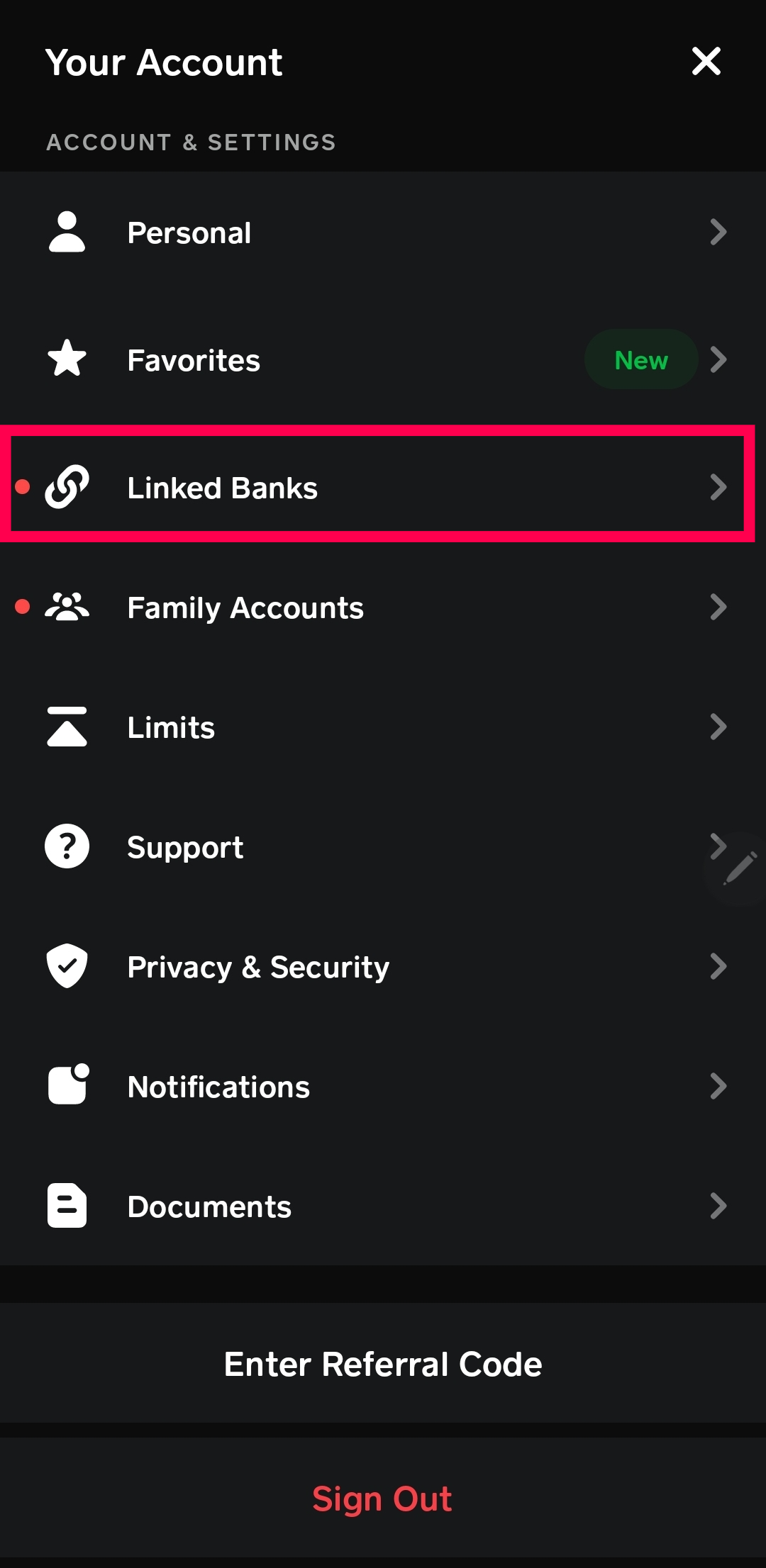
Process: From the Banking tab in Cash App, select “Link Bank.” You will be prompted to search for your bank and then securely log in using your online banking credentials. Once linked, you can initiate transfers by selecting “Add Cash” and choosing the desired amount.
-
Benefits: High limits, typically no fees from Cash App (your bank might have its own policies), and usually fast transfers.
Using a Debit Card
Similar to linking a bank account, you can link a debit card to your Cash App. This often uses the same underlying bank account but provides an alternative linking method.
-
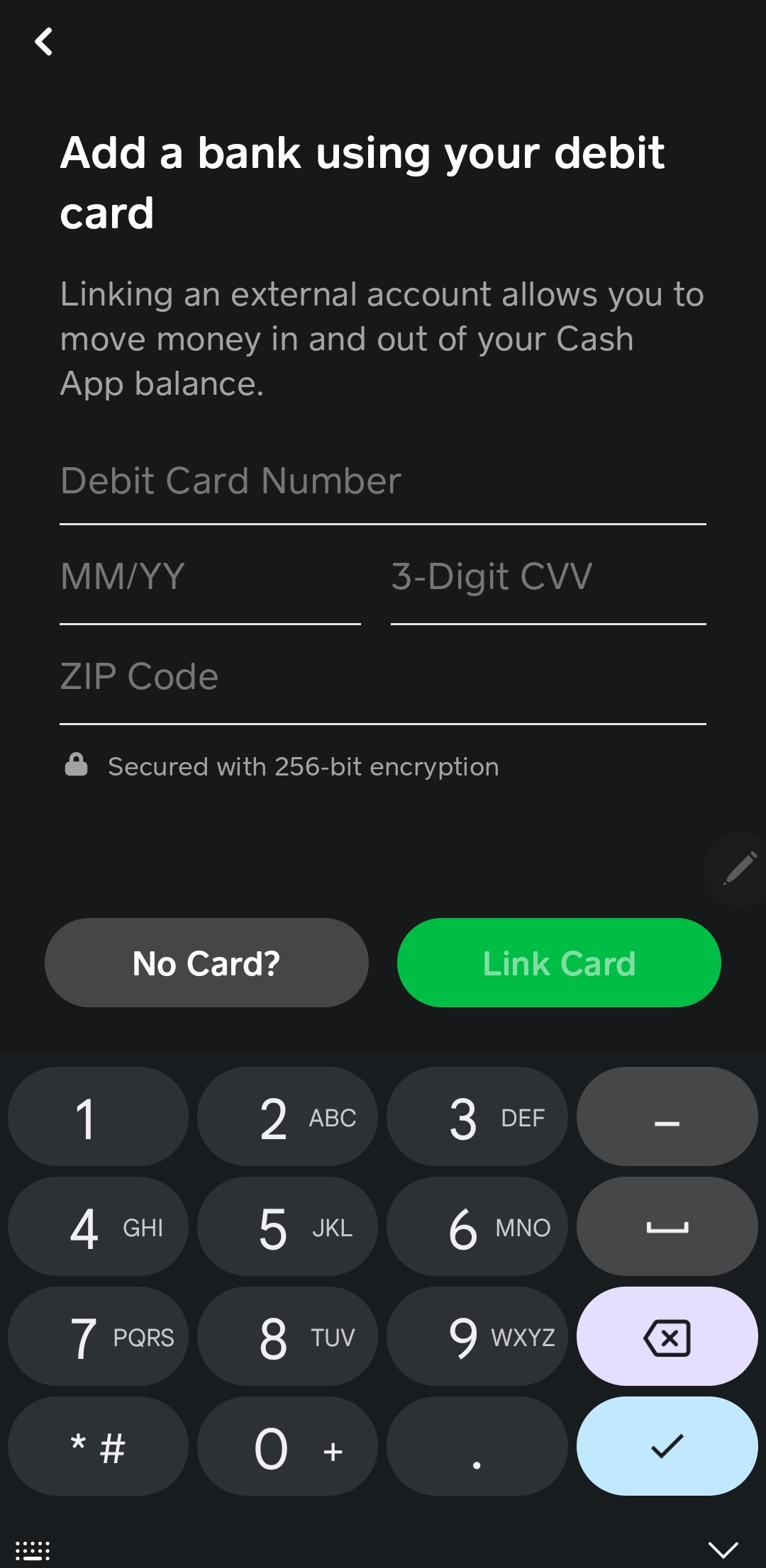
Process: Go to the Banking tab, select “Link Bank,” and then choose to link a debit card instead. You’ll enter your card details (card number, expiration date, CVV, and billing zip code).
-
Benefits: Quick and easy, especially if you prefer not to share full bank login credentials directly with Cash App. It functions much like linking a bank account for adding funds.
Receiving Money from Other Cash App Users
One of Cash App’s core functionalities is peer-to-peer payments. If someone sends you money via Cash App, those funds immediately appear in your Cash App balance, making it a direct way to receive funds.
-
Process: Simply share your $Cashtag or phone number/email with the sender. Once they initiate the payment, it lands directly in your balance.
-
Benefits: Instant, free, and incredibly convenient for splitting bills, receiving payments from friends/family, or getting paid for small gigs.
The Primary Method: Adding Cash at Retail Locations
For those specifically looking to deposit physical cash onto their Cash App Card, the retail deposit option is the go-to solution. This method allows you to convert your paper money into digital funds available on your Cash App balance.
Identifying Participating Stores
Cash App has partnered with numerous major retailers across the United States to facilitate cash deposits. This network makes it convenient for most users to find a location nearby.
-
Common Retail Partners:
-
Walmart: A widespread option, offering dedicated Money Centers or customer service desks.
-
Walgreens: Many drugstores provide this service at the front counter.
-
CVS Pharmacy: Another common drugstore chain offering cash load services.
-
7-Eleven: Convenient for smaller, quick deposits.
-
Family Dollar & Dollar General: Budget-friendly stores often found in various communities.
-
Rite Aid: Another pharmacy chain with this service.
-
Speedway: Gas stations with convenience stores.
-
-
How to Find a Location: The best way to find the most current participating stores near you is to check within the Cash App itself. Navigate to the Banking tab, then “Add Cash,” and look for an option that mentions “Deposit Paper Money” or “Add Cash at Store.” This will usually bring up a map or list of nearby locations.
Step-by-Step Process for In-Store Cash Deposits
Depositing cash at a retail location is a straightforward process, but it requires a few specific steps to ensure a smooth transaction.
-
Open Your Cash App: Launch the Cash App on your smartphone and ensure you’re logged in.
-
Navigate to the Banking Tab: Tap the “Banking” icon (usually a house or bank building symbol) on the bottom left of the main screen.
-
Select “Add Cash”: Under your balance, you’ll see options like “Add Cash” and “Cash Out.” Tap “Add Cash.”
-
Choose “Deposit Paper Money”: Look for an option that specifically mentions depositing paper money or adding cash at a store.
-
Generate a Barcode: Cash App will then generate a unique barcode on your phone screen. This barcode is crucial as it identifies your specific Cash App account to the retail system.
-
Inform the Cashier: Go to the register or customer service desk at a participating store. Inform the cashier that you would like to “add cash to your Cash App” or “make a cash deposit to Cash App.” Some might be familiar with “Green Dot MoneyPak” or “reload” services, as Cash App leverages similar systems.
-
Present Barcode and Cash: Show the cashier your generated barcode from the Cash App. They will scan it. Then, hand over the exact amount of cash you wish to deposit.
-
Receive Confirmation: The cashier will process the transaction. You should receive a digital confirmation on your Cash App almost immediately, showing the added funds. Always ask for a physical receipt from the cashier as well, just in case there’s any discrepancy.
Understanding Fees and Limits for Cash Deposits
While incredibly convenient, cash deposits at retail locations often come with specific fees and limits you should be aware of.
-
Fees: Typically, a small fee is charged for cash deposits. This fee is set by the retail partner, not directly by Cash App, and usually ranges from $1.00 to $4.00 per transaction. This fee will be deducted from your deposit amount or added on top, so clarify with the cashier if you’re unsure.
-
Limits: Cash App and its retail partners impose limits on how much cash you can deposit:
-
Per Transaction Limit: Often around $500 to $1,000.
-
Daily Limit: Generally ranges from $1,000 to $2,500.
-
Weekly/Monthly Limits: May also apply, varying between $4,000 and $10,000 or more, depending on your account verification status.
-
Verification: To access higher limits, ensure your Cash App account is fully verified by providing your full legal name, date of birth, and the last four digits of your Social Security Number.
-
Always check the most current fees and limits within your Cash App, as they can change and may vary slightly by retailer or state.
Alternative Funding Strategies and Considerations
Beyond direct cash deposits and bank/debit card linkages, Cash App offers other avenues for receiving funds, which indirectly contribute to your spending power via the Cash Card.
Direct Deposit for Paychecks
For many users, setting up direct deposit for their paychecks is the most efficient way to fund their Cash App. Cash App provides unique account and routing numbers that function much like a traditional bank account for receiving direct deposits.
-
Process: In the Banking tab, tap “Direct Deposit,” then “Get Account Number.” You’ll find your Cash App routing and account numbers. Provide these to your employer’s payroll department.
-
Benefits: Your entire paycheck (or a portion) can be directly deposited, often up to two days earlier than traditional banks. This is free and eliminates the need for manual transfers.
Transferring from Other Financial Apps (Indirectly)
While not a direct cash deposit, you can often move funds from other digital payment apps (like PayPal, Venmo, Zelle) to a linked bank account, and then from that bank account to your Cash App.
-
Process: First, withdraw funds from the other app to your linked bank account. Then, use the “Add Cash” feature in Cash App, drawing from that same linked bank account.
-
Benefits: Allows consolidation of funds from various digital sources into your Cash App balance.
What to Do if You Don’t Have a Bank Account
For the truly unbanked, Cash App becomes a critical tool. The primary methods for them to fund their Cash App and, by extension, their Cash Card are:
-
Cash Deposits at Retailers: As detailed above, this is the most direct way to convert physical cash into digital funds.
-
Direct Deposit: If they have an employer, they can still utilize Cash App’s direct deposit feature without needing a separate traditional bank account.
-
Receiving Payments: Getting money from friends, family, or clients via Cash App peer-to-peer transfers.
Cash App thus serves as a functional alternative to a traditional bank account for many basic financial needs, provided they can manage deposits through cash-in locations or direct deposit.
Maximizing Security and Best Practices
Funding your Cash App, especially with physical cash, means entrusting your money to a digital platform. Therefore, adhering to security best practices is paramount.
Protecting Your Account Information
-
Strong Passwords and PINs: Always use a strong, unique PIN or fingerprint/Face ID to secure your Cash App account.
-
Two-Factor Authentication (2FA): Enable 2FA for an added layer of security, typically involving a code sent to your phone or email.
-
Beware of Phishing: Cash App will never ask for your PIN, sign-in code, or other sensitive information via unsolicited calls, emails, or texts. Be vigilant against scams.
-
Private Wi-Fi: Avoid accessing your Cash App or performing transactions on public Wi-Fi networks, which can be less secure.
Monitoring Transactions and Account Activity
-
Regular Review: Periodically check your Cash App activity feed. This allows you to quickly spot any unauthorized transactions or errors.
-
Enable Notifications: Turn on notifications in your Cash App settings to receive alerts for all transactions, including deposits and withdrawals.
Troubleshooting Common Issues
-
Cash Deposit Not Showing Up: If your cash deposit doesn’t appear immediately, first check your physical receipt. Then, wait a few minutes, as sometimes there’s a slight delay. If it still doesn’t appear, contact Cash App support with your transaction details and the retailer’s receipt.
-
Declined Transactions: If your debit card or bank transfers are declined, double-check your linked account details, ensure sufficient funds, and contact your bank to confirm there are no blocks or issues.
-
Exceeding Limits: If you hit a deposit limit, you’ll need to wait until the next day, week, or month, or use an alternative funding method if available. Consider verifying your account fully for higher limits.
-
Lost or Stolen Card: If your Cash Card is lost or stolen, immediately lock it within the Cash App (Banking tab -> Cash Card -> Lock Card) and order a replacement.
Conclusion
The question “how do I put cash on my Cash App Card?” reveals a common need in today’s blended financial world, where physical cash still plays a significant role alongside digital transactions. Cash App provides a robust solution through its network of retail partners, allowing users to seamlessly convert their paper money into a digital balance accessible via the Cash Card. By understanding the step-by-step process for in-store deposits, being aware of associated fees and limits, and leveraging other funding methods like direct deposit and linked bank accounts, users can maximize the utility of their Cash App. With diligent security practices and regular monitoring, managing your money on Cash App becomes a powerful, flexible, and convenient way to navigate your personal finances, bridging the gap between cash and digital.
aViewFromTheCave is a participant in the Amazon Services LLC Associates Program, an affiliate advertising program designed to provide a means for sites to earn advertising fees by advertising and linking to Amazon.com. Amazon, the Amazon logo, AmazonSupply, and the AmazonSupply logo are trademarks of Amazon.com, Inc. or its affiliates. As an Amazon Associate we earn affiliate commissions from qualifying purchases.